Food Photo Editing

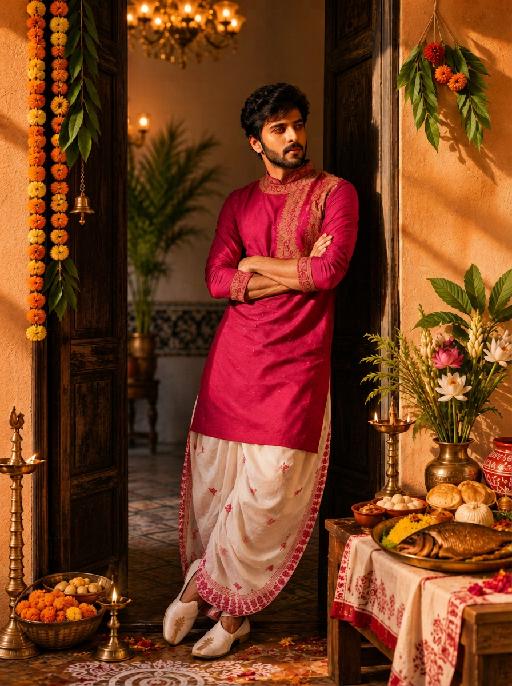
Enhance this food photo to look more appetizing, fresh, and visually premium while keeping the original dish, ingredients, plating, and composition completely unchanged. Add a warm, natural gloss and sheen to the food surface. Make colors more vibrant and saturated. Improve lighting to create a soft, warm glow that highlights texture and depth. Sharpen food details slightly for a crisp, professional food photography look. Make the food look freshly cooked and steaming hot. Enhance the glossy sheen on sauces and oils. Make meat look tender and juicy with rich caramelization. Add subtle steam wisps. Warm color tone. Do NOT change the dish, ingredients, plating arrangement, composition, background, or tableware.

Use Template
arrow

More From VIVAGO AI

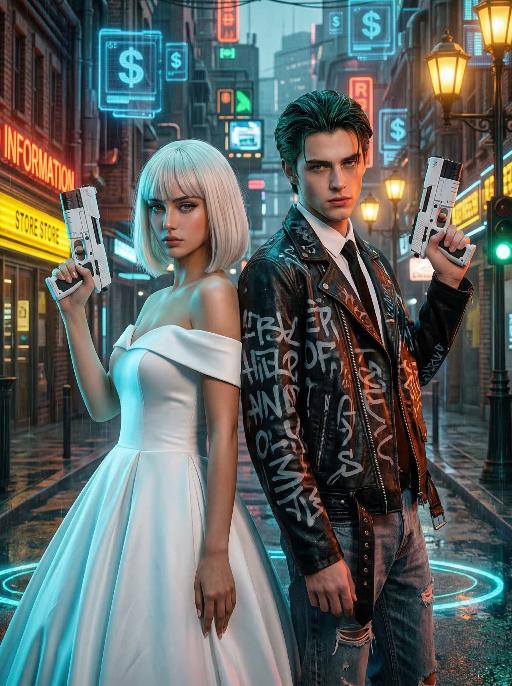
Cyber Couple AI effects generated image

Cyber Couple

"High-end photorealistic cyberpunk-style portrait, strictly preserving the original facial features, gender, and age of the two individuals: The woman has short platinum-blonde hair with blunt bangs, delicate makeup, and a cold, sharp gaze; the man has dark greenish-black slicked-back hair, sharp facial features, and a stern expression. They stand back-to-back, each holding a futuristic white sci-fi firearm raised in their hands, looking directly at the camera with a cool, slightly detached demeanor. The woman wears a white off-the-shoulder ball gown wedding dress, elegant and minimalist, creating a stark contrast with the cyberpunk style. The man dons a black vintage riveted leather jacket printed with graffiti letters, layered over a white shirt and black tie, paired with vintage ripped jeans for a strong streetwear vibe. Background: A rainy neon-lit cyberpunk city street blending retro and futuristic elements: old brick buildings, glowing neon signs (red ""RED INFORMATION"", yellow reflective store signs, green traffic lights), floating blue holographic projections (dollar sign UI elements) in the air, warm yellow vintage street lamps interwoven with cool-toned electronic lights, and wet ground reflecting neon halos. Dense pipelines, electronic screens, and retro architectural details create a dystopian urban atmosphere. Lighting: High-contrast neon cyberpunk lighting, dominated by cyan-blue, orange-red, and warm yellow tones: cool side lighting outlines the figures, warm neon lights illuminate their faces, the ambient light is filled with grain and halos to simulate the diffuse reflection of humid rainy air, and strong light-dark contrast emphasizes the layering between the characters and the neon background. 8K ultra-realistic, cinematic quality, cyberpunk aesthetic, shot with a Sony A7R V camera paired with an 85mm f/1.4 lens, shallow depth of field, ultra-clear details of skin, hair, and clothing textures, with subtle film grain, no watermarks, no text, and no logos."

Sky Rocket AI effects generated image

Sky Rocket

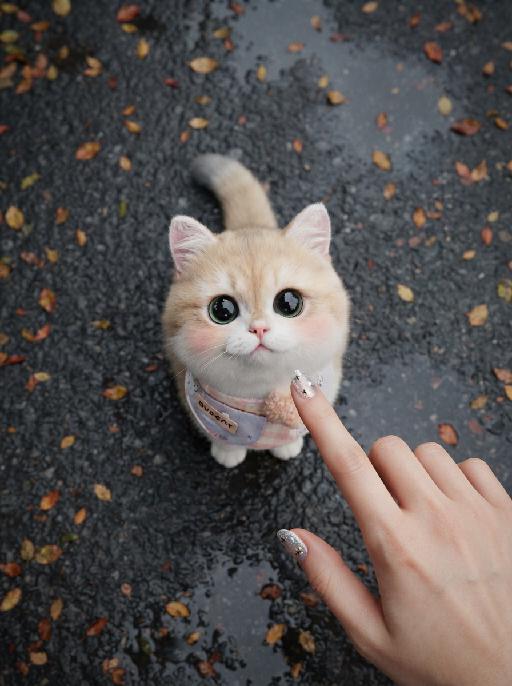
A realistic, high-quality mixed-media photograph. The central image is a photorealistic subject [Note: Placeholder for image reference subject and pose extraction] suspended in mid-air and looking directly at the camera. The pose is a joyfully lifted, fully extended pose with both arms or paws stretched upwards. The background is a vibrant, clear bright blue sky filled with soft white cumulus clouds. Directly above the central subject is a stable, clean, hand-drawn white line art doodle of a whimsical cartoon rocket ship, with simplified white smoke lines trailing downwards towards the subject. Minimalist, hand-drawn English script text doodles in white are present: text read 'UP WE GO!' (positioned to the top-right of the subject), and text reads 'WHOOSH!' (positioned to the left of the subject). Bright, even natural daylight. The overall composition is clean, optimistic, centered, and has a whimsical 'photo with doodles' mixed-media effect.

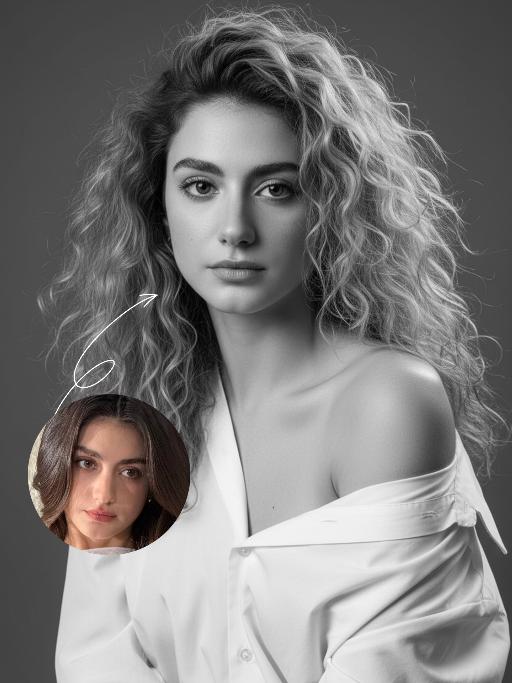
Minimal Chic AI effects generated image

Minimal Chic

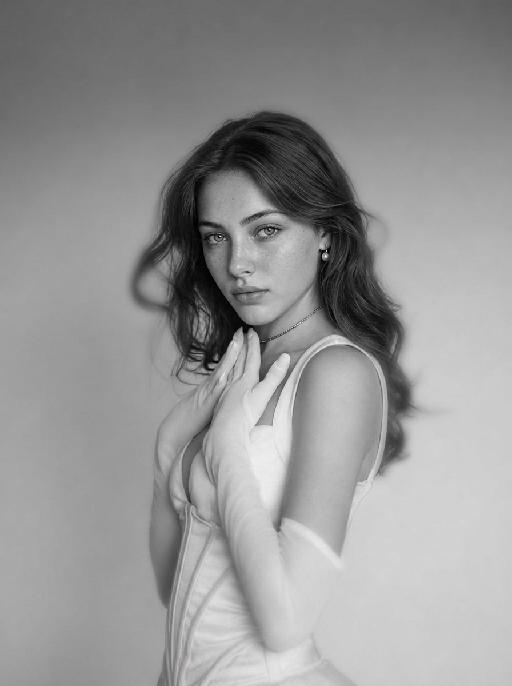
"Strict identity locking is based on the uploaded portrait, with the original facial features, fair skin tone and youthful vitality retained in a 1:1 ratio, reimagined with a striking Euro-American mixed-race aesthetic. The hair color is replaced with long wavy platinum blonde locks, styled in a naturally tousled and voluminous manner. This is a black-and-white artistic portrait photography piece featuring a young woman wearing an oversized white shirt that slips naturally off one shoulder; her platinum blonde tresses softly frame her delicate facial features, with strands gilded by sunlight to reveal an exquisite sheen, and her skin exudes a smooth, refined texture. She sits in an upright posture, facing the camera with a calm, pensive gaze and a relaxed expression that brims with narrative depth. Shot in a professional photo studio against a minimalist solid gray background, a soft, cinema-grade back rim light sculpts her three-dimensional facial contours, with a precise ray of hair light layered in to make each strand of the blonde hair distinct and translucent with clear gradations. Rich details are preserved in the shadow areas, and the highlights transition naturally, crafting an elegant and serene atmosphere. Boasting 8K ultra-realistic resolution and a high-contrast black-and-white aesthetic, the image features razor-sharp details where even pores and individual hair strands are clearly visible, with natural and authentic skin texture. The composition is minimalist with no extraneous elements; the overall style is elegant and sophisticated, blending refined luxury with compelling narrative quality, reaching the standard of professional commercial photography."

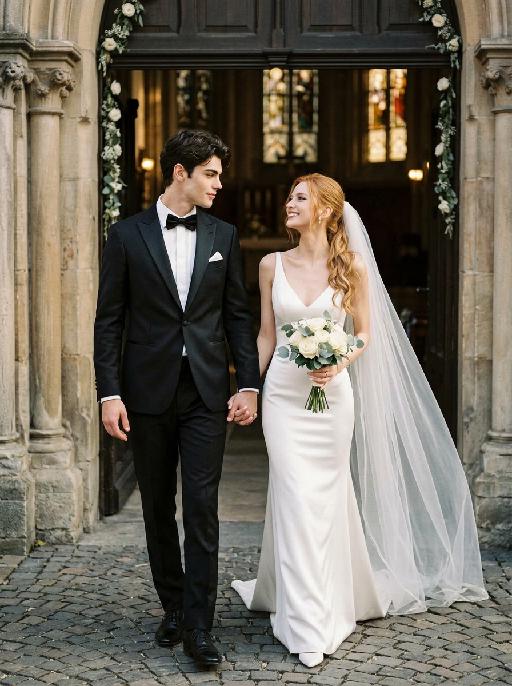
Chapel Vows AI effects generated image

Chapel Vows

"Create a photorealistic cinematic wedding portrait of the two subjects from the uploaded image, preserving their exact faces, ages, facial features, skin tones, and overall likeness as accurately as possible. Transform the two subjects into a bride and groom walking together in front of a beautiful European-style chapel. The couple should strictly follow this intimate walking wedding pose: the groom stands on the left side of the image, walking slightly forward while holding the bride's hand. The bride stands on the right side of the image, walking beside him while holding his hand. They are stepping forward together in a natural elegant walking motion, close to each other, with relaxed posture and romantic body language. The groom turns his head slightly toward the bride and looks at her with a calm, affectionate expression. The bride turns her head slightly toward the groom and looks back at him with a joyful, happy, romantic expression, a soft natural smile, bright eyes, and a warm sense of happiness. The couple's hands are clearly joined between them at waist level, creating a romantic hand-in-hand walking pose. The bride holds a small elegant bridal bouquet in her other hand, positioned naturally near her waist or chest. The bouquet should be simple and refined, made of white flowers with subtle greenery, not oversized. Bride outfit: the bride wears a minimalist white wedding gown inspired by the reference pose image. The dress is sleek, elegant, fitted, and floor-length, with a clean satin or silk texture, a graceful V-neck or softly structured neckline, thin straps or sleeveless design, and a refined modern bridal silhouette. The gown should feel simple, high-end, and editorial, not overly puffy or princess-like. The bride wears a long translucent white bridal veil attached naturally to her hair, flowing softly behind her and around her shoulders as she walks. The veil should be visible, elegant, lightweight, and romantic, without covering her face too much. The bride also wears an elegant bridal necklace around her neck, such as a delicate pearl or diamond necklace, and subtle bridal earrings. The bride's hairstyle should match the hairstyle from the uploaded image as closely as possible, while allowing for natural adjustments needed to accommodate the bridal veil. Groom outfit: the groom wears a classic black tuxedo, fitted and elegant, with a clean white dress shirt, a black bow tie, black dress shoes, and a refined formal wedding look. The tuxedo should be dark, minimal, sharp, and well-tailored. Do not use a casual suit, colorful suit, necktie, or open-collar shirt. Background: an empty, romantic old European chapel or cathedral entrance with tall arched doors, stone columns, soft warm lights, subtle floral decorations, and a sacred wedding atmosphere. The couple appears to be walking out from the chapel entrance together after the wedding ceremony. The chapel doorway or arched entrance should frame the couple beautifully, creating a symmetrical and cinematic wedding composition. The background must be completely free of any other people, guests, staff, bystanders, priests, bridesmaids, groomsmen, or figures. The couple should be the only two people in the image. Lighting and color: golden hour sunlight mixed with soft chapel light, warm cinematic glow, gentle highlights on the tuxedo, wedding dress, bouquet, and veil, natural skin texture, realistic fabric details, emotional high-end wedding photography style. Use a low-saturation color palette, muted tones, soft black, ivory white, warm beige, soft gray, and elegant film-like colors. The overall tone should feel desaturated, timeless, sophisticated, romantic, and slightly film-like. Avoid overly vivid, bright, or highly saturated colors. Composition: vertical portrait, full-body or nearly full-body framing, the couple centered in front of the chapel entrance, walking forward hand in hand. The groom is on the left, the bride is on the right. Their bodies should be close but not overlapping too much. The veil should flow naturally behind the bride and add movement to the image. The image should feel like a candid luxury wedding photo captured at the perfect moment, romantic, elegant, intimate, and timeless. Ultra realistic photography, high-end wedding editorial style, natural facial details, realistic hands and fingers, realistic walking posture, realistic fabric texture, soft film grain, professional camera look, shallow depth of field, high detail, cinematic color grading, elegant muted wedding atmosphere. Negative prompt: extra people, background people, crowd, wedding guests, staff, bystanders, priest, bridesmaids, groomsmen, duplicated bride, duplicated groom, distorted faces, changed identity, inaccurate likeness, deformed hands, extra fingers, missing fingers, hands not holding, disconnected hands, unnatural arms, stiff pose, floating bouquet, oversized bouquet, missing bouquet, missing veil, veil covering the face completely, plastic skin, over-smoothed face, fake CGI look, wrong wedding dress, princess ball gown, colorful wedding dress, casual groom outfit, necktie instead of bow tie, open-collar shirt, missing necklace, text, logo, watermark, elevator, elevator doors, hotel hallway, floor number, low resolution, blurry face, oversaturated colors, vivid bright colors, harsh contrast."

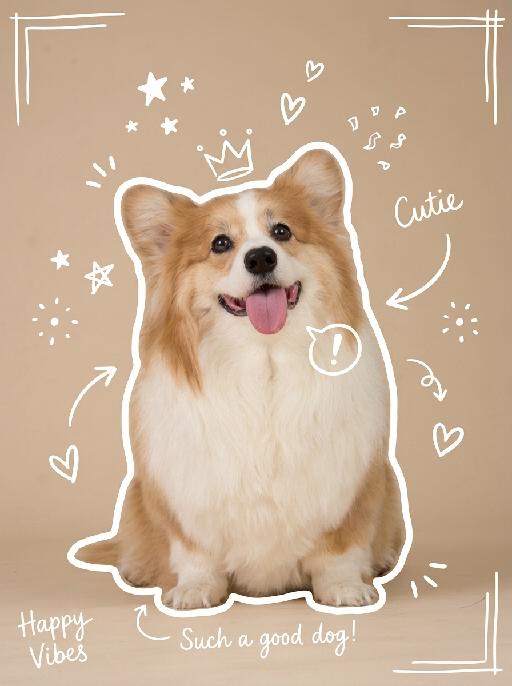
Show Doodle AI effects generated image

Show Doodle

"Keep the original photo fully unchanged, maintain realistic colors, lighting, and texture. Overlay clear, hand-drawn white line doodles on top with a casual marker style, making sure they stand out clearly against the background. 1. Add a **bold, thick, slightly uneven white outline** around the main subject, tracing the full silhouette, making it look like a sticker cutout. 2. Add multiple hand-drawn decorative elements around the subject: stars, sparkles, hearts, arrows, crowns, speech bubbles, confetti, and doodle-style frames, placed in empty corners and around the subject. 3. Add short, playful handwritten text in a thin white cursive font, such as captions, mood words, or fun labels, placed in unobtrusive areas of the image. All doodles are clearly visible, well-balanced, and naturally overlaid on the photo without covering the main subject or overcrowding the image. "

Brick Champion AI effects generated image

Brick Champion

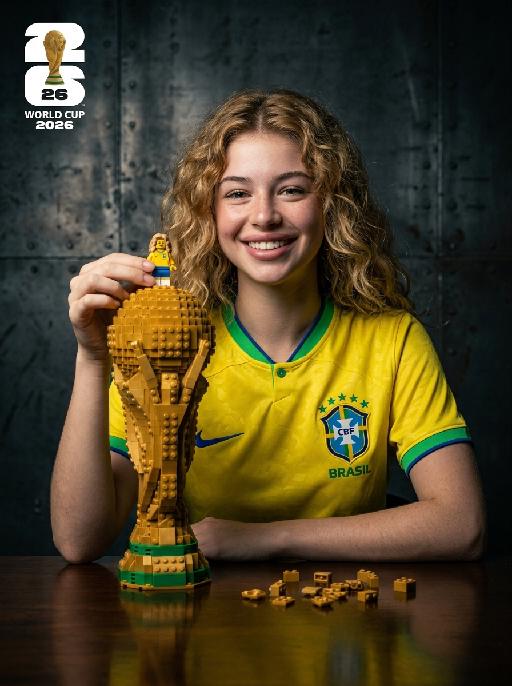
" Photorealistic studio portrait, cinematic low-key lighting. Subject: the subject from the uploaded image, preserving their exact face, age, and attire details including all textures and patterns, wearing the Brazil national team yellow home jersey with green trim, Nike logo and CBF crest, sitting at a dark reflective wooden table, warm bright joyful expression with a big smile, looking directly at the camera. Their left hand gently holds a small Lego-style minifigure that replicates the subject's appearance, standing on top of the large Lego-built World Cup trophy on the table. The trophy is extra large and towering, taking up nearly half of the frame height, much taller and bulkier than the minifigure, with the subject’s hand and the minifigure positioned just above it, matching the reference photo’s trophy-to-subject scale. Table details: scattered small golden Lego bricks and pieces on the reflective dark table surface around the trophy, matching the reference photo’s subtle tabletop details. Background: dark textured industrial metal wall with a rough, slightly scratched weathered finish, moody gritty studio atmosphere. Lighting: dramatic key light from front-left, soft shadows on face and background, highlighting facial features, jersey details, and the texture of the Lego trophy and minifigure. Style: hyperrealistic, sharp focus, high contrast, professional sports portrait photography, 8K, no distortion, no artifacts, no text anywhere in the frame.The left-upper corner features the official 2026 World Cup logo (the massive '26' design with the actual gold World Cup trophy integrated, and 'FIFA' text below) and stacked white text 'WORLD CUP 2026' below it. Crisp focus, professional portrait photography style. "

Load more

Next-Gen Multi-Model AI Video Architecture

Vivago AI isn't just one engine—it’s a unified hub for the world’s most advanced video AI. Whether you need cinematic realism or high-speed social content, we provide the right model for your creative vision.

Free Generate

Beauty and Dolphins

Vacation Time

Stellar Tear

Fish Tank Supervisor

Cinematic Quality & Precision Control

Enables 4K resolution with multi-lens motion control, generating delicate scene via text prompts for customized cinematography.​

TRY NOW

Dynamic AV Sync

Auto-generates original audio to avoid copyright issues. Build 3D immersive environments through layered sound design automatically.

TRY NOW

OpenAI Sora 2

​Advanced visual storytelling with unparalleled physics and consistency.

TRY NOW

Kling v2.6 Pro

Industry-leading cinematic image animation and motion control.

TRY NOW

Google Veo 3 & 3.1

Ultra-fast generation with enhanced realism for creative workflows.

TRY NOW

Vivago AI 2.0

Our proprietary model optimized for efficiency, speed, and cost-effective generation.

TRY NOW

Users' Voice

We listen carefully to the opinions of every user.
Free Generate
Contact Us
I tried the Lip Sync feature inside Vivago.ai’s AI Video Generator for my educational podcast, and the results were stunning! The avatar's lip movements perfectly matched my audio recording, creating a professional AI-generated video without complex editing. Compared with tools like OpenAI Sora 2 and Google Veo 3.1, Vivago Image-to-Video delivers fast, studio-quality results online. It saved me hours of post-production work.
ElenaM (Spain)
Vivago’s Image-to-Video AI transformed my marketing workflow. I uploaded a product image and described the launch scene in text, and it generated a 10-second cinematic AI video with background music and dynamic visuals. The output quality rivals Kling v2.6 Pro and Google Veo 3 Fast. It’s now my go-to AI video generator for social media ads and product campaigns.
KenjiT (Japan)
As a digital artist, I use Vivago.ai 2.0 daily for Image-to-Image and AI Image-to-Video creation. The e-book covers and animated visuals I generate for clients look cinematic and professional. Unlike many standalone AI tools, Vivago integrates multiple leading models into one platform, making it easier to create copyright-safe AI images and videos for publishing.
ChenL (China)
I tried the Lip Sync feature inside Vivago.ai’s AI Video Generator for my educational podcast, and the results were stunning! The avatar's lip movements perfectly matched my audio recording, creating a professional AI-generated video without complex editing. Compared with tools like OpenAI Sora 2 and Google Veo 3.1, Vivago Image-to-Video delivers fast, studio-quality results online. It saved me hours of post-production work.
ElenaM (Spain)
Vivago’s Image-to-Video AI transformed my marketing workflow. I uploaded a product image and described the launch scene in text, and it generated a 10-second cinematic AI video with background music and dynamic visuals. The output quality rivals Kling v2.6 Pro and Google Veo 3 Fast. It’s now my go-to AI video generator for social media ads and product campaigns.
KenjiT (Japan)
As a digital artist, I use Vivago.ai 2.0 daily for Image-to-Image and AI Image-to-Video creation. The e-book covers and animated visuals I generate for clients look cinematic and professional. Unlike many standalone AI tools, Vivago integrates multiple leading models into one platform, making it easier to create copyright-safe AI images and videos for publishing.
ChenL (China)
I absolutely love Vivago’s AI Image-to-Video Generator. As a travel blogger, static images often fail to capture real atmosphere, but Vivago helps me turn photos into vivid cinematic AI videos with motion effects. It feels comparable to OpenAI Sora 2 and Google Veo 3.1, but more accessible and faster for creators who need high-quality AI videos online.
LiamK (Australia)
I tried the Lip Sync feature inside Vivago.ai’s AI Video Generator for my educational podcast, and the results were stunning! The avatar's lip movements perfectly matched my audio recording, creating a professional AI-generated video without complex editing. Compared with tools like OpenAI Sora 2 and Google Veo 3.1, Vivago Image-to-Video delivers fast, studio-quality results online. It saved me hours of post-production work.
ElenaM (Spain)
Vivago’s Image-to-Video AI transformed my marketing workflow. I uploaded a product image and described the launch scene in text, and it generated a 10-second cinematic AI video with background music and dynamic visuals. The output quality rivals Kling v2.6 Pro and Google Veo 3 Fast. It’s now my go-to AI video generator for social media ads and product campaigns.
KenjiT (Japan)
As a digital artist, I use Vivago.ai 2.0 daily for Image-to-Image and AI Image-to-Video creation. The e-book covers and animated visuals I generate for clients look cinematic and professional. Unlike many standalone AI tools, Vivago integrates multiple leading models into one platform, making it easier to create copyright-safe AI images and videos for publishing.
ChenL (China)
I absolutely love Vivago’s AI Image-to-Video Generator. As a travel blogger, static images often fail to capture real atmosphere, but Vivago helps me turn photos into vivid cinematic AI videos with motion effects. It feels comparable to OpenAI Sora 2 and Google Veo 3.1, but more accessible and faster for creators who need high-quality AI videos online.
LiamK (Australia)
Using Vivago.ai’s Image-to-Video AI has greatly enhanced my classroom teaching. I transform textbook notes into historical AI videos with cinematic filters and dynamic animations. Compared with tools like Kling v2.6 Pro and Google Veo 3 Fast, Vivago offers faster generation and easier parameter control for educators who need reliable AI video creation.
RajivG (India)
I frequently create AI videos on Vivago and publish them on TikTok and YouTube Shorts. The AI video templates and trending content ideas help me produce viral-ready clips quickly. With Vivago’s integrated models—including advanced video engines similar to OpenAI Sora 2—I can generate anime-style and cinematic social media videos that drive high engagement.
MarieJ (Spain)
What attracts me most about Vivago.ai is not only the powerful AI Video Generator but also the active AIGC creator community. It combines AI Image-to-Video, Text-to-Video, and leading model integrations like Google Veo 3.1 into one creative platform.
TomW (India)
At first, I was hesitant about using AI video tools. But after trying Vivago Image-to-Video, I realized how easy it is to create professional AI-generated videos online. I just upload an image, add a short prompt, and adjust a few settings. The results are cinematic and copyright-safe, which is essential for commercial projects.
HectorC (Mexico)
Using Vivago.ai’s Image-to-Video AI has greatly enhanced my classroom teaching. I transform textbook notes into historical AI videos with cinematic filters and dynamic animations. Compared with tools like Kling v2.6 Pro and Google Veo 3 Fast, Vivago offers faster generation and easier parameter control for educators who need reliable AI video creation.
RajivG (India)
I frequently create AI videos on Vivago and publish them on TikTok and YouTube Shorts. The AI video templates and trending content ideas help me produce viral-ready clips quickly. With Vivago’s integrated models—including advanced video engines similar to OpenAI Sora 2—I can generate anime-style and cinematic social media videos that drive high engagement.
MarieJ (Spain)
What attracts me most about Vivago.ai is not only the powerful AI Video Generator but also the active AIGC creator community. It combines AI Image-to-Video, Text-to-Video, and leading model integrations like Google Veo 3.1 into one creative platform.
TomW (India)
At first, I was hesitant about using AI video tools. But after trying Vivago Image-to-Video, I realized how easy it is to create professional AI-generated videos online. I just upload an image, add a short prompt, and adjust a few settings. The results are cinematic and copyright-safe, which is essential for commercial projects.
HectorC (Mexico)