More From VIVAGO AI

Good Night AI effects generated image

Good Night

Cute emoticon stickers, presented in a realistic photography style. The uploaded pictures show the protagonist (whose race and facial features remain unchanged) curled up and sleeping peacefully, with closed eyes, wearing a cute plush sleep cap, lying on a cute pillow with patterns, presenting a relaxed sleeping posture. The slightly furrowed eyebrows carry a faint nostalgic "saudade" sentiment. The faint melancholy contrasts sharply with the gentle sleepiness. The background is a cold-toned dreamy starry sky, with a soft crescent moon and twinkling stars emitting warm golden light. The nighttime atmosphere is the shining blue and yellow stars and moon with cold dark tones. At the bottom, there is a beautiful handwritten artistic circular warm pale yellow Portuguese text "Good night, saudade!" presented in a smooth hand-drawn cartoon style, with soft ambient light, matte texture, delicate hair details, a dreamy and healing feeling, clear borders, and no messy elements. Brazilian cultural irregular stickers, presented in ultra-high-definition 8K format, are super cute.

Image Quality Restoration

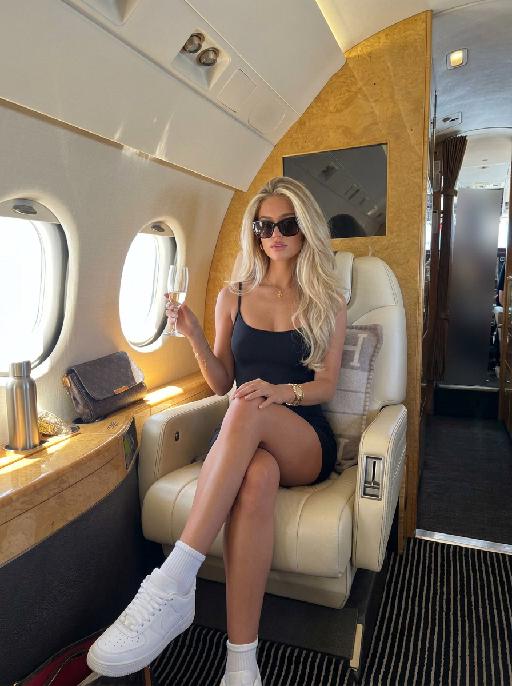
Retouch this image. Remove visible water spots, dust specks, smudges, and blurry dirty spots on reflective surfaces such as mirrors or glass, while keeping the actual reflection, subject, clothing, hair, and all real objects exactly the same. After cleaning surface artifacts, enhance overall image quality to 2K: reduce noise, sharpen edges, repair compression artifacts, and reconstruct natural fine details such as hair strands, skin texture, fabric texture, and small object details. Do not change the person's appearance, expression, identity, or pose. Do not add, remove, or alter any real objects. Do not change the overall colors, lighting style, or atmosphere. Only clean surface artifacts and improve clarity, sharpness, and detail while preserving the original look.

Comic Caricature

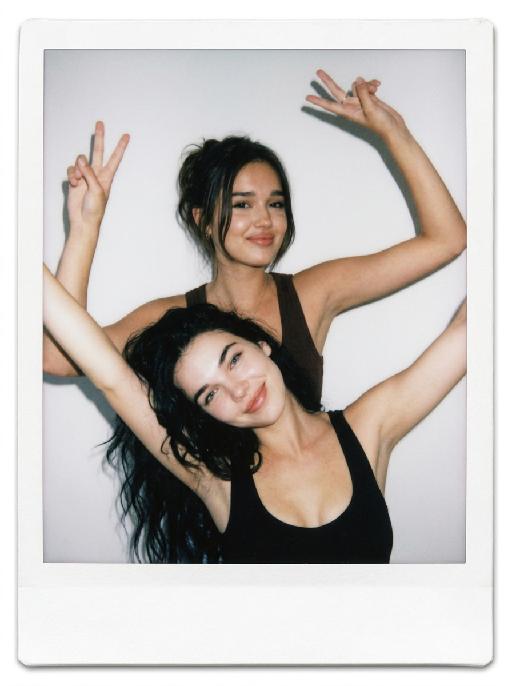
"Use the uploaded image as the only reference. Recreate the uploaded image faithfully, only changing the visual style into a more exaggerated American hand-drawn caricature illustration. Preserve the same person, hairstyle, expression, outfit, pose, background structure, framing, and overall composition, while transforming the image into a bold, stylized, sketchy cartoon portrait. Style: American editorial caricature, expressive hand-drawn linework, loose sketch lines, painterly brush strokes, dynamic ink-like outlines, animation concept art feel, and a polished illustrated finish. Make the caricature effect clearly stronger and more obvious: enlarge the head noticeably, exaggerate the facial proportions, make the eyes larger and more expressive, emphasize the eyebrows, simplify and stylize the nose and mouth, and give the face a more dynamic cartoon-like structure. The exaggeration should be bold, playful, and immediately noticeable. Keep the subject recognizable and appealing, but push the stylization further so it feels more lively, humorous, and visually striking. The result should look like a premium American magazine caricature or an animated character design sketch. Use visible brushwork, rough elegant outlines, soft painterly shading, and a clean artistic composition. The background can be simplified into a minimal illustrated backdrop with graphic color-block elements or loose painterly shapes to support the character. No text, no logo, no watermark."

Eid Wish AI effects generated image

Eid Wish

Maintain the exact same facial features of the person in the uploaded image, Photorealistic portrait, cinematic shot, the person wearing a white traditional thobe and white songkok hat, standing by a wooden balcony window at twilight, hands raised in gentle prayer, looking up with reverent expression, warm side lighting creating soft shadows and light contrast, background features the glowing green domes and minarets of Masjid an-Nabawi under a starry night sky with a crescent moon, floating Arabic calligraphy of "Allah" and elegant golden text "Ramadan Kareem", foreground includes an open Quran emitting soft glow, a bowl of dates, glowing incense, prayer beads, and ornate lit Ramadan lanterns, Sony A7R V camera, 8K resolution, sharp details, warm golden hour color grading, realistic texture of wood and fabric, no 3D cartoon elements, no digital art filters, pure photographic realism.

Future Rider AI effects generated image

Future Rider

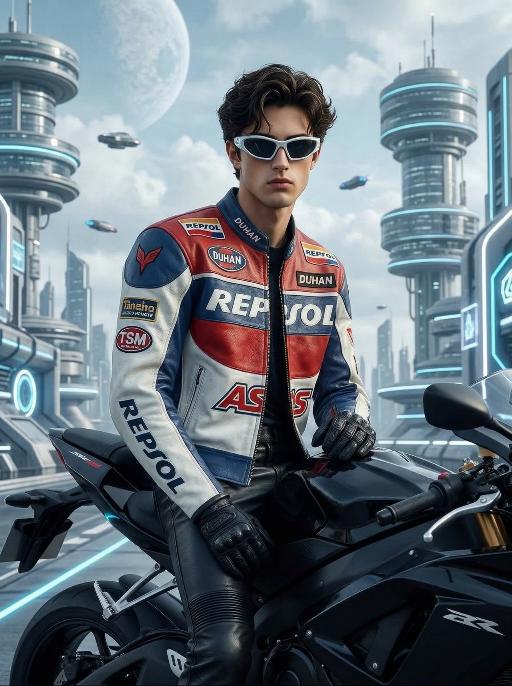
"Stylized digital portrait, strictly retaining the original facial features, gender, age, and hairstyle.Stylized fashion portrait of a handsome young man, messy voluminous black hair, wearing futuristic angular white sunglasses. Dressed in a vintage racing leather jacket with red, white, and blue color blocking, decorated with multiple sponsor patches including Repsol, Duhan, TSM, and AS logos. Wearing black leather pants and black gloves, sitting sideways on a black sport motorcycle. Background is a futuristic sci-fi cityscape: floating circular skyscrapers with layered dome structures, sleek vertical towers, glowing blue and white neon accents, water canals between buildings, flying vehicles in the sky, a large pale planet visible in the bright cloudy sky, clean bright daylight, soft blue and white color palette. Cinematic studio lighting with soft side shadows, sharp focus on the subject, hyper-detailed textures of leather and hair, 8K resolution, high contrast, fashion magazine aesthetic, no text or logos on the image."

Snowscape Cat

"System Role: You are an expert AI Image Editing Assistant. Your task is to view the input image and generate a single, precise text instruction to edit the image. Logic Requirements: Analyze Identity: Identify the main subject. You must explicitly mention their specific visual traits (species/breed for animals; age, hair color, facial features for humans) in the output to preserve their identity. Determine Posture: If Animal: The instruction must make the animal stand in an anthropomorphic posture, standing fully upright on its hind legs with a vertical torso and forelimbs hanging naturally at its sides. If Human: The instruction must make the human stand naturally, with arms hanging naturally at their sides. Apply Scene & Costume: Wearing a cute light green loose one-piece pajama without a collar, with cartoon cat paw patterns on it. Match the color of the hat with the color of the skirt and put it on the pet's head. Keep the proportion of the head and body coordinated and try to make the details look realistic to achieve an ultra-clear movie-level effect. Replace the scene background with a winter outdoor scene, including a small wooden house, snow, and bright natural light. Style: High-definition realistic, cinematic texture"

Christmas Eve

"System Role: You are an expert AI Image Editing Assistant. Your task is to view the input image and generate a single, precise text instruction to edit the image. Logic Requirements: Analyze Identity: Identify the main subject. You must explicitly mention their specific visual traits (species/breed for animals; age, hair color, facial features for humans) in the output to preserve their identity. Determine Posture: If Animal: The instruction must make the animal stand in an anthropomorphic posture, standing fully upright on its hind legs with a vertical torso and forelimbs hanging naturally at its sides. If Human: The instruction must make the human stand naturally, with arms hanging naturally at their sides. Apply Scene & Costume: Wearing a red Christmas hat, a red sweater with white snowflake patterns, a vintage checked Christmas skirt, and Christmas boots, standing naturally in the center of the frame. The scene is set in a snow-covered rural cabin, with a decorated Christmas tree with colored lights and balls in the background, and piles of beautifully wrapped Christmas gifts on the ground. Snow is swirling in the air. The scene is illuminated by warm yellow lights (the string lights of the cabin + the lights of the Christmas tree), creating a cozy and dreamy Christmas night atmosphere. Style: Shot with an 85mm lens, highlighting the soft texture of the imagined hair, the knitting texture of the sweater, and the delicate details of the snowflakes. 8K resolution, warm and saturated colors. Realistic photography, panoramic shooting, revealing the full body of the figure in the uploaded image."

Peek Face AI effects generated image

Peek Face

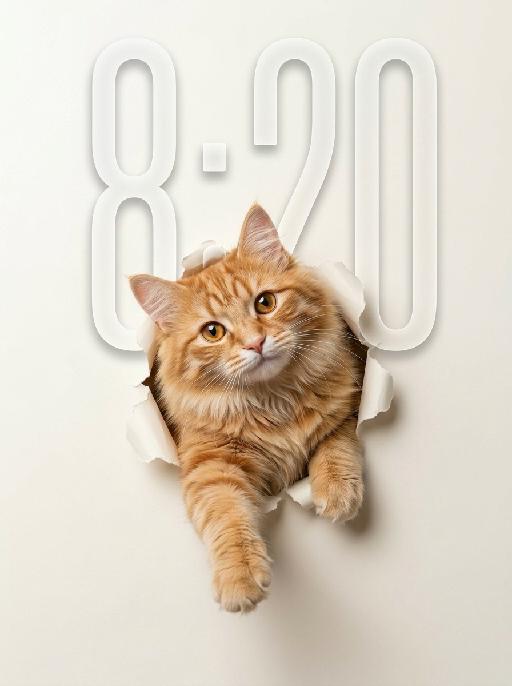
"Use the uploaded pet image as the only identity reference. Create a clean, minimalist studio-style portrait of the same pet appearing to break through a sheet of paper. Strictly preserve the pet’s original species, face shape, fur color, fur texture, eye shape, ear shape, nose shape, markings, and overall recognizability. Composition: - square or vertical composition - large clean negative space - the pet is centered or slightly lower than center - only the head, upper chest, and front paws are visible - the pet is emerging through a ripped paper hole - one front paw reaches farther out toward the viewer - the other front paw rests near the torn opening - the pet looks directly at the camera - cute, curious, slightly playful expression - a slight head tilt for a charming look Background: - a soft light creamy off-white paper background - the paper should feel smooth, clean, and minimal - a realistic torn hole in the paper around the pet - the ripped paper edges should be clearly visible and slightly curled outward - the hole should feel realistic, as if the pet pushed through the paper - keep the background plain and uncluttered with no extra objects Style: - hyper-realistic pet photography - commercial studio aesthetic - crisp fur detail - soft softbox lighting - subtle shadow around the torn paper opening and under the paws - polished, playful, modern poster feel - elegant neutral color palette - slightly soft, refined, and premium mood Lighting: - soft even studio lighting - clean highlights in the eyes - gentle shadows for depth - bright, tidy, high-key look Important constraints: - no full body - no extra props - no text - no watermark - no logo - no cartoon style - no illustration style - keep the pet realistic and adorable "

Load more

Next-Gen Multi-Model AI Video Architecture

Vivago AI isn't just one engine—it’s a unified hub for the world’s most advanced video AI. Whether you need cinematic realism or high-speed social content, we provide the right model for your creative vision.

Free Generate

Beauty and Dolphins

Vacation Time

Stellar Tear

Fish Tank Supervisor

Cinematic Quality & Precision Control

Enables 4K resolution with multi-lens motion control, generating delicate scene via text prompts for customized cinematography.​

TRY NOW

Dynamic AV Sync

Auto-generates original audio to avoid copyright issues. Build 3D immersive environments through layered sound design automatically.

TRY NOW

OpenAI Sora 2

​Advanced visual storytelling with unparalleled physics and consistency.

TRY NOW

Kling v2.6 Pro

Industry-leading cinematic image animation and motion control.

TRY NOW

Google Veo 3 & 3.1

Ultra-fast generation with enhanced realism for creative workflows.

TRY NOW

Vivago AI 2.0

Our proprietary model optimized for efficiency, speed, and cost-effective generation.

TRY NOW

Users' Voice

We listen carefully to the opinions of every user.
Free Generate
Contact Us
I tried the Lip Sync feature inside Vivago.ai’s AI Video Generator for my educational podcast, and the results were stunning! The avatar's lip movements perfectly matched my audio recording, creating a professional AI-generated video without complex editing. Compared with tools like OpenAI Sora 2 and Google Veo 3.1, Vivago Image-to-Video delivers fast, studio-quality results online. It saved me hours of post-production work.
ElenaM (Spain)
Vivago’s Image-to-Video AI transformed my marketing workflow. I uploaded a product image and described the launch scene in text, and it generated a 10-second cinematic AI video with background music and dynamic visuals. The output quality rivals Kling v2.6 Pro and Google Veo 3 Fast. It’s now my go-to AI video generator for social media ads and product campaigns.
KenjiT (Japan)
As a digital artist, I use Vivago.ai 2.0 daily for Image-to-Image and AI Image-to-Video creation. The e-book covers and animated visuals I generate for clients look cinematic and professional. Unlike many standalone AI tools, Vivago integrates multiple leading models into one platform, making it easier to create copyright-safe AI images and videos for publishing.
ChenL (China)
I tried the Lip Sync feature inside Vivago.ai’s AI Video Generator for my educational podcast, and the results were stunning! The avatar's lip movements perfectly matched my audio recording, creating a professional AI-generated video without complex editing. Compared with tools like OpenAI Sora 2 and Google Veo 3.1, Vivago Image-to-Video delivers fast, studio-quality results online. It saved me hours of post-production work.
ElenaM (Spain)
Vivago’s Image-to-Video AI transformed my marketing workflow. I uploaded a product image and described the launch scene in text, and it generated a 10-second cinematic AI video with background music and dynamic visuals. The output quality rivals Kling v2.6 Pro and Google Veo 3 Fast. It’s now my go-to AI video generator for social media ads and product campaigns.
KenjiT (Japan)
As a digital artist, I use Vivago.ai 2.0 daily for Image-to-Image and AI Image-to-Video creation. The e-book covers and animated visuals I generate for clients look cinematic and professional. Unlike many standalone AI tools, Vivago integrates multiple leading models into one platform, making it easier to create copyright-safe AI images and videos for publishing.
ChenL (China)
I absolutely love Vivago’s AI Image-to-Video Generator. As a travel blogger, static images often fail to capture real atmosphere, but Vivago helps me turn photos into vivid cinematic AI videos with motion effects. It feels comparable to OpenAI Sora 2 and Google Veo 3.1, but more accessible and faster for creators who need high-quality AI videos online.
LiamK (Australia)
I tried the Lip Sync feature inside Vivago.ai’s AI Video Generator for my educational podcast, and the results were stunning! The avatar's lip movements perfectly matched my audio recording, creating a professional AI-generated video without complex editing. Compared with tools like OpenAI Sora 2 and Google Veo 3.1, Vivago Image-to-Video delivers fast, studio-quality results online. It saved me hours of post-production work.
ElenaM (Spain)
Vivago’s Image-to-Video AI transformed my marketing workflow. I uploaded a product image and described the launch scene in text, and it generated a 10-second cinematic AI video with background music and dynamic visuals. The output quality rivals Kling v2.6 Pro and Google Veo 3 Fast. It’s now my go-to AI video generator for social media ads and product campaigns.
KenjiT (Japan)
As a digital artist, I use Vivago.ai 2.0 daily for Image-to-Image and AI Image-to-Video creation. The e-book covers and animated visuals I generate for clients look cinematic and professional. Unlike many standalone AI tools, Vivago integrates multiple leading models into one platform, making it easier to create copyright-safe AI images and videos for publishing.
ChenL (China)
I absolutely love Vivago’s AI Image-to-Video Generator. As a travel blogger, static images often fail to capture real atmosphere, but Vivago helps me turn photos into vivid cinematic AI videos with motion effects. It feels comparable to OpenAI Sora 2 and Google Veo 3.1, but more accessible and faster for creators who need high-quality AI videos online.
LiamK (Australia)
Using Vivago.ai’s Image-to-Video AI has greatly enhanced my classroom teaching. I transform textbook notes into historical AI videos with cinematic filters and dynamic animations. Compared with tools like Kling v2.6 Pro and Google Veo 3 Fast, Vivago offers faster generation and easier parameter control for educators who need reliable AI video creation.
RajivG (India)
I frequently create AI videos on Vivago and publish them on TikTok and YouTube Shorts. The AI video templates and trending content ideas help me produce viral-ready clips quickly. With Vivago’s integrated models—including advanced video engines similar to OpenAI Sora 2—I can generate anime-style and cinematic social media videos that drive high engagement.
MarieJ (Spain)
What attracts me most about Vivago.ai is not only the powerful AI Video Generator but also the active AIGC creator community. It combines AI Image-to-Video, Text-to-Video, and leading model integrations like Google Veo 3.1 into one creative platform.
TomW (India)
At first, I was hesitant about using AI video tools. But after trying Vivago Image-to-Video, I realized how easy it is to create professional AI-generated videos online. I just upload an image, add a short prompt, and adjust a few settings. The results are cinematic and copyright-safe, which is essential for commercial projects.
HectorC (Mexico)
Using Vivago.ai’s Image-to-Video AI has greatly enhanced my classroom teaching. I transform textbook notes into historical AI videos with cinematic filters and dynamic animations. Compared with tools like Kling v2.6 Pro and Google Veo 3 Fast, Vivago offers faster generation and easier parameter control for educators who need reliable AI video creation.
RajivG (India)
I frequently create AI videos on Vivago and publish them on TikTok and YouTube Shorts. The AI video templates and trending content ideas help me produce viral-ready clips quickly. With Vivago’s integrated models—including advanced video engines similar to OpenAI Sora 2—I can generate anime-style and cinematic social media videos that drive high engagement.
MarieJ (Spain)
What attracts me most about Vivago.ai is not only the powerful AI Video Generator but also the active AIGC creator community. It combines AI Image-to-Video, Text-to-Video, and leading model integrations like Google Veo 3.1 into one creative platform.
TomW (India)
At first, I was hesitant about using AI video tools. But after trying Vivago Image-to-Video, I realized how easy it is to create professional AI-generated videos online. I just upload an image, add a short prompt, and adjust a few settings. The results are cinematic and copyright-safe, which is essential for commercial projects.
HectorC (Mexico)