More From VIVAGO AI

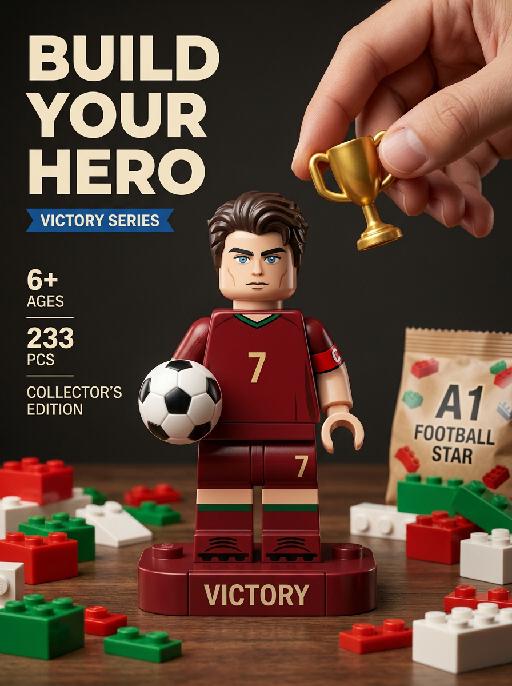
Victory Piece AI effects generated image

Victory Piece

"Photorealistic toy commercial vertical poster, fixed exploded-view composition, all building-block parts fixed in position and layout with no random displacement. Top-left large bold text: ""BUILD YOUR HERO"" Small blue banner text below the title: ""VICTORY SERIES"" Left-side fixed vertical text layout: ""6+ AGES"" ""233 PCS"" ""COLLECTOR'S EDITION"" universal championship trophy icon. Place one oversized Lego-style minifigure of the subject from the uploaded image in the center, preserving their recognizable face, age, hairstyle, hair color, and likeness. The character wears a No.7 dark-red home jersey with green trim, a red captain armband, matching dark-red shorts, dark-red socks, and football shoes. COMPLETE MINIFIGURE REQUIREMENT: The central Lego-style minifigure must be fully assembled and complete from head to toe. The head, hair block, torso, both arms, both hands, both legs, both feet, jersey, shorts, socks, and football shoes must all remain securely attached in their correct positions. The figure must stand upright as a finished collectible toy. Do not remove, separate, float, detach, duplicate, or omit any character body part. Do not show spare arms, spare legs, spare hands, spare feet, spare shoes, spare heads, spare hair pieces, spare jersey blocks, or any detached character components. The exploded-view aesthetic applies only to the surrounding generic building bricks and tabletop props, never to the central minifigure. HEAD AND FACE QUALITY: The minifigure head must look like a polished premium collectible Lego-style toy head with clean, balanced proportions and an attractive molded appearance. Preserve the subject's recognizable facial identity, age, hairstyle, hair color, and overall likeness, while translating the face naturally into a refined Lego-style minifigure aesthetic. Use a smooth molded ABS plastic facial surface, clean symmetrical eyes, naturally aligned eyebrows, a simplified but recognizable nose, a neat mouth shape, and a subtle confident expression. The hairstyle must be rendered as a clean sculpted hair block that fits securely and naturally on the head. Avoid uncanny facial realism, excessive skin texture, distorted facial features, asymmetrical eyes, oversized or undersized head proportions, fragmented facial details, exaggerated cartoon expressions, malformed head shape, and misaligned hair pieces. HAND AND TROPHY: A realistic human hand enters naturally from outside the upper-right edge of the frame. The thumb and forefinger gently hold one miniature classic gold championship trophy above the minifigure's head. The trophy adopts a universal symmetrical double-handled cup design with no event-exclusive copyrighted silhouette or proprietary shape elements. The trophy hovers symbolically above the character's head. The trophy does not touch the character. The trophy is not being installed as a building-block component. The hand must not remove, replace, detach, or assemble any part of the minifigure. DISPLAY BASE: Place the fully assembled minifigure on one fixed dark-red rectangular display base printed with: ""VICTORY"" Place one small black-and-white leather football beside the minifigure's feet on the display base. TABLETOP DETAILS: Scatter red, green, and white Lego-style bricks in a fixed layout around the table. These scattered pieces must be generic construction bricks only. They must not resemble detached body parts, clothing pieces, arms, legs, hands, feet, heads, hair blocks, shoes, jersey blocks, or accessories belonging to the minifigure. Place one transparent plastic brick bag labeled: ""A1 FOOTBALL STAR"" Fix the bag in the bottom-left corner. Place one step-by-step paper assembly manual in the bottom foreground. The manual may show generic brick diagrams only. Do not show a disassembled version of the central character. ENVIRONMENT: Dark retro wooden table surface. Dark solid wall background. Warm soft studio key lighting. Shallow depth of field. Hyper-detailed 8K appearance. Sharp focus. Macro product photography. Vintage dark muted tone. Realistic ABS plastic texture. Realistic leather-football texture. Realistic metallic trophy texture. Clear printed typography. No distorted text. Fixed object placement. Stable exploded-view layout around the fully assembled central figure only."

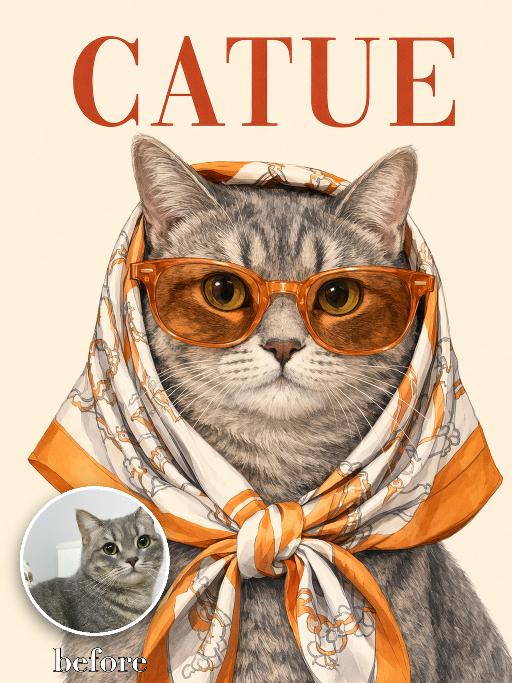
Catue Chic AI effects generated image

Catue Chic

Recreate the reference as an elegant illustrated CATUE fashion poster cover. Transform the uploaded pet into a refined vintage-style editorial illustration while strictly preserving the pet’s actual species, breed appearance, face shape, coat or fur color, markings, ear shape, eye color, muzzle structure, and overall recognizability. Do not assume the uploaded pet is a cat. Adapt the styling naturally to whatever animal appears in the uploaded image. Show the uploaded pet in a centered, front-facing tight head-and-chest portrait. Make the pet noticeably larger in the frame: * the head and face occupy most of the central image area * the pet fills approximately 75–85% of the image height * crop closely around the head, neck, and upper chest * keep the face, sunglasses, scarf, and expression as the dominant visual focus * leave only a small amount of clean background around the pet * do not create a distant or small subject * do not show the full body or large empty areas below the chest * keep the ears and scarf knot fully inside the frame The pet wears oversized translucent orange sunglasses and an orange, cream, and light-beige patterned silk headscarf wrapped over the head and tied neatly under the chin. Create a polished hand-drawn editorial illustration, not a cartoon and not a flat vector graphic. Use delicate linework, softly rendered shading, realistic fur or coat detail, elegant facial modeling, crisp graphic edges, and subtle paper grain. The result should feel like a sophisticated vintage fashion poster or luxury illustrated magazine cover. Use a clean warm pale cream background, minimal and uncluttered. Place a large rusty-red serif title “CATUE” across the top. Position the title behind or slightly overlapping the upper silhouette of the pet if needed, while keeping it readable. Keep only this requested text and do not add any other words, logos, cover lines, or watermarks. Match the reference closely in composition, close crop, scarf styling, sunglasses size, title placement, background simplicity, illustration texture, and overall poster quality. Vertical 3:4. No small or distant subject, no excessive empty space, no full body, no extra animals, no altered species, no generic pet face, no cartoon style, no flat minimalist vector style, no photorealistic photography, no random text, no logo, and no watermark.

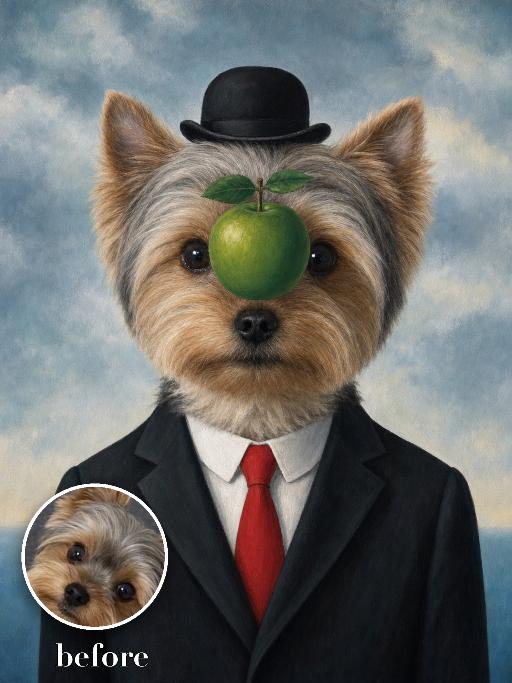
Green Apple Suit AI effects generated image

Green Apple Suit

Recreate the surreal formal portrait: uploaded pet faces forward in a black suit, crisp white shirt, bright red tie and small black bowler hat. A glossy green apple floats directly in front of the center of the face while the eyes remain partly visible around it. Cloudy pale-blue painted sky background, precise surrealist oil-painting style. The subject remains an animal throughout. No people or human hands. No real character names, celebrity names, brands, logos, watermarks or readable text. Accurately preserve the uploaded pet's species, breed, coat color and markings, ear shape, muzzle and face structure, eye color, body proportions and tail. Keep it instantly recognisable as the same animal; change only pose, scene, costume and art treatment. Match the reference composition closely. Vertical 3:4, crisp detail, the pet is the unmistakable main subject.

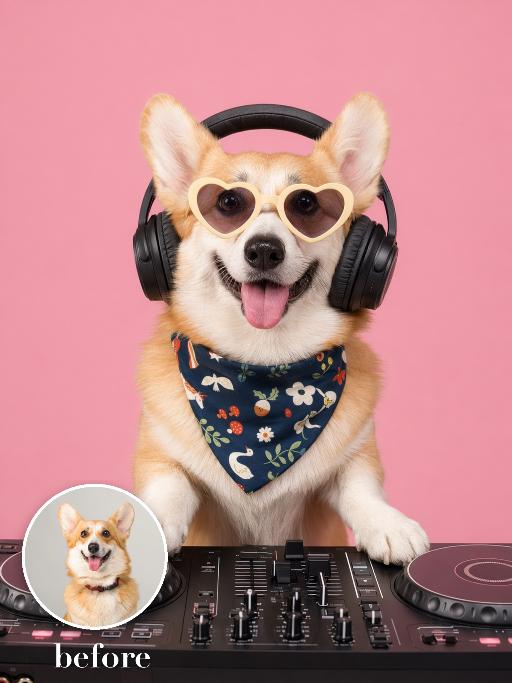
Headphone Treasure AI effects generated image

Headphone Treasure

Photograph the uploaded pet as a joyful studio DJ-style pet portrait on a solid pastel pink background: the pet faces camera with a happy open-mouth expression, wearing oversized cream heart-shaped sunglasses and a dark navy floral bandana or scarf around the neck. Add over-ear headphones as a playful music accessory if they fit the pose, keeping the sunglasses and bandana clearly visible. Bright commercial pet photography, crisp fur, clean shadows. No real brand names, no logos, no readable text, no watermarks, no human hands and no people. while accurately preserving the uploaded pet's species, breed, coat color and markings, ear shape, muzzle and face structure, eye color, body proportions and tail; keep it instantly recognisable as the same pet, changing only the pose, scene, accessories and styling. Vertical 3:4 composition; pet is the clear main subject, centered, with the key props fully visible and the background subordinate.

Hero Lineup AI effects generated image

Hero Lineup

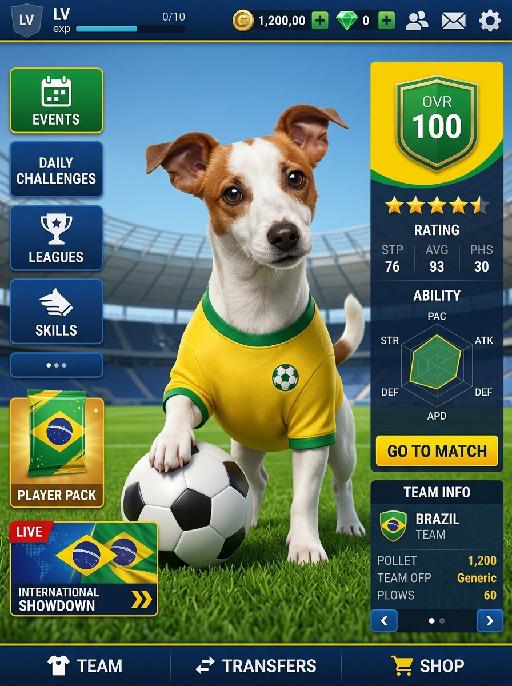
Positive: Image-to-image, universal template. The character’s facial features and overall appearance must 100% preserve the original identity of Reference Image 1 without modification. Create a Brazil-themed football mobile game main interface, using the composition and interface structure of Reference Image 2 as the layout reference. Overall scene and layout: - the character is positioned in the center of the frame - standing on the natural green grass of a football field - stadium stands in the background - bright clear blue sky above - the whole image should look like a football mobile game home screen - retain a complete game UI structure with a polished and professional football game interface layout - realistic 3D game texture - high-definition picture quality - all interface elements should be clean, organized, and proportionally balanced Character styling: - the character wears a Brazil-inspired football kit - bright yellow football jersey with green trim - matching blue shorts only - the shorts must always be blue - do not use white shorts - blue shorts are mandatory - long football socks - realistic football boots - instead of any crest or official logo, place a small football icon or embroidered football patch on the chest - the football symbol should look like part of the jersey design, simple, clean, and realistic - the character holds a football with one hand - the standing pose should match the general pose and placement of Reference Image 2 - the overall appearance should feel like a star player from a Brazil-themed football game Left-side vertical function buttons: - EVENTS - SEASON PASS - STORE - DAILY LOGIN - DAILY CHALLENGES - CLUB - TRAINING - below them, place a SPECIAL OFFER player pack - below that, place a LIVE EVENT tournament card - the event card should evoke a major international football competition atmosphere, but not use any official copyrighted tournament branding Right information panel: - large OVR score number at the top - star-quality badge or rating badge near the OVR - PLAYER STATS panel in the middle - ability radar chart in the middle section - red or green START MATCH button near the lower section - TEAM POWER and formation information at the bottom right - all text and interface panels should be styled like a realistic football mobile game dashboard Top status bar: - LV level indicator - experience bar - coin / gold currency value - gem / diamond currency value - social icon - settings icon Bottom navigation bar: - HOME - SQUAD - TRANSFERS - and other standard football game navigation entries Visual style: - premium football mobile game home screen - Brazil supporter color accents: yellow, green, blue - realistic 3D sports-game presentation - clean UI hierarchy - polished interface design - balanced spacing and element proportions - stadium and player should feel immersive and dynamic, but the UI must remain clear and readable Important design rule: - do not directly copy or reproduce any official copyrighted game logo, publisher mark, club badge, or tournament logo - use original, generic, football-game-style UI graphics - evoke a Brazil football game atmosphere without using trademarked branding - use a football icon on the jersey chest instead of any team crest or federation badge Negative: facial deformation, identity drift from Reference Image 1, missing UI elements, messy layout proportions, clothing inconsistent with Brazil football uniform style, wrong football-field scene, low-resolution image, blurry textures, cheap-looking interface, extra watermarks, random debris, off-theme colors, official copyrighted logos, exact game branding, distorted body pose, crest logos, federation badges, white shorts, missing shorts, incorrect shorts color

Floral  Pet AI effects generated image

Floral Pet

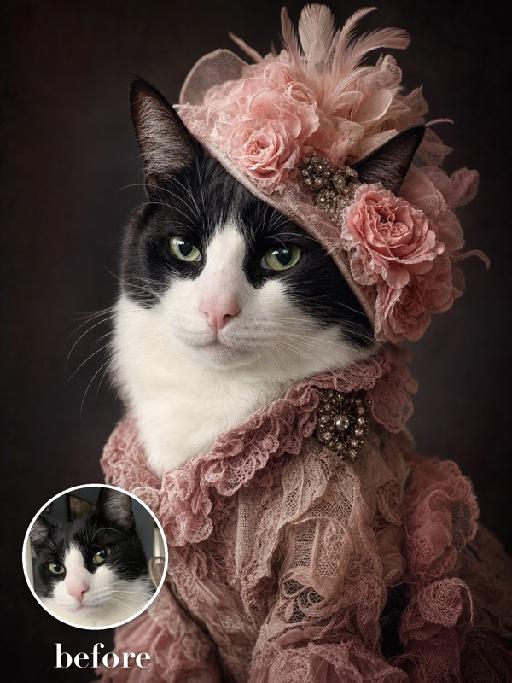
Create an ornate vintage couture portrait matching the reference. The uploaded pet is shown from chest up against a near-black background, wearing a large asymmetrical pale-pink floral fascinator with roses, feathers and soft netting, plus a dusty-pink lace ruffled collar or dress. Moody directional light, refined antique portrait styling. The subject remains an animal throughout. No people or human hands. No real brands, logos, watermarks or readable text. Accurately preserve the uploaded pet's species, breed, coat color and markings, ear shape, muzzle and face structure, eye color and body proportions. Keep it instantly recognisable as the same animal; change only pose, scene, clothing and accessories. Vertical 3:4, photorealistic, crisp detail, with the pet as the unmistakable main subject.

My Treasure AI effects generated image

My Treasure

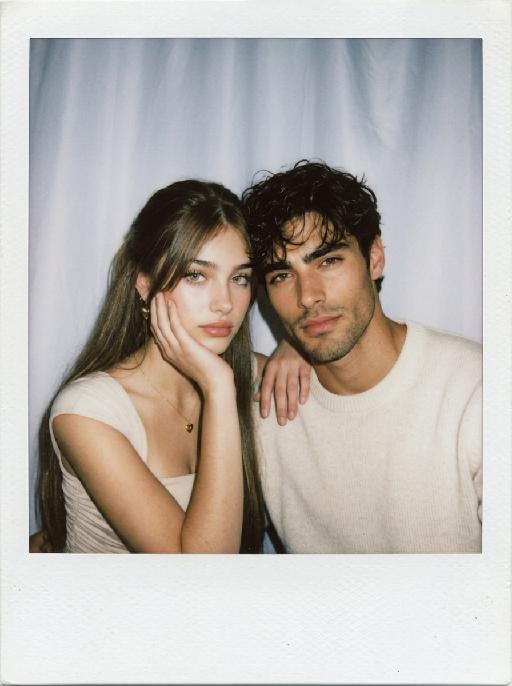
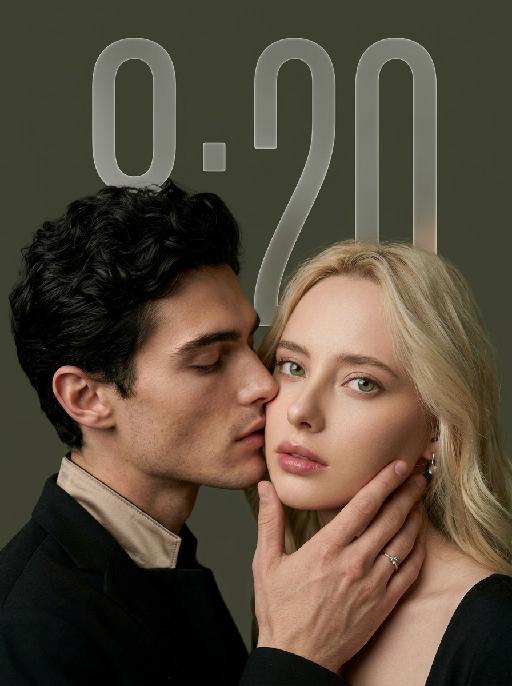
" Use the uploaded images as the only identity references for the two adult subjects. Create a photorealistic vertical 9:16 intimate cinematic couple portrait designed as a phone wallpaper. Strictly preserve both subjects’ exact faces, ages, facial features, skin tones, hairstyles, hair colors, and overall recognizability. Do not replace either face with a generic model face. COMPOSITION AND POSE: Create an extremely tight close-up composition showing mainly both faces, the male subject’s hand, and a small portion of their shoulders. Shift the entire couple composition slightly downward in the frame so the subjects sit lower than center, leaving clean negative space above their heads for a phone wallpaper layout. The male subject is positioned on the left in a three-quarter side profile. He leans very close toward the female subject and gently kisses the side of her cheek near the corner of her lips. His eyes are softly closed. His expression is tender, calm, and intimate. The male subject’s hand gently supports the female subject’s lower face: * his palm rests along the side of her jaw * his fingers wrap softly beneath her chin and along her cheek * his thumb rests lightly near the lower lip or chin * the hand must look natural, protective, and elegant * do not cover the female subject’s eyes or nose The female subject is positioned on the right and faces the camera directly. She looks straight into the lens with a calm, slightly surprised, emotionally restrained expression. Her eyes remain wide, clear, and sharply focused. Her lips are relaxed and softly closed or slightly parted. Keep both faces extremely close together, with the male subject’s nose and lips near the female subject’s cheek. WALLPAPER FRAMING: * vertical 9:16 phone-wallpaper composition * place the couple slightly lower than the visual center * leave clean dark space above the heads * keep the upper area simple and unobstructed * do not place the faces too close to the top edge * do not crop the male hand, the female chin, or the top of the hair * keep the female face as the main focal point * keep the male profile and hand large and intimate in frame CLOTHING AND ACCESSORIES: The male subject wears a refined black formal jacket with a muted champagne-beige satin inner collar or cuff detail. Add one delicate silver ring with a small clear gemstone on the male subject’s finger. The female subject wears a minimal dark outfit, mostly outside the frame. Add only a small refined earring if visible. CAMERA AND FRAMING: * extreme close-up * male face occupies most of the left side * female face occupies most of the right side * keep the female subject’s full eyes, nose, lips, jawline, and chin visible * keep the male subject’s hand fully visible * do not crop important fingers * realistic 85mm to 105mm portrait-lens look * very shallow depth of field * sharpest focus on the female subject’s eyes, lips, and the male subject’s hand * male profile remains slightly softer but still recognizable BACKGROUND: Use a plain dark olive-gray, charcoal-gray, or muted taupe studio background. Keep the background smooth, minimal, softly blurred, and free of visible environment details. LIGHTING: Use soft low-key studio lighting with a gentle frontal key light. The female subject’s face should be clearly illuminated with soft highlights on the eyes, nose bridge, lips, and cheekbones. The male subject’s profile remains slightly darker but still detailed. Use smooth shadow transitions, subtle facial dimension, restrained highlights, and no harsh flash. PHOTOGRAPHIC TEXTURE: * photorealistic intimate beauty photography * soft cinematic editorial finish * realistic skin pores and fine facial details * natural lips and eyelashes * subtle film grain * slightly muted warm-neutral color grading * soft highlight roll-off * elegant, tender, sensual, and refined * no plastic skin * no excessive smoothing * no CGI appearance IMPORTANT CONSTRAINTS: * male subject on the left * female subject on the right * male subject gently kisses the female subject’s cheek near the corner of her lips * female subject looks directly at the camera * male subject’s hand supports her jaw and chin * shift the composition slightly downward for wallpaper use * keep clean space above the heads * keep both identities fully recognizable * no open-mouth kissing * no exaggerated passion * no extra fingers * no duplicated hands * no distorted jaw * no merged faces * no blocked eyes * no text * no logo * no watermark * no cartoon * no illustration"

Silk Hood AI effects generated image

Silk Hood

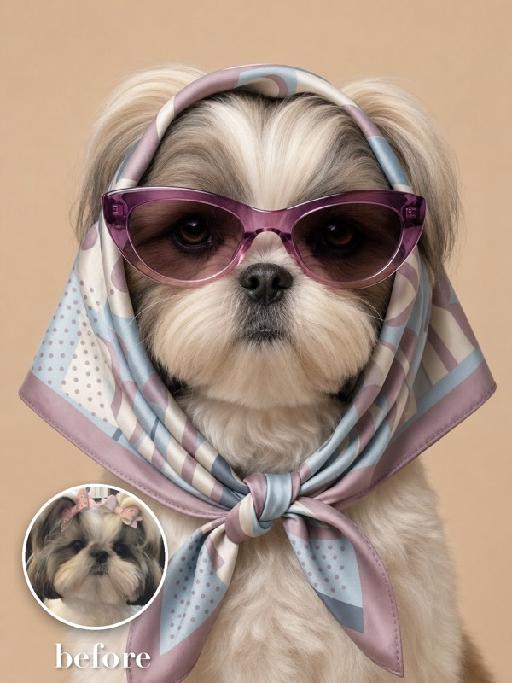
Recreate the exact fashion portrait: the uploaded pet faces forward against a warm beige background, wearing a glossy patterned silk scarf wrapped over the head and tied snugly under the chin, plus oversized mauve cat-eye sunglasses. Head-and-upper-chest framing, symmetrical composition, serious expression, realistic silk folds and reflections. The subject remains an animal throughout. No people or human hands. No real brands, logos, watermarks or readable text. Accurately preserve the uploaded pet's species, breed, coat color and markings, ear shape, muzzle and face structure, eye color and body proportions. Keep it instantly recognisable as the same animal; change only pose, scene, clothing and accessories. Vertical 3:4, photorealistic, crisp detail, with the pet as the unmistakable main subject.

Load more

Next-Gen Multi-Model AI Video Architecture

Vivago AI isn't just one engine—it’s a unified hub for the world’s most advanced video AI. Whether you need cinematic realism or high-speed social content, we provide the right model for your creative vision.

Free Generate

Beauty and Dolphins

Vacation Time

Stellar Tear

Fish Tank Supervisor

Cinematic Quality & Precision Control

Enables 4K resolution with multi-lens motion control, generating delicate scene via text prompts for customized cinematography.​

TRY NOW

Dynamic AV Sync

Auto-generates original audio to avoid copyright issues. Build 3D immersive environments through layered sound design automatically.

TRY NOW

OpenAI Sora 2

​Advanced visual storytelling with unparalleled physics and consistency.

TRY NOW

Kling v2.6 Pro

Industry-leading cinematic image animation and motion control.

TRY NOW

Google Veo 3 & 3.1

Ultra-fast generation with enhanced realism for creative workflows.

TRY NOW

Vivago AI 2.0

Our proprietary model optimized for efficiency, speed, and cost-effective generation.

TRY NOW

Users' Voice

We listen carefully to the opinions of every user.
Free Generate
Contact Us
I tried the Lip Sync feature inside Vivago.ai’s AI Video Generator for my educational podcast, and the results were stunning! The avatar's lip movements perfectly matched my audio recording, creating a professional AI-generated video without complex editing. Compared with tools like OpenAI Sora 2 and Google Veo 3.1, Vivago Image-to-Video delivers fast, studio-quality results online. It saved me hours of post-production work.
ElenaM (Spain)
Vivago’s Image-to-Video AI transformed my marketing workflow. I uploaded a product image and described the launch scene in text, and it generated a 10-second cinematic AI video with background music and dynamic visuals. The output quality rivals Kling v2.6 Pro and Google Veo 3 Fast. It’s now my go-to AI video generator for social media ads and product campaigns.
KenjiT (Japan)
As a digital artist, I use Vivago.ai 2.0 daily for Image-to-Image and AI Image-to-Video creation. The e-book covers and animated visuals I generate for clients look cinematic and professional. Unlike many standalone AI tools, Vivago integrates multiple leading models into one platform, making it easier to create copyright-safe AI images and videos for publishing.
ChenL (China)
I tried the Lip Sync feature inside Vivago.ai’s AI Video Generator for my educational podcast, and the results were stunning! The avatar's lip movements perfectly matched my audio recording, creating a professional AI-generated video without complex editing. Compared with tools like OpenAI Sora 2 and Google Veo 3.1, Vivago Image-to-Video delivers fast, studio-quality results online. It saved me hours of post-production work.
ElenaM (Spain)
Vivago’s Image-to-Video AI transformed my marketing workflow. I uploaded a product image and described the launch scene in text, and it generated a 10-second cinematic AI video with background music and dynamic visuals. The output quality rivals Kling v2.6 Pro and Google Veo 3 Fast. It’s now my go-to AI video generator for social media ads and product campaigns.
KenjiT (Japan)
As a digital artist, I use Vivago.ai 2.0 daily for Image-to-Image and AI Image-to-Video creation. The e-book covers and animated visuals I generate for clients look cinematic and professional. Unlike many standalone AI tools, Vivago integrates multiple leading models into one platform, making it easier to create copyright-safe AI images and videos for publishing.
ChenL (China)
I absolutely love Vivago’s AI Image-to-Video Generator. As a travel blogger, static images often fail to capture real atmosphere, but Vivago helps me turn photos into vivid cinematic AI videos with motion effects. It feels comparable to OpenAI Sora 2 and Google Veo 3.1, but more accessible and faster for creators who need high-quality AI videos online.
LiamK (Australia)
I tried the Lip Sync feature inside Vivago.ai’s AI Video Generator for my educational podcast, and the results were stunning! The avatar's lip movements perfectly matched my audio recording, creating a professional AI-generated video without complex editing. Compared with tools like OpenAI Sora 2 and Google Veo 3.1, Vivago Image-to-Video delivers fast, studio-quality results online. It saved me hours of post-production work.
ElenaM (Spain)
Vivago’s Image-to-Video AI transformed my marketing workflow. I uploaded a product image and described the launch scene in text, and it generated a 10-second cinematic AI video with background music and dynamic visuals. The output quality rivals Kling v2.6 Pro and Google Veo 3 Fast. It’s now my go-to AI video generator for social media ads and product campaigns.
KenjiT (Japan)
As a digital artist, I use Vivago.ai 2.0 daily for Image-to-Image and AI Image-to-Video creation. The e-book covers and animated visuals I generate for clients look cinematic and professional. Unlike many standalone AI tools, Vivago integrates multiple leading models into one platform, making it easier to create copyright-safe AI images and videos for publishing.
ChenL (China)
I absolutely love Vivago’s AI Image-to-Video Generator. As a travel blogger, static images often fail to capture real atmosphere, but Vivago helps me turn photos into vivid cinematic AI videos with motion effects. It feels comparable to OpenAI Sora 2 and Google Veo 3.1, but more accessible and faster for creators who need high-quality AI videos online.
LiamK (Australia)
Using Vivago.ai’s Image-to-Video AI has greatly enhanced my classroom teaching. I transform textbook notes into historical AI videos with cinematic filters and dynamic animations. Compared with tools like Kling v2.6 Pro and Google Veo 3 Fast, Vivago offers faster generation and easier parameter control for educators who need reliable AI video creation.
RajivG (India)
I frequently create AI videos on Vivago and publish them on TikTok and YouTube Shorts. The AI video templates and trending content ideas help me produce viral-ready clips quickly. With Vivago’s integrated models—including advanced video engines similar to OpenAI Sora 2—I can generate anime-style and cinematic social media videos that drive high engagement.
MarieJ (Spain)
What attracts me most about Vivago.ai is not only the powerful AI Video Generator but also the active AIGC creator community. It combines AI Image-to-Video, Text-to-Video, and leading model integrations like Google Veo 3.1 into one creative platform.
TomW (India)
At first, I was hesitant about using AI video tools. But after trying Vivago Image-to-Video, I realized how easy it is to create professional AI-generated videos online. I just upload an image, add a short prompt, and adjust a few settings. The results are cinematic and copyright-safe, which is essential for commercial projects.
HectorC (Mexico)
Using Vivago.ai’s Image-to-Video AI has greatly enhanced my classroom teaching. I transform textbook notes into historical AI videos with cinematic filters and dynamic animations. Compared with tools like Kling v2.6 Pro and Google Veo 3 Fast, Vivago offers faster generation and easier parameter control for educators who need reliable AI video creation.
RajivG (India)
I frequently create AI videos on Vivago and publish them on TikTok and YouTube Shorts. The AI video templates and trending content ideas help me produce viral-ready clips quickly. With Vivago’s integrated models—including advanced video engines similar to OpenAI Sora 2—I can generate anime-style and cinematic social media videos that drive high engagement.
MarieJ (Spain)
What attracts me most about Vivago.ai is not only the powerful AI Video Generator but also the active AIGC creator community. It combines AI Image-to-Video, Text-to-Video, and leading model integrations like Google Veo 3.1 into one creative platform.
TomW (India)
At first, I was hesitant about using AI video tools. But after trying Vivago Image-to-Video, I realized how easy it is to create professional AI-generated videos online. I just upload an image, add a short prompt, and adjust a few settings. The results are cinematic and copyright-safe, which is essential for commercial projects.
HectorC (Mexico)