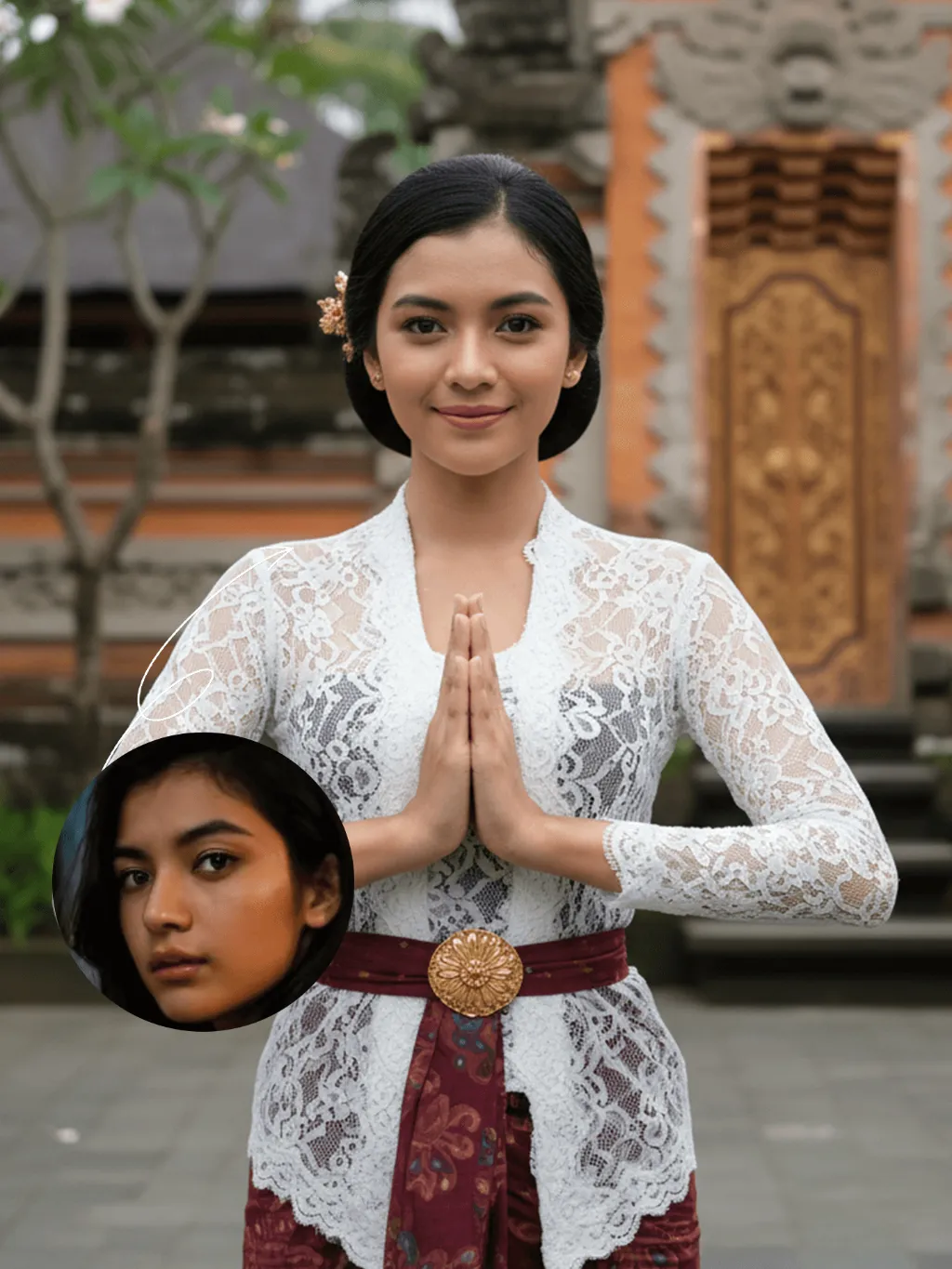
Kebaya Salute

Strictly lock the facial features of the uploaded portrait (preserve facial contours, native Indonesian skin tone, hairstyle and age). Half-body portrait photography, hyper-realistic style, 4K ultra-high definition, soft diffused tropical daylight, elegant Balinese cultural aesthetic | A young Indonesian Balinese woman with a gentle, warm smile, standing front-facing in a traditional Balinese greeting pose (hands pressed together in a 'salam' gesture). She wears a delicate white lace kebaya blouse with long sleeves, paired with a deep maroon batik-patterned sarong skirt, and an ornate golden embroidered waist sash (kemben) with a sunburst motif. Her hair is styled in a neat updo adorned with a small golden floral hairpin. The background is a softly blurred, authentic Balinese temple courtyard: weathered coral stone walls, lush tropical frangipani trees, and a glimpse of a carved wooden temple doorway, creating a serene, culturally immersive atmosphere. Focus on the intricate lace texture, the vibrant batik patterns, and her serene, welcoming expression

Use Template
arrow
Kebaya Salute

More From VIVAGO AI

Pet Meme AI effects generated image

Pet Meme

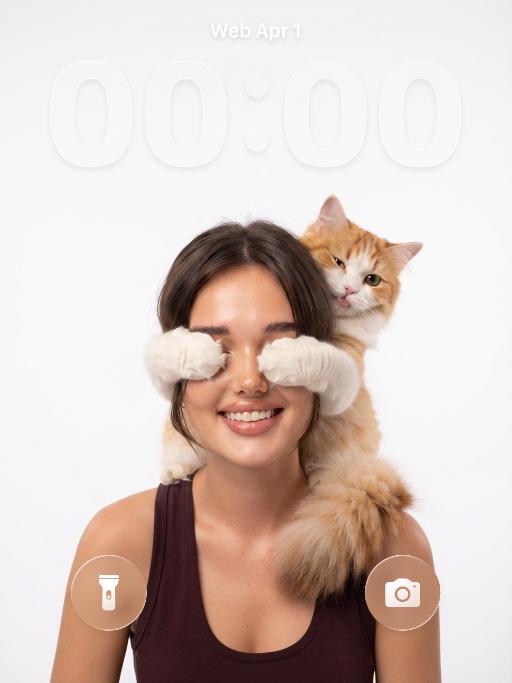
Based on the uploaded picture, create an emoji for the protagonist (while maintaining the species characteristics of the animal in the picture). This is a masterpiece, of high quality, ultra-realistic pet photography, a round and fluffy face, large and soft moist eyes, tearful pitiful eyes, an expression of being about to cry, wearing a blue collar and equipped with a small bell, with the nostalgic contemplative sadness expression of Brazilian "saudade" (a gentle melancholy, longing for someone, quiet longing emotion) (gentle melancholy, longing for someone, quiet longing emotion), sticker style, white background with embossed white border, pure pure white background, casual handwritten Portuguese text "Que saudade" above the protagonist, exquisite tiny decorations (soft sparkle, faint clouds, delicate patterns), soft warm-toned light, close-up chest shot, high detail, clear focus, 8K, clean minimalist aesthetics, subtle Brazilian cultural atmosphere

Pink Cake AI effects generated image

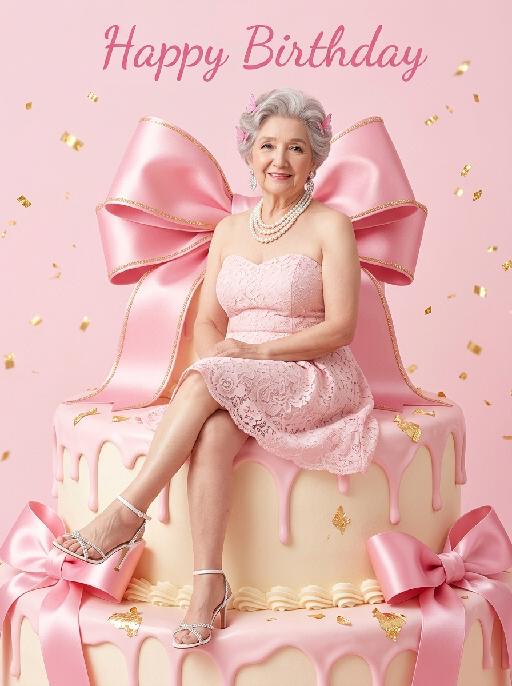
Pink Cake

"(The masterpiece, highest quality, 8K resolution, ultra-fine, realistic and lifelike, commercial fashion photography, clear focus, vivid and saturated colors: 1.3) The figure in the above picture is the main character (maintaining the facial features, gender, age, hairstyle and hair color of the person), with a sweet Barbie-style face, exquisite Korean makeup, natural skin effect with smoothing, pink small ornaments点缀 on the hair, exquisite and sweet makeup, bright smile, large and clear eyes, fair and smooth skin, a light pink strapless lace short skirt, exquisite white high-heeled sandals, exquisite luxurious high-end accessories, sitting on a huge cream-colored birthday cake, in a relaxed posture, one leg slightly raised, looking directly at the viewer, behind the main character there is a huge bright pink ribbon-embroidered bow, the huge pink birthday cake drips pink cream frosting, the cake is decorated with pink ribbons, a pure and pure pink background, floating golden glittering confetti in the air, at the top of the picture there is cute pink cursive text ""Happy Birthday"", bright and uniform studio lighting, soft pink tone aesthetics, Barbie style, sweet and cute birthday atmosphere, simple minimalist background, a style work shot by a top photography master)"

Hacker AI effects generated image

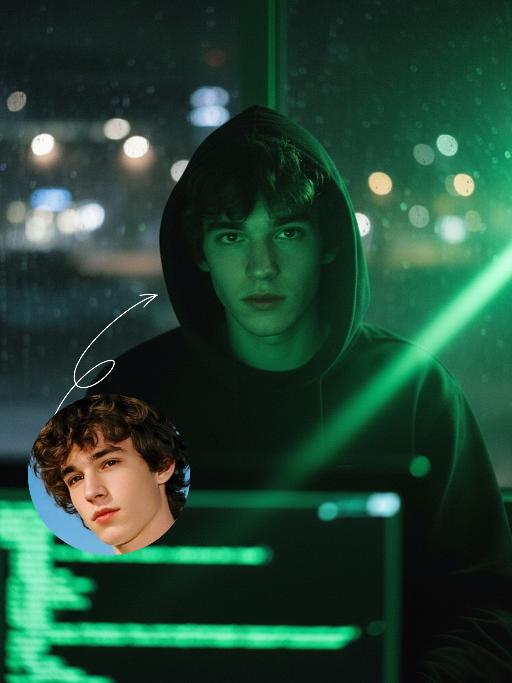
Hacker

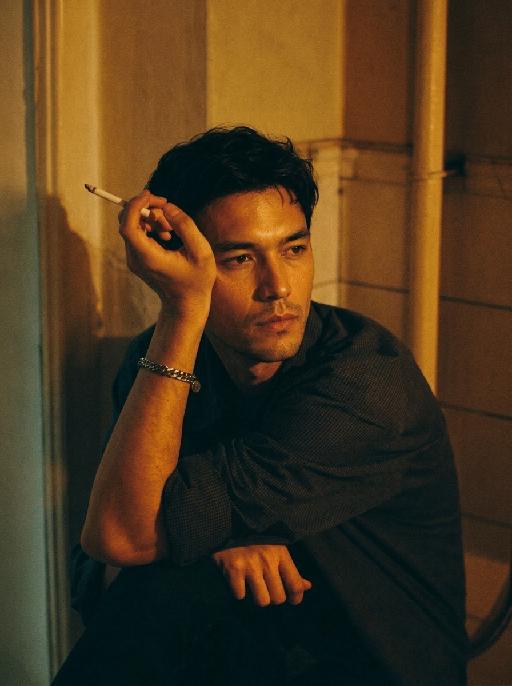
A straight-on close-up headshot of the figure from the uploaded image (with unchanged facial features, age and gender), who sits centered and faces the camera directly, wearing a black hoodie with the hood up, their expression calm and focused. The figure’s face is cast in the green glow of code from a computer screen. A broad wash of soft, bright green side light slants in from the right side of the frame, creating a large-scale Tyndall effect that outlines their facial contours. The background features a blurred night view of the city in the rain outside the window (with traces of raindrops sliding down the glass), accompanied by warm bokeh lights; the foreground consists of a computer screen with glowing green code on it. Shot at eye level with a low-light, dark-toned palette, it embodies the dark-toned aesthetic of cyberpunk style. Main colors: black, blue-gray, neon green, low-saturation cool tones. Shallow depth of field blurs both the foreground and background, with the face in sharp focus. The work features an avant-garde fashion photography style, a film-like filter effect, and dramatic contrast between light and shadow.

Moon Cap AI effects generated image

Moon Cap

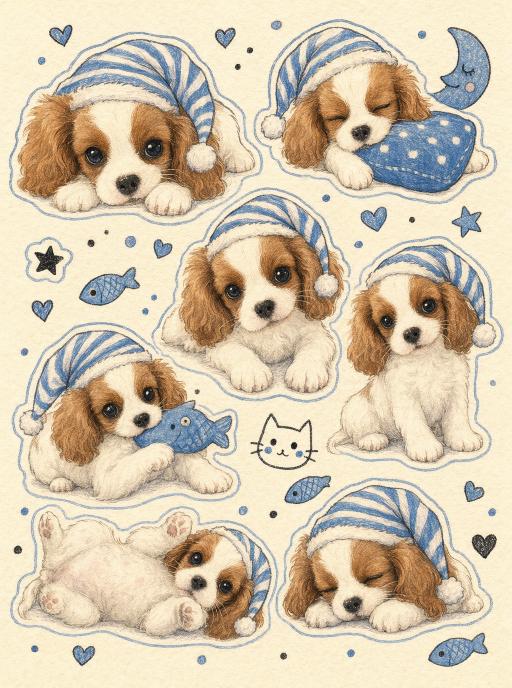
Use the uploaded pet image as the only identity reference. Create a vertical 3:4 cute hand-drawn sticker sheet illustration that closely matches the reference style. Strictly preserve the uploaded pet’s recognizable face, fur color, markings, eye color, ear shape, muzzle shape, and overall identity. Show the same pet repeated in 6–8 different cute bedtime poses across the page. The pet should remain clearly recognizable in every pose. Visual style: - soft hand-drawn watercolor-pencil illustration - warm cream paper background - visible soft paper grain - gentle pastel coloring - slightly faded colored-pencil texture - cozy storybook / stationery sticker-sheet feel - soft blue outline around each sticker - white sticker border around each pet drawing - rounded adorable proportions - sweet, gentle, sleepy mood Bedtime theme details: - blue-and-white striped sleep cap with fluffy pom-pom - sleepy and cozy expressions - lying down, peeking, sitting, hugging a pillow, hugging a fish toy, sleeping on paws, rolling over - small blue decorative doodles scattered between stickers - crescent moon - little fish - tiny hearts - stars - small dots - one tiny simple doodle cat face or similar cute doodle in the middle if space allows Composition: - sticker-sheet layout with evenly distributed pet poses - each pose separated clearly like individual stickers - clean balanced arrangement - the page should feel full but not crowded - keep all stickers fully visible inside the frame Important: - keep the pet identifiable as the uploaded pet in every pose - emphasize watercolor pencil texture and hand-drawn softness - not photorealistic - not 3D - not glossy digital art - no logo - no watermark - no random text - no “Doubao AI” text

Thief Cat AI effects generated image

Thief Cat

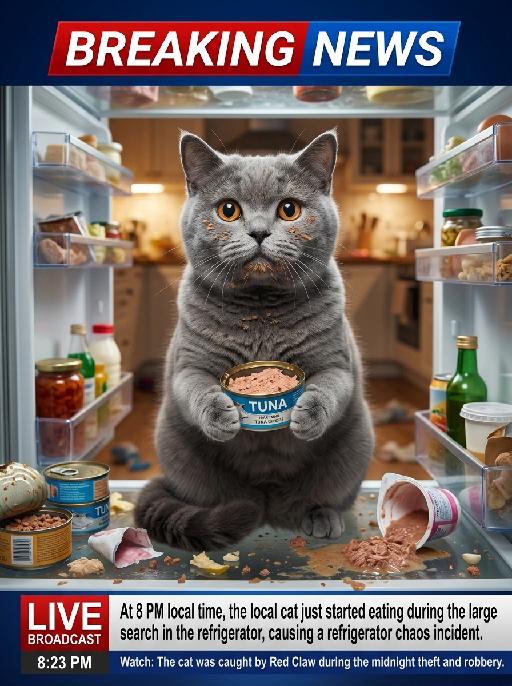
"Ultra-realistic photorealistic breaking news broadcast still frame, live TV footage style. The real-life footage of this news scene is extremely realistic, featuring a close-up shot capturing the pet from the uploaded image (the pet’s species, facial features, fur details, and overall appearance remain completely unchanged). The pet is sitting directly inside an open messy refrigerator, centered in the frame and occupying approximately 80% of the composition. The pet has visible smudges of wet cat food on its face, holding a half-eaten tuna can with both front paws, with wide innocent eyes and an expression that looks like “I did nothing wrong.” Inside the refrigerator are scattered cat food cans, spilled wet food, overturned yogurt cups, food debris, and chaotic messy details everywhere. The background shows an out-of-focus warm-lit home kitchen with soft indoor lighting, creating a cozy yet chaotic atmosphere. At the top of the screen is a bold red-and-blue BREAKING NEWS banner in a classic live television news graphic style. At the bottom of the screen is a realistic live news broadcast lower-third graphic bar. On the left side, display: LIVE BROADCAST 8:23 PM On the right side, display realistic news-style headline formatting only, without using “Line 1” or “Line 2” labels as visible on-screen text. The news captions should appear as natural real television subtitles integrated into the lower-third broadcast graphic. News caption content: At 8 PM local time, the local cat just started eating during the large search in the refrigerator, causing a refrigerator chaos incident. Watch: The cat was caught by Red Claw during the midnight theft and robbery. Shot on a professional news camera with cinematic realism, high detail, natural lighting, shallow depth of field, realistic reflections on the refrigerator door, authentic television broadcast aesthetics, and immersive live-news atmosphere."

Graden Breeze AI effects generated image

Graden Breeze

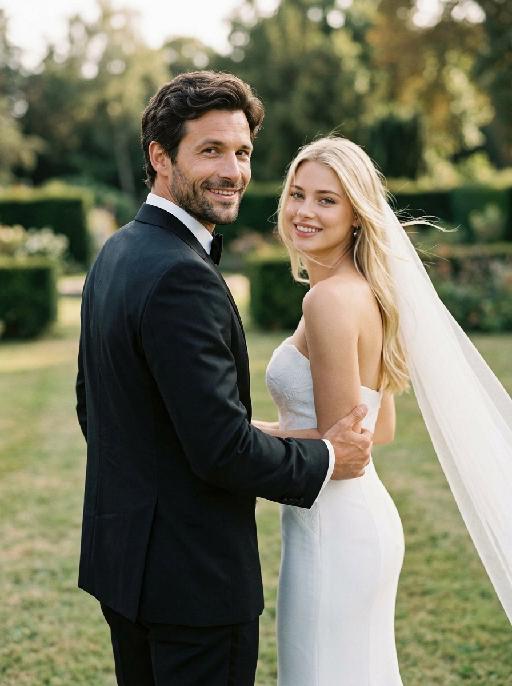
"Create a photorealistic cinematic wedding portrait of the two subjects from the uploaded image, preserving their exact faces, ages, facial features, skin tones, hairstyles, hair colors, and overall likeness as accurately as possible. Strictly preserve both subjects’ original hairstyles and hair colors from the uploaded image. Do not change the hair color, hair length, hair texture, or overall hairstyle identity of either subject. Use the reference composition of a candid “runaway wedding” shot: the groom is placed in the foreground on the left side of the frame, closer to the camera, while the bride is slightly behind him on the right side. Both are moving forward, as if walking or lightly running away together, but both turn their heads back toward the camera. The groom’s upper body and face turn back over his shoulder to look directly at the camera. The bride stays very close behind him, smiling warmly and romantically toward the camera, while gently holding or hooking one hand around the groom’s arm. Their body language should feel intimate, spontaneous, playful, and cinematic, like a real wedding photo captured in motion. Add a soft natural breeze to the scene. The wind should gently blow through the bride’s veil, dress, and a few loose strands of hair, creating a romantic wind-swept effect. The veil should flow diagonally backward and slightly outward, adding motion and elegance without covering the bride’s face. The groom’s tuxedo may show very subtle fabric movement, but should remain neat and formal. The wind should feel soft, cinematic, and natural, not chaotic or stormy. Transform the scene into an outdoor lawn or garden wedding setting rather than an indoor hallway. Keep the same composition and pose relationship, but place the couple on a soft grassy lawn with a blurred outdoor estate or garden atmosphere in the background. The background should include subtle greenery, soft trees or hedges, warm natural daylight, and a private romantic wedding feeling. The background must be softly blurred and completely free of any other people, guests, staff, or bystanders. The couple should be the only two people in the image. Bride outfit: the bride wears a modern white wedding gown inspired by the uploaded dress reference. The gown should have a strapless fitted bodice with structured corset-like tailoring, subtle jacquard or embroidered texture, and a sleek elegant silhouette. The neckline should be clean and straight or softly curved across the chest, with bare shoulders and no straps. Do not add any scarf, choker, neck wrap, or fabric around the neck. The gown should feel chic, minimal, and high-end, with a sleek satin or textured finish. A long translucent white veil flows behind her as she moves, enhanced by the soft breeze to create graceful motion and romance. The bride may wear subtle bridal earrings only. The bride’s hairstyle and hair color must strictly follow the uploaded image and should not be changed. Groom outfit: the groom wears a classic black tuxedo, fitted and elegant, with a clean white dress shirt, black bow tie, and black dress shoes. The tuxedo should look sharp, formal, minimal, and high-end. Do not use a casual suit, colorful suit, necktie, or open-collar shirt. The groom’s hairstyle and hair color must strictly follow the uploaded image and should not be changed. Lighting and color: use natural daylight with a subtle candid wedding editorial feel. The image should have realistic skin texture, natural highlights on the tuxedo, wedding dress, and veil, and a low-saturation cinematic color palette. Use muted warm tones, soft ivory whites, deep black tuxedo contrast, gentle green lawn tones, and subtle film grain. The image should feel slightly desaturated, stylish, romantic, and editorial. Avoid overly vivid colors, neon tones, or harsh overexposure. Composition: vertical portrait, medium-close to medium framing, following the exact composition style of the reference. The groom is closer to the camera on the left side, the bride is slightly behind him on the right side, and both are turning their heads back toward the camera while moving forward. Frame them from around the upper thighs or waist upward, keeping both faces clearly visible while still showing the bride’s fitted bodice, the groom’s tuxedo, and the movement of the veil. Add slight natural motion blur to the veil, hair tips, dress edge, or background if needed, but keep both faces sharp and recognizable. The image should feel candid, fashionable, romantic, joyful, wind-swept, and cinematic. Ultra realistic photography, high-end wedding editorial style, modern wedding photography, realistic walking posture, natural facial details, realistic hands and fingers, realistic fabric texture, flowing wind-swept veil, soft breeze, subtle motion blur, soft film grain, professional camera look, high detail, muted cinematic color grading. Negative prompt: extra people, background people, crowd, wedding guests, staff, bystanders, duplicated bride, duplicated groom, distorted faces, changed identity, inaccurate likeness, changed hairstyle, changed hair color, deformed hands, extra fingers, missing fingers, fused fingers, broken fingers, disconnected hands, unnatural arms, stiff pose, hands covering faces, bride not holding groom’s arm, no backward glance, missing veil, messy veil, veil covering the face completely, chaotic wind, storm wind, strong wind, hair covering the face, dress blowing unnaturally, wrong wedding dress, wedding dress with straps, puffy princess ball gown, colorful wedding dress, scarf around the neck, neck wrap, choker, fabric around the neck, casual groom outfit, necktie instead of bow tie, open-collar shirt, indoor hallway, corridor background, plastic skin, over-smoothed face, fake CGI look, text, logo, watermark, title text, low resolution, blurry face, oversaturated colors, vivid bright colors, neon colors, harsh contrast, black and white, monochrome, grayscale."

Cat Queen AI effects generated image

Cat Queen

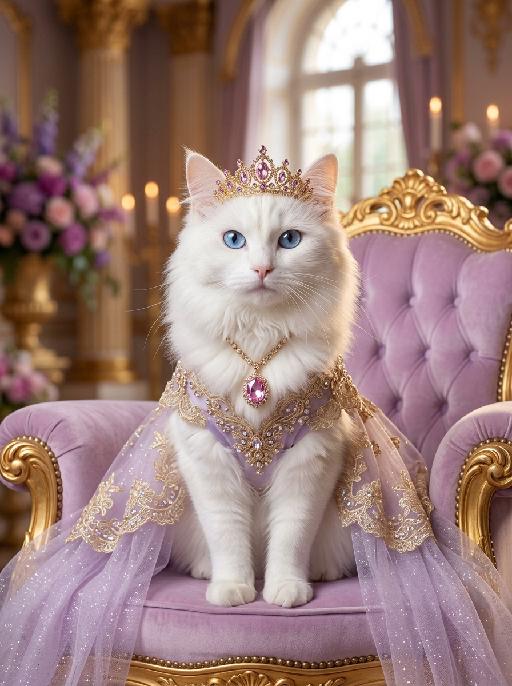
A luxurious photorealistic royal portrait of the uploaded animal (pet) — whose species, fur texture, facial features, ears, tail, and all animal characteristics remain completely unchanged — seated gracefully and facing forward on an ornate tufted soft lavender velvet throne with an elaborately carved golden frame. The uploaded subject wears a flowing light purple sheer glitter royal gown, with intricate gold and crystal lace trim along the edges, and a jeweled chest ornament featuring a large pink gemstone pendant with cascading gold chain details. A delicate golden tiara crown with pink and purple crystal gemstones sits elegantly on top of its head. The gown drapes naturally over the throne on both sides. The palace background is soft and dreamy, with warm golden candlelight bokeh, tall ornate golden columns, blurred purple floral arrangements, crystal candelabras, and soft natural light streaming through a tall arched window in the distance. The overall atmosphere is elegant, ethereal, and romantically royal. Ultra realistic fur texture, cinematic soft warm lighting, shallow depth of field, warm golden and soft pastel lavender color palette, high-end fantasy pet photography aesthetic, refined royal portrait style, 8K resolution, highly detailed.

Load more

Next-Gen Multi-Model AI Video Architecture

Vivago AI isn't just one engine—it’s a unified hub for the world’s most advanced video AI. Whether you need cinematic realism or high-speed social content, we provide the right model for your creative vision.

Free Generate

Beauty and Dolphins

Vacation Time

Stellar Tear

Fish Tank Supervisor

Cinematic Quality & Precision Control

Enables 4K resolution with multi-lens motion control, generating delicate scene via text prompts for customized cinematography.​

TRY NOW

Dynamic AV Sync

Auto-generates original audio to avoid copyright issues. Build 3D immersive environments through layered sound design automatically.

TRY NOW

OpenAI Sora 2

​Advanced visual storytelling with unparalleled physics and consistency.

TRY NOW

Kling v2.6 Pro

Industry-leading cinematic image animation and motion control.

TRY NOW

Google Veo 3 & 3.1

Ultra-fast generation with enhanced realism for creative workflows.

TRY NOW

Vivago AI 2.0

Our proprietary model optimized for efficiency, speed, and cost-effective generation.

TRY NOW

Users' Voice

We listen carefully to the opinions of every user.
Free Generate
Contact Us
I tried the Lip Sync feature inside Vivago.ai’s AI Video Generator for my educational podcast, and the results were stunning! The avatar's lip movements perfectly matched my audio recording, creating a professional AI-generated video without complex editing. Compared with tools like OpenAI Sora 2 and Google Veo 3.1, Vivago Image-to-Video delivers fast, studio-quality results online. It saved me hours of post-production work.
ElenaM (Spain)
Vivago’s Image-to-Video AI transformed my marketing workflow. I uploaded a product image and described the launch scene in text, and it generated a 10-second cinematic AI video with background music and dynamic visuals. The output quality rivals Kling v2.6 Pro and Google Veo 3 Fast. It’s now my go-to AI video generator for social media ads and product campaigns.
KenjiT (Japan)
As a digital artist, I use Vivago.ai 2.0 daily for Image-to-Image and AI Image-to-Video creation. The e-book covers and animated visuals I generate for clients look cinematic and professional. Unlike many standalone AI tools, Vivago integrates multiple leading models into one platform, making it easier to create copyright-safe AI images and videos for publishing.
ChenL (China)
I tried the Lip Sync feature inside Vivago.ai’s AI Video Generator for my educational podcast, and the results were stunning! The avatar's lip movements perfectly matched my audio recording, creating a professional AI-generated video without complex editing. Compared with tools like OpenAI Sora 2 and Google Veo 3.1, Vivago Image-to-Video delivers fast, studio-quality results online. It saved me hours of post-production work.
ElenaM (Spain)
Vivago’s Image-to-Video AI transformed my marketing workflow. I uploaded a product image and described the launch scene in text, and it generated a 10-second cinematic AI video with background music and dynamic visuals. The output quality rivals Kling v2.6 Pro and Google Veo 3 Fast. It’s now my go-to AI video generator for social media ads and product campaigns.
KenjiT (Japan)
As a digital artist, I use Vivago.ai 2.0 daily for Image-to-Image and AI Image-to-Video creation. The e-book covers and animated visuals I generate for clients look cinematic and professional. Unlike many standalone AI tools, Vivago integrates multiple leading models into one platform, making it easier to create copyright-safe AI images and videos for publishing.
ChenL (China)
I absolutely love Vivago’s AI Image-to-Video Generator. As a travel blogger, static images often fail to capture real atmosphere, but Vivago helps me turn photos into vivid cinematic AI videos with motion effects. It feels comparable to OpenAI Sora 2 and Google Veo 3.1, but more accessible and faster for creators who need high-quality AI videos online.
LiamK (Australia)
I tried the Lip Sync feature inside Vivago.ai’s AI Video Generator for my educational podcast, and the results were stunning! The avatar's lip movements perfectly matched my audio recording, creating a professional AI-generated video without complex editing. Compared with tools like OpenAI Sora 2 and Google Veo 3.1, Vivago Image-to-Video delivers fast, studio-quality results online. It saved me hours of post-production work.
ElenaM (Spain)
Vivago’s Image-to-Video AI transformed my marketing workflow. I uploaded a product image and described the launch scene in text, and it generated a 10-second cinematic AI video with background music and dynamic visuals. The output quality rivals Kling v2.6 Pro and Google Veo 3 Fast. It’s now my go-to AI video generator for social media ads and product campaigns.
KenjiT (Japan)
As a digital artist, I use Vivago.ai 2.0 daily for Image-to-Image and AI Image-to-Video creation. The e-book covers and animated visuals I generate for clients look cinematic and professional. Unlike many standalone AI tools, Vivago integrates multiple leading models into one platform, making it easier to create copyright-safe AI images and videos for publishing.
ChenL (China)
I absolutely love Vivago’s AI Image-to-Video Generator. As a travel blogger, static images often fail to capture real atmosphere, but Vivago helps me turn photos into vivid cinematic AI videos with motion effects. It feels comparable to OpenAI Sora 2 and Google Veo 3.1, but more accessible and faster for creators who need high-quality AI videos online.
LiamK (Australia)
Using Vivago.ai’s Image-to-Video AI has greatly enhanced my classroom teaching. I transform textbook notes into historical AI videos with cinematic filters and dynamic animations. Compared with tools like Kling v2.6 Pro and Google Veo 3 Fast, Vivago offers faster generation and easier parameter control for educators who need reliable AI video creation.
RajivG (India)
I frequently create AI videos on Vivago and publish them on TikTok and YouTube Shorts. The AI video templates and trending content ideas help me produce viral-ready clips quickly. With Vivago’s integrated models—including advanced video engines similar to OpenAI Sora 2—I can generate anime-style and cinematic social media videos that drive high engagement.
MarieJ (Spain)
What attracts me most about Vivago.ai is not only the powerful AI Video Generator but also the active AIGC creator community. It combines AI Image-to-Video, Text-to-Video, and leading model integrations like Google Veo 3.1 into one creative platform.
TomW (India)
At first, I was hesitant about using AI video tools. But after trying Vivago Image-to-Video, I realized how easy it is to create professional AI-generated videos online. I just upload an image, add a short prompt, and adjust a few settings. The results are cinematic and copyright-safe, which is essential for commercial projects.
HectorC (Mexico)
Using Vivago.ai’s Image-to-Video AI has greatly enhanced my classroom teaching. I transform textbook notes into historical AI videos with cinematic filters and dynamic animations. Compared with tools like Kling v2.6 Pro and Google Veo 3 Fast, Vivago offers faster generation and easier parameter control for educators who need reliable AI video creation.
RajivG (India)
I frequently create AI videos on Vivago and publish them on TikTok and YouTube Shorts. The AI video templates and trending content ideas help me produce viral-ready clips quickly. With Vivago’s integrated models—including advanced video engines similar to OpenAI Sora 2—I can generate anime-style and cinematic social media videos that drive high engagement.
MarieJ (Spain)
What attracts me most about Vivago.ai is not only the powerful AI Video Generator but also the active AIGC creator community. It combines AI Image-to-Video, Text-to-Video, and leading model integrations like Google Veo 3.1 into one creative platform.
TomW (India)
At first, I was hesitant about using AI video tools. But after trying Vivago Image-to-Video, I realized how easy it is to create professional AI-generated videos online. I just upload an image, add a short prompt, and adjust a few settings. The results are cinematic and copyright-safe, which is essential for commercial projects.
HectorC (Mexico)