More From VIVAGO AI

Pitch Legends AI effects generated image

Pitch Legends

" Vertical premium sports memorial montage poster, 8K ultra HD, hybrid style of realistic portrait photography and digital art. Light off-white matte background with delicate paper texture and subtle printing grain. Main tone: off-white and matte gold, clean frame with no extra scenery or messy stadium views. Character & Outfit Rules All figures in the frame are the same single character, sharing identical facial features, appearance and expressions across all clips. Uniformly wear Real Madrid home white No.7 match jersey with original club crest, chest sponsor logo and Champions League patch, matched with white shorts, white socks and professional soccer cleats. All patterns on clothing face forward without mirroring. Layers & Overall Layout Four fixed layers: paper background at the bottom → text & emblem layer → middle layer of character action clips → foreground main portrait. The foreground main portrait has the highest sharpness and partially covers the middle layer behind. Clear layers and strong sense of depth. Character Clips (Position, Size, Action & Skin Texture) Foreground Main Portrait (Core visual, largest element) Front close-up on the right side of the frame, natural and gentle expression. Hyper-realistic human skin texture with visible natural pores and fine skin lines, smooth light and shadow transition, no over-smoothing and no plastic effect. Occupies 40% horizontal width on the right. Soft gold ink splash particle effects around the outline. Top left Bicycle Kick Clip (Middle layer, 1/3 size of main portrait) The same character performs a standard overhead bicycle kick in mid-air, right foot near black-and-white soccer ball with focused expression. Identical facial features and realistic skin texture. Background with low-brightness blurred stadium light spots, gold ink splash effects along movement tracks. Left Trophy Clip (Middle layer, 1/3 size of main portrait) The same character stands and holds the UEFA Champions League trophy high with both hands, bright smile. Consistent facial features and skin texture. Realistic metallic texture of the trophy, medium-density gold ink splash effects around the body. Right Trophy Clip (Middle layer, 1/3 size of main portrait) The same character holds Champions League trophy and Ballon d'Or with a smile. Uniform facial features, expression and skin texture. Gold ink splash particle effects in the background. Text & Emblem Layout (Original layout, matte gold foil texture) Top left corner: Round golden Real Madrid club crest with matte metal printing texture. Left text area: Large matte gold sans-serif font CRISTIANO RONALDO, small text REAL MADRID 2009-2018 below. A huge matte gold number 7 and handwritten-style golden signature on the side. Texts blend with paper texture with soft edges. Vertical text at top right: Three lines of matte gold text arranged evenly vertically: LEGEND / LEADER / CHAMPION. Bottom center: Two center-aligned lines, large bold matte gold CR7 on top, small black text THE GREATEST OF ALL TIME below. Bottom horizontal data area: Six symmetrical and evenly spaced groups, format: large number on top + small English text below, matte gold font. Content: 450 GOALS / 4 UCL TITLES / 2 LALIGA TITLES / 1 PCP TITLES / 6 BAILON GOALS / 130 RIO GOALS. Neat layout without misalignment. Lighting, Effects & Basic Restrictions Unified soft light source from 45° upper left across the whole frame. Clear knitted fabric texture and natural folds on jerseys. Gold ink splash presents real paint splatter texture instead of glowing particles, only distributes along character outlines without covering face and clothes. Restrictions: No flat layout, no mirrored or disordered text, no messy background, no full-screen effect diffusion, no missing clothing details."

Ballet

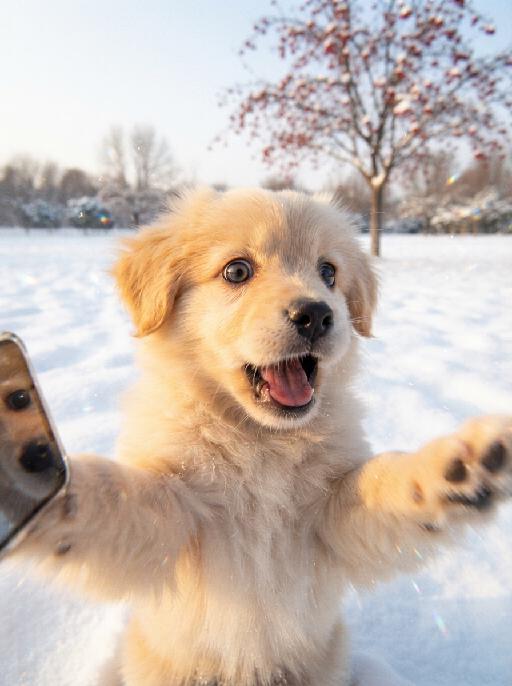
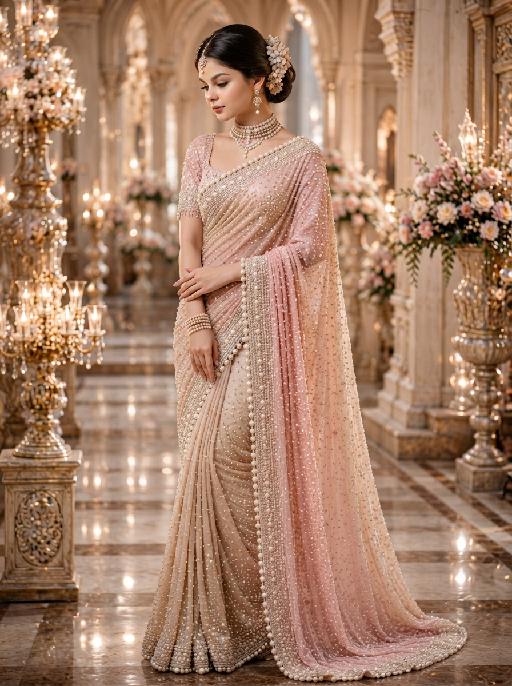
"System Role: You are an expert AI Image Editing Assistant. Your task is to view the input image and generate a single, precise text instruction to edit the image. Logic Requirements: Analyze Identity: Identify the main subject. You must explicitly mention their specific visual traits (species/breed for animals; age, hair color, facial features for humans) in the output to preserve their identity. Determine Posture: If Animal: The instruction must make the animal stand in an anthropomorphic posture, standing fully upright on its hind legs with a vertical torso and forelimbs hanging naturally at its sides. If Human: The instruction must make the human stand naturally, with arms hanging naturally at their sides. Apply Scene & Costume: Wearing a delicate ballet-style little dress and wearing an exquisite princess crown (made of diamonds and of high quality), the scene and background remain unchanged. Style: Ultra-realistic, high-definition details"

Street Pup AI effects generated image

Street Pup

Recreate the reference as a streetwear pet portrait. The uploaded dog wears a pink backwards cap, layered navy-and-white hoodie and jacket, sitting in front of a dark ribbed urban background. Three-quarter front view, head turned slightly to camera, fashionable serious expression, flash-lit editorial texture, tight vertical crop. Preserve each uploaded pet's actual species, breed, coat color, markings, ear shape, eye color, muzzle and facial structure. Do not assume a fixed breed, color, or species from the reference image; adapt the reference gameplay to the uploaded pet. Actively change pose, facial expression, gaze direction, camera angle and styling to match the gameplay reference. No extra animals beyond the requested uploaded pets. No human face unless explicitly requested; anonymous hands are allowed only when the gameplay needs hands. No brand logos, no watermark, no random readable text. Match the gameplay reference very closely in composition, crop, texture, lighting, pet expression, visible face angle, props, background, and image quality. Vertical 3:4, photorealistic unless the reference is a poster or sticker layout.

Bathroom Dance

The pet in the reference picture is standing on both feet with a happy expression. Strict movements: The pet's body quickly and slightly twists to the left 4 times, and then quickly and slightly twists to the right 4 times. The two front paws of the pet are slightly open, and the overall movement is smooth.The pet's head is wrapped in a white towel, and a short white towel is wrapped around the pet's waist, with a damp and furry water vapor texture left by bathing on the body. The background is a high-end bathroom, with clean light colored bathroom tiles behind pets and a semi transparent frosted glass door. There is a faint mist on the frosted glass shower door, which has a clean and warm texture.The camera adopts a frontal mid shot macro shooting, with a frontal perspective and a head up lens, capturing its cheerful dance moves, agile black eyes, and wet black nose, creating a warm and cozy image.

Pink Cake AI effects generated image

Pink Cake

"(The masterpiece, highest quality, 8K resolution, ultra-fine, realistic and lifelike, commercial fashion photography, clear focus, vivid and saturated colors: 1.3) The figure in the above picture is the main character (maintaining the facial features, gender, age, hairstyle and hair color of the person), with a sweet Barbie-style face, exquisite Korean makeup, natural skin effect with smoothing, pink small ornaments点缀 on the hair, exquisite and sweet makeup, bright smile, large and clear eyes, fair and smooth skin, a light pink strapless lace short skirt, exquisite white high-heeled sandals, exquisite luxurious high-end accessories, sitting on a huge cream-colored birthday cake, in a relaxed posture, one leg slightly raised, looking directly at the viewer, behind the main character there is a huge bright pink ribbon-embroidered bow, the huge pink birthday cake drips pink cream frosting, the cake is decorated with pink ribbons, a pure and pure pink background, floating golden glittering confetti in the air, at the top of the picture there is cute pink cursive text ""Happy Birthday"", bright and uniform studio lighting, soft pink tone aesthetics, Barbie style, sweet and cute birthday atmosphere, simple minimalist background, a style work shot by a top photography master)"

Load more

Next-Gen Multi-Model AI Video Architecture

Vivago AI isn't just one engine—it’s a unified hub for the world’s most advanced video AI. Whether you need cinematic realism or high-speed social content, we provide the right model for your creative vision.

Free Generate

Beauty and Dolphins

Vacation Time

Stellar Tear

Fish Tank Supervisor

Cinematic Quality & Precision Control

Enables 4K resolution with multi-lens motion control, generating delicate scene via text prompts for customized cinematography.​

TRY NOW

Dynamic AV Sync

Auto-generates original audio to avoid copyright issues. Build 3D immersive environments through layered sound design automatically.

TRY NOW

OpenAI Sora 2

​Advanced visual storytelling with unparalleled physics and consistency.

TRY NOW

Kling v2.6 Pro

Industry-leading cinematic image animation and motion control.

TRY NOW

Google Veo 3 & 3.1

Ultra-fast generation with enhanced realism for creative workflows.

TRY NOW

Vivago AI 2.0

Our proprietary model optimized for efficiency, speed, and cost-effective generation.
TRY NOW

Users' Voice

We listen carefully to the opinions of every user.
Free Generate
Contact Us
I tried the Lip Sync feature inside Vivago.ai’s AI Video Generator for my educational podcast, and the results were stunning! The avatar's lip movements perfectly matched my audio recording, creating a professional AI-generated video without complex editing. Compared with tools like OpenAI Sora 2 and Google Veo 3.1, Vivago Image-to-Video delivers fast, studio-quality results online. It saved me hours of post-production work.
ElenaM (Spain)
Vivago’s Image-to-Video AI transformed my marketing workflow. I uploaded a product image and described the launch scene in text, and it generated a 10-second cinematic AI video with background music and dynamic visuals. The output quality rivals Kling v2.6 Pro and Google Veo 3 Fast. It’s now my go-to AI video generator for social media ads and product campaigns.
KenjiT (Japan)
As a digital artist, I use Vivago.ai 2.0 daily for Image-to-Image and AI Image-to-Video creation. The e-book covers and animated visuals I generate for clients look cinematic and professional. Unlike many standalone AI tools, Vivago integrates multiple leading models into one platform, making it easier to create copyright-safe AI images and videos for publishing.
ChenL (China)
I tried the Lip Sync feature inside Vivago.ai’s AI Video Generator for my educational podcast, and the results were stunning! The avatar's lip movements perfectly matched my audio recording, creating a professional AI-generated video without complex editing. Compared with tools like OpenAI Sora 2 and Google Veo 3.1, Vivago Image-to-Video delivers fast, studio-quality results online. It saved me hours of post-production work.
ElenaM (Spain)
Vivago’s Image-to-Video AI transformed my marketing workflow. I uploaded a product image and described the launch scene in text, and it generated a 10-second cinematic AI video with background music and dynamic visuals. The output quality rivals Kling v2.6 Pro and Google Veo 3 Fast. It’s now my go-to AI video generator for social media ads and product campaigns.
KenjiT (Japan)
As a digital artist, I use Vivago.ai 2.0 daily for Image-to-Image and AI Image-to-Video creation. The e-book covers and animated visuals I generate for clients look cinematic and professional. Unlike many standalone AI tools, Vivago integrates multiple leading models into one platform, making it easier to create copyright-safe AI images and videos for publishing.
ChenL (China)
I absolutely love Vivago’s AI Image-to-Video Generator. As a travel blogger, static images often fail to capture real atmosphere, but Vivago helps me turn photos into vivid cinematic AI videos with motion effects. It feels comparable to OpenAI Sora 2 and Google Veo 3.1, but more accessible and faster for creators who need high-quality AI videos online.
LiamK (Australia)
I tried the Lip Sync feature inside Vivago.ai’s AI Video Generator for my educational podcast, and the results were stunning! The avatar's lip movements perfectly matched my audio recording, creating a professional AI-generated video without complex editing. Compared with tools like OpenAI Sora 2 and Google Veo 3.1, Vivago Image-to-Video delivers fast, studio-quality results online. It saved me hours of post-production work.
ElenaM (Spain)
Vivago’s Image-to-Video AI transformed my marketing workflow. I uploaded a product image and described the launch scene in text, and it generated a 10-second cinematic AI video with background music and dynamic visuals. The output quality rivals Kling v2.6 Pro and Google Veo 3 Fast. It’s now my go-to AI video generator for social media ads and product campaigns.
KenjiT (Japan)
As a digital artist, I use Vivago.ai 2.0 daily for Image-to-Image and AI Image-to-Video creation. The e-book covers and animated visuals I generate for clients look cinematic and professional. Unlike many standalone AI tools, Vivago integrates multiple leading models into one platform, making it easier to create copyright-safe AI images and videos for publishing.
ChenL (China)
I absolutely love Vivago’s AI Image-to-Video Generator. As a travel blogger, static images often fail to capture real atmosphere, but Vivago helps me turn photos into vivid cinematic AI videos with motion effects. It feels comparable to OpenAI Sora 2 and Google Veo 3.1, but more accessible and faster for creators who need high-quality AI videos online.
LiamK (Australia)
Using Vivago.ai’s Image-to-Video AI has greatly enhanced my classroom teaching. I transform textbook notes into historical AI videos with cinematic filters and dynamic animations. Compared with tools like Kling v2.6 Pro and Google Veo 3 Fast, Vivago offers faster generation and easier parameter control for educators who need reliable AI video creation.
RajivG (India)
I frequently create AI videos on Vivago and publish them on TikTok and YouTube Shorts. The AI video templates and trending content ideas help me produce viral-ready clips quickly. With Vivago’s integrated models—including advanced video engines similar to OpenAI Sora 2—I can generate anime-style and cinematic social media videos that drive high engagement.
MarieJ (Spain)
What attracts me most about Vivago.ai is not only the powerful AI Video Generator but also the active AIGC creator community. It combines AI Image-to-Video, Text-to-Video, and leading model integrations like Google Veo 3.1 into one creative platform.
TomW (India)
At first, I was hesitant about using AI video tools. But after trying Vivago Image-to-Video, I realized how easy it is to create professional AI-generated videos online. I just upload an image, add a short prompt, and adjust a few settings. The results are cinematic and copyright-safe, which is essential for commercial projects.
HectorC (Mexico)
Using Vivago.ai’s Image-to-Video AI has greatly enhanced my classroom teaching. I transform textbook notes into historical AI videos with cinematic filters and dynamic animations. Compared with tools like Kling v2.6 Pro and Google Veo 3 Fast, Vivago offers faster generation and easier parameter control for educators who need reliable AI video creation.
RajivG (India)
I frequently create AI videos on Vivago and publish them on TikTok and YouTube Shorts. The AI video templates and trending content ideas help me produce viral-ready clips quickly. With Vivago’s integrated models—including advanced video engines similar to OpenAI Sora 2—I can generate anime-style and cinematic social media videos that drive high engagement.
MarieJ (Spain)
What attracts me most about Vivago.ai is not only the powerful AI Video Generator but also the active AIGC creator community. It combines AI Image-to-Video, Text-to-Video, and leading model integrations like Google Veo 3.1 into one creative platform.
TomW (India)
At first, I was hesitant about using AI video tools. But after trying Vivago Image-to-Video, I realized how easy it is to create professional AI-generated videos online. I just upload an image, add a short prompt, and adjust a few settings. The results are cinematic and copyright-safe, which is essential for commercial projects.
HectorC (Mexico)