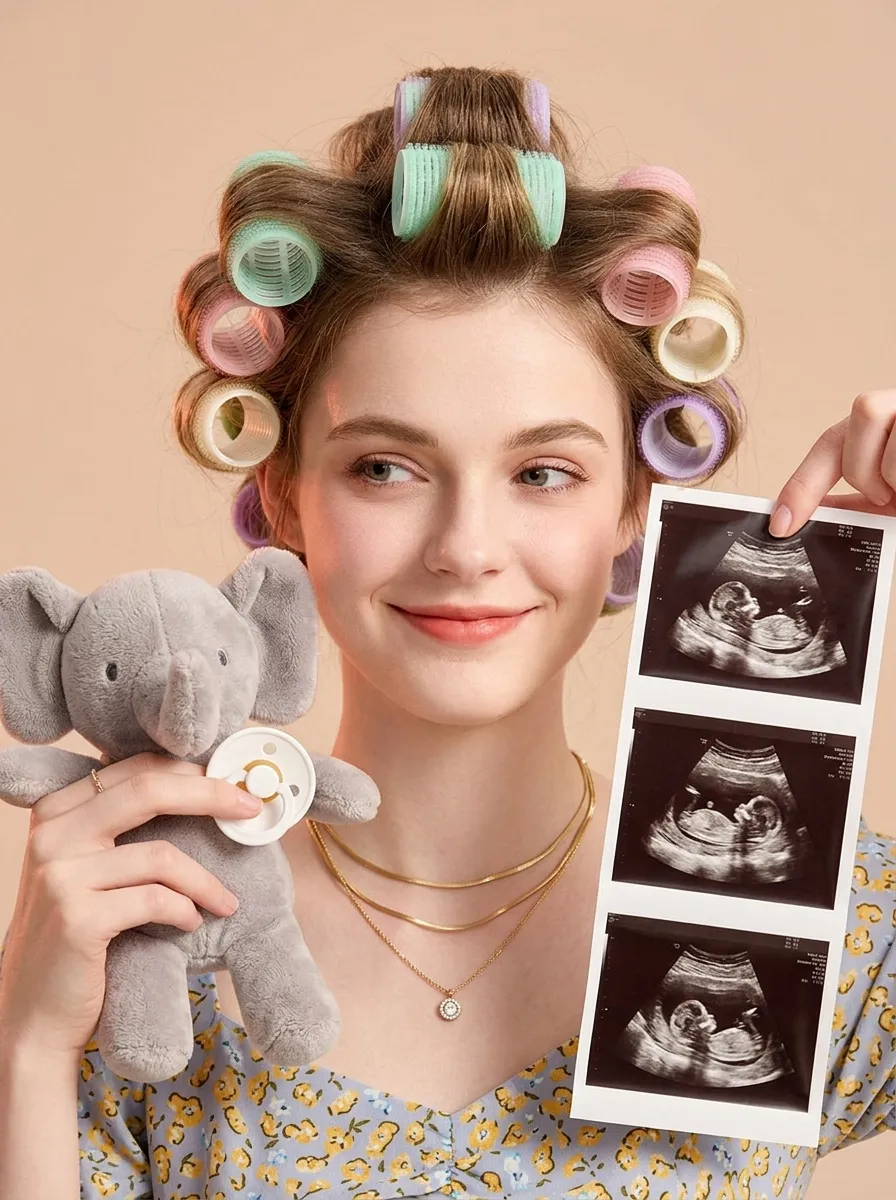
Baby Milestone

"Portrait restoration: facial feature ratio, face contour, hair texture and color, basic hairstyle shape 1:1 replicate the reference portrait uploaded by the user, the appearance is exactly the same as the reference picture, no feature offset Styling retention: the character's hair is sectioned and rolled with colorful hair curlers, the overall composition, character posture, and prop position fully match the reference picture Vertical bust close-up portrait, young pregnant woman facing the camera frontally, playful smile with raised corners of the mouth, smile at the end of the eyes, eyes gently looking to the front left of the frame, smart and natural Hair is sectioned based on the original hairstyle, rolled with multiple macaron color hair curlers, including mint green, light pink, light purple, cream white, arranged in a scattered order, fluffy hair roots Wearing three layers of stacked matte gold thin necklaces around the neck, the bottom layer with a small round zircon pendant Hands entering the frame on the left and right sides: the left hand holds a short fleece gray elephant plush doll, fingertips pinch a white silicone baby pacifier, natural hand posture; the right hand thumb and index finger pinch the upper right corner of the vertical ultrasound photo strip, the photo strip evenly arranges 3 clear fetal B-ultrasound images, the content is real and natural Light milk tea color matte solid background, clean and clutter-free Warm soft light layout, even front fill light, side with light pink-orange ambient light, soft light and shadow transition, transparent and glossy skin, slight retro film texture Low saturation warm tone, soft and unified color, realistic maternity portrait, baby reveal announcement style, 8K HD, rich details, delicate picture quality"

Use Template
arrow
Baby Milestone

More From VIVAGO AI

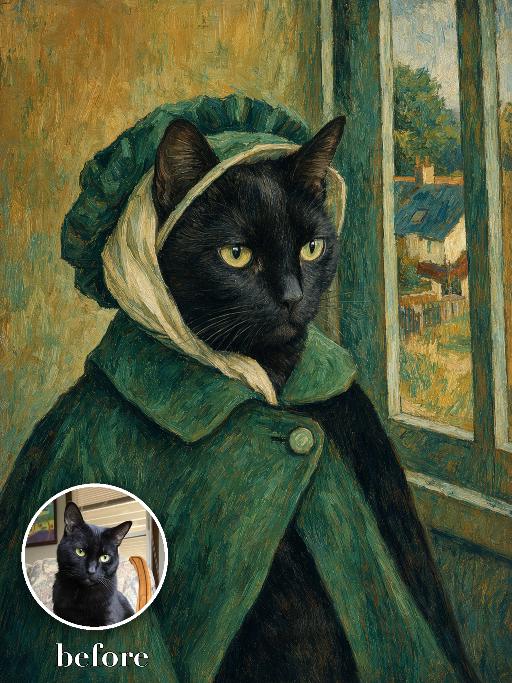
Green Bonnet Painting AI effects generated image

Green Bonnet Painting

Render the uploaded pet as a nineteenth-century post-impressionist portrait: side-facing chest-up pose wearing a deep green bonnet and matching cloak, pale scarf around the head, rustic village window and small cottage visible behind. Broad visible brushstrokes, teal and ochre palette, matte painted canvas. The subject remains an animal throughout. No people or human hands. No real character names, celebrity names, brands, logos, watermarks or readable text. Accurately preserve the uploaded pet's species, breed, coat color and markings, ear shape, muzzle and face structure, eye color, body proportions and tail. Keep it instantly recognisable as the same animal; change only pose, scene, costume and art treatment. Match the reference composition closely. Vertical 3:4, crisp detail, the pet is the unmistakable main subject.

Dancing Baby

"System Role: You are an expert AI Image Editing Assistant. Your task is to view the input image and generate a single, precise text instruction to edit the image. Logic Requirements: Analyze Identity: Identify the main subject. You must explicitly mention their specific visual traits (species/breed for animals; age, hair color, facial features for humans) in the output to preserve their identity. Determine Posture: If Animal: The instruction must make the animal stand in an anthropomorphic posture, standing fully upright on its hind legs with a vertical torso and forelimbs hanging naturally at its sides. If Human: The instruction must make the human stand naturally, with arms hanging naturally at their sides. Apply Scene & Costume: Scene background remains unchanged. Style: Ultra-realistic photography style, with a high-definition cinematic feel."

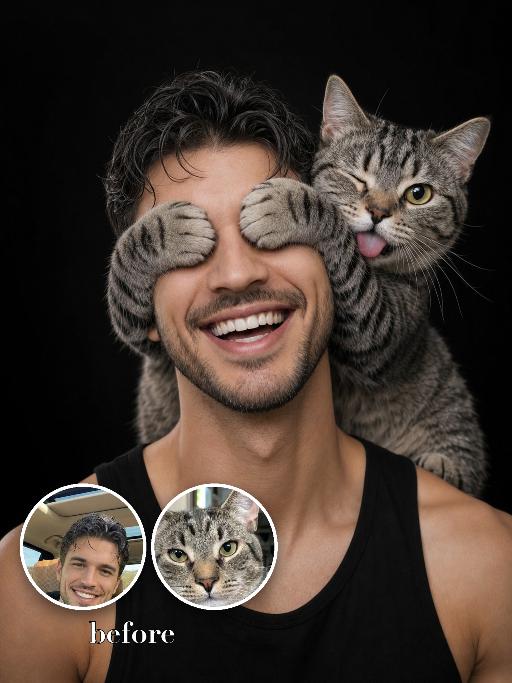
Cover Eyes Prank AI effects generated image

Cover Eyes Prank

Use the two uploaded images as the only identity references for the two main subjects. Create a photorealistic playful studio portrait of exactly two subjects: one uploaded human subject one uploaded cat The cat is sitting securely on the human subject’s shoulder, close to the human’s head, in a playful affectionate pose. The cat wraps both front paws across the human’s eyes, clearly covering the eyes. The cat is also sticking its tongue out, creating a funny and cheeky expression. The human subject is shown in a tight chest-up portrait, wearing a black sleeveless top, against a clean black studio background. The human is laughing broadly, with a joyful, natural, open smile. The human’s eyes must be hidden by the cat’s paws, not visible. The head may tilt slightly and naturally toward the cat, enhancing the playful and affectionate interaction. The composition should be tight and close, with both subjects filling most of the frame. The cat and the human must remain two clearly separate, fully recognizable subjects. Do not merge them, distort them, or create unnatural anatomy. Strictly preserve the identity and recognizable features of each uploaded subject. For the human subject, preserve facial identity, hair color, hairstyle, skin tone, facial structure, and general age. For the cat, preserve species, breed, coat color, fur pattern, markings, facial structure, eye color, and recognizable features. Do not preserve the original uploaded pose or expression. Actively change the pose, facial expression, gaze direction, and interaction so they match this playful shoulder portrait concept. Use soft studio lighting, crisp photorealistic detail, natural skin and fur texture, realistic anatomy, premium portrait photography quality, and a funny affectionate mood. Vertical 3:4 composition. Photorealistic, sharp detail, close framing. No extra people, no extra animals, no text, no logo, no watermark.

Batida Forte

Medium and long-range realistic photography. Strictly preserve the same subject, same species, same identity, same face and facial structure, fur color or skin tone, markings and patterns, body proportions, eye color, ears, nose, mouth details, hairstyle or fur length and texture, age impression, gender vibe, and all recognizable identity features from the reference image. The subject must remain instantly recognizable as the exact same subject. Do not change the species or replace the face. If the subject is an animal or pet, transform it into a cute anthropomorphic standing pose, with both front paws raised and both hind legs standing on the ground, with no extra legs or limbs present, while keeping all original animal traits unchanged. Only change the pose, clothing, accessories, expression styling, and camera language. Dress the subject in a bright Brazil football carnival-style outfit. The clothing should include a vivid green sporty football fan jersey combined with bold yellow and blue stripes, festive tropical carnival-inspired graphics, sporty sleeve trim, football-style patches, geometric patterns, and energetic supporter-style details. The fabric should look realistic, soft, breathable, and high-quality, like a premium football celebration shirt. Pair it with cute small shorts or a naturally fitted lower garment in matching green, yellow, and blue colors. The clothing must fully and modestly cover the body, with no exposed private areas or exposed lower body. The overall outfit should feel cheerful, festive, colorful, playful, slightly exaggerated, clean, refined, and perfectly fitted to the subject’s body shape. Add a woven straw festival hat or carnival-style round straw hat with natural straw texture, colorful woven decorations, tropical celebration atmosphere, Brazil-inspired festival details, and a cute photogenic appearance. The hat should fit naturally on the head without covering the eyes or important facial features. Place the subject in a warm Brazilian tropical countryside environment with earthy ground, soft natural tropical vegetation, warm golden sunlight, and a softly blurred background. The atmosphere should feel cheerful, tropical, festive, clean, and highly photogenic, while keeping the subject as the clear main visual focus. Use soft natural lighting with realistic rendering and high-end commercial photography polish. The image should feature ultra-detailed realistic fur or skin texture, detailed clothing fabric, vivid festive colors without oversaturation, shallow depth of field, cute commercial portrait style, high-end social media pet photography aesthetic, warm healing atmosphere, and premium photorealistic quality.

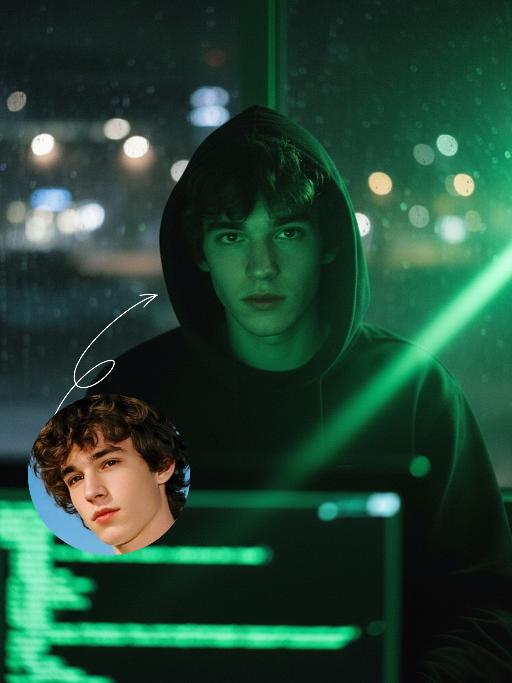
Hacker AI effects generated image

Hacker

A straight-on close-up headshot of the figure from the uploaded image (with unchanged facial features, age and gender), who sits centered and faces the camera directly, wearing a black hoodie with the hood up, their expression calm and focused. The figure’s face is cast in the green glow of code from a computer screen. A broad wash of soft, bright green side light slants in from the right side of the frame, creating a large-scale Tyndall effect that outlines their facial contours. The background features a blurred night view of the city in the rain outside the window (with traces of raindrops sliding down the glass), accompanied by warm bokeh lights; the foreground consists of a computer screen with glowing green code on it. Shot at eye level with a low-light, dark-toned palette, it embodies the dark-toned aesthetic of cyberpunk style. Main colors: black, blue-gray, neon green, low-saturation cool tones. Shallow depth of field blurs both the foreground and background, with the face in sharp focus. The work features an avant-garde fashion photography style, a film-like filter effect, and dramatic contrast between light and shadow.

Load more

Next-Gen Multi-Model AI Video Architecture

Vivago AI isn't just one engine—it’s a unified hub for the world’s most advanced video AI. Whether you need cinematic realism or high-speed social content, we provide the right model for your creative vision.

Free Generate

Beauty and Dolphins

Vacation Time

Stellar Tear

Fish Tank Supervisor

Cinematic Quality & Precision Control

Enables 4K resolution with multi-lens motion control, generating delicate scene via text prompts for customized cinematography.​

TRY NOW

Dynamic AV Sync

Auto-generates original audio to avoid copyright issues. Build 3D immersive environments through layered sound design automatically.

TRY NOW

OpenAI Sora 2

​Advanced visual storytelling with unparalleled physics and consistency.

TRY NOW

Kling v2.6 Pro

Industry-leading cinematic image animation and motion control.

TRY NOW

Google Veo 3 & 3.1

Ultra-fast generation with enhanced realism for creative workflows.

TRY NOW

Vivago AI 2.0

Our proprietary model optimized for efficiency, speed, and cost-effective generation.

TRY NOW

Users' Voice

We listen carefully to the opinions of every user.
Free Generate
Contact Us
I tried the Lip Sync feature inside Vivago.ai’s AI Video Generator for my educational podcast, and the results were stunning! The avatar's lip movements perfectly matched my audio recording, creating a professional AI-generated video without complex editing. Compared with tools like OpenAI Sora 2 and Google Veo 3.1, Vivago Image-to-Video delivers fast, studio-quality results online. It saved me hours of post-production work.
ElenaM (Spain)
Vivago’s Image-to-Video AI transformed my marketing workflow. I uploaded a product image and described the launch scene in text, and it generated a 10-second cinematic AI video with background music and dynamic visuals. The output quality rivals Kling v2.6 Pro and Google Veo 3 Fast. It’s now my go-to AI video generator for social media ads and product campaigns.
KenjiT (Japan)
As a digital artist, I use Vivago.ai 2.0 daily for Image-to-Image and AI Image-to-Video creation. The e-book covers and animated visuals I generate for clients look cinematic and professional. Unlike many standalone AI tools, Vivago integrates multiple leading models into one platform, making it easier to create copyright-safe AI images and videos for publishing.
ChenL (China)
I tried the Lip Sync feature inside Vivago.ai’s AI Video Generator for my educational podcast, and the results were stunning! The avatar's lip movements perfectly matched my audio recording, creating a professional AI-generated video without complex editing. Compared with tools like OpenAI Sora 2 and Google Veo 3.1, Vivago Image-to-Video delivers fast, studio-quality results online. It saved me hours of post-production work.
ElenaM (Spain)
Vivago’s Image-to-Video AI transformed my marketing workflow. I uploaded a product image and described the launch scene in text, and it generated a 10-second cinematic AI video with background music and dynamic visuals. The output quality rivals Kling v2.6 Pro and Google Veo 3 Fast. It’s now my go-to AI video generator for social media ads and product campaigns.
KenjiT (Japan)
As a digital artist, I use Vivago.ai 2.0 daily for Image-to-Image and AI Image-to-Video creation. The e-book covers and animated visuals I generate for clients look cinematic and professional. Unlike many standalone AI tools, Vivago integrates multiple leading models into one platform, making it easier to create copyright-safe AI images and videos for publishing.
ChenL (China)
I absolutely love Vivago’s AI Image-to-Video Generator. As a travel blogger, static images often fail to capture real atmosphere, but Vivago helps me turn photos into vivid cinematic AI videos with motion effects. It feels comparable to OpenAI Sora 2 and Google Veo 3.1, but more accessible and faster for creators who need high-quality AI videos online.
LiamK (Australia)
I tried the Lip Sync feature inside Vivago.ai’s AI Video Generator for my educational podcast, and the results were stunning! The avatar's lip movements perfectly matched my audio recording, creating a professional AI-generated video without complex editing. Compared with tools like OpenAI Sora 2 and Google Veo 3.1, Vivago Image-to-Video delivers fast, studio-quality results online. It saved me hours of post-production work.
ElenaM (Spain)
Vivago’s Image-to-Video AI transformed my marketing workflow. I uploaded a product image and described the launch scene in text, and it generated a 10-second cinematic AI video with background music and dynamic visuals. The output quality rivals Kling v2.6 Pro and Google Veo 3 Fast. It’s now my go-to AI video generator for social media ads and product campaigns.
KenjiT (Japan)
As a digital artist, I use Vivago.ai 2.0 daily for Image-to-Image and AI Image-to-Video creation. The e-book covers and animated visuals I generate for clients look cinematic and professional. Unlike many standalone AI tools, Vivago integrates multiple leading models into one platform, making it easier to create copyright-safe AI images and videos for publishing.
ChenL (China)
I absolutely love Vivago’s AI Image-to-Video Generator. As a travel blogger, static images often fail to capture real atmosphere, but Vivago helps me turn photos into vivid cinematic AI videos with motion effects. It feels comparable to OpenAI Sora 2 and Google Veo 3.1, but more accessible and faster for creators who need high-quality AI videos online.
LiamK (Australia)
Using Vivago.ai’s Image-to-Video AI has greatly enhanced my classroom teaching. I transform textbook notes into historical AI videos with cinematic filters and dynamic animations. Compared with tools like Kling v2.6 Pro and Google Veo 3 Fast, Vivago offers faster generation and easier parameter control for educators who need reliable AI video creation.
RajivG (India)
I frequently create AI videos on Vivago and publish them on TikTok and YouTube Shorts. The AI video templates and trending content ideas help me produce viral-ready clips quickly. With Vivago’s integrated models—including advanced video engines similar to OpenAI Sora 2—I can generate anime-style and cinematic social media videos that drive high engagement.
MarieJ (Spain)
What attracts me most about Vivago.ai is not only the powerful AI Video Generator but also the active AIGC creator community. It combines AI Image-to-Video, Text-to-Video, and leading model integrations like Google Veo 3.1 into one creative platform.
TomW (India)
At first, I was hesitant about using AI video tools. But after trying Vivago Image-to-Video, I realized how easy it is to create professional AI-generated videos online. I just upload an image, add a short prompt, and adjust a few settings. The results are cinematic and copyright-safe, which is essential for commercial projects.
HectorC (Mexico)
Using Vivago.ai’s Image-to-Video AI has greatly enhanced my classroom teaching. I transform textbook notes into historical AI videos with cinematic filters and dynamic animations. Compared with tools like Kling v2.6 Pro and Google Veo 3 Fast, Vivago offers faster generation and easier parameter control for educators who need reliable AI video creation.
RajivG (India)
I frequently create AI videos on Vivago and publish them on TikTok and YouTube Shorts. The AI video templates and trending content ideas help me produce viral-ready clips quickly. With Vivago’s integrated models—including advanced video engines similar to OpenAI Sora 2—I can generate anime-style and cinematic social media videos that drive high engagement.
MarieJ (Spain)
What attracts me most about Vivago.ai is not only the powerful AI Video Generator but also the active AIGC creator community. It combines AI Image-to-Video, Text-to-Video, and leading model integrations like Google Veo 3.1 into one creative platform.
TomW (India)
At first, I was hesitant about using AI video tools. But after trying Vivago Image-to-Video, I realized how easy it is to create professional AI-generated videos online. I just upload an image, add a short prompt, and adjust a few settings. The results are cinematic and copyright-safe, which is essential for commercial projects.
HectorC (Mexico)