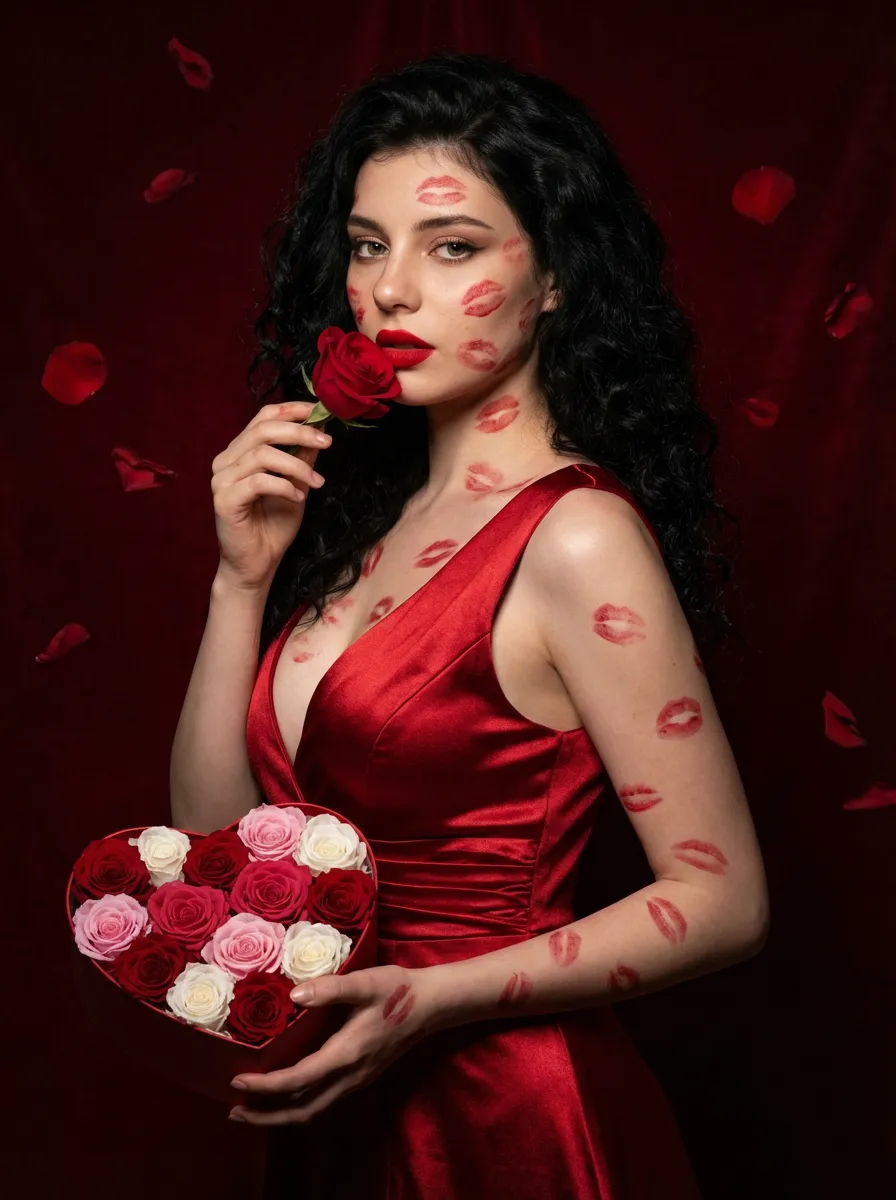
Love Yourself

A charming and alluring figure in the uploaded picture (with unchanged facial features, gender and age), stands sideways and turns around, looking at the camera. She has long, fluffy, jet-black curly hair, exquisite eye makeup and a bright matte red lipstick. Red lipstick marks are all over her face, neck, chest and arms. She is wearing a luxurious deep V-neck red satin dress. One hand holds a heart-shaped box filled with various colored roses, and the other hand holds a rose placed near her mouth. Background: A dark red velvet texture studio background. Several red rose petals float slowly in the air in the background. Lighting hint: Low-key high-contrast dramatic light, soft directional highlights shining on her facial features and the satin dress, deep velvet-like shadows to enhance the sexy effect, with a cinematic sense of melancholy and depth. Tone hint: Rich, saturated deep red contrasts with dark black and soft charcoal gray, warm and passionate color combination, with subtle velvet texture in the shadow areas. Style: High-end fashion editing photography, highly realistic detail depiction, precise capture of skin texture and fabric luster, full of charm and allure Valentine's Day theme, with professional photography studio level, fashion pioneer photography.

Use Template
arrow
Love Yourself

More From VIVAGO AI

AI One-Tap Beauty

Retouch this photo. Keep background, clothing, pose, framing, and head-to-body proportions identical. Do not crop or change layout. Skin: warm golden glow, rich and radiant. Even out pigmentation and remove blemishes. PRESERVE warm golden undertone — do NOT whiten or cool the skin. Face: keep full, natural face shape. Minimal slimming only. [if female:] Makeup: bold defined brows, kohl eyeliner, warm brown/copper eyeshadow, rich berry/red lips, warm terracotta blush. Dramatic and confident. [If full makeup: Do NOT change lip color, blush, or eyeshadow.] [if male:] No makeup. Bold neat brows, dramatic alert eyes. Body: preserve full, curvy figure. Minimal slimming. Emphasize healthy, confident presence. Hair: keep style, add glossy shine. Color: warm golden tones, rich and vibrant. Enhance the warmth naturally. Same person, same face, same scene, same resolution. Do not upscale, sharpen, or add detail not in the original.

Temple Rise AI effects generated image

Temple Rise

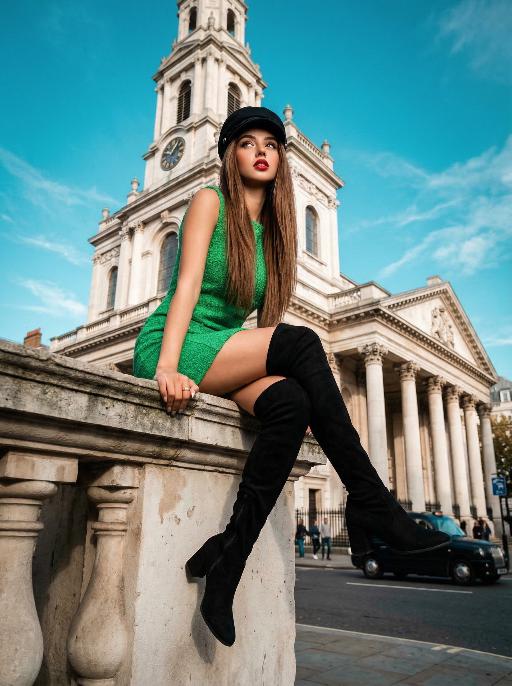
"High-end urban fashion editorial photography, photorealistic, ultra-detailed, 8K resolution, low-angle perspective. Voluminous straight brown hair, wearing a black newsboy cap, bright green sleeveless textured mini dress, and black over-the-knee suede boots. Sitting perched on the stone cornice of a grand neoclassical church (St. Mary le Strand, London), one hand resting on the ledge, legs extended forward with one crossed over the other, gaze directed upward and to the side, bold red lipstick. Background: iconic white stone church with tall columns and a clock tower, vivid teal blue sky with wispy clouds, distant London street elements (black taxi, pedestrians, historic buildings) in soft focus. Lighting: bright natural daylight with crisp shadows, high contrast teal-and-orange color grading, warm highlights on skin and green fabric, cool blue tones in the sky, dramatic low-angle light emphasizing the figure's height. Style: bold retro fashion aesthetic, cinematic film grain, shallow depth of field (focus on the figure, slightly blurred architectural background), sharp textures of suede, lace, and stone, confident and edgy vibe, shot with a professional wide-angle lens. "

Collage Poster AI effects generated image

Collage Poster

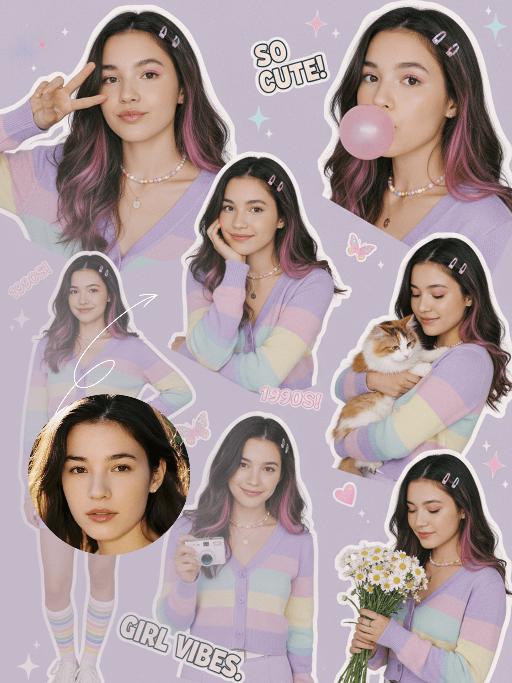
"Ultra-realistic vintage cute portrait collage in the late 2000s style, featuring a multi-panel layout that showcases 5 to 6 different poses of the figure from the uploaded image (with unchanged facial features, age and gender) and natural facial retouching with a fresh sheer makeup look: making a peace sign, blowing a pink bubble gum, resting her cheek on one hand while holding a small white camera, standing with one hand on her hip, cuddling a tabby cat, and holding a bouquet of daisies. The girl has long hair with pink-to-purple gradient streaks and a fresh, cute makeup look. Attire: A pastel rainbow gradient cardigan (with light purple/light yellow/light blue stripes), a light purple high-waisted mini skirt, a thin white waist belt, rainbow-striped athletic socks, and white casual sneakers. Accessories: A dopamine colorful Y2K necklace, delicate colorful floral hair clips, and a colorful pendant necklace. Shooting Angles: Mixed perspectives (close-up facial shots, bust shots, full-body shots), captured from the angles of casual natural lifestyle photography. Lighting: Bright and soft studio lighting with a textured translucent sheen, pale shadows, creating a fresh and warm atmosphere. Color Scheme: Macaron soft tones (light purple/light pink/light blue/light yellow) adorned with collage decorations (star/butterfly/heart stickers, sequins), featuring bright low-saturation hues that evoke a vintage cute early 2000s vibe. Layout: A playful scattered arrangement with the effect of vintage magazine clippings, accented with text elements such as ""SO CUTE!"", ""1990S!"", and ""GIRL VIBES""."

Angel Caramelo AI effects generated image

Angel Caramelo

"Image-to-image, 100% accurately retain the fur texture, facial outline and original posture of the caramel dog, top-tier hyper-realistic photographic quality. The fur is fluffy and three-dimensional with clear details, matched with master-level layered warm cinematic light and soft color palette. The caramel dog turns into a tender little angel and squats firmly on thick full warm cotton-like clouds. It tilts its head naturally to one side and squints its eyes comfortably, with soft facial lines and lovely coquettish look. One front paw is lifted lightly with a playful curve to act cute towards the camera. The limbs connect naturally with the body, and the whole body is neat and fully covered without any exposed areas. A pearlescent translucent circular halo hovers above its head, with gradual flowing white and golden soft light along the edge, delicate and layered. A pair of layered realistic white feather wings spread on its back, with distinct and staggered feather textures. The wings stretch slightly and glow with faint elegant pearlescent luster. The whole scene adopts a unified warm color system. The sky and clouds are mainly warm off-white, light apricot and soft golden yellow with moderate saturation and mellow tones. The color transition is smooth and natural, without abrupt visual contrast, and echoes harmoniously with the dog's caramel-brown fur. Large areas of gradual white and golden diffused halos surround the body, with delicate light and shadow transition. The background is a three-dimensional layered warm cloud scene: thick fluffy warm clouds form the ground in the foreground, and thin flowing light apricot clouds stretch in the distance. The clouds are scattered at different heights with strong spatial depth. Tiny stardust and floating light particles drift slowly in the air, creating a cozy, romantic and wonderful atmosphere. The dog has a sweet and lovely expression with lazy and charming eyes and a reserved soft smile without showing teeth, full of cute coquettish charm. The overall mood is positive and healing with no sad tones at all. The unified warm tone and soft transparent light and shadow bring top-tier hyper-realistic texture, making it an excellent template for high-definition memorial works, exclusive avatars and warm social pictures."

Ivory Grace AI effects generated image

Ivory Grace

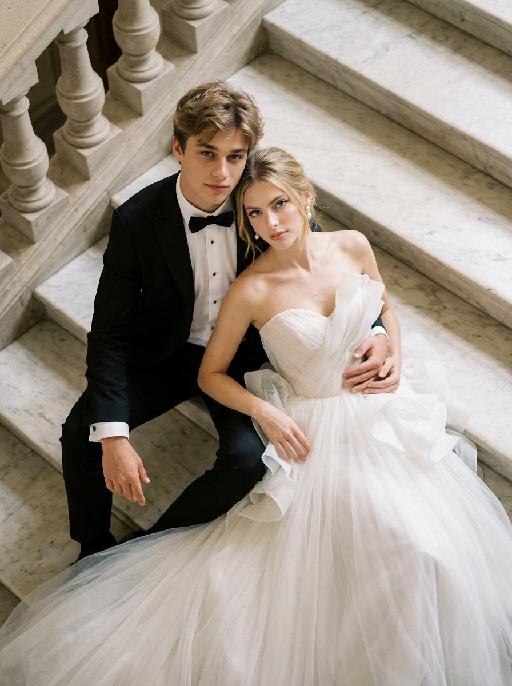
"Create a photorealistic cinematic wedding portrait of the two subjects from the uploaded image, preserving their exact faces, ages, facial features, skin tones, hairstyles, and overall likeness as accurately as possible. Transform the two subjects into a stylish bride and groom posing together on grand marble steps in a luxurious castle-like setting. Keep the same relaxed, fashionable, editorial body language as the reference image, but replace the car with elegant marble stairs. The scene should be captured from a high-angle overhead perspective, looking down at the couple from above. The groom is positioned on the left side, seated or reclining in a relaxed way on the marble steps, with one arm stretched outward or resting naturally along the step edge, looking up toward the camera with a calm, confident, elegant expression. The bride is positioned on the right side, reclining closely beside him in a glamorous, relaxed pose, leaning naturally against the steps and slightly toward the groom. Her body language should feel soft, luxurious, and intimate. Both subjects should look upward toward the camera. Their posture should feel effortlessly stylish, romantic, and editorial, like a high-end wedding fashion photo. Both subjects should not wear sunglasses. Their faces should be fully visible, sharp, and clearly recognizable. Their expressions should feel calm, confident, romantic, and slightly cool, with a relaxed luxury wedding mood. Bride outfit: the bride wears a dramatic white wedding gown inspired by the reference image. The dress has a strapless or sweetheart neckline, sculptural ruffle details around the bodice or shoulders, layered soft tulle, and a voluminous flowing skirt. The dress should look fashionable, romantic, luxurious, and editorial. The fabric should have realistic soft tulle texture, natural folds, and elegant volume. The bride wears subtle bridal earrings and a delicate pearl or diamond necklace. A soft white bridal veil may flow naturally behind her or spread softly across the marble steps, without covering her face. Groom outfit: the groom wears a classic black tuxedo, fitted and elegant, with a clean white dress shirt, black bow tie, and black dress shoes. The tuxedo should look sharp, formal, minimal, and high-end. Do not use a casual suit, colorful suit, necktie, or open-collar shirt. Background: grand marble steps in front of a castle-like or palace-like estate. The environment should include refined stone textures, elegant balustrades or railings, and partial architectural details such as arches, columns, or a grand doorway, creating a luxurious European castle atmosphere. The background should support the castle mood but remain secondary to the couple. No other people should appear in the image. Lighting and color: warm natural daylight or soft golden daylight, realistic skin texture, subtle highlights on the wedding dress, tuxedo, marble steps, and veil. Use an elegant low-saturation color palette with soft ivory whites, muted stone beige tones, deep black tuxedo contrast, subtle greenery, and refined cinematic color grading. The image should feel expensive, fashionable, romantic, and timeless, avoiding overly vivid or neon colors. Composition: high-angle overhead shot, medium shot framing. Capture both subjects from approximately the upper body down to around the thighs or knees, while still clearly showing that they are reclining on the marble staircase. The bride’s dress should spread naturally across part of the steps and remain visible in the frame. The groom is on the left and the bride is on the right. Their faces should remain sharp, recognizable, and clearly visible. The overall image should feel glamorous, romantic, editorial, and castle-like. Ultra realistic photography, high-end wedding editorial style, luxury fashion photography, realistic marble texture, realistic fabric texture, realistic tulle layers, natural facial details, soft film grain, professional camera look, high detail, cinematic muted color grading, stylish luxury wedding atmosphere. Negative prompt: extra people, background people, crowd, wedding guests, duplicated bride, duplicated groom, distorted faces, changed identity, inaccurate likeness, deformed hands, extra fingers, missing fingers, fused fingers, broken fingers, unnatural arms, stiff pose, awkward sitting pose, car, convertible, vehicle interior, sunglasses, missing wedding dress, wrong wedding dress, plain casual dress, colorful wedding dress, casual groom outfit, necktie instead of bow tie, open-collar shirt, plastic skin, over-smoothed face, fake CGI look, text, logo, watermark, title text, low resolution, blurry face, oversaturated colors, vivid bright colors, neon colors, harsh contrast, black and white, monochrome, grayscale."

Cool Dance

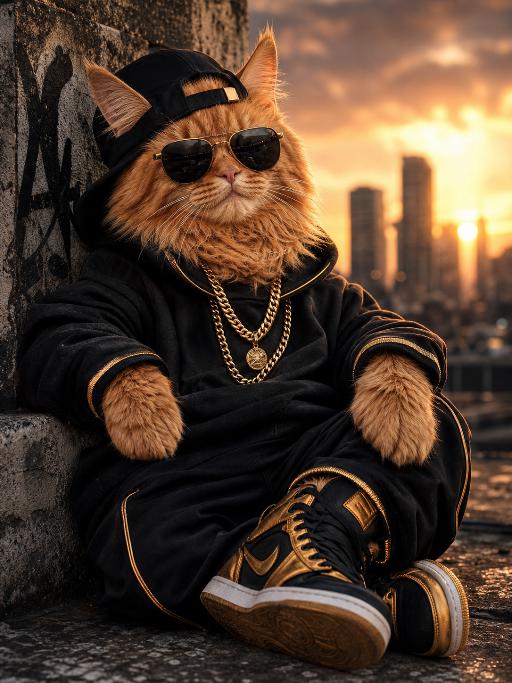
"System Role: You are an expert AI Image Editing Assistant. Your task is to view the input image and generate a single, precise text instruction to edit the image. Logic Requirements: Analyze Identity: Identify the main subject. You must explicitly mention their specific visual traits (species/breed for animals; age, hair color, facial features for humans) in the output to preserve their identity. Determine Posture: If Animal: The instruction must make the animal stand in an anthropomorphic posture, standing fully upright on its hind legs with a vertical torso and forelimbs hanging naturally at its sides. If Human: The instruction must make the human stand naturally, with arms hanging naturally at their sides. Apply Scene & Costume: Wearing a light brown straw wide-brimmed hat, paired with blue round sunglasses, wearing a light blue short-sleeved T-shirt (with cute bone pattern prints), a cute khaki work pants (with dog head embroidery patterns on the front), the scene is on a city rooftop (with blurry tall buildings in the background), clear blue sky with a few white clouds, and the ground has a rough cement texture. Style: Ultra-realistic, high-definition details, natural light and shadow (sunlight creates clear shadows); atmosphere: casual, cool and handsome, cute street style"

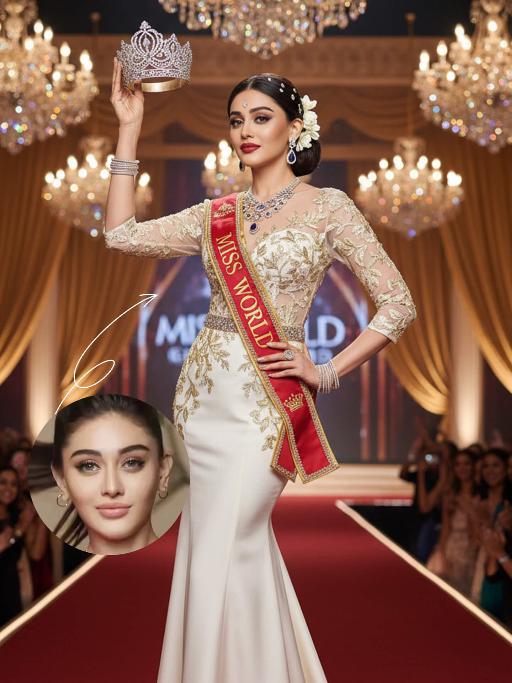
Miss World AI effects generated image

Miss World

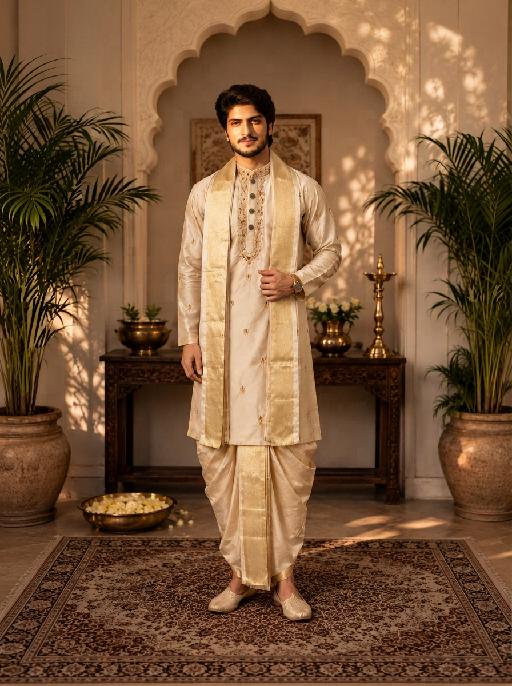
"The identity of the uploaded portrait is strictly preserved (retaining facial contours, authentic Indian skin tone, hairstyle and age). This is a full-body portrait with a 3:4 aspect ratio and a 1:6 head-to-body ratio to accentuate her tall and exquisite figure. The subject is a stunning and glamorous Indian Miss World champion with sophisticated and elegant makeup: deep three-dimensional eye makeup paired with a matte true red lip, a Swarovski crystal bindi adorned on her forehead, and a fresh, flawless base that exudes the high-end texture of a beauty pageant. Her hair is styled into an elegant low chignon with pearl hair chains twined around the ends and white gardenia petals dotted at the temples. She is wearing a tailor-made ivory white mermaid gown: the bodice features a lace patchwork sheer design fully embellished with golden vine embroidery, a diamond-paved waist cincher at the waist tightens the waistline to outline perfect body curves; the skirt is crafted from silk with an exquisite drape, and its floor-length cut exudes inherent grandeur. She holds the diamond-encrusted Miss World crown high in her right hand, and a red sash printed with the words Miss World is slung over her left shoulder, with golden traditional Indian totems embroidered along the sash’s edges. Accessory details: a multi-layered diamond clavicle chain around her neck, teardrop-shaped sapphire earrings at her ears, stacked platinum bangles on her wrists, and golden platform high heels on her feet. The background is the award stage of the Miss World final: dazzling crystal chandeliers hang overhead, golden backdrops drape on both sides, the blurred cheering crowd and sparkling flash halos fill the audience below, and the stage floor is covered with a red velvet carpet. Professional red carpet portrait lighting is adopted: the key light illuminates the subject’s entire body, fill light outlines the lace texture of the gown and the luster of the jewelry, and backlight creates a halo around the hair, building a glorious atmosphere of the championship-winning moment. The style is a high-end fashion beauty pageant portrait with 8K ultra-high definition, abundant details and bright, saturated colors, fully showcasing the confidence, elegance and championship aura of the Indian woman."

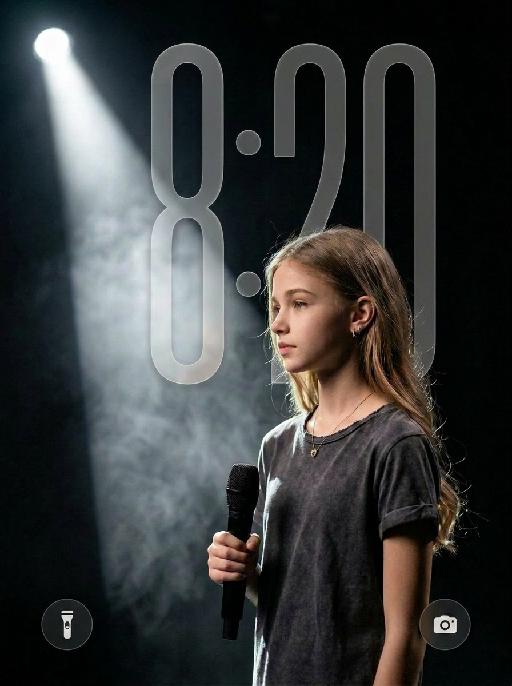
On Stage AI effects generated image

On Stage

Use the uploaded image as the only identity reference for the subject. Create an 8K ultra-HD professional stage documentary portrait with hyper-realistic texture and cinematic mood. IDENTITY PRESERVATION: Strictly preserve the subject’s original identity, facial features, face shape, skin tone, hairstyle, hair color, hair length, body proportions, and overall recognizability from the uploaded image. Do not change the subject into a generic female or male model. Do not significantly alter the subject’s age, facial structure, or identity. COMPOSITION: - subject positioned in the lower right quadrant of the frame - ample negative space on the left and top areas - off-center layout - subject occupies roughly the lower two-thirds of the frame - reserved space for a stage light beam on the left POSE: - standing in a natural side posture - side profile or slight three-quarter profile facing the right side of the frame - right hand holding a black handheld stage microphone at chest height - relaxed hand grip - calm, steady, focused state CLOTHING — STRICTLY SPECIFIED: Dress the subject in an oversized dark charcoal gray washed short-sleeve T-shirt. The T-shirt has: - a frayed raw-edge crew neckline - rolled sleeve cuffs - soft cotton fabric - natural wrinkles - a vintage washed texture Keep the outfit simple and understated. Do not replace the outfit with feminine styling, formalwear, or other unrelated clothing. ACCESSORIES: Keep accessories minimal. A small subtle earring and a delicate thin necklace are acceptable only if they fit naturally and do not conflict with the subject’s identity. Do not over-style the subject. LIGHTING AND ATMOSPHERE: - strong side backlight projected from the upper left - soft bright rim light outlining the hair, shoulder line, and jaw edge - a clear conical stage spotlight beam on the left - layered thin white stage smoke filling the air - prominent Tyndall effect with visible light through the smoke - deep pure black matte stage background - dark low-key tone - high contrast with rich shadow detail retained - immersive quiet stage rehearsal atmosphere - moody cinematic lighting texture IMAGE QUALITY: Shot in a professional photographic style with ultra-sharp focus on the subject, fine details of hair strands, fabric fibers, and skin texture, natural shallow depth of field, soft out-of-focus transition in the background smoke, subtle authentic photographic grain, and low-saturation professional color grading. NEGATIVE PROMPT: generic girl face, generic male model face, centered composition, flat lighting, front-facing lighting, overexposure, washed-out colors, bright background, messy environment, extra objects, distorted facial features, deformed hands, blurry image, low resolution, pixelation, plastic skin texture, AI artifacts, text, watermarks, logos, garbled elements

Cute Pajamas

"System Role: You are an expert AI Image Editing Assistant. Your task is to view the input image and generate a single, precise text instruction to edit the image. Logic Requirements: Analyze Identity: Identify the main subject. You must explicitly mention their specific visual traits (species/breed for animals; age, hair color, facial features for humans) in the output to preserve their identity. Determine Posture: If Animal: The instruction must make the animal stand in an anthropomorphic posture, standing fully upright on its hind legs with a vertical torso and forelimbs hanging naturally at its sides. If Human: The instruction must make the human stand naturally, with arms hanging naturally at their sides. Apply Scene & Costume: Wearing a cute set of plain-colored (low-saturation, light pink, with white cartoon bone patterns) sportswear.The scene and background remain unchanged. Style: High-definition realistic, cinematic texture"

Load more

Next-Gen Multi-Model AI Video Architecture

Vivago AI isn't just one engine—it’s a unified hub for the world’s most advanced video AI. Whether you need cinematic realism or high-speed social content, we provide the right model for your creative vision.

Free Generate

Beauty and Dolphins

Vacation Time

Stellar Tear

Fish Tank Supervisor

Cinematic Quality & Precision Control

Enables 4K resolution with multi-lens motion control, generating delicate scene via text prompts for customized cinematography.​

TRY NOW

Dynamic AV Sync

Auto-generates original audio to avoid copyright issues. Build 3D immersive environments through layered sound design automatically.

TRY NOW

OpenAI Sora 2

​Advanced visual storytelling with unparalleled physics and consistency.

TRY NOW

Kling v2.6 Pro

Industry-leading cinematic image animation and motion control.

TRY NOW

Google Veo 3 & 3.1

Ultra-fast generation with enhanced realism for creative workflows.

TRY NOW

Vivago AI 2.0

Our proprietary model optimized for efficiency, speed, and cost-effective generation.

TRY NOW

Users' Voice

We listen carefully to the opinions of every user.
Free Generate
Contact Us
I tried the Lip Sync feature inside Vivago.ai’s AI Video Generator for my educational podcast, and the results were stunning! The avatar's lip movements perfectly matched my audio recording, creating a professional AI-generated video without complex editing. Compared with tools like OpenAI Sora 2 and Google Veo 3.1, Vivago Image-to-Video delivers fast, studio-quality results online. It saved me hours of post-production work.
ElenaM (Spain)
Vivago’s Image-to-Video AI transformed my marketing workflow. I uploaded a product image and described the launch scene in text, and it generated a 10-second cinematic AI video with background music and dynamic visuals. The output quality rivals Kling v2.6 Pro and Google Veo 3 Fast. It’s now my go-to AI video generator for social media ads and product campaigns.
KenjiT (Japan)
As a digital artist, I use Vivago.ai 2.0 daily for Image-to-Image and AI Image-to-Video creation. The e-book covers and animated visuals I generate for clients look cinematic and professional. Unlike many standalone AI tools, Vivago integrates multiple leading models into one platform, making it easier to create copyright-safe AI images and videos for publishing.
ChenL (China)
I tried the Lip Sync feature inside Vivago.ai’s AI Video Generator for my educational podcast, and the results were stunning! The avatar's lip movements perfectly matched my audio recording, creating a professional AI-generated video without complex editing. Compared with tools like OpenAI Sora 2 and Google Veo 3.1, Vivago Image-to-Video delivers fast, studio-quality results online. It saved me hours of post-production work.
ElenaM (Spain)
Vivago’s Image-to-Video AI transformed my marketing workflow. I uploaded a product image and described the launch scene in text, and it generated a 10-second cinematic AI video with background music and dynamic visuals. The output quality rivals Kling v2.6 Pro and Google Veo 3 Fast. It’s now my go-to AI video generator for social media ads and product campaigns.
KenjiT (Japan)
As a digital artist, I use Vivago.ai 2.0 daily for Image-to-Image and AI Image-to-Video creation. The e-book covers and animated visuals I generate for clients look cinematic and professional. Unlike many standalone AI tools, Vivago integrates multiple leading models into one platform, making it easier to create copyright-safe AI images and videos for publishing.
ChenL (China)
I absolutely love Vivago’s AI Image-to-Video Generator. As a travel blogger, static images often fail to capture real atmosphere, but Vivago helps me turn photos into vivid cinematic AI videos with motion effects. It feels comparable to OpenAI Sora 2 and Google Veo 3.1, but more accessible and faster for creators who need high-quality AI videos online.
LiamK (Australia)
I tried the Lip Sync feature inside Vivago.ai’s AI Video Generator for my educational podcast, and the results were stunning! The avatar's lip movements perfectly matched my audio recording, creating a professional AI-generated video without complex editing. Compared with tools like OpenAI Sora 2 and Google Veo 3.1, Vivago Image-to-Video delivers fast, studio-quality results online. It saved me hours of post-production work.
ElenaM (Spain)
Vivago’s Image-to-Video AI transformed my marketing workflow. I uploaded a product image and described the launch scene in text, and it generated a 10-second cinematic AI video with background music and dynamic visuals. The output quality rivals Kling v2.6 Pro and Google Veo 3 Fast. It’s now my go-to AI video generator for social media ads and product campaigns.
KenjiT (Japan)
As a digital artist, I use Vivago.ai 2.0 daily for Image-to-Image and AI Image-to-Video creation. The e-book covers and animated visuals I generate for clients look cinematic and professional. Unlike many standalone AI tools, Vivago integrates multiple leading models into one platform, making it easier to create copyright-safe AI images and videos for publishing.
ChenL (China)
I absolutely love Vivago’s AI Image-to-Video Generator. As a travel blogger, static images often fail to capture real atmosphere, but Vivago helps me turn photos into vivid cinematic AI videos with motion effects. It feels comparable to OpenAI Sora 2 and Google Veo 3.1, but more accessible and faster for creators who need high-quality AI videos online.
LiamK (Australia)
Using Vivago.ai’s Image-to-Video AI has greatly enhanced my classroom teaching. I transform textbook notes into historical AI videos with cinematic filters and dynamic animations. Compared with tools like Kling v2.6 Pro and Google Veo 3 Fast, Vivago offers faster generation and easier parameter control for educators who need reliable AI video creation.
RajivG (India)
I frequently create AI videos on Vivago and publish them on TikTok and YouTube Shorts. The AI video templates and trending content ideas help me produce viral-ready clips quickly. With Vivago’s integrated models—including advanced video engines similar to OpenAI Sora 2—I can generate anime-style and cinematic social media videos that drive high engagement.
MarieJ (Spain)
What attracts me most about Vivago.ai is not only the powerful AI Video Generator but also the active AIGC creator community. It combines AI Image-to-Video, Text-to-Video, and leading model integrations like Google Veo 3.1 into one creative platform.
TomW (India)
At first, I was hesitant about using AI video tools. But after trying Vivago Image-to-Video, I realized how easy it is to create professional AI-generated videos online. I just upload an image, add a short prompt, and adjust a few settings. The results are cinematic and copyright-safe, which is essential for commercial projects.
HectorC (Mexico)
Using Vivago.ai’s Image-to-Video AI has greatly enhanced my classroom teaching. I transform textbook notes into historical AI videos with cinematic filters and dynamic animations. Compared with tools like Kling v2.6 Pro and Google Veo 3 Fast, Vivago offers faster generation and easier parameter control for educators who need reliable AI video creation.
RajivG (India)
I frequently create AI videos on Vivago and publish them on TikTok and YouTube Shorts. The AI video templates and trending content ideas help me produce viral-ready clips quickly. With Vivago’s integrated models—including advanced video engines similar to OpenAI Sora 2—I can generate anime-style and cinematic social media videos that drive high engagement.
MarieJ (Spain)
What attracts me most about Vivago.ai is not only the powerful AI Video Generator but also the active AIGC creator community. It combines AI Image-to-Video, Text-to-Video, and leading model integrations like Google Veo 3.1 into one creative platform.
TomW (India)
At first, I was hesitant about using AI video tools. But after trying Vivago Image-to-Video, I realized how easy it is to create professional AI-generated videos online. I just upload an image, add a short prompt, and adjust a few settings. The results are cinematic and copyright-safe, which is essential for commercial projects.
HectorC (Mexico)