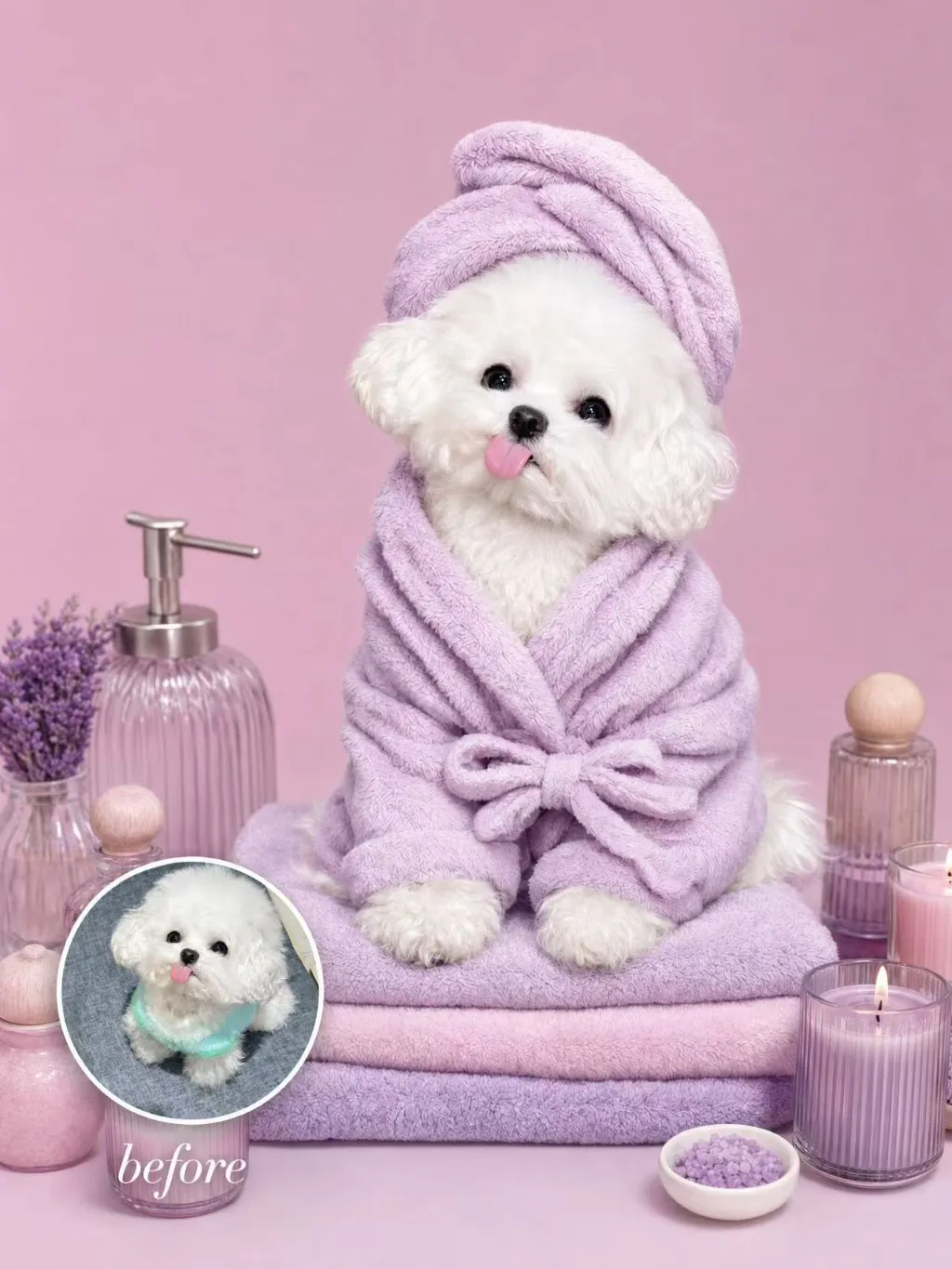
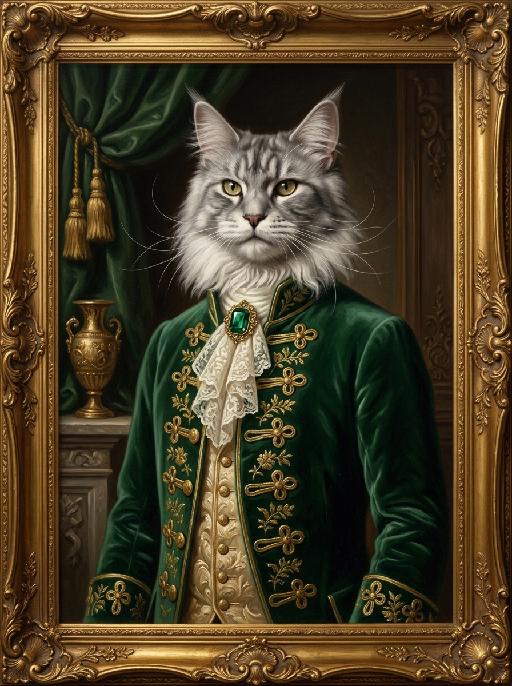
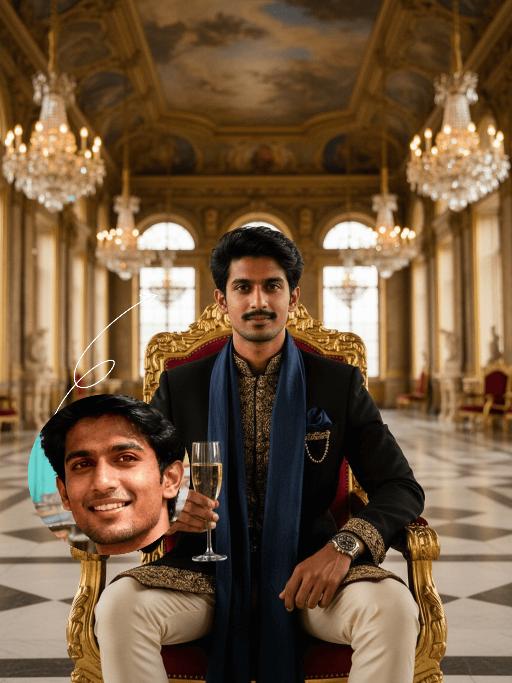
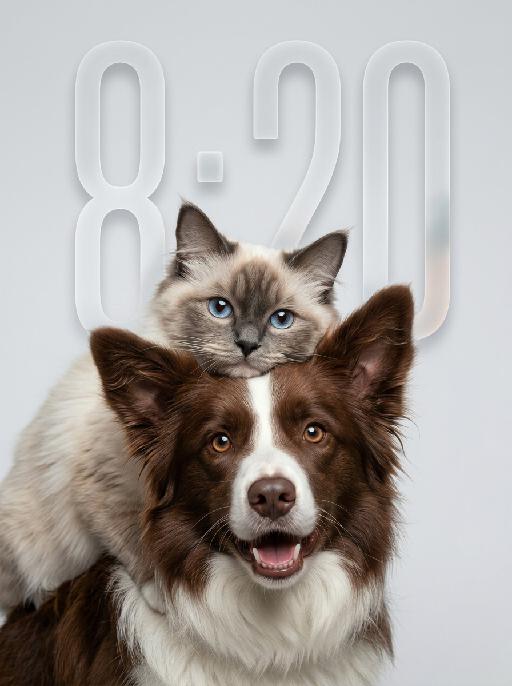
Lavender Moment

Turn the uploaded pet into a pampered spa-day portrait: wrapped in a fluffy pastel-coloured bathrobe with a matching soft towel turban on its head, sitting upright and relaxed atop a neatly stacked pile of plush towels. Around the pet, place a curated arrangement of spa accessories — small lit aromatherapy candles in glass holders, elegant glass bottles with wooden caps, and a sleek pump dispenser. The entire scene is unified by a cohesive soft pastel-lavender or pastel-pink colour palette; the background is a seamless solid pastel tone matching the towels. Soft diffused studio lighting, clean product-photography aesthetic, high-resolution photorealistic. The pet occupies 60–75% of the frame height, centered, head and full body clearly visible; background subordinate and not obstructing the pet. No logos, brand names, or readable text. While accurately preserving the animal's species, breed, coat colour and markings, ear shape, muzzle/face structure, eye colour and tail — keep it instantly recognisable as the same pet; change only the style and setting, not its identity.

Use Template
arrow
Lavender Moment

More From VIVAGO AI

Fighting Giant

This is a scene of a combat competition ring with bright spotlights in the arena; photorealistic, high-definition details, natural colors, and the camera captures the close-quarters confrontation. The uploaded character, with an exaggerated expression, shouts loudly with an open mouth, stands barefoot on the left side of the combat ring in a fighting stance. On the right side of the ring is a tall, muscular tattooed combatant. Both of them glare and roar aggressively, facing off before the fight. The uploaded character suddenly jumps into the air, spins around to the right, and viciously kicks the combatant's head with their feet and legs. After being viciously kicked three times, the combatant is finally defeated and falls to the ground. The uploaded character smiles triumphantly and joyfully, stands in the middle of the ring to cheer and celebrate, with the surrounding audience clapping. The camera zooms in to a medium close-up to show the character's upper body.

Cool Hairstyle

"1. Basic scene and character settings: Refer to the picture where the characters are surrounded by a wide black hair salon cloth. (Mid shot) Ensure that the composition is above the person's legs. The person held a black smartphone in one hand and recorded the entire process from a first person selfie perspective. This person's expression remained unchanged throughout the entire process, uniform and natural, 4K ultra high definition, with movie like skin tone, obvious depth of field, and soft bokeh effects on the background neon lights and mirrors. 2. Core Consistency Control [Strict Lockdown]: Within 10 seconds of the entire video, the facial features of the character (facial proportions, eye color, skin texture) must remain absolutely consistent, without any distortion or deterioration. The position, grip posture, and gaze direction of the mobile phone should remain unchanged. The only change lies in the hair: each hairstyle transitions through a physical process of ""hair dissolution/natural growth"" to ensure that the texture, luster, and gravitational sagging of the hair feel realistic and natural. 3. Hairstyle Sequence and Transition (10 seconds, 8 hairstyles) Hairstyle 1 → 2 (0-1.5 seconds): Initially, the hairstyle was based on a reference person's hairstyle, gradually evolving into a modern messy hairstyle (dark brown, fluffy, ventilated feeling). Hairstyle 2 → 3 (1.5-3 seconds): Hair quickly softens, intertwines and lengthens, turning golden yellow and woven into light golden braids (hanging down to the forehead, with a street fashion vibe). Hairstyle 3 → 4 (3-4 seconds): Braids spread out like water, becoming longer and thinner, naturally hanging down, and the color deepens to jet black, forming shoulder length curly hair (smooth and glossy, velvet like curves, exuding artistic temperament). Hairstyle 4 → 5 (4-5 seconds): The long curly hair instantly shrinks and becomes shorter, the bangs slightly curl to cover the forehead, and then become short hair, with 6 long and thin braids hanging down from the edges of the hair. Hairstyle 5 → 6 (5-6 seconds): Comb and dissolve the hair, shave both sides clean, make the overall length uniform, and turn it into a tough round hairstyle (only a few millimeters, with delicate gradient contours at the back of the neck). Hairstyle 6 → 7 (6-7 seconds): Weave the hair into geometric lines close to the scalp (tie a small bun at the back with sharp lines). Then, loosen the braid and let the hair stand upright. Hairstyle 7 → 8 (7-8 seconds): The hair gradually turns silver white, the bangs are trimmed neatly, and it becomes a very short silver white spiky hairstyle. The silver white gradually disappeared, returning to dark brown, and the hair became fluffy and curly again. Hairstyle 8 → End (8-10 seconds): The hairstyle is perfectly restored to the initial reference image, and the video ends. 4. Rendering and technical features: ultra realistic rendering, ray tracing, hair level detail simulation, realistic physical dynamics, movie level lighting, 60fps, no stuttering, stable time consistency."

Soccer Stadium Fan AI effects generated image

Soccer Stadium Fan

Place the uploaded pet in a packed soccer stadium, sitting proudly on green grass with one paw near a soccer ball. The pet wears a green-and-yellow national-team-inspired jersey with a large decorative number, flags and crowd colors in the background, stadium lights, energetic sports-photo realism, no readable logos. The subject remains an animal throughout. No people or human hands. No real character names, celebrity names, brands, logos, watermarks or readable text. Accurately preserve the uploaded pet's species, breed, coat color and markings, ear shape, muzzle and face structure, eye color, body proportions and tail. Keep it instantly recognisable as the same animal; change only pose, scene, costume and art treatment. Match the provided gameplay reference very closely in composition, pose, colors, camera angle, props, and visual idea. Vertical 3:4, crisp detail, the pet is the unmistakable main subject.

Princess AI effects generated image

Princess

Surreal photography art: In the uploaded picture, the pet (with its features remaining the same, but its size transformed into a huge one with fluffy fur, occupying the left side of the picture and wearing cute accessories), and a person in the uploaded picture (with unchanged facial features, gender, and age) wearing an exquisite white high-end custom dress (wearing delicate accessories), places their chin on their hand and sits slightly on the ground beside the aforementioned pet, with the proportion of the pet and the person in the picture being 1 to 1; the color scheme is pink, with a natural realistic style, a photography studio photography style, the background is a simple pale pink clean photography studio background surface, surrounded by pink cakes and roses, with princess-style, Valentine's Day elements such as heart-shaped decorative balloons, a realistic pet photography style. High-key, soft, bright light, soft diffused shadows, warm low saturation tones (mutton white, pink, warm orange), creating a warm, intimate romantic Valentine's Day atmosphere between the pet and the person, fashionable avant-garde photography art, realistic film-level realistic effect, with a large title artistic design font: LOVE MY MASTER.

My Treasure AI effects generated image

My Treasure

" Use the uploaded images as the only identity references for the two adult subjects. Create a photorealistic vertical 9:16 intimate cinematic couple portrait designed as a phone wallpaper. Strictly preserve both subjects’ exact faces, ages, facial features, skin tones, hairstyles, hair colors, and overall recognizability. Do not replace either face with a generic model face. COMPOSITION AND POSE: Create an extremely tight close-up composition showing mainly both faces, the male subject’s hand, and a small portion of their shoulders. Shift the entire couple composition slightly downward in the frame so the subjects sit lower than center, leaving clean negative space above their heads for a phone wallpaper layout. The male subject is positioned on the left in a three-quarter side profile. He leans very close toward the female subject and gently kisses the side of her cheek near the corner of her lips. His eyes are softly closed. His expression is tender, calm, and intimate. The male subject’s hand gently supports the female subject’s lower face: * his palm rests along the side of her jaw * his fingers wrap softly beneath her chin and along her cheek * his thumb rests lightly near the lower lip or chin * the hand must look natural, protective, and elegant * do not cover the female subject’s eyes or nose The female subject is positioned on the right and faces the camera directly. She looks straight into the lens with a calm, slightly surprised, emotionally restrained expression. Her eyes remain wide, clear, and sharply focused. Her lips are relaxed and softly closed or slightly parted. Keep both faces extremely close together, with the male subject’s nose and lips near the female subject’s cheek. WALLPAPER FRAMING: * vertical 9:16 phone-wallpaper composition * place the couple slightly lower than the visual center * leave clean dark space above the heads * keep the upper area simple and unobstructed * do not place the faces too close to the top edge * do not crop the male hand, the female chin, or the top of the hair * keep the female face as the main focal point * keep the male profile and hand large and intimate in frame CLOTHING AND ACCESSORIES: The male subject wears a refined black formal jacket with a muted champagne-beige satin inner collar or cuff detail. Add one delicate silver ring with a small clear gemstone on the male subject’s finger. The female subject wears a minimal dark outfit, mostly outside the frame. Add only a small refined earring if visible. CAMERA AND FRAMING: * extreme close-up * male face occupies most of the left side * female face occupies most of the right side * keep the female subject’s full eyes, nose, lips, jawline, and chin visible * keep the male subject’s hand fully visible * do not crop important fingers * realistic 85mm to 105mm portrait-lens look * very shallow depth of field * sharpest focus on the female subject’s eyes, lips, and the male subject’s hand * male profile remains slightly softer but still recognizable BACKGROUND: Use a plain dark olive-gray, charcoal-gray, or muted taupe studio background. Keep the background smooth, minimal, softly blurred, and free of visible environment details. LIGHTING: Use soft low-key studio lighting with a gentle frontal key light. The female subject’s face should be clearly illuminated with soft highlights on the eyes, nose bridge, lips, and cheekbones. The male subject’s profile remains slightly darker but still detailed. Use smooth shadow transitions, subtle facial dimension, restrained highlights, and no harsh flash. PHOTOGRAPHIC TEXTURE: * photorealistic intimate beauty photography * soft cinematic editorial finish * realistic skin pores and fine facial details * natural lips and eyelashes * subtle film grain * slightly muted warm-neutral color grading * soft highlight roll-off * elegant, tender, sensual, and refined * no plastic skin * no excessive smoothing * no CGI appearance IMPORTANT CONSTRAINTS: * male subject on the left * female subject on the right * male subject gently kisses the female subject’s cheek near the corner of her lips * female subject looks directly at the camera * male subject’s hand supports her jaw and chin * shift the composition slightly downward for wallpaper use * keep clean space above the heads * keep both identities fully recognizable * no open-mouth kissing * no exaggerated passion * no extra fingers * no duplicated hands * no distorted jaw * no merged faces * no blocked eyes * no text * no logo * no watermark * no cartoon * no illustration"

Chic Distortion

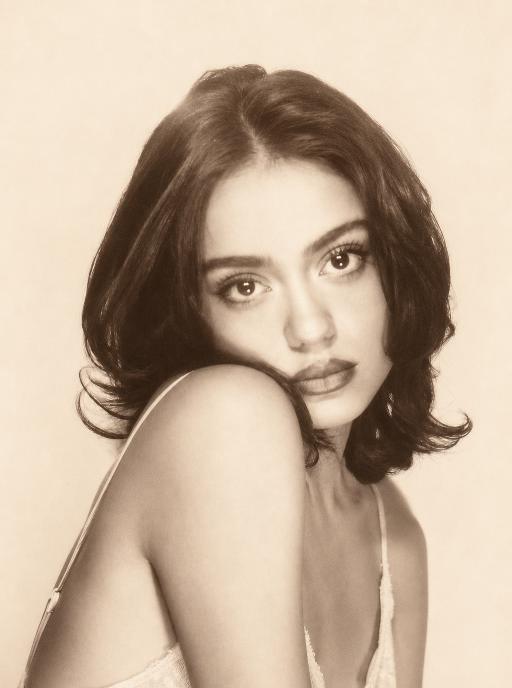
"Use the uploaded image as the only referen Transform the uploaded image into a vintage surreal editorial painting while preserving the subject’s identity, hairstyle, clothing, background, and overall composition. The human figure must be obviously and unmistakably surrealized. Give the person dramatically exaggerated body proportions: a very long stretched neck, a noticeably elongated and narrowed face, extra-long slender arms, elongated delicate fingers, and an unnaturally slim elongated upper body. The distortion should be strong, visible at first glance, and intentionally stylized. Make the deformation much more obvious than subtle. The figure should clearly look surreal and artistically distorted, while still remaining elegant, fashionable, and recognizable. Keep the face identifiable, but stylize the anatomy in a bold surreal way. The result should feel like a sophisticated, high-fashion surreal painting rather than a realistic portrait. Style: mid-century Riviera-inspired surreal fashion illustration, vintage editorial painting, expressive oil-painted brush texture, warm muted retro color palette, luxurious decorative atmosphere, elegant visual distortion, sophisticated absurdity, cinematic composition, and polished gallery-quality finish. Render the entire scene in the same cohesive surreal vintage style. No text, no logo, no watermark."

Load more

Next-Gen Multi-Model AI Video Architecture

Vivago AI isn't just one engine—it’s a unified hub for the world’s most advanced video AI. Whether you need cinematic realism or high-speed social content, we provide the right model for your creative vision.

Free Generate

Beauty and Dolphins

Vacation Time

Stellar Tear

Fish Tank Supervisor

Cinematic Quality & Precision Control

Enables 4K resolution with multi-lens motion control, generating delicate scene via text prompts for customized cinematography.​

TRY NOW

Dynamic AV Sync

Auto-generates original audio to avoid copyright issues. Build 3D immersive environments through layered sound design automatically.

TRY NOW

OpenAI Sora 2

​Advanced visual storytelling with unparalleled physics and consistency.

TRY NOW

Kling v2.6 Pro

Industry-leading cinematic image animation and motion control.

TRY NOW

Google Veo 3 & 3.1

Ultra-fast generation with enhanced realism for creative workflows.

TRY NOW

Vivago AI 2.0

Our proprietary model optimized for efficiency, speed, and cost-effective generation.

TRY NOW

Users' Voice

We listen carefully to the opinions of every user.
Free Generate
Contact Us
I tried the Lip Sync feature inside Vivago.ai’s AI Video Generator for my educational podcast, and the results were stunning! The avatar's lip movements perfectly matched my audio recording, creating a professional AI-generated video without complex editing. Compared with tools like OpenAI Sora 2 and Google Veo 3.1, Vivago Image-to-Video delivers fast, studio-quality results online. It saved me hours of post-production work.
ElenaM (Spain)
Vivago’s Image-to-Video AI transformed my marketing workflow. I uploaded a product image and described the launch scene in text, and it generated a 10-second cinematic AI video with background music and dynamic visuals. The output quality rivals Kling v2.6 Pro and Google Veo 3 Fast. It’s now my go-to AI video generator for social media ads and product campaigns.
KenjiT (Japan)
As a digital artist, I use Vivago.ai 2.0 daily for Image-to-Image and AI Image-to-Video creation. The e-book covers and animated visuals I generate for clients look cinematic and professional. Unlike many standalone AI tools, Vivago integrates multiple leading models into one platform, making it easier to create copyright-safe AI images and videos for publishing.
ChenL (China)
I tried the Lip Sync feature inside Vivago.ai’s AI Video Generator for my educational podcast, and the results were stunning! The avatar's lip movements perfectly matched my audio recording, creating a professional AI-generated video without complex editing. Compared with tools like OpenAI Sora 2 and Google Veo 3.1, Vivago Image-to-Video delivers fast, studio-quality results online. It saved me hours of post-production work.
ElenaM (Spain)
Vivago’s Image-to-Video AI transformed my marketing workflow. I uploaded a product image and described the launch scene in text, and it generated a 10-second cinematic AI video with background music and dynamic visuals. The output quality rivals Kling v2.6 Pro and Google Veo 3 Fast. It’s now my go-to AI video generator for social media ads and product campaigns.
KenjiT (Japan)
As a digital artist, I use Vivago.ai 2.0 daily for Image-to-Image and AI Image-to-Video creation. The e-book covers and animated visuals I generate for clients look cinematic and professional. Unlike many standalone AI tools, Vivago integrates multiple leading models into one platform, making it easier to create copyright-safe AI images and videos for publishing.
ChenL (China)
I absolutely love Vivago’s AI Image-to-Video Generator. As a travel blogger, static images often fail to capture real atmosphere, but Vivago helps me turn photos into vivid cinematic AI videos with motion effects. It feels comparable to OpenAI Sora 2 and Google Veo 3.1, but more accessible and faster for creators who need high-quality AI videos online.
LiamK (Australia)
I tried the Lip Sync feature inside Vivago.ai’s AI Video Generator for my educational podcast, and the results were stunning! The avatar's lip movements perfectly matched my audio recording, creating a professional AI-generated video without complex editing. Compared with tools like OpenAI Sora 2 and Google Veo 3.1, Vivago Image-to-Video delivers fast, studio-quality results online. It saved me hours of post-production work.
ElenaM (Spain)
Vivago’s Image-to-Video AI transformed my marketing workflow. I uploaded a product image and described the launch scene in text, and it generated a 10-second cinematic AI video with background music and dynamic visuals. The output quality rivals Kling v2.6 Pro and Google Veo 3 Fast. It’s now my go-to AI video generator for social media ads and product campaigns.
KenjiT (Japan)
As a digital artist, I use Vivago.ai 2.0 daily for Image-to-Image and AI Image-to-Video creation. The e-book covers and animated visuals I generate for clients look cinematic and professional. Unlike many standalone AI tools, Vivago integrates multiple leading models into one platform, making it easier to create copyright-safe AI images and videos for publishing.
ChenL (China)
I absolutely love Vivago’s AI Image-to-Video Generator. As a travel blogger, static images often fail to capture real atmosphere, but Vivago helps me turn photos into vivid cinematic AI videos with motion effects. It feels comparable to OpenAI Sora 2 and Google Veo 3.1, but more accessible and faster for creators who need high-quality AI videos online.
LiamK (Australia)
Using Vivago.ai’s Image-to-Video AI has greatly enhanced my classroom teaching. I transform textbook notes into historical AI videos with cinematic filters and dynamic animations. Compared with tools like Kling v2.6 Pro and Google Veo 3 Fast, Vivago offers faster generation and easier parameter control for educators who need reliable AI video creation.
RajivG (India)
I frequently create AI videos on Vivago and publish them on TikTok and YouTube Shorts. The AI video templates and trending content ideas help me produce viral-ready clips quickly. With Vivago’s integrated models—including advanced video engines similar to OpenAI Sora 2—I can generate anime-style and cinematic social media videos that drive high engagement.
MarieJ (Spain)
What attracts me most about Vivago.ai is not only the powerful AI Video Generator but also the active AIGC creator community. It combines AI Image-to-Video, Text-to-Video, and leading model integrations like Google Veo 3.1 into one creative platform.
TomW (India)
At first, I was hesitant about using AI video tools. But after trying Vivago Image-to-Video, I realized how easy it is to create professional AI-generated videos online. I just upload an image, add a short prompt, and adjust a few settings. The results are cinematic and copyright-safe, which is essential for commercial projects.
HectorC (Mexico)
Using Vivago.ai’s Image-to-Video AI has greatly enhanced my classroom teaching. I transform textbook notes into historical AI videos with cinematic filters and dynamic animations. Compared with tools like Kling v2.6 Pro and Google Veo 3 Fast, Vivago offers faster generation and easier parameter control for educators who need reliable AI video creation.
RajivG (India)
I frequently create AI videos on Vivago and publish them on TikTok and YouTube Shorts. The AI video templates and trending content ideas help me produce viral-ready clips quickly. With Vivago’s integrated models—including advanced video engines similar to OpenAI Sora 2—I can generate anime-style and cinematic social media videos that drive high engagement.
MarieJ (Spain)
What attracts me most about Vivago.ai is not only the powerful AI Video Generator but also the active AIGC creator community. It combines AI Image-to-Video, Text-to-Video, and leading model integrations like Google Veo 3.1 into one creative platform.
TomW (India)
At first, I was hesitant about using AI video tools. But after trying Vivago Image-to-Video, I realized how easy it is to create professional AI-generated videos online. I just upload an image, add a short prompt, and adjust a few settings. The results are cinematic and copyright-safe, which is essential for commercial projects.
HectorC (Mexico)