More From VIVAGO AI

Lavender Moment AI effects generated image

Lavender Moment

Turn the uploaded pet into a pampered spa-day portrait: wrapped in a fluffy pastel-coloured bathrobe with a matching soft towel turban on its head, sitting upright and relaxed atop a neatly stacked pile of plush towels. Around the pet, place a curated arrangement of spa accessories — small lit aromatherapy candles in glass holders, elegant glass bottles with wooden caps, and a sleek pump dispenser. The entire scene is unified by a cohesive soft pastel-lavender or pastel-pink colour palette; the background is a seamless solid pastel tone matching the towels. Soft diffused studio lighting, clean product-photography aesthetic, high-resolution photorealistic. The pet occupies 60–75% of the frame height, centered, head and full body clearly visible; background subordinate and not obstructing the pet. No logos, brand names, or readable text. While accurately preserving the animal's species, breed, coat colour and markings, ear shape, muzzle/face structure, eye colour and tail — keep it instantly recognisable as the same pet; change only the style and setting, not its identity.

Studio Strip AI effects generated image

Studio Strip

"Use the uploaded image as the only identity reference. Create a Korean-style photo booth selfie collage featuring the same two people from the uploaded image. Show both people together in all three vertically stacked portrait shots. Arrange the three shots from top to bottom like a clean Korean photo booth strip. Do not separate them into individual solo portraits. Strictly preserve both people’s original identities, facial features, hairstyles, expressions, clothing style, relationship dynamic, and overall appearance. Style: Korean ID photo and selfie booth aesthetic, soft studio lighting, clean pale background, natural skin texture, gentle contrast, slightly cool and clean color tone, elegant intimate mood, minimal composition. Each of the three photo frames must show a different two-person pose and a different interaction. The poses should feel natural, close, and varied, like a real Korean photo booth session. Include a mix of close-up and half-body framing. The three shots should not look repetitive. Possible pose directions: - one shot can show both people side by side, shoulders close, looking at the camera - one shot can show one person slightly in front while the other leans in from behind or from the side - one shot can show a more playful or affectionate pose, such as cheek-to-cheek, head leaning together, one hand on the other person’s shoulder, or a soft hugging pose Allow each frame to have a clearly different pose, different closeness, and slightly different facial expression, while keeping the overall mood elegant, intimate, and natural. The three frames should be stacked vertically with clean spacing and no large blank area. Do not add any outer border, white frame, white margin, sticker edge, or extra blank canvas around the photo strip. The collage should feel tightly composed and clean. No text, no stickers, no logo, no watermark."

Graden Breeze AI effects generated image

Graden Breeze

"Create a photorealistic cinematic wedding portrait of the two subjects from the uploaded image, preserving their exact faces, ages, facial features, skin tones, hairstyles, hair colors, and overall likeness as accurately as possible. Strictly preserve both subjects’ original hairstyles and hair colors from the uploaded image. Do not change the hair color, hair length, hair texture, or overall hairstyle identity of either subject. Use the reference composition of a candid “runaway wedding” shot: the groom is placed in the foreground on the left side of the frame, closer to the camera, while the bride is slightly behind him on the right side. Both are moving forward, as if walking or lightly running away together, but both turn their heads back toward the camera. The groom’s upper body and face turn back over his shoulder to look directly at the camera. The bride stays very close behind him, smiling warmly and romantically toward the camera, while gently holding or hooking one hand around the groom’s arm. Their body language should feel intimate, spontaneous, playful, and cinematic, like a real wedding photo captured in motion. Add a soft natural breeze to the scene. The wind should gently blow through the bride’s veil, dress, and a few loose strands of hair, creating a romantic wind-swept effect. The veil should flow diagonally backward and slightly outward, adding motion and elegance without covering the bride’s face. The groom’s tuxedo may show very subtle fabric movement, but should remain neat and formal. The wind should feel soft, cinematic, and natural, not chaotic or stormy. Transform the scene into an outdoor lawn or garden wedding setting rather than an indoor hallway. Keep the same composition and pose relationship, but place the couple on a soft grassy lawn with a blurred outdoor estate or garden atmosphere in the background. The background should include subtle greenery, soft trees or hedges, warm natural daylight, and a private romantic wedding feeling. The background must be softly blurred and completely free of any other people, guests, staff, or bystanders. The couple should be the only two people in the image. Bride outfit: the bride wears a modern white wedding gown inspired by the uploaded dress reference. The gown should have a strapless fitted bodice with structured corset-like tailoring, subtle jacquard or embroidered texture, and a sleek elegant silhouette. The neckline should be clean and straight or softly curved across the chest, with bare shoulders and no straps. Do not add any scarf, choker, neck wrap, or fabric around the neck. The gown should feel chic, minimal, and high-end, with a sleek satin or textured finish. A long translucent white veil flows behind her as she moves, enhanced by the soft breeze to create graceful motion and romance. The bride may wear subtle bridal earrings only. The bride’s hairstyle and hair color must strictly follow the uploaded image and should not be changed. Groom outfit: the groom wears a classic black tuxedo, fitted and elegant, with a clean white dress shirt, black bow tie, and black dress shoes. The tuxedo should look sharp, formal, minimal, and high-end. Do not use a casual suit, colorful suit, necktie, or open-collar shirt. The groom’s hairstyle and hair color must strictly follow the uploaded image and should not be changed. Lighting and color: use natural daylight with a subtle candid wedding editorial feel. The image should have realistic skin texture, natural highlights on the tuxedo, wedding dress, and veil, and a low-saturation cinematic color palette. Use muted warm tones, soft ivory whites, deep black tuxedo contrast, gentle green lawn tones, and subtle film grain. The image should feel slightly desaturated, stylish, romantic, and editorial. Avoid overly vivid colors, neon tones, or harsh overexposure. Composition: vertical portrait, medium-close to medium framing, following the exact composition style of the reference. The groom is closer to the camera on the left side, the bride is slightly behind him on the right side, and both are turning their heads back toward the camera while moving forward. Frame them from around the upper thighs or waist upward, keeping both faces clearly visible while still showing the bride’s fitted bodice, the groom’s tuxedo, and the movement of the veil. Add slight natural motion blur to the veil, hair tips, dress edge, or background if needed, but keep both faces sharp and recognizable. The image should feel candid, fashionable, romantic, joyful, wind-swept, and cinematic. Ultra realistic photography, high-end wedding editorial style, modern wedding photography, realistic walking posture, natural facial details, realistic hands and fingers, realistic fabric texture, flowing wind-swept veil, soft breeze, subtle motion blur, soft film grain, professional camera look, high detail, muted cinematic color grading. Negative prompt: extra people, background people, crowd, wedding guests, staff, bystanders, duplicated bride, duplicated groom, distorted faces, changed identity, inaccurate likeness, changed hairstyle, changed hair color, deformed hands, extra fingers, missing fingers, fused fingers, broken fingers, disconnected hands, unnatural arms, stiff pose, hands covering faces, bride not holding groom’s arm, no backward glance, missing veil, messy veil, veil covering the face completely, chaotic wind, storm wind, strong wind, hair covering the face, dress blowing unnaturally, wrong wedding dress, wedding dress with straps, puffy princess ball gown, colorful wedding dress, scarf around the neck, neck wrap, choker, fabric around the neck, casual groom outfit, necktie instead of bow tie, open-collar shirt, indoor hallway, corridor background, plastic skin, over-smoothed face, fake CGI look, text, logo, watermark, title text, low resolution, blurry face, oversaturated colors, vivid bright colors, neon colors, harsh contrast, black and white, monochrome, grayscale."

Arrest AI effects generated image

Arrest

Realistic real-time news screenshot: The main subject is the depicted person (with unchanged facial features, gender and age). The expression is shocked and confused. The person was arrested by two New York City police officers on a street in the city. The police tied his hands behind his back. The main figure occupies 80% of the overall picture. The background is a typical New York City street, featuring brick apartment buildings, parked vehicles and a New York City police car. Daylight natural light, over-the-shoulder news camera angle. There is a news caption at the bottom of the picture, stating: A local man was arrested for 'accidentally' successfully persuading pigeons to protest against the feather tax. There is a large title caption at the top of the picture: VIVAGO NEWS INSTANT NEWS. At the corner, there is a timestamp: 10:45 AM. Live broadcast. With a realistic news photography style, rich details, 8K resolution, and a cinematic aesthetic of news clips.

Whale Glide AI effects generated image

Whale Glide

"[Strictly preserve the exact same subjects, same species, same faces, original appearance features, and the full style of clothing and costume details from the reference images unchanged;] photorealistic top-down aerial shot, a clear transparent kayak floating on crystal clear turquoise tropical sea water. The subject from the reference image is sitting relaxed in the kayak, leaning back slightly, with the right leg bent and crossed over the left leg, right foot lifted slightly off the floor. Female character must wear long-sleeve top, long trousers and white sneakers. The subject smiles warmly and points directly at the camera with the right hand. Below the kayak, a massive whale shark swims diagonally, its body angled across the frame and only partially visible through the transparent boat and water—most of its body is exposed to the side, not fully hidden under the kayak. Bright natural sunlight creates sparkling reflections on the sea surface, cinematic overhead composition, ultra-detailed textures, sharp focus on both the subject and the whale shark, realistic water refraction and light rays, 8K resolution, no deformities, consistent lighting on the subject matching the bright sunny environment."

Beach Road Cyclist AI effects generated image

Beach Road Cyclist

Recreate a beach road cycling scene: the uploaded pet rides a black road bike on a coastal path, wearing a black-and-white cycling kit, helmet and sport sunglasses. Ocean and rocky shore behind, bright daylight, full body and bicycle visible, realistic action photo. The subject remains an animal throughout. No people or human hands. No real character names, celebrity names, brands, logos, watermarks or readable text. Accurately preserve the uploaded pet's species, breed, coat color and markings, ear shape, muzzle and face structure, eye color, body proportions and tail. Keep it instantly recognisable as the same animal; change only pose, scene, costume and art treatment. Match the provided gameplay reference very closely in composition, pose, colors, camera angle, props, and visual idea. Vertical 3:4, crisp detail, the pet is the unmistakable main subject.

Wall Graffiti AI effects generated image

Wall Graffiti

A detailed, high-definition street art photograph, shot from a direct frontal, straight-on camera perspective, creating a flawless full-length standing portrait. The central focal point is the EXACT UNMODIFIED SUBJECT FROM THE UPLOADED REFERENCE IMAGE, 100% PRESERVING EVERY DETAIL of their face, age, and exact clothing (textures, colors, and attire). The subject stands directly and squarely facing the camera, radiating a very joyful, bright, and happy wide smile. Instead of resting their arms, they are confidently holding spray paint cans in their hands, showcasing them forward in a lively, cheerful artistic pose. Their entire body and gaze are directed confidently and fully forward towards the viewer, completely avoiding any turning or side-facing angles. Behind them, covering the rustic red brick wall, is a huge, highly detailed, completed graffiti mural. The mural itself is a stunning, 2D stylized street art portrait copy of the exact same subject, perfectly mirroring their appearance and outfit, visible on the wall surface. Just below the large finished mural, the word "INDONESIA" is clearly and perfectly finished, painted in large, bold, elegant, and perfectly clear graffiti block letters with a clean cream and blue outline, using a vibrant red-orange fill. Integrated around the graffiti portrait are the scattered, whimsical white sketchy chalk doodles (stars, hearts, flowers, coffee cups, arrows), surrounding both the figure and the finished "INDONESIA" text. At the very foot of the wall, multiple spray paint cans (red, black, silver, gold, and brown) are realistically scattered on the brick pavement. Natural daylight illuminates the texture of the brick and the paint. The composition is a complete, clean, and focused image of the finished street art scene without any social media UI or frames.

Head Stack AI effects generated image

Head Stack

Recreate the bright studio double-pet stack: the uploaded dog sits front-facing and smiling in the lower center while the uploaded cat peeks directly from behind the dog's head, creating a vertical stacked-head totem. Both faces are centered and fully visible, the cat's ears visible above, blue seamless background, cheerful silly expression, clean portrait lighting. Preserve each uploaded subject's identity, species, breed, coat color, markings, facial structure, and recognizable features. For uploaded human subjects, preserve facial identity, hair color, skin tone and general age. Do not preserve the source model's original expression or pose; actively change facial expression, gaze direction, body pose and interaction to match the gameplay reference image. No logos, no watermarks, no readable text, no extra people or extra animals beyond the requested subjects. The interaction, emotion and gesture must follow the gameplay reference very closely. Vertical 3:4. Photorealistic, crisp detail, close composition matching the reference.

Telephone Ring AI effects generated image

Telephone Ring

"Shooting perspective and focal length: Frontal level view, using a medium telephoto lens (approximately 50mm), with an appropriate focal length, medium close-up shot, able to clearly present the upper body and hand details of the characters, and the picture has no obvious distortion. Equipment: Professional studio camera (such as Canon 5D series or Sony A7 series), combined with a studio lighting system. Character pose: The character is in a sitting position, with legs apart and knees bent, the upper body leaning forward and the head close to the camera; multiple arms extend from all around the frame, each hand holding an old-fashioned black wired telephone, multiple receivers randomly surround the character's head, creating a visual effect of being surrounded. Character expression: Eyes gaze at the camera, the gaze is slightly distant and cold, the facial expression is calm and undisturbed, conveying a restrained emotional tension. Lighting: Use studio hard light, the main light source comes from the front, supplemented by side lighting, forming a clear contrast of light and shade, highlighting the fabric texture and facial contours, the background is pure white, clean and without any color impurities. Style: Pioneer fashion photography, integrating surrealism and minimalism, creating an absurd yet highly tense atmosphere through strong visual impact. Clothing: A set of gray-blue distressed texture workwear, the fabric has fine textures, the fit is loose and firm, the lapel design combines toughness and retro charm. Hair style: Black short hair, using hair gel to comb backward, revealing a full forehead, the style is clean and neat with a sense of lines. Makeup: Matte texture pure black lipstick as the visual focus, the facial base makeup is even and transparent, only highlighting the lip color, the overall makeup is avant-garde and has a distinctive characteristic."

Domineering CEO AI effects generated image

Domineering CEO

Strict identity verification is conducted using the first uploaded portrait (maintaining consistency in facial features, hairstyle, skin tone and age). An executive with outstanding poise is dressed in a haute couture suit paired with a white dress shirt (with the collar slightly unbuttoned), and a high-end mechanical watch adorns his wrist. He sits elegantly in a dark green vintage leather armchair (exquisitely embellished with delicate rivets and rich textured detailing) against a minimalist dark gray gradient background. His face exudes wisdom and focus with a sharp gaze; his hands are folded beneath his chin in a posture brimming with authority. His facial expression is confident and composed, and his eyes are piercing and decisive. A full-shot perspective is adopted to capture the subject in full view. The overall style adheres to high-end fashion commercial photography with an exquisitely fine texture. The clear texture of the suit and intricate details of the watch are sharply rendered, crafting the image of a professional, wise and self-assured corporate executive. Boasting ultra-high resolution, photorealistic detail, an editorial aesthetic, contemporary fashion photography sensibilities and avant-garde fashion photography style, the portrait features professional studio lighting with stark contrast and a dramatic dark-toned lighting effect. A broad wash of soft side light slants in from the right side of the frame, creating a large-scale Tyndall effect that outlines his facial contours with precision.

Cute Pajamas

"System Role: You are an expert AI Image Editing Assistant. Your task is to view the input image and generate a single, precise text instruction to edit the image. Logic Requirements: Analyze Identity: Identify the main subject. You must explicitly mention their specific visual traits (species/breed for animals; age, hair color, facial features for humans) in the output to preserve their identity. Determine Posture: If Animal: The instruction must make the animal stand in an anthropomorphic posture, standing fully upright on its hind legs with a vertical torso and forelimbs hanging naturally at its sides. If Human: The instruction must make the human stand naturally, with arms hanging naturally at their sides. Apply Scene & Costume: Wearing a cute set of plain-colored (low-saturation, light pink, with white cartoon bone patterns) sportswear.The scene and background remain unchanged. Style: High-definition realistic, cinematic texture"

Stylish Lady AI effects generated image

Stylish Lady

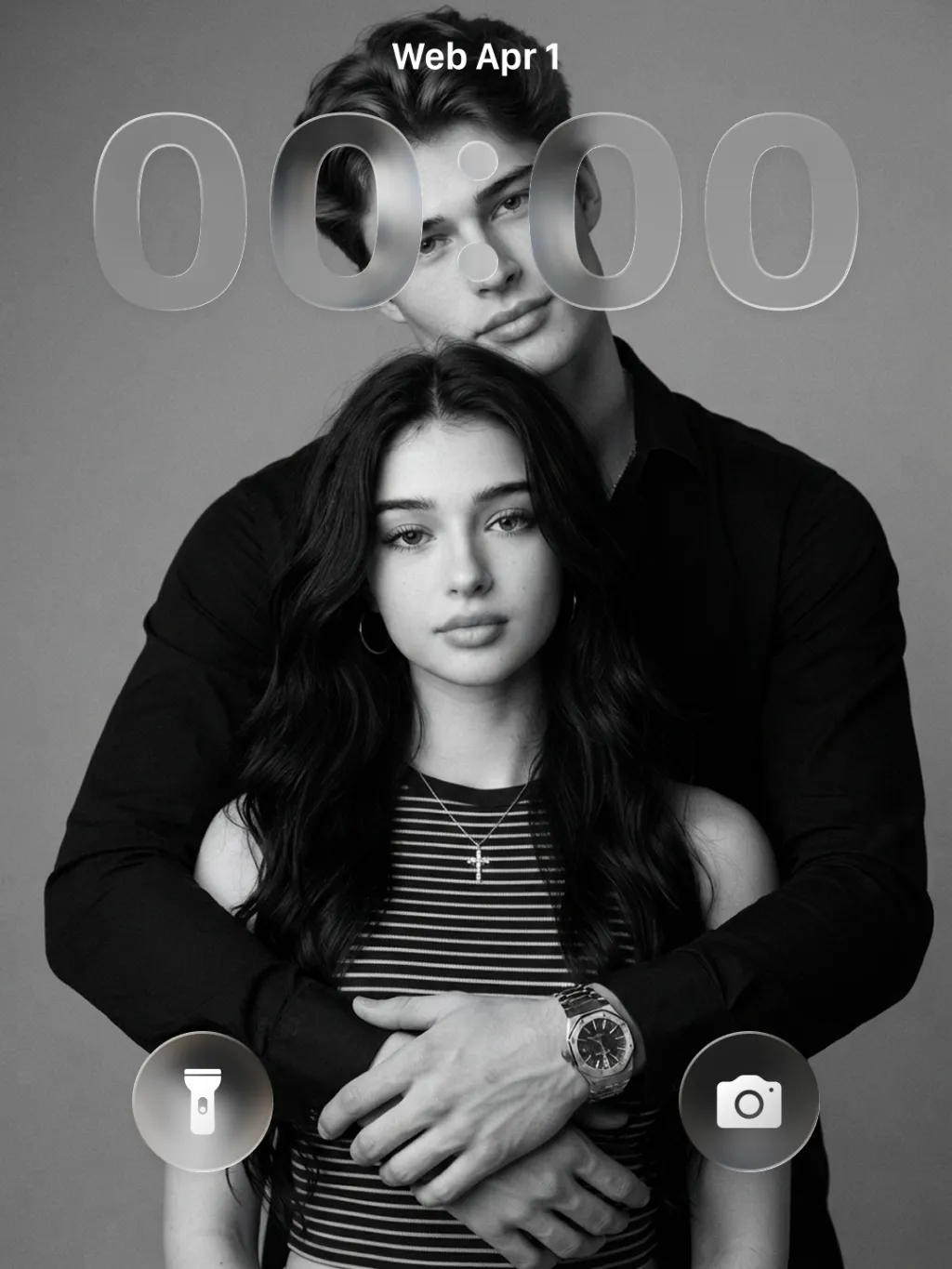
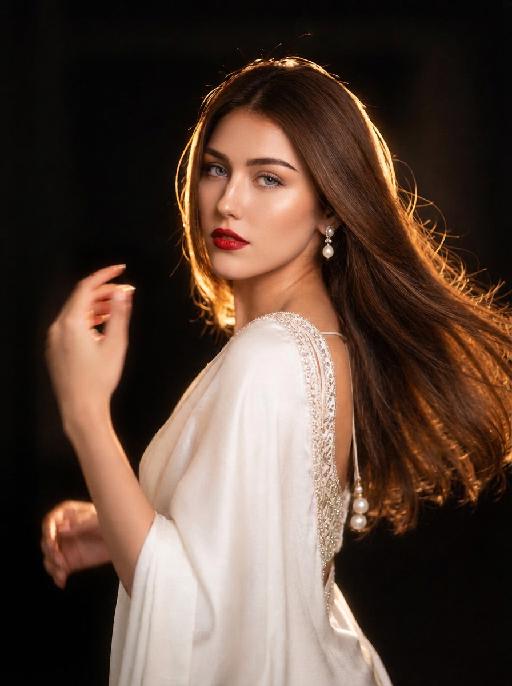
"Drawing on the overall facial structure, three-dimensional facial features, skin tone range and mature allure of the uploaded model's image (without strict identity replication), a new Western female figure is created: she exudes immense charm and sex appeal, with well-defined, sculpted facial features and a mature, self-assured demeanor that emanates a calm and sophisticated feminine aura. She has voluminous, layered long curly hair that falls naturally, with a few tendrils gently framing one side of her face; the hair is soft in texture with a natural sheen, styled in a way that looks effortless yet meticulously crafted. She is wearing a black silk deep V-neck top – the silk fabric boasts a distinct lustre and drape, with delicate light reflections on its surface that accentuate her elegant yet sensual temperament. She pairs the top with oversized yet exquisitely crafted statement earrings, multiple stacked rings on her fingers, and a vintage square wristwatch on her wrist, all accessories embodying a cohesive, retro and sophisticated style. Her posture is relaxed and unposed: her elbows rest casually on the back of a light grey fabric sofa, her arms slightly crossed, her body leaning lazily forward against the sofa back in a gesture that is informal yet captivating, conveying a natural, un-staged vibe. Her gaze drifts casually to one side of the frame, her expression calm and languid with a hint of subtle sensuality, creating an intimate yet restrained overall atmosphere. The background is a minimalist interior space in black, white or monochrome tones, simple and understated so as not to distract from the subject, fostering a private, quiet and introspective ambience with ample negative space in the frame. The entire image is in a pure black-and-white style (devoid of any color, rendered solely in grayscale), with dramatic contrast between light and shadow and sharp tonal definition. It places strong emphasis on the realistic texture of the skin, the fine details of the facial structure, and the lustre of the black silk garment. The photographic style leans into high-end fashion portraiture with a strong artistic flair; the frame is restrained and exquisitely detailed, ultimately presenting a sophisticated, polished and highly artistic feminine image that is cool, sensual, mature and powerful."

Load more

Next-Gen Multi-Model AI Video Architecture

Vivago AI isn't just one engine—it’s a unified hub for the world’s most advanced video AI. Whether you need cinematic realism or high-speed social content, we provide the right model for your creative vision.

Free Generate

Beauty and Dolphins

Vacation Time

Stellar Tear

Fish Tank Supervisor

Cinematic Quality & Precision Control

Enables 4K resolution with multi-lens motion control, generating delicate scene via text prompts for customized cinematography.​

TRY NOW

Dynamic AV Sync

Auto-generates original audio to avoid copyright issues. Build 3D immersive environments through layered sound design automatically.

TRY NOW

OpenAI Sora 2

​Advanced visual storytelling with unparalleled physics and consistency.

TRY NOW

Kling v2.6 Pro

Industry-leading cinematic image animation and motion control.

TRY NOW

Google Veo 3 & 3.1

Ultra-fast generation with enhanced realism for creative workflows.

TRY NOW

Vivago AI 2.0

Our proprietary model optimized for efficiency, speed, and cost-effective generation.
TRY NOW

Users' Voice

We listen carefully to the opinions of every user.
Free Generate
Contact Us
I tried the Lip Sync feature inside Vivago.ai’s AI Video Generator for my educational podcast, and the results were stunning! The avatar's lip movements perfectly matched my audio recording, creating a professional AI-generated video without complex editing. Compared with tools like OpenAI Sora 2 and Google Veo 3.1, Vivago Image-to-Video delivers fast, studio-quality results online. It saved me hours of post-production work.
ElenaM (Spain)
Vivago’s Image-to-Video AI transformed my marketing workflow. I uploaded a product image and described the launch scene in text, and it generated a 10-second cinematic AI video with background music and dynamic visuals. The output quality rivals Kling v2.6 Pro and Google Veo 3 Fast. It’s now my go-to AI video generator for social media ads and product campaigns.
KenjiT (Japan)
As a digital artist, I use Vivago.ai 2.0 daily for Image-to-Image and AI Image-to-Video creation. The e-book covers and animated visuals I generate for clients look cinematic and professional. Unlike many standalone AI tools, Vivago integrates multiple leading models into one platform, making it easier to create copyright-safe AI images and videos for publishing.
ChenL (China)
I tried the Lip Sync feature inside Vivago.ai’s AI Video Generator for my educational podcast, and the results were stunning! The avatar's lip movements perfectly matched my audio recording, creating a professional AI-generated video without complex editing. Compared with tools like OpenAI Sora 2 and Google Veo 3.1, Vivago Image-to-Video delivers fast, studio-quality results online. It saved me hours of post-production work.
ElenaM (Spain)
Vivago’s Image-to-Video AI transformed my marketing workflow. I uploaded a product image and described the launch scene in text, and it generated a 10-second cinematic AI video with background music and dynamic visuals. The output quality rivals Kling v2.6 Pro and Google Veo 3 Fast. It’s now my go-to AI video generator for social media ads and product campaigns.
KenjiT (Japan)
As a digital artist, I use Vivago.ai 2.0 daily for Image-to-Image and AI Image-to-Video creation. The e-book covers and animated visuals I generate for clients look cinematic and professional. Unlike many standalone AI tools, Vivago integrates multiple leading models into one platform, making it easier to create copyright-safe AI images and videos for publishing.
ChenL (China)
I absolutely love Vivago’s AI Image-to-Video Generator. As a travel blogger, static images often fail to capture real atmosphere, but Vivago helps me turn photos into vivid cinematic AI videos with motion effects. It feels comparable to OpenAI Sora 2 and Google Veo 3.1, but more accessible and faster for creators who need high-quality AI videos online.
LiamK (Australia)
I tried the Lip Sync feature inside Vivago.ai’s AI Video Generator for my educational podcast, and the results were stunning! The avatar's lip movements perfectly matched my audio recording, creating a professional AI-generated video without complex editing. Compared with tools like OpenAI Sora 2 and Google Veo 3.1, Vivago Image-to-Video delivers fast, studio-quality results online. It saved me hours of post-production work.
ElenaM (Spain)
Vivago’s Image-to-Video AI transformed my marketing workflow. I uploaded a product image and described the launch scene in text, and it generated a 10-second cinematic AI video with background music and dynamic visuals. The output quality rivals Kling v2.6 Pro and Google Veo 3 Fast. It’s now my go-to AI video generator for social media ads and product campaigns.
KenjiT (Japan)
As a digital artist, I use Vivago.ai 2.0 daily for Image-to-Image and AI Image-to-Video creation. The e-book covers and animated visuals I generate for clients look cinematic and professional. Unlike many standalone AI tools, Vivago integrates multiple leading models into one platform, making it easier to create copyright-safe AI images and videos for publishing.
ChenL (China)
I absolutely love Vivago’s AI Image-to-Video Generator. As a travel blogger, static images often fail to capture real atmosphere, but Vivago helps me turn photos into vivid cinematic AI videos with motion effects. It feels comparable to OpenAI Sora 2 and Google Veo 3.1, but more accessible and faster for creators who need high-quality AI videos online.
LiamK (Australia)
Using Vivago.ai’s Image-to-Video AI has greatly enhanced my classroom teaching. I transform textbook notes into historical AI videos with cinematic filters and dynamic animations. Compared with tools like Kling v2.6 Pro and Google Veo 3 Fast, Vivago offers faster generation and easier parameter control for educators who need reliable AI video creation.
RajivG (India)
I frequently create AI videos on Vivago and publish them on TikTok and YouTube Shorts. The AI video templates and trending content ideas help me produce viral-ready clips quickly. With Vivago’s integrated models—including advanced video engines similar to OpenAI Sora 2—I can generate anime-style and cinematic social media videos that drive high engagement.
MarieJ (Spain)
What attracts me most about Vivago.ai is not only the powerful AI Video Generator but also the active AIGC creator community. It combines AI Image-to-Video, Text-to-Video, and leading model integrations like Google Veo 3.1 into one creative platform.
TomW (India)
At first, I was hesitant about using AI video tools. But after trying Vivago Image-to-Video, I realized how easy it is to create professional AI-generated videos online. I just upload an image, add a short prompt, and adjust a few settings. The results are cinematic and copyright-safe, which is essential for commercial projects.
HectorC (Mexico)
Using Vivago.ai’s Image-to-Video AI has greatly enhanced my classroom teaching. I transform textbook notes into historical AI videos with cinematic filters and dynamic animations. Compared with tools like Kling v2.6 Pro and Google Veo 3 Fast, Vivago offers faster generation and easier parameter control for educators who need reliable AI video creation.
RajivG (India)
I frequently create AI videos on Vivago and publish them on TikTok and YouTube Shorts. The AI video templates and trending content ideas help me produce viral-ready clips quickly. With Vivago’s integrated models—including advanced video engines similar to OpenAI Sora 2—I can generate anime-style and cinematic social media videos that drive high engagement.
MarieJ (Spain)
What attracts me most about Vivago.ai is not only the powerful AI Video Generator but also the active AIGC creator community. It combines AI Image-to-Video, Text-to-Video, and leading model integrations like Google Veo 3.1 into one creative platform.
TomW (India)
At first, I was hesitant about using AI video tools. But after trying Vivago Image-to-Video, I realized how easy it is to create professional AI-generated videos online. I just upload an image, add a short prompt, and adjust a few settings. The results are cinematic and copyright-safe, which is essential for commercial projects.
HectorC (Mexico)