More From VIVAGO AI

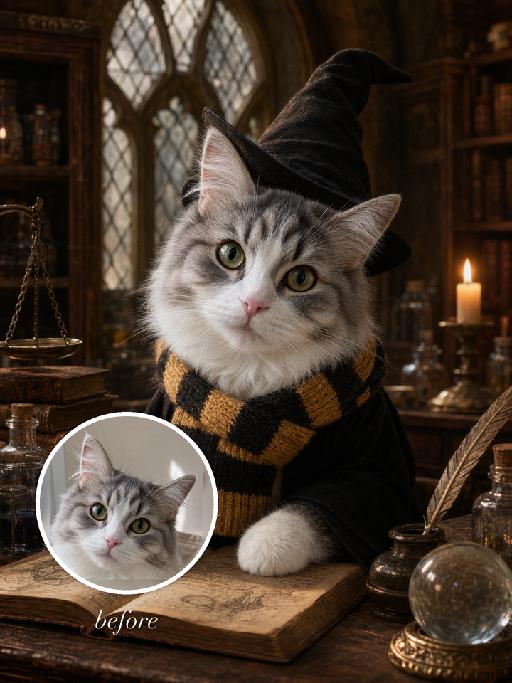
Magic Class AI effects generated image

Magic Class

"Full-bleed vertical 3:4 photorealistic fantasy wizard-school portrait. The uploaded reference image is the exact pet identity and MUST be preserved. Highest priority: keep the same gray-and-white tabby cat from the reference photo: same head shape, same tall ears, same eye color and gaze, same pink nose, same white muzzle, same gray tabby forehead and cheek markings, same facial proportions. Do not replace it with another cat, do not simplify or invent a different face. Only transform costume, pose, and environment. Scene: old magical classroom matching the supplied gameplay reference style: antique wooden desk, arched leaded-glass windows, candlelight, potion bottles, stacked old books, brass scale, crystal ball, warm amber cinematic light, retro film-photo texture. The cat wears a plain black wizard robe and a soft tall black pointed wizard hat. Scarf must match the classroom reference: a knitted school scarf with HORIZONTAL STRIPES ONLY. It is not plaid, not checkerboard, not tartan, not crisscross. Colors are golden yellow and black/dark charcoal, repeated horizontal bands around the neck, visible ribbed wool knit texture, soft knitted fabric, wrapped around the neck with short hanging ends. No readable text, no logos, no watermark"

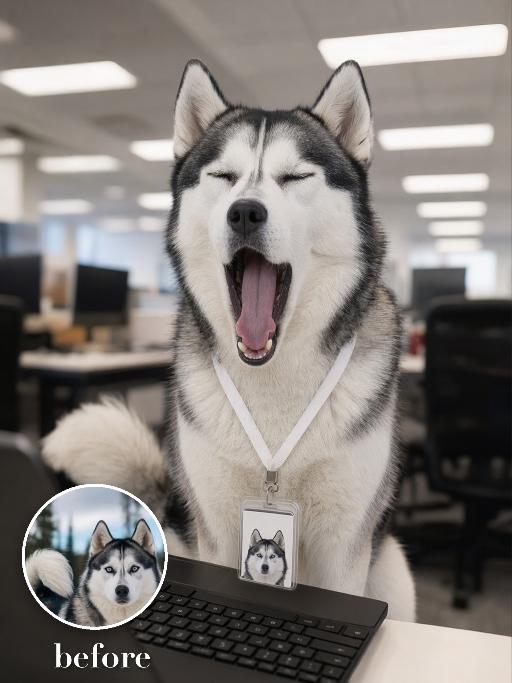
Yawn Time AI effects generated image

Yawn Time

Turn the uploaded pet into a tired corporate office worker pet: close-up behind a black laptop keyboard, mouth wide open in a big yawn, wearing a simple white lanyard ID badge that contains only a tiny photo-like pet icon and no readable text. Background is a blurred open-plan office with fluorescent ceiling panels. Candid photorealistic desk-level perspective, funny exhausted mood. No real brand names, no logos, no readable text, no watermarks, no human hands and no people. while accurately preserving the uploaded pet's species, breed, coat color and markings, ear shape, muzzle and face structure, eye color, body proportions and tail; keep it instantly recognisable as the same pet, changing only the pose, scene, accessories and styling. Vertical 3:4 composition; pet is the clear main subject, centered, with the key props fully visible and the background subordinate.

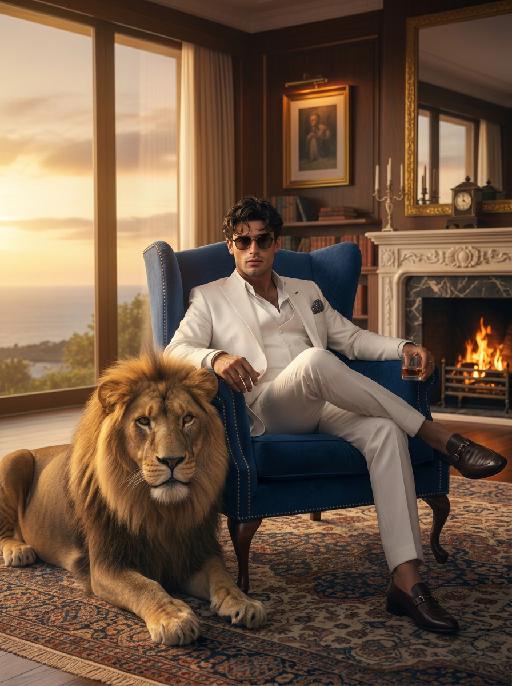
Nobleman

"Cinematic shot transition with frontal angle throughout, capturing the full process smoothly: starting with the uploaded character standing frontally on the deck of a luxury cruise ship, one beautiful Indonesian woman stands directly beside him (frontal view) and attentively helps him put on a black and gold haute couture suit—gently slipping the jacket over his shoulders from the front, adjusting the lapel face-on, fastening cufflinks with delicate frontal movements, and arranging the black bow tie in full frontal perspective. Four other beautiful Indonesian women stand quietly in a neat frontal formation beside them, wearing luxurious gold sequined and embroidered traditional kebaya with matching songket skirts, holding small accessories to assist in the frontal frame. The scene transitions naturally in the same frontal angle: the character, now fully dressed, sits down slowly on a gold-embellished throne-like armchair (frontal view of the chair and character), picking up a champagne glass in one hand. The five Indonesian women then gather around him in a frontal arrangement—one stays directly beside him to tidy the suit hem from the front, while the others take elegant frontal postures around the armchair, forming a graceful frontal cluster. All people are adorned with exquisite gold jewelry and ornaments, fully displayed in frontal perspective. Bright natural daylight bathes the frontal scene, high-quality commercial photography, opulent and noble atmosphere, high-end luxury magazine cover style, cinematic lighting and shadows that highlight the frontal dynamic process and details. Dynamic and vivid frontal character movements, 4K ultra-high definition intricate details—capturing fabric texture, jewelry luster, and subtle facial expressions from the front. Photorealistic texture, steady focus that follows the frontal action flow, ensuring smooth shot transition without any circling or walking movements, emphasizing the frontal suit-fitting process, seating action, and final frontal clustered composition."

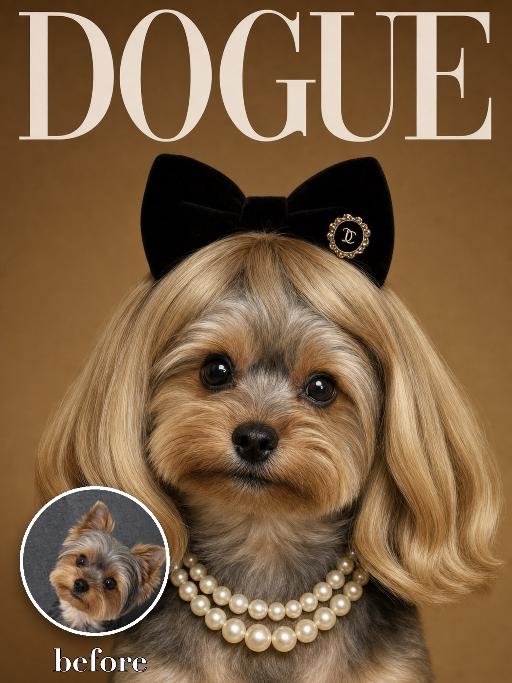
Wig Diva AI effects generated image

Wig Diva

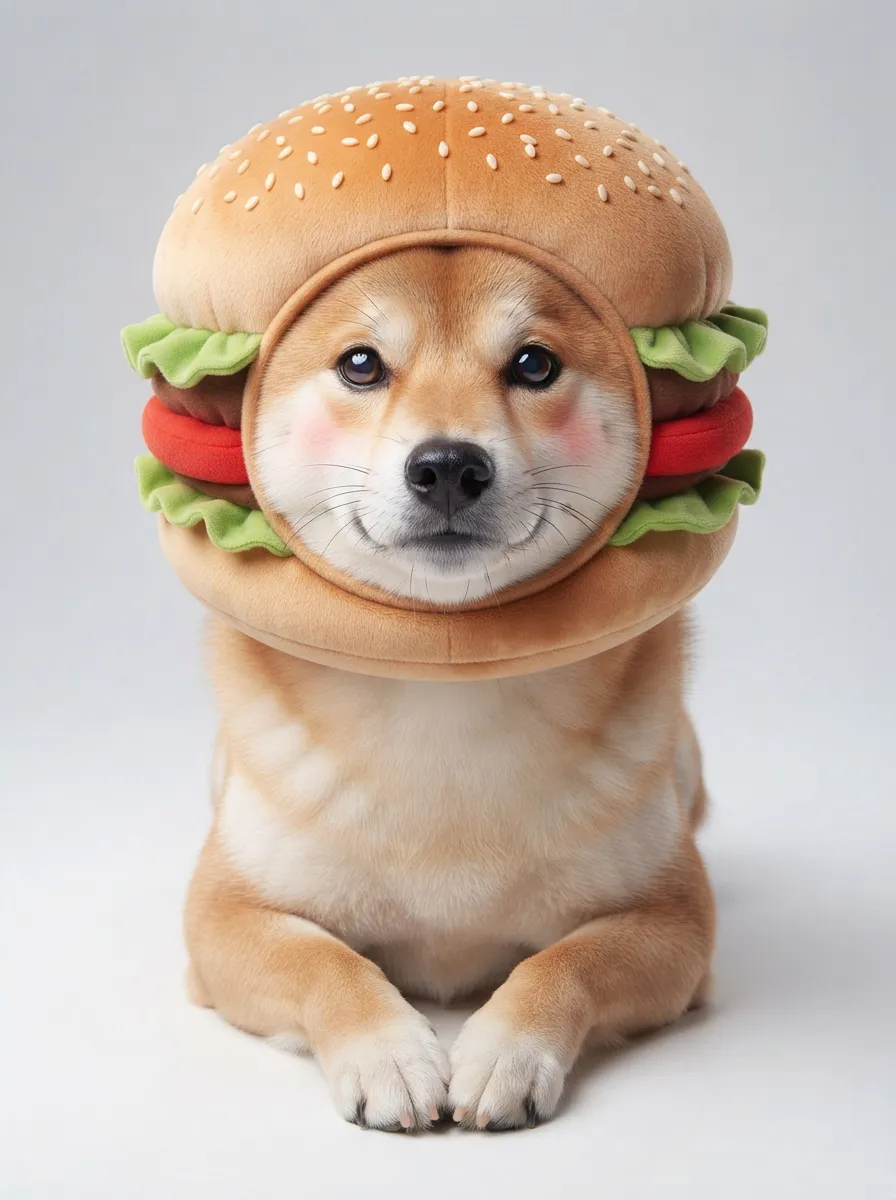
Recreate the reference as a humorous DOGUE glamour cover. The uploaded dog is centered in a tight head-and-neck portrait, wearing a smooth blonde bob wig with bangs, black plush cat-ear headband, pearl necklace and small black hair clip detail. Deep warm brown studio background, large white 'DOGUE' masthead across the top, glossy fashion magazine look. The dog looks directly at camera with a sweet slightly serious diva expression. Preserve the uploaded pet's actual species, breed, coat color, markings, ear shape, eye color, muzzle and facial structure. Do not assume a fixed breed, color, or species from the reference image; adapt the exact gameplay to the uploaded pet. Actively change pose, facial expression, gaze direction, camera angle, wardrobe and styling to match the gameplay reference. Match the gameplay reference very closely in composition, crop, texture, lighting, visible pet angle, props, background, graphic layout and image quality. Vertical 3:4. Keep only the text explicitly requested in the prompt; do not add unrelated logos, watermarks or random words.

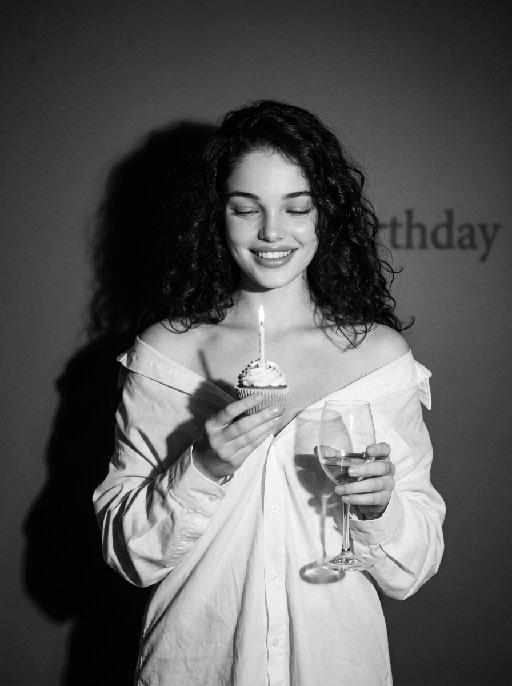
Fighting Giant

This is a scene of a combat competition ring with bright spotlights in the arena; photorealistic, high-definition details, natural colors, and the camera captures the close-quarters confrontation. The uploaded character, with an exaggerated expression, shouts loudly with an open mouth, stands barefoot on the left side of the combat ring in a fighting stance. On the right side of the ring is a tall, muscular tattooed combatant. Both of them glare and roar aggressively, facing off before the fight. The uploaded character suddenly jumps into the air, spins around to the right, and viciously kicks the combatant's head with their feet and legs. After being viciously kicked three times, the combatant is finally defeated and falls to the ground. The uploaded character smiles triumphantly and joyfully, stands in the middle of the ring to cheer and celebrate, with the surrounding audience clapping. The camera zooms in to a medium close-up to show the character's upper body.

Load more

Next-Gen Multi-Model AI Video Architecture

Vivago AI isn't just one engine—it’s a unified hub for the world’s most advanced video AI. Whether you need cinematic realism or high-speed social content, we provide the right model for your creative vision.

Free Generate

Beauty and Dolphins

Vacation Time

Stellar Tear

Fish Tank Supervisor

Cinematic Quality & Precision Control

Enables 4K resolution with multi-lens motion control, generating delicate scene via text prompts for customized cinematography.​

TRY NOW

Dynamic AV Sync

Auto-generates original audio to avoid copyright issues. Build 3D immersive environments through layered sound design automatically.

TRY NOW

OpenAI Sora 2

​Advanced visual storytelling with unparalleled physics and consistency.

TRY NOW

Kling v2.6 Pro

Industry-leading cinematic image animation and motion control.

TRY NOW

Google Veo 3 & 3.1

Ultra-fast generation with enhanced realism for creative workflows.

TRY NOW

Vivago AI 2.0

Our proprietary model optimized for efficiency, speed, and cost-effective generation.

TRY NOW

Users' Voice

We listen carefully to the opinions of every user.
Free Generate
Contact Us
I tried the Lip Sync feature inside Vivago.ai’s AI Video Generator for my educational podcast, and the results were stunning! The avatar's lip movements perfectly matched my audio recording, creating a professional AI-generated video without complex editing. Compared with tools like OpenAI Sora 2 and Google Veo 3.1, Vivago Image-to-Video delivers fast, studio-quality results online. It saved me hours of post-production work.
ElenaM (Spain)
Vivago’s Image-to-Video AI transformed my marketing workflow. I uploaded a product image and described the launch scene in text, and it generated a 10-second cinematic AI video with background music and dynamic visuals. The output quality rivals Kling v2.6 Pro and Google Veo 3 Fast. It’s now my go-to AI video generator for social media ads and product campaigns.
KenjiT (Japan)
As a digital artist, I use Vivago.ai 2.0 daily for Image-to-Image and AI Image-to-Video creation. The e-book covers and animated visuals I generate for clients look cinematic and professional. Unlike many standalone AI tools, Vivago integrates multiple leading models into one platform, making it easier to create copyright-safe AI images and videos for publishing.
ChenL (China)
I tried the Lip Sync feature inside Vivago.ai’s AI Video Generator for my educational podcast, and the results were stunning! The avatar's lip movements perfectly matched my audio recording, creating a professional AI-generated video without complex editing. Compared with tools like OpenAI Sora 2 and Google Veo 3.1, Vivago Image-to-Video delivers fast, studio-quality results online. It saved me hours of post-production work.
ElenaM (Spain)
Vivago’s Image-to-Video AI transformed my marketing workflow. I uploaded a product image and described the launch scene in text, and it generated a 10-second cinematic AI video with background music and dynamic visuals. The output quality rivals Kling v2.6 Pro and Google Veo 3 Fast. It’s now my go-to AI video generator for social media ads and product campaigns.
KenjiT (Japan)
As a digital artist, I use Vivago.ai 2.0 daily for Image-to-Image and AI Image-to-Video creation. The e-book covers and animated visuals I generate for clients look cinematic and professional. Unlike many standalone AI tools, Vivago integrates multiple leading models into one platform, making it easier to create copyright-safe AI images and videos for publishing.
ChenL (China)
I absolutely love Vivago’s AI Image-to-Video Generator. As a travel blogger, static images often fail to capture real atmosphere, but Vivago helps me turn photos into vivid cinematic AI videos with motion effects. It feels comparable to OpenAI Sora 2 and Google Veo 3.1, but more accessible and faster for creators who need high-quality AI videos online.
LiamK (Australia)
I tried the Lip Sync feature inside Vivago.ai’s AI Video Generator for my educational podcast, and the results were stunning! The avatar's lip movements perfectly matched my audio recording, creating a professional AI-generated video without complex editing. Compared with tools like OpenAI Sora 2 and Google Veo 3.1, Vivago Image-to-Video delivers fast, studio-quality results online. It saved me hours of post-production work.
ElenaM (Spain)
Vivago’s Image-to-Video AI transformed my marketing workflow. I uploaded a product image and described the launch scene in text, and it generated a 10-second cinematic AI video with background music and dynamic visuals. The output quality rivals Kling v2.6 Pro and Google Veo 3 Fast. It’s now my go-to AI video generator for social media ads and product campaigns.
KenjiT (Japan)
As a digital artist, I use Vivago.ai 2.0 daily for Image-to-Image and AI Image-to-Video creation. The e-book covers and animated visuals I generate for clients look cinematic and professional. Unlike many standalone AI tools, Vivago integrates multiple leading models into one platform, making it easier to create copyright-safe AI images and videos for publishing.
ChenL (China)
I absolutely love Vivago’s AI Image-to-Video Generator. As a travel blogger, static images often fail to capture real atmosphere, but Vivago helps me turn photos into vivid cinematic AI videos with motion effects. It feels comparable to OpenAI Sora 2 and Google Veo 3.1, but more accessible and faster for creators who need high-quality AI videos online.
LiamK (Australia)
Using Vivago.ai’s Image-to-Video AI has greatly enhanced my classroom teaching. I transform textbook notes into historical AI videos with cinematic filters and dynamic animations. Compared with tools like Kling v2.6 Pro and Google Veo 3 Fast, Vivago offers faster generation and easier parameter control for educators who need reliable AI video creation.
RajivG (India)
I frequently create AI videos on Vivago and publish them on TikTok and YouTube Shorts. The AI video templates and trending content ideas help me produce viral-ready clips quickly. With Vivago’s integrated models—including advanced video engines similar to OpenAI Sora 2—I can generate anime-style and cinematic social media videos that drive high engagement.
MarieJ (Spain)
What attracts me most about Vivago.ai is not only the powerful AI Video Generator but also the active AIGC creator community. It combines AI Image-to-Video, Text-to-Video, and leading model integrations like Google Veo 3.1 into one creative platform.
TomW (India)
At first, I was hesitant about using AI video tools. But after trying Vivago Image-to-Video, I realized how easy it is to create professional AI-generated videos online. I just upload an image, add a short prompt, and adjust a few settings. The results are cinematic and copyright-safe, which is essential for commercial projects.
HectorC (Mexico)
Using Vivago.ai’s Image-to-Video AI has greatly enhanced my classroom teaching. I transform textbook notes into historical AI videos with cinematic filters and dynamic animations. Compared with tools like Kling v2.6 Pro and Google Veo 3 Fast, Vivago offers faster generation and easier parameter control for educators who need reliable AI video creation.
RajivG (India)
I frequently create AI videos on Vivago and publish them on TikTok and YouTube Shorts. The AI video templates and trending content ideas help me produce viral-ready clips quickly. With Vivago’s integrated models—including advanced video engines similar to OpenAI Sora 2—I can generate anime-style and cinematic social media videos that drive high engagement.
MarieJ (Spain)
What attracts me most about Vivago.ai is not only the powerful AI Video Generator but also the active AIGC creator community. It combines AI Image-to-Video, Text-to-Video, and leading model integrations like Google Veo 3.1 into one creative platform.
TomW (India)
At first, I was hesitant about using AI video tools. But after trying Vivago Image-to-Video, I realized how easy it is to create professional AI-generated videos online. I just upload an image, add a short prompt, and adjust a few settings. The results are cinematic and copyright-safe, which is essential for commercial projects.
HectorC (Mexico)