More From VIVAGO AI

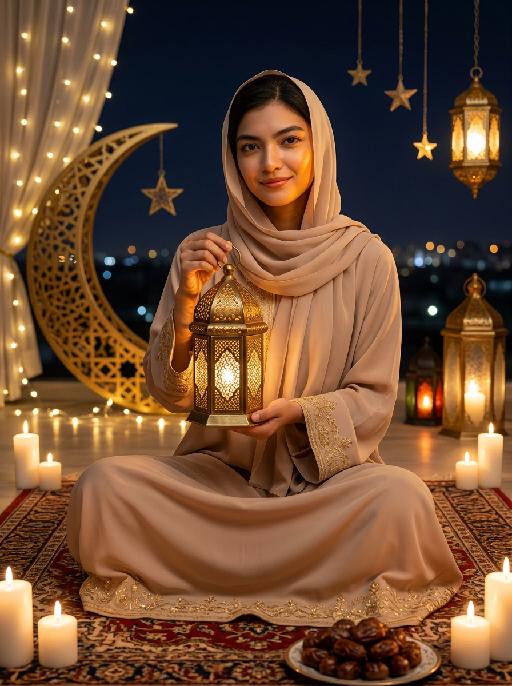
Moon&Lantern AI effects generated image

Moon&Lantern

"Maintain the exact same facial features as the person in the uploaded image. The person wearing a soft beige abaya with delicate gold embroidery on cuffs and hem, paired with a matching beige headscarf. She sits cross-legged on an ornate traditional Persian rug, holding a glowing ornate brass lantern with intricate lattice patterns in both hands, smiling gently at the camera. High contrast lighting, dramatic chiaroscuro, deep soft shadows on one side of the face, warm golden highlights on the other side, backlight creating a soft halo around hair and headscarf. Surrounding elements: lit white candles placed around the rug, a golden plate filled with plump dates in the foreground, a large decorative golden crescent moon with fairy lights, hanging star ornaments and glowing Arabic lanterns in the background, distant blurred city lights under a dark night sky. Cinematic warm lighting, photorealistic portrait, 8K, high detail, cozy and serene Ramadan/Eid atmosphere."

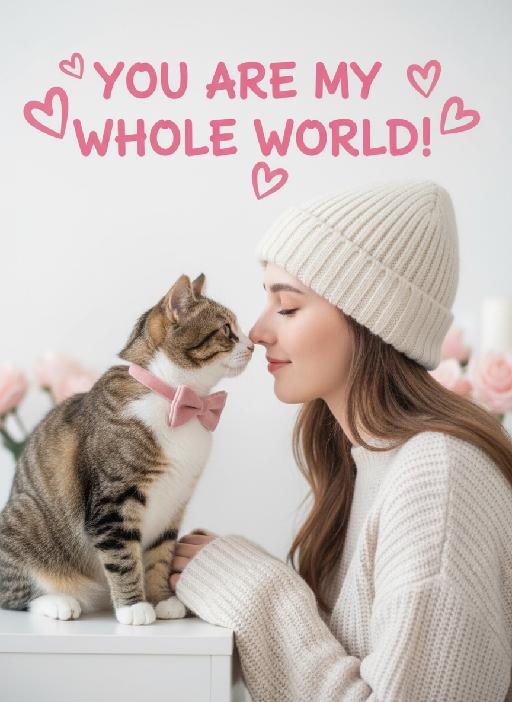
Pet's Love AI effects generated image

Pet's Love

Close-up shots, side-view angles, symmetrical composition: The characters in the uploaded two pictures are neatly arranged within the frame. The character in the first picture uploaded (whose facial features, gender and age remain unchanged, wearing a cream-colored knitted warm hat and knitted sweater) is presented from a side view, with eyes closed, facing the pet in the second uploaded picture. The tip of this character's nose touches the tip of the pet's nose (the species characteristics of the pet remain unchanged, wearing a pink velvet bow); this is a romantic Valentine's Day interaction scene with symmetrical close-up composition, soft and uniform lighting, high brightness and softness, low contrast, slightly blurred background effect, elegant tones (with light and pale gray as background colors), and pink rose color. It has the texture of a fresh Japanese film, with a clean blank background, creating a sweet and soothing Valentine's Day atmosphere, fashionable photography, avant-garde photography art. An oversized pink artistic design headline text is added above: "YOU ARE MY WHOLE WORLD!" Surrounding it are some unique pink heart-shaped graffiti decorations. Like a movie's light and shadow contrast

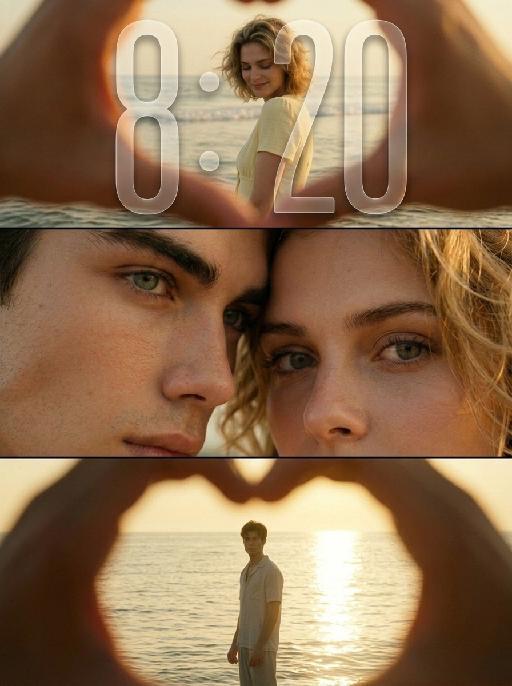
Endless Sunset AI effects generated image

Endless Sunset

"Use the uploaded images as the only identity references for the two adult subjects. Create a photorealistic vertical 9:16 cinematic romantic triptych composed of three horizontal panels stacked from top to bottom. Strictly preserve both subjects’ exact faces, ages, facial features, skin tones, hairstyles, hair colors, body proportions, and overall recognizability. TOP PANEL: Show the female subject standing in shallow seawater near the beach during golden hour. View her through a large heart-shaped opening formed by two hands close to the camera. The hands remain heavily out of focus and occupy the outer edges of the frame, creating a natural foreground heart frame. The female subject stands in the center distance with gentle waves behind her. She turns slightly sideways and looks downward with a soft, shy, peaceful smile. She wears a simple pale yellow or cream short-sleeve summer top. Her hair falls naturally around her shoulders and moves slightly in the sea breeze. Keep the woman clearly recognizable but slightly softened by distance and warm atmospheric haze. MIDDLE PANEL: Create an extreme close-up of the couple’s faces pressed closely together. Show mainly: * the male subject’s eye, brow, nose bridge, and upper cheek on the left * the female subject’s eye, eyebrow, forehead, and upper cheek on the right Their foreheads and temples touch gently. The female subject looks directly toward the camera with a wide, emotional, intimate gaze. The male subject’s eye remains partially visible, calm and tender. The framing is extremely tight, with both faces filling the entire panel. Preserve realistic eyelashes, skin pores, freckles, eyebrows, and natural facial detail. BOTTOM PANEL: Show the male subject standing alone in shallow seawater during golden-hour backlight. View him through another large heart-shaped opening formed by hands close to the camera. The blurred hands occupy the outer foreground and create a soft heart-shaped frame. The male subject stands in the center distance, facing generally toward the camera with his body slightly turned. He appears as a warm, softly defined silhouette against bright sunlight reflecting across the water. He wears a simple light-colored short-sleeve summer shirt and relaxed light trousers. The sun reflection creates a long bright golden path across the water behind him. LAYOUT: * vertical 9:16 composition * exactly three horizontal cinematic panels * top panel: female subject at the beach * middle panel: extreme close-up of both faces and eyes * bottom panel: male subject standing in the sea * clean horizontal separation between panels * no decorative borders * balanced visual rhythm * intimate romantic storytelling LIGHTING AND COLOR: Use warm golden-hour sunlight with rich amber, honey, muted yellow, and soft olive tones. Create: * strong warm backlight * soft glowing highlights * gentle shadow detail * slightly faded colors * mild haze * subtle halation around bright areas * soft highlight roll-off * delicate analog film grain * slightly underexposed cinematic shadows * natural skin texture PHOTOGRAPHIC STYLE: * nostalgic summer romance film still * intimate cinematic couple photography * early-2000s analog film aesthetic * soft 35mm texture * dreamy but photorealistic * emotionally warm, private, tender, and poetic * natural candid expressions * no glossy commercial retouching * no plastic skin * no HDR look * no overly sharp digital texture IMPORTANT CONSTRAINTS: * preserve both subjects’ identities * exactly three panels * female only in the top beach panel * both subjects only in the middle close-up panel * male only in the bottom beach panel * hands forming heart-shaped foreground frames only in the top and bottom panels * hands must remain heavily blurred * no extra people * no extra fingers * no malformed heart shape * no merged eyes * no distorted faces * no text * no logo * no watermark * no UI * no cartoon * no illustration * no CGI appearance "

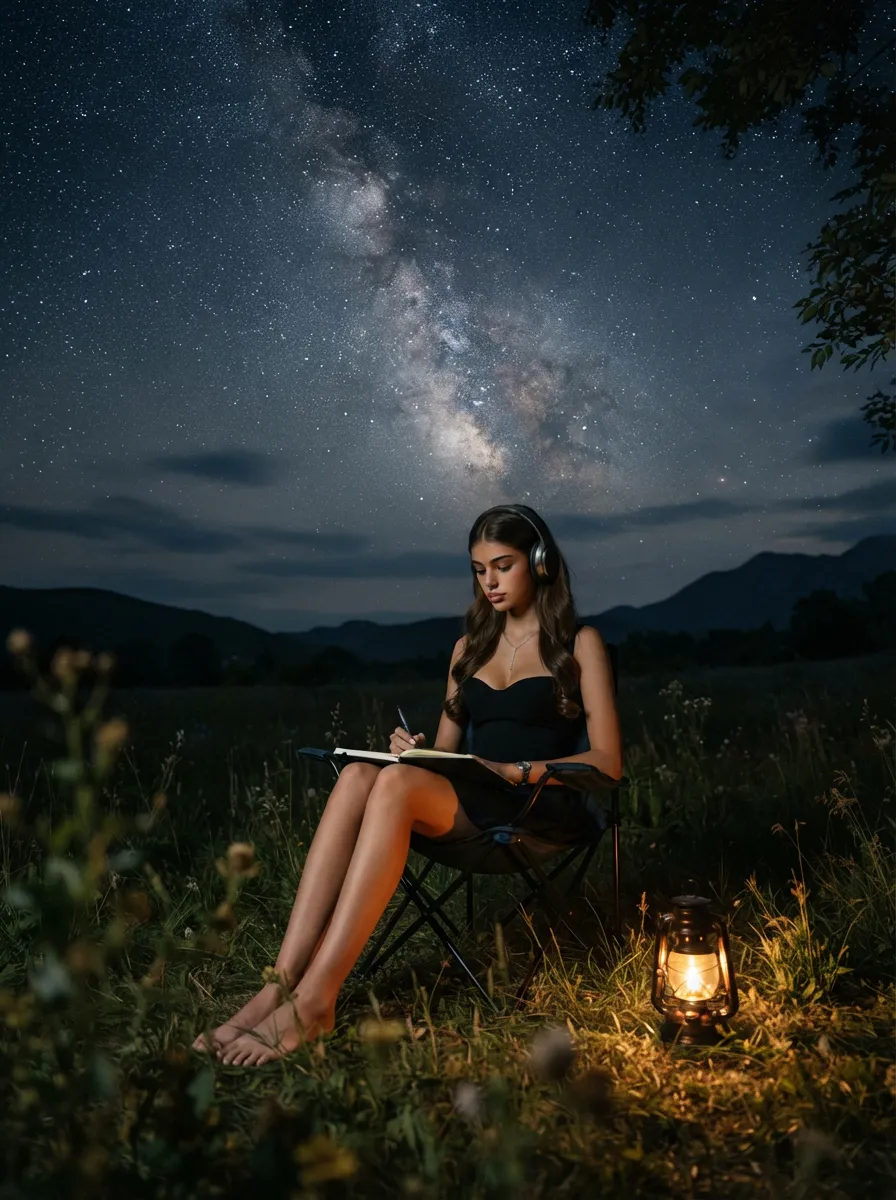
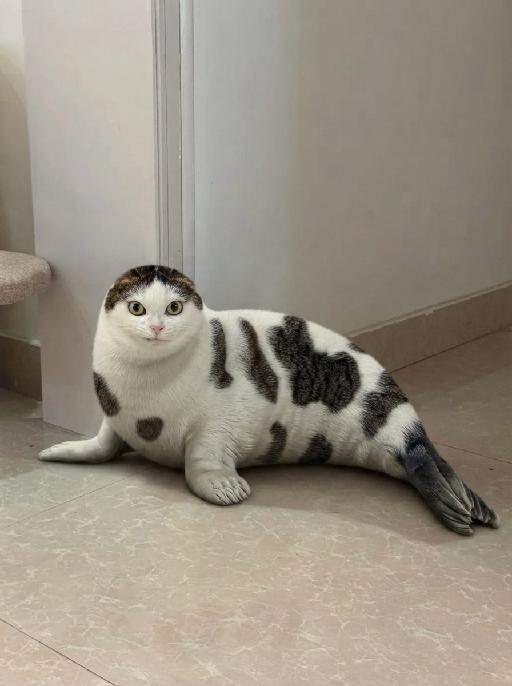
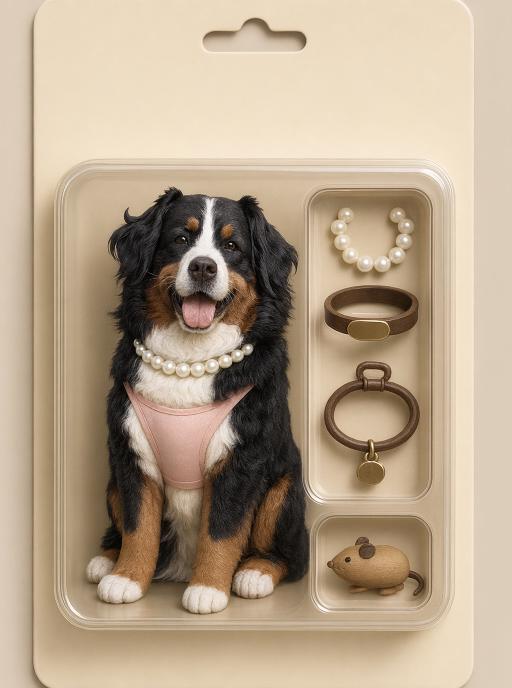
Pet Collectible AI effects generated image

Pet Collectible

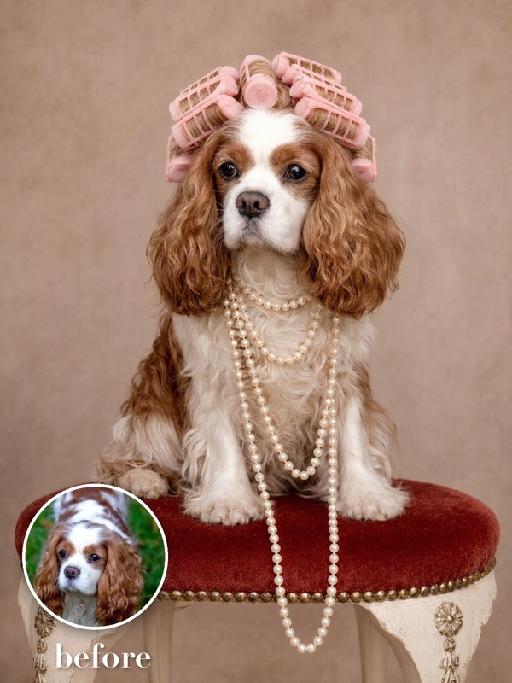
"Use the uploaded pet image as the exact identity reference. Preserve the pet's recognizable face, fur color, markings, eye color, muzzle shape and ears while transforming it into the requested gameplay style. Create a vertical 3:4 image with this exact effect: realistic toy action figure blister packaging, same pet as a cute vinyl figure inside a beige retro package, accessories in molded side compartments such as pearl necklace, bowl, toy and keychain, product photo lighting, clean packaging, no readable brand text. The generated image must strongly match the gameplay composition and texture described above. Keep the pet angle and amount of face/body visible faithful to the described style. If the style is hand-drawn, watercolor, felt, plush, sticker, toy, comic, or package design, reproduce that material and texture clearly. Keep the pet identifiable as the uploaded pet even when stylized. No logos, no watermark, no Doubao AI text."

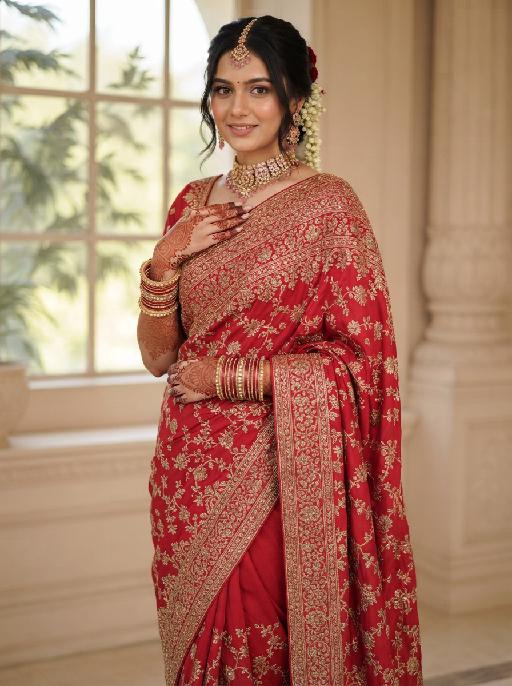
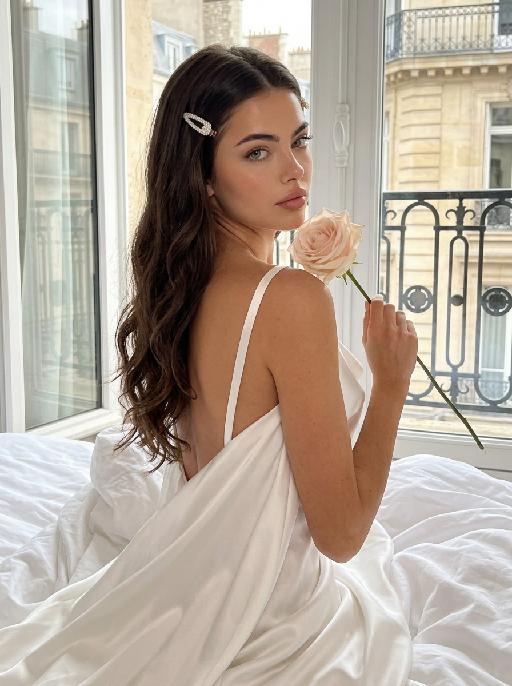
AI One-Tap Beauty

Retouch this photo. Keep background, clothing, pose, framing, and head-to-body proportions identical. Do not crop or change layout. Skin: warm golden glow, rich and radiant. Even out pigmentation and remove blemishes. PRESERVE warm golden undertone — do NOT whiten or cool the skin. Face: keep full, natural face shape. Minimal slimming only. [if female:] Makeup: bold defined brows, kohl eyeliner, warm brown/copper eyeshadow, rich berry/red lips, warm terracotta blush. Dramatic and confident. [If full makeup: Do NOT change lip color, blush, or eyeshadow.] [if male:] No makeup. Bold neat brows, dramatic alert eyes. Body: preserve full, curvy figure. Minimal slimming. Emphasize healthy, confident presence. Hair: keep style, add glossy shine. Color: warm golden tones, rich and vibrant. Enhance the warmth naturally. Same person, same face, same scene, same resolution. Do not upscale, sharpen, or add detail not in the original.

Load more

Next-Gen Multi-Model AI Video Architecture

Vivago AI isn't just one engine—it’s a unified hub for the world’s most advanced video AI. Whether you need cinematic realism or high-speed social content, we provide the right model for your creative vision.

Free Generate

Beauty and Dolphins

Vacation Time

Stellar Tear

Fish Tank Supervisor

Cinematic Quality & Precision Control

Enables 4K resolution with multi-lens motion control, generating delicate scene via text prompts for customized cinematography.​

TRY NOW

Dynamic AV Sync

Auto-generates original audio to avoid copyright issues. Build 3D immersive environments through layered sound design automatically.

TRY NOW

OpenAI Sora 2

​Advanced visual storytelling with unparalleled physics and consistency.

TRY NOW

Kling v2.6 Pro

Industry-leading cinematic image animation and motion control.

TRY NOW

Google Veo 3 & 3.1

Ultra-fast generation with enhanced realism for creative workflows.

TRY NOW

Vivago AI 2.0

Our proprietary model optimized for efficiency, speed, and cost-effective generation.

TRY NOW

Users' Voice

We listen carefully to the opinions of every user.
Free Generate
Contact Us
I tried the Lip Sync feature inside Vivago.ai’s AI Video Generator for my educational podcast, and the results were stunning! The avatar's lip movements perfectly matched my audio recording, creating a professional AI-generated video without complex editing. Compared with tools like OpenAI Sora 2 and Google Veo 3.1, Vivago Image-to-Video delivers fast, studio-quality results online. It saved me hours of post-production work.
ElenaM (Spain)
Vivago’s Image-to-Video AI transformed my marketing workflow. I uploaded a product image and described the launch scene in text, and it generated a 10-second cinematic AI video with background music and dynamic visuals. The output quality rivals Kling v2.6 Pro and Google Veo 3 Fast. It’s now my go-to AI video generator for social media ads and product campaigns.
KenjiT (Japan)
As a digital artist, I use Vivago.ai 2.0 daily for Image-to-Image and AI Image-to-Video creation. The e-book covers and animated visuals I generate for clients look cinematic and professional. Unlike many standalone AI tools, Vivago integrates multiple leading models into one platform, making it easier to create copyright-safe AI images and videos for publishing.
ChenL (China)
I tried the Lip Sync feature inside Vivago.ai’s AI Video Generator for my educational podcast, and the results were stunning! The avatar's lip movements perfectly matched my audio recording, creating a professional AI-generated video without complex editing. Compared with tools like OpenAI Sora 2 and Google Veo 3.1, Vivago Image-to-Video delivers fast, studio-quality results online. It saved me hours of post-production work.
ElenaM (Spain)
Vivago’s Image-to-Video AI transformed my marketing workflow. I uploaded a product image and described the launch scene in text, and it generated a 10-second cinematic AI video with background music and dynamic visuals. The output quality rivals Kling v2.6 Pro and Google Veo 3 Fast. It’s now my go-to AI video generator for social media ads and product campaigns.
KenjiT (Japan)
As a digital artist, I use Vivago.ai 2.0 daily for Image-to-Image and AI Image-to-Video creation. The e-book covers and animated visuals I generate for clients look cinematic and professional. Unlike many standalone AI tools, Vivago integrates multiple leading models into one platform, making it easier to create copyright-safe AI images and videos for publishing.
ChenL (China)
I absolutely love Vivago’s AI Image-to-Video Generator. As a travel blogger, static images often fail to capture real atmosphere, but Vivago helps me turn photos into vivid cinematic AI videos with motion effects. It feels comparable to OpenAI Sora 2 and Google Veo 3.1, but more accessible and faster for creators who need high-quality AI videos online.
LiamK (Australia)
I tried the Lip Sync feature inside Vivago.ai’s AI Video Generator for my educational podcast, and the results were stunning! The avatar's lip movements perfectly matched my audio recording, creating a professional AI-generated video without complex editing. Compared with tools like OpenAI Sora 2 and Google Veo 3.1, Vivago Image-to-Video delivers fast, studio-quality results online. It saved me hours of post-production work.
ElenaM (Spain)
Vivago’s Image-to-Video AI transformed my marketing workflow. I uploaded a product image and described the launch scene in text, and it generated a 10-second cinematic AI video with background music and dynamic visuals. The output quality rivals Kling v2.6 Pro and Google Veo 3 Fast. It’s now my go-to AI video generator for social media ads and product campaigns.
KenjiT (Japan)
As a digital artist, I use Vivago.ai 2.0 daily for Image-to-Image and AI Image-to-Video creation. The e-book covers and animated visuals I generate for clients look cinematic and professional. Unlike many standalone AI tools, Vivago integrates multiple leading models into one platform, making it easier to create copyright-safe AI images and videos for publishing.
ChenL (China)
I absolutely love Vivago’s AI Image-to-Video Generator. As a travel blogger, static images often fail to capture real atmosphere, but Vivago helps me turn photos into vivid cinematic AI videos with motion effects. It feels comparable to OpenAI Sora 2 and Google Veo 3.1, but more accessible and faster for creators who need high-quality AI videos online.
LiamK (Australia)
Using Vivago.ai’s Image-to-Video AI has greatly enhanced my classroom teaching. I transform textbook notes into historical AI videos with cinematic filters and dynamic animations. Compared with tools like Kling v2.6 Pro and Google Veo 3 Fast, Vivago offers faster generation and easier parameter control for educators who need reliable AI video creation.
RajivG (India)
I frequently create AI videos on Vivago and publish them on TikTok and YouTube Shorts. The AI video templates and trending content ideas help me produce viral-ready clips quickly. With Vivago’s integrated models—including advanced video engines similar to OpenAI Sora 2—I can generate anime-style and cinematic social media videos that drive high engagement.
MarieJ (Spain)
What attracts me most about Vivago.ai is not only the powerful AI Video Generator but also the active AIGC creator community. It combines AI Image-to-Video, Text-to-Video, and leading model integrations like Google Veo 3.1 into one creative platform.
TomW (India)
At first, I was hesitant about using AI video tools. But after trying Vivago Image-to-Video, I realized how easy it is to create professional AI-generated videos online. I just upload an image, add a short prompt, and adjust a few settings. The results are cinematic and copyright-safe, which is essential for commercial projects.
HectorC (Mexico)
Using Vivago.ai’s Image-to-Video AI has greatly enhanced my classroom teaching. I transform textbook notes into historical AI videos with cinematic filters and dynamic animations. Compared with tools like Kling v2.6 Pro and Google Veo 3 Fast, Vivago offers faster generation and easier parameter control for educators who need reliable AI video creation.
RajivG (India)
I frequently create AI videos on Vivago and publish them on TikTok and YouTube Shorts. The AI video templates and trending content ideas help me produce viral-ready clips quickly. With Vivago’s integrated models—including advanced video engines similar to OpenAI Sora 2—I can generate anime-style and cinematic social media videos that drive high engagement.
MarieJ (Spain)
What attracts me most about Vivago.ai is not only the powerful AI Video Generator but also the active AIGC creator community. It combines AI Image-to-Video, Text-to-Video, and leading model integrations like Google Veo 3.1 into one creative platform.
TomW (India)
At first, I was hesitant about using AI video tools. But after trying Vivago Image-to-Video, I realized how easy it is to create professional AI-generated videos online. I just upload an image, add a short prompt, and adjust a few settings. The results are cinematic and copyright-safe, which is essential for commercial projects.
HectorC (Mexico)