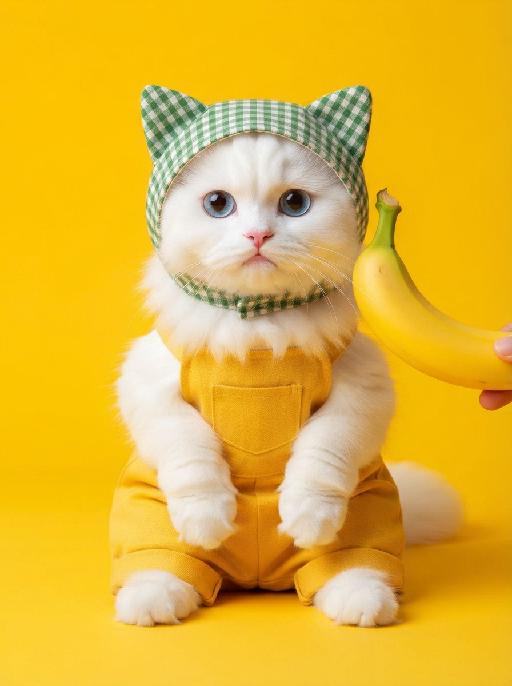
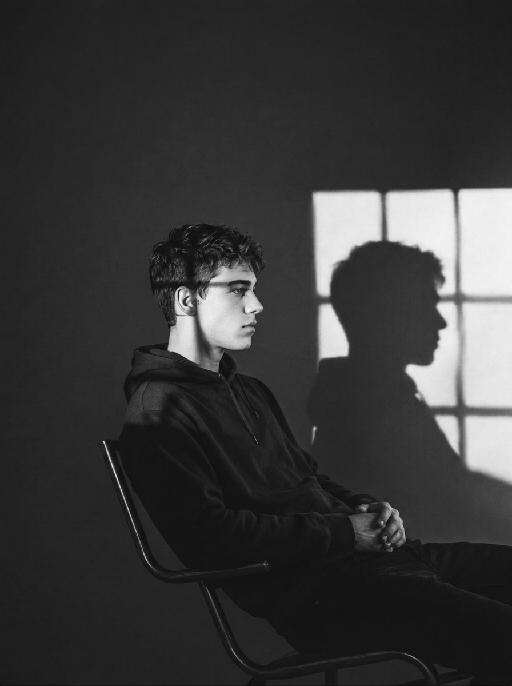
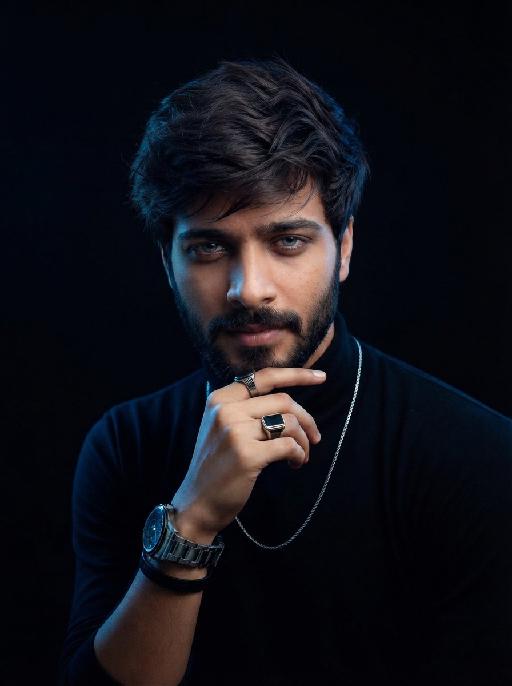
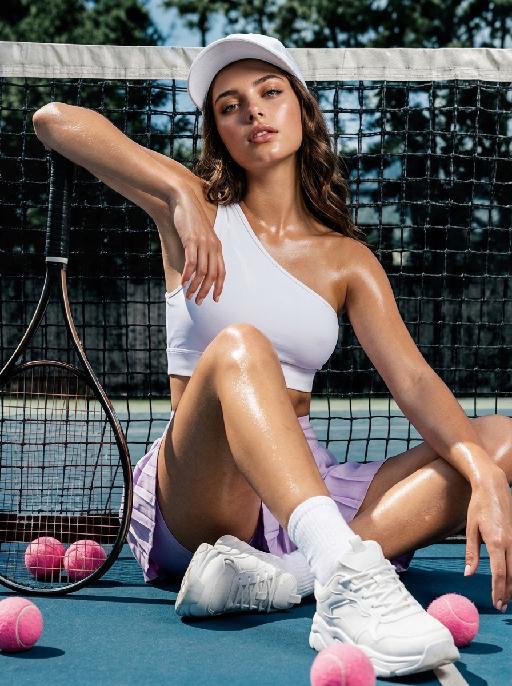
More From VIVAGO AI

Cashier Money Pet AI effects generated image

Cashier Money Pet

Create a humorous office-accounting scene matching the reference. The uploaded pet sits upright behind a desk wearing a pale shirt and dark necktie, holding and counting paper banknotes between both front paws. Stacks of cash and a calculator cover the desk; blurred gray office background, slightly mischievous expression, eye-level medium portrait. Currency has no readable details. The subject remains an animal throughout. No people or human hands. No real brands, logos, watermarks or readable text. Accurately preserve the uploaded pet's species, breed, coat color and markings, ear shape, muzzle and face structure, eye color and body proportions. Keep it instantly recognisable as the same animal; change only pose, scene, clothing and accessories. Vertical 3:4, photorealistic, crisp detail, with the pet as the unmistakable main subject.

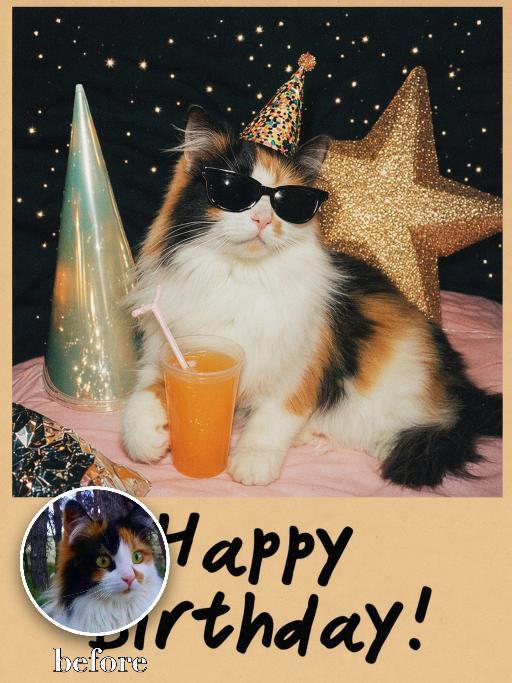
Birthday Treasure AI effects generated image

Birthday Treasure

Recreate the reference as a retro birthday card. The uploaded pet sits on a festive tabletop wearing black sunglasses and a tiny party hat, one paw near a cup with an orange drink and straw. Behind it are colorful cone party hats, a star decoration and dark speckled party backdrop. Beige lower card panel with the readable greeting 'Happy Birthday!' in playful black hand lettering. Poster-card texture, flash-photo party mood. Preserve each uploaded pet's actual species, breed, coat color, markings, ear shape, eye color, muzzle and facial structure. Do not assume a fixed breed, color, or species from the reference image; adapt the reference gameplay to the uploaded pet. Actively change pose, facial expression, gaze direction, camera angle and styling to match the gameplay reference. No extra animals beyond the requested uploaded pets. No human face unless explicitly requested; anonymous hands are allowed only when the gameplay needs hands. No brand logos, no watermark, no random readable text. Match the gameplay reference very closely in composition, crop, texture, lighting, pet expression, visible face angle, props, background, and image quality. Vertical 3:4, photorealistic unless the reference is a poster or sticker layout.

Sticker Collage

"Use the uploaded image as the only identity reference. Create a sketchbook-style illustrated collage page based on the uploaded image. Layout: - clean white background - 1 main full-body illustration placed in the center as the focal point - several smaller illustrations arranged around the central figure in a balanced collage layout - include drawings in the top left, top right, middle left, middle right, bottom left, and bottom right areas so the page feels full and visually organized Content: - the center should show one main full-body drawing of the same subject or subjects from the uploaded image - the surrounding smaller illustrations should show the same subject or subjects in a mix of close-up portraits, half-body views, side views, back views, and relaxed or expressive moments - include a variety of expressions and poses while keeping the identity consistent - all drawings should clearly represent the same subject or same group from the uploaded image Style: soft hand-drawn digital illustration, sketchbook aesthetic, sticker-sheet composition, clean linework, polished coloring, slightly stylized cartoon look, expressive and lively, warm and charming mood. Add rich scrapbook-style decorative elements across the page, including: - a small sticky note in the top-right corner - pieces of decorative tape holding some elements in place - sticker-like cutout decorations - handwritten English notes and captions - small labels and mini paper notes - hearts, stars, flowers, sparkles, and tiny icons - little speech bubbles - layered paper scraps and stationery-style details Keep these decorative elements playful, cute, and visually integrated, making the page feel like a personal scrapbook, memo board, or illustrated journal page. Add a few handwritten English phrases such as: ""My Sketchbook"" ""Happy Day"" ""Love this"" ""So cute"" ""Best moment"" ""Hello!"" ""Sweet vibes"" Keep the identity, hairstyle, facial features, clothing style, and overall appearance consistent across all drawings. The final page should look like a polished illustrated scrapbook collage: cute, organized, expressive, rich in detail, and aesthetically pleasing. No logo, no watermark. "

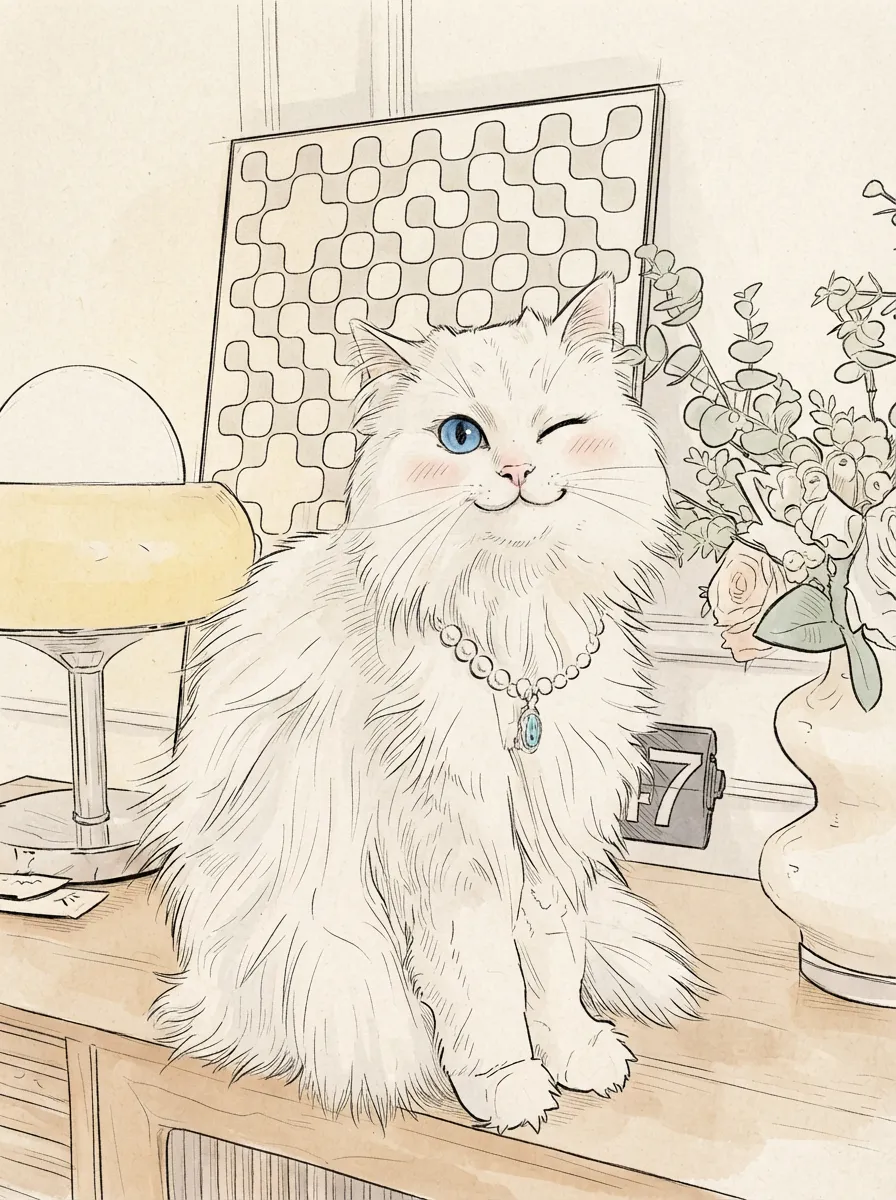
Super Sticker AI effects generated image

Super Sticker

Use the uploaded pet image as the exact identity reference. Preserve the pet's recognizable face, fur color, markings, eye color, muzzle shape and ears while transforming it into the requested gameplay style. Create a vertical 3:4 image with this exact effect: orange background sticker sheet, multiple hand-drawn poses of the same pet, playful everyday gestures, thick white sticker borders, expressive cartoon eyes, bold simple linework, warm retro palette, sticker-pack composition. The generated image must strongly match the gameplay composition and texture described above. Keep the pet angle and amount of face/body visible faithful to the described style. If the style is hand-drawn, watercolor, felt, plush, sticker, toy, comic, or package design, reproduce that material and texture clearly. Keep the pet identifiable as the uploaded pet even when stylized. No logos, no watermark, no Doubao AI text.

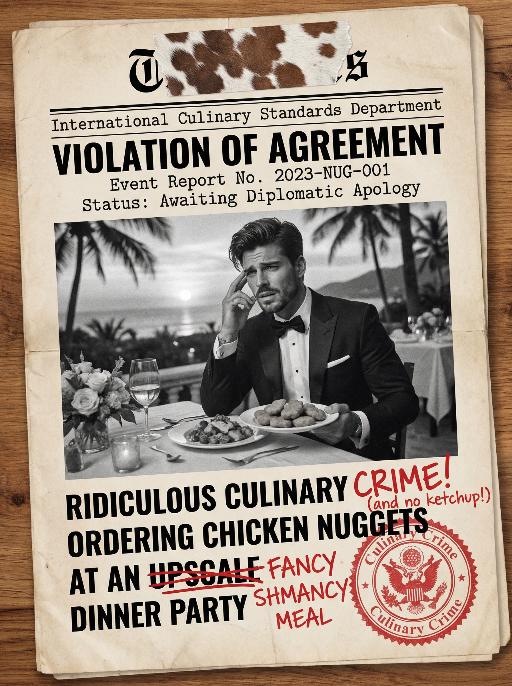
Document AI effects generated image

Document

An official reference document marked with "Violation of Agreement" contains a black-and-white photo with a retro movie-like texture (accounting for 60% of the overall picture): In the photo, there is a successful person dressed in stylish black high-end clothing (with the original figure as the main subject, without any changes to facial features) standing alone, with palm trees and the setting sun in the background. The document is made from an old newspaper and placed on a wooden tabletop background (accounting for 95% of the overall picture). This scene is both realistic and ironic. This is an official notice issued by the fictional "International Culinary Standards Department", with the event report number "Awaiting Diplomatic Apology" and the status "Pending Processing". This event is described in bold as a ridiculous culinary "crime" (ordering chicken nuggets at an upscale dinner party). The text has been modified with a red marker. The circular official seal features an eagle's emblem and the words "Culinary Crime". The title part is covered with a leather sticker with a retro printed pattern. It has a retro printed texture and clear focus. The resolution is 8K. It adopts a retro design style, with a humorous, satirical style and a retro artistic beauty.

Load more

Next-Gen Multi-Model AI Video Architecture

Vivago AI isn't just one engine—it’s a unified hub for the world’s most advanced video AI. Whether you need cinematic realism or high-speed social content, we provide the right model for your creative vision.

Free Generate

Beauty and Dolphins

Vacation Time

Stellar Tear

Fish Tank Supervisor

Cinematic Quality & Precision Control

Enables 4K resolution with multi-lens motion control, generating delicate scene via text prompts for customized cinematography.​

TRY NOW

Dynamic AV Sync

Auto-generates original audio to avoid copyright issues. Build 3D immersive environments through layered sound design automatically.

TRY NOW

OpenAI Sora 2

​Advanced visual storytelling with unparalleled physics and consistency.

TRY NOW

Kling v2.6 Pro

Industry-leading cinematic image animation and motion control.

TRY NOW

Google Veo 3 & 3.1

Ultra-fast generation with enhanced realism for creative workflows.

TRY NOW

Vivago AI 2.0

Our proprietary model optimized for efficiency, speed, and cost-effective generation.

TRY NOW

Users' Voice

We listen carefully to the opinions of every user.
Free Generate
Contact Us
I tried the Lip Sync feature inside Vivago.ai’s AI Video Generator for my educational podcast, and the results were stunning! The avatar's lip movements perfectly matched my audio recording, creating a professional AI-generated video without complex editing. Compared with tools like OpenAI Sora 2 and Google Veo 3.1, Vivago Image-to-Video delivers fast, studio-quality results online. It saved me hours of post-production work.
ElenaM (Spain)
Vivago’s Image-to-Video AI transformed my marketing workflow. I uploaded a product image and described the launch scene in text, and it generated a 10-second cinematic AI video with background music and dynamic visuals. The output quality rivals Kling v2.6 Pro and Google Veo 3 Fast. It’s now my go-to AI video generator for social media ads and product campaigns.
KenjiT (Japan)
As a digital artist, I use Vivago.ai 2.0 daily for Image-to-Image and AI Image-to-Video creation. The e-book covers and animated visuals I generate for clients look cinematic and professional. Unlike many standalone AI tools, Vivago integrates multiple leading models into one platform, making it easier to create copyright-safe AI images and videos for publishing.
ChenL (China)
I tried the Lip Sync feature inside Vivago.ai’s AI Video Generator for my educational podcast, and the results were stunning! The avatar's lip movements perfectly matched my audio recording, creating a professional AI-generated video without complex editing. Compared with tools like OpenAI Sora 2 and Google Veo 3.1, Vivago Image-to-Video delivers fast, studio-quality results online. It saved me hours of post-production work.
ElenaM (Spain)
Vivago’s Image-to-Video AI transformed my marketing workflow. I uploaded a product image and described the launch scene in text, and it generated a 10-second cinematic AI video with background music and dynamic visuals. The output quality rivals Kling v2.6 Pro and Google Veo 3 Fast. It’s now my go-to AI video generator for social media ads and product campaigns.
KenjiT (Japan)
As a digital artist, I use Vivago.ai 2.0 daily for Image-to-Image and AI Image-to-Video creation. The e-book covers and animated visuals I generate for clients look cinematic and professional. Unlike many standalone AI tools, Vivago integrates multiple leading models into one platform, making it easier to create copyright-safe AI images and videos for publishing.
ChenL (China)
I absolutely love Vivago’s AI Image-to-Video Generator. As a travel blogger, static images often fail to capture real atmosphere, but Vivago helps me turn photos into vivid cinematic AI videos with motion effects. It feels comparable to OpenAI Sora 2 and Google Veo 3.1, but more accessible and faster for creators who need high-quality AI videos online.
LiamK (Australia)
I tried the Lip Sync feature inside Vivago.ai’s AI Video Generator for my educational podcast, and the results were stunning! The avatar's lip movements perfectly matched my audio recording, creating a professional AI-generated video without complex editing. Compared with tools like OpenAI Sora 2 and Google Veo 3.1, Vivago Image-to-Video delivers fast, studio-quality results online. It saved me hours of post-production work.
ElenaM (Spain)
Vivago’s Image-to-Video AI transformed my marketing workflow. I uploaded a product image and described the launch scene in text, and it generated a 10-second cinematic AI video with background music and dynamic visuals. The output quality rivals Kling v2.6 Pro and Google Veo 3 Fast. It’s now my go-to AI video generator for social media ads and product campaigns.
KenjiT (Japan)
As a digital artist, I use Vivago.ai 2.0 daily for Image-to-Image and AI Image-to-Video creation. The e-book covers and animated visuals I generate for clients look cinematic and professional. Unlike many standalone AI tools, Vivago integrates multiple leading models into one platform, making it easier to create copyright-safe AI images and videos for publishing.
ChenL (China)
I absolutely love Vivago’s AI Image-to-Video Generator. As a travel blogger, static images often fail to capture real atmosphere, but Vivago helps me turn photos into vivid cinematic AI videos with motion effects. It feels comparable to OpenAI Sora 2 and Google Veo 3.1, but more accessible and faster for creators who need high-quality AI videos online.
LiamK (Australia)
Using Vivago.ai’s Image-to-Video AI has greatly enhanced my classroom teaching. I transform textbook notes into historical AI videos with cinematic filters and dynamic animations. Compared with tools like Kling v2.6 Pro and Google Veo 3 Fast, Vivago offers faster generation and easier parameter control for educators who need reliable AI video creation.
RajivG (India)
I frequently create AI videos on Vivago and publish them on TikTok and YouTube Shorts. The AI video templates and trending content ideas help me produce viral-ready clips quickly. With Vivago’s integrated models—including advanced video engines similar to OpenAI Sora 2—I can generate anime-style and cinematic social media videos that drive high engagement.
MarieJ (Spain)
What attracts me most about Vivago.ai is not only the powerful AI Video Generator but also the active AIGC creator community. It combines AI Image-to-Video, Text-to-Video, and leading model integrations like Google Veo 3.1 into one creative platform.
TomW (India)
At first, I was hesitant about using AI video tools. But after trying Vivago Image-to-Video, I realized how easy it is to create professional AI-generated videos online. I just upload an image, add a short prompt, and adjust a few settings. The results are cinematic and copyright-safe, which is essential for commercial projects.
HectorC (Mexico)
Using Vivago.ai’s Image-to-Video AI has greatly enhanced my classroom teaching. I transform textbook notes into historical AI videos with cinematic filters and dynamic animations. Compared with tools like Kling v2.6 Pro and Google Veo 3 Fast, Vivago offers faster generation and easier parameter control for educators who need reliable AI video creation.
RajivG (India)
I frequently create AI videos on Vivago and publish them on TikTok and YouTube Shorts. The AI video templates and trending content ideas help me produce viral-ready clips quickly. With Vivago’s integrated models—including advanced video engines similar to OpenAI Sora 2—I can generate anime-style and cinematic social media videos that drive high engagement.
MarieJ (Spain)
What attracts me most about Vivago.ai is not only the powerful AI Video Generator but also the active AIGC creator community. It combines AI Image-to-Video, Text-to-Video, and leading model integrations like Google Veo 3.1 into one creative platform.
TomW (India)
At first, I was hesitant about using AI video tools. But after trying Vivago Image-to-Video, I realized how easy it is to create professional AI-generated videos online. I just upload an image, add a short prompt, and adjust a few settings. The results are cinematic and copyright-safe, which is essential for commercial projects.
HectorC (Mexico)