Elegance

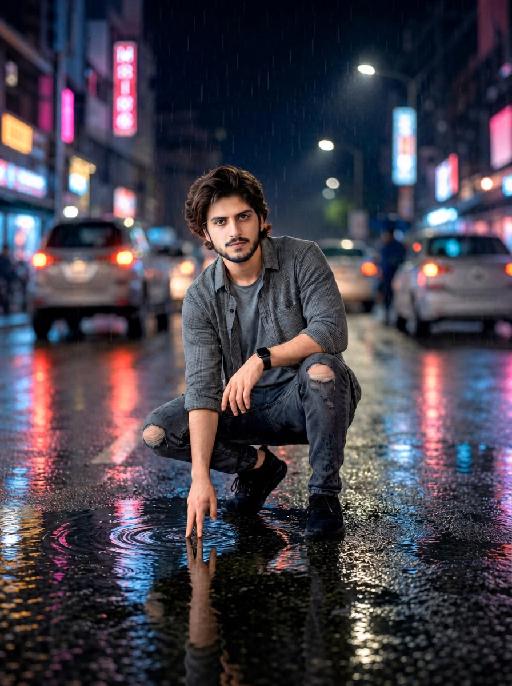
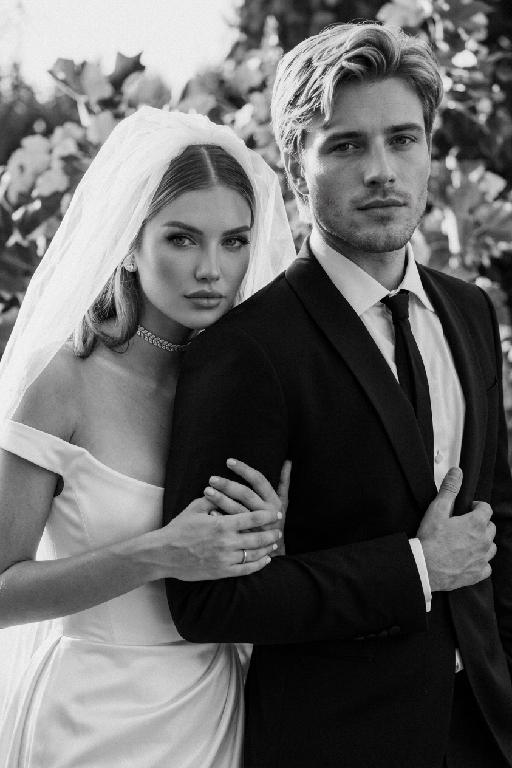
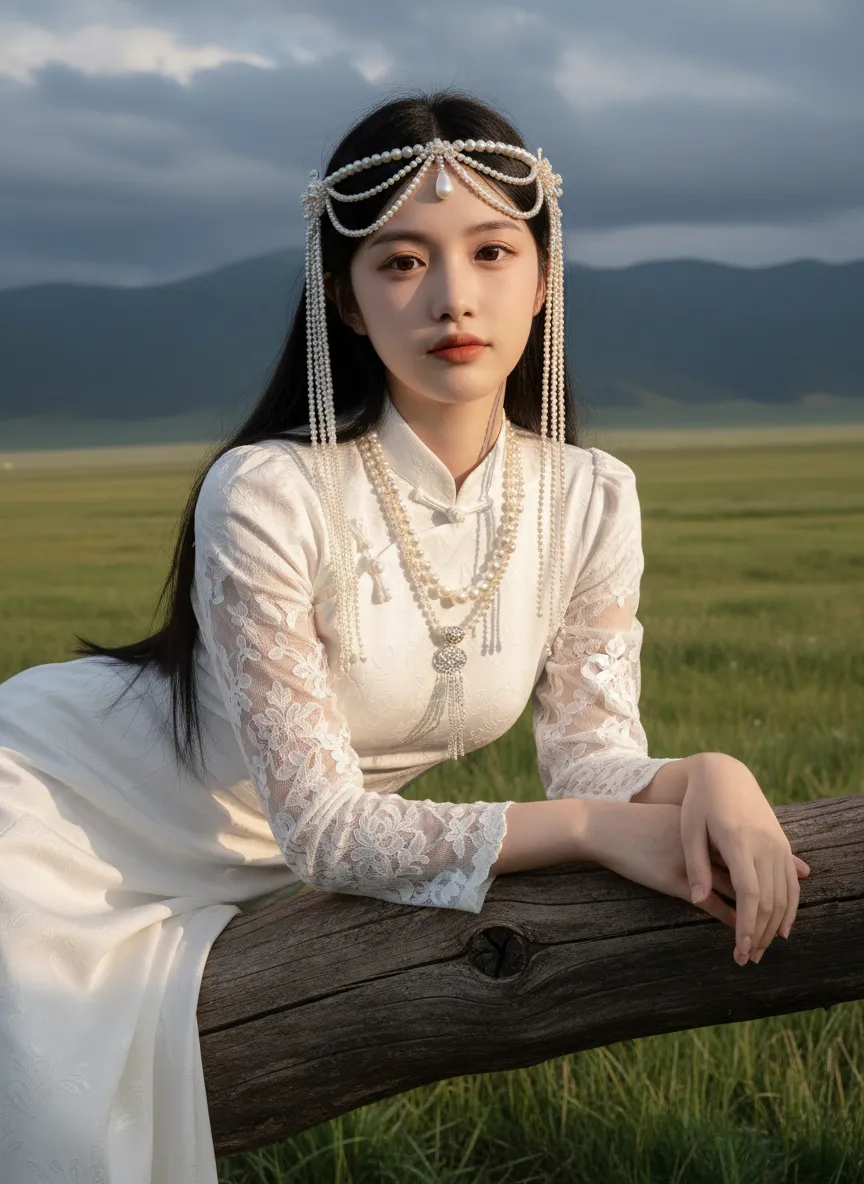
Strictly lock facial features: fully preserving the original facial contours, skin texture, eye shape, lip shape, and youthful appearance with zero deviations allowed. Eye-level perspective, half-body close-up (subject occupies 80% of the frame to optimize proportion and visual focus, with a well-proportioned slender figure that highlights the graceful lines of the body), a young East Asian woman with a cold temperament, lying prone on a thick log beam, hands resting naturally on both sides of the beam, body slightly forward, expression gentle and calm; makeup is a fresh nude look: transparent base, warm bean paste red lips, natural and soft eye makeup; long straight black hair, fluffy and shiny. Wearing: - Headdress: Pearl tassel forehead ornament, main body is a pearl-woven headband with a teardrop-shaped pearl in the center, hanging multiple layers of extra-long white pearl tassels on both sides - Accessories: Multi-layered pearl necklace, strung with pearls of varying sizes, paired with a silver carved pendant Clothing: - White Chinese-style stand-up collar top with jacquard texture and puff short sleeves - Inner wear white lace see-through long sleeves, full of delicate white floral embroidery on the sleeves - Matching white long skirt Background: Plateau meadow scene, foreground is green grass, distant continuous dark gray-blue mountains, sky filled with layered dark clouds; soft golden sunlight breaks through the gaps in the dark clouds, casting warm highlights on the pearl ornaments, hair strands, jacquard fabric and lace embroidery, while leaving soft, faint shadows on the log beam and the grass beneath, adding a three-dimensional contrast to the cool-toned scene. Cool-toned diffused natural light blended with warm sunlight spots, the picture is transparent and clean, presenting a cold and fairy-like atmosphere, strictly 1:1 replicate the original image's movements, clothing details, and light and shadow tones

Use Template
arrow
Elegance

More From VIVAGO AI

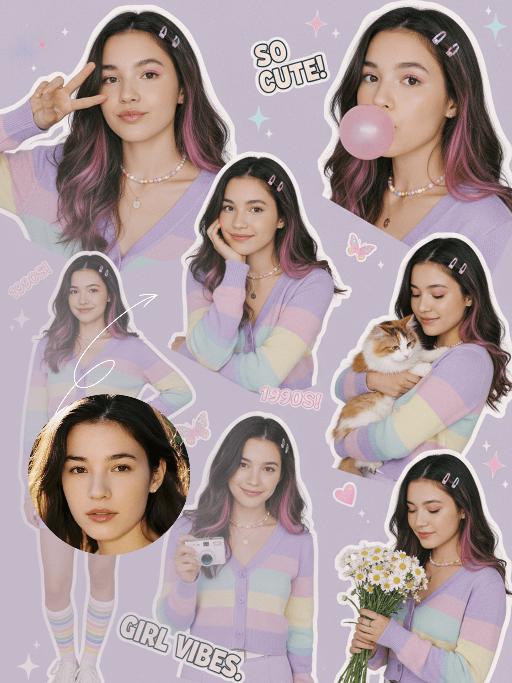
Collage Poster AI effects generated image

Collage Poster

"Ultra-realistic vintage cute portrait collage in the late 2000s style, featuring a multi-panel layout that showcases 5 to 6 different poses of the figure from the uploaded image (with unchanged facial features, age and gender) and natural facial retouching with a fresh sheer makeup look: making a peace sign, blowing a pink bubble gum, resting her cheek on one hand while holding a small white camera, standing with one hand on her hip, cuddling a tabby cat, and holding a bouquet of daisies. The girl has long hair with pink-to-purple gradient streaks and a fresh, cute makeup look. Attire: A pastel rainbow gradient cardigan (with light purple/light yellow/light blue stripes), a light purple high-waisted mini skirt, a thin white waist belt, rainbow-striped athletic socks, and white casual sneakers. Accessories: A dopamine colorful Y2K necklace, delicate colorful floral hair clips, and a colorful pendant necklace. Shooting Angles: Mixed perspectives (close-up facial shots, bust shots, full-body shots), captured from the angles of casual natural lifestyle photography. Lighting: Bright and soft studio lighting with a textured translucent sheen, pale shadows, creating a fresh and warm atmosphere. Color Scheme: Macaron soft tones (light purple/light pink/light blue/light yellow) adorned with collage decorations (star/butterfly/heart stickers, sequins), featuring bright low-saturation hues that evoke a vintage cute early 2000s vibe. Layout: A playful scattered arrangement with the effect of vintage magazine clippings, accented with text elements such as ""SO CUTE!"", ""1990S!"", and ""GIRL VIBES""."

Shark Dance

Main scene: The image in the uploaded picture (species, age, gender remain unchanged, presented in an anthropomorphic standing posture with the front two paws raised and the back two legs standing), beside it are four similar cute cats in an anthropomorphic standing posture standing neatly and evenly beside it (including Persian cats, orange cats, silver gradient cats and golden gradient cats), all characters (height proportions remain consistent) are wearing different cute cartoon jumpsuits (cartoon character pajamas, with bees, tigers, dinosaurs, seals, pandas) in plush fabric (revealing the characters' faces), ultra-realistic three-dimensional rendering, cute and soothing style, the protagonist occupies 80% of the main space of the picture, evenly distributed in the center of the picture, presented in a frontal standing posture, with natural front-back layers; using mid-shot horizontal composition, shot from a horizontal perspective at the same height as the protagonist's image; the light is a soft indoor diffusion effect, the transition of light and shadow is natural, without strong contrast, overall bright and warm; the clothing uses fresh and bright colors (yellow, green, blue, brown), the background is a warm and cute living room environment, background elements account for 20% of the picture; rich details, fluffy and fine fur texture, clear clothing texture, 8K high resolution, bright and harmonious picture colors.

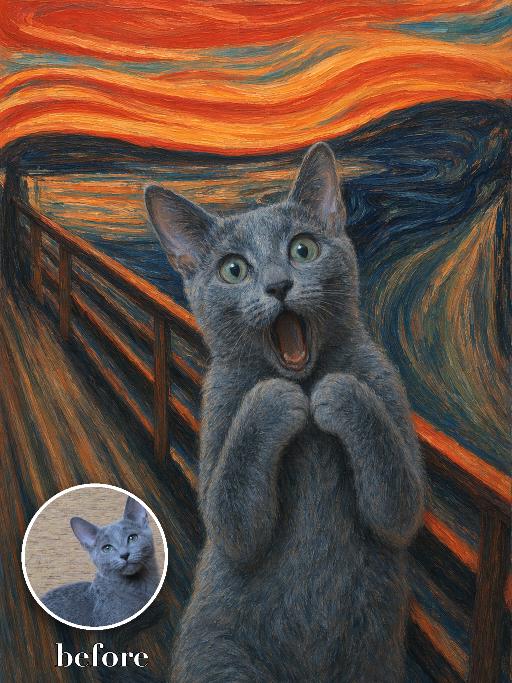
Expressionist Bridge Pet AI effects generated image

Expressionist Bridge Pet

Recreate the expressionist bridge painting with the uploaded pet centered close to camera, mouth open in an exaggerated surprised cry and front paws held near the chest. Wavy orange-red sky, dark blue water and sharply receding bridge rails behind, thick swirling brushwork and distressed emotional color. The subject remains an animal throughout. No people or human hands. No real character names, celebrity names, brands, logos, watermarks or readable text. Accurately preserve the uploaded pet's species, breed, coat color and markings, ear shape, muzzle and face structure, eye color, body proportions and tail. Keep it instantly recognisable as the same animal; change only pose, scene, costume and art treatment. Match the reference composition closely. Vertical 3:4, crisp detail, the pet is the unmistakable main subject.

Pet's Love AI effects generated image

Pet's Love

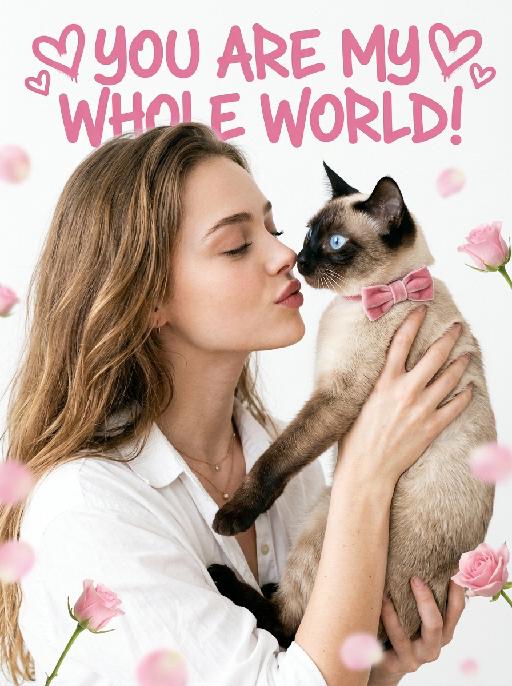
"[Medium Close-up Film Portrait, Cinematic Fashion Photography, Fresh Japanese Film Texture]. The frame naturally arranges the characters from the two uploaded pictures. The character from the first uploaded picture (facial features, gender, and age remain completely unchanged, wearing the exact same outfit as shown in the reference image, reproducing all clothing details including color, style, and cut with no substitution) is presented in a [three-quarter side profile view, approximately 75 degrees], with eyes gently closed, curled eyelashes visible in profile, leaning their head slightly forward and downward toward the pet, with a hint of a tender smile and lips softly pursed in a gentle kiss gesture. Both hands hold the pet up gently at chest height. The pet from the second uploaded picture is held up to face level, with its [original species characteristics and appearance remaining completely unchanged], wearing a pink velvet bow. Its eyes are wide open and sparkling, and its nose is nearly touching the owner's nose in an intimate, tender proximity. [Soft, airy, high-key, natural diffused lighting] illuminates the scene, creating a dreamy feel with feather-soft shadows and very low contrast, accompanied by a fine film grain texture. The background is a clean pure white, with [scattered, ethereal pink rose buds and blurred petal bokeh balls] softly placed around the edges and lower corners of the frame, subtle and minimal. The framing is a tight medium close-up, with the person and pet filling the majority of the vertical frame. An oversized pink artistic design headline text is added at the very top of the frame: ""YOU ARE MY WHOLE WORLD!"" Surrounding it are some unique pink heart-shaped graffiti decorations."

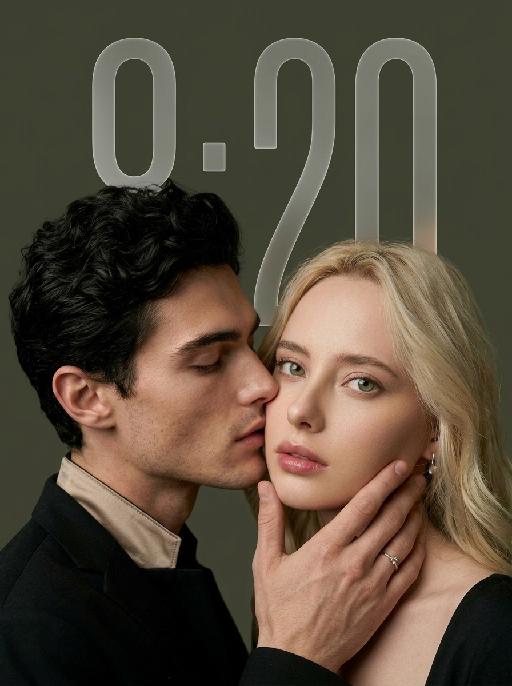
My Treasure AI effects generated image

My Treasure

" Use the uploaded images as the only identity references for the two adult subjects. Create a photorealistic vertical 9:16 intimate cinematic couple portrait designed as a phone wallpaper. Strictly preserve both subjects’ exact faces, ages, facial features, skin tones, hairstyles, hair colors, and overall recognizability. Do not replace either face with a generic model face. COMPOSITION AND POSE: Create an extremely tight close-up composition showing mainly both faces, the male subject’s hand, and a small portion of their shoulders. Shift the entire couple composition slightly downward in the frame so the subjects sit lower than center, leaving clean negative space above their heads for a phone wallpaper layout. The male subject is positioned on the left in a three-quarter side profile. He leans very close toward the female subject and gently kisses the side of her cheek near the corner of her lips. His eyes are softly closed. His expression is tender, calm, and intimate. The male subject’s hand gently supports the female subject’s lower face: * his palm rests along the side of her jaw * his fingers wrap softly beneath her chin and along her cheek * his thumb rests lightly near the lower lip or chin * the hand must look natural, protective, and elegant * do not cover the female subject’s eyes or nose The female subject is positioned on the right and faces the camera directly. She looks straight into the lens with a calm, slightly surprised, emotionally restrained expression. Her eyes remain wide, clear, and sharply focused. Her lips are relaxed and softly closed or slightly parted. Keep both faces extremely close together, with the male subject’s nose and lips near the female subject’s cheek. WALLPAPER FRAMING: * vertical 9:16 phone-wallpaper composition * place the couple slightly lower than the visual center * leave clean dark space above the heads * keep the upper area simple and unobstructed * do not place the faces too close to the top edge * do not crop the male hand, the female chin, or the top of the hair * keep the female face as the main focal point * keep the male profile and hand large and intimate in frame CLOTHING AND ACCESSORIES: The male subject wears a refined black formal jacket with a muted champagne-beige satin inner collar or cuff detail. Add one delicate silver ring with a small clear gemstone on the male subject’s finger. The female subject wears a minimal dark outfit, mostly outside the frame. Add only a small refined earring if visible. CAMERA AND FRAMING: * extreme close-up * male face occupies most of the left side * female face occupies most of the right side * keep the female subject’s full eyes, nose, lips, jawline, and chin visible * keep the male subject’s hand fully visible * do not crop important fingers * realistic 85mm to 105mm portrait-lens look * very shallow depth of field * sharpest focus on the female subject’s eyes, lips, and the male subject’s hand * male profile remains slightly softer but still recognizable BACKGROUND: Use a plain dark olive-gray, charcoal-gray, or muted taupe studio background. Keep the background smooth, minimal, softly blurred, and free of visible environment details. LIGHTING: Use soft low-key studio lighting with a gentle frontal key light. The female subject’s face should be clearly illuminated with soft highlights on the eyes, nose bridge, lips, and cheekbones. The male subject’s profile remains slightly darker but still detailed. Use smooth shadow transitions, subtle facial dimension, restrained highlights, and no harsh flash. PHOTOGRAPHIC TEXTURE: * photorealistic intimate beauty photography * soft cinematic editorial finish * realistic skin pores and fine facial details * natural lips and eyelashes * subtle film grain * slightly muted warm-neutral color grading * soft highlight roll-off * elegant, tender, sensual, and refined * no plastic skin * no excessive smoothing * no CGI appearance IMPORTANT CONSTRAINTS: * male subject on the left * female subject on the right * male subject gently kisses the female subject’s cheek near the corner of her lips * female subject looks directly at the camera * male subject’s hand supports her jaw and chin * shift the composition slightly downward for wallpaper use * keep clean space above the heads * keep both identities fully recognizable * no open-mouth kissing * no exaggerated passion * no extra fingers * no duplicated hands * no distorted jaw * no merged faces * no blocked eyes * no text * no logo * no watermark * no cartoon * no illustration"

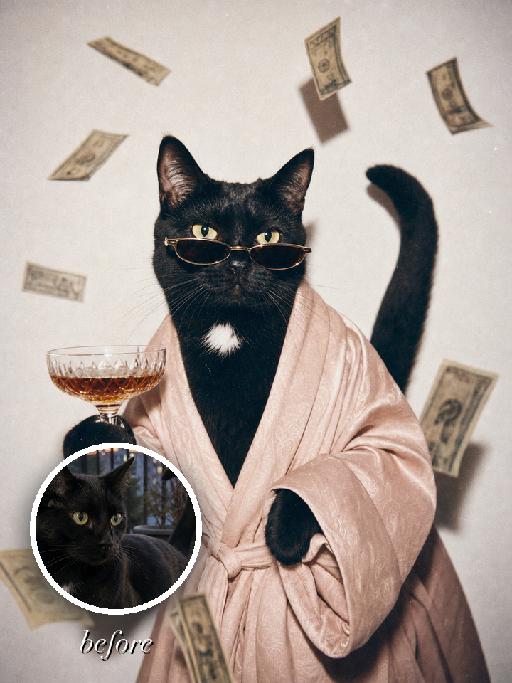
Chic Party AI effects generated image

Chic Party

" Turn the uploaded pet into a full-bleed retro flash fashion portrait of a glamorous party pet. The pet remains an animal throughout, wearing a flowing pale blush robe and narrow dark sunglasses, holding a glass of amber pet-safe mocktail in one paw while stylized non-readable banknote-like shapes float through the air as editorial set dressing. Use a white studio background, direct flash, 1980s luxury snapshot mood, warm faded colors, soft focus, visible film grain, tiny dust specks, and matte photo print texture. Preserve the uploaded pet's species, breed, coat colour and markings, ear shape, muzzle and face structure, eye colour and tail; keep it instantly recognisable as the same pet. Change only the scene, outfit and pose, not its identity. The pet is the only living subject. Fill the entire 3:4 vertical frame edge to edge. No border, no Polaroid frame, no white margin. No people, no human hands, no logos, no readable text, no watermark, no Doubao AI text."

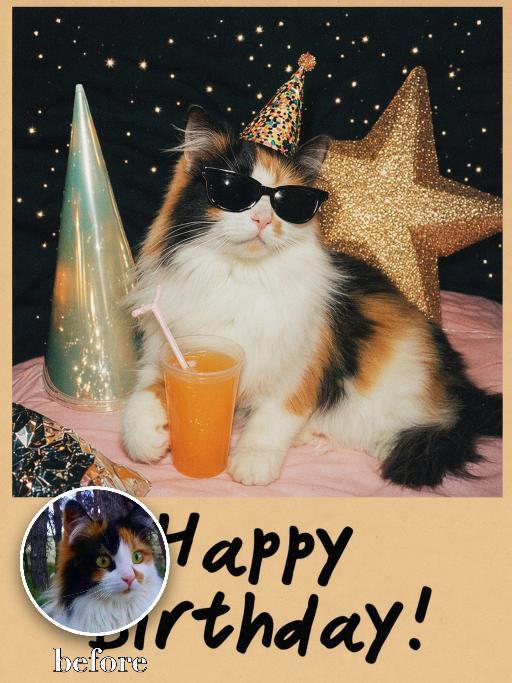
Birthday Treasure AI effects generated image

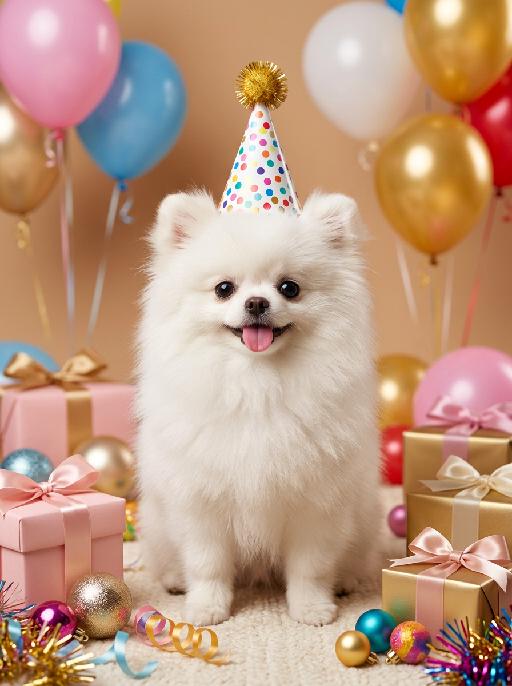
Birthday Treasure

Recreate the reference as a retro birthday card. The uploaded pet sits on a festive tabletop wearing black sunglasses and a tiny party hat, one paw near a cup with an orange drink and straw. Behind it are colorful cone party hats, a star decoration and dark speckled party backdrop. Beige lower card panel with the readable greeting 'Happy Birthday!' in playful black hand lettering. Poster-card texture, flash-photo party mood. Preserve each uploaded pet's actual species, breed, coat color, markings, ear shape, eye color, muzzle and facial structure. Do not assume a fixed breed, color, or species from the reference image; adapt the reference gameplay to the uploaded pet. Actively change pose, facial expression, gaze direction, camera angle and styling to match the gameplay reference. No extra animals beyond the requested uploaded pets. No human face unless explicitly requested; anonymous hands are allowed only when the gameplay needs hands. No brand logos, no watermark, no random readable text. Match the gameplay reference very closely in composition, crop, texture, lighting, pet expression, visible face angle, props, background, and image quality. Vertical 3:4, photorealistic unless the reference is a poster or sticker layout.

Load more

Next-Gen Multi-Model AI Video Architecture

Vivago AI isn't just one engine—it’s a unified hub for the world’s most advanced video AI. Whether you need cinematic realism or high-speed social content, we provide the right model for your creative vision.

Free Generate

Beauty and Dolphins

Vacation Time

Stellar Tear

Fish Tank Supervisor

Cinematic Quality & Precision Control

Enables 4K resolution with multi-lens motion control, generating delicate scene via text prompts for customized cinematography.​

TRY NOW

Dynamic AV Sync

Auto-generates original audio to avoid copyright issues. Build 3D immersive environments through layered sound design automatically.

TRY NOW

OpenAI Sora 2

​Advanced visual storytelling with unparalleled physics and consistency.

TRY NOW

Kling v2.6 Pro

Industry-leading cinematic image animation and motion control.

TRY NOW

Google Veo 3 & 3.1

Ultra-fast generation with enhanced realism for creative workflows.

TRY NOW

Vivago AI 2.0

Our proprietary model optimized for efficiency, speed, and cost-effective generation.

TRY NOW

Users' Voice

We listen carefully to the opinions of every user.
Free Generate
Contact Us
I tried the Lip Sync feature inside Vivago.ai’s AI Video Generator for my educational podcast, and the results were stunning! The avatar's lip movements perfectly matched my audio recording, creating a professional AI-generated video without complex editing. Compared with tools like OpenAI Sora 2 and Google Veo 3.1, Vivago Image-to-Video delivers fast, studio-quality results online. It saved me hours of post-production work.
ElenaM (Spain)
Vivago’s Image-to-Video AI transformed my marketing workflow. I uploaded a product image and described the launch scene in text, and it generated a 10-second cinematic AI video with background music and dynamic visuals. The output quality rivals Kling v2.6 Pro and Google Veo 3 Fast. It’s now my go-to AI video generator for social media ads and product campaigns.
KenjiT (Japan)
As a digital artist, I use Vivago.ai 2.0 daily for Image-to-Image and AI Image-to-Video creation. The e-book covers and animated visuals I generate for clients look cinematic and professional. Unlike many standalone AI tools, Vivago integrates multiple leading models into one platform, making it easier to create copyright-safe AI images and videos for publishing.
ChenL (China)
I tried the Lip Sync feature inside Vivago.ai’s AI Video Generator for my educational podcast, and the results were stunning! The avatar's lip movements perfectly matched my audio recording, creating a professional AI-generated video without complex editing. Compared with tools like OpenAI Sora 2 and Google Veo 3.1, Vivago Image-to-Video delivers fast, studio-quality results online. It saved me hours of post-production work.
ElenaM (Spain)
Vivago’s Image-to-Video AI transformed my marketing workflow. I uploaded a product image and described the launch scene in text, and it generated a 10-second cinematic AI video with background music and dynamic visuals. The output quality rivals Kling v2.6 Pro and Google Veo 3 Fast. It’s now my go-to AI video generator for social media ads and product campaigns.
KenjiT (Japan)
As a digital artist, I use Vivago.ai 2.0 daily for Image-to-Image and AI Image-to-Video creation. The e-book covers and animated visuals I generate for clients look cinematic and professional. Unlike many standalone AI tools, Vivago integrates multiple leading models into one platform, making it easier to create copyright-safe AI images and videos for publishing.
ChenL (China)
I absolutely love Vivago’s AI Image-to-Video Generator. As a travel blogger, static images often fail to capture real atmosphere, but Vivago helps me turn photos into vivid cinematic AI videos with motion effects. It feels comparable to OpenAI Sora 2 and Google Veo 3.1, but more accessible and faster for creators who need high-quality AI videos online.
LiamK (Australia)
I tried the Lip Sync feature inside Vivago.ai’s AI Video Generator for my educational podcast, and the results were stunning! The avatar's lip movements perfectly matched my audio recording, creating a professional AI-generated video without complex editing. Compared with tools like OpenAI Sora 2 and Google Veo 3.1, Vivago Image-to-Video delivers fast, studio-quality results online. It saved me hours of post-production work.
ElenaM (Spain)
Vivago’s Image-to-Video AI transformed my marketing workflow. I uploaded a product image and described the launch scene in text, and it generated a 10-second cinematic AI video with background music and dynamic visuals. The output quality rivals Kling v2.6 Pro and Google Veo 3 Fast. It’s now my go-to AI video generator for social media ads and product campaigns.
KenjiT (Japan)
As a digital artist, I use Vivago.ai 2.0 daily for Image-to-Image and AI Image-to-Video creation. The e-book covers and animated visuals I generate for clients look cinematic and professional. Unlike many standalone AI tools, Vivago integrates multiple leading models into one platform, making it easier to create copyright-safe AI images and videos for publishing.
ChenL (China)
I absolutely love Vivago’s AI Image-to-Video Generator. As a travel blogger, static images often fail to capture real atmosphere, but Vivago helps me turn photos into vivid cinematic AI videos with motion effects. It feels comparable to OpenAI Sora 2 and Google Veo 3.1, but more accessible and faster for creators who need high-quality AI videos online.
LiamK (Australia)
Using Vivago.ai’s Image-to-Video AI has greatly enhanced my classroom teaching. I transform textbook notes into historical AI videos with cinematic filters and dynamic animations. Compared with tools like Kling v2.6 Pro and Google Veo 3 Fast, Vivago offers faster generation and easier parameter control for educators who need reliable AI video creation.
RajivG (India)
I frequently create AI videos on Vivago and publish them on TikTok and YouTube Shorts. The AI video templates and trending content ideas help me produce viral-ready clips quickly. With Vivago’s integrated models—including advanced video engines similar to OpenAI Sora 2—I can generate anime-style and cinematic social media videos that drive high engagement.
MarieJ (Spain)
What attracts me most about Vivago.ai is not only the powerful AI Video Generator but also the active AIGC creator community. It combines AI Image-to-Video, Text-to-Video, and leading model integrations like Google Veo 3.1 into one creative platform.
TomW (India)
At first, I was hesitant about using AI video tools. But after trying Vivago Image-to-Video, I realized how easy it is to create professional AI-generated videos online. I just upload an image, add a short prompt, and adjust a few settings. The results are cinematic and copyright-safe, which is essential for commercial projects.
HectorC (Mexico)
Using Vivago.ai’s Image-to-Video AI has greatly enhanced my classroom teaching. I transform textbook notes into historical AI videos with cinematic filters and dynamic animations. Compared with tools like Kling v2.6 Pro and Google Veo 3 Fast, Vivago offers faster generation and easier parameter control for educators who need reliable AI video creation.
RajivG (India)
I frequently create AI videos on Vivago and publish them on TikTok and YouTube Shorts. The AI video templates and trending content ideas help me produce viral-ready clips quickly. With Vivago’s integrated models—including advanced video engines similar to OpenAI Sora 2—I can generate anime-style and cinematic social media videos that drive high engagement.
MarieJ (Spain)
What attracts me most about Vivago.ai is not only the powerful AI Video Generator but also the active AIGC creator community. It combines AI Image-to-Video, Text-to-Video, and leading model integrations like Google Veo 3.1 into one creative platform.
TomW (India)
At first, I was hesitant about using AI video tools. But after trying Vivago Image-to-Video, I realized how easy it is to create professional AI-generated videos online. I just upload an image, add a short prompt, and adjust a few settings. The results are cinematic and copyright-safe, which is essential for commercial projects.
HectorC (Mexico)