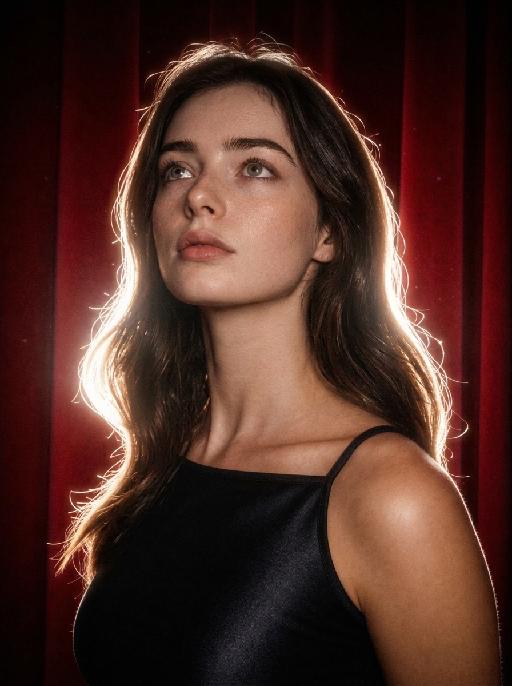
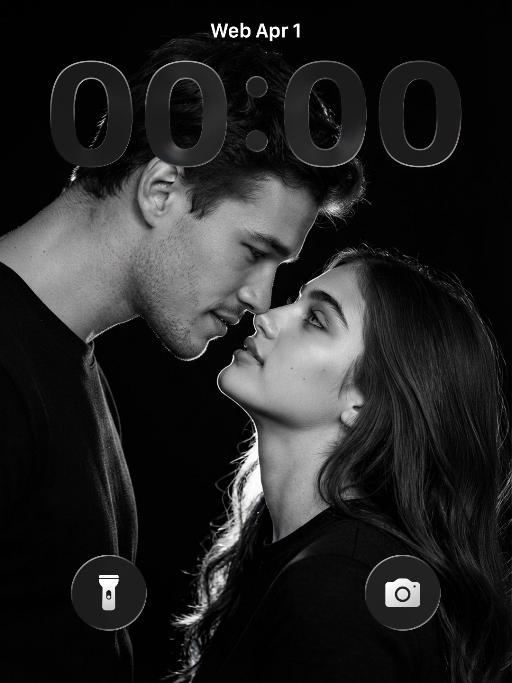
More From VIVAGO AI

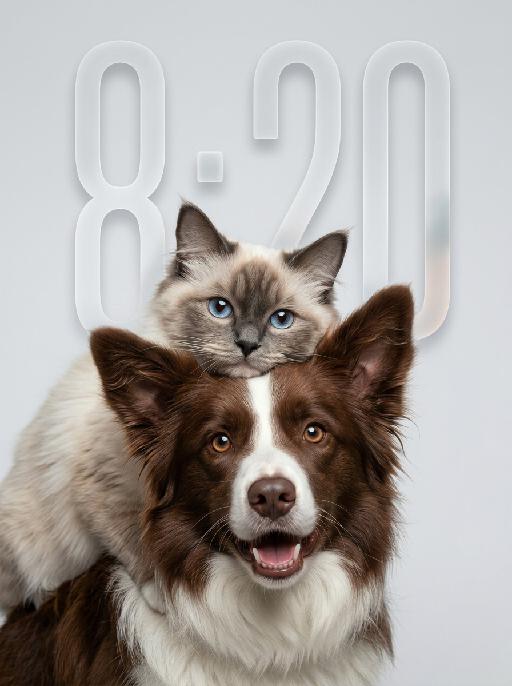
Fluff Stack AI effects generated image

Fluff Stack

"Use the uploaded pet image as the only identity reference. Create a hyper-realistic studio portrait featuring the same two pets from the uploaded image. Strictly preserve both pets’ original identities, facial structures, fur colors, fur patterns, fur textures, eye colors, ear shapes, nose shapes, and overall recognizability. COMPOSITION: * vertical portrait composition * tight chest-up close-up framing * position the entire two-pet group noticeably lower in the frame * anchor both pets mainly in the lower-middle and lower two-thirds of the image * leave clean, balanced negative space above the upper pet’s head * keep the top of the upper pet’s ears clearly below the upper edge * do not place either pet too high in the frame * do not leave excessive empty space below the foreground pet * both pets remain large and prominent in the frame * one pet is positioned in the foreground, occupying most of the lower and central area * the other pet is positioned slightly above and behind, leaning gently over or resting closely against the foreground pet * the upper pet’s face appears around the upper-middle or slightly upper-left area, but remains clearly below the top edge * both faces must be fully visible and must not be cropped * the foreground pet faces the camera directly * the upper pet also faces generally toward the camera * intimate, affectionate, close companion feeling POSE AND EXPRESSION: * the foreground pet has a happy, friendly, lively expression, with an open-mouth smile only if natural for that pet * the upper pet has a calm, slightly curious, soft expression * the upper pet rests naturally against the foreground pet, creating a cozy and affectionate relationship dynamic * both animals appear comfortable, closely bonded, and emotionally warm FRAMING: * chest-up or tighter portrait crop * focus mainly on the faces and upper fur * no full body * keep both heads, ears, faces, and upper bodies fully inside the frame * no distracting empty space * both pets fill most of the lower and central image area BACKGROUND: * clean light gray or very pale neutral seamless studio background * minimal and uncluttered * no environment details * no props LIGHTING: * soft professional studio lighting * even illumination * soft natural shadows * bright natural catchlights in both pets’ eyes * premium commercial pet-photography look STYLE: * hyper-realistic pet photography * ultra-detailed fur * natural whiskers * crisp focus on both faces * soft elegant tonal range * polished editorial studio portrait * warm, gentle, premium feeling IMPORTANT CONSTRAINTS: * do not assume specific animal types or breeds beyond what appears in the uploaded image * do not place the pet group near the top edge * no cropped ears or heads * no excessive empty space below the pets * no text * no watermark * no logo * no cartoon * no illustration * no extra animals * keep both pets fully recognizable * preserve the affectionate close-up two-pet composition "

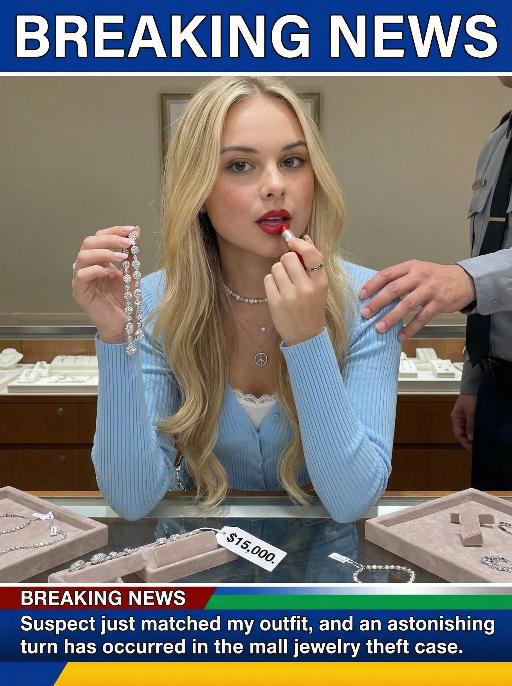
Jewelry Theft AI effects generated image

Jewelry Theft

An interesting breaking news photo has been released. In the picture, the person depicted (with their facial features, gender and age remaining unchanged) is caught in the act of stealing when she is captured on camera. One hand is holding a string of diamond earrings, and the other hand is holding a lipstick, as if nothing has happened as she is applying it to her lips. The main figure occupies 80% of the overall picture. The jewelry counter is in a mess, with velvet jewelry pads scattered around, and a fallen price tag that reads "$15,000". Outside the frame, a security guard's hand is reaching towards her shoulder. Above the picture, there is a prominent large headline text (blue background with white characters): BREAKING NEWS;Below the picture, there is a news text (in red, blue and black color combination): Suspect just matched my outfit and an astonishing turn has occurred in the mall jewelry theft case.

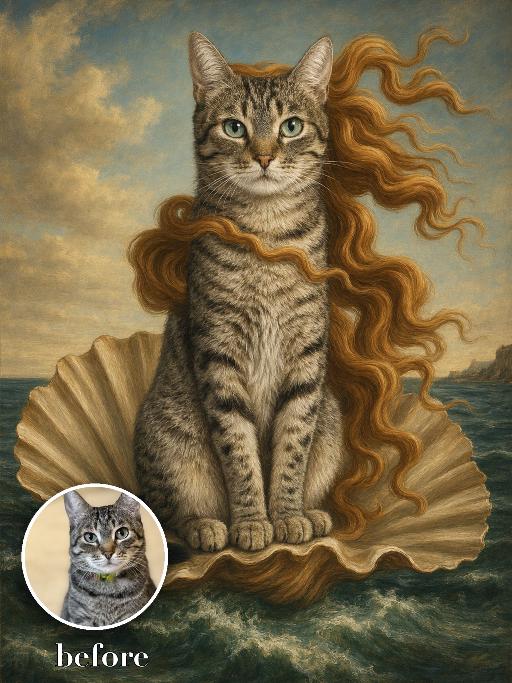
Seashell Venus Pet AI effects generated image

Seashell Venus Pet

Recreate a mythic Renaissance sea painting with the uploaded pet seated upright on a large open scallop shell rising from green-blue waves. Long flowing golden-red hair-like fur ribbons stream in the wind, pale luminous body, distant coast and soft sky behind. Tempera-like old-master texture, graceful centered composition. The subject remains an animal throughout. No people or human hands. No real character names, celebrity names, brands, logos, watermarks or readable text. Accurately preserve the uploaded pet's species, breed, coat color and markings, ear shape, muzzle and face structure, eye color, body proportions and tail. Keep it instantly recognisable as the same animal; change only pose, scene, costume and art treatment. Match the reference composition closely. Vertical 3:4, crisp detail, the pet is the unmistakable main subject.

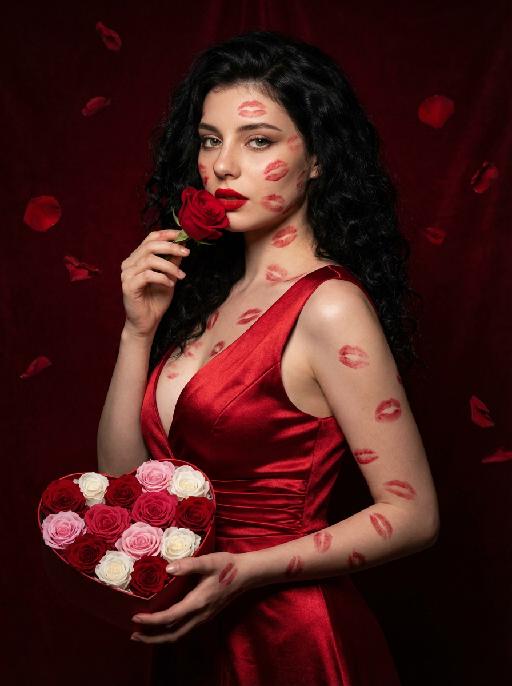
Love Yourself AI effects generated image

Love Yourself

A charming and alluring figure in the uploaded picture (with unchanged facial features, gender and age), stands sideways and turns around, looking at the camera. She has long, fluffy, jet-black curly hair, exquisite eye makeup and a bright matte red lipstick. Red lipstick marks are all over her face, neck, chest and arms. She is wearing a luxurious deep V-neck red satin dress. One hand holds a heart-shaped box filled with various colored roses, and the other hand holds a rose placed near her mouth. Background: A dark red velvet texture studio background. Several red rose petals float slowly in the air in the background. Lighting hint: Low-key high-contrast dramatic light, soft directional highlights shining on her facial features and the satin dress, deep velvet-like shadows to enhance the sexy effect, with a cinematic sense of melancholy and depth. Tone hint: Rich, saturated deep red contrasts with dark black and soft charcoal gray, warm and passionate color combination, with subtle velvet texture in the shadow areas. Style: High-end fashion editing photography, highly realistic detail depiction, precise capture of skin texture and fabric luster, full of charm and allure Valentine's Day theme, with professional photography studio level, fashion pioneer photography.

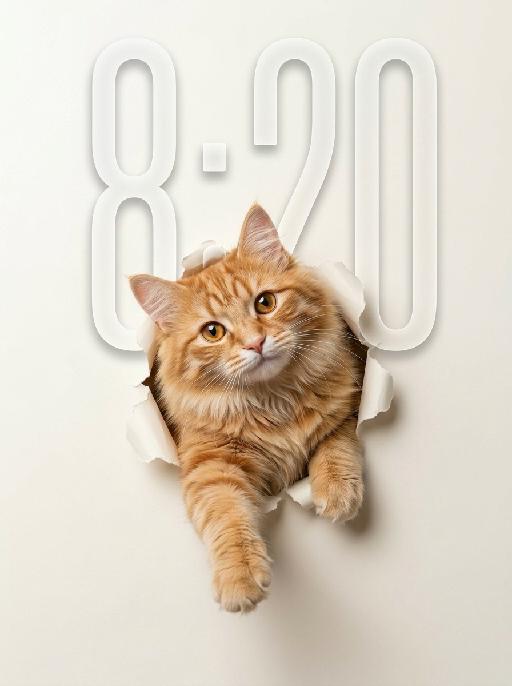
Peek Face AI effects generated image

Peek Face

"Use the uploaded pet image as the only identity reference. Create a clean, minimalist studio-style portrait of the same pet appearing to break through a sheet of paper. Strictly preserve the pet’s original species, face shape, fur color, fur texture, eye shape, ear shape, nose shape, markings, and overall recognizability. Composition: - square or vertical composition - large clean negative space - the pet is centered or slightly lower than center - only the head, upper chest, and front paws are visible - the pet is emerging through a ripped paper hole - one front paw reaches farther out toward the viewer - the other front paw rests near the torn opening - the pet looks directly at the camera - cute, curious, slightly playful expression - a slight head tilt for a charming look Background: - a soft light creamy off-white paper background - the paper should feel smooth, clean, and minimal - a realistic torn hole in the paper around the pet - the ripped paper edges should be clearly visible and slightly curled outward - the hole should feel realistic, as if the pet pushed through the paper - keep the background plain and uncluttered with no extra objects Style: - hyper-realistic pet photography - commercial studio aesthetic - crisp fur detail - soft softbox lighting - subtle shadow around the torn paper opening and under the paws - polished, playful, modern poster feel - elegant neutral color palette - slightly soft, refined, and premium mood Lighting: - soft even studio lighting - clean highlights in the eyes - gentle shadows for depth - bright, tidy, high-key look Important constraints: - no full body - no extra props - no text - no watermark - no logo - no cartoon style - no illustration style - keep the pet realistic and adorable "

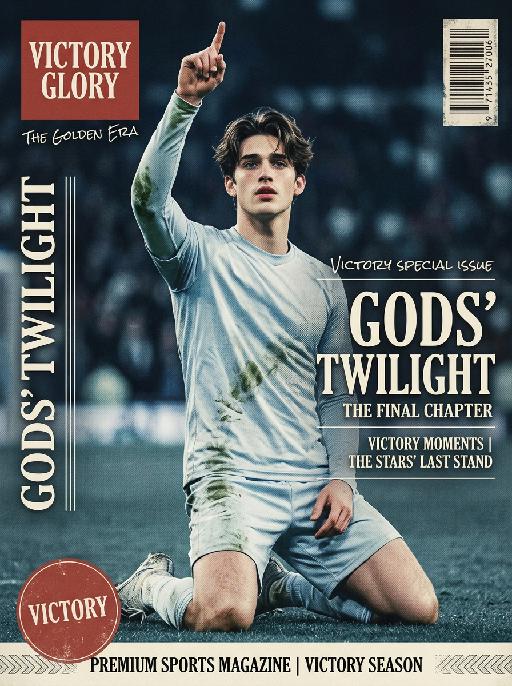
Soccer Glory AI effects generated image

Soccer Glory

"Vertical retro art sports magazine cover, vintage 1990s print aesthetic, professional stadium sports photography, 8K ultra-high definition, print-level textured matte finish, cool-toned vintage color grading (muted ice blue, faded red, off-white), soft cool stadium lighting, sharp focus on the central subject, shallow depth of field with blurred background, no lens distortion, retro offset print layout. Subject & Scene (unchanged): The subject retains 100% of the original facial features, hairstyle, skin tone, and physical characteristics, no gender-specific modifiers. Pose matches reference image 2 exactly: kneeling on the right knee, left leg bent for support, right arm raised with index finger pointing up, left hand resting naturally on the thigh. Wearing cold-toned long-sleeve jersey without any emblems or logos on the chest, subtle grass stains on the fabric. Background is a blurred cool-toned stadium night match scene with a subtle vintage grain effect, no tournament branding or official marks anywhere. Typography & Layout (Retro Print Art Style): Top Left: Vintage solid red square logo, printed with white serif text ""VICTORY GLORY"", paired with small handwritten-style text ""THE GOLDEN ERA"" below. Left Vertical Area: Vintage white serif uppercase letters ""GODS’ TWILIGHT"", arranged vertically with moderate letter spacing, paired with thin retro decorative lines, with subtle halftone print texture. Right Central Area: Scattered layout divided by thin retro decorative lines, three parts in total: Top: Small white handwritten-style text ""VICTORY SPECIAL ISSUE"" with subtle faded effect. Middle: Large vintage serif bold text ""GODS’ TWILIGHT"", paired with small English serif text ""THE FINAL CHAPTER"" below, with subtle halftone dot texture on the edges. Bottom: Two lines of small white serif text ""VICTORY MOMENTS | THE STARS’ LAST STAND"", separated by thin retro decorative lines. Bottom Left: Faded red circular logo, printed with white serif text ""VICTORY"" with subtle worn texture. Bottom Banner: Vintage off-white full-width strip, printed with black serif text ""PREMIUM SPORTS MAGAZINE | VICTORY SEASON"", paired with retro decorative patterns, with subtle embossed print texture. Top Right: Vintage worn barcode with subtle halftone texture. Technical Rules: No distorted text or AI artifacts, the vintage halftone effect is moderate and does not obscure the subject, the combination of serif and handwritten fonts is harmonious, the overall tone is retro and cool, with a high-end vintage print texture that is different from ordinary modern magazines, no official sports logos, event emblems, trophy symbols or brand sensitive marks present in the whole picture."

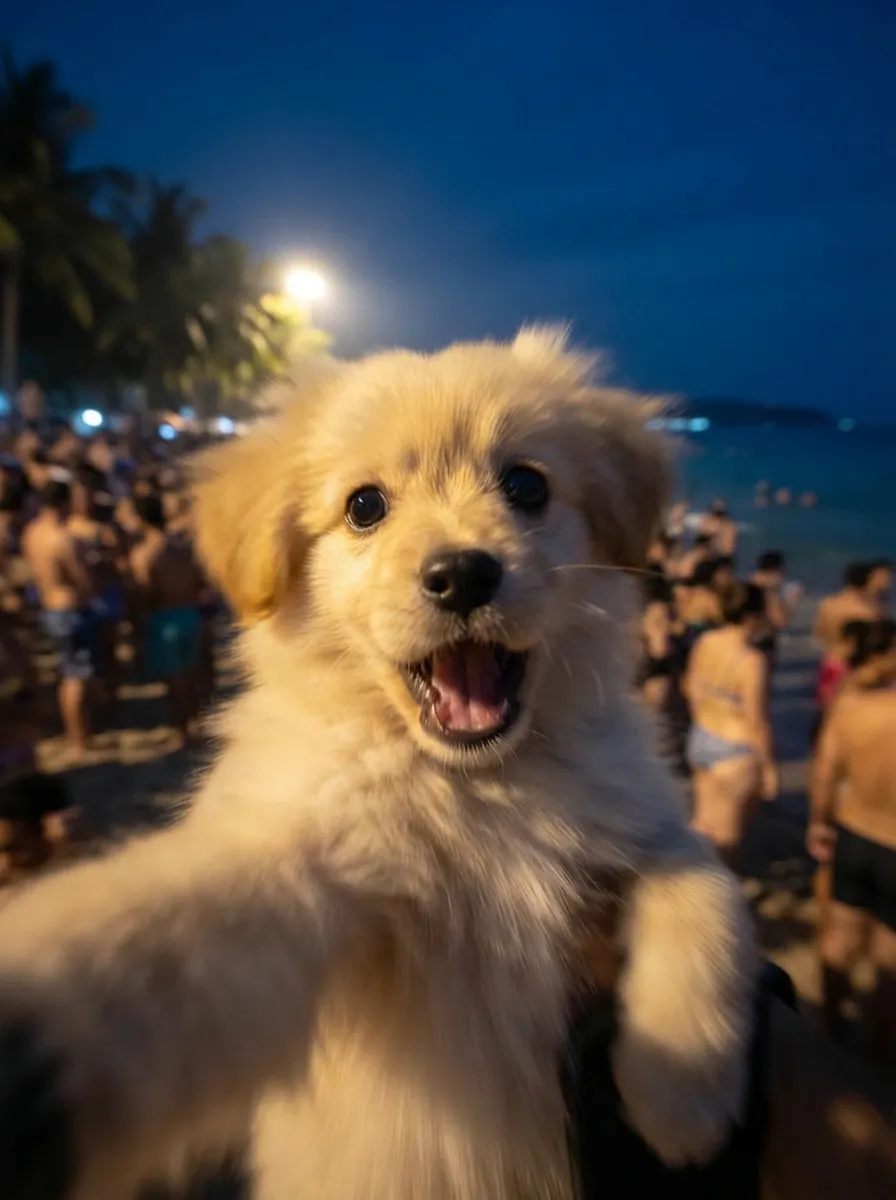
Fighting Giant

This is a scene of a combat competition ring with bright spotlights in the arena; photorealistic, high-definition details, natural colors, and the camera captures the close-quarters confrontation. The uploaded character, with an exaggerated expression, shouts loudly with an open mouth, stands barefoot on the left side of the combat ring in a fighting stance. On the right side of the ring is a tall, muscular tattooed combatant. Both of them glare and roar aggressively, facing off before the fight. The uploaded character suddenly jumps into the air, spins around to the right, and viciously kicks the combatant's head with their feet and legs. After being viciously kicked three times, the combatant is finally defeated and falls to the ground. The uploaded character smiles triumphantly and joyfully, stands in the middle of the ring to cheer and celebrate, with the surrounding audience clapping. The camera zooms in to a medium close-up to show the character's upper body.

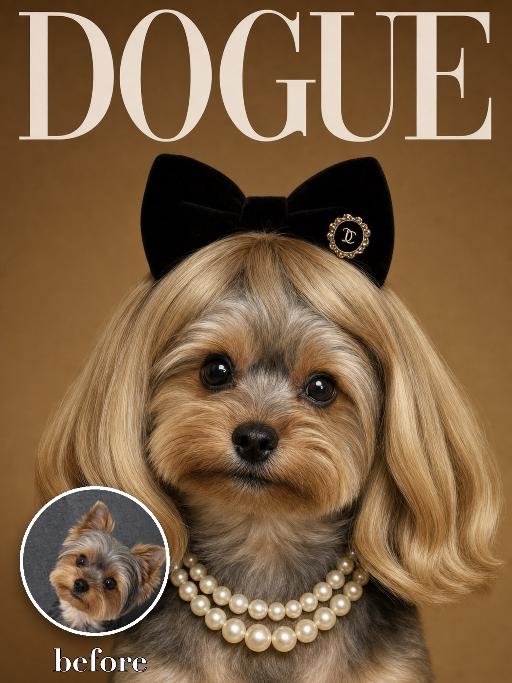
Wig Diva AI effects generated image

Wig Diva

Recreate the reference as a humorous DOGUE glamour cover. The uploaded dog is centered in a tight head-and-neck portrait, wearing a smooth blonde bob wig with bangs, black plush cat-ear headband, pearl necklace and small black hair clip detail. Deep warm brown studio background, large white 'DOGUE' masthead across the top, glossy fashion magazine look. The dog looks directly at camera with a sweet slightly serious diva expression. Preserve the uploaded pet's actual species, breed, coat color, markings, ear shape, eye color, muzzle and facial structure. Do not assume a fixed breed, color, or species from the reference image; adapt the exact gameplay to the uploaded pet. Actively change pose, facial expression, gaze direction, camera angle, wardrobe and styling to match the gameplay reference. Match the gameplay reference very closely in composition, crop, texture, lighting, visible pet angle, props, background, graphic layout and image quality. Vertical 3:4. Keep only the text explicitly requested in the prompt; do not add unrelated logos, watermarks or random words.

Load more

Next-Gen Multi-Model AI Video Architecture

Vivago AI isn't just one engine—it’s a unified hub for the world’s most advanced video AI. Whether you need cinematic realism or high-speed social content, we provide the right model for your creative vision.

Free Generate

Beauty and Dolphins

Vacation Time

Stellar Tear

Fish Tank Supervisor

Cinematic Quality & Precision Control

Enables 4K resolution with multi-lens motion control, generating delicate scene via text prompts for customized cinematography.​

TRY NOW

Dynamic AV Sync

Auto-generates original audio to avoid copyright issues. Build 3D immersive environments through layered sound design automatically.

TRY NOW

OpenAI Sora 2

​Advanced visual storytelling with unparalleled physics and consistency.

TRY NOW

Kling v2.6 Pro

Industry-leading cinematic image animation and motion control.

TRY NOW

Google Veo 3 & 3.1

Ultra-fast generation with enhanced realism for creative workflows.

TRY NOW

Vivago AI 2.0

Our proprietary model optimized for efficiency, speed, and cost-effective generation.

TRY NOW

Users' Voice

We listen carefully to the opinions of every user.
Free Generate
Contact Us
I tried the Lip Sync feature inside Vivago.ai’s AI Video Generator for my educational podcast, and the results were stunning! The avatar's lip movements perfectly matched my audio recording, creating a professional AI-generated video without complex editing. Compared with tools like OpenAI Sora 2 and Google Veo 3.1, Vivago Image-to-Video delivers fast, studio-quality results online. It saved me hours of post-production work.
ElenaM (Spain)
Vivago’s Image-to-Video AI transformed my marketing workflow. I uploaded a product image and described the launch scene in text, and it generated a 10-second cinematic AI video with background music and dynamic visuals. The output quality rivals Kling v2.6 Pro and Google Veo 3 Fast. It’s now my go-to AI video generator for social media ads and product campaigns.
KenjiT (Japan)
As a digital artist, I use Vivago.ai 2.0 daily for Image-to-Image and AI Image-to-Video creation. The e-book covers and animated visuals I generate for clients look cinematic and professional. Unlike many standalone AI tools, Vivago integrates multiple leading models into one platform, making it easier to create copyright-safe AI images and videos for publishing.
ChenL (China)
I tried the Lip Sync feature inside Vivago.ai’s AI Video Generator for my educational podcast, and the results were stunning! The avatar's lip movements perfectly matched my audio recording, creating a professional AI-generated video without complex editing. Compared with tools like OpenAI Sora 2 and Google Veo 3.1, Vivago Image-to-Video delivers fast, studio-quality results online. It saved me hours of post-production work.
ElenaM (Spain)
Vivago’s Image-to-Video AI transformed my marketing workflow. I uploaded a product image and described the launch scene in text, and it generated a 10-second cinematic AI video with background music and dynamic visuals. The output quality rivals Kling v2.6 Pro and Google Veo 3 Fast. It’s now my go-to AI video generator for social media ads and product campaigns.
KenjiT (Japan)
As a digital artist, I use Vivago.ai 2.0 daily for Image-to-Image and AI Image-to-Video creation. The e-book covers and animated visuals I generate for clients look cinematic and professional. Unlike many standalone AI tools, Vivago integrates multiple leading models into one platform, making it easier to create copyright-safe AI images and videos for publishing.
ChenL (China)
I absolutely love Vivago’s AI Image-to-Video Generator. As a travel blogger, static images often fail to capture real atmosphere, but Vivago helps me turn photos into vivid cinematic AI videos with motion effects. It feels comparable to OpenAI Sora 2 and Google Veo 3.1, but more accessible and faster for creators who need high-quality AI videos online.
LiamK (Australia)
I tried the Lip Sync feature inside Vivago.ai’s AI Video Generator for my educational podcast, and the results were stunning! The avatar's lip movements perfectly matched my audio recording, creating a professional AI-generated video without complex editing. Compared with tools like OpenAI Sora 2 and Google Veo 3.1, Vivago Image-to-Video delivers fast, studio-quality results online. It saved me hours of post-production work.
ElenaM (Spain)
Vivago’s Image-to-Video AI transformed my marketing workflow. I uploaded a product image and described the launch scene in text, and it generated a 10-second cinematic AI video with background music and dynamic visuals. The output quality rivals Kling v2.6 Pro and Google Veo 3 Fast. It’s now my go-to AI video generator for social media ads and product campaigns.
KenjiT (Japan)
As a digital artist, I use Vivago.ai 2.0 daily for Image-to-Image and AI Image-to-Video creation. The e-book covers and animated visuals I generate for clients look cinematic and professional. Unlike many standalone AI tools, Vivago integrates multiple leading models into one platform, making it easier to create copyright-safe AI images and videos for publishing.
ChenL (China)
I absolutely love Vivago’s AI Image-to-Video Generator. As a travel blogger, static images often fail to capture real atmosphere, but Vivago helps me turn photos into vivid cinematic AI videos with motion effects. It feels comparable to OpenAI Sora 2 and Google Veo 3.1, but more accessible and faster for creators who need high-quality AI videos online.
LiamK (Australia)
Using Vivago.ai’s Image-to-Video AI has greatly enhanced my classroom teaching. I transform textbook notes into historical AI videos with cinematic filters and dynamic animations. Compared with tools like Kling v2.6 Pro and Google Veo 3 Fast, Vivago offers faster generation and easier parameter control for educators who need reliable AI video creation.
RajivG (India)
I frequently create AI videos on Vivago and publish them on TikTok and YouTube Shorts. The AI video templates and trending content ideas help me produce viral-ready clips quickly. With Vivago’s integrated models—including advanced video engines similar to OpenAI Sora 2—I can generate anime-style and cinematic social media videos that drive high engagement.
MarieJ (Spain)
What attracts me most about Vivago.ai is not only the powerful AI Video Generator but also the active AIGC creator community. It combines AI Image-to-Video, Text-to-Video, and leading model integrations like Google Veo 3.1 into one creative platform.
TomW (India)
At first, I was hesitant about using AI video tools. But after trying Vivago Image-to-Video, I realized how easy it is to create professional AI-generated videos online. I just upload an image, add a short prompt, and adjust a few settings. The results are cinematic and copyright-safe, which is essential for commercial projects.
HectorC (Mexico)
Using Vivago.ai’s Image-to-Video AI has greatly enhanced my classroom teaching. I transform textbook notes into historical AI videos with cinematic filters and dynamic animations. Compared with tools like Kling v2.6 Pro and Google Veo 3 Fast, Vivago offers faster generation and easier parameter control for educators who need reliable AI video creation.
RajivG (India)
I frequently create AI videos on Vivago and publish them on TikTok and YouTube Shorts. The AI video templates and trending content ideas help me produce viral-ready clips quickly. With Vivago’s integrated models—including advanced video engines similar to OpenAI Sora 2—I can generate anime-style and cinematic social media videos that drive high engagement.
MarieJ (Spain)
What attracts me most about Vivago.ai is not only the powerful AI Video Generator but also the active AIGC creator community. It combines AI Image-to-Video, Text-to-Video, and leading model integrations like Google Veo 3.1 into one creative platform.
TomW (India)
At first, I was hesitant about using AI video tools. But after trying Vivago Image-to-Video, I realized how easy it is to create professional AI-generated videos online. I just upload an image, add a short prompt, and adjust a few settings. The results are cinematic and copyright-safe, which is essential for commercial projects.
HectorC (Mexico)