More From VIVAGO AI

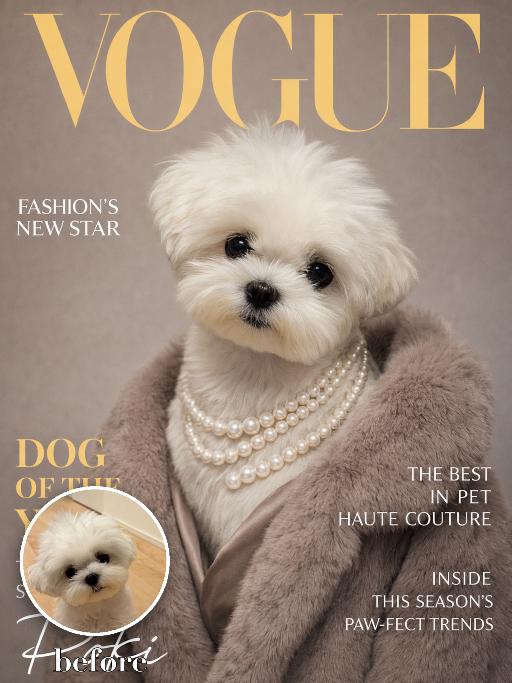
Vogue Star AI effects generated image

Vogue Star

Recreate the reference as a glamorous VOGUE pet magazine cover. The uploaded dog is centered in a formal fashion portrait, wearing layered pearl necklaces and a plush taupe faux-fur wrap around the shoulders, looking gently at camera. Warm gray-beige backdrop, gold large masthead 'VOGUE' at the top, left cover lines reading 'FASHION'S NEW STAR', 'DOG OF THE YEAR', 'THE INSPIRING STORY OF POKI', and lower signature text 'Poki'; right cover lines including 'THE BEST IN PET HAUTE COUTURE' and 'INSIDE THIS SEASON'S PAW-FECT TRENDS'. Premium glossy magazine print, elegant editorial lighting. Preserve the uploaded pet's actual species, breed, coat color, markings, ear shape, eye color, muzzle and facial structure. Do not assume a fixed breed, color, or species from the reference image; adapt the exact gameplay to the uploaded pet. Actively change pose, facial expression, gaze direction, camera angle, wardrobe and styling to match the gameplay reference. Match the gameplay reference very closely in composition, crop, texture, lighting, visible pet angle, props, background, graphic layout and image quality. Vertical 3:4. Keep only the text explicitly requested in the prompt; do not add unrelated logos, watermarks or random words.

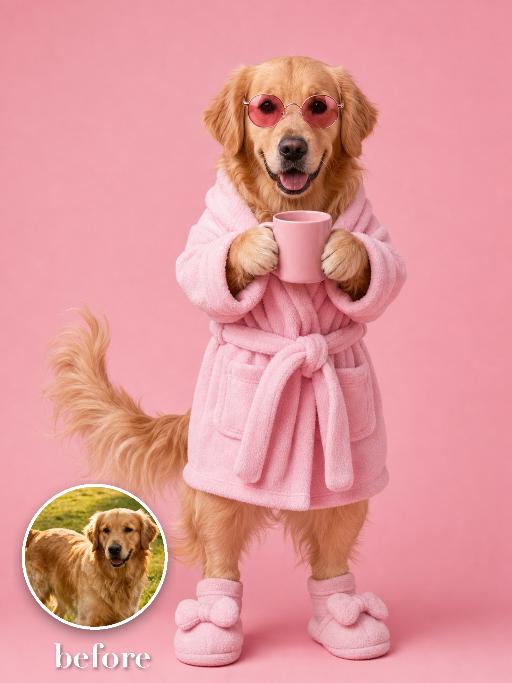
Bathroom Fashion AI effects generated image

Bathroom Fashion

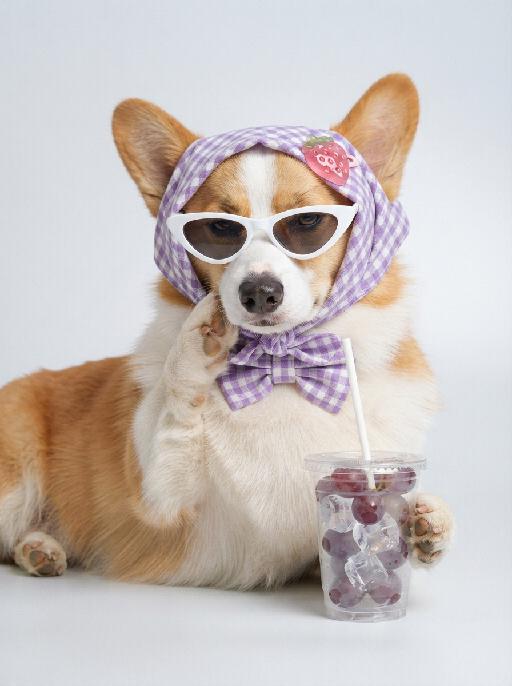
Transform the uploaded pet into a full-body pastel pink fashion-doll portrait on a seamless pink background: the pet stands upright in a plush pink bathrobe or dress-like pet outfit, wearing small pink sunglasses, holding an unbranded pink cup with both front paws, with soft pink booties or plush lower-body styling if appropriate. Keep a cute toy-fashion editorial mood and make the whole outfit visible. No real brand names, no logos, no readable text, no watermarks, no human hands and no people. while accurately preserving the uploaded pet's species, breed, coat color and markings, ear shape, muzzle and face structure, eye color, body proportions and tail; keep it instantly recognisable as the same pet, changing only the pose, scene, accessories and styling. Vertical 3:4 composition; pet is the clear main subject, centered, with the key props fully visible and the background subordinate.

Image Quality Restoration

Retouch this image. Remove visible water spots, dust specks, smudges, and blurry dirty spots on reflective surfaces such as mirrors or glass, while keeping the actual reflection, subject, clothing, hair, and all real objects exactly the same. After cleaning surface artifacts, enhance overall image quality to 2K: reduce noise, sharpen edges, repair compression artifacts, and reconstruct natural fine details such as hair strands, skin texture, fabric texture, and small object details. Do not change the person's appearance, expression, identity, or pose. Do not add, remove, or alter any real objects. Do not change the overall colors, lighting style, or atmosphere. Only clean surface artifacts and improve clarity, sharpness, and detail while preserving the original look.

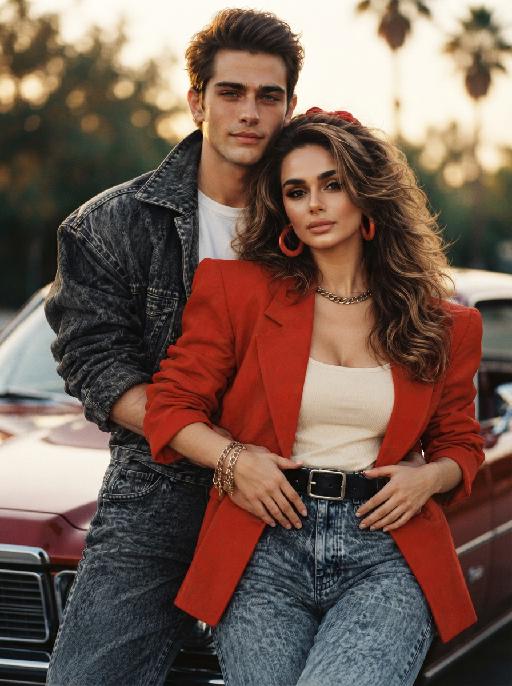
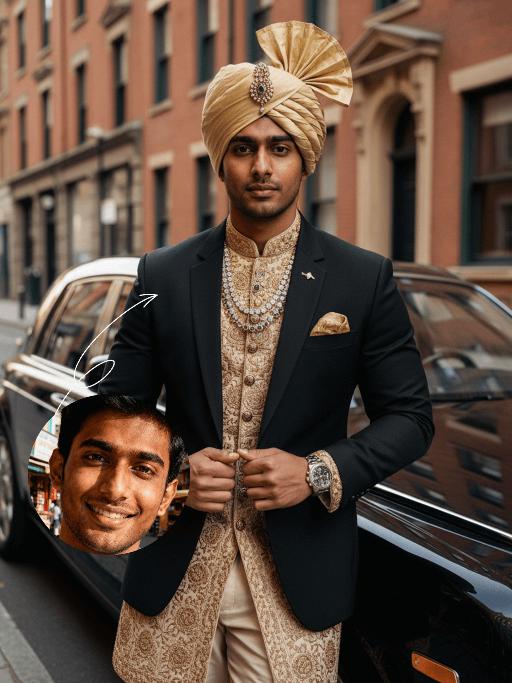
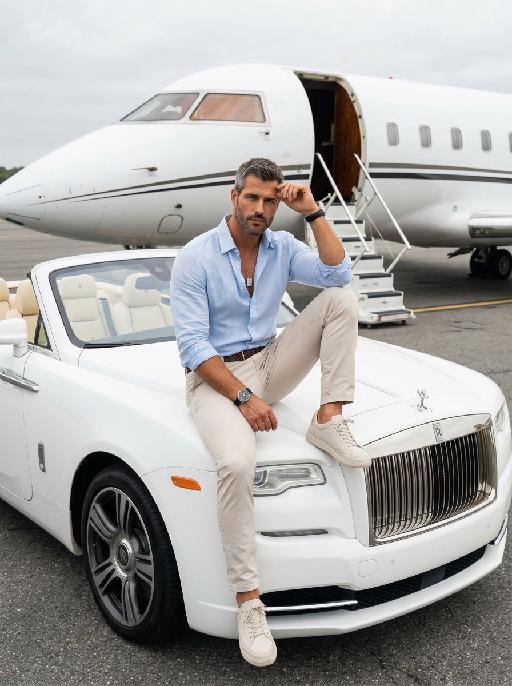
Luxury Car AI effects generated image

Luxury Car

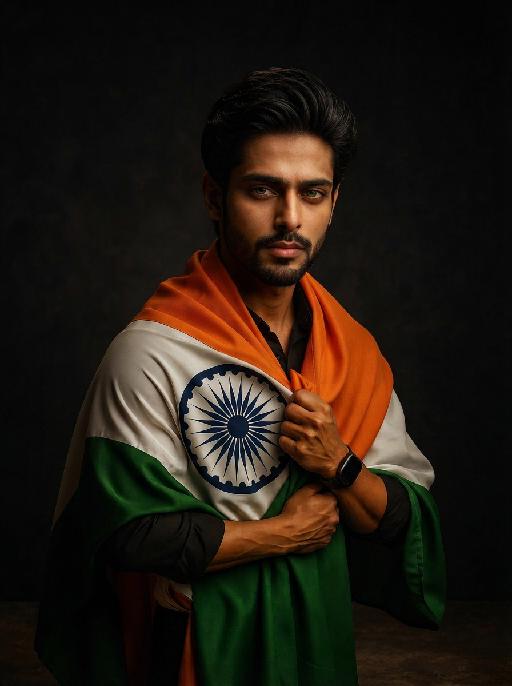
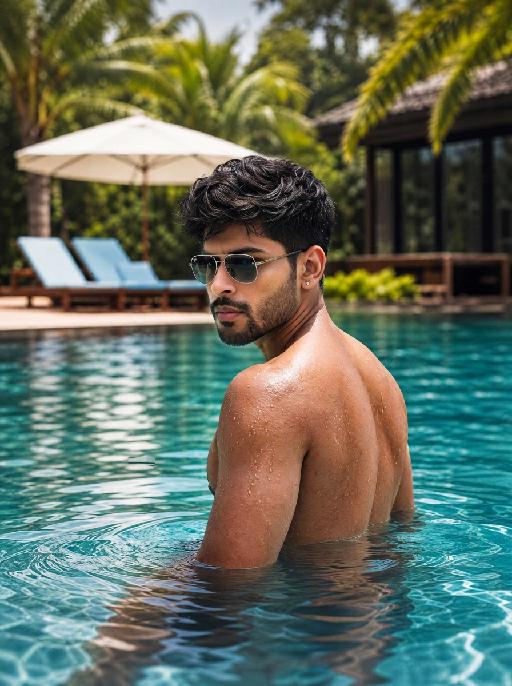
Strictly lock the uploaded portrait's identity (preserve facial contours, switch to native Indian skin tone, retain hairstyle texture and age). Close-up to mid-full body shot of a handsome young South Asian (Indian) man with a **broad, muscular, imposing physique**, confident intense "tycoon" gaze, and **ultra-clear, high-resolution facial details**. He wears a fusion luxury outfit: tailored black blazer over intricately hand-embroidered gold Indian-motif sherwani, cream churidar trousers, lavish gold turban with gemstone brooch, layered gemstone statement necklaces, gold pocket square, and high-end watch. Leaning against a black Rolls-Royce Phantom on a sophisticated city street with historic brick buildings. High-end fashion photography, cinematic lighting, film-like texture, warm black/gold/cream palette, retro-modern fusion aesthetic, powerful sophisticated vibe

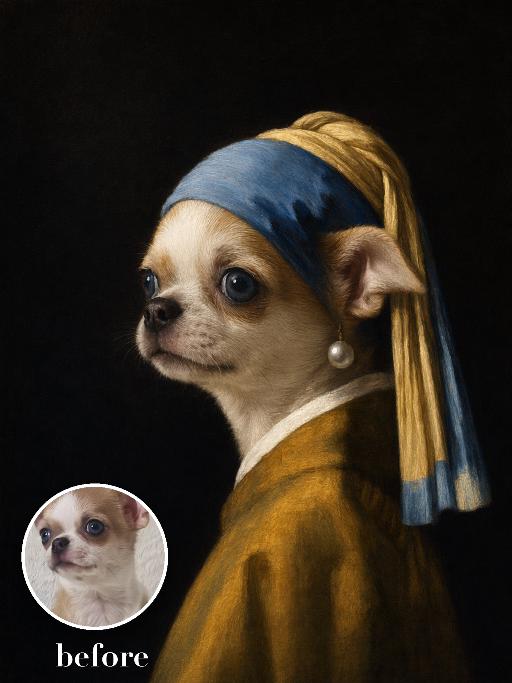
Pearl Headscarf Dog AI effects generated image

Pearl Headscarf Dog

Render the uploaded pet as a Dutch golden-age oil portrait: side-facing head-and-neck pose against black, blue-and-gold cloth headscarf wrapped around the ears, one oversized pearl ornament near the visible ear, mustard robe, luminous soft side light and smooth painterly glazing. The subject remains an animal throughout. No people or human hands. No real character names, celebrity names, brands, logos, watermarks or readable text. Accurately preserve the uploaded pet's species, breed, coat color and markings, ear shape, muzzle and face structure, eye color, body proportions and tail. Keep it instantly recognisable as the same animal; change only pose, scene, costume and art treatment. Match the reference composition closely. Vertical 3:4, crisp detail, the pet is the unmistakable main subject.

Temple Rise AI effects generated image

Temple Rise

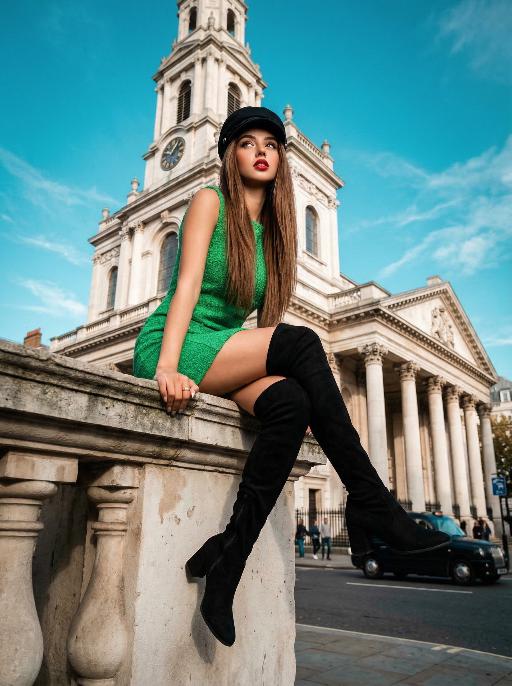
"High-end urban fashion editorial photography, photorealistic, ultra-detailed, 8K resolution, low-angle perspective. Voluminous straight brown hair, wearing a black newsboy cap, bright green sleeveless textured mini dress, and black over-the-knee suede boots. Sitting perched on the stone cornice of a grand neoclassical church (St. Mary le Strand, London), one hand resting on the ledge, legs extended forward with one crossed over the other, gaze directed upward and to the side, bold red lipstick. Background: iconic white stone church with tall columns and a clock tower, vivid teal blue sky with wispy clouds, distant London street elements (black taxi, pedestrians, historic buildings) in soft focus. Lighting: bright natural daylight with crisp shadows, high contrast teal-and-orange color grading, warm highlights on skin and green fabric, cool blue tones in the sky, dramatic low-angle light emphasizing the figure's height. Style: bold retro fashion aesthetic, cinematic film grain, shallow depth of field (focus on the figure, slightly blurred architectural background), sharp textures of suede, lace, and stone, confident and edgy vibe, shot with a professional wide-angle lens. "

Catue Chic AI effects generated image

Catue Chic

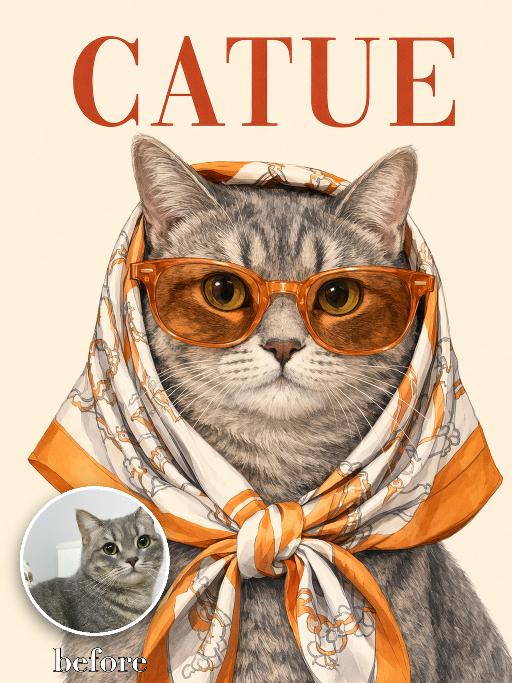
Recreate the reference as an elegant illustrated CATUE fashion poster cover. Transform the uploaded pet into a refined vintage-style editorial illustration while strictly preserving the pet’s actual species, breed appearance, face shape, coat or fur color, markings, ear shape, eye color, muzzle structure, and overall recognizability. Do not assume the uploaded pet is a cat. Adapt the styling naturally to whatever animal appears in the uploaded image. Show the uploaded pet in a centered, front-facing tight head-and-chest portrait. Make the pet noticeably larger in the frame: * the head and face occupy most of the central image area * the pet fills approximately 75–85% of the image height * crop closely around the head, neck, and upper chest * keep the face, sunglasses, scarf, and expression as the dominant visual focus * leave only a small amount of clean background around the pet * do not create a distant or small subject * do not show the full body or large empty areas below the chest * keep the ears and scarf knot fully inside the frame The pet wears oversized translucent orange sunglasses and an orange, cream, and light-beige patterned silk headscarf wrapped over the head and tied neatly under the chin. Create a polished hand-drawn editorial illustration, not a cartoon and not a flat vector graphic. Use delicate linework, softly rendered shading, realistic fur or coat detail, elegant facial modeling, crisp graphic edges, and subtle paper grain. The result should feel like a sophisticated vintage fashion poster or luxury illustrated magazine cover. Use a clean warm pale cream background, minimal and uncluttered. Place a large rusty-red serif title “CATUE” across the top. Position the title behind or slightly overlapping the upper silhouette of the pet if needed, while keeping it readable. Keep only this requested text and do not add any other words, logos, cover lines, or watermarks. Match the reference closely in composition, close crop, scarf styling, sunglasses size, title placement, background simplicity, illustration texture, and overall poster quality. Vertical 3:4. No small or distant subject, no excessive empty space, no full body, no extra animals, no altered species, no generic pet face, no cartoon style, no flat minimalist vector style, no photorealistic photography, no random text, no logo, and no watermark.

Load more

Next-Gen Multi-Model AI Video Architecture

Vivago AI isn't just one engine—it’s a unified hub for the world’s most advanced video AI. Whether you need cinematic realism or high-speed social content, we provide the right model for your creative vision.

Free Generate

Beauty and Dolphins

Vacation Time

Stellar Tear

Fish Tank Supervisor

Cinematic Quality & Precision Control

Enables 4K resolution with multi-lens motion control, generating delicate scene via text prompts for customized cinematography.​

TRY NOW

Dynamic AV Sync

Auto-generates original audio to avoid copyright issues. Build 3D immersive environments through layered sound design automatically.

TRY NOW

OpenAI Sora 2

​Advanced visual storytelling with unparalleled physics and consistency.

TRY NOW

Kling v2.6 Pro

Industry-leading cinematic image animation and motion control.

TRY NOW

Google Veo 3 & 3.1

Ultra-fast generation with enhanced realism for creative workflows.

TRY NOW

Vivago AI 2.0

Our proprietary model optimized for efficiency, speed, and cost-effective generation.

TRY NOW

Users' Voice

We listen carefully to the opinions of every user.
Free Generate
Contact Us
I tried the Lip Sync feature inside Vivago.ai’s AI Video Generator for my educational podcast, and the results were stunning! The avatar's lip movements perfectly matched my audio recording, creating a professional AI-generated video without complex editing. Compared with tools like OpenAI Sora 2 and Google Veo 3.1, Vivago Image-to-Video delivers fast, studio-quality results online. It saved me hours of post-production work.
ElenaM (Spain)
Vivago’s Image-to-Video AI transformed my marketing workflow. I uploaded a product image and described the launch scene in text, and it generated a 10-second cinematic AI video with background music and dynamic visuals. The output quality rivals Kling v2.6 Pro and Google Veo 3 Fast. It’s now my go-to AI video generator for social media ads and product campaigns.
KenjiT (Japan)
As a digital artist, I use Vivago.ai 2.0 daily for Image-to-Image and AI Image-to-Video creation. The e-book covers and animated visuals I generate for clients look cinematic and professional. Unlike many standalone AI tools, Vivago integrates multiple leading models into one platform, making it easier to create copyright-safe AI images and videos for publishing.
ChenL (China)
I tried the Lip Sync feature inside Vivago.ai’s AI Video Generator for my educational podcast, and the results were stunning! The avatar's lip movements perfectly matched my audio recording, creating a professional AI-generated video without complex editing. Compared with tools like OpenAI Sora 2 and Google Veo 3.1, Vivago Image-to-Video delivers fast, studio-quality results online. It saved me hours of post-production work.
ElenaM (Spain)
Vivago’s Image-to-Video AI transformed my marketing workflow. I uploaded a product image and described the launch scene in text, and it generated a 10-second cinematic AI video with background music and dynamic visuals. The output quality rivals Kling v2.6 Pro and Google Veo 3 Fast. It’s now my go-to AI video generator for social media ads and product campaigns.
KenjiT (Japan)
As a digital artist, I use Vivago.ai 2.0 daily for Image-to-Image and AI Image-to-Video creation. The e-book covers and animated visuals I generate for clients look cinematic and professional. Unlike many standalone AI tools, Vivago integrates multiple leading models into one platform, making it easier to create copyright-safe AI images and videos for publishing.
ChenL (China)
I absolutely love Vivago’s AI Image-to-Video Generator. As a travel blogger, static images often fail to capture real atmosphere, but Vivago helps me turn photos into vivid cinematic AI videos with motion effects. It feels comparable to OpenAI Sora 2 and Google Veo 3.1, but more accessible and faster for creators who need high-quality AI videos online.
LiamK (Australia)
I tried the Lip Sync feature inside Vivago.ai’s AI Video Generator for my educational podcast, and the results were stunning! The avatar's lip movements perfectly matched my audio recording, creating a professional AI-generated video without complex editing. Compared with tools like OpenAI Sora 2 and Google Veo 3.1, Vivago Image-to-Video delivers fast, studio-quality results online. It saved me hours of post-production work.
ElenaM (Spain)
Vivago’s Image-to-Video AI transformed my marketing workflow. I uploaded a product image and described the launch scene in text, and it generated a 10-second cinematic AI video with background music and dynamic visuals. The output quality rivals Kling v2.6 Pro and Google Veo 3 Fast. It’s now my go-to AI video generator for social media ads and product campaigns.
KenjiT (Japan)
As a digital artist, I use Vivago.ai 2.0 daily for Image-to-Image and AI Image-to-Video creation. The e-book covers and animated visuals I generate for clients look cinematic and professional. Unlike many standalone AI tools, Vivago integrates multiple leading models into one platform, making it easier to create copyright-safe AI images and videos for publishing.
ChenL (China)
I absolutely love Vivago’s AI Image-to-Video Generator. As a travel blogger, static images often fail to capture real atmosphere, but Vivago helps me turn photos into vivid cinematic AI videos with motion effects. It feels comparable to OpenAI Sora 2 and Google Veo 3.1, but more accessible and faster for creators who need high-quality AI videos online.
LiamK (Australia)
Using Vivago.ai’s Image-to-Video AI has greatly enhanced my classroom teaching. I transform textbook notes into historical AI videos with cinematic filters and dynamic animations. Compared with tools like Kling v2.6 Pro and Google Veo 3 Fast, Vivago offers faster generation and easier parameter control for educators who need reliable AI video creation.
RajivG (India)
I frequently create AI videos on Vivago and publish them on TikTok and YouTube Shorts. The AI video templates and trending content ideas help me produce viral-ready clips quickly. With Vivago’s integrated models—including advanced video engines similar to OpenAI Sora 2—I can generate anime-style and cinematic social media videos that drive high engagement.
MarieJ (Spain)
What attracts me most about Vivago.ai is not only the powerful AI Video Generator but also the active AIGC creator community. It combines AI Image-to-Video, Text-to-Video, and leading model integrations like Google Veo 3.1 into one creative platform.
TomW (India)
At first, I was hesitant about using AI video tools. But after trying Vivago Image-to-Video, I realized how easy it is to create professional AI-generated videos online. I just upload an image, add a short prompt, and adjust a few settings. The results are cinematic and copyright-safe, which is essential for commercial projects.
HectorC (Mexico)
Using Vivago.ai’s Image-to-Video AI has greatly enhanced my classroom teaching. I transform textbook notes into historical AI videos with cinematic filters and dynamic animations. Compared with tools like Kling v2.6 Pro and Google Veo 3 Fast, Vivago offers faster generation and easier parameter control for educators who need reliable AI video creation.
RajivG (India)
I frequently create AI videos on Vivago and publish them on TikTok and YouTube Shorts. The AI video templates and trending content ideas help me produce viral-ready clips quickly. With Vivago’s integrated models—including advanced video engines similar to OpenAI Sora 2—I can generate anime-style and cinematic social media videos that drive high engagement.
MarieJ (Spain)
What attracts me most about Vivago.ai is not only the powerful AI Video Generator but also the active AIGC creator community. It combines AI Image-to-Video, Text-to-Video, and leading model integrations like Google Veo 3.1 into one creative platform.
TomW (India)
At first, I was hesitant about using AI video tools. But after trying Vivago Image-to-Video, I realized how easy it is to create professional AI-generated videos online. I just upload an image, add a short prompt, and adjust a few settings. The results are cinematic and copyright-safe, which is essential for commercial projects.
HectorC (Mexico)