More From VIVAGO AI

Back hug AI effects generated image

Back hug

Recreate the gameplay reference as a funny two-cat back-hug photo with matching expressions. The first uploaded cat stands upright in front, full body visible, front paws hanging down, eyes wide, mouth open with tongue sticking out clearly in a silly overwhelmed expression. The second uploaded cat stands directly behind, calm and slightly smug, wrapping both front paws around the front cat's upper chest/neck like a possessive hug. Clean white paneled wall and pale floor, simple indoor snapshot texture, both pets facing camera, vertical full-body crop. The tongue-out expression on the front pet is essential. Preserve each uploaded pet's actual species, breed, coat color, markings, ear shape, eye color, muzzle and facial structure. Do not assume a fixed breed, color, or species from the reference image; adapt the reference gameplay to the uploaded pet. Actively change pose, facial expression, gaze direction, camera angle and styling to match the gameplay reference. No extra animals beyond the requested uploaded pets. No human face unless explicitly requested; anonymous hands are allowed only when the gameplay needs hands. No brand logos, no watermark, no random readable text. Match the gameplay reference very closely in composition, crop, texture, lighting, pet expression, visible face angle, props, background, and image quality. Vertical 3:4, photorealistic unless the reference is a poster or sticker layout.

Cafe Gent AI effects generated image

Cafe Gent

"Preserve the character's facial features and hairstyle exactly as in the reference image. He wears sophisticated black-rimmed glasses, a timeless beige fedora with a refined brown leather band, a tailored camel cashmere overcoat, a dark navy subtle pinstripe suit, a crisp light blue dress shirt, a dark silk polka-dot tie, and black leather gloves resting on the table. He is seated at an outdoor table at the iconic Les Deux Magots café in Paris, gently holding a white ceramic coffee cup with both hands, delicate steam curling upward. Table details: round polished brass tabletop, a crystal glass of still water, a half-eaten buttery croissant on a porcelain plate, a vintage French newspaper, and elegant black leather gloves. Background: the signature green awning of Les Deux Magots, warm vintage string lights, softly blurred Parisian pedestrians, rich autumnal foliage, classic Haussmannian architecture in gentle bokeh. Lighting & Style: strong golden hour light and shadow contrast, dramatic chiaroscuro lighting on the face, partial sunlight gilding one side of his face while the other remains in soft shadow, high contrast key light, warm muted color grading, ultra-shallow depth of field, cinematic film photography, quiet luxury & old money aesthetic, hyper-realistic textures, intricate details, 8K, professional high-end fashion & travel editorial photography, shot on Sony A7R IV with 85mm f/1.4 lens, film grain, elegant composition, sophisticated atmosphere."

Chibi Overlay AI effects generated image

Chibi Overlay

A dynamic mixed-media studio photograph. In the center is a realistic close-up portrait of the main subject [Note: Placeholder for image reference subject], matching the uploaded reference image's appearance and pose perfectly. Surrounding the main subject, there are multiple slightly larger-scale, highly detailed 3D cartoon figurines designed in a whimsical Pixar Disney style. These large mini-figures are fully identical carbon copies of the main subject from the reference image in facial features, looks and overall looks, yet each one features a completely different dynamic pose, distinct expressive facial expression, and unique playful action. The large 3D mini-figures are interacting creatively and prominently with the main subject's body, shoulders, and environment. White hand-drawn doodle lines and minimalist white sketch contours are outlined around the subject and figures, accompanied by cute white handwritten words and small icon doodles. Professional studio lighting, clear overall focus, fully retain the original complete background without blurring, bokeh, or shallow depth of field. Whimsical, creative, and high-quality artistic composition.

Heart Spotlight AI effects generated image

Heart Spotlight

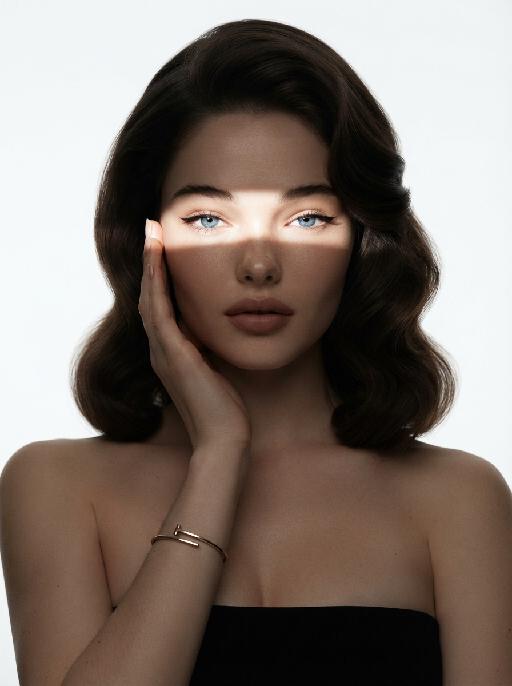
" Use the uploaded image as the only identity reference for the subject. Create a photorealistic vertical 4:5 high-fashion celebrity editorial portrait of the same subject. Strictly preserve the subject’s exact face, age, facial features, skin tone, hairstyle, hair color, and overall recognizability. Do not replace the face with a generic model face. SCENE: The subject stands confidently at night in front of a luxury black car, as if arriving at a high-profile fashion event or exclusive after-party. The setting feels like a glamorous city street at night, with a chic paparazzi atmosphere. POSE AND EXPRESSION: The subject stands centered in front of the car in a poised, fashion-forward stance. She raises both hands in front of her chest and forms a heart shape with her fingers. Her expression is stylish, playful, and confident, with a cool celebrity attitude. She can have softly closed eyes or a slightly squinting glamorous expression, with softly puckered lips or a chic subtle pout. STYLING: The subject wears a tailored taupe-beige or champagne-toned luxury suit with a sharp structured silhouette and elegant fitted waist. The outfit should feel like designer fashion, sleek, expensive, and editorial. Add sparkling high-end jewelry: - layered diamond necklace - statement earrings - bracelet - rings The styling should feel glamorous, feminine, modern, and celebrity-level luxurious. CAMERA AND PAPARAZZI ELEMENTS: Several hands holding professional cameras and smartphones appear around the edges of the frame, photographing the subject. Some phones may show the subject on their screens. Add strong paparazzi flash effects and bright camera flashes from multiple directions. The flashes should create a dramatic night-event atmosphere, with bright bursts of light, glossy highlights on the car, sparkling reflections on the jewelry, and a high-fashion celebrity feel. Keep the subject’s face and heart-hand gesture clearly visible. The surrounding cameras and phones should frame the subject without blocking her. BACKGROUND: - nighttime city-street setting - luxury black car directly behind the subject - dark elegant atmosphere - subtle out-of-focus city lights or event lights - refined red-carpet / fashion-event arrival mood - no cluttered street details LIGHTING: - strong flash photography aesthetic - multiple paparazzi flash bursts - subject brightly illuminated against a darker night background - glamorous high-contrast lighting - glossy highlights on hair, suit fabric, jewelry, and car surface - clean, premium editorial finish - cinematic night luxury mood STYLE: - photorealistic luxury fashion editorial photography - celebrity paparazzi aesthetic - high-end magazine campaign feel - glamorous night-event atmosphere - polished retouching - realistic skin texture - premium contrast - chic, stylish, expensive, and dramatic IMPORTANT CONSTRAINTS: - no text - no logo - no watermark - no distorted hands - no extra fingers - no deformed cameras - no blocked face - no cartoon - no illustration - no CGI appearance "

Silk Hood AI effects generated image

Silk Hood

Recreate the exact fashion portrait: the uploaded pet faces forward against a warm beige background, wearing a glossy patterned silk scarf wrapped over the head and tied snugly under the chin, plus oversized mauve cat-eye sunglasses. Head-and-upper-chest framing, symmetrical composition, serious expression, realistic silk folds and reflections. The subject remains an animal throughout. No people or human hands. No real brands, logos, watermarks or readable text. Accurately preserve the uploaded pet's species, breed, coat color and markings, ear shape, muzzle and face structure, eye color and body proportions. Keep it instantly recognisable as the same animal; change only pose, scene, clothing and accessories. Vertical 3:4, photorealistic, crisp detail, with the pet as the unmistakable main subject.

Garden Cutie AI effects generated image

Garden Cutie

The aforementioned pet is the main character of this painting (its facial features and species remain unchanged), comfortably lying in a lush spring garden filled with blooming flowers, wearing a flower wreath made of flowers; around it are yellow small flowers, golden sunflowers and purple lavender, as well as tender green leaves dotted with crystal dewdrops; the gentle and natural golden spring sunlight filters through the branches and leaves, forming dreamy warm diffused light spots, shallow depth of field and blurry green garden background, creating a refreshing and soothing atmosphere; the soft green tones, combined with pale pink and yellow, complement the realistic soft fur texture, highlighting on this main pet's face; it exudes a rich Brazilian spring atmosphere, captured by a Canon 5D Mark IV professional digital single-lens reflex camera, with a Japanese photography style, aperture of f/1.8, soft diffused light, 8K ultra-high detail, presenting a clear and bright aesthetic effect.

Lavender Moment AI effects generated image

Lavender Moment

Turn the uploaded pet into a pampered spa-day portrait: wrapped in a fluffy pastel-coloured bathrobe with a matching soft towel turban on its head, sitting upright and relaxed atop a neatly stacked pile of plush towels. Around the pet, place a curated arrangement of spa accessories — small lit aromatherapy candles in glass holders, elegant glass bottles with wooden caps, and a sleek pump dispenser. The entire scene is unified by a cohesive soft pastel-lavender or pastel-pink colour palette; the background is a seamless solid pastel tone matching the towels. Soft diffused studio lighting, clean product-photography aesthetic, high-resolution photorealistic. The pet occupies 60–75% of the frame height, centered, head and full body clearly visible; background subordinate and not obstructing the pet. No logos, brand names, or readable text. While accurately preserving the animal's species, breed, coat colour and markings, ear shape, muzzle/face structure, eye colour and tail — keep it instantly recognisable as the same pet; change only the style and setting, not its identity.

Heart Spotlight AI effects generated image

Heart Spotlight

" Use the uploaded image as the only identity reference for the subject. Create a photorealistic vertical 4:5 high-fashion celebrity editorial portrait of the same subject. Strictly preserve the subject’s exact face, age, facial features, skin tone, hairstyle, hair color, and overall recognizability. Do not replace the face with a generic model face. SCENE: The subject stands confidently at night in front of a luxury black car, as if arriving at a high-profile fashion event or exclusive after-party. The setting feels like a glamorous city street at night, with a chic paparazzi atmosphere. POSE AND EXPRESSION: The subject stands centered in front of the car in a poised, fashion-forward stance. She raises both hands in front of her chest and forms a heart shape with her fingers. Her expression is stylish, playful, and confident, with a cool celebrity attitude. She can have softly closed eyes or a slightly squinting glamorous expression, with softly puckered lips or a chic subtle pout. STYLING: The subject wears a tailored taupe-beige or champagne-toned luxury suit with a sharp structured silhouette and elegant fitted waist. The outfit should feel like designer fashion, sleek, expensive, and editorial. Add sparkling high-end jewelry: - layered diamond necklace - statement earrings - bracelet - rings The styling should feel glamorous, feminine, modern, and celebrity-level luxurious. CAMERA AND PAPARAZZI ELEMENTS: Several hands holding professional cameras and smartphones appear around the edges of the frame, photographing the subject. Some phones may show the subject on their screens. Add strong paparazzi flash effects and bright camera flashes from multiple directions. The flashes should create a dramatic night-event atmosphere, with bright bursts of light, glossy highlights on the car, sparkling reflections on the jewelry, and a high-fashion celebrity feel. Keep the subject’s face and heart-hand gesture clearly visible. The surrounding cameras and phones should frame the subject without blocking her. BACKGROUND: - nighttime city-street setting - luxury black car directly behind the subject - dark elegant atmosphere - subtle out-of-focus city lights or event lights - refined red-carpet / fashion-event arrival mood - no cluttered street details LIGHTING: - strong flash photography aesthetic - multiple paparazzi flash bursts - subject brightly illuminated against a darker night background - glamorous high-contrast lighting - glossy highlights on hair, suit fabric, jewelry, and car surface - clean, premium editorial finish - cinematic night luxury mood STYLE: - photorealistic luxury fashion editorial photography - celebrity paparazzi aesthetic - high-end magazine campaign feel - glamorous night-event atmosphere - polished retouching - realistic skin texture - premium contrast - chic, stylish, expensive, and dramatic IMPORTANT CONSTRAINTS: - no text - no logo - no watermark - no distorted hands - no extra fingers - no deformed cameras - no blocked face - no cartoon - no illustration - no CGI appearance "

Morning Paw AI effects generated image

Morning Paw

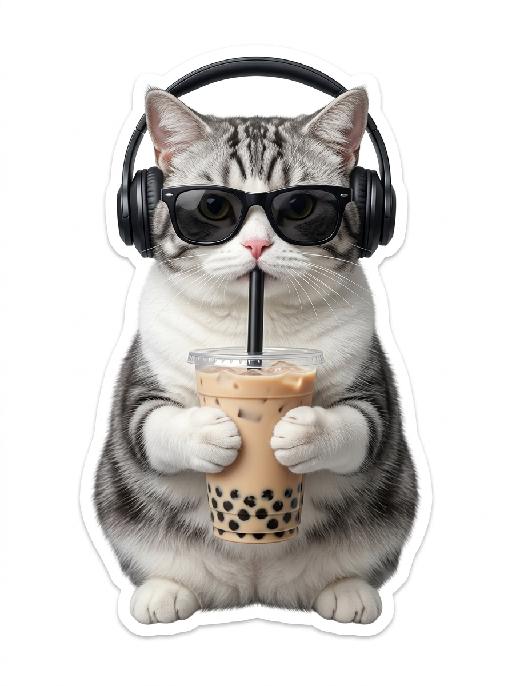
"Cute expression sticker featuring the character from the uploaded picture, depicting the subject lazily stretching out in gentle morning light. One paw holds a delicate coffee cup, presenting a sleepy, relaxed, and happy expression. Warm golden sunrise light combined with soft scattered sunlight, presenting a warm color palette of peach and cream. In the center at the bottom, smooth and round text in a cute hand-drawn font reads: ""Good morning, my love!"" Decorated with cute hand-drawn doodles: fluffy clouds, a smiling sun, relaxed wavy lines, tiny stars, and small hearts, in a universally cheerful and lighthearted style. Photorealistic style with soft and warm ambient light, delicate fur/hair texture, creating a warm and cozy atmosphere. Irregular white border, pure white background, ultra-high-definition 8K format. Suitable for use as a cute emoticon on any social media platform globally. Simple irregular white border sticker finish."

Load more

Next-Gen Multi-Model AI Video Architecture

Vivago AI isn't just one engine—it’s a unified hub for the world’s most advanced video AI. Whether you need cinematic realism or high-speed social content, we provide the right model for your creative vision.

Free Generate

Beauty and Dolphins

Vacation Time

Stellar Tear

Fish Tank Supervisor

Cinematic Quality & Precision Control

Enables 4K resolution with multi-lens motion control, generating delicate scene via text prompts for customized cinematography.​

TRY NOW

Dynamic AV Sync

Auto-generates original audio to avoid copyright issues. Build 3D immersive environments through layered sound design automatically.

TRY NOW

OpenAI Sora 2

​Advanced visual storytelling with unparalleled physics and consistency.

TRY NOW

Kling v2.6 Pro

Industry-leading cinematic image animation and motion control.

TRY NOW

Google Veo 3 & 3.1

Ultra-fast generation with enhanced realism for creative workflows.

TRY NOW

Vivago AI 2.0

Our proprietary model optimized for efficiency, speed, and cost-effective generation.
TRY NOW

Users' Voice

We listen carefully to the opinions of every user.
Free Generate
Contact Us
I tried the Lip Sync feature inside Vivago.ai’s AI Video Generator for my educational podcast, and the results were stunning! The avatar's lip movements perfectly matched my audio recording, creating a professional AI-generated video without complex editing. Compared with tools like OpenAI Sora 2 and Google Veo 3.1, Vivago Image-to-Video delivers fast, studio-quality results online. It saved me hours of post-production work.
ElenaM (Spain)
Vivago’s Image-to-Video AI transformed my marketing workflow. I uploaded a product image and described the launch scene in text, and it generated a 10-second cinematic AI video with background music and dynamic visuals. The output quality rivals Kling v2.6 Pro and Google Veo 3 Fast. It’s now my go-to AI video generator for social media ads and product campaigns.
KenjiT (Japan)
As a digital artist, I use Vivago.ai 2.0 daily for Image-to-Image and AI Image-to-Video creation. The e-book covers and animated visuals I generate for clients look cinematic and professional. Unlike many standalone AI tools, Vivago integrates multiple leading models into one platform, making it easier to create copyright-safe AI images and videos for publishing.
ChenL (China)
I tried the Lip Sync feature inside Vivago.ai’s AI Video Generator for my educational podcast, and the results were stunning! The avatar's lip movements perfectly matched my audio recording, creating a professional AI-generated video without complex editing. Compared with tools like OpenAI Sora 2 and Google Veo 3.1, Vivago Image-to-Video delivers fast, studio-quality results online. It saved me hours of post-production work.
ElenaM (Spain)
Vivago’s Image-to-Video AI transformed my marketing workflow. I uploaded a product image and described the launch scene in text, and it generated a 10-second cinematic AI video with background music and dynamic visuals. The output quality rivals Kling v2.6 Pro and Google Veo 3 Fast. It’s now my go-to AI video generator for social media ads and product campaigns.
KenjiT (Japan)
As a digital artist, I use Vivago.ai 2.0 daily for Image-to-Image and AI Image-to-Video creation. The e-book covers and animated visuals I generate for clients look cinematic and professional. Unlike many standalone AI tools, Vivago integrates multiple leading models into one platform, making it easier to create copyright-safe AI images and videos for publishing.
ChenL (China)
I absolutely love Vivago’s AI Image-to-Video Generator. As a travel blogger, static images often fail to capture real atmosphere, but Vivago helps me turn photos into vivid cinematic AI videos with motion effects. It feels comparable to OpenAI Sora 2 and Google Veo 3.1, but more accessible and faster for creators who need high-quality AI videos online.
LiamK (Australia)
I tried the Lip Sync feature inside Vivago.ai’s AI Video Generator for my educational podcast, and the results were stunning! The avatar's lip movements perfectly matched my audio recording, creating a professional AI-generated video without complex editing. Compared with tools like OpenAI Sora 2 and Google Veo 3.1, Vivago Image-to-Video delivers fast, studio-quality results online. It saved me hours of post-production work.
ElenaM (Spain)
Vivago’s Image-to-Video AI transformed my marketing workflow. I uploaded a product image and described the launch scene in text, and it generated a 10-second cinematic AI video with background music and dynamic visuals. The output quality rivals Kling v2.6 Pro and Google Veo 3 Fast. It’s now my go-to AI video generator for social media ads and product campaigns.
KenjiT (Japan)
As a digital artist, I use Vivago.ai 2.0 daily for Image-to-Image and AI Image-to-Video creation. The e-book covers and animated visuals I generate for clients look cinematic and professional. Unlike many standalone AI tools, Vivago integrates multiple leading models into one platform, making it easier to create copyright-safe AI images and videos for publishing.
ChenL (China)
I absolutely love Vivago’s AI Image-to-Video Generator. As a travel blogger, static images often fail to capture real atmosphere, but Vivago helps me turn photos into vivid cinematic AI videos with motion effects. It feels comparable to OpenAI Sora 2 and Google Veo 3.1, but more accessible and faster for creators who need high-quality AI videos online.
LiamK (Australia)
Using Vivago.ai’s Image-to-Video AI has greatly enhanced my classroom teaching. I transform textbook notes into historical AI videos with cinematic filters and dynamic animations. Compared with tools like Kling v2.6 Pro and Google Veo 3 Fast, Vivago offers faster generation and easier parameter control for educators who need reliable AI video creation.
RajivG (India)
I frequently create AI videos on Vivago and publish them on TikTok and YouTube Shorts. The AI video templates and trending content ideas help me produce viral-ready clips quickly. With Vivago’s integrated models—including advanced video engines similar to OpenAI Sora 2—I can generate anime-style and cinematic social media videos that drive high engagement.
MarieJ (Spain)
What attracts me most about Vivago.ai is not only the powerful AI Video Generator but also the active AIGC creator community. It combines AI Image-to-Video, Text-to-Video, and leading model integrations like Google Veo 3.1 into one creative platform.
TomW (India)
At first, I was hesitant about using AI video tools. But after trying Vivago Image-to-Video, I realized how easy it is to create professional AI-generated videos online. I just upload an image, add a short prompt, and adjust a few settings. The results are cinematic and copyright-safe, which is essential for commercial projects.
HectorC (Mexico)
Using Vivago.ai’s Image-to-Video AI has greatly enhanced my classroom teaching. I transform textbook notes into historical AI videos with cinematic filters and dynamic animations. Compared with tools like Kling v2.6 Pro and Google Veo 3 Fast, Vivago offers faster generation and easier parameter control for educators who need reliable AI video creation.
RajivG (India)
I frequently create AI videos on Vivago and publish them on TikTok and YouTube Shorts. The AI video templates and trending content ideas help me produce viral-ready clips quickly. With Vivago’s integrated models—including advanced video engines similar to OpenAI Sora 2—I can generate anime-style and cinematic social media videos that drive high engagement.
MarieJ (Spain)
What attracts me most about Vivago.ai is not only the powerful AI Video Generator but also the active AIGC creator community. It combines AI Image-to-Video, Text-to-Video, and leading model integrations like Google Veo 3.1 into one creative platform.
TomW (India)
At first, I was hesitant about using AI video tools. But after trying Vivago Image-to-Video, I realized how easy it is to create professional AI-generated videos online. I just upload an image, add a short prompt, and adjust a few settings. The results are cinematic and copyright-safe, which is essential for commercial projects.
HectorC (Mexico)