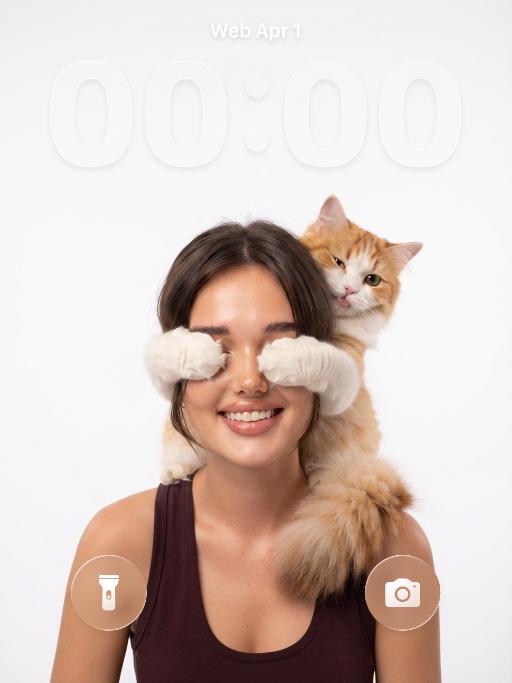
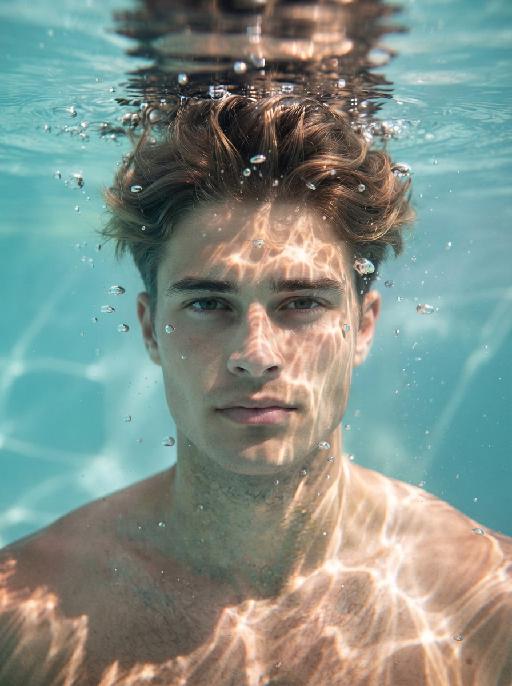
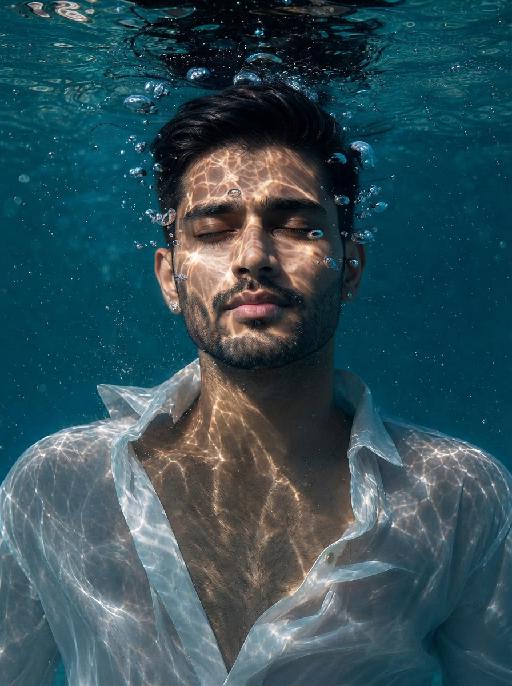
More From VIVAGO AI

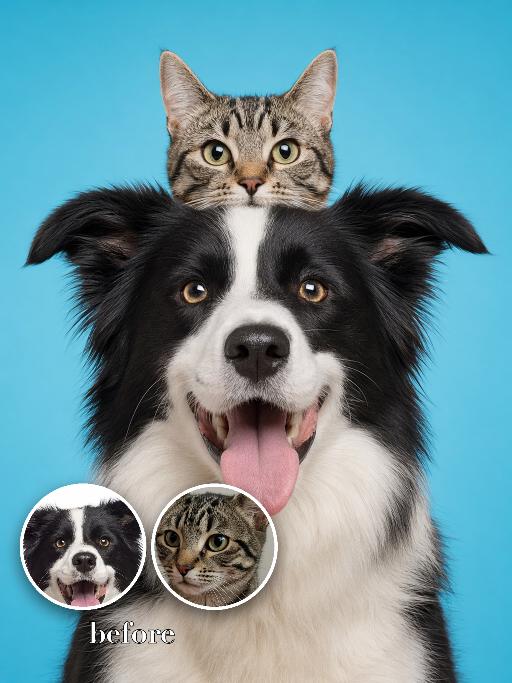
Head Stack AI effects generated image

Head Stack

Recreate the bright studio double-pet stack: the uploaded dog sits front-facing and smiling in the lower center while the uploaded cat peeks directly from behind the dog's head, creating a vertical stacked-head totem. Both faces are centered and fully visible, the cat's ears visible above, blue seamless background, cheerful silly expression, clean portrait lighting. Preserve each uploaded subject's identity, species, breed, coat color, markings, facial structure, and recognizable features. For uploaded human subjects, preserve facial identity, hair color, skin tone and general age. Do not preserve the source model's original expression or pose; actively change facial expression, gaze direction, body pose and interaction to match the gameplay reference image. No logos, no watermarks, no readable text, no extra people or extra animals beyond the requested subjects. The interaction, emotion and gesture must follow the gameplay reference very closely. Vertical 3:4. Photorealistic, crisp detail, close composition matching the reference.

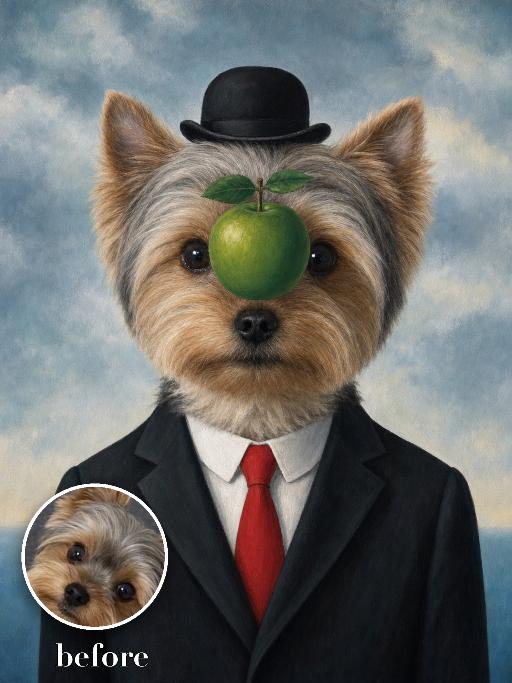
Green Apple Suit AI effects generated image

Green Apple Suit

Recreate the surreal formal portrait: uploaded pet faces forward in a black suit, crisp white shirt, bright red tie and small black bowler hat. A glossy green apple floats directly in front of the center of the face while the eyes remain partly visible around it. Cloudy pale-blue painted sky background, precise surrealist oil-painting style. The subject remains an animal throughout. No people or human hands. No real character names, celebrity names, brands, logos, watermarks or readable text. Accurately preserve the uploaded pet's species, breed, coat color and markings, ear shape, muzzle and face structure, eye color, body proportions and tail. Keep it instantly recognisable as the same animal; change only pose, scene, costume and art treatment. Match the reference composition closely. Vertical 3:4, crisp detail, the pet is the unmistakable main subject.

Viral Dance

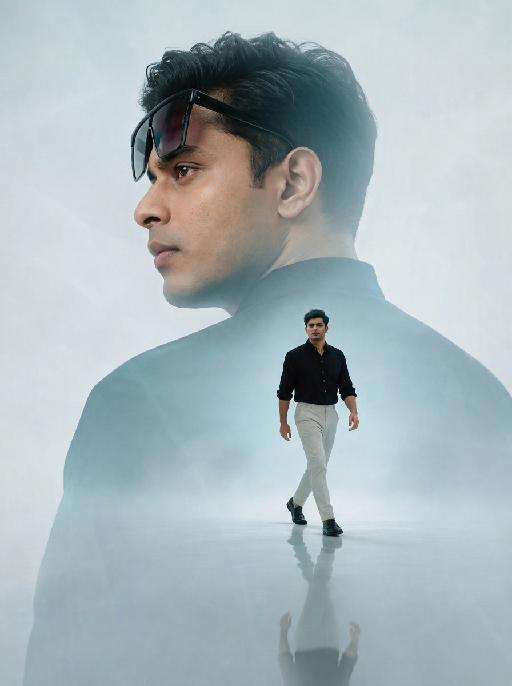
"Photorealistic film portrait photography, horizontal rectangular frame, fixed composition rule: 【Character】 is strictly centered in frame, the bottom cropping edge of frame cuts exactly at the character's knees, a thin strip of light beige flat ceiling is reserved on the top of frame; Precise Scene Details Background structure: A vertical square cream solid partition pillar right behind 【Character】, two identical dark walnut solid wood full-height open bookshelves symmetrically placed on both sides of pillar, each shelf built with fixed 5 layers; every shelf densely packed with multicolored hardcover books, most books stand vertically, small stacks of horizontally placed thick books on right part of each shelf with mixed red, blue, brown, off-white book spines; Left side of frame: Off-white fabric single armchair at bottom-left with short dark timber legs, one light khaki square linen cushion leans against seat; a floor lamp with thin metal pole + tapered white fabric lampshade stands in the gap between sofa and left bookshelf; Right side of frame: Partial curved edge of matte white round low coffee table is visible behind character’s right hip; Floor design: Full floor covered with oat beige short loop pile carpet, soft subtle natural shadows from bookshelf and armchair on carpet surface; Lighting & Quality Soft diffused front indoor natural lighting, neutral warm white color temperature, no harsh sharp hard shadows, natural layered ambient shadow; 8K ultra-realistic high definition, intricate textures of wood grain, book spine print and fabric weave, minimalist American home study interior, no extra redundant ornaments inside the whole scene."

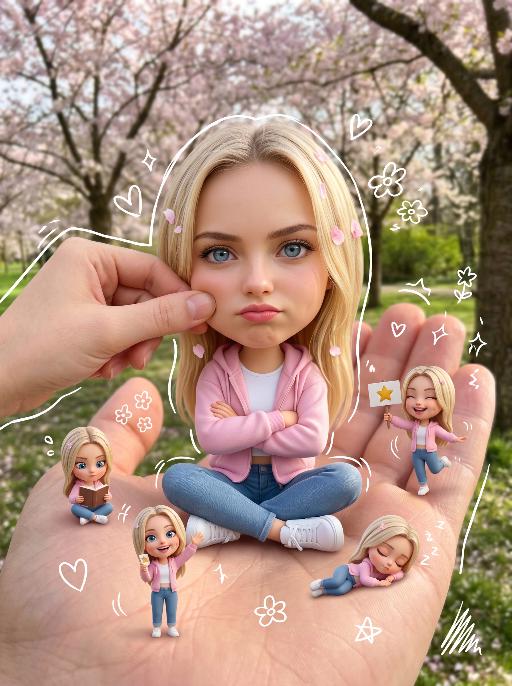
Handheld Doll AI effects generated image

Handheld Doll

[Your reference image URL] Keep the original subject's face, features, hairstyle/outfit (or fur/colors for animals) 100% unchanged, do not modify the real subject. Create a stylized big-head miniature version of the subject: slightly enlarged head, small body, sitting cross-legged on a large realistic human palm. Pose: hands crossed (or paws resting) with a slightly pouty/cute annoyed expression, looking directly at the camera. Add a second gentle human hand playfully pinching the subject's cheek. Add 5 small 3D mini chibi versions of the same subject around the palm, each doing different fun actions (reading, waving, holding signs, dancing, napping), no repeated poses, lively and cute. Add sketchy white hand-drawn doodle elements: simple outlines around the main chibi and mini figures, plus cute casual doodles like hearts, stars, sparkles, small flowers and scribbles scattered lightly around the scene, in a playful hand-drawn style. Lighting: Keep the original picture lighting unchanged, high detail, clean focus. No colored borders, no extra frames, keep the composition clean and whimsical.

Soft Illustration

"Use the uploaded image as the only reference. Strictly preserve the subject’s original identity, facial features, hairstyle, expression, clothing, body proportions, pose, and overall composition from the uploaded image. Do not redesign or change the character. Convert the image into a soft, clean, semi-realistic anime-style hand-drawn illustration. Style: delicate line art, soft cel shading, gentle painterly rendering, smooth skin tones, large expressive eyes, refined details, fresh and elegant color palette, polished digital illustration finish. Keep the original scene layout and background structure from the uploaded image, but redraw everything in the same soft illustrated style. The final result should look like a stylized hand-drawn anime illustration version of the uploaded image, with the same content and visual arrangement, only changing the artistic style. High-quality, clean, bright, soft, aesthetically pleasing. No text, no logo, no watermark."

Slow Grace

Strictly keep the subject exactly the same as the reference image, with absolutely no species change; keep the same face shape, facial features, eyes, nose, mouth, ears, fur/skin color, markings, body shape, and age impression exactly the same; no species swap, no face swap, no chibi, no cartoon style; change the subject into a full-body standing front-facing pose, looking at the camera, with both hands/paws naturally raised for display; add exaggerated fluffy curly hair; dress the subject in a bright tropical floral shirt and light shorts, fully covered, no nudity; if the subject is a pet or animal, it must wear a cute top and shorts; add colorful paint on the paws/hands; warm outdoor natural blurred background, centered subject, full body visible, realistic photography style, high-definition details, ultra cute.

3D Cartoon

"Use the uploaded image as the only reference. Strictly preserve the original subject, identity, facial features, hairstyle, expression, clothing, pose, background, scene layout, and overall composition of the uploaded image. Do not add or remove major elements. Only transform the visual style into a polished stylized 3D cartoon illustration. Style: animated movie character aesthetic, soft 3D rendering, smooth shading, expressive eyes, clean details, warm cinematic lighting, appealing stylized proportions, and a refined CG cartoon finish. Use a softer and more natural color treatment: slightly muted colors, lower saturation, gentle contrast, balanced tones, and a warm but not overly vivid palette. Avoid overly bright, oversaturated, or neon-like colors. The final image should look like a faithful 3D cartoon version of the uploaded image, changing only the artistic style while keeping the original content recognizable, with a more subtle, elegant, and cinematic color mood."

Load more

Next-Gen Multi-Model AI Video Architecture

Vivago AI isn't just one engine—it’s a unified hub for the world’s most advanced video AI. Whether you need cinematic realism or high-speed social content, we provide the right model for your creative vision.

Free Generate

Beauty and Dolphins

Vacation Time

Stellar Tear

Fish Tank Supervisor

Cinematic Quality & Precision Control

Enables 4K resolution with multi-lens motion control, generating delicate scene via text prompts for customized cinematography.​

TRY NOW

Dynamic AV Sync

Auto-generates original audio to avoid copyright issues. Build 3D immersive environments through layered sound design automatically.

TRY NOW

OpenAI Sora 2

​Advanced visual storytelling with unparalleled physics and consistency.

TRY NOW

Kling v2.6 Pro

Industry-leading cinematic image animation and motion control.

TRY NOW

Google Veo 3 & 3.1

Ultra-fast generation with enhanced realism for creative workflows.

TRY NOW

Vivago AI 2.0

Our proprietary model optimized for efficiency, speed, and cost-effective generation.
TRY NOW

Users' Voice

We listen carefully to the opinions of every user.
Free Generate
Contact Us
I tried the Lip Sync feature inside Vivago.ai’s AI Video Generator for my educational podcast, and the results were stunning! The avatar's lip movements perfectly matched my audio recording, creating a professional AI-generated video without complex editing. Compared with tools like OpenAI Sora 2 and Google Veo 3.1, Vivago Image-to-Video delivers fast, studio-quality results online. It saved me hours of post-production work.
ElenaM (Spain)
Vivago’s Image-to-Video AI transformed my marketing workflow. I uploaded a product image and described the launch scene in text, and it generated a 10-second cinematic AI video with background music and dynamic visuals. The output quality rivals Kling v2.6 Pro and Google Veo 3 Fast. It’s now my go-to AI video generator for social media ads and product campaigns.
KenjiT (Japan)
As a digital artist, I use Vivago.ai 2.0 daily for Image-to-Image and AI Image-to-Video creation. The e-book covers and animated visuals I generate for clients look cinematic and professional. Unlike many standalone AI tools, Vivago integrates multiple leading models into one platform, making it easier to create copyright-safe AI images and videos for publishing.
ChenL (China)
I tried the Lip Sync feature inside Vivago.ai’s AI Video Generator for my educational podcast, and the results were stunning! The avatar's lip movements perfectly matched my audio recording, creating a professional AI-generated video without complex editing. Compared with tools like OpenAI Sora 2 and Google Veo 3.1, Vivago Image-to-Video delivers fast, studio-quality results online. It saved me hours of post-production work.
ElenaM (Spain)
Vivago’s Image-to-Video AI transformed my marketing workflow. I uploaded a product image and described the launch scene in text, and it generated a 10-second cinematic AI video with background music and dynamic visuals. The output quality rivals Kling v2.6 Pro and Google Veo 3 Fast. It’s now my go-to AI video generator for social media ads and product campaigns.
KenjiT (Japan)
As a digital artist, I use Vivago.ai 2.0 daily for Image-to-Image and AI Image-to-Video creation. The e-book covers and animated visuals I generate for clients look cinematic and professional. Unlike many standalone AI tools, Vivago integrates multiple leading models into one platform, making it easier to create copyright-safe AI images and videos for publishing.
ChenL (China)
I absolutely love Vivago’s AI Image-to-Video Generator. As a travel blogger, static images often fail to capture real atmosphere, but Vivago helps me turn photos into vivid cinematic AI videos with motion effects. It feels comparable to OpenAI Sora 2 and Google Veo 3.1, but more accessible and faster for creators who need high-quality AI videos online.
LiamK (Australia)
I tried the Lip Sync feature inside Vivago.ai’s AI Video Generator for my educational podcast, and the results were stunning! The avatar's lip movements perfectly matched my audio recording, creating a professional AI-generated video without complex editing. Compared with tools like OpenAI Sora 2 and Google Veo 3.1, Vivago Image-to-Video delivers fast, studio-quality results online. It saved me hours of post-production work.
ElenaM (Spain)
Vivago’s Image-to-Video AI transformed my marketing workflow. I uploaded a product image and described the launch scene in text, and it generated a 10-second cinematic AI video with background music and dynamic visuals. The output quality rivals Kling v2.6 Pro and Google Veo 3 Fast. It’s now my go-to AI video generator for social media ads and product campaigns.
KenjiT (Japan)
As a digital artist, I use Vivago.ai 2.0 daily for Image-to-Image and AI Image-to-Video creation. The e-book covers and animated visuals I generate for clients look cinematic and professional. Unlike many standalone AI tools, Vivago integrates multiple leading models into one platform, making it easier to create copyright-safe AI images and videos for publishing.
ChenL (China)
I absolutely love Vivago’s AI Image-to-Video Generator. As a travel blogger, static images often fail to capture real atmosphere, but Vivago helps me turn photos into vivid cinematic AI videos with motion effects. It feels comparable to OpenAI Sora 2 and Google Veo 3.1, but more accessible and faster for creators who need high-quality AI videos online.
LiamK (Australia)
Using Vivago.ai’s Image-to-Video AI has greatly enhanced my classroom teaching. I transform textbook notes into historical AI videos with cinematic filters and dynamic animations. Compared with tools like Kling v2.6 Pro and Google Veo 3 Fast, Vivago offers faster generation and easier parameter control for educators who need reliable AI video creation.
RajivG (India)
I frequently create AI videos on Vivago and publish them on TikTok and YouTube Shorts. The AI video templates and trending content ideas help me produce viral-ready clips quickly. With Vivago’s integrated models—including advanced video engines similar to OpenAI Sora 2—I can generate anime-style and cinematic social media videos that drive high engagement.
MarieJ (Spain)
What attracts me most about Vivago.ai is not only the powerful AI Video Generator but also the active AIGC creator community. It combines AI Image-to-Video, Text-to-Video, and leading model integrations like Google Veo 3.1 into one creative platform.
TomW (India)
At first, I was hesitant about using AI video tools. But after trying Vivago Image-to-Video, I realized how easy it is to create professional AI-generated videos online. I just upload an image, add a short prompt, and adjust a few settings. The results are cinematic and copyright-safe, which is essential for commercial projects.
HectorC (Mexico)
Using Vivago.ai’s Image-to-Video AI has greatly enhanced my classroom teaching. I transform textbook notes into historical AI videos with cinematic filters and dynamic animations. Compared with tools like Kling v2.6 Pro and Google Veo 3 Fast, Vivago offers faster generation and easier parameter control for educators who need reliable AI video creation.
RajivG (India)
I frequently create AI videos on Vivago and publish them on TikTok and YouTube Shorts. The AI video templates and trending content ideas help me produce viral-ready clips quickly. With Vivago’s integrated models—including advanced video engines similar to OpenAI Sora 2—I can generate anime-style and cinematic social media videos that drive high engagement.
MarieJ (Spain)
What attracts me most about Vivago.ai is not only the powerful AI Video Generator but also the active AIGC creator community. It combines AI Image-to-Video, Text-to-Video, and leading model integrations like Google Veo 3.1 into one creative platform.
TomW (India)
At first, I was hesitant about using AI video tools. But after trying Vivago Image-to-Video, I realized how easy it is to create professional AI-generated videos online. I just upload an image, add a short prompt, and adjust a few settings. The results are cinematic and copyright-safe, which is essential for commercial projects.
HectorC (Mexico)