More From VIVAGO AI

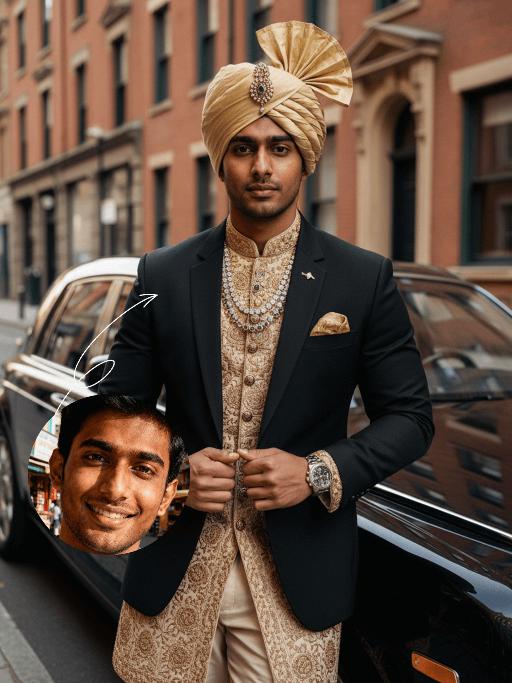
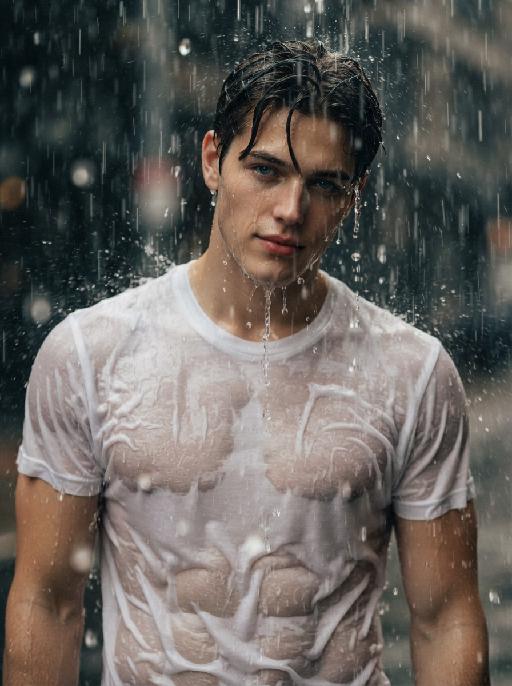
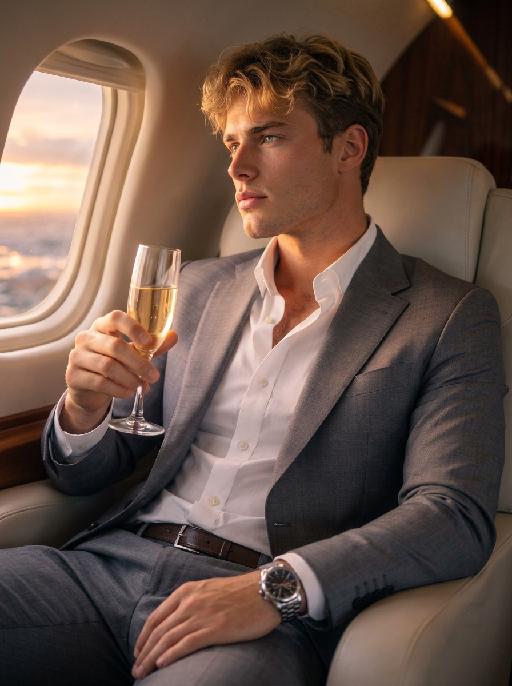
Luxury Car AI effects generated image

Luxury Car

Strictly lock the uploaded portrait's identity (preserve facial contours, switch to native Indian skin tone, retain hairstyle texture and age). Close-up to mid-full body shot of a handsome young South Asian (Indian) man with a **broad, muscular, imposing physique**, confident intense "tycoon" gaze, and **ultra-clear, high-resolution facial details**. He wears a fusion luxury outfit: tailored black blazer over intricately hand-embroidered gold Indian-motif sherwani, cream churidar trousers, lavish gold turban with gemstone brooch, layered gemstone statement necklaces, gold pocket square, and high-end watch. Leaning against a black Rolls-Royce Phantom on a sophisticated city street with historic brick buildings. High-end fashion photography, cinematic lighting, film-like texture, warm black/gold/cream palette, retro-modern fusion aesthetic, powerful sophisticated vibe

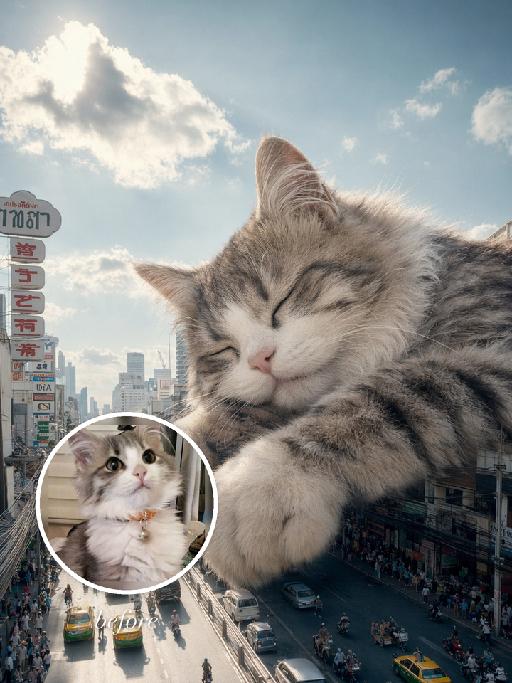
City Nap AI effects generated image

City Nap

"Use the uploaded pet image as the exact identity reference. Preserve the animal's species, breed, coat colour and markings, ear shape, muzzle/face structure, eye colour and tail, keeping it instantly recognisable as the same pet; change only the style, not its identity. Create a vertical 3:4 image with this exact effect: dreamy surreal city photo-composite, the uploaded pet as a gigantic sleepy animal resting over a downtown street canyon between tall buildings. Eyes closed, paws relaxed, soft clouds and bright blue sky, tiny cars and pedestrians below for scale, cozy peaceful giant-pet mood, realistic fur and sunlight. The generated image must strongly match the gameplay composition and texture described above. Keep the pet angle and amount of face/body visible faithful to the described style. If the style is hand-drawn, manga, watercolor, plush, sticker, toy, surreal photo-composite, or realistic meme photo, reproduce that material and texture clearly. No logos, no watermark, no Doubao AI text."

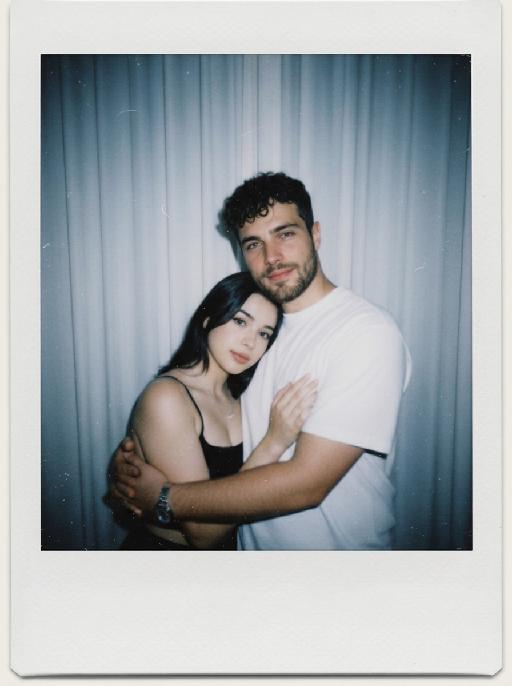
Cool Hairstyle

"1. Basic scene and character settings: Refer to the picture where the characters are surrounded by a wide black hair salon cloth. (Mid shot) Ensure that the composition is above the person's legs. The person held a black smartphone in one hand and recorded the entire process from a first person selfie perspective. This person's expression remained unchanged throughout the entire process, uniform and natural, 4K ultra high definition, with movie like skin tone, obvious depth of field, and soft bokeh effects on the background neon lights and mirrors. 2. Core Consistency Control [Strict Lockdown]: Within 10 seconds of the entire video, the facial features of the character (facial proportions, eye color, skin texture) must remain absolutely consistent, without any distortion or deterioration. The position, grip posture, and gaze direction of the mobile phone should remain unchanged. The only change lies in the hair: each hairstyle transitions through a physical process of ""hair dissolution/natural growth"" to ensure that the texture, luster, and gravitational sagging of the hair feel realistic and natural. 3. Hairstyle Sequence and Transition (10 seconds, 8 hairstyles) Hairstyle 1 → 2 (0-1.5 seconds): Initially, the hairstyle was based on a reference person's hairstyle, gradually evolving into a modern messy hairstyle (dark brown, fluffy, ventilated feeling). Hairstyle 2 → 3 (1.5-3 seconds): Hair quickly softens, intertwines and lengthens, turning golden yellow and woven into light golden braids (hanging down to the forehead, with a street fashion vibe). Hairstyle 3 → 4 (3-4 seconds): Braids spread out like water, becoming longer and thinner, naturally hanging down, and the color deepens to jet black, forming shoulder length curly hair (smooth and glossy, velvet like curves, exuding artistic temperament). Hairstyle 4 → 5 (4-5 seconds): The long curly hair instantly shrinks and becomes shorter, the bangs slightly curl to cover the forehead, and then become short hair, with 6 long and thin braids hanging down from the edges of the hair. Hairstyle 5 → 6 (5-6 seconds): Comb and dissolve the hair, shave both sides clean, make the overall length uniform, and turn it into a tough round hairstyle (only a few millimeters, with delicate gradient contours at the back of the neck). Hairstyle 6 → 7 (6-7 seconds): Weave the hair into geometric lines close to the scalp (tie a small bun at the back with sharp lines). Then, loosen the braid and let the hair stand upright. Hairstyle 7 → 8 (7-8 seconds): The hair gradually turns silver white, the bangs are trimmed neatly, and it becomes a very short silver white spiky hairstyle. The silver white gradually disappeared, returning to dark brown, and the hair became fluffy and curly again. Hairstyle 8 → End (8-10 seconds): The hairstyle is perfectly restored to the initial reference image, and the video ends. 4. Rendering and technical features: ultra realistic rendering, ray tracing, hair level detail simulation, realistic physical dynamics, movie level lighting, 60fps, no stuttering, stable time consistency."


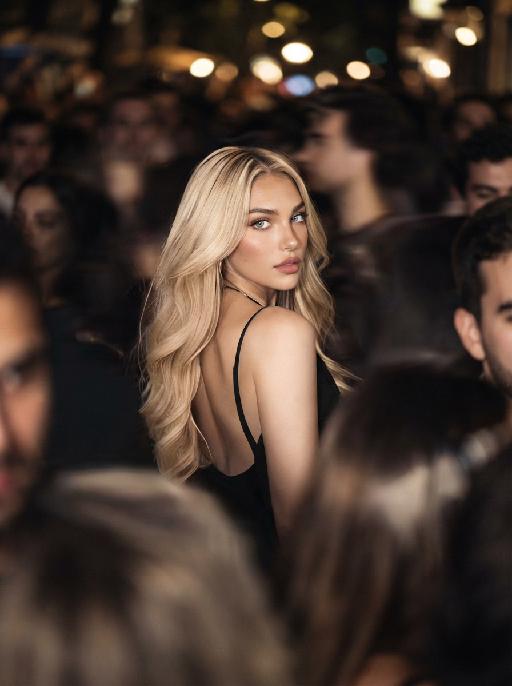
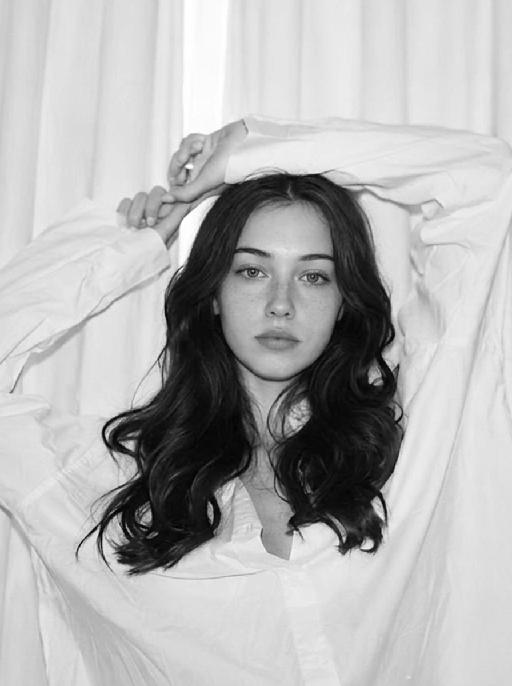
Minimal Chic AI effects generated image

Minimal Chic

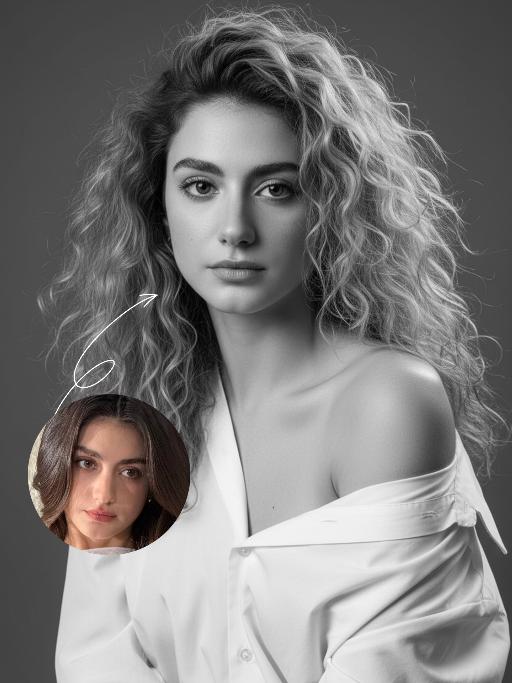
"Strict identity locking is based on the uploaded portrait, with the original facial features, fair skin tone and youthful vitality retained in a 1:1 ratio, reimagined with a striking Euro-American mixed-race aesthetic. The hair color is replaced with long wavy platinum blonde locks, styled in a naturally tousled and voluminous manner. This is a black-and-white artistic portrait photography piece featuring a young woman wearing an oversized white shirt that slips naturally off one shoulder; her platinum blonde tresses softly frame her delicate facial features, with strands gilded by sunlight to reveal an exquisite sheen, and her skin exudes a smooth, refined texture. She sits in an upright posture, facing the camera with a calm, pensive gaze and a relaxed expression that brims with narrative depth. Shot in a professional photo studio against a minimalist solid gray background, a soft, cinema-grade back rim light sculpts her three-dimensional facial contours, with a precise ray of hair light layered in to make each strand of the blonde hair distinct and translucent with clear gradations. Rich details are preserved in the shadow areas, and the highlights transition naturally, crafting an elegant and serene atmosphere. Boasting 8K ultra-realistic resolution and a high-contrast black-and-white aesthetic, the image features razor-sharp details where even pores and individual hair strands are clearly visible, with natural and authentic skin texture. The composition is minimalist with no extraneous elements; the overall style is elegant and sophisticated, blending refined luxury with compelling narrative quality, reaching the standard of professional commercial photography."

Fighting Giant

This is a scene of a combat competition ring with bright spotlights in the arena; photorealistic, high-definition details, natural colors, and the camera captures the close-quarters confrontation. The uploaded character, with an exaggerated expression, shouts loudly with an open mouth, stands barefoot on the left side of the combat ring in a fighting stance. On the right side of the ring is a tall, muscular tattooed combatant. Both of them glare and roar aggressively, facing off before the fight. The uploaded character suddenly jumps into the air, spins around to the right, and viciously kicks the combatant's head with their feet and legs. After being viciously kicked three times, the combatant is finally defeated and falls to the ground. The uploaded character smiles triumphantly and joyfully, stands in the middle of the ring to cheer and celebrate, with the surrounding audience clapping. The camera zooms in to a medium close-up to show the character's upper body.

Dance With her

Model’s original facial features, facial contour and hairstyle are 100% preserved in their entirety, extremely smooth cinematic visual transition, natural narrative pacing, 4K ultra-high resolution, photorealistic skin & fabric textures, cinematic color grading, warm soft natural light, highly saturated vivid colors, exquisite lifelike details, strong cinematic texture, seamless scene fusion, smooth lens-like visual connection, no abrupt frame or element changes, **fixed medium close-up perspective throughout, the camera follows the characters' dancing movements smoothly without pulling back or zooming out. The picture presents a natural lens narrative with a fixed medium close-up: the uploaded character is in the core visual area, initially wearing original daily wear with a relaxed posture and slight face-to-camera, facial features in sharp focus, warm soft light bathing the whole body; the background fades and blends naturally from a simple base into a traditional Indonesian interior, with Persian-patterned carpets and painted carved pillars emerging gradually to lay a seamless spatial foundation, the scene expansion is gentle and fits the lens follow rhythm without any perspective pullback. The traditional Indonesian interior scene is fully presented with rich layers—Persian-patterned carpets covering the ground, painted carved stone pillars standing tall, warm wall sconces emitting soft light, the entire space is bright with distinct light and shadow levels. A gorgeous and attractive young Indonesian woman enters the frame in a smooth, natural way matching the scene fusion rhythm; she has long thick black double braids, a bright and seductive smile, and is barefoot, wearing a luxurious traditional Indonesian kebaya (color-blocked embroidered sequined corset with turquoise tulle lantern skirt, decorated with pearl tassels and gold-thread embroidery) and ornate Indonesian ethnic gold jewelry (necklace, earrings, bangles). The uploaded character stands up naturally and gracefully in the visual transition, the two hold hands tightly in the center of the Indonesian interior space, spinning and dancing joyfully with light, vivid and smooth movements; the camera follows the two characters' spinning and dancing trajectory in a steady medium close-up, with the lens moving naturally and slightly to fit their body movements, always keeping both characters in the core of the frame without pulling back or changing the perspective**. Warm wall sconce light blends with soft natural light, perfectly highlighting the intricate embroidery details of the two's costumes, the bright luster of gold jewelry and the joyful, vivid facial expressions of both characters, highly saturated colors amplify the gorgeous and lively atmosphere of the scene, all character and costume details are clear and realistic due to the fixed medium close-up follow shot; the whole picture realizes seamless connection of scene fading, character entry and dance movement, the lens follow is smooth and natural, and the narrative layering is rich without disorder.

Image Quality Restoration

Retouch this image. Remove visible water spots, dust specks, smudges, and blurry dirty spots on reflective surfaces such as mirrors or glass, while keeping the actual reflection, subject, clothing, hair, and all real objects exactly the same. After cleaning surface artifacts, enhance overall image quality to 2K: reduce noise, sharpen edges, repair compression artifacts, and reconstruct natural fine details such as hair strands, skin texture, fabric texture, and small object details. Do not change the person's appearance, expression, identity, or pose. Do not add, remove, or alter any real objects. Do not change the overall colors, lighting style, or atmosphere. Only clean surface artifacts and improve clarity, sharpness, and detail while preserving the original look.

Load more

Next-Gen Multi-Model AI Video Architecture

Vivago AI isn't just one engine—it’s a unified hub for the world’s most advanced video AI. Whether you need cinematic realism or high-speed social content, we provide the right model for your creative vision.

Free Generate

Beauty and Dolphins

Vacation Time

Stellar Tear

Fish Tank Supervisor

Cinematic Quality & Precision Control

Enables 4K resolution with multi-lens motion control, generating delicate scene via text prompts for customized cinematography.​

TRY NOW

Dynamic AV Sync

Auto-generates original audio to avoid copyright issues. Build 3D immersive environments through layered sound design automatically.

TRY NOW

OpenAI Sora 2

​Advanced visual storytelling with unparalleled physics and consistency.

TRY NOW

Kling v2.6 Pro

Industry-leading cinematic image animation and motion control.

TRY NOW

Google Veo 3 & 3.1

Ultra-fast generation with enhanced realism for creative workflows.

TRY NOW

Vivago AI 2.0

Our proprietary model optimized for efficiency, speed, and cost-effective generation.

TRY NOW

Users' Voice

We listen carefully to the opinions of every user.
Free Generate
Contact Us
I tried the Lip Sync feature inside Vivago.ai’s AI Video Generator for my educational podcast, and the results were stunning! The avatar's lip movements perfectly matched my audio recording, creating a professional AI-generated video without complex editing. Compared with tools like OpenAI Sora 2 and Google Veo 3.1, Vivago Image-to-Video delivers fast, studio-quality results online. It saved me hours of post-production work.
ElenaM (Spain)
Vivago’s Image-to-Video AI transformed my marketing workflow. I uploaded a product image and described the launch scene in text, and it generated a 10-second cinematic AI video with background music and dynamic visuals. The output quality rivals Kling v2.6 Pro and Google Veo 3 Fast. It’s now my go-to AI video generator for social media ads and product campaigns.
KenjiT (Japan)
As a digital artist, I use Vivago.ai 2.0 daily for Image-to-Image and AI Image-to-Video creation. The e-book covers and animated visuals I generate for clients look cinematic and professional. Unlike many standalone AI tools, Vivago integrates multiple leading models into one platform, making it easier to create copyright-safe AI images and videos for publishing.
ChenL (China)
I tried the Lip Sync feature inside Vivago.ai’s AI Video Generator for my educational podcast, and the results were stunning! The avatar's lip movements perfectly matched my audio recording, creating a professional AI-generated video without complex editing. Compared with tools like OpenAI Sora 2 and Google Veo 3.1, Vivago Image-to-Video delivers fast, studio-quality results online. It saved me hours of post-production work.
ElenaM (Spain)
Vivago’s Image-to-Video AI transformed my marketing workflow. I uploaded a product image and described the launch scene in text, and it generated a 10-second cinematic AI video with background music and dynamic visuals. The output quality rivals Kling v2.6 Pro and Google Veo 3 Fast. It’s now my go-to AI video generator for social media ads and product campaigns.
KenjiT (Japan)
As a digital artist, I use Vivago.ai 2.0 daily for Image-to-Image and AI Image-to-Video creation. The e-book covers and animated visuals I generate for clients look cinematic and professional. Unlike many standalone AI tools, Vivago integrates multiple leading models into one platform, making it easier to create copyright-safe AI images and videos for publishing.
ChenL (China)
I absolutely love Vivago’s AI Image-to-Video Generator. As a travel blogger, static images often fail to capture real atmosphere, but Vivago helps me turn photos into vivid cinematic AI videos with motion effects. It feels comparable to OpenAI Sora 2 and Google Veo 3.1, but more accessible and faster for creators who need high-quality AI videos online.
LiamK (Australia)
I tried the Lip Sync feature inside Vivago.ai’s AI Video Generator for my educational podcast, and the results were stunning! The avatar's lip movements perfectly matched my audio recording, creating a professional AI-generated video without complex editing. Compared with tools like OpenAI Sora 2 and Google Veo 3.1, Vivago Image-to-Video delivers fast, studio-quality results online. It saved me hours of post-production work.
ElenaM (Spain)
Vivago’s Image-to-Video AI transformed my marketing workflow. I uploaded a product image and described the launch scene in text, and it generated a 10-second cinematic AI video with background music and dynamic visuals. The output quality rivals Kling v2.6 Pro and Google Veo 3 Fast. It’s now my go-to AI video generator for social media ads and product campaigns.
KenjiT (Japan)
As a digital artist, I use Vivago.ai 2.0 daily for Image-to-Image and AI Image-to-Video creation. The e-book covers and animated visuals I generate for clients look cinematic and professional. Unlike many standalone AI tools, Vivago integrates multiple leading models into one platform, making it easier to create copyright-safe AI images and videos for publishing.
ChenL (China)
I absolutely love Vivago’s AI Image-to-Video Generator. As a travel blogger, static images often fail to capture real atmosphere, but Vivago helps me turn photos into vivid cinematic AI videos with motion effects. It feels comparable to OpenAI Sora 2 and Google Veo 3.1, but more accessible and faster for creators who need high-quality AI videos online.
LiamK (Australia)
Using Vivago.ai’s Image-to-Video AI has greatly enhanced my classroom teaching. I transform textbook notes into historical AI videos with cinematic filters and dynamic animations. Compared with tools like Kling v2.6 Pro and Google Veo 3 Fast, Vivago offers faster generation and easier parameter control for educators who need reliable AI video creation.
RajivG (India)
I frequently create AI videos on Vivago and publish them on TikTok and YouTube Shorts. The AI video templates and trending content ideas help me produce viral-ready clips quickly. With Vivago’s integrated models—including advanced video engines similar to OpenAI Sora 2—I can generate anime-style and cinematic social media videos that drive high engagement.
MarieJ (Spain)
What attracts me most about Vivago.ai is not only the powerful AI Video Generator but also the active AIGC creator community. It combines AI Image-to-Video, Text-to-Video, and leading model integrations like Google Veo 3.1 into one creative platform.
TomW (India)
At first, I was hesitant about using AI video tools. But after trying Vivago Image-to-Video, I realized how easy it is to create professional AI-generated videos online. I just upload an image, add a short prompt, and adjust a few settings. The results are cinematic and copyright-safe, which is essential for commercial projects.
HectorC (Mexico)
Using Vivago.ai’s Image-to-Video AI has greatly enhanced my classroom teaching. I transform textbook notes into historical AI videos with cinematic filters and dynamic animations. Compared with tools like Kling v2.6 Pro and Google Veo 3 Fast, Vivago offers faster generation and easier parameter control for educators who need reliable AI video creation.
RajivG (India)
I frequently create AI videos on Vivago and publish them on TikTok and YouTube Shorts. The AI video templates and trending content ideas help me produce viral-ready clips quickly. With Vivago’s integrated models—including advanced video engines similar to OpenAI Sora 2—I can generate anime-style and cinematic social media videos that drive high engagement.
MarieJ (Spain)
What attracts me most about Vivago.ai is not only the powerful AI Video Generator but also the active AIGC creator community. It combines AI Image-to-Video, Text-to-Video, and leading model integrations like Google Veo 3.1 into one creative platform.
TomW (India)
At first, I was hesitant about using AI video tools. But after trying Vivago Image-to-Video, I realized how easy it is to create professional AI-generated videos online. I just upload an image, add a short prompt, and adjust a few settings. The results are cinematic and copyright-safe, which is essential for commercial projects.
HectorC (Mexico)