More From VIVAGO AI

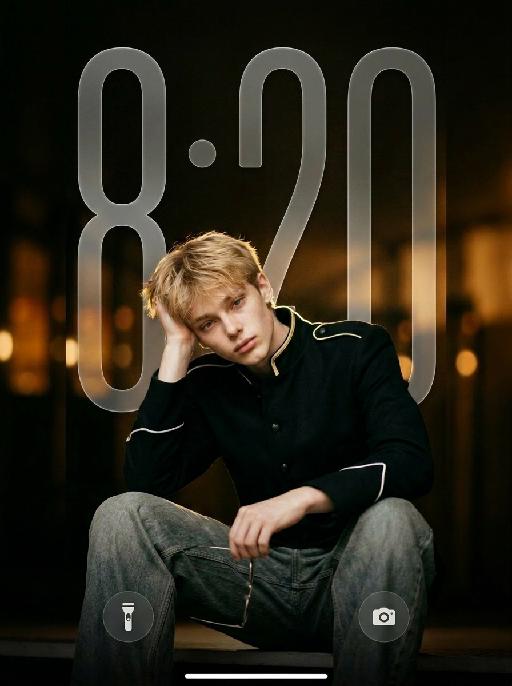
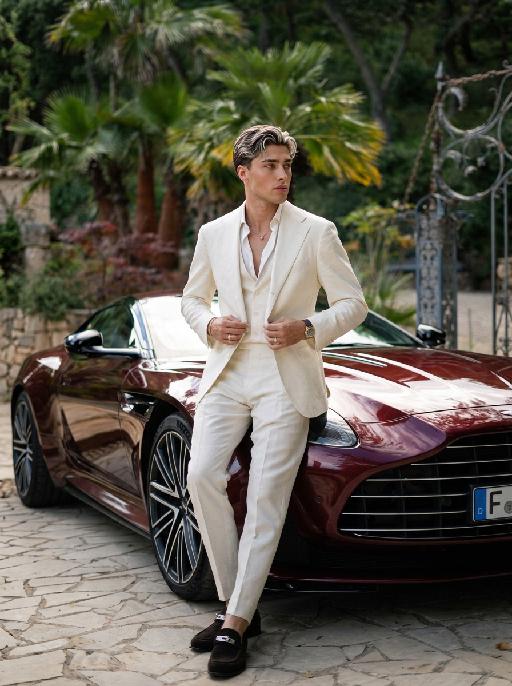
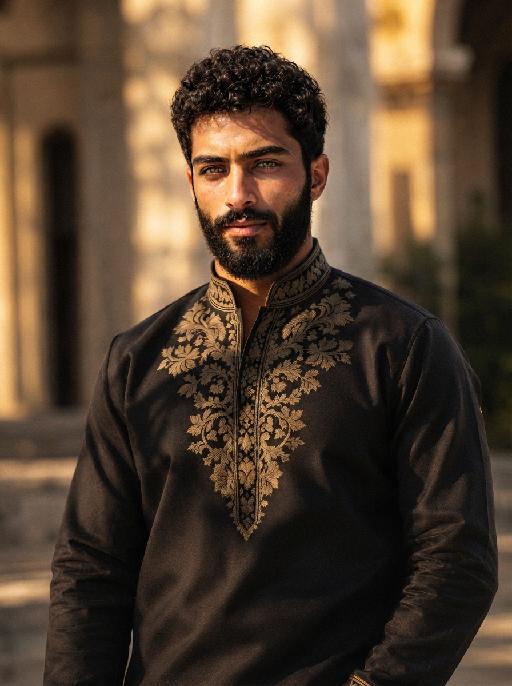
Noir Knight AI effects generated image

Noir Knight

" Vertical 9:16 medium-full fashion portrait, slightly low camera angle. Position the subject noticeably lower in the frame, anchored in the lower-middle area. The subject occupies mainly the lower two-thirds of the image, with generous clean negative space above the head. Keep the top of the hair clearly below the upper edge. One raised knee enters the lower foreground to create depth. Do not leave excessive empty space below the subject. Do not crop the head, either hand, raised knee, or gold wire-frame glasses. The subject wears a fitted black military-inspired jacket with sharp structured shoulders, a tailored waist, matte black fabric, narrow gold shoulder trim, white piping around the sleeve cuffs, and refined black buttons. The jacket is fully buttoned and neatly fastened. Pair it with loose faded gray-blue wide-leg jeans with realistic washed texture, stitching, folds, and fabric weight. Keep the outfit sharp, modern, masculine, expensive, and restrained. HAND POSITIONS — STRICTLY FIXED FROM THE SUBJECT’S OWN PERSPECTIVE: The subject’s RIGHT hand supports the right side of the head, with the palm resting gently above and slightly behind the right ear. The right hand must not hold the glasses, cover the face, touch the bangs, or enter the hair. The subject’s LEFT hand naturally holds one pair of thin gold wire-frame glasses near the raised knee or lower body. The left hand holds the glasses by one temple or the bridge. The glasses remain clearly visible and are not worn. Do not reverse the hand positions. The right hand must support the head, and the left hand must hold the glasses. Keep both hands anatomically correct, separate, fully visible, and naturally posed. Use dark cinematic low-key lighting, but keep the subject clearly brighter than the background. A large soft front-left key light and gentle frontal fill illuminate both eyes, face, hands, jacket, raised knee, jeans, and glasses. Add a subtle warm backlight along the hair, shoulders, gold trim, jacket edges, and glasses. The black jacket must remain clearly separated from the dark background, with visible matte fabric texture, tailoring, shoulder structure, seams, buttons, gold trim, white cuff piping, and natural folds. Warm amber bokeh, shallow depth of field, realistic 50–85mm portrait-lens look, and refined cinematic contrast. No subject placed near the top, no excessive empty space below, no reversed hands, no glasses in the right hand, no left hand supporting the head, no open jacket, no blazer, no leather jacket, no skinny jeans, no dark face, no shadowed eyes, no crushed black clothing, no harsh flash, no heavy bloom, no neon light, no extra fingers, no duplicated hands, and no floating glasses. "


Document AI effects generated image

Document

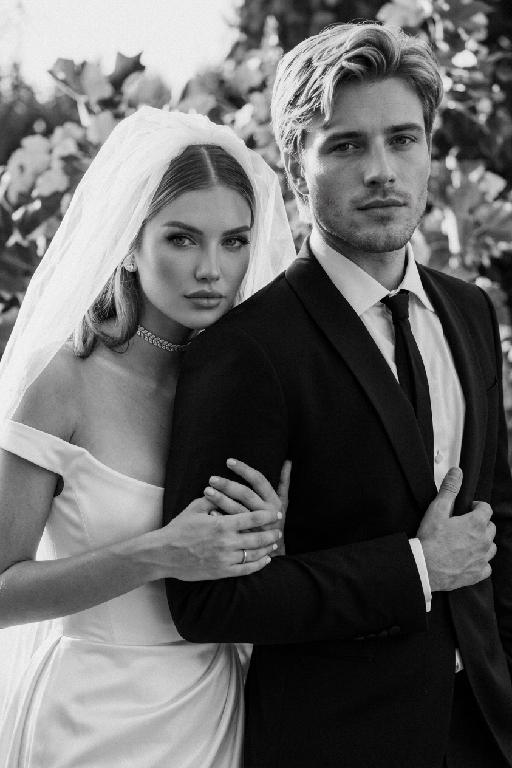
An official reference document marked with "Violation of Agreement" contains a black-and-white photo with a retro movie-like texture (accounting for 60% of the overall picture): In the photo, there is a successful person dressed in stylish black high-end clothing (with the original figure as the main subject, without any changes to facial features) standing alone, with palm trees and the setting sun in the background. The document is made from an old newspaper and placed on a wooden tabletop background (accounting for 95% of the overall picture). This scene is both realistic and ironic. This is an official notice issued by the fictional "International Culinary Standards Department", with the event report number "Awaiting Diplomatic Apology" and the status "Pending Processing". This event is described in bold as a ridiculous culinary "crime" (ordering chicken nuggets at an upscale dinner party). The text has been modified with a red marker. The circular official seal features an eagle's emblem and the words "Culinary Crime". The title part is covered with a leather sticker with a retro printed pattern. It has a retro printed texture and clear focus. The resolution is 8K. It adopts a retro design style, with a humorous, satirical style and a retro artistic beauty.

Football Legend

"Subject: The reference character is personified as a football player, wearing a green football jersey. Scene: A packed and brilliantly lit giant professional World Cup stadium, with stands filled with football fans shouting and cheering, creating a lively atmosphere. Style: Cinematic realism, High Dynamic Range (HDR), rich and dramatic cinematography. Detailed action and landscape description for each shot [Shot 1: Confrontation of Destinies] Shot type and perspective: Panoramic shot, low-angle overhead shot. Picture content: In the distant view, there is a huge stadium with a brightly lit dome and a sea of spectators in the stands. In the near view, the reference figure is wearing a football shirt and standing with his back to the camera in front of the penalty spot. Opponent's performance: In the foreground, six defenders from different football teams, each with distinct appearances, are standing shoulder to shoulder, forming a formidable human wall. These six individuals have varying facial features: some have long noses and thick eyebrows, while others have deep-set eyes and thin, short eyebrows. Some have full lips, while others have thin lips with double eyelids. All six wear black clothing and maintain a resolute and prepared demeanor. Environmental dynamic effect: A football lies quietly on the grass, illuminated by a ring of glaring white searchlights, creating a sense of oppression as if war is about to break out. [Shot 2: Highlights of the Hero] Shot and Perspective: Front view of the face, looking straight ahead. Image content: Close-up of the front face of the reference figure. Action details: Amidst the frenzied cheers on the scene, the reference figure slightly bows their head, shifting their gaze from looking straight ahead to fixedly staring at the football. Their eyes reveal a calmness and determination that surpasses their age. The background is presented with a cinematic blur effect. [Shot Three: The Fatal Kick] Shot and Perspective: Medium close-up, side low-angle following shot. Image content: Refer to the figure, with the left foot providing support, the right foot forming a striking pose, exerting full body strength to push and strike the bottom of the football. Visual effect: The moment the sneaker comes into contact with the football, the white powder of the lines on the turf and the fragments of broken grass are lifted by the strong impact force, immediately creating a dynamic effect. [Shot 4: Covering the Human Wall] Shot and Perspective: Medium shot, viewed from the front facing the human wall. Screen content: A football, with a strong upward spin, draws a sharp arc in the air. The six opponents, with different faces but wearing identical black clothes, collectively leap into the air, trying their best. However, a football just flies through the gap above their heads and heads straight for the dead corner of the goal. [Shot 5: Absolute dead angle and breaking the door] Shot composition and perspective: Top shot of the inside corner of the net (from the goalkeeper's perspective). Picture content: A football goalkeeper dressed in black is desperately diving to the side, stretching his arms as far as possible. However, the football is moving at such a high speed that it grazes the top left corner of the goal (an absolute theoretical dead angle) and crashes fiercely into the net. Dynamic effect of the net: The net is raised high, and in the background, the entire stadium of football fans erupts in an instant, wildly waving their arms and colorful ribbons flying. [Shot 6: Wild Celebration] Shot and Perspective: Medium shot, front-facing dynamic follow shot (sliding track shot). Image content: Referring to the picture, the character is running wildly on the lush green field, celebrating. He is shouting fervently with his mouth wide open, his hands spread out, and his eyes brimming with triumphant ecstasy and pride."

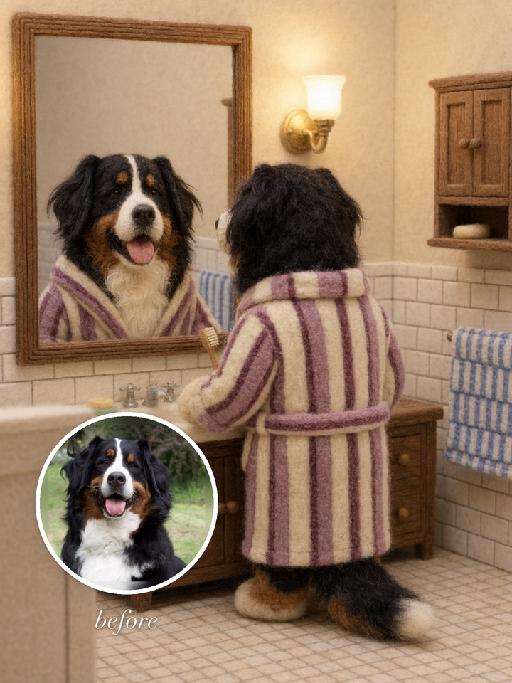
Felt Mirror AI effects generated image

Felt Mirror

"Use the uploaded pet image as the exact identity reference. Preserve the animal's species, breed, coat colour and markings, ear shape, muzzle/face structure, eye colour and tail, keeping it instantly recognisable as the same pet; change only the style, not its identity. Create a vertical 3:4 image with this exact effect: cozy needle-felt stop-motion style bathroom scene matching the reference: the uploaded pet becomes a soft felted toy dog standing with its back to the viewer at a bathroom sink, wearing a loose vertical striped bathrobe in muted pink, purple and cream. A wooden framed wall mirror above the sink shows the same felt pet's front-facing face clearly and recognizably. Warm wall lamp, cream tiled walls, wooden vanity, towel details, handmade wool fibers, rounded felt paws and ears, miniature storybook texture. No readable text, no logos, no watermark; remove any words from the mirror. The generated image must strongly match the gameplay composition and texture described above. Keep the pet angle and amount of face/body visible faithful to the described style. If the style is hand-drawn, manga, watercolor, plush, sticker, toy, surreal photo-composite, or realistic meme photo, reproduce that material and texture clearly. No logos, no watermark, no Doubao AI text."

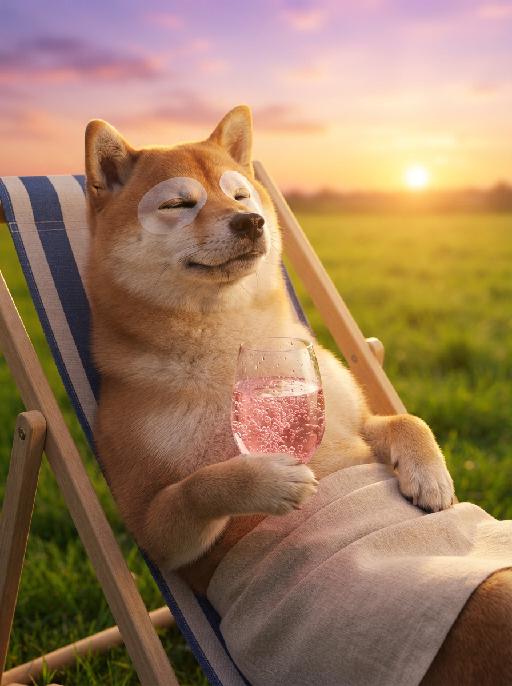
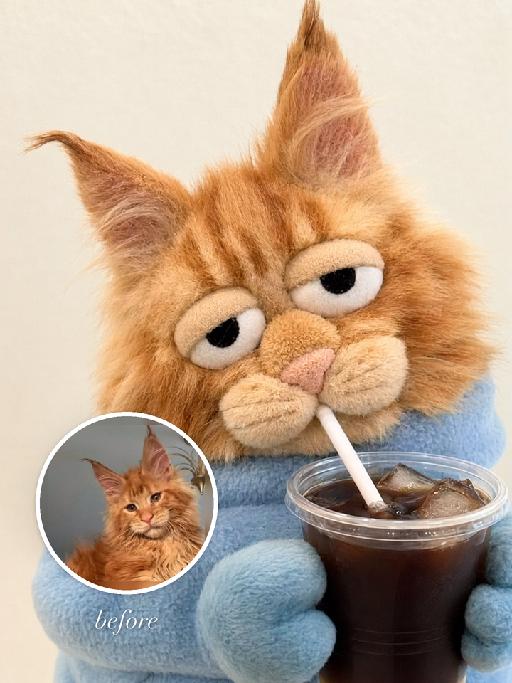
Drink Buddy AI effects generated image

Drink Buddy

"Use the uploaded pet image as the exact identity reference. Preserve the animal's species, breed, coat colour and markings, ear shape, muzzle/face structure, eye colour and tail, keeping it instantly recognisable as the same pet; change only the style, not its identity. Create a vertical 3:4 image with this exact effect: humorous plush-toy meme portrait, the uploaded pet transformed into a soft fabric puppet-like plush holding a plastic cup with straw. Cropped close-up, oversized sleepy eyes, small paws around the drink, fuzzy fleece texture, casual cafe snapshot feeling, simple light background. Keep it as a pet plush character, not a human. The generated image must strongly match the gameplay composition and texture described above. Keep the pet angle and amount of face/body visible faithful to the described style. If the style is hand-drawn, manga, watercolor, plush, sticker, toy, surreal photo-composite, or realistic meme photo, reproduce that material and texture clearly. No logos, no watermark, no Doubao AI text."

Load more

Next-Gen Multi-Model AI Video Architecture

Vivago AI isn't just one engine—it’s a unified hub for the world’s most advanced video AI. Whether you need cinematic realism or high-speed social content, we provide the right model for your creative vision.

Free Generate

Beauty and Dolphins

Vacation Time

Stellar Tear

Fish Tank Supervisor

Cinematic Quality & Precision Control

Enables 4K resolution with multi-lens motion control, generating delicate scene via text prompts for customized cinematography.​

TRY NOW

Dynamic AV Sync

Auto-generates original audio to avoid copyright issues. Build 3D immersive environments through layered sound design automatically.

TRY NOW

OpenAI Sora 2

​Advanced visual storytelling with unparalleled physics and consistency.

TRY NOW

Kling v2.6 Pro

Industry-leading cinematic image animation and motion control.

TRY NOW

Google Veo 3 & 3.1

Ultra-fast generation with enhanced realism for creative workflows.

TRY NOW

Vivago AI 2.0

Our proprietary model optimized for efficiency, speed, and cost-effective generation.

TRY NOW

Users' Voice

We listen carefully to the opinions of every user.
Free Generate
Contact Us
I tried the Lip Sync feature inside Vivago.ai’s AI Video Generator for my educational podcast, and the results were stunning! The avatar's lip movements perfectly matched my audio recording, creating a professional AI-generated video without complex editing. Compared with tools like OpenAI Sora 2 and Google Veo 3.1, Vivago Image-to-Video delivers fast, studio-quality results online. It saved me hours of post-production work.
ElenaM (Spain)
Vivago’s Image-to-Video AI transformed my marketing workflow. I uploaded a product image and described the launch scene in text, and it generated a 10-second cinematic AI video with background music and dynamic visuals. The output quality rivals Kling v2.6 Pro and Google Veo 3 Fast. It’s now my go-to AI video generator for social media ads and product campaigns.
KenjiT (Japan)
As a digital artist, I use Vivago.ai 2.0 daily for Image-to-Image and AI Image-to-Video creation. The e-book covers and animated visuals I generate for clients look cinematic and professional. Unlike many standalone AI tools, Vivago integrates multiple leading models into one platform, making it easier to create copyright-safe AI images and videos for publishing.
ChenL (China)
I tried the Lip Sync feature inside Vivago.ai’s AI Video Generator for my educational podcast, and the results were stunning! The avatar's lip movements perfectly matched my audio recording, creating a professional AI-generated video without complex editing. Compared with tools like OpenAI Sora 2 and Google Veo 3.1, Vivago Image-to-Video delivers fast, studio-quality results online. It saved me hours of post-production work.
ElenaM (Spain)
Vivago’s Image-to-Video AI transformed my marketing workflow. I uploaded a product image and described the launch scene in text, and it generated a 10-second cinematic AI video with background music and dynamic visuals. The output quality rivals Kling v2.6 Pro and Google Veo 3 Fast. It’s now my go-to AI video generator for social media ads and product campaigns.
KenjiT (Japan)
As a digital artist, I use Vivago.ai 2.0 daily for Image-to-Image and AI Image-to-Video creation. The e-book covers and animated visuals I generate for clients look cinematic and professional. Unlike many standalone AI tools, Vivago integrates multiple leading models into one platform, making it easier to create copyright-safe AI images and videos for publishing.
ChenL (China)
I absolutely love Vivago’s AI Image-to-Video Generator. As a travel blogger, static images often fail to capture real atmosphere, but Vivago helps me turn photos into vivid cinematic AI videos with motion effects. It feels comparable to OpenAI Sora 2 and Google Veo 3.1, but more accessible and faster for creators who need high-quality AI videos online.
LiamK (Australia)
I tried the Lip Sync feature inside Vivago.ai’s AI Video Generator for my educational podcast, and the results were stunning! The avatar's lip movements perfectly matched my audio recording, creating a professional AI-generated video without complex editing. Compared with tools like OpenAI Sora 2 and Google Veo 3.1, Vivago Image-to-Video delivers fast, studio-quality results online. It saved me hours of post-production work.
ElenaM (Spain)
Vivago’s Image-to-Video AI transformed my marketing workflow. I uploaded a product image and described the launch scene in text, and it generated a 10-second cinematic AI video with background music and dynamic visuals. The output quality rivals Kling v2.6 Pro and Google Veo 3 Fast. It’s now my go-to AI video generator for social media ads and product campaigns.
KenjiT (Japan)
As a digital artist, I use Vivago.ai 2.0 daily for Image-to-Image and AI Image-to-Video creation. The e-book covers and animated visuals I generate for clients look cinematic and professional. Unlike many standalone AI tools, Vivago integrates multiple leading models into one platform, making it easier to create copyright-safe AI images and videos for publishing.
ChenL (China)
I absolutely love Vivago’s AI Image-to-Video Generator. As a travel blogger, static images often fail to capture real atmosphere, but Vivago helps me turn photos into vivid cinematic AI videos with motion effects. It feels comparable to OpenAI Sora 2 and Google Veo 3.1, but more accessible and faster for creators who need high-quality AI videos online.
LiamK (Australia)
Using Vivago.ai’s Image-to-Video AI has greatly enhanced my classroom teaching. I transform textbook notes into historical AI videos with cinematic filters and dynamic animations. Compared with tools like Kling v2.6 Pro and Google Veo 3 Fast, Vivago offers faster generation and easier parameter control for educators who need reliable AI video creation.
RajivG (India)
I frequently create AI videos on Vivago and publish them on TikTok and YouTube Shorts. The AI video templates and trending content ideas help me produce viral-ready clips quickly. With Vivago’s integrated models—including advanced video engines similar to OpenAI Sora 2—I can generate anime-style and cinematic social media videos that drive high engagement.
MarieJ (Spain)
What attracts me most about Vivago.ai is not only the powerful AI Video Generator but also the active AIGC creator community. It combines AI Image-to-Video, Text-to-Video, and leading model integrations like Google Veo 3.1 into one creative platform.
TomW (India)
At first, I was hesitant about using AI video tools. But after trying Vivago Image-to-Video, I realized how easy it is to create professional AI-generated videos online. I just upload an image, add a short prompt, and adjust a few settings. The results are cinematic and copyright-safe, which is essential for commercial projects.
HectorC (Mexico)
Using Vivago.ai’s Image-to-Video AI has greatly enhanced my classroom teaching. I transform textbook notes into historical AI videos with cinematic filters and dynamic animations. Compared with tools like Kling v2.6 Pro and Google Veo 3 Fast, Vivago offers faster generation and easier parameter control for educators who need reliable AI video creation.
RajivG (India)
I frequently create AI videos on Vivago and publish them on TikTok and YouTube Shorts. The AI video templates and trending content ideas help me produce viral-ready clips quickly. With Vivago’s integrated models—including advanced video engines similar to OpenAI Sora 2—I can generate anime-style and cinematic social media videos that drive high engagement.
MarieJ (Spain)
What attracts me most about Vivago.ai is not only the powerful AI Video Generator but also the active AIGC creator community. It combines AI Image-to-Video, Text-to-Video, and leading model integrations like Google Veo 3.1 into one creative platform.
TomW (India)
At first, I was hesitant about using AI video tools. But after trying Vivago Image-to-Video, I realized how easy it is to create professional AI-generated videos online. I just upload an image, add a short prompt, and adjust a few settings. The results are cinematic and copyright-safe, which is essential for commercial projects.
HectorC (Mexico)