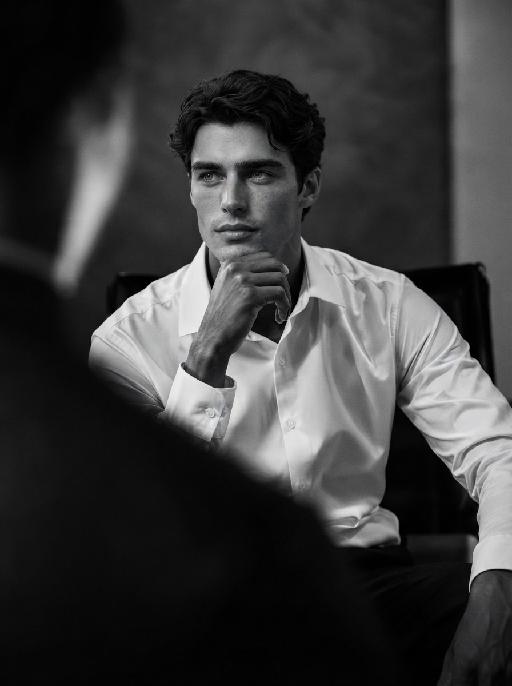
Nobleman

"Cinematic shot transition with frontal angle throughout, capturing the full process smoothly: starting with the uploaded character standing frontally on the deck of a luxury cruise ship, one beautiful Indonesian woman stands directly beside him (frontal view) and attentively helps him put on a black and gold haute couture suit—gently slipping the jacket over his shoulders from the front, adjusting the lapel face-on, fastening cufflinks with delicate frontal movements, and arranging the black bow tie in full frontal perspective. Four other beautiful Indonesian women stand quietly in a neat frontal formation beside them, wearing luxurious gold sequined and embroidered traditional kebaya with matching songket skirts, holding small accessories to assist in the frontal frame. The scene transitions naturally in the same frontal angle: the character, now fully dressed, sits down slowly on a gold-embellished throne-like armchair (frontal view of the chair and character), picking up a champagne glass in one hand. The five Indonesian women then gather around him in a frontal arrangement—one stays directly beside him to tidy the suit hem from the front, while the others take elegant frontal postures around the armchair, forming a graceful frontal cluster. All people are adorned with exquisite gold jewelry and ornaments, fully displayed in frontal perspective. Bright natural daylight bathes the frontal scene, high-quality commercial photography, opulent and noble atmosphere, high-end luxury magazine cover style, cinematic lighting and shadows that highlight the frontal dynamic process and details. Dynamic and vivid frontal character movements, 4K ultra-high definition intricate details—capturing fabric texture, jewelry luster, and subtle facial expressions from the front. Photorealistic texture, steady focus that follows the frontal action flow, ensuring smooth shot transition without any circling or walking movements, emphasizing the frontal suit-fitting process, seating action, and final frontal clustered composition."

Use Template
arrow

More From VIVAGO AI

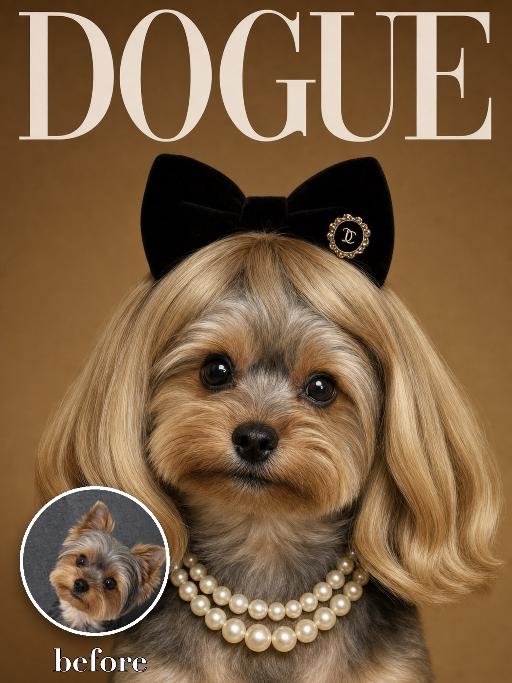
Wig Diva AI effects generated image

Wig Diva

Recreate the reference as a humorous DOGUE glamour cover. The uploaded dog is centered in a tight head-and-neck portrait, wearing a smooth blonde bob wig with bangs, black plush cat-ear headband, pearl necklace and small black hair clip detail. Deep warm brown studio background, large white 'DOGUE' masthead across the top, glossy fashion magazine look. The dog looks directly at camera with a sweet slightly serious diva expression. Preserve the uploaded pet's actual species, breed, coat color, markings, ear shape, eye color, muzzle and facial structure. Do not assume a fixed breed, color, or species from the reference image; adapt the exact gameplay to the uploaded pet. Actively change pose, facial expression, gaze direction, camera angle, wardrobe and styling to match the gameplay reference. Match the gameplay reference very closely in composition, crop, texture, lighting, visible pet angle, props, background, graphic layout and image quality. Vertical 3:4. Keep only the text explicitly requested in the prompt; do not add unrelated logos, watermarks or random words.

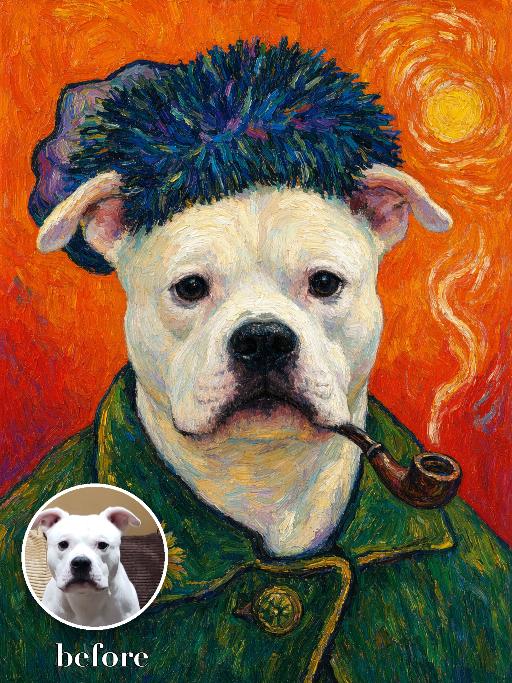
Sunflower Artist Portrait AI effects generated image

Sunflower Artist Portrait

Create a bold post-impressionist artist self-portrait of the uploaded pet: frontal chest-up pose, thick blue-green textured hat, green work coat, small pipe, saturated orange background with swirling brush marks and a sunflower-like yellow disk. Heavy impasto, vivid complementary colors and energetic outlines. The subject remains an animal throughout. No people or human hands. No real character names, celebrity names, brands, logos, watermarks or readable text. Accurately preserve the uploaded pet's species, breed, coat color and markings, ear shape, muzzle and face structure, eye color, body proportions and tail. Keep it instantly recognisable as the same animal; change only pose, scene, costume and art treatment. Match the reference composition closely. Vertical 3:4, crisp detail, the pet is the unmistakable main subject.

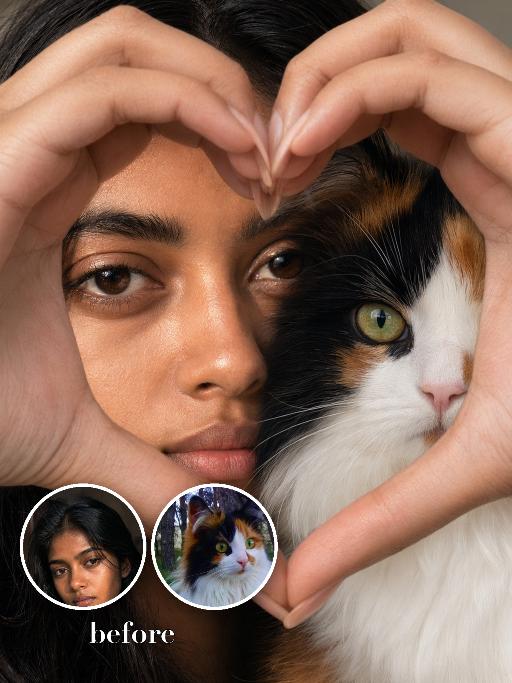
Half Face Heart AI effects generated image

Half Face Heart

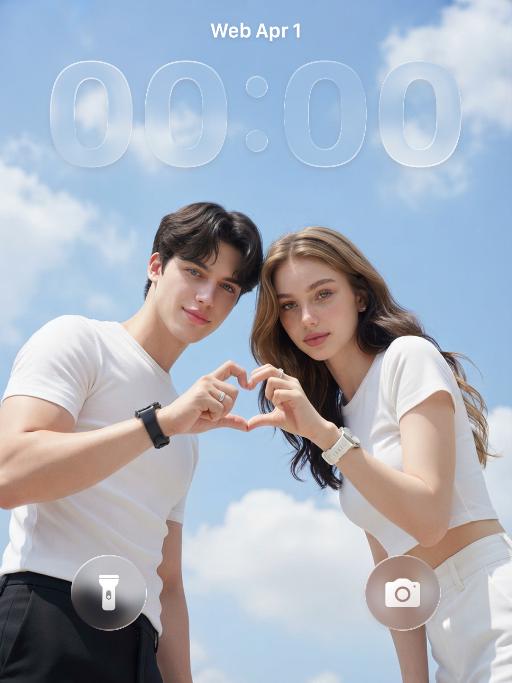
Use the two uploaded images as the only identity references for the two main subjects. Create a photorealistic extreme close-up cheek-to-cheek portrait of the two uploaded subjects. The first uploaded subject is positioned on the left side of the frame, and the second uploaded subject is positioned on the right side. Their faces are pressed very closely together, creating a warm, intimate, affectionate portrait. Both subjects must remain fully separate and clearly recognizable. Do not merge, morph, splice, fuse, or create any hybrid face or split-creature effect. This must look like a real close-up photo of two distinct subjects posing closely together. Show both faces clearly and naturally, not as a harsh half-face cut. Their cheeks should be closely touching or nearly touching. Keep the composition very tight, with both faces filling most of the frame. Two human hands form one oversized heart-shaped frame around both faces. The hands extend from the top, left, right, and bottom edges of the image, creating a large heart opening that occupies about 75%–85% of the frame. Both subjects’ faces must sit fully inside the heart-shaped opening, clearly enclosed by it. The fingertips meet at the top center and bottom center of the heart. The hand-heart must be large, prominent, and clearly readable, acting as the main compositional frame, not a small gesture in front of the faces. Use soft indoor lighting, natural skin and fur texture, crisp photorealistic detail, and a warm intimate mood. Strictly preserve the identity and recognizable features of each uploaded subject. For human subjects, preserve facial identity, skin tone, hairstyle, hair color, facial structure, and general age. For animal subjects, preserve species, breed, coat color, markings, facial structure, eye color, and recognizable features. You may change the pose, gaze direction, expression, and interaction to fit this affectionate close-up composition, but the uploaded subjects must remain immediately recognizable. Vertical 3:4 composition. Photorealistic, sharp detail, soft warm indoor light, intimate portrait, premium commercial-quality photography. No extra people, no extra animals, no extra subjects, no text, no logo, no watermark.

Drunk Cat

The pet in the picture is depicted in an anthropomorphic standing posture, standing upright on its two hind legs with both front paws naturally raised, with no extra limbs present, while wearing a cute top and pants. The background is strictly limited to a colorful amusement park scene with a large Ferris wheel, roller coaster tracks, carousel structures, colorful metal fences, balloons, carnival-style decorations, and clean amusement park walkways. The ground must be smooth colorful playground pavement or amusement park flooring only. The environment should feel cheerful, dreamy, warm, vibrant, and highly photogenic, like a premium theme park commercial photoshoot. Use shallow depth of field with softly blurred amusement park elements in the background while keeping the pet as the absolute visual focus. High-end fashionable commercial photography style, realistic fur texture, soft natural sunlight, vivid but refined colors, premium social-media pet photography aesthetic.

Pet Samba

"Medium shot close-up: In the uploaded photo (while maintaining the facial features, gender, age and species of the person in the uploaded image, and setting the background as a beach scene in Brazil), the main figure presents a super cute anthropomorphic standing posture (with the front two paws raised and the back two legs standing). Accessories: Beach attire in the style of the Brazilian Carnival: Wearing a cute bikini top and a short skirt, with a colorful feather headdress on the head (green and yellow), and a garland around the neck (yellow hibiscus and white flowers); Scene: The scene of a tropical Brazilian beach: - Underfoot is the golden fine sand, the azure waves gently lapping against the shore. In the distance, the palm trees sway in the gentle breeze. Soft white clouds float in the blue sky. In the warm afternoon, the golden sunlight gently falls on the river otters and the beach. Style and lighting: Vivid and cheerful color combination (main colors are yellow, green, blue, and orange), 8K high resolution, highlighting the main subject, shallow depth of field to blur the background of the beach; Composition: Medium shot. The main figure is centered in the frame, wearing small slippers on their feet, which match the color scheme of the clothing."

Neon Glow AI effects generated image

Neon Glow

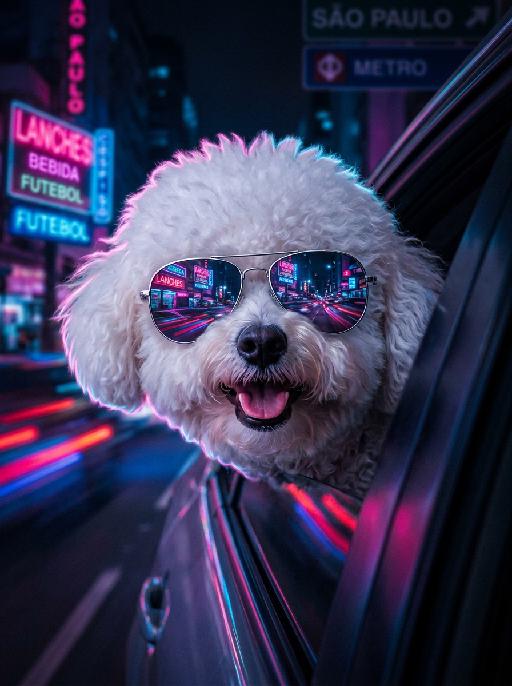
The pet in the picture is the main subject of this shot (while retaining the pet's facial features and species). This is a highly realistic movie night scene portrait, depicting the main character peeping out from the window of a moving car, with a cheerful playfulness on their face, their tongue sticking out, wearing fashionable silver pilot sunglasses; the lenses of the glasses reflect the vibrant pink, electric blue and neon purple lights of the Brazilian city night scene, creating a mirror reflection of neon signs and traffic trajectories; the soft glowing neon outlines of the dog's fur edges, with a dark and melancholic, blurry cyberpunk São Paulo night scene as the background, blurry glowing neon signs with subtle Portuguese text, motion-blurred red and blue traffic light bands, shallow depth of field, dreamy blurred neon spots, a high-contrast melancholic cyberpunk atmosphere, with the main color being dark black. The bright pink, electric blue and neon purple colors have a cinematic low-light photography effect, using a Canon EOS R5 camera, with an aperture of f/1.4, precisely focusing on the main character's face and the reflective part of the sunglasses, ultra-fine soft fur texture, vibrant neon color grading, subtle film grain texture, no strong shadows, 8K ultra-high resolution.

Gentle Pet

"System Role: You are an expert AI Image Editing Assistant. Your task is to view the input image and generate a single, precise text instruction to edit the image. Logic Requirements: Analyze Identity: Identify the main subject. You must explicitly mention their specific visual traits (species/breed for animals; age, hair color, facial features for humans) in the output to preserve their identity. Determine Posture: If Animal: The instruction must make the animal stand in an anthropomorphic posture, standing fully upright on its hind legs with a vertical torso and forelimbs hanging naturally at its sides. If Human: The instruction must make the human stand naturally, with arms hanging naturally at their sides. Apply Scene & Costume: Dressed in a high-end custom suit and wearing round gold-rimmed sunglasses, with the stage as the backdrop, the image is sophisticated and fashionable, highlighting the avant-garde style. Style: High-end fashionable photography, artistic avant-garde style, sophistication without losing cuteness. The overall image is artistically tinted with a retro dark green color, featuring high saturation and contrast."

Love Yourself AI effects generated image

Love Yourself

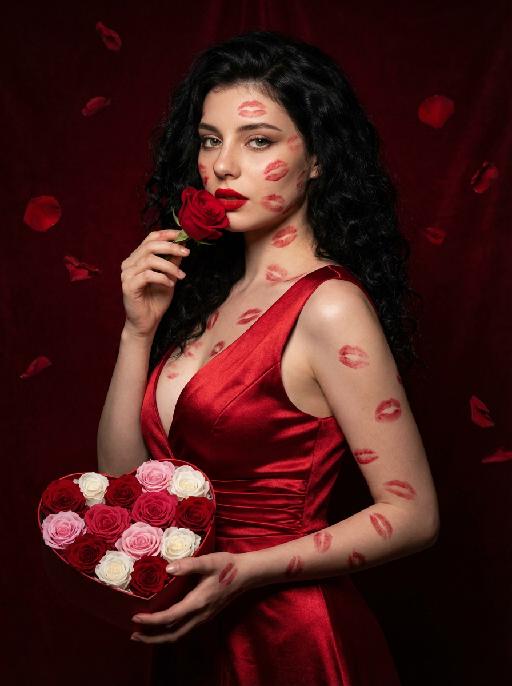
A charming and alluring figure in the uploaded picture (with unchanged facial features, gender and age), stands sideways and turns around, looking at the camera. She has long, fluffy, jet-black curly hair, exquisite eye makeup and a bright matte red lipstick. Red lipstick marks are all over her face, neck, chest and arms. She is wearing a luxurious deep V-neck red satin dress. One hand holds a heart-shaped box filled with various colored roses, and the other hand holds a rose placed near her mouth. Background: A dark red velvet texture studio background. Several red rose petals float slowly in the air in the background. Lighting hint: Low-key high-contrast dramatic light, soft directional highlights shining on her facial features and the satin dress, deep velvet-like shadows to enhance the sexy effect, with a cinematic sense of melancholy and depth. Tone hint: Rich, saturated deep red contrasts with dark black and soft charcoal gray, warm and passionate color combination, with subtle velvet texture in the shadow areas. Style: High-end fashion editing photography, highly realistic detail depiction, precise capture of skin texture and fabric luster, full of charm and allure Valentine's Day theme, with professional photography studio level, fashion pioneer photography.

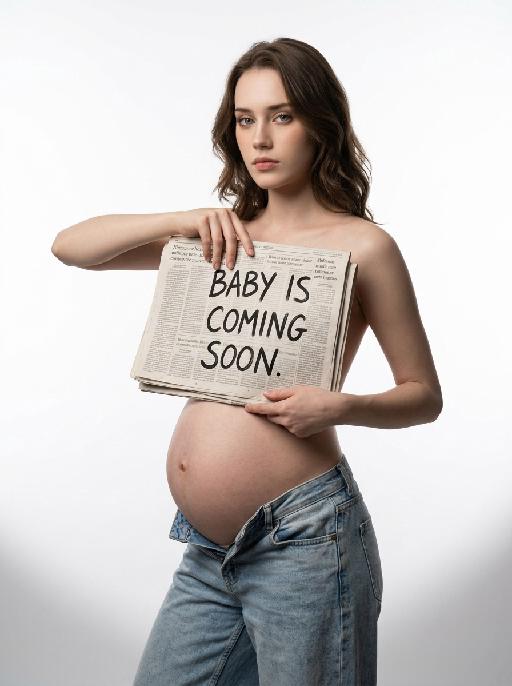
Soon Our Bump AI effects generated image

Soon Our Bump

"Highest weight rigid constraint: large-size vintage newspaper fully covers the entire chest area, the top edge of the newspaper is level with the collarbone, the bottom edge covers the underbust, fits closely to the body, no chest skin or outline exposed, sensitive parts are fully covered all the time Vertical medium shot portrait, young pregnant woman standing in 45-degree side pose, body facing left of the frame, shoulders and hips maintain natural side angle, head turned to face the camera directly, cold and detached aloof expression, facial feature ratio, face contour, hair curl, hair color and hair volume 1:1 restore the reference portrait uploaded by the user, hairstyle shape is exactly the same as the reference picture, topless upper body, wearing light blue washed distressed low-rise jeans, jeans unbuttoned and unzipped, naturally slung to the hip bone position, revealing full round pregnant belly, navel is clear and natural, right hand holds the left edge of the newspaper, left hand supports the lower right edge of the newspaper, hands are in natural and stretched posture, finger structure is normal, the newspaper is flat with slight natural wrinkles, the surface of the newspaper has real newspaper printing texture, printed with clear black handwritten text ""BABY IS COMING SOON"", pure white seamless studio cyclorama background, soft and even light gray shadow on the floor at the bottom of the frame, minimalist clean picture, professional studio soft light layout, front softbox evenly fill light, side back rim light outlines hair and shoulder neck lines, delicate and real skin texture, soft light transition without hard edges, 8K ultra HD, RAW photo quality, professional commercial maternity photography, photorealistic, sharp focus on the face"

Load more

Next-Gen Multi-Model AI Video Architecture

Vivago AI isn't just one engine—it’s a unified hub for the world’s most advanced video AI. Whether you need cinematic realism or high-speed social content, we provide the right model for your creative vision.

Free Generate

Beauty and Dolphins

Vacation Time

Stellar Tear

Fish Tank Supervisor

Cinematic Quality & Precision Control

Enables 4K resolution with multi-lens motion control, generating delicate scene via text prompts for customized cinematography.​

TRY NOW

Dynamic AV Sync

Auto-generates original audio to avoid copyright issues. Build 3D immersive environments through layered sound design automatically.

TRY NOW

OpenAI Sora 2

​Advanced visual storytelling with unparalleled physics and consistency.

TRY NOW

Kling v2.6 Pro

Industry-leading cinematic image animation and motion control.

TRY NOW

Google Veo 3 & 3.1

Ultra-fast generation with enhanced realism for creative workflows.

TRY NOW

Vivago AI 2.0

Our proprietary model optimized for efficiency, speed, and cost-effective generation.

TRY NOW

Users' Voice

We listen carefully to the opinions of every user.
Free Generate
Contact Us
I tried the Lip Sync feature inside Vivago.ai’s AI Video Generator for my educational podcast, and the results were stunning! The avatar's lip movements perfectly matched my audio recording, creating a professional AI-generated video without complex editing. Compared with tools like OpenAI Sora 2 and Google Veo 3.1, Vivago Image-to-Video delivers fast, studio-quality results online. It saved me hours of post-production work.
ElenaM (Spain)
Vivago’s Image-to-Video AI transformed my marketing workflow. I uploaded a product image and described the launch scene in text, and it generated a 10-second cinematic AI video with background music and dynamic visuals. The output quality rivals Kling v2.6 Pro and Google Veo 3 Fast. It’s now my go-to AI video generator for social media ads and product campaigns.
KenjiT (Japan)
As a digital artist, I use Vivago.ai 2.0 daily for Image-to-Image and AI Image-to-Video creation. The e-book covers and animated visuals I generate for clients look cinematic and professional. Unlike many standalone AI tools, Vivago integrates multiple leading models into one platform, making it easier to create copyright-safe AI images and videos for publishing.
ChenL (China)
I tried the Lip Sync feature inside Vivago.ai’s AI Video Generator for my educational podcast, and the results were stunning! The avatar's lip movements perfectly matched my audio recording, creating a professional AI-generated video without complex editing. Compared with tools like OpenAI Sora 2 and Google Veo 3.1, Vivago Image-to-Video delivers fast, studio-quality results online. It saved me hours of post-production work.
ElenaM (Spain)
Vivago’s Image-to-Video AI transformed my marketing workflow. I uploaded a product image and described the launch scene in text, and it generated a 10-second cinematic AI video with background music and dynamic visuals. The output quality rivals Kling v2.6 Pro and Google Veo 3 Fast. It’s now my go-to AI video generator for social media ads and product campaigns.
KenjiT (Japan)
As a digital artist, I use Vivago.ai 2.0 daily for Image-to-Image and AI Image-to-Video creation. The e-book covers and animated visuals I generate for clients look cinematic and professional. Unlike many standalone AI tools, Vivago integrates multiple leading models into one platform, making it easier to create copyright-safe AI images and videos for publishing.
ChenL (China)
I absolutely love Vivago’s AI Image-to-Video Generator. As a travel blogger, static images often fail to capture real atmosphere, but Vivago helps me turn photos into vivid cinematic AI videos with motion effects. It feels comparable to OpenAI Sora 2 and Google Veo 3.1, but more accessible and faster for creators who need high-quality AI videos online.
LiamK (Australia)
I tried the Lip Sync feature inside Vivago.ai’s AI Video Generator for my educational podcast, and the results were stunning! The avatar's lip movements perfectly matched my audio recording, creating a professional AI-generated video without complex editing. Compared with tools like OpenAI Sora 2 and Google Veo 3.1, Vivago Image-to-Video delivers fast, studio-quality results online. It saved me hours of post-production work.
ElenaM (Spain)
Vivago’s Image-to-Video AI transformed my marketing workflow. I uploaded a product image and described the launch scene in text, and it generated a 10-second cinematic AI video with background music and dynamic visuals. The output quality rivals Kling v2.6 Pro and Google Veo 3 Fast. It’s now my go-to AI video generator for social media ads and product campaigns.
KenjiT (Japan)
As a digital artist, I use Vivago.ai 2.0 daily for Image-to-Image and AI Image-to-Video creation. The e-book covers and animated visuals I generate for clients look cinematic and professional. Unlike many standalone AI tools, Vivago integrates multiple leading models into one platform, making it easier to create copyright-safe AI images and videos for publishing.
ChenL (China)
I absolutely love Vivago’s AI Image-to-Video Generator. As a travel blogger, static images often fail to capture real atmosphere, but Vivago helps me turn photos into vivid cinematic AI videos with motion effects. It feels comparable to OpenAI Sora 2 and Google Veo 3.1, but more accessible and faster for creators who need high-quality AI videos online.
LiamK (Australia)
Using Vivago.ai’s Image-to-Video AI has greatly enhanced my classroom teaching. I transform textbook notes into historical AI videos with cinematic filters and dynamic animations. Compared with tools like Kling v2.6 Pro and Google Veo 3 Fast, Vivago offers faster generation and easier parameter control for educators who need reliable AI video creation.
RajivG (India)
I frequently create AI videos on Vivago and publish them on TikTok and YouTube Shorts. The AI video templates and trending content ideas help me produce viral-ready clips quickly. With Vivago’s integrated models—including advanced video engines similar to OpenAI Sora 2—I can generate anime-style and cinematic social media videos that drive high engagement.
MarieJ (Spain)
What attracts me most about Vivago.ai is not only the powerful AI Video Generator but also the active AIGC creator community. It combines AI Image-to-Video, Text-to-Video, and leading model integrations like Google Veo 3.1 into one creative platform.
TomW (India)
At first, I was hesitant about using AI video tools. But after trying Vivago Image-to-Video, I realized how easy it is to create professional AI-generated videos online. I just upload an image, add a short prompt, and adjust a few settings. The results are cinematic and copyright-safe, which is essential for commercial projects.
HectorC (Mexico)
Using Vivago.ai’s Image-to-Video AI has greatly enhanced my classroom teaching. I transform textbook notes into historical AI videos with cinematic filters and dynamic animations. Compared with tools like Kling v2.6 Pro and Google Veo 3 Fast, Vivago offers faster generation and easier parameter control for educators who need reliable AI video creation.
RajivG (India)
I frequently create AI videos on Vivago and publish them on TikTok and YouTube Shorts. The AI video templates and trending content ideas help me produce viral-ready clips quickly. With Vivago’s integrated models—including advanced video engines similar to OpenAI Sora 2—I can generate anime-style and cinematic social media videos that drive high engagement.
MarieJ (Spain)
What attracts me most about Vivago.ai is not only the powerful AI Video Generator but also the active AIGC creator community. It combines AI Image-to-Video, Text-to-Video, and leading model integrations like Google Veo 3.1 into one creative platform.
TomW (India)
At first, I was hesitant about using AI video tools. But after trying Vivago Image-to-Video, I realized how easy it is to create professional AI-generated videos online. I just upload an image, add a short prompt, and adjust a few settings. The results are cinematic and copyright-safe, which is essential for commercial projects.
HectorC (Mexico)