More From VIVAGO AI

Headphone Treasure AI effects generated image

Headphone Treasure

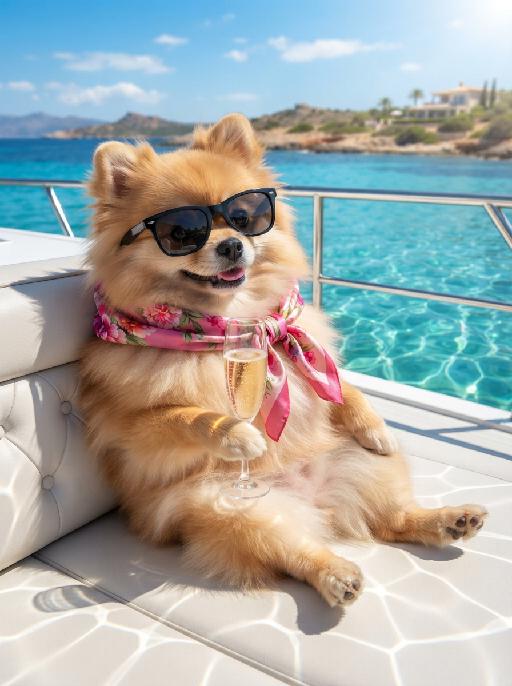
Photograph the uploaded pet as a joyful studio DJ-style pet portrait on a solid pastel pink background: the pet faces camera with a happy open-mouth expression, wearing oversized cream heart-shaped sunglasses and a dark navy floral bandana or scarf around the neck. Add over-ear headphones as a playful music accessory if they fit the pose, keeping the sunglasses and bandana clearly visible. Bright commercial pet photography, crisp fur, clean shadows. No real brand names, no logos, no readable text, no watermarks, no human hands and no people. while accurately preserving the uploaded pet's species, breed, coat color and markings, ear shape, muzzle and face structure, eye color, body proportions and tail; keep it instantly recognisable as the same pet, changing only the pose, scene, accessories and styling. Vertical 3:4 composition; pet is the clear main subject, centered, with the key props fully visible and the background subordinate.

Looking Down AI effects generated image

Looking Down

"Use the two uploaded images as the only identity references for the two main subjects. Create a photorealistic low-angle upward-looking selfie portrait of exactly two uploaded subjects: the uploaded dog and the uploaded cat. The camera is positioned very low below them, pointing straight upward, so both subjects lean over the lens from opposite sides and look downward into it. Place the dog on one side of the frame and the cat on the other side, both leaning inward toward the center. Their noses are very close to the lens, creating a playful exaggerated perspective. Both subjects should have curious, funny, lively expressions, as if they are investigating the camera below them. Use an ultra-wide selfie perspective with slight fisheye-style lens distortion. The noses may appear larger and closer to the camera, while the eyes, muzzle, ears, and facial features remain clearly recognizable and natural. The distortion should feel playful and realistic, not broken or grotesque. Keep both uploaded subjects as two completely separate, fully recognizable individuals. Do not merge, morph, splice, fuse, or create any hybrid appearance. Strictly preserve each uploaded subject’s identity and recognizable features. For animal subjects, preserve species, breed, coat color, fur pattern, markings, eye color, ear shape, nose shape, muzzle structure, facial proportions, and overall recognizability. For human subjects, preserve facial identity, hair color, skin tone, facial structure, and general age. Do not preserve the original uploaded pose or expression. Actively change the facial expression, gaze direction, body pose, and interaction so both subjects fit this playful low-angle selfie composition naturally. Use a clean bright blue sky background with no distracting elements. The overall image should feel fresh, funny, dynamic, and visually striking."

Eid Wish AI effects generated image

Eid Wish

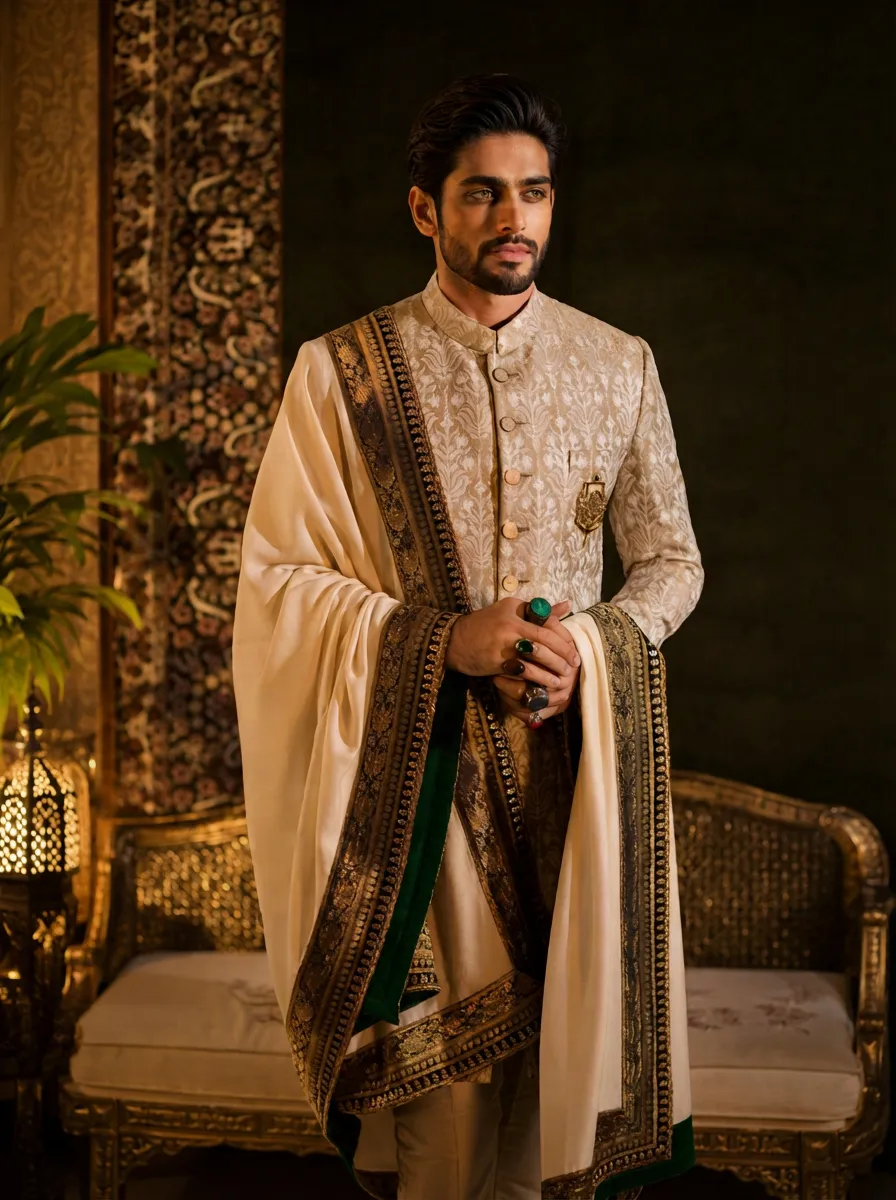
Maintain the exact same facial features of the person in the uploaded image, Photorealistic portrait, cinematic shot, the person wearing a white traditional thobe and white songkok hat, standing by a wooden balcony window at twilight, hands raised in gentle prayer, looking up with reverent expression, warm side lighting creating soft shadows and light contrast, background features the glowing green domes and minarets of Masjid an-Nabawi under a starry night sky with a crescent moon, floating Arabic calligraphy of "Allah" and elegant golden text "Ramadan Kareem", foreground includes an open Quran emitting soft glow, a bowl of dates, glowing incense, prayer beads, and ornate lit Ramadan lanterns, Sony A7R V camera, 8K resolution, sharp details, warm golden hour color grading, realistic texture of wood and fabric, no 3D cartoon elements, no digital art filters, pure photographic realism.

Veil Love AI effects generated image

Veil Love

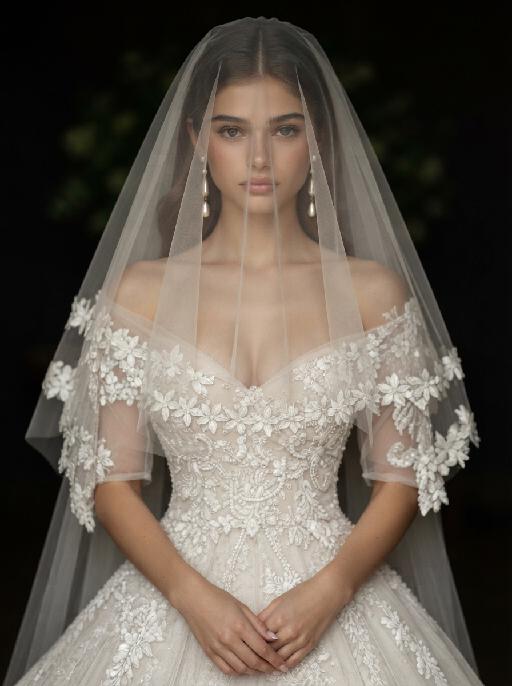
Create a photorealistic cinematic wedding portrait of the two subjects from the uploaded image, preserving their exact faces, ages, facial features, skin tones, and overall likeness as accurately as possible. Transform the two subjects into a bride and groom in an intimate close-up wedding portrait. The couple should strictly follow this romantic veil pose: the bride is on the left side of the image and the groom is on the right side. They stand extremely close to each other under a soft translucent white bridal veil, facing each other in profile. Their noses are almost touching, creating a quiet, romantic, intimate moment before a kiss. Both subjects look into each other’s eyes with gentle, affectionate, loving expressions. The bride gently places one hand on the groom’s neck or jawline, with relaxed elegant fingers, creating a tender and intimate touch. The groom stays close to the bride, slightly leaning toward her, calm and affectionate. Their faces should remain clearly visible and natural, not hidden by the veil. Bride outfit: the bride wears an elegant white wedding dress with a soft romantic bridal style. The dress may have a clean neckline, delicate lace, subtle embroidery, or refined satin texture. She wears a long translucent white tulle veil that softly covers and frames both the bride and groom, creating a romantic canopy around their faces. The veil should be lightweight, semi-transparent, and beautifully draped, not messy or opaque. The bride also wears subtle bridal earrings and a delicate pearl or diamond necklace. The bride’s hairstyle is not restricted and may be freely styled in whatever way best suits the overall bridal look, as long as it remains beautiful, natural, and elegant. Groom outfit: the groom wears a classic black tuxedo or formal black wedding suit, fitted and elegant, with a clean white dress shirt and a black bow tie. The groom’s outfit should look sharp, formal, minimal, and refined. Background: a simple softly blurred wedding background, such as a quiet garden, chapel courtyard, or elegant neutral outdoor wedding setting. The background should be minimal, romantic, and unobtrusive, with no visible crowd or distracting details. The couple should be the only two people in the image. Lighting and color: full-color image, not black and white. Use soft natural wedding photography colors with a low-saturation color palette, muted warm tones, soft ivory whites, gentle beige highlights, subtle skin tones, and elegant film-like color grading. The image should feel romantic, soft, refined, and timeless. Avoid monochrome, grayscale, overly vivid colors, neon tones, and harsh contrast. Composition: vertical close-up portrait, intimate framing from the shoulders or upper chest upward. The bride and groom are centered under the veil, with the veil forming a soft triangular or curved frame around their faces. Their noses should be very close but not kissing yet. The bride’s hand should be visible gently touching the groom’s neck or jawline. The overall mood should feel pure, romantic, quiet, emotional, and cinematic. Ultra realistic photography, high-end wedding editorial style, natural facial details, realistic hands and fingers, realistic veil texture, soft film grain, professional portrait lens look, shallow depth of field, high detail, muted cinematic color grading.

Urban Wild AI effects generated image

Urban Wild

"Keep the character's facial features from the uploaded image unchanged. High-end luxury fashion editorial photography, photorealistic, ultra-detailed, 8K resolution. A striking figure with sleek pulled-back dark hair, wearing an oversized tiger-stripe faux fur coat, holding a black leather handbag with gold V-logo hardware, stepping up the stairs of a private jet. One limb grips the handrail, one leg bent in a confident pose, gaze directed to the side with a sharp, glamorous expression. Background: the exterior of a golden private jet under a clear bright blue sky, warm golden hour sunlight with strong lens flare effects, casting a luxurious warm glow on the fur and metal surfaces. Lighting: dramatic golden backlight, high contrast, warm golden tones, lens flare from the jet engine, highlighting the texture of the fur and the sheen of the leather bag. Style: bold luxury fashion aesthetic, cinematic film grain, shallow depth of field, sharp focus on the central figure and handbag, rich textures of fur, leather and metal, glamorous and powerful vibe, shot with a professional medium format camera."

Sticker Collage

"Use the uploaded image as the only identity reference. Create a sketchbook-style illustrated collage page based on the uploaded image. Layout: - clean white background - 1 main full-body illustration placed in the center as the focal point - several smaller illustrations arranged around the central figure in a balanced collage layout - include drawings in the top left, top right, middle left, middle right, bottom left, and bottom right areas so the page feels full and visually organized Content: - the center should show one main full-body drawing of the same subject or subjects from the uploaded image - the surrounding smaller illustrations should show the same subject or subjects in a mix of close-up portraits, half-body views, side views, back views, and relaxed or expressive moments - include a variety of expressions and poses while keeping the identity consistent - all drawings should clearly represent the same subject or same group from the uploaded image Style: soft hand-drawn digital illustration, sketchbook aesthetic, sticker-sheet composition, clean linework, polished coloring, slightly stylized cartoon look, expressive and lively, warm and charming mood. Add rich scrapbook-style decorative elements across the page, including: - a small sticky note in the top-right corner - pieces of decorative tape holding some elements in place - sticker-like cutout decorations - handwritten English notes and captions - small labels and mini paper notes - hearts, stars, flowers, sparkles, and tiny icons - little speech bubbles - layered paper scraps and stationery-style details Keep these decorative elements playful, cute, and visually integrated, making the page feel like a personal scrapbook, memo board, or illustrated journal page. Add a few handwritten English phrases such as: ""My Sketchbook"" ""Happy Day"" ""Love this"" ""So cute"" ""Best moment"" ""Hello!"" ""Sweet vibes"" Keep the identity, hairstyle, facial features, clothing style, and overall appearance consistent across all drawings. The final page should look like a polished illustrated scrapbook collage: cute, organized, expressive, rich in detail, and aesthetically pleasing. No logo, no watermark. "

Flower Crown AI effects generated image

Flower Crown

"A detailed, exquisite classical oil painting, in the style of Baroque and Rococo portraiture, depicting the uploaded animal/subject, whose exact species, fur/feather/skin texture, facial features, eye color, nose, and all physical characteristics remain completely unchanged. The subject is elegantly positioned inside an ornate, heavily gilded gold picture frame with intricate scrollwork, which rests on a rich brown velvet surface. The subject wears a naturally wild and loosely arranged floral crown resting gently on its head, featuring a mix of large full-bloom white peonies, coral pink roses, soft cream garden roses, scattered white daisies, and small wildflowers, with delicate thin branches, dried twigs, and soft green trailing foliage naturally extending and sprouting outward beyond the crown in an effortless, organic, slightly undone style. Around its neck are multiple strands of a pearl necklace, and it wears a ruffled silk satin gown in cream or light gold. Its front paws rest gracefully on the lower edge of the golden frame, with exactly the correct number of limbs for its species — no extra paws, no duplicate limbs, no additional appendages. The artwork features soft, dramatic chiaroscuro lighting, highlighting the subject's face, clothing, and the abundance of fresh rose blossoms in white, pink, and caramel brown hues piled in the foreground at the bottom of the frame. Visible brushstrokes and a rich, painted texture are present throughout. This is a custom 'Pet Royalty' style portrait. 8K resolution, ultra-realistic, masterpiece."

Veil Love AI effects generated image

Veil Love

Create a photorealistic cinematic wedding portrait of the two subjects from the uploaded image, preserving their exact faces, ages, facial features, skin tones, and overall likeness as accurately as possible. Transform the two subjects into a bride and groom in an intimate close-up wedding portrait. The couple should strictly follow this romantic veil pose: the bride is on the left side of the image and the groom is on the right side. They stand extremely close to each other under a soft translucent white bridal veil, facing each other in profile. Their noses are almost touching, creating a quiet, romantic, intimate moment before a kiss. Both subjects look into each other’s eyes with gentle, affectionate, loving expressions. The bride gently places one hand on the groom’s neck or jawline, with relaxed elegant fingers, creating a tender and intimate touch. The groom stays close to the bride, slightly leaning toward her, calm and affectionate. Their faces should remain clearly visible and natural, not hidden by the veil. Bride outfit: the bride wears an elegant white wedding dress with a soft romantic bridal style. The dress may have a clean neckline, delicate lace, subtle embroidery, or refined satin texture. She wears a long translucent white tulle veil that softly covers and frames both the bride and groom, creating a romantic canopy around their faces. The veil should be lightweight, semi-transparent, and beautifully draped, not messy or opaque. The bride also wears subtle bridal earrings and a delicate pearl or diamond necklace. The bride’s hairstyle is not restricted and may be freely styled in whatever way best suits the overall bridal look, as long as it remains beautiful, natural, and elegant. Groom outfit: the groom wears a classic black tuxedo or formal black wedding suit, fitted and elegant, with a clean white dress shirt and a black bow tie. The groom’s outfit should look sharp, formal, minimal, and refined. Background: a simple softly blurred wedding background, such as a quiet garden, chapel courtyard, or elegant neutral outdoor wedding setting. The background should be minimal, romantic, and unobtrusive, with no visible crowd or distracting details. The couple should be the only two people in the image. Lighting and color: full-color image, not black and white. Use soft natural wedding photography colors with a low-saturation color palette, muted warm tones, soft ivory whites, gentle beige highlights, subtle skin tones, and elegant film-like color grading. The image should feel romantic, soft, refined, and timeless. Avoid monochrome, grayscale, overly vivid colors, neon tones, and harsh contrast. Composition: vertical close-up portrait, intimate framing from the shoulders or upper chest upward. The bride and groom are centered under the veil, with the veil forming a soft triangular or curved frame around their faces. Their noses should be very close but not kissing yet. The bride’s hand should be visible gently touching the groom’s neck or jawline. The overall mood should feel pure, romantic, quiet, emotional, and cinematic. Ultra realistic photography, high-end wedding editorial style, natural facial details, realistic hands and fingers, realistic veil texture, soft film grain, professional portrait lens look, shallow depth of field, high detail, muted cinematic color grading.

Slow Grace

Strictly keep the subject exactly the same as the reference image, with absolutely no species change; keep the same face shape, facial features, eyes, nose, mouth, ears, fur/skin color, markings, body shape, and age impression exactly the same; no species swap, no face swap, no chibi, no cartoon style; change the subject into a full-body standing front-facing pose, looking at the camera, with both hands/paws naturally raised for display; add exaggerated fluffy curly hair; dress the subject in a bright tropical floral shirt and light shorts, fully covered, no nudity; if the subject is a pet or animal, it must wear a cute top and shorts; add colorful paint on the paws/hands; warm outdoor natural blurred background, centered subject, full body visible, realistic photography style, high-definition details, ultra cute.

Space Explorer AI effects generated image

Space Explorer

Masterpiece, 8K, ultra-detailed, photorealistic, cinematic lighting. The uploaded animal (pet) — whose species, fur texture, facial features, ears, tail, and all animal characteristics remain completely unchanged — floating happily in outer space, wearing a sleek white astronaut spacesuit with glowing neon blue accents, a clear glass helmet fully revealing the uploaded subject's face and expression, and a vibrant Brazilian flag patch on the arm. A glowing sparkly tether connects the uploaded subject to open space. The uploaded subject has a joyful expression, tongue out, floating freely in zero gravity. Background features a vibrant cosmic scene with colorful nebulas, twinkling stars, bright glowing comets with colorful trails, the Earth planet visible in the upper background, and a small ringed planet on the left. Realistic fur texture, realistic spacesuit details, deep space colors, vibrant contrast, sharp focus, magical glowing atmosphere, sci-fi vibe, whimsical space adventure.

Sand Mirror AI effects generated image

Sand Mirror

"[Strictly preserve the exact same subjects, same species, same faces, original appearance features, and the full style of clothing and costume details from the reference images unchanged;] Hyperrealistic photograph, the exact subject from the reference image, kneeling naturally on a quiet golden sandy beach at sunset. It keeps the original outfit and headwear, completely consistent with the reference image. Eyes open, looking down softly at the hyper-detailed sand portrait drawn in the sand in front of it. The sand portrait must replicate 100% the exact face, facial features and headwear from the reference image, standard strict front full face view, eyes wide open, perfectly identical facial structure and proportion, symmetrical face, no distorted face, no deformed facial features. The sand portrait uses only natural sand tones, with subtle variations in light and dark sand to create texture, folds, and shading, no extra colors, no colorful stains, no random pigment, purely presented with original beach sand texture. Made of natural sand layers, soft sand relief texture (not overly 3D, no exaggerated protrusion), realistic sand grain texture, smooth fabric folds, clear and delicate facial details. Background with calm sea waves, soft golden sunset light, warm golden hour ambient light, soft natural shadow, sparse beach footprints, cinematic depth of field, ultra-realistic sand texture, 8K ultra HD, soft warm tone, pure and dreamy atmosphere, natural facial proportion, no weird face, no distorted limbs, no extra messy details. "

Clown Villain Portrait AI effects generated image

Clown Villain Portrait

Create a theatrical stage-character pet portrait based on the reference. The uploaded pet wears a deep red suit jacket over a dark green vest and shirt, with abstract red and blue face-paint markings adapted around the animal face. Dark city-studio background, close chest-up framing, serious expressive gaze, cinematic realism. The subject remains an animal throughout. No people or human hands. No real character names, celebrity names, brands, logos, watermarks or readable text. Accurately preserve the uploaded pet's species, breed, coat color and markings, ear shape, muzzle and face structure, eye color, body proportions and tail. Keep it instantly recognisable as the same animal; change only pose, scene, costume and art treatment. Match the reference composition closely. Vertical 3:4, crisp detail, the pet is the unmistakable main subject.

Neon Glow AI effects generated image

Neon Glow

The pet in the picture is the main subject of this shot (while retaining the pet's facial features and species). This is a highly realistic movie night scene portrait, depicting the main character peeping out from the window of a moving car, with a cheerful playfulness on their face, their tongue sticking out, wearing fashionable silver pilot sunglasses; the lenses of the glasses reflect the vibrant pink, electric blue and neon purple lights of the Brazilian city night scene, creating a mirror reflection of neon signs and traffic trajectories; the soft glowing neon outlines of the dog's fur edges, with a dark and melancholic, blurry cyberpunk São Paulo night scene as the background, blurry glowing neon signs with subtle Portuguese text, motion-blurred red and blue traffic light bands, shallow depth of field, dreamy blurred neon spots, a high-contrast melancholic cyberpunk atmosphere, with the main color being dark black. The bright pink, electric blue and neon purple colors have a cinematic low-light photography effect, using a Canon EOS R5 camera, with an aperture of f/1.4, precisely focusing on the main character's face and the reflective part of the sunglasses, ultra-fine soft fur texture, vibrant neon color grading, subtle film grain texture, no strong shadows, 8K ultra-high resolution.

Load more

Next-Gen Multi-Model AI Video Architecture

Vivago AI isn't just one engine—it’s a unified hub for the world’s most advanced video AI. Whether you need cinematic realism or high-speed social content, we provide the right model for your creative vision.

Free Generate

Beauty and Dolphins

Vacation Time

Stellar Tear

Fish Tank Supervisor

Cinematic Quality & Precision Control

Enables 4K resolution with multi-lens motion control, generating delicate scene via text prompts for customized cinematography.​

TRY NOW

Dynamic AV Sync

Auto-generates original audio to avoid copyright issues. Build 3D immersive environments through layered sound design automatically.

TRY NOW

OpenAI Sora 2

​Advanced visual storytelling with unparalleled physics and consistency.

TRY NOW

Kling v2.6 Pro

Industry-leading cinematic image animation and motion control.

TRY NOW

Google Veo 3 & 3.1

Ultra-fast generation with enhanced realism for creative workflows.

TRY NOW

Vivago AI 2.0

Our proprietary model optimized for efficiency, speed, and cost-effective generation.
TRY NOW

Users' Voice

We listen carefully to the opinions of every user.
Free Generate
Contact Us
I tried the Lip Sync feature inside Vivago.ai’s AI Video Generator for my educational podcast, and the results were stunning! The avatar's lip movements perfectly matched my audio recording, creating a professional AI-generated video without complex editing. Compared with tools like OpenAI Sora 2 and Google Veo 3.1, Vivago Image-to-Video delivers fast, studio-quality results online. It saved me hours of post-production work.
ElenaM (Spain)
Vivago’s Image-to-Video AI transformed my marketing workflow. I uploaded a product image and described the launch scene in text, and it generated a 10-second cinematic AI video with background music and dynamic visuals. The output quality rivals Kling v2.6 Pro and Google Veo 3 Fast. It’s now my go-to AI video generator for social media ads and product campaigns.
KenjiT (Japan)
As a digital artist, I use Vivago.ai 2.0 daily for Image-to-Image and AI Image-to-Video creation. The e-book covers and animated visuals I generate for clients look cinematic and professional. Unlike many standalone AI tools, Vivago integrates multiple leading models into one platform, making it easier to create copyright-safe AI images and videos for publishing.
ChenL (China)
I tried the Lip Sync feature inside Vivago.ai’s AI Video Generator for my educational podcast, and the results were stunning! The avatar's lip movements perfectly matched my audio recording, creating a professional AI-generated video without complex editing. Compared with tools like OpenAI Sora 2 and Google Veo 3.1, Vivago Image-to-Video delivers fast, studio-quality results online. It saved me hours of post-production work.
ElenaM (Spain)
Vivago’s Image-to-Video AI transformed my marketing workflow. I uploaded a product image and described the launch scene in text, and it generated a 10-second cinematic AI video with background music and dynamic visuals. The output quality rivals Kling v2.6 Pro and Google Veo 3 Fast. It’s now my go-to AI video generator for social media ads and product campaigns.
KenjiT (Japan)
As a digital artist, I use Vivago.ai 2.0 daily for Image-to-Image and AI Image-to-Video creation. The e-book covers and animated visuals I generate for clients look cinematic and professional. Unlike many standalone AI tools, Vivago integrates multiple leading models into one platform, making it easier to create copyright-safe AI images and videos for publishing.
ChenL (China)
I absolutely love Vivago’s AI Image-to-Video Generator. As a travel blogger, static images often fail to capture real atmosphere, but Vivago helps me turn photos into vivid cinematic AI videos with motion effects. It feels comparable to OpenAI Sora 2 and Google Veo 3.1, but more accessible and faster for creators who need high-quality AI videos online.
LiamK (Australia)
I tried the Lip Sync feature inside Vivago.ai’s AI Video Generator for my educational podcast, and the results were stunning! The avatar's lip movements perfectly matched my audio recording, creating a professional AI-generated video without complex editing. Compared with tools like OpenAI Sora 2 and Google Veo 3.1, Vivago Image-to-Video delivers fast, studio-quality results online. It saved me hours of post-production work.
ElenaM (Spain)
Vivago’s Image-to-Video AI transformed my marketing workflow. I uploaded a product image and described the launch scene in text, and it generated a 10-second cinematic AI video with background music and dynamic visuals. The output quality rivals Kling v2.6 Pro and Google Veo 3 Fast. It’s now my go-to AI video generator for social media ads and product campaigns.
KenjiT (Japan)
As a digital artist, I use Vivago.ai 2.0 daily for Image-to-Image and AI Image-to-Video creation. The e-book covers and animated visuals I generate for clients look cinematic and professional. Unlike many standalone AI tools, Vivago integrates multiple leading models into one platform, making it easier to create copyright-safe AI images and videos for publishing.
ChenL (China)
I absolutely love Vivago’s AI Image-to-Video Generator. As a travel blogger, static images often fail to capture real atmosphere, but Vivago helps me turn photos into vivid cinematic AI videos with motion effects. It feels comparable to OpenAI Sora 2 and Google Veo 3.1, but more accessible and faster for creators who need high-quality AI videos online.
LiamK (Australia)
Using Vivago.ai’s Image-to-Video AI has greatly enhanced my classroom teaching. I transform textbook notes into historical AI videos with cinematic filters and dynamic animations. Compared with tools like Kling v2.6 Pro and Google Veo 3 Fast, Vivago offers faster generation and easier parameter control for educators who need reliable AI video creation.
RajivG (India)
I frequently create AI videos on Vivago and publish them on TikTok and YouTube Shorts. The AI video templates and trending content ideas help me produce viral-ready clips quickly. With Vivago’s integrated models—including advanced video engines similar to OpenAI Sora 2—I can generate anime-style and cinematic social media videos that drive high engagement.
MarieJ (Spain)
What attracts me most about Vivago.ai is not only the powerful AI Video Generator but also the active AIGC creator community. It combines AI Image-to-Video, Text-to-Video, and leading model integrations like Google Veo 3.1 into one creative platform.
TomW (India)
At first, I was hesitant about using AI video tools. But after trying Vivago Image-to-Video, I realized how easy it is to create professional AI-generated videos online. I just upload an image, add a short prompt, and adjust a few settings. The results are cinematic and copyright-safe, which is essential for commercial projects.
HectorC (Mexico)
Using Vivago.ai’s Image-to-Video AI has greatly enhanced my classroom teaching. I transform textbook notes into historical AI videos with cinematic filters and dynamic animations. Compared with tools like Kling v2.6 Pro and Google Veo 3 Fast, Vivago offers faster generation and easier parameter control for educators who need reliable AI video creation.
RajivG (India)
I frequently create AI videos on Vivago and publish them on TikTok and YouTube Shorts. The AI video templates and trending content ideas help me produce viral-ready clips quickly. With Vivago’s integrated models—including advanced video engines similar to OpenAI Sora 2—I can generate anime-style and cinematic social media videos that drive high engagement.
MarieJ (Spain)
What attracts me most about Vivago.ai is not only the powerful AI Video Generator but also the active AIGC creator community. It combines AI Image-to-Video, Text-to-Video, and leading model integrations like Google Veo 3.1 into one creative platform.
TomW (India)
At first, I was hesitant about using AI video tools. But after trying Vivago Image-to-Video, I realized how easy it is to create professional AI-generated videos online. I just upload an image, add a short prompt, and adjust a few settings. The results are cinematic and copyright-safe, which is essential for commercial projects.
HectorC (Mexico)