More From VIVAGO AI

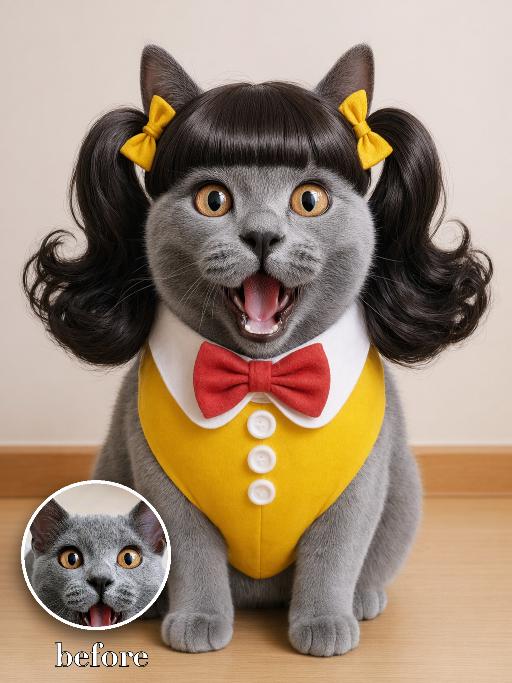
Pigtail Doll AI effects generated image

Pigtail Doll

Recreate the toy-like doll costume portrait: the uploaded pet sits facing camera with a shiny black double-pigtail wig tied with yellow bows, a bright yellow outfit with white buttons and a red bow tie. Simple beige indoor background, symmetrical cute full-body portrait, plush playful realism. The subject remains an animal throughout. No people or human hands. No real character names, celebrity names, brands, logos, watermarks or readable text. Accurately preserve the uploaded pet's species, breed, coat color and markings, ear shape, muzzle and face structure, eye color, body proportions and tail. Keep it instantly recognisable as the same animal; change only pose, scene, costume and art treatment. Match the provided gameplay reference very closely in composition, pose, colors, camera angle, props, and visual idea. Vertical 3:4, crisp detail, the pet is the unmistakable main subject.

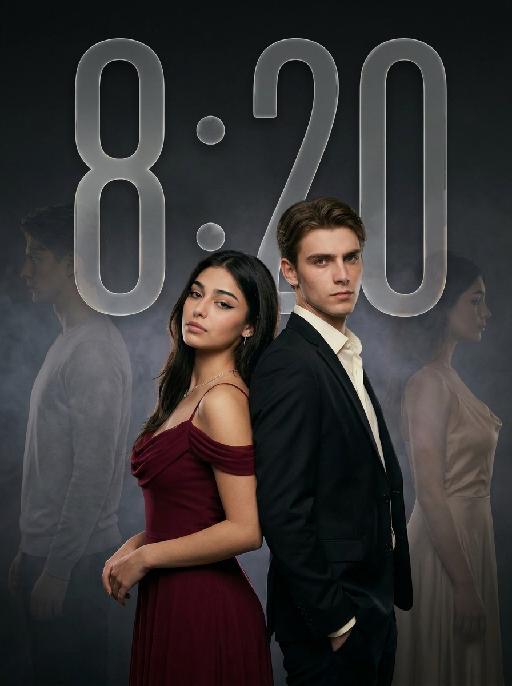
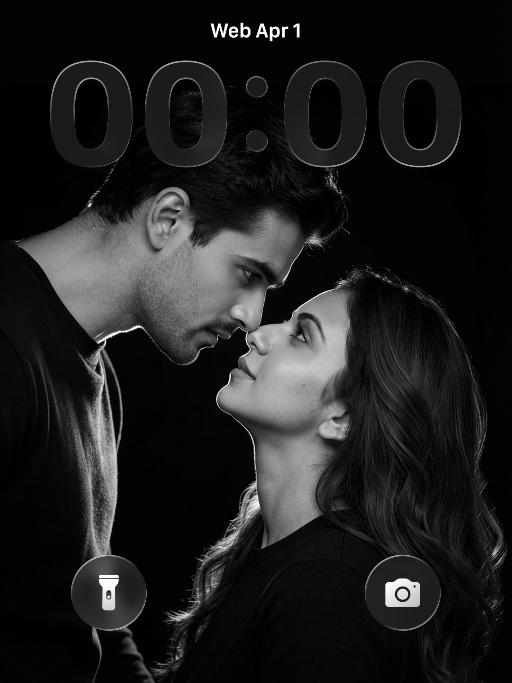
Ambiton Love AI effects generated image

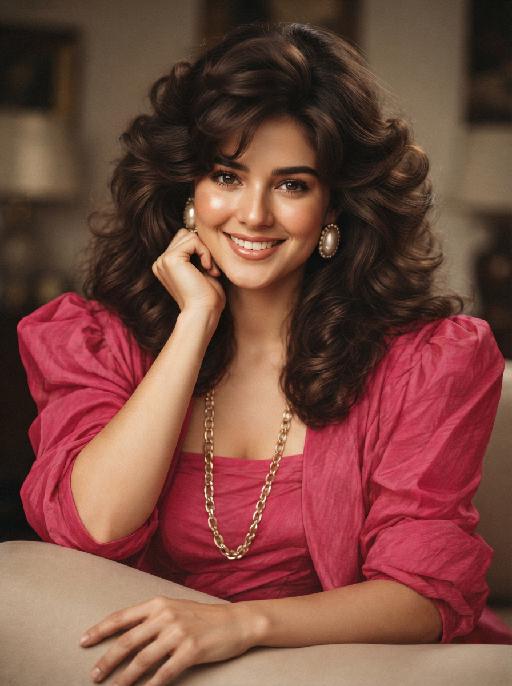
Ambiton Love

" Use the uploaded image as the main reference for composition, pose, lighting, and style. Use the uploaded subject images as the only identity references. Create a photorealistic vertical 9:16 cinematic romance phone wallpaper designed for a smartphone lock screen. Strictly preserve both subjects’ exact faces, hairstyles, hair colors, body proportions, and overall recognizability. Place the central couple in the lower-middle area of the frame. Make the couple noticeably larger, using a tight waist-up composition so their faces and embrace become the main focus. The central couple should occupy approximately 70–75% of the image height while leaving the upper 20–25% as clean, dark negative space for wallpaper use. Do not add any text, clock, icons, or UI. Keep the central pose the same as the reference image: * woman on the left * man on the right * they stand closely back-to-back and embrace naturally * preserve the same body angles, head positions, and simple hand placement * both faces remain fully visible, sharp, and unobstructed CLOTHING — STRICTLY FIXED: The woman wears an elegant deep wine-red evening gown with: * a softly draped off-shoulder neckline * a fitted bodice * long, fluid fabric folds * refined satin or silk texture * subtle dark-red and burgundy highlights * one delicate thin silver necklace * small silver earrings The gown should feel romantic, luxurious, soft, and cinematic, not stiff or costume-like. The man wears: * a fitted black tailored evening suit * a crisp ivory-white dress shirt * an open shirt collar * no tie * clean, modern lapels * softly structured shoulders * visible tailoring, seams, and natural fabric folds The white shirt must remain clearly visible and create contrast between the man’s suit, the woman’s wine-red gown, and the dark background. The woman looks toward the camera with a calm, serious, slightly vulnerable expression. The man looks toward the camera with an intense, protective, emotionally restrained expression. BACKGROUND SILHOUETTES: Keep two extremely faint background silhouette echoes: * one very faint male silhouette near the far-left edge * one very faint female silhouette near the far-right edge Both silhouettes face inward toward the center, remain behind the central couple, and sit around shoulder-to-head height. The male silhouette wears a pale gray or muted beige top. The female silhouette wears a soft champagne or silver-gray outfit. Their clothing must be different from the central couple’s clothing. Make both silhouettes extremely soft, very low-opacity, lightly blurred, and deeply blended into the background. Use subtle slow-shutter smearing, soft haze, and gentle diffusion so they appear as barely visible emotional afterimages, not extra people. Do not let the silhouettes overlap the central faces. Use a minimal dark charcoal-gray studio background with soft smoky gradients, subtle cinematic light-and-shadow effects, gentle haze, and a restrained vignette. Use soft cinematic lighting. Keep the central couple bright, sharp, and dimensional. Add subtle contour light along the hair, shoulders, wine-red gown, black suit, and white shirt so the subjects remain clearly separated from each other and from the background. Style: photorealistic premium romance-drama key art, intimate, elegant, mature, mysterious, refined cinematic contrast, realistic skin and fabric texture, subtle film grain. No text, title, logo, watermark, border, frame lines, corner marks, UI, clock, icons, extra people, extra limbs, duplicated hands, blurred central faces, prominent silhouettes, cartoon, illustration, anime, or CGI."

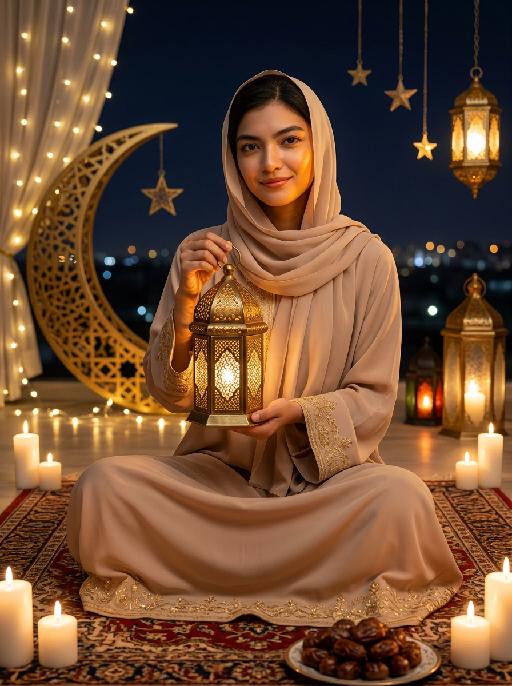
Moon&Lantern AI effects generated image

Moon&Lantern

"Maintain the exact same facial features as the person in the uploaded image. The person wearing a soft beige abaya with delicate gold embroidery on cuffs and hem, paired with a matching beige headscarf. She sits cross-legged on an ornate traditional Persian rug, holding a glowing ornate brass lantern with intricate lattice patterns in both hands, smiling gently at the camera. High contrast lighting, dramatic chiaroscuro, deep soft shadows on one side of the face, warm golden highlights on the other side, backlight creating a soft halo around hair and headscarf. Surrounding elements: lit white candles placed around the rug, a golden plate filled with plump dates in the foreground, a large decorative golden crescent moon with fairy lights, hanging star ornaments and glowing Arabic lanterns in the background, distant blurred city lights under a dark night sky. Cinematic warm lighting, photorealistic portrait, 8K, high detail, cozy and serene Ramadan/Eid atmosphere."

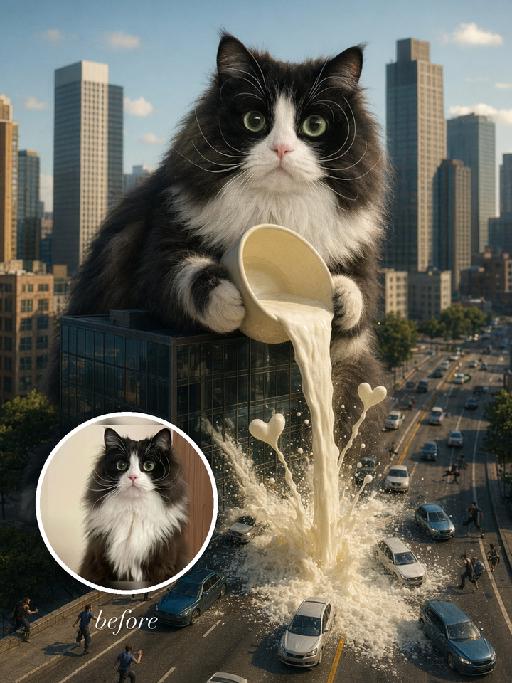
Milk Splash AI effects generated image

Milk Splash

"Use the uploaded pet image as the exact identity reference. Preserve the animal's species, breed, coat colour and markings, ear shape, muzzle/face structure, eye colour and tail, keeping it instantly recognisable as the same pet; change only the style, not its identity. Create a vertical 3:4 image with this exact effect: surreal cinematic city scene, the uploaded pet becomes a huge kaiju-sized animal crouched between skyscrapers and pouring or splashing milk into the street below. Dramatic but cute, realistic fur, miniature cars and buildings for scale, golden evening light, high-detail photo-composite. Keep it playful, not scary; no text. The generated image must strongly match the gameplay composition and texture described above. Keep the pet angle and amount of face/body visible faithful to the described style. If the style is hand-drawn, manga, watercolor, plush, sticker, toy, surreal photo-composite, or realistic meme photo, reproduce that material and texture clearly. No logos, no watermark, no Doubao AI text."

Broom Flight AI effects generated image

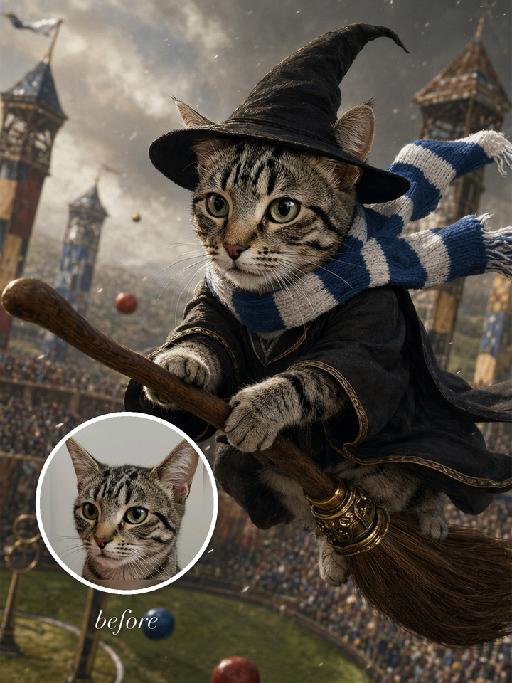
Broom Flight

"Full-bleed vertical 3:4 photorealistic fantasy wizard flying-broom stadium scene. The uploaded reference image is the exact pet identity and MUST be preserved. Highest priority: keep the same gray tabby cat from the reference photo: same gray striped forehead and cheeks, same greenish eyes, pink nose, muzzle shape, ear shape, face proportions and fur markings. Do not replace it with another cat. Transform only costume, pose, and environment. Scene must strictly follow the flying broom gameplay reference from the Feishu document: magical sports stadium / castle arena, the cat riding a wooden broom in midair, black wizard hat, black robe with gold decorative trim if visible, golden flying broom details and colorful balls in the stadium, dramatic cinematic retro film texture, pet face sharp and readable. Scarf color and style MUST match the broom reference image exactly: blue and white alternating stripes. A knitted school scarf with clear blue-and-white horizontal bands, soft ribbed wool texture, scarf trailing in flight. Do NOT use red, burgundy, yellow, gold, green, silver, or black-yellow on the scarf. No readable text, no logos, no watermark,"

Genius Professor Pet AI effects generated image

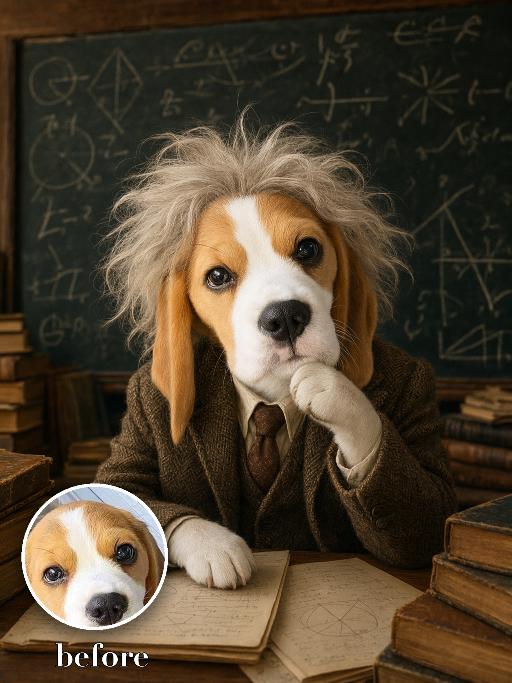
Genius Professor Pet

Turn the uploaded pet into an eccentric old physics professor in a warm vintage classroom: seated behind a desk in a brown tweed coat and tie, with a wild gray-white wig-like mane and comically thoughtful expression. Chalkboard behind contains only abstract mathematical symbols and diagrams, no readable words. Books and papers foreground, moody academic light. The subject remains an animal throughout. No people or human hands. No real character names, celebrity names, brands, logos, watermarks or readable text. Accurately preserve the uploaded pet's species, breed, coat color and markings, ear shape, muzzle and face structure, eye color, body proportions and tail. Keep it instantly recognisable as the same animal; change only pose, scene, costume and art treatment. Match the reference composition closely. Vertical 3:4, crisp detail, the pet is the unmistakable main subject.

Load more

Next-Gen Multi-Model AI Video Architecture

Vivago AI isn't just one engine—it’s a unified hub for the world’s most advanced video AI. Whether you need cinematic realism or high-speed social content, we provide the right model for your creative vision.

Free Generate

Beauty and Dolphins

Vacation Time

Stellar Tear

Fish Tank Supervisor

Cinematic Quality & Precision Control

Enables 4K resolution with multi-lens motion control, generating delicate scene via text prompts for customized cinematography.​

TRY NOW

Dynamic AV Sync

Auto-generates original audio to avoid copyright issues. Build 3D immersive environments through layered sound design automatically.

TRY NOW

OpenAI Sora 2

​Advanced visual storytelling with unparalleled physics and consistency.

TRY NOW

Kling v2.6 Pro

Industry-leading cinematic image animation and motion control.

TRY NOW

Google Veo 3 & 3.1

Ultra-fast generation with enhanced realism for creative workflows.

TRY NOW

Vivago AI 2.0

Our proprietary model optimized for efficiency, speed, and cost-effective generation.

TRY NOW

Users' Voice

We listen carefully to the opinions of every user.
Free Generate
Contact Us
I tried the Lip Sync feature inside Vivago.ai’s AI Video Generator for my educational podcast, and the results were stunning! The avatar's lip movements perfectly matched my audio recording, creating a professional AI-generated video without complex editing. Compared with tools like OpenAI Sora 2 and Google Veo 3.1, Vivago Image-to-Video delivers fast, studio-quality results online. It saved me hours of post-production work.
ElenaM (Spain)
Vivago’s Image-to-Video AI transformed my marketing workflow. I uploaded a product image and described the launch scene in text, and it generated a 10-second cinematic AI video with background music and dynamic visuals. The output quality rivals Kling v2.6 Pro and Google Veo 3 Fast. It’s now my go-to AI video generator for social media ads and product campaigns.
KenjiT (Japan)
As a digital artist, I use Vivago.ai 2.0 daily for Image-to-Image and AI Image-to-Video creation. The e-book covers and animated visuals I generate for clients look cinematic and professional. Unlike many standalone AI tools, Vivago integrates multiple leading models into one platform, making it easier to create copyright-safe AI images and videos for publishing.
ChenL (China)
I tried the Lip Sync feature inside Vivago.ai’s AI Video Generator for my educational podcast, and the results were stunning! The avatar's lip movements perfectly matched my audio recording, creating a professional AI-generated video without complex editing. Compared with tools like OpenAI Sora 2 and Google Veo 3.1, Vivago Image-to-Video delivers fast, studio-quality results online. It saved me hours of post-production work.
ElenaM (Spain)
Vivago’s Image-to-Video AI transformed my marketing workflow. I uploaded a product image and described the launch scene in text, and it generated a 10-second cinematic AI video with background music and dynamic visuals. The output quality rivals Kling v2.6 Pro and Google Veo 3 Fast. It’s now my go-to AI video generator for social media ads and product campaigns.
KenjiT (Japan)
As a digital artist, I use Vivago.ai 2.0 daily for Image-to-Image and AI Image-to-Video creation. The e-book covers and animated visuals I generate for clients look cinematic and professional. Unlike many standalone AI tools, Vivago integrates multiple leading models into one platform, making it easier to create copyright-safe AI images and videos for publishing.
ChenL (China)
I absolutely love Vivago’s AI Image-to-Video Generator. As a travel blogger, static images often fail to capture real atmosphere, but Vivago helps me turn photos into vivid cinematic AI videos with motion effects. It feels comparable to OpenAI Sora 2 and Google Veo 3.1, but more accessible and faster for creators who need high-quality AI videos online.
LiamK (Australia)
I tried the Lip Sync feature inside Vivago.ai’s AI Video Generator for my educational podcast, and the results were stunning! The avatar's lip movements perfectly matched my audio recording, creating a professional AI-generated video without complex editing. Compared with tools like OpenAI Sora 2 and Google Veo 3.1, Vivago Image-to-Video delivers fast, studio-quality results online. It saved me hours of post-production work.
ElenaM (Spain)
Vivago’s Image-to-Video AI transformed my marketing workflow. I uploaded a product image and described the launch scene in text, and it generated a 10-second cinematic AI video with background music and dynamic visuals. The output quality rivals Kling v2.6 Pro and Google Veo 3 Fast. It’s now my go-to AI video generator for social media ads and product campaigns.
KenjiT (Japan)
As a digital artist, I use Vivago.ai 2.0 daily for Image-to-Image and AI Image-to-Video creation. The e-book covers and animated visuals I generate for clients look cinematic and professional. Unlike many standalone AI tools, Vivago integrates multiple leading models into one platform, making it easier to create copyright-safe AI images and videos for publishing.
ChenL (China)
I absolutely love Vivago’s AI Image-to-Video Generator. As a travel blogger, static images often fail to capture real atmosphere, but Vivago helps me turn photos into vivid cinematic AI videos with motion effects. It feels comparable to OpenAI Sora 2 and Google Veo 3.1, but more accessible and faster for creators who need high-quality AI videos online.
LiamK (Australia)
Using Vivago.ai’s Image-to-Video AI has greatly enhanced my classroom teaching. I transform textbook notes into historical AI videos with cinematic filters and dynamic animations. Compared with tools like Kling v2.6 Pro and Google Veo 3 Fast, Vivago offers faster generation and easier parameter control for educators who need reliable AI video creation.
RajivG (India)
I frequently create AI videos on Vivago and publish them on TikTok and YouTube Shorts. The AI video templates and trending content ideas help me produce viral-ready clips quickly. With Vivago’s integrated models—including advanced video engines similar to OpenAI Sora 2—I can generate anime-style and cinematic social media videos that drive high engagement.
MarieJ (Spain)
What attracts me most about Vivago.ai is not only the powerful AI Video Generator but also the active AIGC creator community. It combines AI Image-to-Video, Text-to-Video, and leading model integrations like Google Veo 3.1 into one creative platform.
TomW (India)
At first, I was hesitant about using AI video tools. But after trying Vivago Image-to-Video, I realized how easy it is to create professional AI-generated videos online. I just upload an image, add a short prompt, and adjust a few settings. The results are cinematic and copyright-safe, which is essential for commercial projects.
HectorC (Mexico)
Using Vivago.ai’s Image-to-Video AI has greatly enhanced my classroom teaching. I transform textbook notes into historical AI videos with cinematic filters and dynamic animations. Compared with tools like Kling v2.6 Pro and Google Veo 3 Fast, Vivago offers faster generation and easier parameter control for educators who need reliable AI video creation.
RajivG (India)
I frequently create AI videos on Vivago and publish them on TikTok and YouTube Shorts. The AI video templates and trending content ideas help me produce viral-ready clips quickly. With Vivago’s integrated models—including advanced video engines similar to OpenAI Sora 2—I can generate anime-style and cinematic social media videos that drive high engagement.
MarieJ (Spain)
What attracts me most about Vivago.ai is not only the powerful AI Video Generator but also the active AIGC creator community. It combines AI Image-to-Video, Text-to-Video, and leading model integrations like Google Veo 3.1 into one creative platform.
TomW (India)
At first, I was hesitant about using AI video tools. But after trying Vivago Image-to-Video, I realized how easy it is to create professional AI-generated videos online. I just upload an image, add a short prompt, and adjust a few settings. The results are cinematic and copyright-safe, which is essential for commercial projects.
HectorC (Mexico)