More From VIVAGO AI

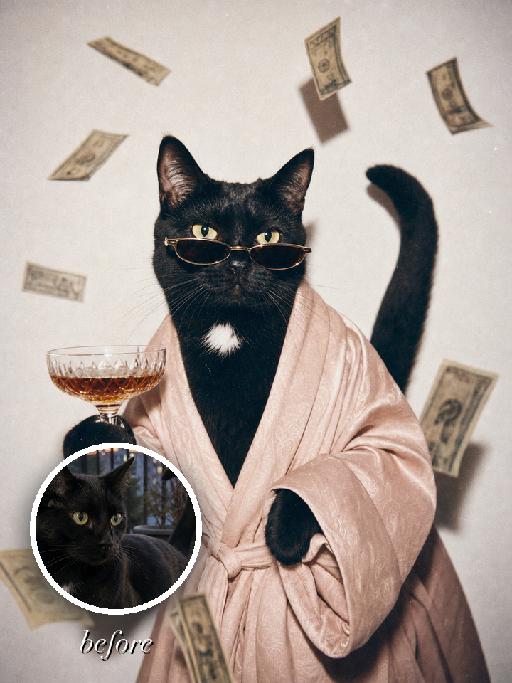
Chic Party AI effects generated image

Chic Party

" Turn the uploaded pet into a full-bleed retro flash fashion portrait of a glamorous party pet. The pet remains an animal throughout, wearing a flowing pale blush robe and narrow dark sunglasses, holding a glass of amber pet-safe mocktail in one paw while stylized non-readable banknote-like shapes float through the air as editorial set dressing. Use a white studio background, direct flash, 1980s luxury snapshot mood, warm faded colors, soft focus, visible film grain, tiny dust specks, and matte photo print texture. Preserve the uploaded pet's species, breed, coat colour and markings, ear shape, muzzle and face structure, eye colour and tail; keep it instantly recognisable as the same pet. Change only the scene, outfit and pose, not its identity. The pet is the only living subject. Fill the entire 3:4 vertical frame edge to edge. No border, no Polaroid frame, no white margin. No people, no human hands, no logos, no readable text, no watermark, no Doubao AI text."

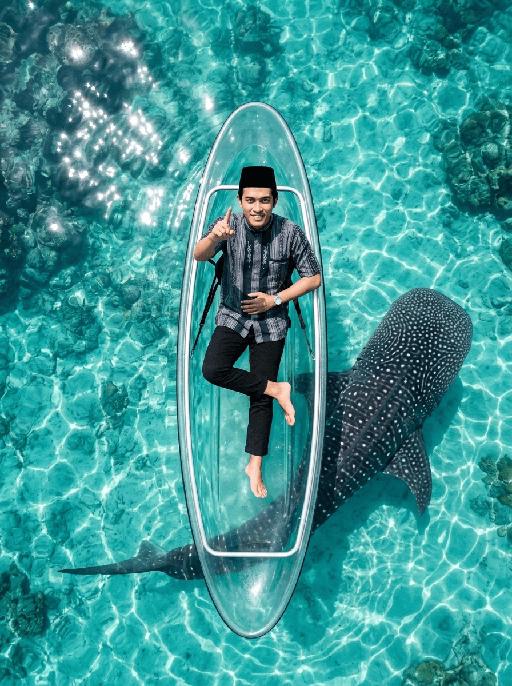
Whale Glide AI effects generated image

Whale Glide

"[Strictly preserve the exact same subjects, same species, same faces, original appearance features, and the full style of clothing and costume details from the reference images unchanged;] photorealistic top-down aerial shot, a clear transparent kayak floating on crystal clear turquoise tropical sea water. The subject from the reference image is sitting relaxed in the kayak, leaning back slightly, with the right leg bent and crossed over the left leg, right foot lifted slightly off the floor. Female character must wear long-sleeve top, long trousers and white sneakers. The subject smiles warmly and points directly at the camera with the right hand. Below the kayak, a massive whale shark swims diagonally, its body angled across the frame and only partially visible through the transparent boat and water—most of its body is exposed to the side, not fully hidden under the kayak. Bright natural sunlight creates sparkling reflections on the sea surface, cinematic overhead composition, ultra-detailed textures, sharp focus on both the subject and the whale shark, realistic water refraction and light rays, 8K resolution, no deformities, consistent lighting on the subject matching the bright sunny environment."

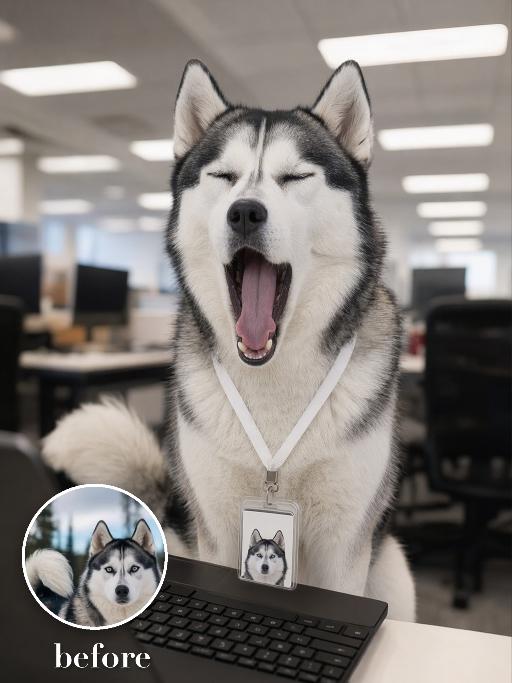
Yawn Time AI effects generated image

Yawn Time

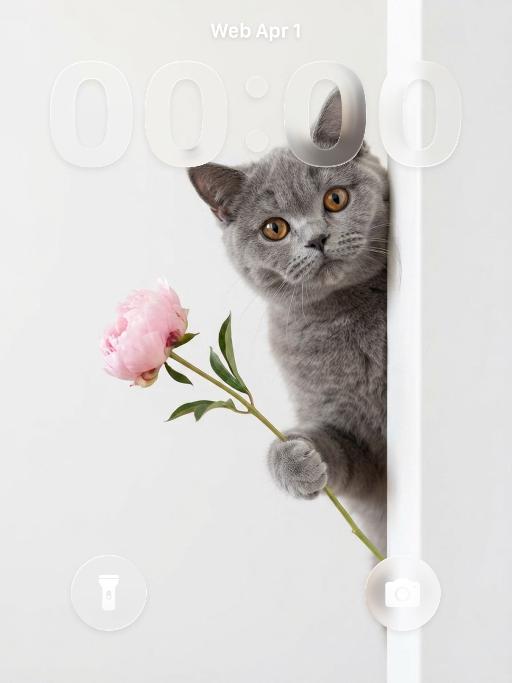
Turn the uploaded pet into a tired corporate office worker pet: close-up behind a black laptop keyboard, mouth wide open in a big yawn, wearing a simple white lanyard ID badge that contains only a tiny photo-like pet icon and no readable text. Background is a blurred open-plan office with fluorescent ceiling panels. Candid photorealistic desk-level perspective, funny exhausted mood. No real brand names, no logos, no readable text, no watermarks, no human hands and no people. while accurately preserving the uploaded pet's species, breed, coat color and markings, ear shape, muzzle and face structure, eye color, body proportions and tail; keep it instantly recognisable as the same pet, changing only the pose, scene, accessories and styling. Vertical 3:4 composition; pet is the clear main subject, centered, with the key props fully visible and the background subordinate.

Little Promise AI effects generated image

Little Promise

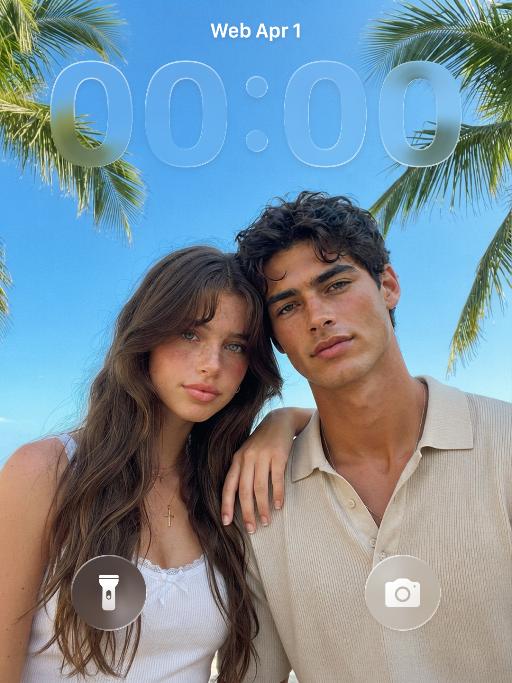
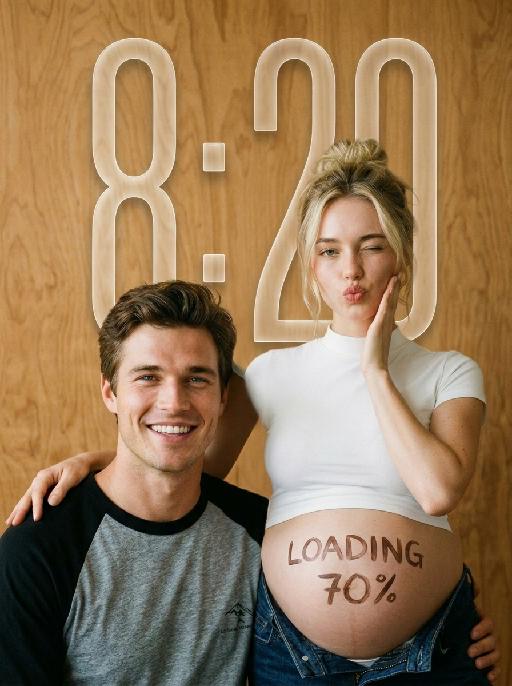
"Use the uploaded images as the only identity references for the two adult subjects. Create a photorealistic verticalmaternity couple portrait. Strictly preserve both subjects’ exact faces, ages, skin tones, facial features, face shapes, hairstyles, hairlines, hair lengths, hair textures, hair colors, bangs, overall appearance, body proportions, and overall recognizability. Follow the uploaded reference images closely. Do not replace either subject with a generic model face. Do not significantly change the hairstyle, hair color, or facial structure of either subject. COMPOSITION AND POSE: Use a warm indoor studio setting with a plain honey-brown plywood wall as the entire background. The pregnant woman stands slightly behind and to the right. The man sits lower in the foreground on the left, close beside her pregnant belly. The woman wears a fitted white short-sleeve mock-neck cropped T-shirt and dark indigo denim jeans lowered naturally beneath the belly. Her round pregnant belly is fully visible. She places one hand gently on the man’s shoulder. Her other hand rests lightly against her cheek. She winks one eye and makes a playful kissy expression toward the camera. The man sits casually in front of her, leaning slightly toward her body. He looks directly at the camera with a wide, bright, natural smile showing his teeth. IDENTITY AND HAIR PRESERVATION — STRICT: The woman’s hairstyle, hair color, hair volume, bangs or loose strands, and overall tied-up styling must remain consistent with the uploaded reference image. The man’s hairstyle, hair length, fringe shape, hair texture, and hair color must remain consistent with the uploaded reference image. Do not restyle either subject with a different haircut, different bangs, different hair color, or a different overall vibe. Keep both subjects looking like the exact same couple from the uploaded reference images. MALE CLOTHING — STRICTLY PRESERVE: The man wears a casual raglan baseball T-shirt with: * a heather-gray cotton body * solid black three-quarter raglan sleeves * a black ribbed crew neckline * relaxed youthful fit * soft slightly worn cotton texture * subtle natural fabric folds * no jacket * no button-up shirt * no plain black T-shirt * no formal clothing Add only a very small understated dark graphic or lettering near the lower front of the shirt if needed. Do not add a large logo. BELLY LETTERING: Write “LOADING 70%” by hand across the center of the pregnant belly using dark brown cosmetic paint or chocolate-colored body paint. The letters should look casually handwritten, slightly imperfect, playful, and clearly readable. Do not add any other text anywhere in the image. PHOTOGRAPHIC TEXTURE: Create the look of an intimate late-1990s or early-2000s analog studio portrait photographed on 35mm color film. Use: * warm honey-brown and amber tones * soft directional light from the upper-left * gentle natural shadows along the faces and bodies * slightly muted colors * soft highlight roll-off * subtle fine film grain * mild lens softness * natural skin texture * restrained contrast * slightly creamy skin tones * realistic cotton and denim texture * no glossy commercial retouching * no artificial HDR clarity * no plastic or porcelain skin The image should feel candid, youthful, intimate, playful, and emotionally warm, like a personal maternity portrait photographed in a small independent studio. IMPORTANT CONSTRAINTS: * keep the man seated lower than the woman * keep the pregnant belly prominent and unobstructed * preserve the gray-body black-sleeve raglan baseball T-shirt * strictly preserve both subjects’ hairstyles and hair colors from the reference image * strictly preserve both subjects’ facial identity and overall vibe * no extra people * no additional hands * no deformed fingers * no high-fashion styling * no luxury studio background * no modern bright-white beauty lighting * no excessive blur * no cartoon * no illustration * no logo * no watermark "

Ambiton Love AI effects generated image

Ambiton Love

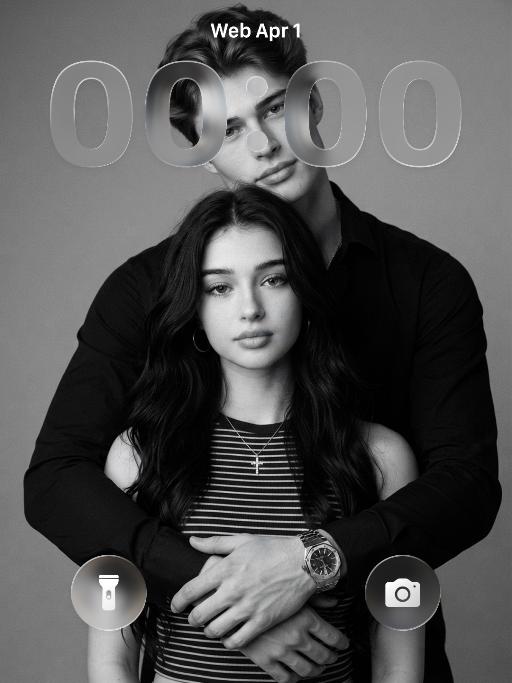
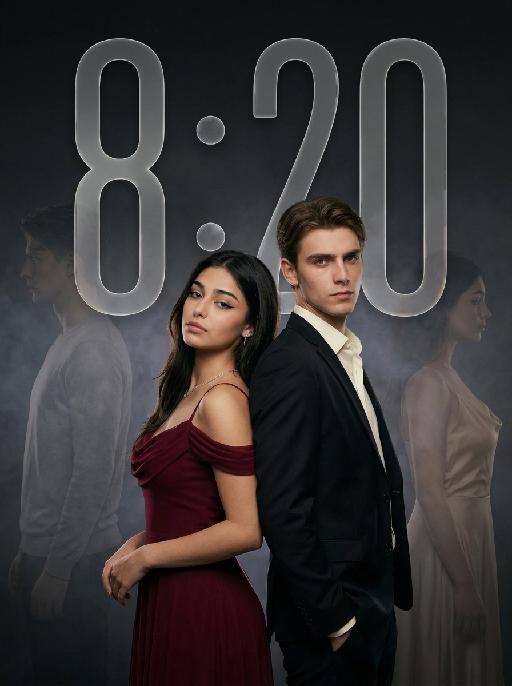
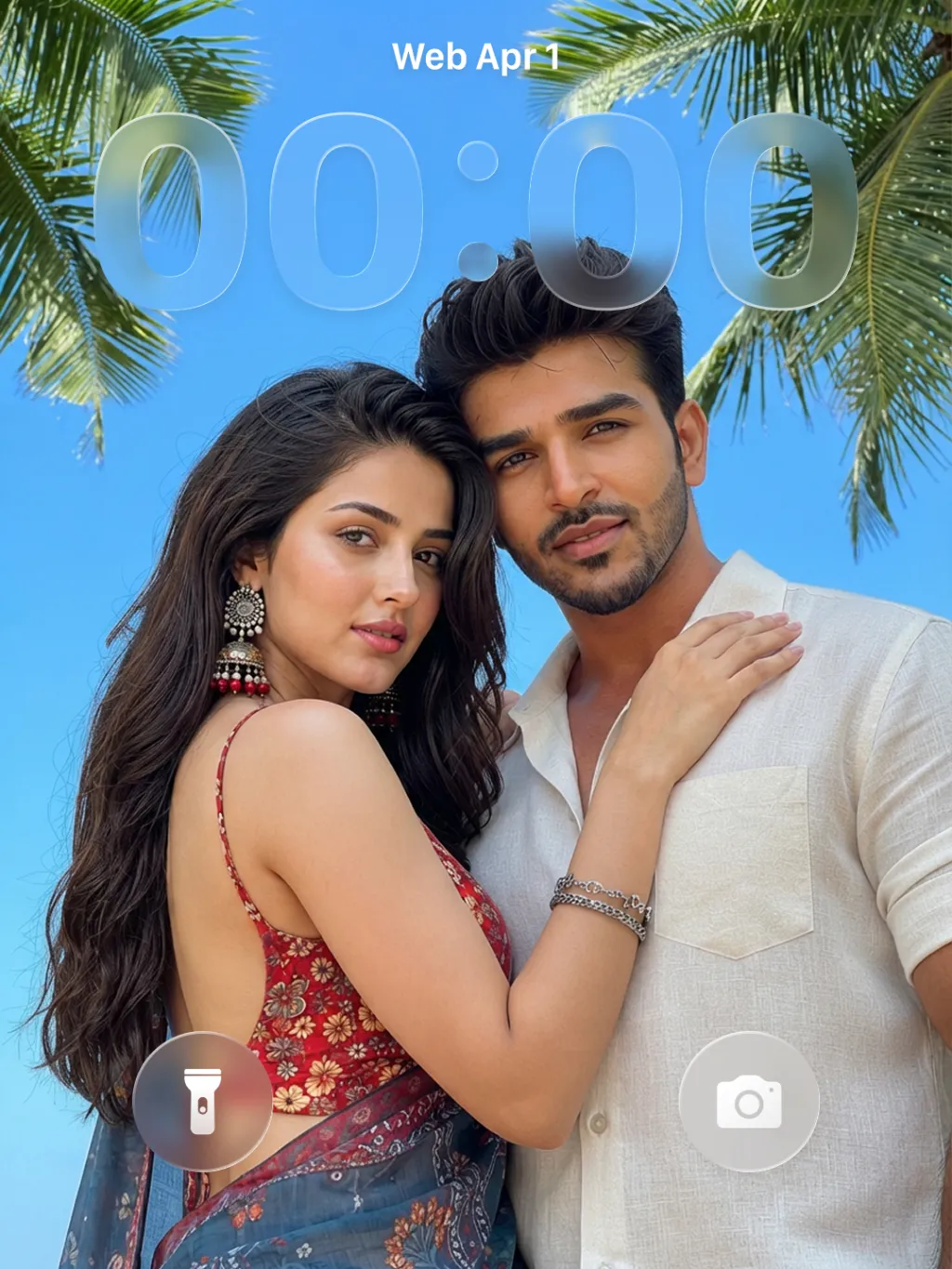
" Use the uploaded image as the main reference for composition, pose, lighting, and style. Use the uploaded subject images as the only identity references. Create a photorealistic vertical 9:16 cinematic romance phone wallpaper designed for a smartphone lock screen. Strictly preserve both subjects’ exact faces, hairstyles, hair colors, body proportions, and overall recognizability. Place the central couple in the lower-middle area of the frame. Make the couple noticeably larger, using a tight waist-up composition so their faces and embrace become the main focus. The central couple should occupy approximately 70–75% of the image height while leaving the upper 20–25% as clean, dark negative space for wallpaper use. Do not add any text, clock, icons, or UI. Keep the central pose the same as the reference image: * woman on the left * man on the right * they stand closely back-to-back and embrace naturally * preserve the same body angles, head positions, and simple hand placement * both faces remain fully visible, sharp, and unobstructed CLOTHING — STRICTLY FIXED: The woman wears an elegant deep wine-red evening gown with: * a softly draped off-shoulder neckline * a fitted bodice * long, fluid fabric folds * refined satin or silk texture * subtle dark-red and burgundy highlights * one delicate thin silver necklace * small silver earrings The gown should feel romantic, luxurious, soft, and cinematic, not stiff or costume-like. The man wears: * a fitted black tailored evening suit * a crisp ivory-white dress shirt * an open shirt collar * no tie * clean, modern lapels * softly structured shoulders * visible tailoring, seams, and natural fabric folds The white shirt must remain clearly visible and create contrast between the man’s suit, the woman’s wine-red gown, and the dark background. The woman looks toward the camera with a calm, serious, slightly vulnerable expression. The man looks toward the camera with an intense, protective, emotionally restrained expression. BACKGROUND SILHOUETTES: Keep two extremely faint background silhouette echoes: * one very faint male silhouette near the far-left edge * one very faint female silhouette near the far-right edge Both silhouettes face inward toward the center, remain behind the central couple, and sit around shoulder-to-head height. The male silhouette wears a pale gray or muted beige top. The female silhouette wears a soft champagne or silver-gray outfit. Their clothing must be different from the central couple’s clothing. Make both silhouettes extremely soft, very low-opacity, lightly blurred, and deeply blended into the background. Use subtle slow-shutter smearing, soft haze, and gentle diffusion so they appear as barely visible emotional afterimages, not extra people. Do not let the silhouettes overlap the central faces. Use a minimal dark charcoal-gray studio background with soft smoky gradients, subtle cinematic light-and-shadow effects, gentle haze, and a restrained vignette. Use soft cinematic lighting. Keep the central couple bright, sharp, and dimensional. Add subtle contour light along the hair, shoulders, wine-red gown, black suit, and white shirt so the subjects remain clearly separated from each other and from the background. Style: photorealistic premium romance-drama key art, intimate, elegant, mature, mysterious, refined cinematic contrast, realistic skin and fabric texture, subtle film grain. No text, title, logo, watermark, border, frame lines, corner marks, UI, clock, icons, extra people, extra limbs, duplicated hands, blurred central faces, prominent silhouettes, cartoon, illustration, anime, or CGI."

Load more

Next-Gen Multi-Model AI Video Architecture

Vivago AI isn't just one engine—it’s a unified hub for the world’s most advanced video AI. Whether you need cinematic realism or high-speed social content, we provide the right model for your creative vision.

Free Generate

Beauty and Dolphins

Vacation Time

Stellar Tear

Fish Tank Supervisor

Cinematic Quality & Precision Control

Enables 4K resolution with multi-lens motion control, generating delicate scene via text prompts for customized cinematography.​

TRY NOW

Dynamic AV Sync

Auto-generates original audio to avoid copyright issues. Build 3D immersive environments through layered sound design automatically.

TRY NOW

OpenAI Sora 2

​Advanced visual storytelling with unparalleled physics and consistency.

TRY NOW

Kling v2.6 Pro

Industry-leading cinematic image animation and motion control.

TRY NOW

Google Veo 3 & 3.1

Ultra-fast generation with enhanced realism for creative workflows.

TRY NOW

Vivago AI 2.0

Our proprietary model optimized for efficiency, speed, and cost-effective generation.

TRY NOW

Users' Voice

We listen carefully to the opinions of every user.
Free Generate
Contact Us
I tried the Lip Sync feature inside Vivago.ai’s AI Video Generator for my educational podcast, and the results were stunning! The avatar's lip movements perfectly matched my audio recording, creating a professional AI-generated video without complex editing. Compared with tools like OpenAI Sora 2 and Google Veo 3.1, Vivago Image-to-Video delivers fast, studio-quality results online. It saved me hours of post-production work.
ElenaM (Spain)
Vivago’s Image-to-Video AI transformed my marketing workflow. I uploaded a product image and described the launch scene in text, and it generated a 10-second cinematic AI video with background music and dynamic visuals. The output quality rivals Kling v2.6 Pro and Google Veo 3 Fast. It’s now my go-to AI video generator for social media ads and product campaigns.
KenjiT (Japan)
As a digital artist, I use Vivago.ai 2.0 daily for Image-to-Image and AI Image-to-Video creation. The e-book covers and animated visuals I generate for clients look cinematic and professional. Unlike many standalone AI tools, Vivago integrates multiple leading models into one platform, making it easier to create copyright-safe AI images and videos for publishing.
ChenL (China)
I tried the Lip Sync feature inside Vivago.ai’s AI Video Generator for my educational podcast, and the results were stunning! The avatar's lip movements perfectly matched my audio recording, creating a professional AI-generated video without complex editing. Compared with tools like OpenAI Sora 2 and Google Veo 3.1, Vivago Image-to-Video delivers fast, studio-quality results online. It saved me hours of post-production work.
ElenaM (Spain)
Vivago’s Image-to-Video AI transformed my marketing workflow. I uploaded a product image and described the launch scene in text, and it generated a 10-second cinematic AI video with background music and dynamic visuals. The output quality rivals Kling v2.6 Pro and Google Veo 3 Fast. It’s now my go-to AI video generator for social media ads and product campaigns.
KenjiT (Japan)
As a digital artist, I use Vivago.ai 2.0 daily for Image-to-Image and AI Image-to-Video creation. The e-book covers and animated visuals I generate for clients look cinematic and professional. Unlike many standalone AI tools, Vivago integrates multiple leading models into one platform, making it easier to create copyright-safe AI images and videos for publishing.
ChenL (China)
I absolutely love Vivago’s AI Image-to-Video Generator. As a travel blogger, static images often fail to capture real atmosphere, but Vivago helps me turn photos into vivid cinematic AI videos with motion effects. It feels comparable to OpenAI Sora 2 and Google Veo 3.1, but more accessible and faster for creators who need high-quality AI videos online.
LiamK (Australia)
I tried the Lip Sync feature inside Vivago.ai’s AI Video Generator for my educational podcast, and the results were stunning! The avatar's lip movements perfectly matched my audio recording, creating a professional AI-generated video without complex editing. Compared with tools like OpenAI Sora 2 and Google Veo 3.1, Vivago Image-to-Video delivers fast, studio-quality results online. It saved me hours of post-production work.
ElenaM (Spain)
Vivago’s Image-to-Video AI transformed my marketing workflow. I uploaded a product image and described the launch scene in text, and it generated a 10-second cinematic AI video with background music and dynamic visuals. The output quality rivals Kling v2.6 Pro and Google Veo 3 Fast. It’s now my go-to AI video generator for social media ads and product campaigns.
KenjiT (Japan)
As a digital artist, I use Vivago.ai 2.0 daily for Image-to-Image and AI Image-to-Video creation. The e-book covers and animated visuals I generate for clients look cinematic and professional. Unlike many standalone AI tools, Vivago integrates multiple leading models into one platform, making it easier to create copyright-safe AI images and videos for publishing.
ChenL (China)
I absolutely love Vivago’s AI Image-to-Video Generator. As a travel blogger, static images often fail to capture real atmosphere, but Vivago helps me turn photos into vivid cinematic AI videos with motion effects. It feels comparable to OpenAI Sora 2 and Google Veo 3.1, but more accessible and faster for creators who need high-quality AI videos online.
LiamK (Australia)
Using Vivago.ai’s Image-to-Video AI has greatly enhanced my classroom teaching. I transform textbook notes into historical AI videos with cinematic filters and dynamic animations. Compared with tools like Kling v2.6 Pro and Google Veo 3 Fast, Vivago offers faster generation and easier parameter control for educators who need reliable AI video creation.
RajivG (India)
I frequently create AI videos on Vivago and publish them on TikTok and YouTube Shorts. The AI video templates and trending content ideas help me produce viral-ready clips quickly. With Vivago’s integrated models—including advanced video engines similar to OpenAI Sora 2—I can generate anime-style and cinematic social media videos that drive high engagement.
MarieJ (Spain)
What attracts me most about Vivago.ai is not only the powerful AI Video Generator but also the active AIGC creator community. It combines AI Image-to-Video, Text-to-Video, and leading model integrations like Google Veo 3.1 into one creative platform.
TomW (India)
At first, I was hesitant about using AI video tools. But after trying Vivago Image-to-Video, I realized how easy it is to create professional AI-generated videos online. I just upload an image, add a short prompt, and adjust a few settings. The results are cinematic and copyright-safe, which is essential for commercial projects.
HectorC (Mexico)
Using Vivago.ai’s Image-to-Video AI has greatly enhanced my classroom teaching. I transform textbook notes into historical AI videos with cinematic filters and dynamic animations. Compared with tools like Kling v2.6 Pro and Google Veo 3 Fast, Vivago offers faster generation and easier parameter control for educators who need reliable AI video creation.
RajivG (India)
I frequently create AI videos on Vivago and publish them on TikTok and YouTube Shorts. The AI video templates and trending content ideas help me produce viral-ready clips quickly. With Vivago’s integrated models—including advanced video engines similar to OpenAI Sora 2—I can generate anime-style and cinematic social media videos that drive high engagement.
MarieJ (Spain)
What attracts me most about Vivago.ai is not only the powerful AI Video Generator but also the active AIGC creator community. It combines AI Image-to-Video, Text-to-Video, and leading model integrations like Google Veo 3.1 into one creative platform.
TomW (India)
At first, I was hesitant about using AI video tools. But after trying Vivago Image-to-Video, I realized how easy it is to create professional AI-generated videos online. I just upload an image, add a short prompt, and adjust a few settings. The results are cinematic and copyright-safe, which is essential for commercial projects.
HectorC (Mexico)