More From VIVAGO AI

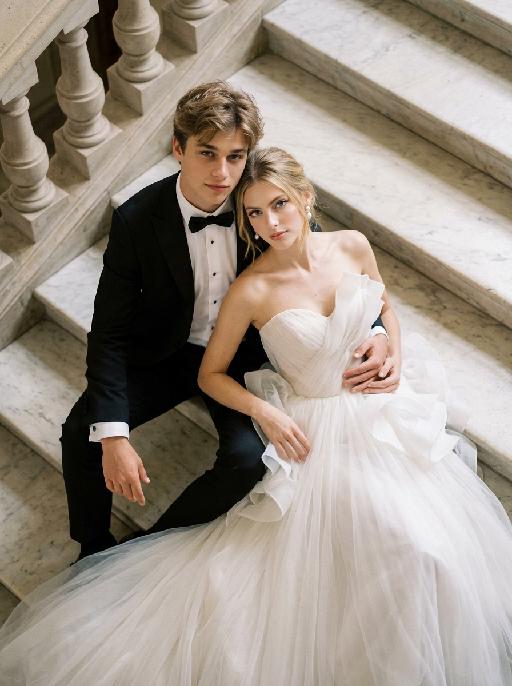
Ivory Grace AI effects generated image

Ivory Grace

"Create a photorealistic cinematic wedding portrait of the two subjects from the uploaded image, preserving their exact faces, ages, facial features, skin tones, hairstyles, and overall likeness as accurately as possible. Transform the two subjects into a stylish bride and groom posing together on grand marble steps in a luxurious castle-like setting. Keep the same relaxed, fashionable, editorial body language as the reference image, but replace the car with elegant marble stairs. The scene should be captured from a high-angle overhead perspective, looking down at the couple from above. The groom is positioned on the left side, seated or reclining in a relaxed way on the marble steps, with one arm stretched outward or resting naturally along the step edge, looking up toward the camera with a calm, confident, elegant expression. The bride is positioned on the right side, reclining closely beside him in a glamorous, relaxed pose, leaning naturally against the steps and slightly toward the groom. Her body language should feel soft, luxurious, and intimate. Both subjects should look upward toward the camera. Their posture should feel effortlessly stylish, romantic, and editorial, like a high-end wedding fashion photo. Both subjects should not wear sunglasses. Their faces should be fully visible, sharp, and clearly recognizable. Their expressions should feel calm, confident, romantic, and slightly cool, with a relaxed luxury wedding mood. Bride outfit: the bride wears a dramatic white wedding gown inspired by the reference image. The dress has a strapless or sweetheart neckline, sculptural ruffle details around the bodice or shoulders, layered soft tulle, and a voluminous flowing skirt. The dress should look fashionable, romantic, luxurious, and editorial. The fabric should have realistic soft tulle texture, natural folds, and elegant volume. The bride wears subtle bridal earrings and a delicate pearl or diamond necklace. A soft white bridal veil may flow naturally behind her or spread softly across the marble steps, without covering her face. Groom outfit: the groom wears a classic black tuxedo, fitted and elegant, with a clean white dress shirt, black bow tie, and black dress shoes. The tuxedo should look sharp, formal, minimal, and high-end. Do not use a casual suit, colorful suit, necktie, or open-collar shirt. Background: grand marble steps in front of a castle-like or palace-like estate. The environment should include refined stone textures, elegant balustrades or railings, and partial architectural details such as arches, columns, or a grand doorway, creating a luxurious European castle atmosphere. The background should support the castle mood but remain secondary to the couple. No other people should appear in the image. Lighting and color: warm natural daylight or soft golden daylight, realistic skin texture, subtle highlights on the wedding dress, tuxedo, marble steps, and veil. Use an elegant low-saturation color palette with soft ivory whites, muted stone beige tones, deep black tuxedo contrast, subtle greenery, and refined cinematic color grading. The image should feel expensive, fashionable, romantic, and timeless, avoiding overly vivid or neon colors. Composition: high-angle overhead shot, medium shot framing. Capture both subjects from approximately the upper body down to around the thighs or knees, while still clearly showing that they are reclining on the marble staircase. The bride’s dress should spread naturally across part of the steps and remain visible in the frame. The groom is on the left and the bride is on the right. Their faces should remain sharp, recognizable, and clearly visible. The overall image should feel glamorous, romantic, editorial, and castle-like. Ultra realistic photography, high-end wedding editorial style, luxury fashion photography, realistic marble texture, realistic fabric texture, realistic tulle layers, natural facial details, soft film grain, professional camera look, high detail, cinematic muted color grading, stylish luxury wedding atmosphere. Negative prompt: extra people, background people, crowd, wedding guests, duplicated bride, duplicated groom, distorted faces, changed identity, inaccurate likeness, deformed hands, extra fingers, missing fingers, fused fingers, broken fingers, unnatural arms, stiff pose, awkward sitting pose, car, convertible, vehicle interior, sunglasses, missing wedding dress, wrong wedding dress, plain casual dress, colorful wedding dress, casual groom outfit, necktie instead of bow tie, open-collar shirt, plastic skin, over-smoothed face, fake CGI look, text, logo, watermark, title text, low resolution, blurry face, oversaturated colors, vivid bright colors, neon colors, harsh contrast, black and white, monochrome, grayscale."


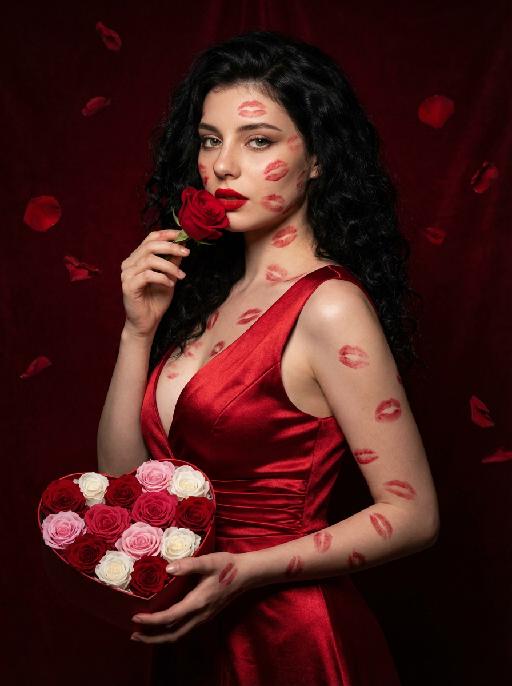
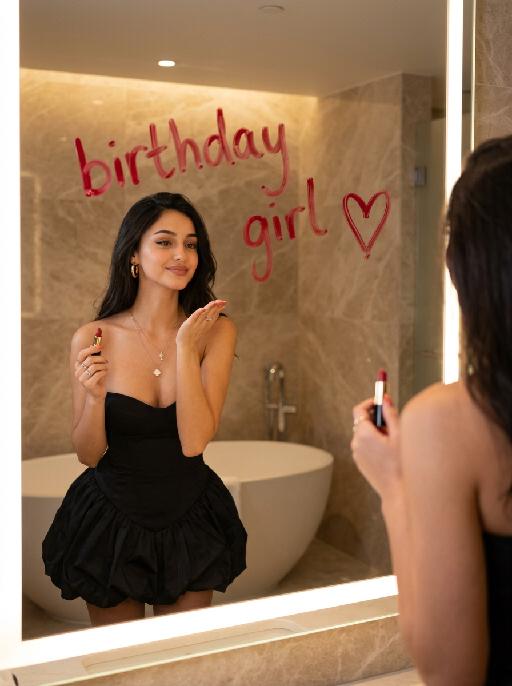
Love Yourself AI effects generated image

Love Yourself

A charming and alluring figure in the uploaded picture (with unchanged facial features, gender and age), stands sideways and turns around, looking at the camera. She has long, fluffy, jet-black curly hair, exquisite eye makeup and a bright matte red lipstick. Red lipstick marks are all over her face, neck, chest and arms. She is wearing a luxurious deep V-neck red satin dress. One hand holds a heart-shaped box filled with various colored roses, and the other hand holds a rose placed near her mouth. Background: A dark red velvet texture studio background. Several red rose petals float slowly in the air in the background. Lighting hint: Low-key high-contrast dramatic light, soft directional highlights shining on her facial features and the satin dress, deep velvet-like shadows to enhance the sexy effect, with a cinematic sense of melancholy and depth. Tone hint: Rich, saturated deep red contrasts with dark black and soft charcoal gray, warm and passionate color combination, with subtle velvet texture in the shadow areas. Style: High-end fashion editing photography, highly realistic detail depiction, precise capture of skin texture and fabric luster, full of charm and allure Valentine's Day theme, with professional photography studio level, fashion pioneer photography.

Ballet

"System Role: You are an expert AI Image Editing Assistant. Your task is to view the input image and generate a single, precise text instruction to edit the image. Logic Requirements: Analyze Identity: Identify the main subject. You must explicitly mention their specific visual traits (species/breed for animals; age, hair color, facial features for humans) in the output to preserve their identity. Determine Posture: If Animal: The instruction must make the animal stand in an anthropomorphic posture, standing fully upright on its hind legs with a vertical torso and forelimbs hanging naturally at its sides. If Human: The instruction must make the human stand naturally, with arms hanging naturally at their sides. Apply Scene & Costume: Wearing a delicate ballet-style little dress and wearing an exquisite princess crown (made of diamonds and of high quality), the scene and background remain unchanged. Style: Ultra-realistic, high-definition details"

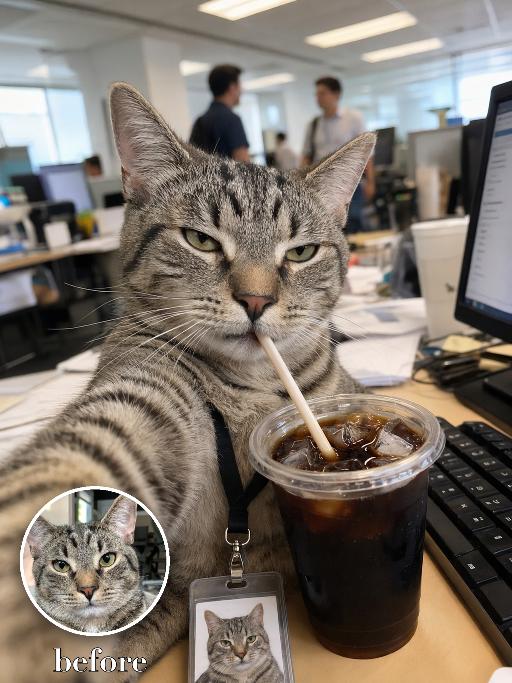
Coffee Intern AI effects generated image

Coffee Intern

Recreate the reference as a candid office selfie from the uploaded cat's point of view. The uploaded cat sits at a messy corporate desk, one front paw extended toward the camera as if taking the selfie, squinting with a tired unimpressed expression while drinking iced coffee through a straw from a large clear plastic cup in the foreground. Office monitors, keyboard and coworkers blurred behind, fluorescent office light, vertical phone-photo crop, lanyard badge with a tiny photo of the same cat near the lower edge. Preserve the uploaded pet's actual species, breed, coat color, markings, ear shape, eye color, muzzle and facial structure. Do not assume a fixed breed, color, or species from the reference image; adapt the exact gameplay to the uploaded pet. Actively change pose, facial expression, gaze direction, camera angle, wardrobe and styling to match the gameplay reference. Match the gameplay reference very closely in composition, crop, texture, lighting, visible pet angle, props, background, graphic layout and image quality. Vertical 3:4. Keep only the text explicitly requested in the prompt; do not add unrelated logos, watermarks or random words.

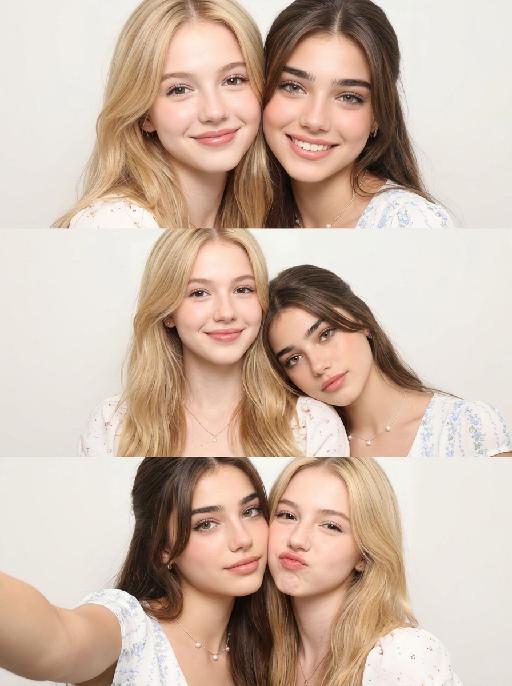
Studio Strip AI effects generated image

Studio Strip

Use the TWO uploaded images as identity references. The first uploaded image is Person A. The second uploaded image is Person B. Strictly preserve Person A's exact facial features, hairstyle, skin tone, and appearance from Image 1. Strictly preserve Person B's exact facial features, hairstyle, skin tone, and appearance from Image 2. Do NOT merge, blend, or confuse the two people's appearances. Treat each uploaded image as a separate face identity map. Create a Korean-style photo booth selfie collage featuring BOTH Person A and Person B together. Show both people together in all three vertically stacked portrait shots. Arrange the three shots from top to bottom like a clean Korean photo booth strip. Do not separate them into individual solo portraits. Each of the three photo frames must show a different two-person pose and interaction: - One shot: both side by side, shoulders close, looking at the camera - One shot: one person slightly in front, the other leaning in from behind or the side - One shot: a playful or affectionate pose such as cheek-to-cheek, heads leaning together, or a soft hug Style: Korean ID photo and selfie booth aesthetic, soft studio lighting, clean pale background, natural skin texture, gentle contrast, slightly cool and clean color tone, elegant intimate mood, minimal composition. The three frames should be stacked vertically with clean spacing. No outer border, no white margin, no stickers, no text, no logo, no watermark.

Funk Cat

[Animal character in the reference image], cute chibi styling with big head and small body, fully retaining 100% ultra-realistic texture, real physical light and shadow and high-definition delicate details, combining cute proportions with realistic and authentic texture; wearing fashionable and high-aesthetic authentic Brazilian Funk costumes with summer refreshing style, neat and loose tailoring, lightweight and breathable fabric with fresh and advanced color matching, integrating street trend and summer refreshing sense, fully covered and standardized clothing style, neat and clean without any exposure or inappropriate elements; the character has a cute and well-behaved look with a sweet gentle toothless smile and lively soft temperament; dancing lively and rhythmic Brazilian Funk dance with flexible and neat movements; immersive authentic Brazilian Funk dance hall scene with dark trendy party atmosphere, full of gorgeous neon light strips and flickering colorful ambient lights with dynamic flowing light and shadow, equipped with reflective dance floor, trendy stage installations and street trend decorations, interlaced with high-saturation brilliant colors; 8K ultra-realistic image quality, delicate cinematic lighting, clear and realistic fur and fabric texture details, soft depth of field and natural dynamic sense, exquisite and vivid picture with strong immersive atmosphere, balancing childlike cuteness, fresh summer texture and trendy nightclub dynamic style.

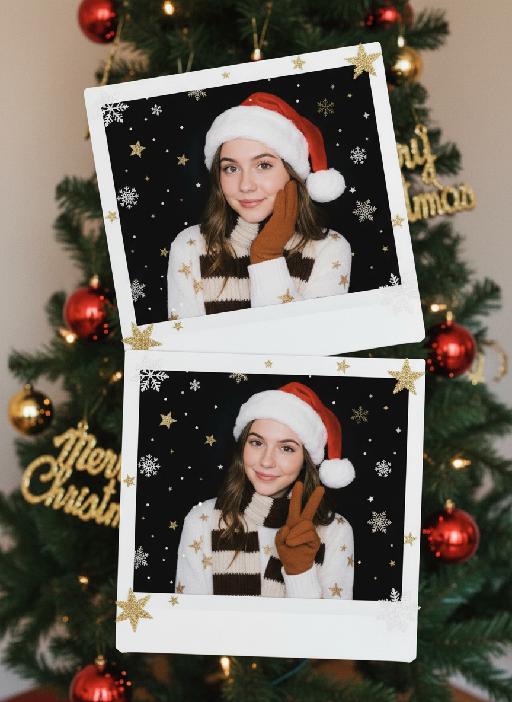
Polaroid AI effects generated image

Polaroid

"A photorealistic collage of two hand-held Polaroid photos placed randomly in a staggered upper and lower arrangement. The two photos feature different facial expressions and posing gestures of the subject(s): The main subject(s) in each Polaroid are the figure(s) from the uploaded image, with their facial features and the number of figures unchanged. The figure(s) wear a white fluffy Santa hat, a brown-and-white striped scarf, a white sweater adorned with golden star embellishments, and brown gloves—striking a pose of gently touching the cheek with one hand in one photo, and making a peace sign with one hand in the other. The background of each Polaroid is solid black, overlaid with white snowflake patterns and gold/black star motifs. The scene outside the Polaroids is set against a green Christmas tree, decorated with the words Merry Christmas in a gold glittering diamond texture and glossy red Christmas baubles. The lighting is warm-toned Christmas ambient light, creating a cozy winter vibe. The overall style features authentic Polaroid film texture with intact white Polaroid borders and rich fine details; the focus is sharp with a soft, blurred background. The edges of the Polaroid photos are accented with Christmas decorative elements, including gold star stickers and snowflake patterns."

Neon Speed AI effects generated image

Neon Speed

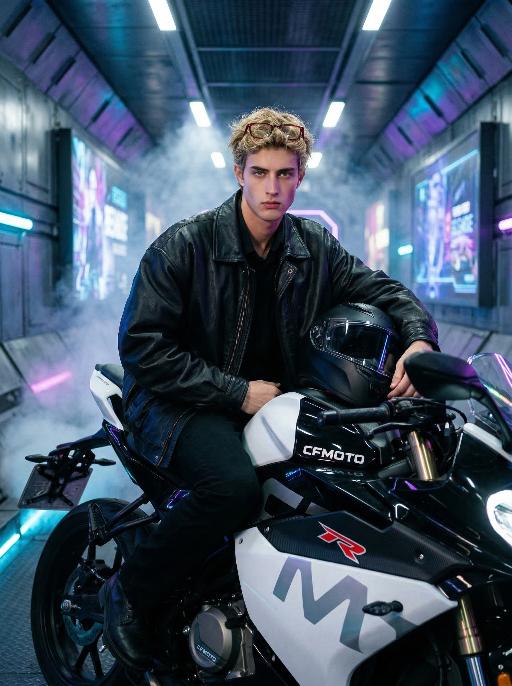
"Maintain the exact same facial features, gender, and age as the person in the uploaded image. Textured, messy short wavy blonde hair, with a pair of red-rimmed glasses perched on top of the head as an accessory. The facial makeup is clear and natural: a light, flawless base, defined and enhanced eye and brow contours, natural lip color, and a sharp, cool expression with distinct, three-dimensional facial features. He is wearing an oversized black leather jacket over a black base layer, paired with black straight-leg pants and black leather shoes. He is sitting coolly on a white and black CFMOTO sportbike (featuring a clear ""CFMOTO"" logo and ""R"" emblem). One leg is propped on the footpeg, and the other is stretched outward. One hand firmly grips the handlebar, while the other holds a black full-face helmet raised slightly, creating a dynamic and confident posture. The background is a cyberpunk futuristic underground tunnel with metallic tiled walls, glowing blue and purple neon tubes, floating holographic billboards, and a faint haze of smoke, embodying a futuristic industrial aesthetic. Shot from a low-angle upward perspective, the image features cinematic film grain, dramatic side lighting that accentuates the character’s sharp silhouette, cool color grading, and a shallow depth of field. Captured in 8K ultra-high definition with a Sony A7R V camera and a 50mm f/1.4 lens, the image is extremely detailed with razor-sharp focus on the man and the motorcycle, exuding a strong sense of power and futurism."

Crocodile Voyage AI effects generated image

Crocodile Voyage

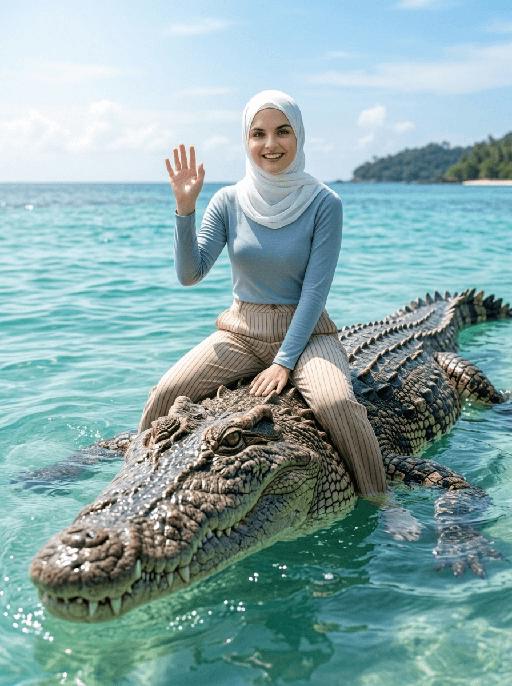
"[Strictly preserve the exact same subjects, same species, same faces, original appearance features, and the full style of clothing and costume details from the reference images unchanged;] photorealistic photograph, the subject from the reference image is straddling and riding on the back of a massive, realistic saltwater crocodile floating in crystal clear tropical turquoise sea water, legs naturally parted to sit across the crocodile body, and waving cheerfully at the camera. If the figure is female, she must wear long-sleeve top, long trousers and white sneakers. The background is a bright blue sky with soft white clouds, a distant lush tropical island shrouded in light mist, bright natural sunlight, sharp focus, ultra-detailed crocodile scales, realistic water reflections, 4K resolution, cinematic lighting, no deformities, consistent lighting on the subject matching the environment."

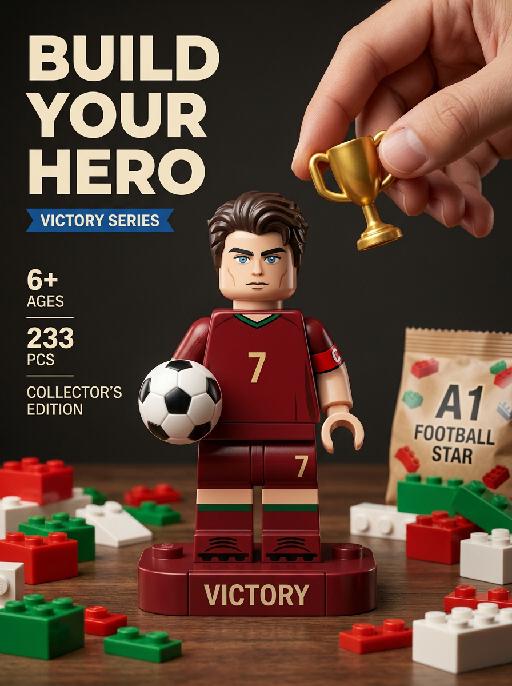
Victory Piece AI effects generated image

Victory Piece

"Photorealistic toy commercial vertical poster, fixed exploded-view composition, all building-block parts fixed in position and layout with no random displacement. Top-left large bold text: ""BUILD YOUR HERO"" Small blue banner text below the title: ""VICTORY SERIES"" Left-side fixed vertical text layout: ""6+ AGES"" ""233 PCS"" ""COLLECTOR'S EDITION"" universal championship trophy icon. Place one oversized Lego-style minifigure of the subject from the uploaded image in the center, preserving their recognizable face, age, hairstyle, hair color, and likeness. The character wears a No.7 dark-red home jersey with green trim, a red captain armband, matching dark-red shorts, dark-red socks, and football shoes. COMPLETE MINIFIGURE REQUIREMENT: The central Lego-style minifigure must be fully assembled and complete from head to toe. The head, hair block, torso, both arms, both hands, both legs, both feet, jersey, shorts, socks, and football shoes must all remain securely attached in their correct positions. The figure must stand upright as a finished collectible toy. Do not remove, separate, float, detach, duplicate, or omit any character body part. Do not show spare arms, spare legs, spare hands, spare feet, spare shoes, spare heads, spare hair pieces, spare jersey blocks, or any detached character components. The exploded-view aesthetic applies only to the surrounding generic building bricks and tabletop props, never to the central minifigure. HEAD AND FACE QUALITY: The minifigure head must look like a polished premium collectible Lego-style toy head with clean, balanced proportions and an attractive molded appearance. Preserve the subject's recognizable facial identity, age, hairstyle, hair color, and overall likeness, while translating the face naturally into a refined Lego-style minifigure aesthetic. Use a smooth molded ABS plastic facial surface, clean symmetrical eyes, naturally aligned eyebrows, a simplified but recognizable nose, a neat mouth shape, and a subtle confident expression. The hairstyle must be rendered as a clean sculpted hair block that fits securely and naturally on the head. Avoid uncanny facial realism, excessive skin texture, distorted facial features, asymmetrical eyes, oversized or undersized head proportions, fragmented facial details, exaggerated cartoon expressions, malformed head shape, and misaligned hair pieces. HAND AND TROPHY: A realistic human hand enters naturally from outside the upper-right edge of the frame. The thumb and forefinger gently hold one miniature classic gold championship trophy above the minifigure's head. The trophy adopts a universal symmetrical double-handled cup design with no event-exclusive copyrighted silhouette or proprietary shape elements. The trophy hovers symbolically above the character's head. The trophy does not touch the character. The trophy is not being installed as a building-block component. The hand must not remove, replace, detach, or assemble any part of the minifigure. DISPLAY BASE: Place the fully assembled minifigure on one fixed dark-red rectangular display base printed with: ""VICTORY"" Place one small black-and-white leather football beside the minifigure's feet on the display base. TABLETOP DETAILS: Scatter red, green, and white Lego-style bricks in a fixed layout around the table. These scattered pieces must be generic construction bricks only. They must not resemble detached body parts, clothing pieces, arms, legs, hands, feet, heads, hair blocks, shoes, jersey blocks, or accessories belonging to the minifigure. Place one transparent plastic brick bag labeled: ""A1 FOOTBALL STAR"" Fix the bag in the bottom-left corner. Place one step-by-step paper assembly manual in the bottom foreground. The manual may show generic brick diagrams only. Do not show a disassembled version of the central character. ENVIRONMENT: Dark retro wooden table surface. Dark solid wall background. Warm soft studio key lighting. Shallow depth of field. Hyper-detailed 8K appearance. Sharp focus. Macro product photography. Vintage dark muted tone. Realistic ABS plastic texture. Realistic leather-football texture. Realistic metallic trophy texture. Clear printed typography. No distorted text. Fixed object placement. Stable exploded-view layout around the fully assembled central figure only."

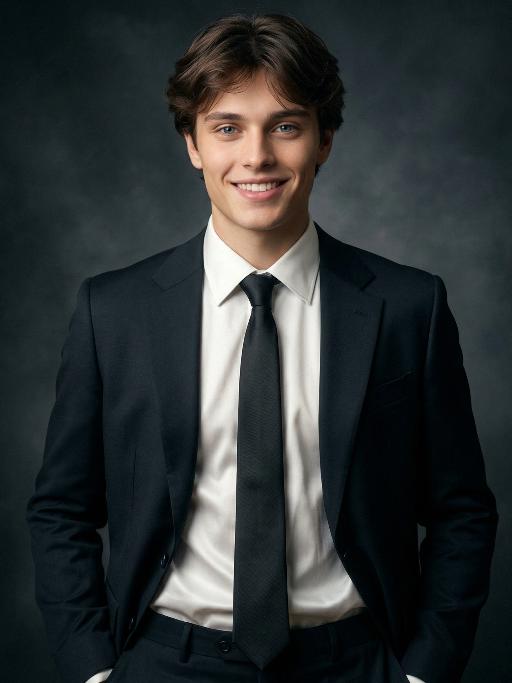
Black Suit AI effects generated image

Black Suit

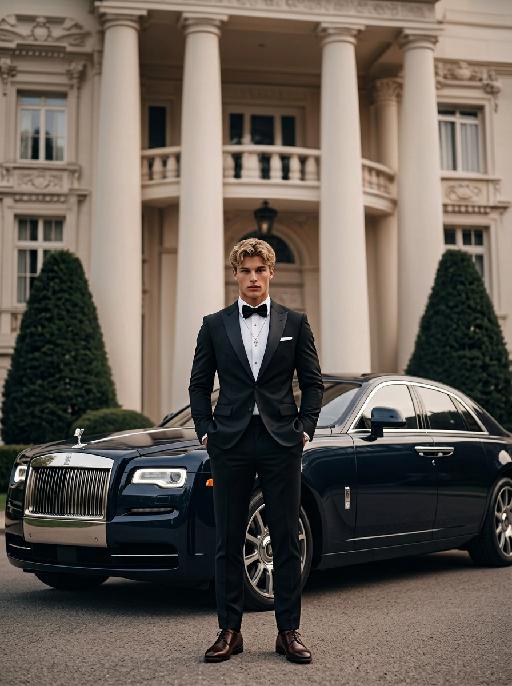
Extreme close-up portrait,Head and shoulders close-up portrait (shot precisely to the chest): Professional fashion editors and photographers, with an elegant and luxurious style. The figures in the uploaded pictures (their facial features, gender, hairstyle and age remain unchanged), have exquisite facial makeup, elegant accessories, confidently smiling, and are wearing well-tailored luxurious dark black suits (a fashionable and avant-garde business-style outfit), a white silk shirt (a delicate black tie), one hand in the pocket, with a confident and smiling expression, an elegant posture. This photo is a representative work of the high-end Japanese photography style, using soft diffused film-like lighting, delicate contour lighting, transparent and hazy black studio background, low-key and exquisite color palette, ultra-fine skin texture (using Japanese-style clear photo editing technology), clearly highlighting facial features and suit fabric, 8K ultra-high-definition quality, professional fashion photography, elegant and powerful aura, simple high-end aesthetics, subtle 35mm film grain effect.

Load more

Next-Gen Multi-Model AI Video Architecture

Vivago AI isn't just one engine—it’s a unified hub for the world’s most advanced video AI. Whether you need cinematic realism or high-speed social content, we provide the right model for your creative vision.

Free Generate

Beauty and Dolphins

Vacation Time

Stellar Tear

Fish Tank Supervisor

Cinematic Quality & Precision Control

Enables 4K resolution with multi-lens motion control, generating delicate scene via text prompts for customized cinematography.​

TRY NOW

Dynamic AV Sync

Auto-generates original audio to avoid copyright issues. Build 3D immersive environments through layered sound design automatically.

TRY NOW

OpenAI Sora 2

​Advanced visual storytelling with unparalleled physics and consistency.

TRY NOW

Kling v2.6 Pro

Industry-leading cinematic image animation and motion control.

TRY NOW

Google Veo 3 & 3.1

Ultra-fast generation with enhanced realism for creative workflows.

TRY NOW

Vivago AI 2.0

Our proprietary model optimized for efficiency, speed, and cost-effective generation.

TRY NOW

Users' Voice

We listen carefully to the opinions of every user.
Free Generate
Contact Us
I tried the Lip Sync feature inside Vivago.ai’s AI Video Generator for my educational podcast, and the results were stunning! The avatar's lip movements perfectly matched my audio recording, creating a professional AI-generated video without complex editing. Compared with tools like OpenAI Sora 2 and Google Veo 3.1, Vivago Image-to-Video delivers fast, studio-quality results online. It saved me hours of post-production work.
ElenaM (Spain)
Vivago’s Image-to-Video AI transformed my marketing workflow. I uploaded a product image and described the launch scene in text, and it generated a 10-second cinematic AI video with background music and dynamic visuals. The output quality rivals Kling v2.6 Pro and Google Veo 3 Fast. It’s now my go-to AI video generator for social media ads and product campaigns.
KenjiT (Japan)
As a digital artist, I use Vivago.ai 2.0 daily for Image-to-Image and AI Image-to-Video creation. The e-book covers and animated visuals I generate for clients look cinematic and professional. Unlike many standalone AI tools, Vivago integrates multiple leading models into one platform, making it easier to create copyright-safe AI images and videos for publishing.
ChenL (China)
I tried the Lip Sync feature inside Vivago.ai’s AI Video Generator for my educational podcast, and the results were stunning! The avatar's lip movements perfectly matched my audio recording, creating a professional AI-generated video without complex editing. Compared with tools like OpenAI Sora 2 and Google Veo 3.1, Vivago Image-to-Video delivers fast, studio-quality results online. It saved me hours of post-production work.
ElenaM (Spain)
Vivago’s Image-to-Video AI transformed my marketing workflow. I uploaded a product image and described the launch scene in text, and it generated a 10-second cinematic AI video with background music and dynamic visuals. The output quality rivals Kling v2.6 Pro and Google Veo 3 Fast. It’s now my go-to AI video generator for social media ads and product campaigns.
KenjiT (Japan)
As a digital artist, I use Vivago.ai 2.0 daily for Image-to-Image and AI Image-to-Video creation. The e-book covers and animated visuals I generate for clients look cinematic and professional. Unlike many standalone AI tools, Vivago integrates multiple leading models into one platform, making it easier to create copyright-safe AI images and videos for publishing.
ChenL (China)
I absolutely love Vivago’s AI Image-to-Video Generator. As a travel blogger, static images often fail to capture real atmosphere, but Vivago helps me turn photos into vivid cinematic AI videos with motion effects. It feels comparable to OpenAI Sora 2 and Google Veo 3.1, but more accessible and faster for creators who need high-quality AI videos online.
LiamK (Australia)
I tried the Lip Sync feature inside Vivago.ai’s AI Video Generator for my educational podcast, and the results were stunning! The avatar's lip movements perfectly matched my audio recording, creating a professional AI-generated video without complex editing. Compared with tools like OpenAI Sora 2 and Google Veo 3.1, Vivago Image-to-Video delivers fast, studio-quality results online. It saved me hours of post-production work.
ElenaM (Spain)
Vivago’s Image-to-Video AI transformed my marketing workflow. I uploaded a product image and described the launch scene in text, and it generated a 10-second cinematic AI video with background music and dynamic visuals. The output quality rivals Kling v2.6 Pro and Google Veo 3 Fast. It’s now my go-to AI video generator for social media ads and product campaigns.
KenjiT (Japan)
As a digital artist, I use Vivago.ai 2.0 daily for Image-to-Image and AI Image-to-Video creation. The e-book covers and animated visuals I generate for clients look cinematic and professional. Unlike many standalone AI tools, Vivago integrates multiple leading models into one platform, making it easier to create copyright-safe AI images and videos for publishing.
ChenL (China)
I absolutely love Vivago’s AI Image-to-Video Generator. As a travel blogger, static images often fail to capture real atmosphere, but Vivago helps me turn photos into vivid cinematic AI videos with motion effects. It feels comparable to OpenAI Sora 2 and Google Veo 3.1, but more accessible and faster for creators who need high-quality AI videos online.
LiamK (Australia)
Using Vivago.ai’s Image-to-Video AI has greatly enhanced my classroom teaching. I transform textbook notes into historical AI videos with cinematic filters and dynamic animations. Compared with tools like Kling v2.6 Pro and Google Veo 3 Fast, Vivago offers faster generation and easier parameter control for educators who need reliable AI video creation.
RajivG (India)
I frequently create AI videos on Vivago and publish them on TikTok and YouTube Shorts. The AI video templates and trending content ideas help me produce viral-ready clips quickly. With Vivago’s integrated models—including advanced video engines similar to OpenAI Sora 2—I can generate anime-style and cinematic social media videos that drive high engagement.
MarieJ (Spain)
What attracts me most about Vivago.ai is not only the powerful AI Video Generator but also the active AIGC creator community. It combines AI Image-to-Video, Text-to-Video, and leading model integrations like Google Veo 3.1 into one creative platform.
TomW (India)
At first, I was hesitant about using AI video tools. But after trying Vivago Image-to-Video, I realized how easy it is to create professional AI-generated videos online. I just upload an image, add a short prompt, and adjust a few settings. The results are cinematic and copyright-safe, which is essential for commercial projects.
HectorC (Mexico)
Using Vivago.ai’s Image-to-Video AI has greatly enhanced my classroom teaching. I transform textbook notes into historical AI videos with cinematic filters and dynamic animations. Compared with tools like Kling v2.6 Pro and Google Veo 3 Fast, Vivago offers faster generation and easier parameter control for educators who need reliable AI video creation.
RajivG (India)
I frequently create AI videos on Vivago and publish them on TikTok and YouTube Shorts. The AI video templates and trending content ideas help me produce viral-ready clips quickly. With Vivago’s integrated models—including advanced video engines similar to OpenAI Sora 2—I can generate anime-style and cinematic social media videos that drive high engagement.
MarieJ (Spain)
What attracts me most about Vivago.ai is not only the powerful AI Video Generator but also the active AIGC creator community. It combines AI Image-to-Video, Text-to-Video, and leading model integrations like Google Veo 3.1 into one creative platform.
TomW (India)
At first, I was hesitant about using AI video tools. But after trying Vivago Image-to-Video, I realized how easy it is to create professional AI-generated videos online. I just upload an image, add a short prompt, and adjust a few settings. The results are cinematic and copyright-safe, which is essential for commercial projects.
HectorC (Mexico)