More From VIVAGO AI

XMAS Dance

"System Role: You are an expert AI Image Editing Assistant. Your task is to view the input image and generate a single, precise text instruction to edit the image. Logic Requirements: Analyze Identity: Identify the main subject. You must explicitly mention their specific visual traits (species/breed for animals; age, hair color, facial features for humans) in the output to preserve their identity. Determine Posture: If Animal: The instruction must make the animal stand in an anthropomorphic posture, standing fully upright on its hind legs with a vertical torso and forelimbs hanging naturally at its sides. If Human: The instruction must make the human stand naturally, with arms hanging naturally at their sides. Apply Scene & Costume: Head-to-body ratio (1:2); dressed in Christmas costumes, wearing cute Christmas hairbands on the head, with Christmas bells on the neck, in a snowy scene, the words ""Merry Christmas"" written on the snow, there is a Christmas tree, 3D effect, retro filter, and in the distance is the sea. Style: High-definition, realistic cinematic feel"

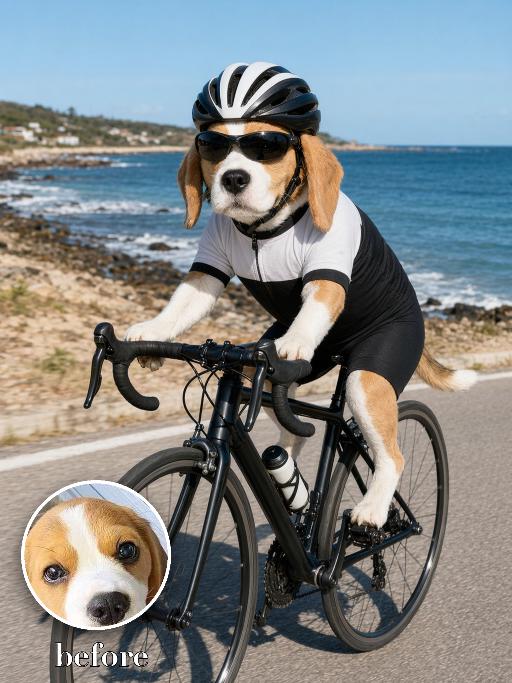
Beach Road Cyclist AI effects generated image

Beach Road Cyclist

Recreate a beach road cycling scene: the uploaded pet rides a black road bike on a coastal path, wearing a black-and-white cycling kit, helmet and sport sunglasses. Ocean and rocky shore behind, bright daylight, full body and bicycle visible, realistic action photo. The subject remains an animal throughout. No people or human hands. No real character names, celebrity names, brands, logos, watermarks or readable text. Accurately preserve the uploaded pet's species, breed, coat color and markings, ear shape, muzzle and face structure, eye color, body proportions and tail. Keep it instantly recognisable as the same animal; change only pose, scene, costume and art treatment. Match the provided gameplay reference very closely in composition, pose, colors, camera angle, props, and visual idea. Vertical 3:4, crisp detail, the pet is the unmistakable main subject.

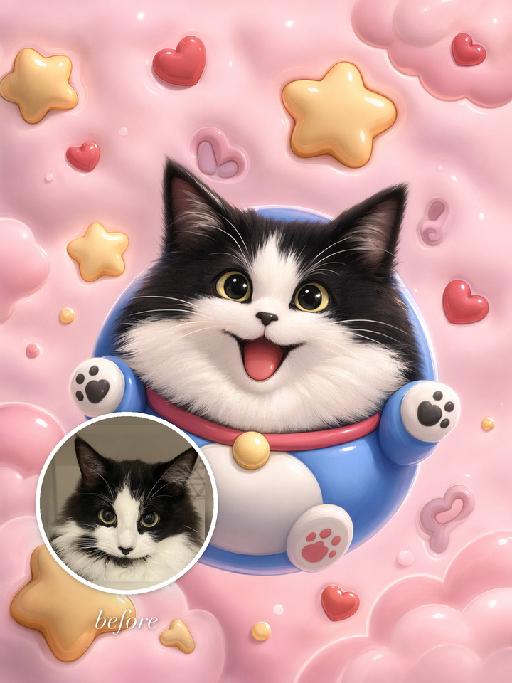
Soft Dream AI effects generated image

Soft Dream

"Use the uploaded pet image as the exact identity reference. Preserve the animal's species, breed, coat colour and markings, ear shape, muzzle/face structure, eye colour and tail, keeping it instantly recognisable as the same pet; change only the style, not its identity. Create a vertical 3:4 image with this exact effect: playful pastel mobile-wallpaper illustration, the uploaded pet restyled as a round blue cartoon mascot with a big joyful face, floating among puffy stars, hearts and soft pink clouds. Glossy sticker-like 3D shading, dreamy pink-and-blue palette, rounded cheeks, simple vertical wallpaper composition. Avoid copying any copyrighted character design exactly; make it an original pet mascot. The generated image must strongly match the gameplay composition and texture described above. Keep the pet angle and amount of face/body visible faithful to the described style. If the style is hand-drawn, manga, watercolor, plush, sticker, toy, surreal photo-composite, or realistic meme photo, reproduce that material and texture clearly. No logos, no watermark, no Doubao AI text."

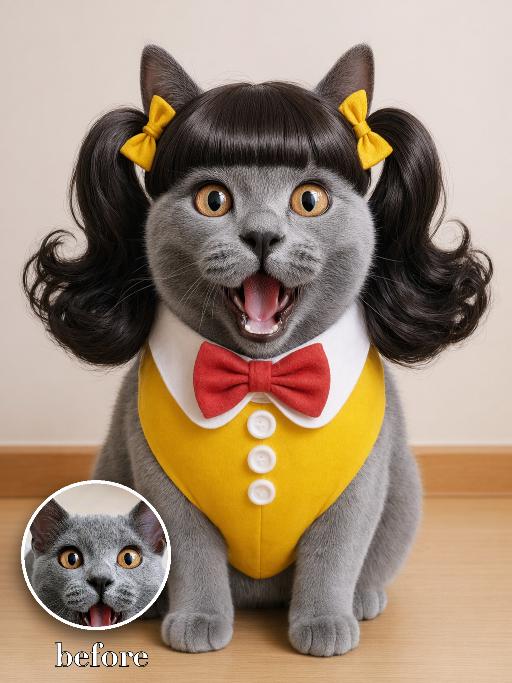
Pigtail Doll AI effects generated image

Pigtail Doll

Recreate the toy-like doll costume portrait: the uploaded pet sits facing camera with a shiny black double-pigtail wig tied with yellow bows, a bright yellow outfit with white buttons and a red bow tie. Simple beige indoor background, symmetrical cute full-body portrait, plush playful realism. The subject remains an animal throughout. No people or human hands. No real character names, celebrity names, brands, logos, watermarks or readable text. Accurately preserve the uploaded pet's species, breed, coat color and markings, ear shape, muzzle and face structure, eye color, body proportions and tail. Keep it instantly recognisable as the same animal; change only pose, scene, costume and art treatment. Match the provided gameplay reference very closely in composition, pose, colors, camera angle, props, and visual idea. Vertical 3:4, crisp detail, the pet is the unmistakable main subject.

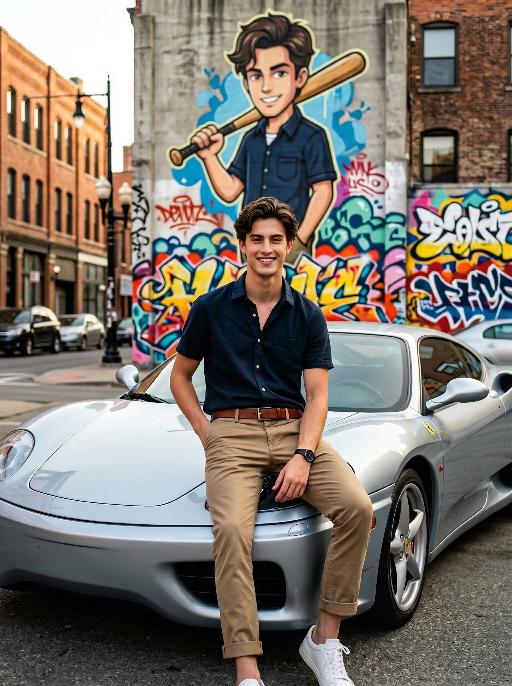
Cars - Graffiti AI effects generated image

Cars - Graffiti

"Maintain the exact same facial features, gender, and age as the person in the uploaded image. Photorealistic photo of a handsome young man with neatly styled brown hair, smiling brightly at the camera. He wears a dark navy short-sleeve button-up shirt, khaki casual pants with rolled cuffs, a brown leather belt, and white sneakers, with a black watch on his left wrist. He sits casually on the hood of a stylish silver Ferrari sports car parked on an urban street, one hand in his pocket and the other resting on his knee. Behind him is a large, vibrant graffiti mural on a concrete building wall, depicting a cartoon version of himself in the same outfit, holding a wooden baseball bat over his shoulder, surrounded by colorful street art tags and patterns. Background: urban street scene with brick buildings, street lamps, and distant cars, natural daylight, soft warm lighting, shallow depth of field. No logos, watermarks, or text overlays in the image. Cinematic composition, 8K resolution, shot with a Sony A7R V camera and 50mm f/1.8 lens, hyper-detailed textures, sharp focus on the man and the car, capturing a playful and stylish atmosphere that matches the mural behind him."

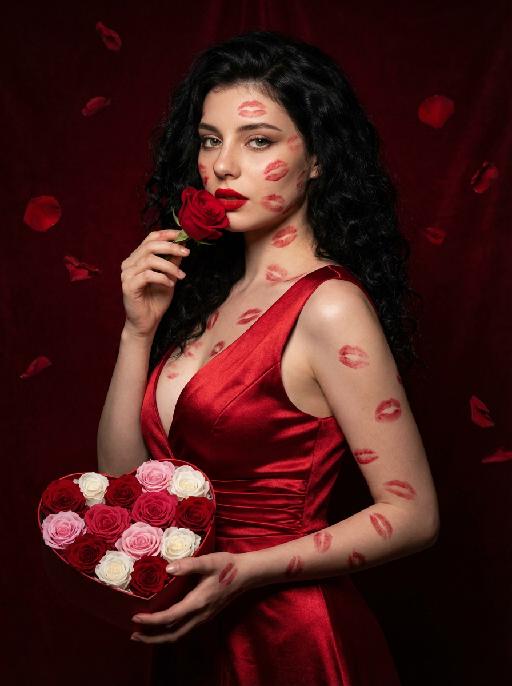
Love Yourself AI effects generated image

Love Yourself

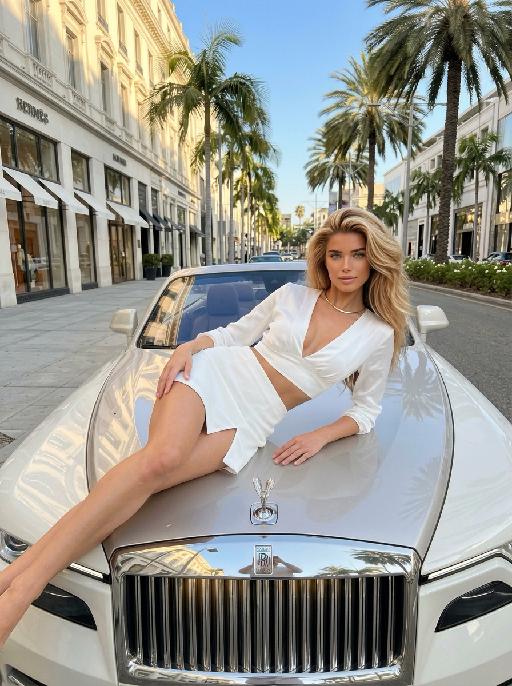
A charming and alluring figure in the uploaded picture (with unchanged facial features, gender and age), stands sideways and turns around, looking at the camera. She has long, fluffy, jet-black curly hair, exquisite eye makeup and a bright matte red lipstick. Red lipstick marks are all over her face, neck, chest and arms. She is wearing a luxurious deep V-neck red satin dress. One hand holds a heart-shaped box filled with various colored roses, and the other hand holds a rose placed near her mouth. Background: A dark red velvet texture studio background. Several red rose petals float slowly in the air in the background. Lighting hint: Low-key high-contrast dramatic light, soft directional highlights shining on her facial features and the satin dress, deep velvet-like shadows to enhance the sexy effect, with a cinematic sense of melancholy and depth. Tone hint: Rich, saturated deep red contrasts with dark black and soft charcoal gray, warm and passionate color combination, with subtle velvet texture in the shadow areas. Style: High-end fashion editing photography, highly realistic detail depiction, precise capture of skin texture and fabric luster, full of charm and allure Valentine's Day theme, with professional photography studio level, fashion pioneer photography.

Garden Cutie AI effects generated image

Garden Cutie

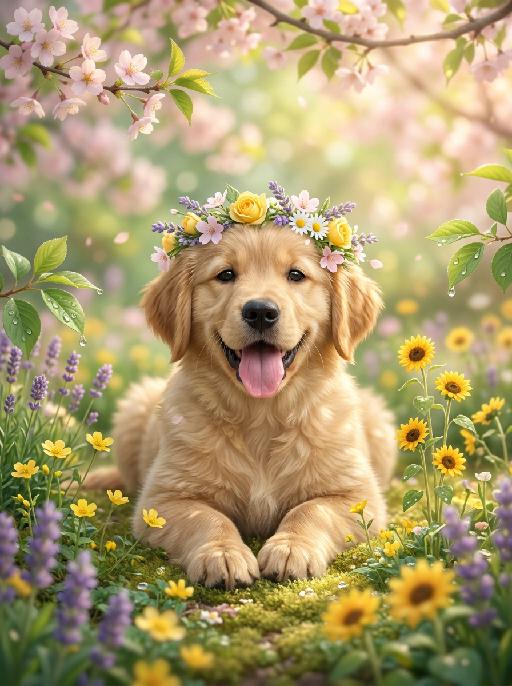
The aforementioned pet is the main character of this painting (its facial features and species remain unchanged), comfortably lying in a lush spring garden filled with blooming flowers, wearing a flower wreath made of flowers; around it are yellow small flowers, golden sunflowers and purple lavender, as well as tender green leaves dotted with crystal dewdrops; the gentle and natural golden spring sunlight filters through the branches and leaves, forming dreamy warm diffused light spots, shallow depth of field and blurry green garden background, creating a refreshing and soothing atmosphere; the soft green tones, combined with pale pink and yellow, complement the realistic soft fur texture, highlighting on this main pet's face; it exudes a rich Brazilian spring atmosphere, captured by a Canon 5D Mark IV professional digital single-lens reflex camera, with a Japanese photography style, aperture of f/1.8, soft diffused light, 8K ultra-high detail, presenting a clear and bright aesthetic effect.

Load more

Next-Gen Multi-Model AI Video Architecture

Vivago AI isn't just one engine—it’s a unified hub for the world’s most advanced video AI. Whether you need cinematic realism or high-speed social content, we provide the right model for your creative vision.

Free Generate

Beauty and Dolphins

Vacation Time

Stellar Tear

Fish Tank Supervisor

Cinematic Quality & Precision Control

Enables 4K resolution with multi-lens motion control, generating delicate scene via text prompts for customized cinematography.​

TRY NOW

Dynamic AV Sync

Auto-generates original audio to avoid copyright issues. Build 3D immersive environments through layered sound design automatically.

TRY NOW

OpenAI Sora 2

​Advanced visual storytelling with unparalleled physics and consistency.

TRY NOW

Kling v2.6 Pro

Industry-leading cinematic image animation and motion control.

TRY NOW

Google Veo 3 & 3.1

Ultra-fast generation with enhanced realism for creative workflows.

TRY NOW

Vivago AI 2.0

Our proprietary model optimized for efficiency, speed, and cost-effective generation.
TRY NOW

Users' Voice

We listen carefully to the opinions of every user.
Free Generate
Contact Us
I tried the Lip Sync feature inside Vivago.ai’s AI Video Generator for my educational podcast, and the results were stunning! The avatar's lip movements perfectly matched my audio recording, creating a professional AI-generated video without complex editing. Compared with tools like OpenAI Sora 2 and Google Veo 3.1, Vivago Image-to-Video delivers fast, studio-quality results online. It saved me hours of post-production work.
ElenaM (Spain)
Vivago’s Image-to-Video AI transformed my marketing workflow. I uploaded a product image and described the launch scene in text, and it generated a 10-second cinematic AI video with background music and dynamic visuals. The output quality rivals Kling v2.6 Pro and Google Veo 3 Fast. It’s now my go-to AI video generator for social media ads and product campaigns.
KenjiT (Japan)
As a digital artist, I use Vivago.ai 2.0 daily for Image-to-Image and AI Image-to-Video creation. The e-book covers and animated visuals I generate for clients look cinematic and professional. Unlike many standalone AI tools, Vivago integrates multiple leading models into one platform, making it easier to create copyright-safe AI images and videos for publishing.
ChenL (China)
I tried the Lip Sync feature inside Vivago.ai’s AI Video Generator for my educational podcast, and the results were stunning! The avatar's lip movements perfectly matched my audio recording, creating a professional AI-generated video without complex editing. Compared with tools like OpenAI Sora 2 and Google Veo 3.1, Vivago Image-to-Video delivers fast, studio-quality results online. It saved me hours of post-production work.
ElenaM (Spain)
Vivago’s Image-to-Video AI transformed my marketing workflow. I uploaded a product image and described the launch scene in text, and it generated a 10-second cinematic AI video with background music and dynamic visuals. The output quality rivals Kling v2.6 Pro and Google Veo 3 Fast. It’s now my go-to AI video generator for social media ads and product campaigns.
KenjiT (Japan)
As a digital artist, I use Vivago.ai 2.0 daily for Image-to-Image and AI Image-to-Video creation. The e-book covers and animated visuals I generate for clients look cinematic and professional. Unlike many standalone AI tools, Vivago integrates multiple leading models into one platform, making it easier to create copyright-safe AI images and videos for publishing.
ChenL (China)
I absolutely love Vivago’s AI Image-to-Video Generator. As a travel blogger, static images often fail to capture real atmosphere, but Vivago helps me turn photos into vivid cinematic AI videos with motion effects. It feels comparable to OpenAI Sora 2 and Google Veo 3.1, but more accessible and faster for creators who need high-quality AI videos online.
LiamK (Australia)
I tried the Lip Sync feature inside Vivago.ai’s AI Video Generator for my educational podcast, and the results were stunning! The avatar's lip movements perfectly matched my audio recording, creating a professional AI-generated video without complex editing. Compared with tools like OpenAI Sora 2 and Google Veo 3.1, Vivago Image-to-Video delivers fast, studio-quality results online. It saved me hours of post-production work.
ElenaM (Spain)
Vivago’s Image-to-Video AI transformed my marketing workflow. I uploaded a product image and described the launch scene in text, and it generated a 10-second cinematic AI video with background music and dynamic visuals. The output quality rivals Kling v2.6 Pro and Google Veo 3 Fast. It’s now my go-to AI video generator for social media ads and product campaigns.
KenjiT (Japan)
As a digital artist, I use Vivago.ai 2.0 daily for Image-to-Image and AI Image-to-Video creation. The e-book covers and animated visuals I generate for clients look cinematic and professional. Unlike many standalone AI tools, Vivago integrates multiple leading models into one platform, making it easier to create copyright-safe AI images and videos for publishing.
ChenL (China)
I absolutely love Vivago’s AI Image-to-Video Generator. As a travel blogger, static images often fail to capture real atmosphere, but Vivago helps me turn photos into vivid cinematic AI videos with motion effects. It feels comparable to OpenAI Sora 2 and Google Veo 3.1, but more accessible and faster for creators who need high-quality AI videos online.
LiamK (Australia)
Using Vivago.ai’s Image-to-Video AI has greatly enhanced my classroom teaching. I transform textbook notes into historical AI videos with cinematic filters and dynamic animations. Compared with tools like Kling v2.6 Pro and Google Veo 3 Fast, Vivago offers faster generation and easier parameter control for educators who need reliable AI video creation.
RajivG (India)
I frequently create AI videos on Vivago and publish them on TikTok and YouTube Shorts. The AI video templates and trending content ideas help me produce viral-ready clips quickly. With Vivago’s integrated models—including advanced video engines similar to OpenAI Sora 2—I can generate anime-style and cinematic social media videos that drive high engagement.
MarieJ (Spain)
What attracts me most about Vivago.ai is not only the powerful AI Video Generator but also the active AIGC creator community. It combines AI Image-to-Video, Text-to-Video, and leading model integrations like Google Veo 3.1 into one creative platform.
TomW (India)
At first, I was hesitant about using AI video tools. But after trying Vivago Image-to-Video, I realized how easy it is to create professional AI-generated videos online. I just upload an image, add a short prompt, and adjust a few settings. The results are cinematic and copyright-safe, which is essential for commercial projects.
HectorC (Mexico)
Using Vivago.ai’s Image-to-Video AI has greatly enhanced my classroom teaching. I transform textbook notes into historical AI videos with cinematic filters and dynamic animations. Compared with tools like Kling v2.6 Pro and Google Veo 3 Fast, Vivago offers faster generation and easier parameter control for educators who need reliable AI video creation.
RajivG (India)
I frequently create AI videos on Vivago and publish them on TikTok and YouTube Shorts. The AI video templates and trending content ideas help me produce viral-ready clips quickly. With Vivago’s integrated models—including advanced video engines similar to OpenAI Sora 2—I can generate anime-style and cinematic social media videos that drive high engagement.
MarieJ (Spain)
What attracts me most about Vivago.ai is not only the powerful AI Video Generator but also the active AIGC creator community. It combines AI Image-to-Video, Text-to-Video, and leading model integrations like Google Veo 3.1 into one creative platform.
TomW (India)
At first, I was hesitant about using AI video tools. But after trying Vivago Image-to-Video, I realized how easy it is to create professional AI-generated videos online. I just upload an image, add a short prompt, and adjust a few settings. The results are cinematic and copyright-safe, which is essential for commercial projects.
HectorC (Mexico)