More From VIVAGO AI

Veil Love AI effects generated image

Veil Love

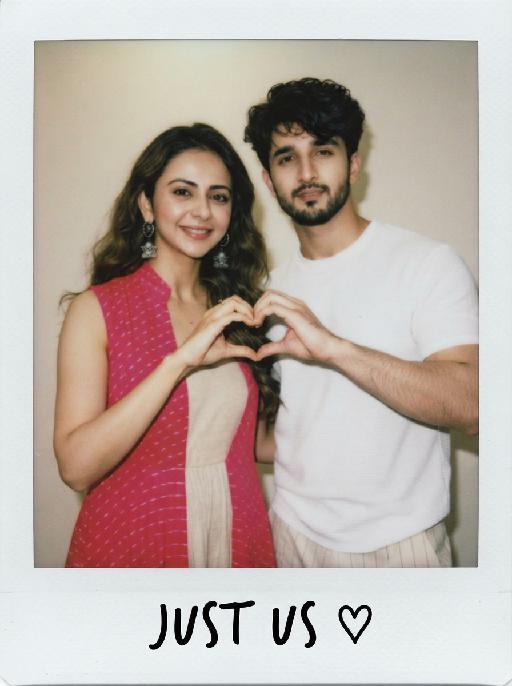
Create a photorealistic cinematic wedding portrait of the two subjects from the uploaded image, preserving their exact faces, ages, facial features, skin tones, and overall likeness as accurately as possible. Transform the two subjects into a bride and groom in an intimate close-up wedding portrait. The couple should strictly follow this romantic veil pose: the bride is on the left side of the image and the groom is on the right side. They stand extremely close to each other under a soft translucent white bridal veil, facing each other in profile. Their noses are almost touching, creating a quiet, romantic, intimate moment before a kiss. Both subjects look into each other’s eyes with gentle, affectionate, loving expressions. The bride gently places one hand on the groom’s neck or jawline, with relaxed elegant fingers, creating a tender and intimate touch. The groom stays close to the bride, slightly leaning toward her, calm and affectionate. Their faces should remain clearly visible and natural, not hidden by the veil. Bride outfit: the bride wears an elegant white wedding dress with a soft romantic bridal style. The dress may have a clean neckline, delicate lace, subtle embroidery, or refined satin texture. She wears a long translucent white tulle veil that softly covers and frames both the bride and groom, creating a romantic canopy around their faces. The veil should be lightweight, semi-transparent, and beautifully draped, not messy or opaque. The bride also wears subtle bridal earrings and a delicate pearl or diamond necklace. The bride’s hairstyle is not restricted and may be freely styled in whatever way best suits the overall bridal look, as long as it remains beautiful, natural, and elegant. Groom outfit: the groom wears a classic black tuxedo or formal black wedding suit, fitted and elegant, with a clean white dress shirt and a black bow tie. The groom’s outfit should look sharp, formal, minimal, and refined. Background: a simple softly blurred wedding background, such as a quiet garden, chapel courtyard, or elegant neutral outdoor wedding setting. The background should be minimal, romantic, and unobtrusive, with no visible crowd or distracting details. The couple should be the only two people in the image. Lighting and color: full-color image, not black and white. Use soft natural wedding photography colors with a low-saturation color palette, muted warm tones, soft ivory whites, gentle beige highlights, subtle skin tones, and elegant film-like color grading. The image should feel romantic, soft, refined, and timeless. Avoid monochrome, grayscale, overly vivid colors, neon tones, and harsh contrast. Composition: vertical close-up portrait, intimate framing from the shoulders or upper chest upward. The bride and groom are centered under the veil, with the veil forming a soft triangular or curved frame around their faces. Their noses should be very close but not kissing yet. The bride’s hand should be visible gently touching the groom’s neck or jawline. The overall mood should feel pure, romantic, quiet, emotional, and cinematic. Ultra realistic photography, high-end wedding editorial style, natural facial details, realistic hands and fingers, realistic veil texture, soft film grain, professional portrait lens look, shallow depth of field, high detail, muted cinematic color grading.

Neon Glow AI effects generated image

Neon Glow

The pet in the picture is the main subject of this shot (while retaining the pet's facial features and species). This is a highly realistic movie night scene portrait, depicting the main character peeping out from the window of a moving car, with a cheerful playfulness on their face, their tongue sticking out, wearing fashionable silver pilot sunglasses; the lenses of the glasses reflect the vibrant pink, electric blue and neon purple lights of the Brazilian city night scene, creating a mirror reflection of neon signs and traffic trajectories; the soft glowing neon outlines of the dog's fur edges, with a dark and melancholic, blurry cyberpunk São Paulo night scene as the background, blurry glowing neon signs with subtle Portuguese text, motion-blurred red and blue traffic light bands, shallow depth of field, dreamy blurred neon spots, a high-contrast melancholic cyberpunk atmosphere, with the main color being dark black. The bright pink, electric blue and neon purple colors have a cinematic low-light photography effect, using a Canon EOS R5 camera, with an aperture of f/1.4, precisely focusing on the main character's face and the reflective part of the sunglasses, ultra-fine soft fur texture, vibrant neon color grading, subtle film grain texture, no strong shadows, 8K ultra-high resolution.

Cowgirl AI effects generated image

Cowgirl

"Drawing on the facial structure, three-dimensional facial features, skin tone range and age vibe of the uploaded model’s image (without strict identity replication), a new female figure is created: a confident, warm and approachable woman with a Western cowgirl aesthetic, whose bearing is resilient yet not stern. A soft, natural and restrained smile graces her face – understated, yet enough to convey a poised, confident and gentle sense of strength. She is riding a magnificent white steed, with the horse’s front fully in clear view and its entire face featured in the frame; its coat is clean, bright and glowing with a natural sheen, with realistic texture and accurate proportions. The matching brown leather saddle and reins are exquisitely crafted with neat detailing, and the metal fittings catch the light with a natural shimmer, fully conforming to the structural norms of real equestrian gear. The image adopts a close-up composition, focusing sharply on the woman’s face and upper body to make her the clear focal point, while subtly preserving the natural interactive dynamic between the horse’s head and the rider. She wears a brown cowboy hat with clearly discernible embroidery detailing on the crown, a classic and refined staple of her look. Her top is a light blue denim-style sleeveless piece with a crisp cut and authentic fabric texture, showing natural brightness and tonal gradation in the light. Around her waist is a brown leather belt with distinct metal hardware; the slightly worn finish amplifies the authentic Western texture. She also adorns herself with delicate gold earrings and a necklace, which glimmer softly in the light – not overly showy, but just enough to enhance her feminine grace in perfect measure. The lighting is bright, soft natural daylight, with the key light striking the subject from a slight side angle directly in front, bathing her face in bright, translucent light, making her eyes clear and vivid, and lending her skin a healthy, natural complexion without heavy shadows dimming the midface. The overall color palette features warm earth tones; the woman and the white steed are slightly brighter than the background, naturally emerging as the visual focus. The background retains the vast, hazy ambiance of the Western wilderness – an expanse of arid open land, with distant mountain ranges fading in and out of view and a soft, misty sky, creating a cinematic sense of profound spatial depth. The photographic style is cinematic ultra-realism, echoing the aesthetic hallmarks of classic Western films. A shallow depth of field blurs the background slightly, highlighting the subject while imbuing the frame with a strong narrative quality. Complemented by 8K ultra-high resolution, the image is crisp and sharp, with an overall atmosphere that is warm, free, resilient and hopeful – a flawless portrayal of a bright, compelling cowgirl figure with a powerful sense of narrative and character."

Bouquet Date AI effects generated image

Bouquet Date

"Recreate the reference as an elegant blue studio portrait. The uploaded cat sits partly wrapped in a teal-blue cloth or blanket, wearing black sunglasses and holding a small bouquet of pale flowers close to the chest. Bright cyan-blue background and matching blue foreground, fashion editorial lighting, front-facing upper-body crop, cool calm expression. Preserve each uploaded pet's actual species, breed, coat color, markings, ear shape, eye color, muzzle and facial structure. Do not assume a fixed breed, color, or species from the reference image; adapt the reference gameplay to the uploaded pet. Actively change pose, facial expression, gaze direction, camera angle and styling to match the gameplay reference. No extra animals beyond the requested uploaded pets. No human face unless explicitly requested; anonymous hands are allowed only when the gameplay needs hands. No brand logos, no watermark, no random readable text. Match the gameplay reference very closely in composition, crop, texture, lighting, pet expression, visible face angle, props, background, and image quality. Vertical 3:4, photorealistic unless the reference is a poster or sticker layout. ```"

House On Fire AI effects generated image

House On Fire

This is a realistic breaking news photo. In the middle of the picture is the uploaded figure (with the facial features, gender and age unchanged), standing in the middle of the frame, with coal dust all over his face, looking sad. He is wrapped in a gray and beige striped plush blanket and holding a slice of Italian pepperoni pizza, looking confused and sad. In the background, a two-story suburban house is engulfed in flames, and firefighters are using water hoses to put out the fire. The silhouette of a fire engine can be seen. The scene takes place on a residential street during the day. Above there is a prominent large red and white news headline: "BREAKING NEWS". In the middle and lower part of the picture, there is a news caption that reads: "House on fire while resident 'just started eating'", "LIVE BROADCAST", "11:47 AM".

Milkmaid Pet Painting AI effects generated image

Milkmaid Pet Painting

Render the uploaded pet as a quiet seventeenth-century domestic oil painting. The pet stands upright at a wooden table wearing a cream linen head covering, mustard-brown bodice and blue apron, carefully pouring milk from a ceramic jug into a bowl. Sunlit plaster kitchen, bread and simple crockery, warm natural window light and precise old-master texture. The subject remains an animal throughout. No people or human hands. No real character names, celebrity names, brands, logos, watermarks or readable text. Accurately preserve the uploaded pet's species, breed, coat color and markings, ear shape, muzzle and face structure, eye color, body proportions and tail. Keep it instantly recognisable as the same animal; change only pose, scene, costume and art treatment. Match the reference composition closely. Vertical 3:4, crisp detail, the pet is the unmistakable main subject.

Great Wall Selfie AI effects generated image

Great Wall Selfie

Create a close wide-angle travel selfie at the Great Wall, matching the reference. The uploaded pet's face fills the lower-right foreground, wearing oversized orange sunglasses; the stone wall and watchtowers curve into green mountains behind. Bright clear daylight, raised-camera tourist perspective, playful confident expression. The subject remains an animal throughout. No people or human hands. No real brands, logos, watermarks or readable text. Accurately preserve the uploaded pet's species, breed, coat color and markings, ear shape, muzzle and face structure, eye color and body proportions. Keep it instantly recognisable as the same animal; change only pose, scene, clothing and accessories. Vertical 3:4, photorealistic, crisp detail, with the pet as the unmistakable main subject.

Play Bout

Vertical portrait, hyperrealistic photograph, close-up shot, sharp focus on the subject's face and front limbs, soft shallow depth of field, 8K resolution, ultra-detailed textures, vibrant natural colors, no distortion.SUBJECT (CORE FEATURES 100% FIXED, ONLY FACIAL APPEARANCE CUSTOMIZABLE): 【Animal】 maintains an upright standing pose. 100% preserve the same species from the reference image, do not change it. CRITICAL FIXED HEAD FEATURES: Two small high ponytails on top of the head in the same color as the subject's own fur/hair, tied with tiny rubber bands, with messy flyaway strands sticking out. CRITICAL FIXED EXPRESSION: Natural calm expression, mouth closed, round big eyes looking directly at the camera, relaxed facial muscles, facial features perfectly clear and sharp. CRITICAL FIXED POSE: One front limb clenched into a fist at the chest, the other front limb slightly extended forward. CLOTHING: Wearing cute gender-neutral casual clothing that fully covers the body, clothing style matches the subject's species and character while remaining appropriate and recognizable. SETTING (100% LOCKED): 【Reference Image】 standing on a light gray velvet fabric sofa with visible cushion seams. Background: Softly blurred modern living room interior, warm and cozy atmosphere, out of focus to keep subject as the main focus. LIGHTING (UPDATED FOR CLEAR FACE): Bright soft natural front-side light from the left, evenly illuminating the subject's face with no backlighting on face, subtle golden rim light around the animal's fur edges, clear light and shadow division on the sofa, warm and bright overall tone. Style: Photorealistic, cute, lifelike, no text, no watermark, no extra elements.

Golden 2026 AI effects generated image

Golden 2026

"The figure from the uploaded image (with unchanged facial features, age and gender, natural skin retouching on the face, and a fresh, sheer makeup look). This is a fashion portrait photography piece with a centered composition and an eye-level shooting perspective, captured with a Canon EOS R5 camera paired with an 85mm f/1.4 lens. The figure holds golden number balloons (20 and 26) in each hand, with arms raised naturally, body slightly turned and head tilted gently. Their gaze is directed diagonally upward, with a playful pout and a relaxed expression, striking an elegant posture. They are dressed in a high-customized gold sequined one-shoulder slim-fit dress with a distinctive design, and wear a gold glitter party hat, paired with high-end, luxurious and exquisitely designed accessories (necklace, rings, earrings, bracelet). Set against a solid pale off-white background with soft warm studio lighting, the image features high-texture skin details and sharply defined sequin details, presenting a delicate and sophisticated visual effect. It adopts an avant-garde fashion photography style with high-end photographic quality and a low-saturation color palette."

Comic Caricature

"Use the uploaded image as the only reference. Recreate the uploaded image faithfully, only changing the visual style into a more exaggerated American hand-drawn caricature illustration. Preserve the same person, hairstyle, expression, outfit, pose, background structure, framing, and overall composition, while transforming the image into a bold, stylized, sketchy cartoon portrait. Style: American editorial caricature, expressive hand-drawn linework, loose sketch lines, painterly brush strokes, dynamic ink-like outlines, animation concept art feel, and a polished illustrated finish. Make the caricature effect clearly stronger and more obvious: enlarge the head noticeably, exaggerate the facial proportions, make the eyes larger and more expressive, emphasize the eyebrows, simplify and stylize the nose and mouth, and give the face a more dynamic cartoon-like structure. The exaggeration should be bold, playful, and immediately noticeable. Keep the subject recognizable and appealing, but push the stylization further so it feels more lively, humorous, and visually striking. The result should look like a premium American magazine caricature or an animated character design sketch. Use visible brushwork, rough elegant outlines, soft painterly shading, and a clean artistic composition. The background can be simplified into a minimal illustrated backdrop with graphic color-block elements or loose painterly shapes to support the character. No text, no logo, no watermark."

Birthday Treasure AI effects generated image

Birthday Treasure

Recreate the reference as a retro birthday card. The uploaded pet sits on a festive tabletop wearing black sunglasses and a tiny party hat, one paw near a cup with an orange drink and straw. Behind it are colorful cone party hats, a star decoration and dark speckled party backdrop. Beige lower card panel with the readable greeting 'Happy Birthday!' in playful black hand lettering. Poster-card texture, flash-photo party mood. Preserve each uploaded pet's actual species, breed, coat color, markings, ear shape, eye color, muzzle and facial structure. Do not assume a fixed breed, color, or species from the reference image; adapt the reference gameplay to the uploaded pet. Actively change pose, facial expression, gaze direction, camera angle and styling to match the gameplay reference. No extra animals beyond the requested uploaded pets. No human face unless explicitly requested; anonymous hands are allowed only when the gameplay needs hands. No brand logos, no watermark, no random readable text. Match the gameplay reference very closely in composition, crop, texture, lighting, pet expression, visible face angle, props, background, and image quality. Vertical 3:4, photorealistic unless the reference is a poster or sticker layout.

Little Promise AI effects generated image

Little Promise

"Use the uploaded images as the only identity references for the two adult subjects. Create a photorealistic verticalmaternity couple portrait. Strictly preserve both subjects’ exact faces, ages, skin tones, facial features, face shapes, hairstyles, hairlines, hair lengths, hair textures, hair colors, bangs, overall appearance, body proportions, and overall recognizability. Follow the uploaded reference images closely. Do not replace either subject with a generic model face. Do not significantly change the hairstyle, hair color, or facial structure of either subject. COMPOSITION AND POSE: Use a warm indoor studio setting with a plain honey-brown plywood wall as the entire background. The pregnant woman stands slightly behind and to the right. The man sits lower in the foreground on the left, close beside her pregnant belly. The woman wears a fitted white short-sleeve mock-neck cropped T-shirt and dark indigo denim jeans lowered naturally beneath the belly. Her round pregnant belly is fully visible. She places one hand gently on the man’s shoulder. Her other hand rests lightly against her cheek. She winks one eye and makes a playful kissy expression toward the camera. The man sits casually in front of her, leaning slightly toward her body. He looks directly at the camera with a wide, bright, natural smile showing his teeth. IDENTITY AND HAIR PRESERVATION — STRICT: The woman’s hairstyle, hair color, hair volume, bangs or loose strands, and overall tied-up styling must remain consistent with the uploaded reference image. The man’s hairstyle, hair length, fringe shape, hair texture, and hair color must remain consistent with the uploaded reference image. Do not restyle either subject with a different haircut, different bangs, different hair color, or a different overall vibe. Keep both subjects looking like the exact same couple from the uploaded reference images. MALE CLOTHING — STRICTLY PRESERVE: The man wears a casual raglan baseball T-shirt with: * a heather-gray cotton body * solid black three-quarter raglan sleeves * a black ribbed crew neckline * relaxed youthful fit * soft slightly worn cotton texture * subtle natural fabric folds * no jacket * no button-up shirt * no plain black T-shirt * no formal clothing Add only a very small understated dark graphic or lettering near the lower front of the shirt if needed. Do not add a large logo. BELLY LETTERING: Write “LOADING 70%” by hand across the center of the pregnant belly using dark brown cosmetic paint or chocolate-colored body paint. The letters should look casually handwritten, slightly imperfect, playful, and clearly readable. Do not add any other text anywhere in the image. PHOTOGRAPHIC TEXTURE: Create the look of an intimate late-1990s or early-2000s analog studio portrait photographed on 35mm color film. Use: * warm honey-brown and amber tones * soft directional light from the upper-left * gentle natural shadows along the faces and bodies * slightly muted colors * soft highlight roll-off * subtle fine film grain * mild lens softness * natural skin texture * restrained contrast * slightly creamy skin tones * realistic cotton and denim texture * no glossy commercial retouching * no artificial HDR clarity * no plastic or porcelain skin The image should feel candid, youthful, intimate, playful, and emotionally warm, like a personal maternity portrait photographed in a small independent studio. IMPORTANT CONSTRAINTS: * keep the man seated lower than the woman * keep the pregnant belly prominent and unobstructed * preserve the gray-body black-sleeve raglan baseball T-shirt * strictly preserve both subjects’ hairstyles and hair colors from the reference image * strictly preserve both subjects’ facial identity and overall vibe * no extra people * no additional hands * no deformed fingers * no high-fashion styling * no luxury studio background * no modern bright-white beauty lighting * no excessive blur * no cartoon * no illustration * no logo * no watermark "

Cat Queen AI effects generated image

Cat Queen

A luxurious photorealistic royal portrait of the uploaded animal (pet) — whose species, fur texture, facial features, ears, tail, and all animal characteristics remain completely unchanged — seated gracefully and facing forward on an ornate tufted soft lavender velvet throne with an elaborately carved golden frame. The uploaded subject wears a flowing light purple sheer glitter royal gown, with intricate gold and crystal lace trim along the edges, and a jeweled chest ornament featuring a large pink gemstone pendant with cascading gold chain details. A delicate golden tiara crown with pink and purple crystal gemstones sits elegantly on top of its head. The gown drapes naturally over the throne on both sides. The palace background is soft and dreamy, with warm golden candlelight bokeh, tall ornate golden columns, blurred purple floral arrangements, crystal candelabras, and soft natural light streaming through a tall arched window in the distance. The overall atmosphere is elegant, ethereal, and romantically royal. Ultra realistic fur texture, cinematic soft warm lighting, shallow depth of field, warm golden and soft pastel lavender color palette, high-end fantasy pet photography aesthetic, refined royal portrait style, 8K resolution, highly detailed.

Thief Cat AI effects generated image

Thief Cat

"Ultra-realistic photorealistic breaking news broadcast still frame, live TV footage style. The real-life footage of this news scene is extremely realistic, featuring a close-up shot capturing the pet from the uploaded image (the pet’s species, facial features, fur details, and overall appearance remain completely unchanged). The pet is sitting directly inside an open messy refrigerator, centered in the frame and occupying approximately 80% of the composition. The pet has visible smudges of wet cat food on its face, holding a half-eaten tuna can with both front paws, with wide innocent eyes and an expression that looks like “I did nothing wrong.” Inside the refrigerator are scattered cat food cans, spilled wet food, overturned yogurt cups, food debris, and chaotic messy details everywhere. The background shows an out-of-focus warm-lit home kitchen with soft indoor lighting, creating a cozy yet chaotic atmosphere. At the top of the screen is a bold red-and-blue BREAKING NEWS banner in a classic live television news graphic style. At the bottom of the screen is a realistic live news broadcast lower-third graphic bar. On the left side, display: LIVE BROADCAST 8:23 PM On the right side, display realistic news-style headline formatting only, without using “Line 1” or “Line 2” labels as visible on-screen text. The news captions should appear as natural real television subtitles integrated into the lower-third broadcast graphic. News caption content: At 8 PM local time, the local cat just started eating during the large search in the refrigerator, causing a refrigerator chaos incident. Watch: The cat was caught by Red Claw during the midnight theft and robbery. Shot on a professional news camera with cinematic realism, high detail, natural lighting, shallow depth of field, realistic reflections on the refrigerator door, authentic television broadcast aesthetics, and immersive live-news atmosphere."

Load more

Next-Gen Multi-Model AI Video Architecture

Vivago AI isn't just one engine—it’s a unified hub for the world’s most advanced video AI. Whether you need cinematic realism or high-speed social content, we provide the right model for your creative vision.

Free Generate

Beauty and Dolphins

Vacation Time

Stellar Tear

Fish Tank Supervisor

Cinematic Quality & Precision Control

Enables 4K resolution with multi-lens motion control, generating delicate scene via text prompts for customized cinematography.​

TRY NOW

Dynamic AV Sync

Auto-generates original audio to avoid copyright issues. Build 3D immersive environments through layered sound design automatically.

TRY NOW

OpenAI Sora 2

​Advanced visual storytelling with unparalleled physics and consistency.

TRY NOW

Kling v2.6 Pro

Industry-leading cinematic image animation and motion control.

TRY NOW

Google Veo 3 & 3.1

Ultra-fast generation with enhanced realism for creative workflows.

TRY NOW

Vivago AI 2.0

Our proprietary model optimized for efficiency, speed, and cost-effective generation.

TRY NOW

Users' Voice

We listen carefully to the opinions of every user.
Free Generate
Contact Us
I tried the Lip Sync feature inside Vivago.ai’s AI Video Generator for my educational podcast, and the results were stunning! The avatar's lip movements perfectly matched my audio recording, creating a professional AI-generated video without complex editing. Compared with tools like OpenAI Sora 2 and Google Veo 3.1, Vivago Image-to-Video delivers fast, studio-quality results online. It saved me hours of post-production work.
ElenaM (Spain)
Vivago’s Image-to-Video AI transformed my marketing workflow. I uploaded a product image and described the launch scene in text, and it generated a 10-second cinematic AI video with background music and dynamic visuals. The output quality rivals Kling v2.6 Pro and Google Veo 3 Fast. It’s now my go-to AI video generator for social media ads and product campaigns.
KenjiT (Japan)
As a digital artist, I use Vivago.ai 2.0 daily for Image-to-Image and AI Image-to-Video creation. The e-book covers and animated visuals I generate for clients look cinematic and professional. Unlike many standalone AI tools, Vivago integrates multiple leading models into one platform, making it easier to create copyright-safe AI images and videos for publishing.
ChenL (China)
I tried the Lip Sync feature inside Vivago.ai’s AI Video Generator for my educational podcast, and the results were stunning! The avatar's lip movements perfectly matched my audio recording, creating a professional AI-generated video without complex editing. Compared with tools like OpenAI Sora 2 and Google Veo 3.1, Vivago Image-to-Video delivers fast, studio-quality results online. It saved me hours of post-production work.
ElenaM (Spain)
Vivago’s Image-to-Video AI transformed my marketing workflow. I uploaded a product image and described the launch scene in text, and it generated a 10-second cinematic AI video with background music and dynamic visuals. The output quality rivals Kling v2.6 Pro and Google Veo 3 Fast. It’s now my go-to AI video generator for social media ads and product campaigns.
KenjiT (Japan)
As a digital artist, I use Vivago.ai 2.0 daily for Image-to-Image and AI Image-to-Video creation. The e-book covers and animated visuals I generate for clients look cinematic and professional. Unlike many standalone AI tools, Vivago integrates multiple leading models into one platform, making it easier to create copyright-safe AI images and videos for publishing.
ChenL (China)
I absolutely love Vivago’s AI Image-to-Video Generator. As a travel blogger, static images often fail to capture real atmosphere, but Vivago helps me turn photos into vivid cinematic AI videos with motion effects. It feels comparable to OpenAI Sora 2 and Google Veo 3.1, but more accessible and faster for creators who need high-quality AI videos online.
LiamK (Australia)
I tried the Lip Sync feature inside Vivago.ai’s AI Video Generator for my educational podcast, and the results were stunning! The avatar's lip movements perfectly matched my audio recording, creating a professional AI-generated video without complex editing. Compared with tools like OpenAI Sora 2 and Google Veo 3.1, Vivago Image-to-Video delivers fast, studio-quality results online. It saved me hours of post-production work.
ElenaM (Spain)
Vivago’s Image-to-Video AI transformed my marketing workflow. I uploaded a product image and described the launch scene in text, and it generated a 10-second cinematic AI video with background music and dynamic visuals. The output quality rivals Kling v2.6 Pro and Google Veo 3 Fast. It’s now my go-to AI video generator for social media ads and product campaigns.
KenjiT (Japan)
As a digital artist, I use Vivago.ai 2.0 daily for Image-to-Image and AI Image-to-Video creation. The e-book covers and animated visuals I generate for clients look cinematic and professional. Unlike many standalone AI tools, Vivago integrates multiple leading models into one platform, making it easier to create copyright-safe AI images and videos for publishing.
ChenL (China)
I absolutely love Vivago’s AI Image-to-Video Generator. As a travel blogger, static images often fail to capture real atmosphere, but Vivago helps me turn photos into vivid cinematic AI videos with motion effects. It feels comparable to OpenAI Sora 2 and Google Veo 3.1, but more accessible and faster for creators who need high-quality AI videos online.
LiamK (Australia)
Using Vivago.ai’s Image-to-Video AI has greatly enhanced my classroom teaching. I transform textbook notes into historical AI videos with cinematic filters and dynamic animations. Compared with tools like Kling v2.6 Pro and Google Veo 3 Fast, Vivago offers faster generation and easier parameter control for educators who need reliable AI video creation.
RajivG (India)
I frequently create AI videos on Vivago and publish them on TikTok and YouTube Shorts. The AI video templates and trending content ideas help me produce viral-ready clips quickly. With Vivago’s integrated models—including advanced video engines similar to OpenAI Sora 2—I can generate anime-style and cinematic social media videos that drive high engagement.
MarieJ (Spain)
What attracts me most about Vivago.ai is not only the powerful AI Video Generator but also the active AIGC creator community. It combines AI Image-to-Video, Text-to-Video, and leading model integrations like Google Veo 3.1 into one creative platform.
TomW (India)
At first, I was hesitant about using AI video tools. But after trying Vivago Image-to-Video, I realized how easy it is to create professional AI-generated videos online. I just upload an image, add a short prompt, and adjust a few settings. The results are cinematic and copyright-safe, which is essential for commercial projects.
HectorC (Mexico)
Using Vivago.ai’s Image-to-Video AI has greatly enhanced my classroom teaching. I transform textbook notes into historical AI videos with cinematic filters and dynamic animations. Compared with tools like Kling v2.6 Pro and Google Veo 3 Fast, Vivago offers faster generation and easier parameter control for educators who need reliable AI video creation.
RajivG (India)
I frequently create AI videos on Vivago and publish them on TikTok and YouTube Shorts. The AI video templates and trending content ideas help me produce viral-ready clips quickly. With Vivago’s integrated models—including advanced video engines similar to OpenAI Sora 2—I can generate anime-style and cinematic social media videos that drive high engagement.
MarieJ (Spain)
What attracts me most about Vivago.ai is not only the powerful AI Video Generator but also the active AIGC creator community. It combines AI Image-to-Video, Text-to-Video, and leading model integrations like Google Veo 3.1 into one creative platform.
TomW (India)
At first, I was hesitant about using AI video tools. But after trying Vivago Image-to-Video, I realized how easy it is to create professional AI-generated videos online. I just upload an image, add a short prompt, and adjust a few settings. The results are cinematic and copyright-safe, which is essential for commercial projects.
HectorC (Mexico)