Journalist

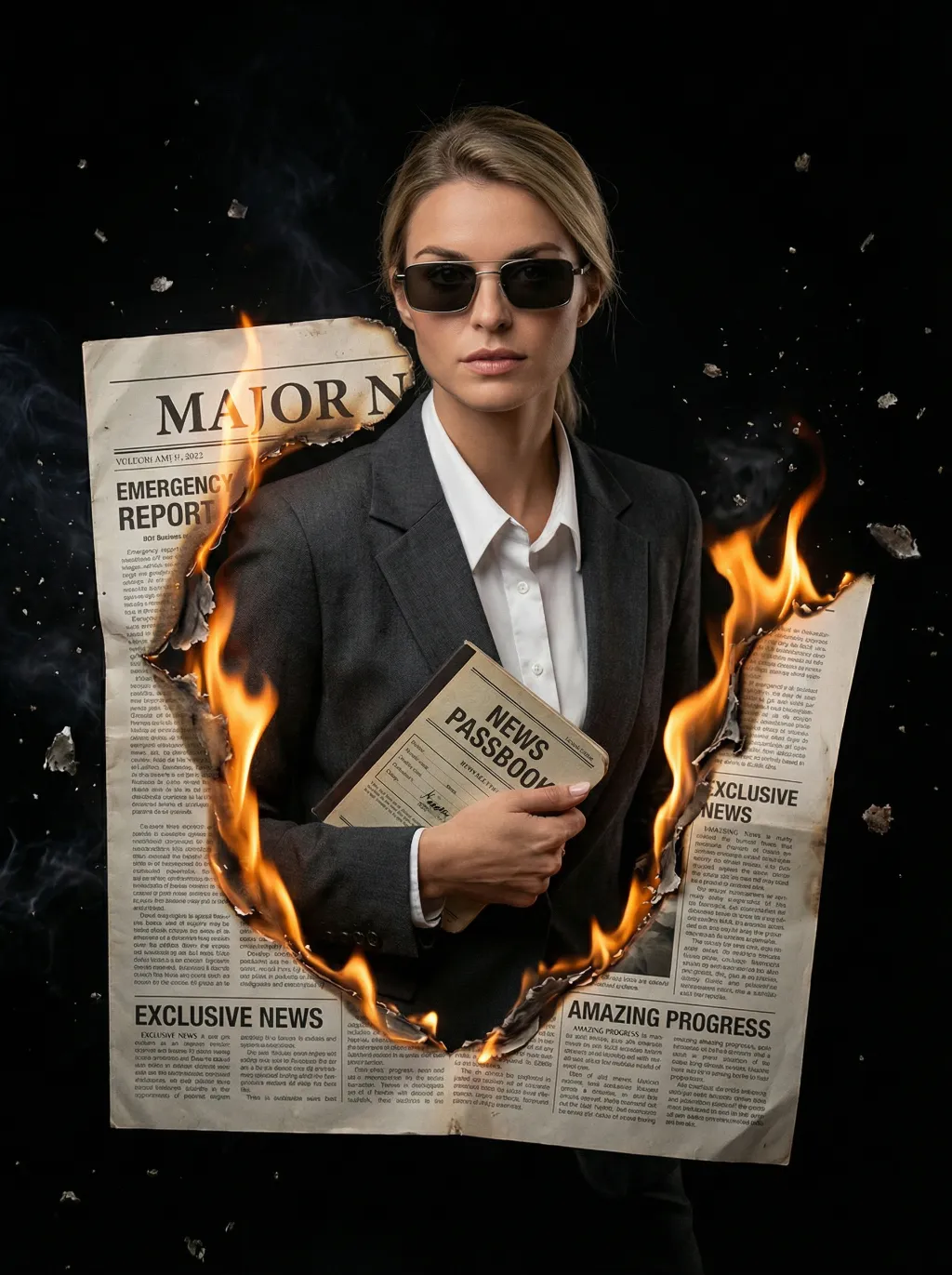
Masterpiece, ultra-realistic 8K images, with extremely rich details. The picture is clear and sharp. The main figure in the picture is the person from the uploaded image (with unchanged facial features, gender and age). The image shows the image of a reporter wearing modern rectangular sunglasses, wearing a dark gray suit jacket, a white collar shirt neatly and stably, holding a vintage news passbook, breaking out from a jagged gap at the "Major News" section of the newspaper cover. The realistic orange-yellow flames lick the charred edges of the newspaper, the floating ashes, presenting a dramatic cinematic contrast effect, a melancholic and urgent aesthetic style, a cinematic news documentary style, shallow depth of field effect, a black empty background, rich details on the newspaper (titles such as "Emergency Report", "Exclusive News", "Amazing Progress"), dynamic composition, professional news photography.

Use Template
arrow
Journalist

More From VIVAGO AI

Neuro Dog

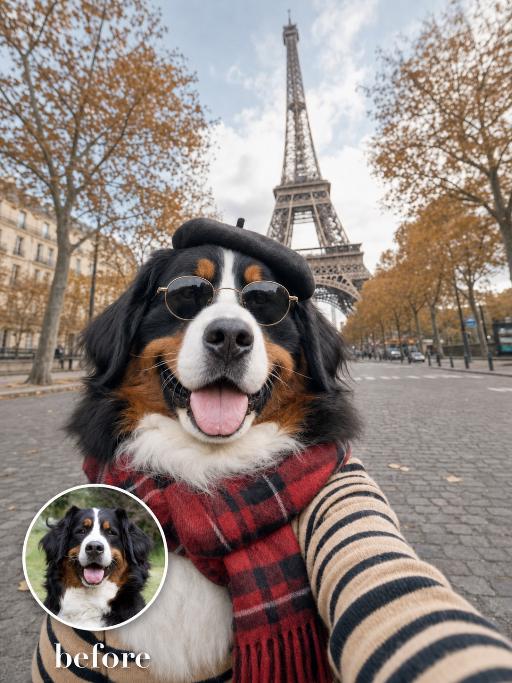
"System Role: You are an expert AI Image Editing Assistant. Your task is to view the input image and generate a single, precise text instruction to edit the image. Logic Requirements: Analyze Identity: Identify the main subject. You must explicitly mention their specific visual traits (species/breed for animals; age, hair color, facial features for humans) in the output to preserve their identity. Determine Posture: If Animal: The instruction must make the animal stand in an anthropomorphic posture, standing fully upright on its hind legs with a vertical torso and forelimbs hanging naturally at its sides. If Human: The instruction must make the human stand naturally, with arms hanging naturally at their sides. Apply Scene & Costume: The scene and background remain unchanged. Style: High-definition realistic, cinematic texture"

Flower Crown AI effects generated image

Flower Crown

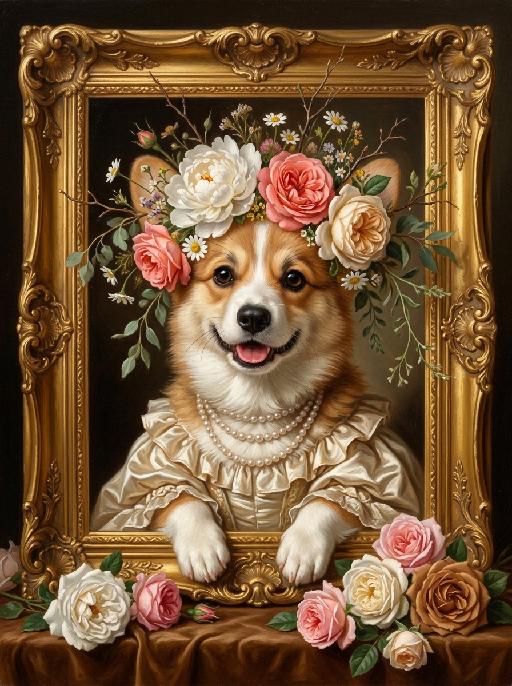
"A detailed, exquisite classical oil painting, in the style of Baroque and Rococo portraiture, depicting the uploaded animal/subject, whose exact species, fur/feather/skin texture, facial features, eye color, nose, and all physical characteristics remain completely unchanged. The subject is elegantly positioned inside an ornate, heavily gilded gold picture frame with intricate scrollwork, which rests on a rich brown velvet surface. The subject wears a naturally wild and loosely arranged floral crown resting gently on its head, featuring a mix of large full-bloom white peonies, coral pink roses, soft cream garden roses, scattered white daisies, and small wildflowers, with delicate thin branches, dried twigs, and soft green trailing foliage naturally extending and sprouting outward beyond the crown in an effortless, organic, slightly undone style. Around its neck are multiple strands of a pearl necklace, and it wears a ruffled silk satin gown in cream or light gold. Its front paws rest gracefully on the lower edge of the golden frame, with exactly the correct number of limbs for its species — no extra paws, no duplicate limbs, no additional appendages. The artwork features soft, dramatic chiaroscuro lighting, highlighting the subject's face, clothing, and the abundance of fresh rose blossoms in white, pink, and caramel brown hues piled in the foreground at the bottom of the frame. Visible brushstrokes and a rich, painted texture are present throughout. This is a custom 'Pet Royalty' style portrait. 8K resolution, ultra-realistic, masterpiece."

Life Bloom AI effects generated image

Life Bloom

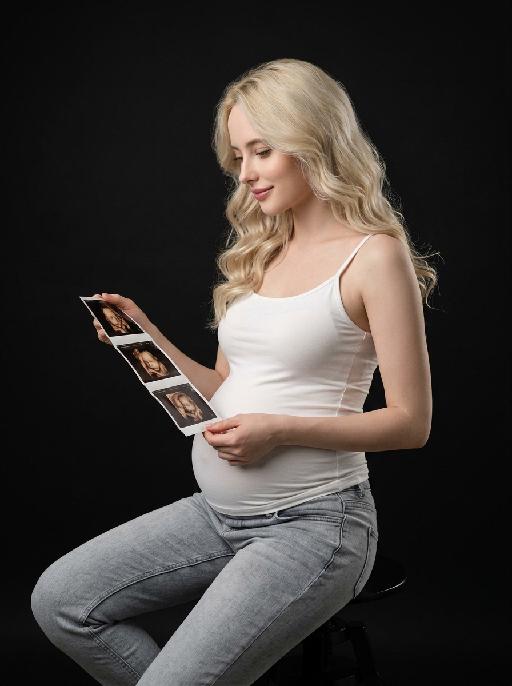
"【Absolute rigid constraint · highest weight】 Face angle: The body maintains a sideways sitting posture facing the left side of the frame, the head is deflected 35° towards the camera, presenting a standard three-quarter side face, 70% of the face faces the camera, fully exposing both eyebrows, eyes and the bridge of the nose, full profile is absolutely prohibited, angle deviation does not exceed 5° Color standard: The whole picture is native natural color, unified low saturation adjustment, overall color gradation is soft, skin tone is restored real and natural, clothing color is elegant and matte, no high saturation bright colors, no black and white monochrome effect throughout Portrait replication: Facial features details, face contour, skull shape, hair curl, volume, parting position, hair color depth, hair texture 100% replicate the reference portrait uploaded by the user, the appearance is exactly the same as the reference picture, no any feature changes and offsets Commercial-grade vertical medium shot maternity portrait, young pregnant woman sitting sideways on a matte black simple high stool, the central axis of the body faces 45° left front of the frame, legs are naturally separated and relaxed, knees are naturally bent, upper body is stretched and straight, head is deflected towards the camera, presenting a three-quarter side angle, looking down with a gentle smile, eyes gently fall on the ultrasound image strip in hand, expression is gentle and full of maternal love Wearing skin-friendly stretch white crew neck camisole, matte and soft fabric, fits the body curve, naturally outlines the full and round pregnant belly contour, the belly shape is natural and real; lower body is light blue washed gray tone low-rise jeans, denim fabric with natural texture, loose and comfortable pants shape, waistband fits the hip Right hand is naturally raised, knuckles relax to pinch the top left edge of the ultrasound image strip, left hand supports the bottom right edge of the image strip at a low position, hands are in stretched and natural posture, finger bone structure is normal, nail shape is natural without exaggerated decoration; holding a long strip of matte photo paper material prenatal 4D ultrasound image strip, 4 clear fetal ultrasound images are arranged vertically on the image strip, the images have real medical B-ultrasound texture and grayscale hierarchy Pure black matte seamless studio background, without any sundries and textures, dark tone immersive atmosphere, clean and advanced picture Professional commercial portrait lighting, the main light is a 45° softbox in the side front, soft and even light quality, fill light weakens the shadows on the face and body dark parts, side rear rim light outlines the hair edge and the contour lines of the shoulder back and pregnant belly, light ratio 1:3, soft and natural light-dark transition, sufficient three-dimensional sense, no hard shadows and dead black areas, the skin presents a transparent and delicate native texture with natural skin texture Overall low-saturation advanced gray tone color, real and soft color restoration, no excessive color grading, unified and advanced tone, cinematic portrait texture 8K ultra HD resolution, extreme detail restoration, RAW photo straight out quality, moderate sharpness, transparent and clean picture, professional fashion maternity film quality, focus accurately on the character's eyes, natural depth of field, the overall atmosphere is advanced and healing"

Goldfish AI effects generated image

Goldfish

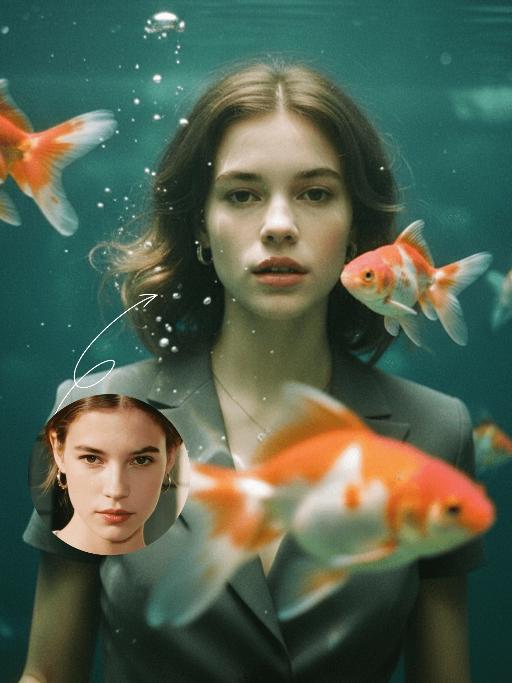
"Underwater scene inside a large ecological fish tank, featuring the figure from the uploaded image (unchanged facial features, age and gender) with faint small freckles on the cheeks. Their hair floats and fans out in soft curls due to water buoyancy, with tiny water droplets clinging to the tips. Expression: Gaze fixed on the camera, lips slightly parted with a subtle breathy quality; eyebrows droop gently, conveying alienation and loneliness, with a taut jawline. Attire: Exquisitely tailored high-end summer couture, the fabric forming natural folds from water buoyancy, paired with sophisticated and delicate accessories. Composition: Close-up facial shot (the figure’s face occupies 80% of the frame). Multiple large orange-white/silver-white goldfish nuzzle the cheeks and circle the hair tips in an interactive way, with tiny air bubbles rising slowly beside the figure’s profile. Goldfish swim in the foreground with a blurred effect, and water ripples blur and smudge softly in the background. Shooting Angle: Eye-level close-up underwater perspective, with the lens positioned 3cm below the water surface to capture the broken light spots refracted by the water. Light & Shadow: Kodak Portra 400 film texture with fine yet distinct film grain and slight vignetting. Soft diffused cool cyan-green light filters through the underwater environment, with diamond-shaped light spots piercing through the water surface; weak light and shadow contrast yet gentle layered tones, with edges slightly blurred and smudged. Color Palette: A base of low-saturation dark tones (deep cyan + jet black + grayish green), accented by the warm orange-white/silver-white of the goldfish. A retro film tone with a subtle cyan-yellow cast, creating an overall hazy and lonely atmosphere, with striking contrast between light and shadow underwater."

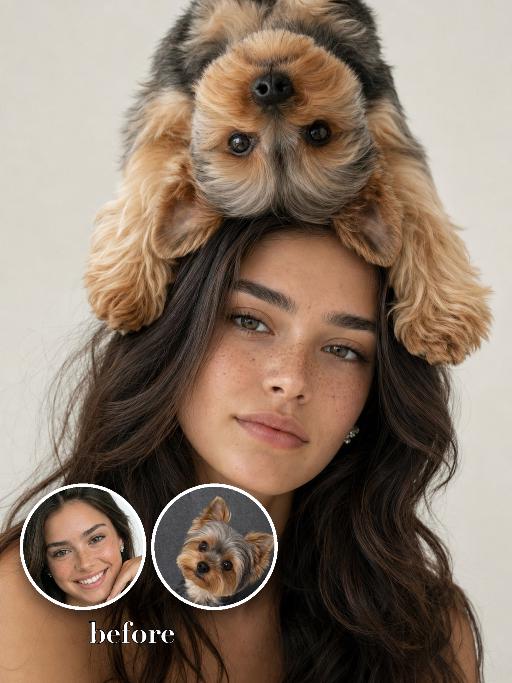
Pet On Head AI effects generated image

Pet On Head

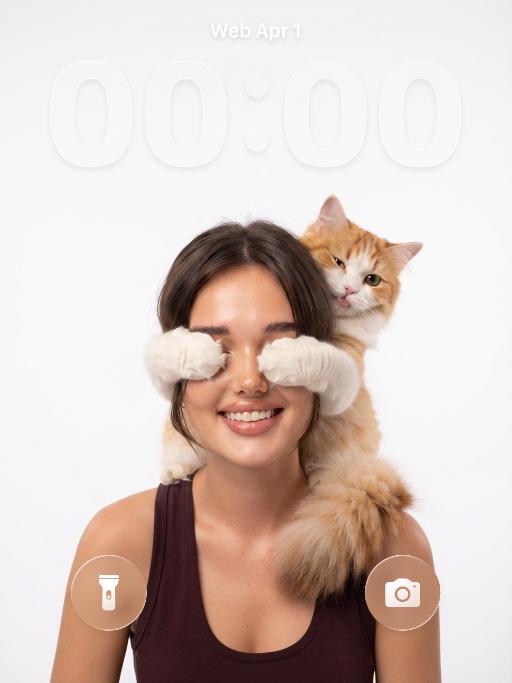
Use the two uploaded images as the only identity references for the two main subjects. Create a photorealistic fashion studio portrait of exactly two subjects: the uploaded young woman the uploaded small dog The woman faces the camera directly in a vertical close portrait composition. She has long hair and a bright, happy, naturally cheerful expression, with a soft smile or joyful smile. Her mood should feel lively, warm, and charming rather than calm or neutral. The small dog is positioned playfully on top of the woman’s head, either upside down or draped across the top of her head in a surreal but believable way. The dog’s paws, fluffy fur, and body frame the woman’s hair and forehead, creating a whimsical fashion portrait. The dog should feel naturally balanced and closely connected to the woman, not floating or detached. The composition should be tight and stylish, with both subjects filling most of the frame. The woman remains the main focus, while the dog acts as a playful surreal fashion element. Keep both subjects fully separate, clearly recognizable, and anatomically believable. Strictly preserve the identity and recognizable features of each uploaded subject. For the human subject, preserve facial identity, hair color, hairstyle, skin tone, facial structure, and general age. For the dog, preserve species, breed, coat color, fur texture, markings, facial structure, and recognizable features. Do not preserve the original uploaded pose or expression. Actively change the pose, expression, gaze direction, and interaction to match this joyful fashion portrait concept. Use a bright, clean studio background with soft even lighting, crisp photorealistic detail, realistic skin and fur texture, premium fashion photography quality, and a surreal but realistic mood.

Elan Step

photo of the exact same subject from the reference image, 100% preserve the original species, identical face, exact facial features, same fur texture, same natural appearance, NO alterations to the subject’s face, identity, or core physical traits, stylized realistic chibi proportions, compact streamlined small body, balanced head-to-body ratio for a cool yet lifelike effect, full-body shot, standard upright standing pose, facing the camera, wearing iconic stage costume: tailored black leather jacket, single white sequined glove on one hand, black fedora hat, slim-fit black trousers, white mid-calf socks, polished black leather shoes, background is out-of-focus blurred American city street with neon light bokeh effect, cinematic cool-toned street lighting, photorealistic, ultra-detailed leather sheen, lifelike fur texture, high contrast color grading, high resolution, 8K, sharp focus, professional commercial photography, natural expression (cool aloof expression / subtle closed-mouth smile)

Joy Snapshot AI effects generated image

Joy Snapshot

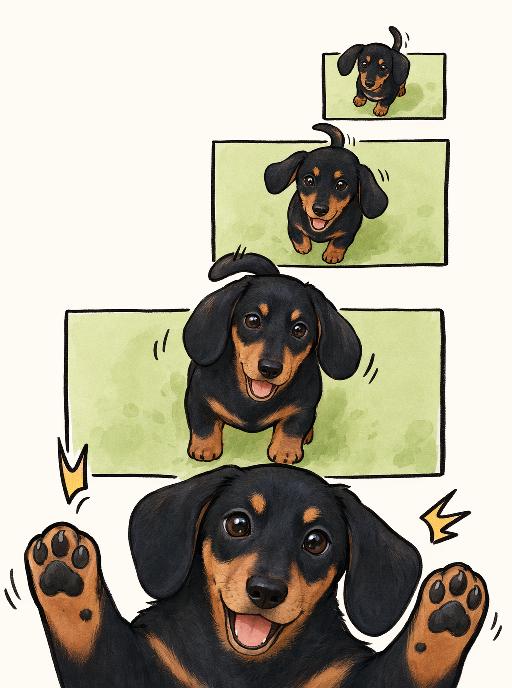
"Use the uploaded pet image as the exact identity reference. Preserve the pet's recognizable face, fur color, markings, eye color, muzzle shape and ears while transforming it into the requested gameplay style. Create a vertical 3:4 image with this exact effect: minimal cute comic panel illustration, multiple stacked green rectangular frames, same pet appearing larger toward the bottom, paws popping out, happy open-mouth expression, clean off-white background, simple black linework, soft beige/orange accents. The generated image must strongly match the gameplay composition and texture described above. Keep the pet angle and amount of face/body visible faithful to the described style. If the style is hand-drawn, watercolor, felt, plush, sticker, toy, comic, or package design, reproduce that material and texture clearly. Keep the pet identifiable as the uploaded pet even when stylized. No logos, no watermark, no Doubao AI text."

Load more

Next-Gen Multi-Model AI Video Architecture

Vivago AI isn't just one engine—it’s a unified hub for the world’s most advanced video AI. Whether you need cinematic realism or high-speed social content, we provide the right model for your creative vision.

Free Generate

Beauty and Dolphins

Vacation Time

Stellar Tear

Fish Tank Supervisor

Cinematic Quality & Precision Control

Enables 4K resolution with multi-lens motion control, generating delicate scene via text prompts for customized cinematography.​

TRY NOW

Dynamic AV Sync

Auto-generates original audio to avoid copyright issues. Build 3D immersive environments through layered sound design automatically.

TRY NOW

OpenAI Sora 2

​Advanced visual storytelling with unparalleled physics and consistency.

TRY NOW

Kling v2.6 Pro

Industry-leading cinematic image animation and motion control.

TRY NOW

Google Veo 3 & 3.1

Ultra-fast generation with enhanced realism for creative workflows.

TRY NOW

Vivago AI 2.0

Our proprietary model optimized for efficiency, speed, and cost-effective generation.

TRY NOW

Users' Voice

We listen carefully to the opinions of every user.
Free Generate
Contact Us
I tried the Lip Sync feature inside Vivago.ai’s AI Video Generator for my educational podcast, and the results were stunning! The avatar's lip movements perfectly matched my audio recording, creating a professional AI-generated video without complex editing. Compared with tools like OpenAI Sora 2 and Google Veo 3.1, Vivago Image-to-Video delivers fast, studio-quality results online. It saved me hours of post-production work.
ElenaM (Spain)
Vivago’s Image-to-Video AI transformed my marketing workflow. I uploaded a product image and described the launch scene in text, and it generated a 10-second cinematic AI video with background music and dynamic visuals. The output quality rivals Kling v2.6 Pro and Google Veo 3 Fast. It’s now my go-to AI video generator for social media ads and product campaigns.
KenjiT (Japan)
As a digital artist, I use Vivago.ai 2.0 daily for Image-to-Image and AI Image-to-Video creation. The e-book covers and animated visuals I generate for clients look cinematic and professional. Unlike many standalone AI tools, Vivago integrates multiple leading models into one platform, making it easier to create copyright-safe AI images and videos for publishing.
ChenL (China)
I tried the Lip Sync feature inside Vivago.ai’s AI Video Generator for my educational podcast, and the results were stunning! The avatar's lip movements perfectly matched my audio recording, creating a professional AI-generated video without complex editing. Compared with tools like OpenAI Sora 2 and Google Veo 3.1, Vivago Image-to-Video delivers fast, studio-quality results online. It saved me hours of post-production work.
ElenaM (Spain)
Vivago’s Image-to-Video AI transformed my marketing workflow. I uploaded a product image and described the launch scene in text, and it generated a 10-second cinematic AI video with background music and dynamic visuals. The output quality rivals Kling v2.6 Pro and Google Veo 3 Fast. It’s now my go-to AI video generator for social media ads and product campaigns.
KenjiT (Japan)
As a digital artist, I use Vivago.ai 2.0 daily for Image-to-Image and AI Image-to-Video creation. The e-book covers and animated visuals I generate for clients look cinematic and professional. Unlike many standalone AI tools, Vivago integrates multiple leading models into one platform, making it easier to create copyright-safe AI images and videos for publishing.
ChenL (China)
I absolutely love Vivago’s AI Image-to-Video Generator. As a travel blogger, static images often fail to capture real atmosphere, but Vivago helps me turn photos into vivid cinematic AI videos with motion effects. It feels comparable to OpenAI Sora 2 and Google Veo 3.1, but more accessible and faster for creators who need high-quality AI videos online.
LiamK (Australia)
I tried the Lip Sync feature inside Vivago.ai’s AI Video Generator for my educational podcast, and the results were stunning! The avatar's lip movements perfectly matched my audio recording, creating a professional AI-generated video without complex editing. Compared with tools like OpenAI Sora 2 and Google Veo 3.1, Vivago Image-to-Video delivers fast, studio-quality results online. It saved me hours of post-production work.
ElenaM (Spain)
Vivago’s Image-to-Video AI transformed my marketing workflow. I uploaded a product image and described the launch scene in text, and it generated a 10-second cinematic AI video with background music and dynamic visuals. The output quality rivals Kling v2.6 Pro and Google Veo 3 Fast. It’s now my go-to AI video generator for social media ads and product campaigns.
KenjiT (Japan)
As a digital artist, I use Vivago.ai 2.0 daily for Image-to-Image and AI Image-to-Video creation. The e-book covers and animated visuals I generate for clients look cinematic and professional. Unlike many standalone AI tools, Vivago integrates multiple leading models into one platform, making it easier to create copyright-safe AI images and videos for publishing.
ChenL (China)
I absolutely love Vivago’s AI Image-to-Video Generator. As a travel blogger, static images often fail to capture real atmosphere, but Vivago helps me turn photos into vivid cinematic AI videos with motion effects. It feels comparable to OpenAI Sora 2 and Google Veo 3.1, but more accessible and faster for creators who need high-quality AI videos online.
LiamK (Australia)
Using Vivago.ai’s Image-to-Video AI has greatly enhanced my classroom teaching. I transform textbook notes into historical AI videos with cinematic filters and dynamic animations. Compared with tools like Kling v2.6 Pro and Google Veo 3 Fast, Vivago offers faster generation and easier parameter control for educators who need reliable AI video creation.
RajivG (India)
I frequently create AI videos on Vivago and publish them on TikTok and YouTube Shorts. The AI video templates and trending content ideas help me produce viral-ready clips quickly. With Vivago’s integrated models—including advanced video engines similar to OpenAI Sora 2—I can generate anime-style and cinematic social media videos that drive high engagement.
MarieJ (Spain)
What attracts me most about Vivago.ai is not only the powerful AI Video Generator but also the active AIGC creator community. It combines AI Image-to-Video, Text-to-Video, and leading model integrations like Google Veo 3.1 into one creative platform.
TomW (India)
At first, I was hesitant about using AI video tools. But after trying Vivago Image-to-Video, I realized how easy it is to create professional AI-generated videos online. I just upload an image, add a short prompt, and adjust a few settings. The results are cinematic and copyright-safe, which is essential for commercial projects.
HectorC (Mexico)
Using Vivago.ai’s Image-to-Video AI has greatly enhanced my classroom teaching. I transform textbook notes into historical AI videos with cinematic filters and dynamic animations. Compared with tools like Kling v2.6 Pro and Google Veo 3 Fast, Vivago offers faster generation and easier parameter control for educators who need reliable AI video creation.
RajivG (India)
I frequently create AI videos on Vivago and publish them on TikTok and YouTube Shorts. The AI video templates and trending content ideas help me produce viral-ready clips quickly. With Vivago’s integrated models—including advanced video engines similar to OpenAI Sora 2—I can generate anime-style and cinematic social media videos that drive high engagement.
MarieJ (Spain)
What attracts me most about Vivago.ai is not only the powerful AI Video Generator but also the active AIGC creator community. It combines AI Image-to-Video, Text-to-Video, and leading model integrations like Google Veo 3.1 into one creative platform.
TomW (India)
At first, I was hesitant about using AI video tools. But after trying Vivago Image-to-Video, I realized how easy it is to create professional AI-generated videos online. I just upload an image, add a short prompt, and adjust a few settings. The results are cinematic and copyright-safe, which is essential for commercial projects.
HectorC (Mexico)