More From VIVAGO AI

Simple Black AI effects generated image

Simple Black

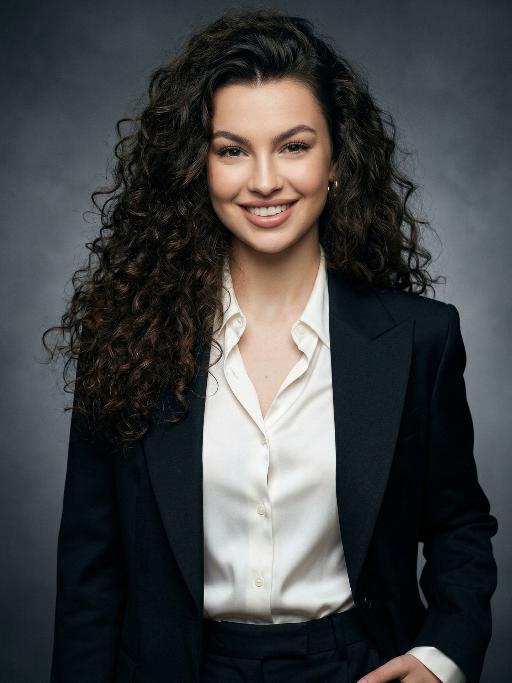
Extreme close-up portrait,Head and shoulders close-up portrait (shot precisely to the chest): Shot by professional fashion editors and photographers, with an upscale and luxurious style. The person in the uploaded picture (with their facial features, gender, hairstyle and age remaining unchanged), has a refined makeup, elegant and generous accessories, is smiling naturally, wearing a well-tailored dark black luxurious suit (a fashionable and avant-garde professional workwear style), a pure white silk shirt, one hand in the pocket, with a confident and sharp expression, a dignified and powerful posture. This photo is a product of the Japanese high-end photography style, using soft diffused film-like lighting, delicate contour lighting, transparent and hazy dark gray studio background, low-key and exquisite color palette, ultra-fine skin texture (using Japanese-style clear photo editing processing), clear and prominent facial features and suit fabric, 8K ultra-high-definition quality, professional fashion photography, elegant and powerful aura, simple high-end aesthetics, subtle 35mm film grain.

Heart Spotlight AI effects generated image

Heart Spotlight

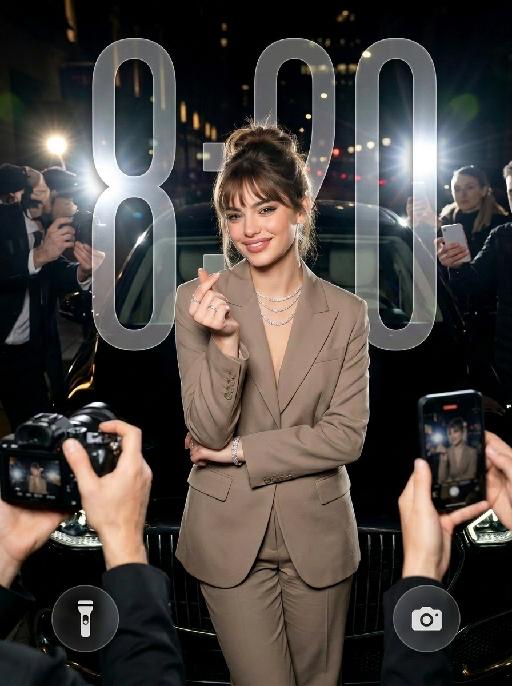
" Use the uploaded image as the only identity reference for the subject. Create a photorealistic vertical 4:5 high-fashion celebrity editorial portrait of the same subject. Strictly preserve the subject’s exact face, age, facial features, skin tone, hairstyle, hair color, and overall recognizability. Do not replace the face with a generic model face. SCENE: The subject stands confidently at night in front of a luxury black car, as if arriving at a high-profile fashion event or exclusive after-party. The setting feels like a glamorous city street at night, with a chic paparazzi atmosphere. POSE AND EXPRESSION: The subject stands centered in front of the car in a poised, fashion-forward stance. She raises both hands in front of her chest and forms a heart shape with her fingers. Her expression is stylish, playful, and confident, with a cool celebrity attitude. She can have softly closed eyes or a slightly squinting glamorous expression, with softly puckered lips or a chic subtle pout. STYLING: The subject wears a tailored taupe-beige or champagne-toned luxury suit with a sharp structured silhouette and elegant fitted waist. The outfit should feel like designer fashion, sleek, expensive, and editorial. Add sparkling high-end jewelry: - layered diamond necklace - statement earrings - bracelet - rings The styling should feel glamorous, feminine, modern, and celebrity-level luxurious. CAMERA AND PAPARAZZI ELEMENTS: Several hands holding professional cameras and smartphones appear around the edges of the frame, photographing the subject. Some phones may show the subject on their screens. Add strong paparazzi flash effects and bright camera flashes from multiple directions. The flashes should create a dramatic night-event atmosphere, with bright bursts of light, glossy highlights on the car, sparkling reflections on the jewelry, and a high-fashion celebrity feel. Keep the subject’s face and heart-hand gesture clearly visible. The surrounding cameras and phones should frame the subject without blocking her. BACKGROUND: - nighttime city-street setting - luxury black car directly behind the subject - dark elegant atmosphere - subtle out-of-focus city lights or event lights - refined red-carpet / fashion-event arrival mood - no cluttered street details LIGHTING: - strong flash photography aesthetic - multiple paparazzi flash bursts - subject brightly illuminated against a darker night background - glamorous high-contrast lighting - glossy highlights on hair, suit fabric, jewelry, and car surface - clean, premium editorial finish - cinematic night luxury mood STYLE: - photorealistic luxury fashion editorial photography - celebrity paparazzi aesthetic - high-end magazine campaign feel - glamorous night-event atmosphere - polished retouching - realistic skin texture - premium contrast - chic, stylish, expensive, and dramatic IMPORTANT CONSTRAINTS: - no text - no logo - no watermark - no distorted hands - no extra fingers - no deformed cameras - no blocked face - no cartoon - no illustration - no CGI appearance "

Goldfish AI effects generated image

Goldfish

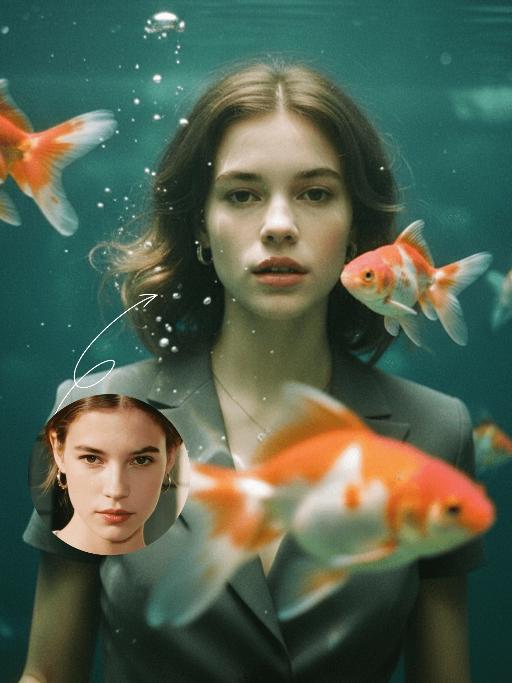
"Underwater scene inside a large ecological fish tank, featuring the figure from the uploaded image (unchanged facial features, age and gender) with faint small freckles on the cheeks. Their hair floats and fans out in soft curls due to water buoyancy, with tiny water droplets clinging to the tips. Expression: Gaze fixed on the camera, lips slightly parted with a subtle breathy quality; eyebrows droop gently, conveying alienation and loneliness, with a taut jawline. Attire: Exquisitely tailored high-end summer couture, the fabric forming natural folds from water buoyancy, paired with sophisticated and delicate accessories. Composition: Close-up facial shot (the figure’s face occupies 80% of the frame). Multiple large orange-white/silver-white goldfish nuzzle the cheeks and circle the hair tips in an interactive way, with tiny air bubbles rising slowly beside the figure’s profile. Goldfish swim in the foreground with a blurred effect, and water ripples blur and smudge softly in the background. Shooting Angle: Eye-level close-up underwater perspective, with the lens positioned 3cm below the water surface to capture the broken light spots refracted by the water. Light & Shadow: Kodak Portra 400 film texture with fine yet distinct film grain and slight vignetting. Soft diffused cool cyan-green light filters through the underwater environment, with diamond-shaped light spots piercing through the water surface; weak light and shadow contrast yet gentle layered tones, with edges slightly blurred and smudged. Color Palette: A base of low-saturation dark tones (deep cyan + jet black + grayish green), accented by the warm orange-white/silver-white of the goldfish. A retro film tone with a subtle cyan-yellow cast, creating an overall hazy and lonely atmosphere, with striking contrast between light and shadow underwater."

Edge of Form AI effects generated image

Edge of Form

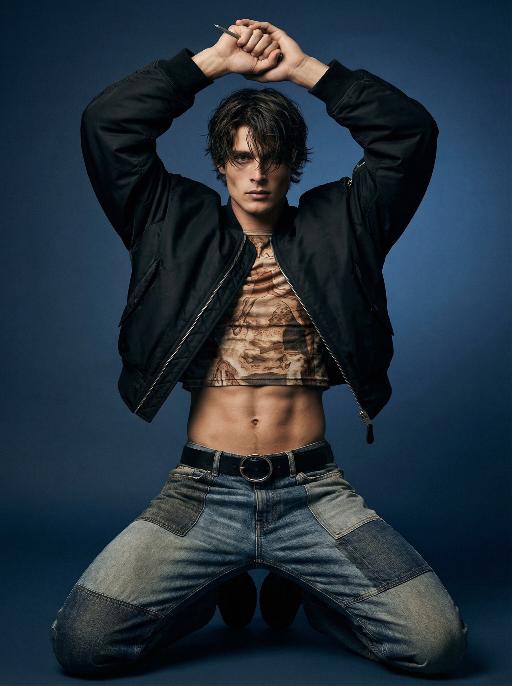
Use the exact same facial features, gender, and age as the character in the uploaded image. Photorealistic full-body fashion portrait, exact same facial features, gender and age as the character in the uploaded image. Dark, tousled medium-length hair falling over the forehead. Dynamic, powerful kneeling pose with both knees on the ground, legs spread wide, torso upright, both arms raised above the head, hands clasped tightly together, a thin metallic object held between the fingers. Oversized cropped black bomber jacket left unzipped, paired with a form-fitting cropped top featuring intricate earth-toned vintage-inspired print, exposing a toned, defined midriff. Patchwork design jeans with mixed denim washes and textures, secured by a black belt with a prominent circular metallic buckle. Smooth gradient dark blue studio backdrop, minimalist and moody atmosphere. Dramatic directional studio lighting, soft key light sculpting muscle contours and clothing textures, creating deep shadows and subtle highlights. Intense, edgy, avant-garde high-fashion editorial mood. High-detail skin texture, cinematic lighting, shallow depth of field, 8K resolution, ultra-realistic, sharp focus on all details.

Graden Breeze AI effects generated image

Graden Breeze

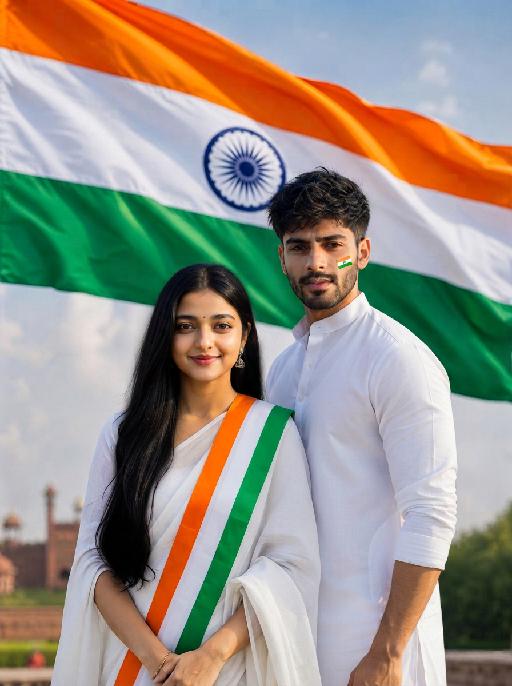
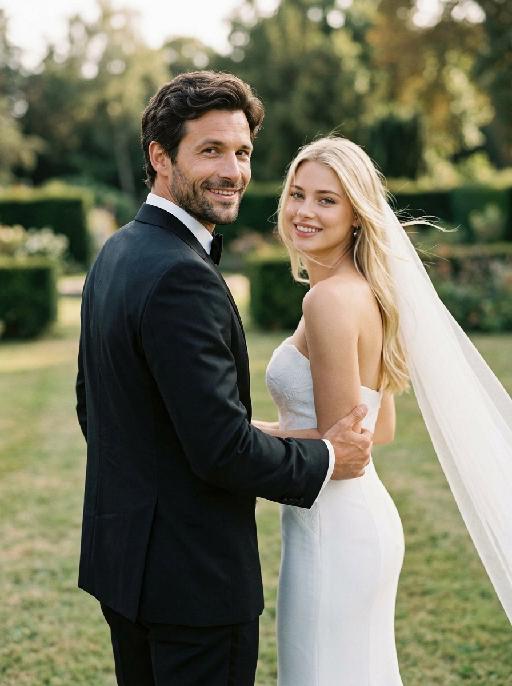
"Create a photorealistic cinematic wedding portrait of the two subjects from the uploaded image, preserving their exact faces, ages, facial features, skin tones, hairstyles, hair colors, and overall likeness as accurately as possible. Strictly preserve both subjects’ original hairstyles and hair colors from the uploaded image. Do not change the hair color, hair length, hair texture, or overall hairstyle identity of either subject. Use the reference composition of a candid “runaway wedding” shot: the groom is placed in the foreground on the left side of the frame, closer to the camera, while the bride is slightly behind him on the right side. Both are moving forward, as if walking or lightly running away together, but both turn their heads back toward the camera. The groom’s upper body and face turn back over his shoulder to look directly at the camera. The bride stays very close behind him, smiling warmly and romantically toward the camera, while gently holding or hooking one hand around the groom’s arm. Their body language should feel intimate, spontaneous, playful, and cinematic, like a real wedding photo captured in motion. Add a soft natural breeze to the scene. The wind should gently blow through the bride’s veil, dress, and a few loose strands of hair, creating a romantic wind-swept effect. The veil should flow diagonally backward and slightly outward, adding motion and elegance without covering the bride’s face. The groom’s tuxedo may show very subtle fabric movement, but should remain neat and formal. The wind should feel soft, cinematic, and natural, not chaotic or stormy. Transform the scene into an outdoor lawn or garden wedding setting rather than an indoor hallway. Keep the same composition and pose relationship, but place the couple on a soft grassy lawn with a blurred outdoor estate or garden atmosphere in the background. The background should include subtle greenery, soft trees or hedges, warm natural daylight, and a private romantic wedding feeling. The background must be softly blurred and completely free of any other people, guests, staff, or bystanders. The couple should be the only two people in the image. Bride outfit: the bride wears a modern white wedding gown inspired by the uploaded dress reference. The gown should have a strapless fitted bodice with structured corset-like tailoring, subtle jacquard or embroidered texture, and a sleek elegant silhouette. The neckline should be clean and straight or softly curved across the chest, with bare shoulders and no straps. Do not add any scarf, choker, neck wrap, or fabric around the neck. The gown should feel chic, minimal, and high-end, with a sleek satin or textured finish. A long translucent white veil flows behind her as she moves, enhanced by the soft breeze to create graceful motion and romance. The bride may wear subtle bridal earrings only. The bride’s hairstyle and hair color must strictly follow the uploaded image and should not be changed. Groom outfit: the groom wears a classic black tuxedo, fitted and elegant, with a clean white dress shirt, black bow tie, and black dress shoes. The tuxedo should look sharp, formal, minimal, and high-end. Do not use a casual suit, colorful suit, necktie, or open-collar shirt. The groom’s hairstyle and hair color must strictly follow the uploaded image and should not be changed. Lighting and color: use natural daylight with a subtle candid wedding editorial feel. The image should have realistic skin texture, natural highlights on the tuxedo, wedding dress, and veil, and a low-saturation cinematic color palette. Use muted warm tones, soft ivory whites, deep black tuxedo contrast, gentle green lawn tones, and subtle film grain. The image should feel slightly desaturated, stylish, romantic, and editorial. Avoid overly vivid colors, neon tones, or harsh overexposure. Composition: vertical portrait, medium-close to medium framing, following the exact composition style of the reference. The groom is closer to the camera on the left side, the bride is slightly behind him on the right side, and both are turning their heads back toward the camera while moving forward. Frame them from around the upper thighs or waist upward, keeping both faces clearly visible while still showing the bride’s fitted bodice, the groom’s tuxedo, and the movement of the veil. Add slight natural motion blur to the veil, hair tips, dress edge, or background if needed, but keep both faces sharp and recognizable. The image should feel candid, fashionable, romantic, joyful, wind-swept, and cinematic. Ultra realistic photography, high-end wedding editorial style, modern wedding photography, realistic walking posture, natural facial details, realistic hands and fingers, realistic fabric texture, flowing wind-swept veil, soft breeze, subtle motion blur, soft film grain, professional camera look, high detail, muted cinematic color grading. Negative prompt: extra people, background people, crowd, wedding guests, staff, bystanders, duplicated bride, duplicated groom, distorted faces, changed identity, inaccurate likeness, changed hairstyle, changed hair color, deformed hands, extra fingers, missing fingers, fused fingers, broken fingers, disconnected hands, unnatural arms, stiff pose, hands covering faces, bride not holding groom’s arm, no backward glance, missing veil, messy veil, veil covering the face completely, chaotic wind, storm wind, strong wind, hair covering the face, dress blowing unnaturally, wrong wedding dress, wedding dress with straps, puffy princess ball gown, colorful wedding dress, scarf around the neck, neck wrap, choker, fabric around the neck, casual groom outfit, necktie instead of bow tie, open-collar shirt, indoor hallway, corridor background, plastic skin, over-smoothed face, fake CGI look, text, logo, watermark, title text, low resolution, blurry face, oversaturated colors, vivid bright colors, neon colors, harsh contrast, black and white, monochrome, grayscale."


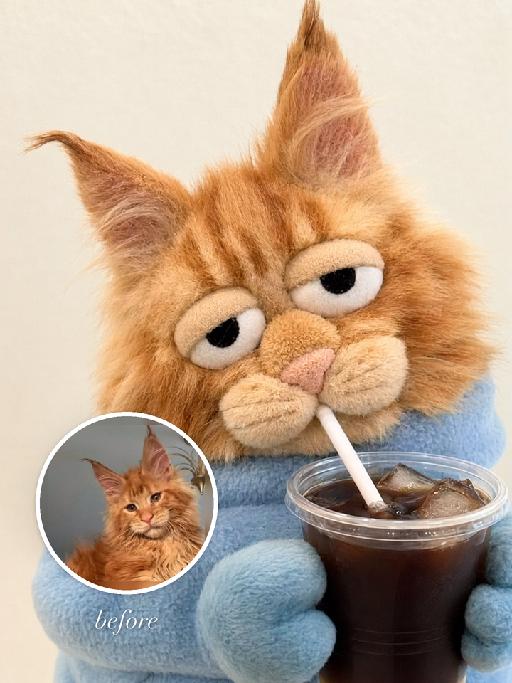
Drink Buddy AI effects generated image

Drink Buddy

"Use the uploaded pet image as the exact identity reference. Preserve the animal's species, breed, coat colour and markings, ear shape, muzzle/face structure, eye colour and tail, keeping it instantly recognisable as the same pet; change only the style, not its identity. Create a vertical 3:4 image with this exact effect: humorous plush-toy meme portrait, the uploaded pet transformed into a soft fabric puppet-like plush holding a plastic cup with straw. Cropped close-up, oversized sleepy eyes, small paws around the drink, fuzzy fleece texture, casual cafe snapshot feeling, simple light background. Keep it as a pet plush character, not a human. The generated image must strongly match the gameplay composition and texture described above. Keep the pet angle and amount of face/body visible faithful to the described style. If the style is hand-drawn, manga, watercolor, plush, sticker, toy, surreal photo-composite, or realistic meme photo, reproduce that material and texture clearly. No logos, no watermark, no Doubao AI text."

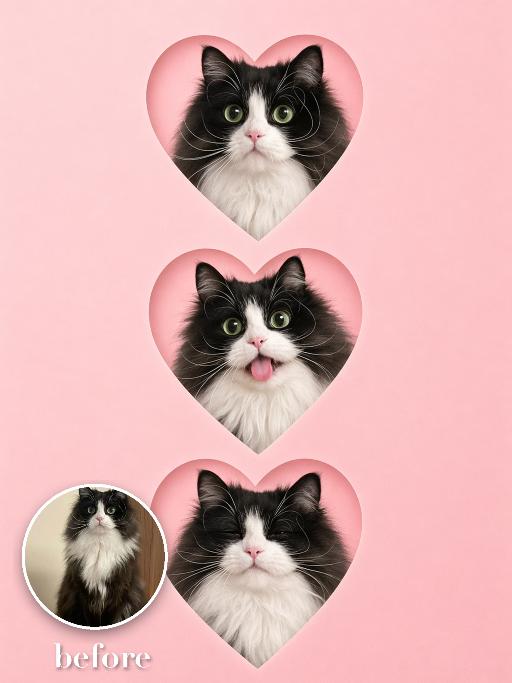
Pet Hearts AI effects generated image

Pet Hearts

Create a vertical social sticker collage on a soft pink background: three heart-shaped cutout portraits of the uploaded pet are stacked from top to bottom, each inside a crisp heart mask with a subtle paper edge. The same pet appears with three cute expressions: wide-eyed, tongue-out or playful, and calm smiling. Clean minimal layout, no other props, polished app-template look. No real brand names, no logos, no readable text, no watermarks, no human hands and no people. keep the uploaded pet recognisable by preserving its species, breed, coat color and markings, ear shape, muzzle and face structure, eye color and tail, even while stylising the body and expressions. Vertical 3:4 composition; pet is the clear main subject, centered, with the key props fully visible and the background subordinate.

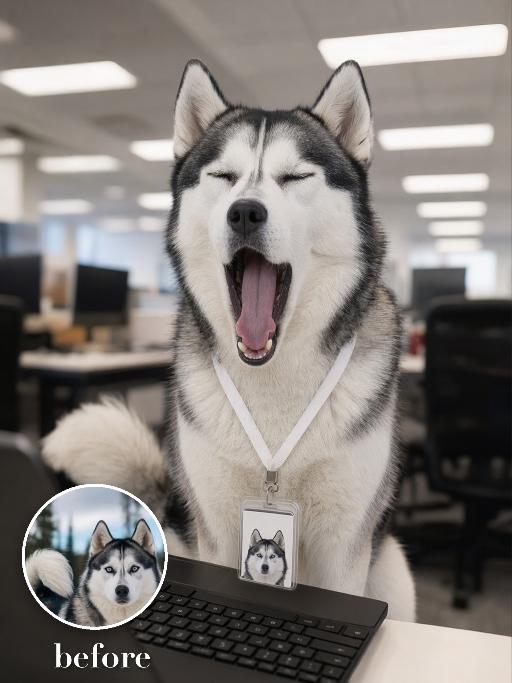
Yawn Time AI effects generated image

Yawn Time

Turn the uploaded pet into a tired corporate office worker pet: close-up behind a black laptop keyboard, mouth wide open in a big yawn, wearing a simple white lanyard ID badge that contains only a tiny photo-like pet icon and no readable text. Background is a blurred open-plan office with fluorescent ceiling panels. Candid photorealistic desk-level perspective, funny exhausted mood. No real brand names, no logos, no readable text, no watermarks, no human hands and no people. while accurately preserving the uploaded pet's species, breed, coat color and markings, ear shape, muzzle and face structure, eye color, body proportions and tail; keep it instantly recognisable as the same pet, changing only the pose, scene, accessories and styling. Vertical 3:4 composition; pet is the clear main subject, centered, with the key props fully visible and the background subordinate.

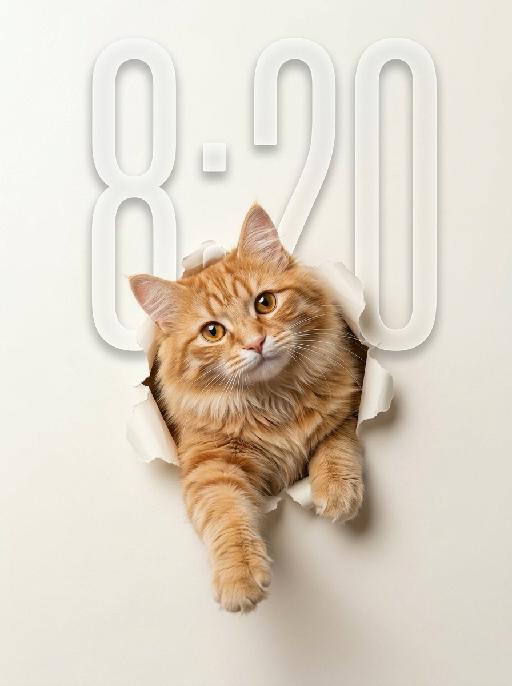
Peek Face AI effects generated image

Peek Face

"Use the uploaded pet image as the only identity reference. Create a clean, minimalist studio-style portrait of the same pet appearing to break through a sheet of paper. Strictly preserve the pet’s original species, face shape, fur color, fur texture, eye shape, ear shape, nose shape, markings, and overall recognizability. Composition: - square or vertical composition - large clean negative space - the pet is centered or slightly lower than center - only the head, upper chest, and front paws are visible - the pet is emerging through a ripped paper hole - one front paw reaches farther out toward the viewer - the other front paw rests near the torn opening - the pet looks directly at the camera - cute, curious, slightly playful expression - a slight head tilt for a charming look Background: - a soft light creamy off-white paper background - the paper should feel smooth, clean, and minimal - a realistic torn hole in the paper around the pet - the ripped paper edges should be clearly visible and slightly curled outward - the hole should feel realistic, as if the pet pushed through the paper - keep the background plain and uncluttered with no extra objects Style: - hyper-realistic pet photography - commercial studio aesthetic - crisp fur detail - soft softbox lighting - subtle shadow around the torn paper opening and under the paws - polished, playful, modern poster feel - elegant neutral color palette - slightly soft, refined, and premium mood Lighting: - soft even studio lighting - clean highlights in the eyes - gentle shadows for depth - bright, tidy, high-key look Important constraints: - no full body - no extra props - no text - no watermark - no logo - no cartoon style - no illustration style - keep the pet realistic and adorable "

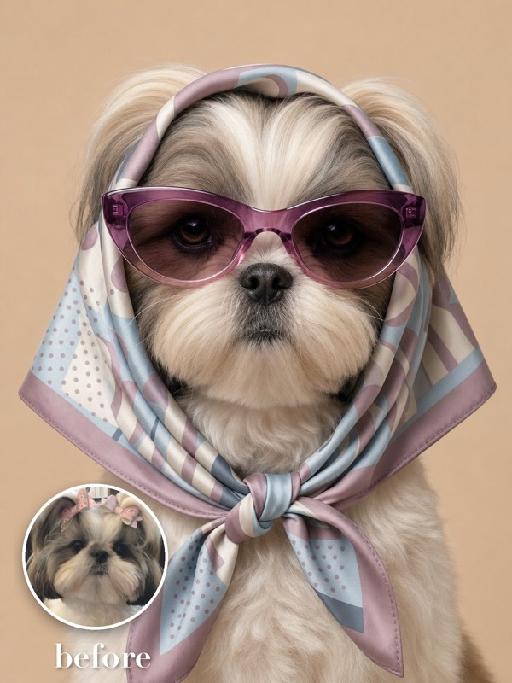
Silk Hood AI effects generated image

Silk Hood

Recreate the exact fashion portrait: the uploaded pet faces forward against a warm beige background, wearing a glossy patterned silk scarf wrapped over the head and tied snugly under the chin, plus oversized mauve cat-eye sunglasses. Head-and-upper-chest framing, symmetrical composition, serious expression, realistic silk folds and reflections. The subject remains an animal throughout. No people or human hands. No real brands, logos, watermarks or readable text. Accurately preserve the uploaded pet's species, breed, coat color and markings, ear shape, muzzle and face structure, eye color and body proportions. Keep it instantly recognisable as the same animal; change only pose, scene, clothing and accessories. Vertical 3:4, photorealistic, crisp detail, with the pet as the unmistakable main subject.

Load more

Next-Gen Multi-Model AI Video Architecture

Vivago AI isn't just one engine—it’s a unified hub for the world’s most advanced video AI. Whether you need cinematic realism or high-speed social content, we provide the right model for your creative vision.

Free Generate

Beauty and Dolphins

Vacation Time

Stellar Tear

Fish Tank Supervisor

Cinematic Quality & Precision Control

Enables 4K resolution with multi-lens motion control, generating delicate scene via text prompts for customized cinematography.​

TRY NOW

Dynamic AV Sync

Auto-generates original audio to avoid copyright issues. Build 3D immersive environments through layered sound design automatically.

TRY NOW

OpenAI Sora 2

​Advanced visual storytelling with unparalleled physics and consistency.

TRY NOW

Kling v2.6 Pro

Industry-leading cinematic image animation and motion control.

TRY NOW

Google Veo 3 & 3.1

Ultra-fast generation with enhanced realism for creative workflows.

TRY NOW

Vivago AI 2.0

Our proprietary model optimized for efficiency, speed, and cost-effective generation.

TRY NOW

Users' Voice

We listen carefully to the opinions of every user.
Free Generate
Contact Us
I tried the Lip Sync feature inside Vivago.ai’s AI Video Generator for my educational podcast, and the results were stunning! The avatar's lip movements perfectly matched my audio recording, creating a professional AI-generated video without complex editing. Compared with tools like OpenAI Sora 2 and Google Veo 3.1, Vivago Image-to-Video delivers fast, studio-quality results online. It saved me hours of post-production work.
ElenaM (Spain)
Vivago’s Image-to-Video AI transformed my marketing workflow. I uploaded a product image and described the launch scene in text, and it generated a 10-second cinematic AI video with background music and dynamic visuals. The output quality rivals Kling v2.6 Pro and Google Veo 3 Fast. It’s now my go-to AI video generator for social media ads and product campaigns.
KenjiT (Japan)
As a digital artist, I use Vivago.ai 2.0 daily for Image-to-Image and AI Image-to-Video creation. The e-book covers and animated visuals I generate for clients look cinematic and professional. Unlike many standalone AI tools, Vivago integrates multiple leading models into one platform, making it easier to create copyright-safe AI images and videos for publishing.
ChenL (China)
I tried the Lip Sync feature inside Vivago.ai’s AI Video Generator for my educational podcast, and the results were stunning! The avatar's lip movements perfectly matched my audio recording, creating a professional AI-generated video without complex editing. Compared with tools like OpenAI Sora 2 and Google Veo 3.1, Vivago Image-to-Video delivers fast, studio-quality results online. It saved me hours of post-production work.
ElenaM (Spain)
Vivago’s Image-to-Video AI transformed my marketing workflow. I uploaded a product image and described the launch scene in text, and it generated a 10-second cinematic AI video with background music and dynamic visuals. The output quality rivals Kling v2.6 Pro and Google Veo 3 Fast. It’s now my go-to AI video generator for social media ads and product campaigns.
KenjiT (Japan)
As a digital artist, I use Vivago.ai 2.0 daily for Image-to-Image and AI Image-to-Video creation. The e-book covers and animated visuals I generate for clients look cinematic and professional. Unlike many standalone AI tools, Vivago integrates multiple leading models into one platform, making it easier to create copyright-safe AI images and videos for publishing.
ChenL (China)
I absolutely love Vivago’s AI Image-to-Video Generator. As a travel blogger, static images often fail to capture real atmosphere, but Vivago helps me turn photos into vivid cinematic AI videos with motion effects. It feels comparable to OpenAI Sora 2 and Google Veo 3.1, but more accessible and faster for creators who need high-quality AI videos online.
LiamK (Australia)
I tried the Lip Sync feature inside Vivago.ai’s AI Video Generator for my educational podcast, and the results were stunning! The avatar's lip movements perfectly matched my audio recording, creating a professional AI-generated video without complex editing. Compared with tools like OpenAI Sora 2 and Google Veo 3.1, Vivago Image-to-Video delivers fast, studio-quality results online. It saved me hours of post-production work.
ElenaM (Spain)
Vivago’s Image-to-Video AI transformed my marketing workflow. I uploaded a product image and described the launch scene in text, and it generated a 10-second cinematic AI video with background music and dynamic visuals. The output quality rivals Kling v2.6 Pro and Google Veo 3 Fast. It’s now my go-to AI video generator for social media ads and product campaigns.
KenjiT (Japan)
As a digital artist, I use Vivago.ai 2.0 daily for Image-to-Image and AI Image-to-Video creation. The e-book covers and animated visuals I generate for clients look cinematic and professional. Unlike many standalone AI tools, Vivago integrates multiple leading models into one platform, making it easier to create copyright-safe AI images and videos for publishing.
ChenL (China)
I absolutely love Vivago’s AI Image-to-Video Generator. As a travel blogger, static images often fail to capture real atmosphere, but Vivago helps me turn photos into vivid cinematic AI videos with motion effects. It feels comparable to OpenAI Sora 2 and Google Veo 3.1, but more accessible and faster for creators who need high-quality AI videos online.
LiamK (Australia)
Using Vivago.ai’s Image-to-Video AI has greatly enhanced my classroom teaching. I transform textbook notes into historical AI videos with cinematic filters and dynamic animations. Compared with tools like Kling v2.6 Pro and Google Veo 3 Fast, Vivago offers faster generation and easier parameter control for educators who need reliable AI video creation.
RajivG (India)
I frequently create AI videos on Vivago and publish them on TikTok and YouTube Shorts. The AI video templates and trending content ideas help me produce viral-ready clips quickly. With Vivago’s integrated models—including advanced video engines similar to OpenAI Sora 2—I can generate anime-style and cinematic social media videos that drive high engagement.
MarieJ (Spain)
What attracts me most about Vivago.ai is not only the powerful AI Video Generator but also the active AIGC creator community. It combines AI Image-to-Video, Text-to-Video, and leading model integrations like Google Veo 3.1 into one creative platform.
TomW (India)
At first, I was hesitant about using AI video tools. But after trying Vivago Image-to-Video, I realized how easy it is to create professional AI-generated videos online. I just upload an image, add a short prompt, and adjust a few settings. The results are cinematic and copyright-safe, which is essential for commercial projects.
HectorC (Mexico)
Using Vivago.ai’s Image-to-Video AI has greatly enhanced my classroom teaching. I transform textbook notes into historical AI videos with cinematic filters and dynamic animations. Compared with tools like Kling v2.6 Pro and Google Veo 3 Fast, Vivago offers faster generation and easier parameter control for educators who need reliable AI video creation.
RajivG (India)
I frequently create AI videos on Vivago and publish them on TikTok and YouTube Shorts. The AI video templates and trending content ideas help me produce viral-ready clips quickly. With Vivago’s integrated models—including advanced video engines similar to OpenAI Sora 2—I can generate anime-style and cinematic social media videos that drive high engagement.
MarieJ (Spain)
What attracts me most about Vivago.ai is not only the powerful AI Video Generator but also the active AIGC creator community. It combines AI Image-to-Video, Text-to-Video, and leading model integrations like Google Veo 3.1 into one creative platform.
TomW (India)
At first, I was hesitant about using AI video tools. But after trying Vivago Image-to-Video, I realized how easy it is to create professional AI-generated videos online. I just upload an image, add a short prompt, and adjust a few settings. The results are cinematic and copyright-safe, which is essential for commercial projects.
HectorC (Mexico)