More From VIVAGO AI

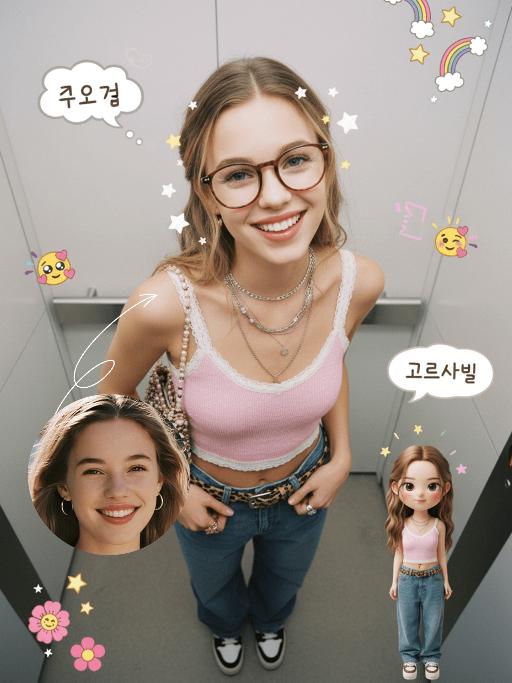
Emoji Plog AI effects generated image

Emoji Plog

"The figure from the uploaded image (unchanged facial features, age and gender), create an image in a portrait photography style: a realistic Korean-style sweet and cool young girl (wearing brown-framed glasses, trendy Y2K clothing, and Y2K accessories including necklaces and rings) stands in the center of the frame, shot from a bird’s-eye view, with natural facial retouching and a fresh sheer makeup look. Her head takes up a large proportion of the frame with a strong sense of perspective, featuring the style of casual Instagram selfies plus a subtle decorative texture of cute Instagram emojis. The figure occupies 70% of the frame as the main subject; the negative space is dotted with cute light decorations such as colorful stars and doodles (iPhone emojis). In the bottom right corner is a large, cute 3D cartoon doppelgänger of the girl with the same outfit and pose, accounting for a quarter of the entire frame. Add white/yellow star stickers, cloud emoji speech bubbles with cute Korean text, and a number of lovely emojis to the frame. The scene is set inside an elevator with soft indoor natural light; the decorative elements include white/yellow stars. The work features an avant-garde fashion photography style and a magazine art cover aesthetic, with even soft indoor natural light and no harsh shadows, creating a warm and daily atmosphere. The main color palette is a soft low-saturation scheme (white/light gray/black), accented with bright shades of pink/yellow/leopard brown. The overall image is clean and bright, with a fresh film-like filter effect."

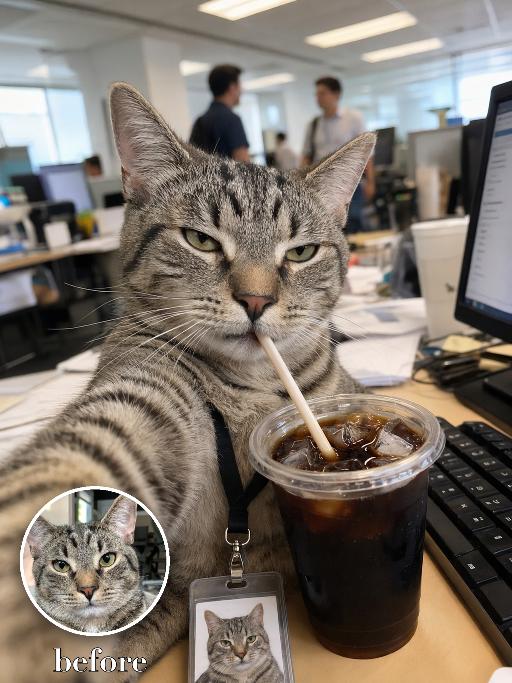
Coffee Intern AI effects generated image

Coffee Intern

Recreate the reference as a candid office selfie from the uploaded cat's point of view. The uploaded cat sits at a messy corporate desk, one front paw extended toward the camera as if taking the selfie, squinting with a tired unimpressed expression while drinking iced coffee through a straw from a large clear plastic cup in the foreground. Office monitors, keyboard and coworkers blurred behind, fluorescent office light, vertical phone-photo crop, lanyard badge with a tiny photo of the same cat near the lower edge. Preserve the uploaded pet's actual species, breed, coat color, markings, ear shape, eye color, muzzle and facial structure. Do not assume a fixed breed, color, or species from the reference image; adapt the exact gameplay to the uploaded pet. Actively change pose, facial expression, gaze direction, camera angle, wardrobe and styling to match the gameplay reference. Match the gameplay reference very closely in composition, crop, texture, lighting, visible pet angle, props, background, graphic layout and image quality. Vertical 3:4. Keep only the text explicitly requested in the prompt; do not add unrelated logos, watermarks or random words.

Pet Meltdown

" An adorable, round little pet, consistent with the reference image, lounges lazily like a human on a greige fabric sofa, leaning slightly backward with a focused yet adorably silly expression. The pet holds a dark gray smartphone in its left paw and looks down at the screen, while holding a yellow potato chip near its mouth with its right paw, secretly snacking. Beside it is an opened bright blue bag of potato chips, with plenty of chips clearly visible inside, and several chips are naturally scattered across the sofa. The pet wears a red-and-white gingham lace bib with a red bow decoration, creating a refined and adorable look. The background is a warm and bright modern living room with a light-colored sofa, cushions, and green potted plants, softly blurred in the background. Soft natural window light, warm tones, realistic and finely detailed fur texture, expressive facial features, an anthropomorphic everyday scene, humorous and heartwarming, pet short-form video advertisement style, cinematic composition, high image quality, realistic photography, shallow depth of field, centered subject. The pet holds a dark gray smartphone in its left paw and scrolls attentively, while using its right paw to place a potato chip into its mouth. Beside it is an opened bright blue bag of potato chips, with several chips scattered across the sofa. The camera slowly moves closer to the pet. The pet watches the smartphone while chewing the potato chip, looking focused and adorably silly. Suddenly, a human hand reaches in from the right side of the frame and takes away the pet’s smartphone. The pet instantly opens its eyes wide, showing a shocked and aggrieved expression. The pet watches the phone being taken away with its eyes opened wide. The pet then angrily uses its hind legs to kick away the gray blanket covering its body. The blanket instantly flies upward and forms an arched shape. The pet lies on its back on the bed and quickly rolls from side to side, first to the left and then to the right. All four paws kick and wave wildly while the pet tilts its head back, opens its mouth, and cries out angrily. The blue bag of potato chips beside it is knocked over, sending a large number of chips flying into the air before slowly falling around the pet and the blanket. Finally, the pet remains lying on its back with its mouth wide open, showing an angry yet aggrieved expression. The camera quickly pushes in and freezes on the final expression. A warm and bright modern living room with soft natural window light, warm tones, realistic and finely detailed fur, anthropomorphic pet movements, a humorous and heartwarming mood, fast-paced rhythm, pet short-form video advertisement style, cinematic camera movement, shallow depth of field, realistic photographic texture, and high image quality.

My Homepage AI effects generated image

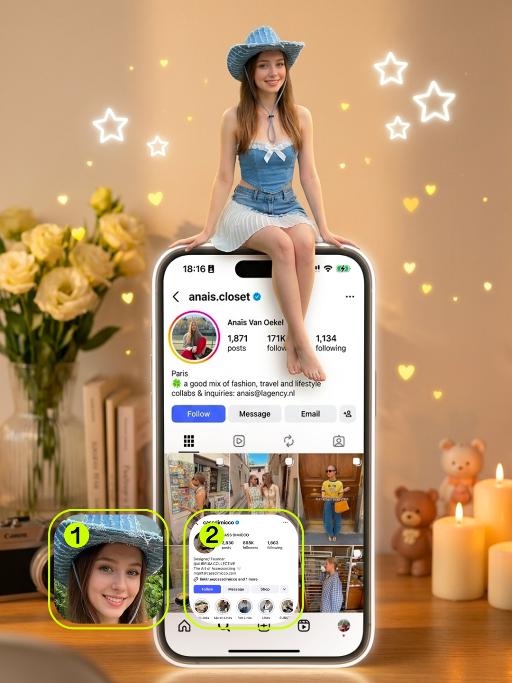
My Homepage

(Magnificent work, top quality, 8K resolution, ultra-fine, ultra-realistic, lifelike: top-level cinematic textures) Film-like shots, dreamy lighting, warm golden time illumination; The characters in the uploaded picture (with no alterations made to their facial features, clothing style, etc.) are sitting on top of the huge illuminated iPhone interface (keeping the information content of the home page in Figure 2 unchanged), with their legs naturally hanging down and their hands resting on the edge of the screen, smiling. The huge mobile phone is placed perpendicular to the desktop surface, and the screen displays the home page of Figure 2 (including the username, the number of followers, notes, and the bottom navigation bar). Background: Bright and warm color scheme, a cozy cream-colored background, a blurry yet bright pale yellow vase decorating the tabletop, a stack of books, a vintage camera, warm white candles, a cute bear-shaped figurine, twinkling light particles, white neon stars and yellow heart-shaped decorations floating around, soft and warm tones, pastel color scheme, a romantic and aesthetically pleasing atmosphere, using a Sony A7III camera, 50mm f/1.4 lens, film grain effect, the shooting style of a photography master.

Glam Balloon

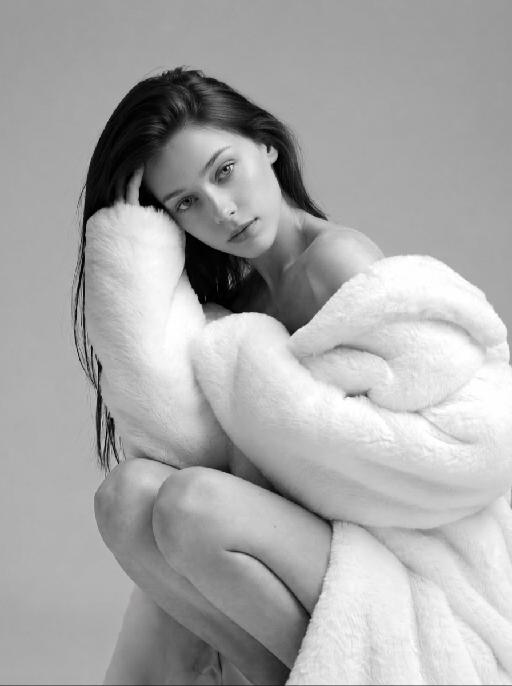
"Use the uploaded image as the only reference. Strictly preserve the original subject, identity, facial features, hairstyle, expression, clothing, pose, background, scene layout, and overall composition of the uploaded image. Do not add or remove major elements. Only transform the main subject into a soft balloon-inspired portrait style. Do not stylize or alter the background. Keep the background unchanged in content, structure, and appearance. Style for the subject only: semi-realistic digital beauty portrait, smooth glossy skin, soft airbrushed rendering, gentle highlights, slightly inflated balloon-like softness, delicate facial features, polished hair highlights, warm elegant tones, and a clean refined finish. Keep the person recognizable and attractive. The face and body should have a subtle balloon-like softness and smooth rounded appearance, but without extreme distortion. The effect should feel soft, pretty, polished, and visually appealing. The final image should look like the original uploaded image, with only the subject transformed into a subtle balloon-style portrait while the background remains untouched. No text, no logo, no watermark."

Endless Sunset AI effects generated image

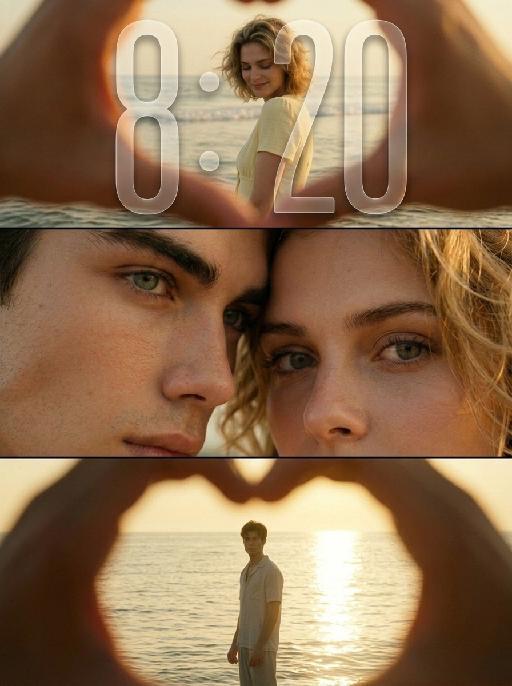
Endless Sunset

"Use the uploaded images as the only identity references for the two adult subjects. Create a photorealistic vertical 9:16 cinematic romantic triptych composed of three horizontal panels stacked from top to bottom. Strictly preserve both subjects’ exact faces, ages, facial features, skin tones, hairstyles, hair colors, body proportions, and overall recognizability. TOP PANEL: Show the female subject standing in shallow seawater near the beach during golden hour. View her through a large heart-shaped opening formed by two hands close to the camera. The hands remain heavily out of focus and occupy the outer edges of the frame, creating a natural foreground heart frame. The female subject stands in the center distance with gentle waves behind her. She turns slightly sideways and looks downward with a soft, shy, peaceful smile. She wears a simple pale yellow or cream short-sleeve summer top. Her hair falls naturally around her shoulders and moves slightly in the sea breeze. Keep the woman clearly recognizable but slightly softened by distance and warm atmospheric haze. MIDDLE PANEL: Create an extreme close-up of the couple’s faces pressed closely together. Show mainly: * the male subject’s eye, brow, nose bridge, and upper cheek on the left * the female subject’s eye, eyebrow, forehead, and upper cheek on the right Their foreheads and temples touch gently. The female subject looks directly toward the camera with a wide, emotional, intimate gaze. The male subject’s eye remains partially visible, calm and tender. The framing is extremely tight, with both faces filling the entire panel. Preserve realistic eyelashes, skin pores, freckles, eyebrows, and natural facial detail. BOTTOM PANEL: Show the male subject standing alone in shallow seawater during golden-hour backlight. View him through another large heart-shaped opening formed by hands close to the camera. The blurred hands occupy the outer foreground and create a soft heart-shaped frame. The male subject stands in the center distance, facing generally toward the camera with his body slightly turned. He appears as a warm, softly defined silhouette against bright sunlight reflecting across the water. He wears a simple light-colored short-sleeve summer shirt and relaxed light trousers. The sun reflection creates a long bright golden path across the water behind him. LAYOUT: * vertical 9:16 composition * exactly three horizontal cinematic panels * top panel: female subject at the beach * middle panel: extreme close-up of both faces and eyes * bottom panel: male subject standing in the sea * clean horizontal separation between panels * no decorative borders * balanced visual rhythm * intimate romantic storytelling LIGHTING AND COLOR: Use warm golden-hour sunlight with rich amber, honey, muted yellow, and soft olive tones. Create: * strong warm backlight * soft glowing highlights * gentle shadow detail * slightly faded colors * mild haze * subtle halation around bright areas * soft highlight roll-off * delicate analog film grain * slightly underexposed cinematic shadows * natural skin texture PHOTOGRAPHIC STYLE: * nostalgic summer romance film still * intimate cinematic couple photography * early-2000s analog film aesthetic * soft 35mm texture * dreamy but photorealistic * emotionally warm, private, tender, and poetic * natural candid expressions * no glossy commercial retouching * no plastic skin * no HDR look * no overly sharp digital texture IMPORTANT CONSTRAINTS: * preserve both subjects’ identities * exactly three panels * female only in the top beach panel * both subjects only in the middle close-up panel * male only in the bottom beach panel * hands forming heart-shaped foreground frames only in the top and bottom panels * hands must remain heavily blurred * no extra people * no extra fingers * no malformed heart shape * no merged eyes * no distorted faces * no text * no logo * no watermark * no UI * no cartoon * no illustration * no CGI appearance "

Veil Love AI effects generated image

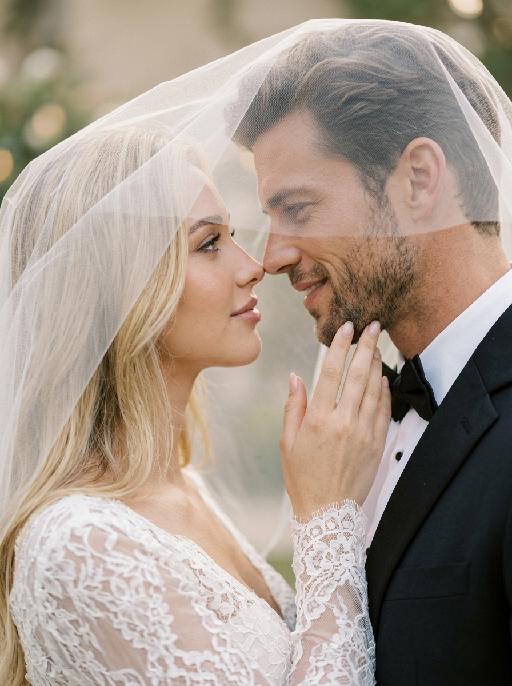
Veil Love

Create a photorealistic cinematic wedding portrait of the two subjects from the uploaded image, preserving their exact faces, ages, facial features, skin tones, and overall likeness as accurately as possible. Transform the two subjects into a bride and groom in an intimate close-up wedding portrait. The couple should strictly follow this romantic veil pose: the bride is on the left side of the image and the groom is on the right side. They stand extremely close to each other under a soft translucent white bridal veil, facing each other in profile. Their noses are almost touching, creating a quiet, romantic, intimate moment before a kiss. Both subjects look into each other’s eyes with gentle, affectionate, loving expressions. The bride gently places one hand on the groom’s neck or jawline, with relaxed elegant fingers, creating a tender and intimate touch. The groom stays close to the bride, slightly leaning toward her, calm and affectionate. Their faces should remain clearly visible and natural, not hidden by the veil. Bride outfit: the bride wears an elegant white wedding dress with a soft romantic bridal style. The dress may have a clean neckline, delicate lace, subtle embroidery, or refined satin texture. She wears a long translucent white tulle veil that softly covers and frames both the bride and groom, creating a romantic canopy around their faces. The veil should be lightweight, semi-transparent, and beautifully draped, not messy or opaque. The bride also wears subtle bridal earrings and a delicate pearl or diamond necklace. The bride’s hairstyle is not restricted and may be freely styled in whatever way best suits the overall bridal look, as long as it remains beautiful, natural, and elegant. Groom outfit: the groom wears a classic black tuxedo or formal black wedding suit, fitted and elegant, with a clean white dress shirt and a black bow tie. The groom’s outfit should look sharp, formal, minimal, and refined. Background: a simple softly blurred wedding background, such as a quiet garden, chapel courtyard, or elegant neutral outdoor wedding setting. The background should be minimal, romantic, and unobtrusive, with no visible crowd or distracting details. The couple should be the only two people in the image. Lighting and color: full-color image, not black and white. Use soft natural wedding photography colors with a low-saturation color palette, muted warm tones, soft ivory whites, gentle beige highlights, subtle skin tones, and elegant film-like color grading. The image should feel romantic, soft, refined, and timeless. Avoid monochrome, grayscale, overly vivid colors, neon tones, and harsh contrast. Composition: vertical close-up portrait, intimate framing from the shoulders or upper chest upward. The bride and groom are centered under the veil, with the veil forming a soft triangular or curved frame around their faces. Their noses should be very close but not kissing yet. The bride’s hand should be visible gently touching the groom’s neck or jawline. The overall mood should feel pure, romantic, quiet, emotional, and cinematic. Ultra realistic photography, high-end wedding editorial style, natural facial details, realistic hands and fingers, realistic veil texture, soft film grain, professional portrait lens look, shallow depth of field, high detail, muted cinematic color grading.


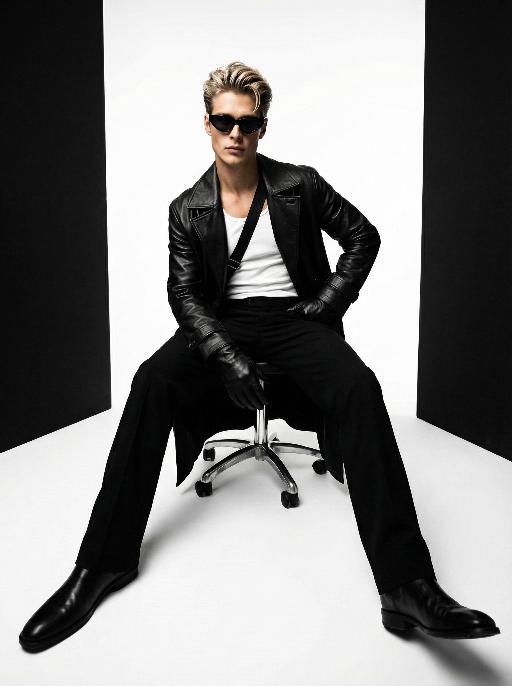
Throne of Noir AI effects generated image

Throne of Noir

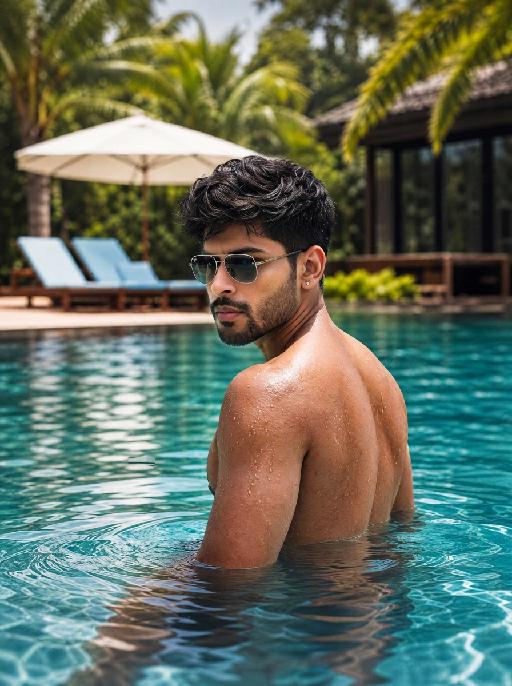
Use the exact same facial features, gender, and age as the character in the uploaded image. Low-angle wide-angle shot, avant-garde art photography, high-end men's fashion portrait, handsome East Asian male, sleek back-combed messy hair, futuristic cat-eye black sunglasses, long black leather trench coat with strong drape, white tank top inner wear, black diagonal strap across the chest, black leather gloves, sitting on a metallic silver swivel office chair, one hand on hip, the other resting on the chair leg, legs spread and extended forward to emphasize long legs, minimalist studio, seamless pure white floor, symmetrical vertical black background panels on both sides, cinematic lighting with subtle warm and cool tonal contrast, rich black and white tones with natural depth and texture, ultra-sharp focus, commercial blockbuster texture, 8K, ultra-detailed, no redundant elements, vertical composition

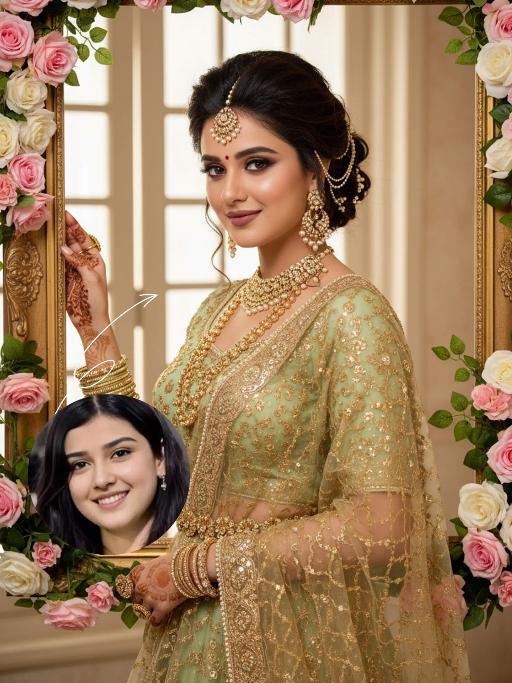
Blossom Queen AI effects generated image

Blossom Queen

"The identity of the uploaded portrait is strictly preserved (retaining facial contours, authentic Indian skin tone, hairstyle and age). This is a bust portrait with a 3:4 aspect ratio, featuring a stunning Indian bride with exquisitely delicate makeup: deep defined eye makeup paired with a matte bean paste red lip, and a red crystal bindi adorned on her forehead. Her hair is styled into a vintage voluminous updo dotted with golden beading, and an ornate maang tikka inlaid with pearls and micro-diamonds sits atop her head. She is dressed in a fresh light-luxury teal Lehenga Choli: the blouse is a slim-fit short-sleeve style fully embellished with intricate golden heavy hand-embroidery and tiny crystal accents, edged with a delicate pearl trim. A golden tulle dupatta is draped over her shoulders and back, emanating a soft inherent luster; a matching golden carved waist chain cinches her waist. Around her neck, she wears layered gold beaded necklaces, with dangling openwork gold earrings at her ears, and more than ten layers of golden bangles and rings adorning her hands. She strikes an elegant pose, lifting one hand to gently brush the edge of a golden photo frame, her eyes looking softly at the camera. The backdrop features a large vintage carved golden photo frame encircled by pink-and-white gradient roses and fresh green vines, set against a soft indoor space where natural light filtering through the window lattice creates a bright and fresh atmosphere. Soft natural lighting is adopted: warm-toned light illuminates the bride’s face and attire, highlighting the luster of the embroidery and the translucency of the tulle dupatta, crafting an overall romantic and fresh ambiance. The style is a light-luxury romantic Indian bridal portrait, boasting ultra-high definition and delicate details, fresh and soft hues, and rich, well-rounded textures that perfectly capture the dreamy and elegant atmosphere."

Load more

Next-Gen Multi-Model AI Video Architecture

Vivago AI isn't just one engine—it’s a unified hub for the world’s most advanced video AI. Whether you need cinematic realism or high-speed social content, we provide the right model for your creative vision.

Free Generate

Beauty and Dolphins

Vacation Time

Stellar Tear

Fish Tank Supervisor

Cinematic Quality & Precision Control

Enables 4K resolution with multi-lens motion control, generating delicate scene via text prompts for customized cinematography.​

TRY NOW

Dynamic AV Sync

Auto-generates original audio to avoid copyright issues. Build 3D immersive environments through layered sound design automatically.

TRY NOW

OpenAI Sora 2

​Advanced visual storytelling with unparalleled physics and consistency.

TRY NOW

Kling v2.6 Pro

Industry-leading cinematic image animation and motion control.

TRY NOW

Google Veo 3 & 3.1

Ultra-fast generation with enhanced realism for creative workflows.

TRY NOW

Vivago AI 2.0

Our proprietary model optimized for efficiency, speed, and cost-effective generation.

TRY NOW

Users' Voice

We listen carefully to the opinions of every user.
Free Generate
Contact Us
I tried the Lip Sync feature inside Vivago.ai’s AI Video Generator for my educational podcast, and the results were stunning! The avatar's lip movements perfectly matched my audio recording, creating a professional AI-generated video without complex editing. Compared with tools like OpenAI Sora 2 and Google Veo 3.1, Vivago Image-to-Video delivers fast, studio-quality results online. It saved me hours of post-production work.
ElenaM (Spain)
Vivago’s Image-to-Video AI transformed my marketing workflow. I uploaded a product image and described the launch scene in text, and it generated a 10-second cinematic AI video with background music and dynamic visuals. The output quality rivals Kling v2.6 Pro and Google Veo 3 Fast. It’s now my go-to AI video generator for social media ads and product campaigns.
KenjiT (Japan)
As a digital artist, I use Vivago.ai 2.0 daily for Image-to-Image and AI Image-to-Video creation. The e-book covers and animated visuals I generate for clients look cinematic and professional. Unlike many standalone AI tools, Vivago integrates multiple leading models into one platform, making it easier to create copyright-safe AI images and videos for publishing.
ChenL (China)
I tried the Lip Sync feature inside Vivago.ai’s AI Video Generator for my educational podcast, and the results were stunning! The avatar's lip movements perfectly matched my audio recording, creating a professional AI-generated video without complex editing. Compared with tools like OpenAI Sora 2 and Google Veo 3.1, Vivago Image-to-Video delivers fast, studio-quality results online. It saved me hours of post-production work.
ElenaM (Spain)
Vivago’s Image-to-Video AI transformed my marketing workflow. I uploaded a product image and described the launch scene in text, and it generated a 10-second cinematic AI video with background music and dynamic visuals. The output quality rivals Kling v2.6 Pro and Google Veo 3 Fast. It’s now my go-to AI video generator for social media ads and product campaigns.
KenjiT (Japan)
As a digital artist, I use Vivago.ai 2.0 daily for Image-to-Image and AI Image-to-Video creation. The e-book covers and animated visuals I generate for clients look cinematic and professional. Unlike many standalone AI tools, Vivago integrates multiple leading models into one platform, making it easier to create copyright-safe AI images and videos for publishing.
ChenL (China)
I absolutely love Vivago’s AI Image-to-Video Generator. As a travel blogger, static images often fail to capture real atmosphere, but Vivago helps me turn photos into vivid cinematic AI videos with motion effects. It feels comparable to OpenAI Sora 2 and Google Veo 3.1, but more accessible and faster for creators who need high-quality AI videos online.
LiamK (Australia)
I tried the Lip Sync feature inside Vivago.ai’s AI Video Generator for my educational podcast, and the results were stunning! The avatar's lip movements perfectly matched my audio recording, creating a professional AI-generated video without complex editing. Compared with tools like OpenAI Sora 2 and Google Veo 3.1, Vivago Image-to-Video delivers fast, studio-quality results online. It saved me hours of post-production work.
ElenaM (Spain)
Vivago’s Image-to-Video AI transformed my marketing workflow. I uploaded a product image and described the launch scene in text, and it generated a 10-second cinematic AI video with background music and dynamic visuals. The output quality rivals Kling v2.6 Pro and Google Veo 3 Fast. It’s now my go-to AI video generator for social media ads and product campaigns.
KenjiT (Japan)
As a digital artist, I use Vivago.ai 2.0 daily for Image-to-Image and AI Image-to-Video creation. The e-book covers and animated visuals I generate for clients look cinematic and professional. Unlike many standalone AI tools, Vivago integrates multiple leading models into one platform, making it easier to create copyright-safe AI images and videos for publishing.
ChenL (China)
I absolutely love Vivago’s AI Image-to-Video Generator. As a travel blogger, static images often fail to capture real atmosphere, but Vivago helps me turn photos into vivid cinematic AI videos with motion effects. It feels comparable to OpenAI Sora 2 and Google Veo 3.1, but more accessible and faster for creators who need high-quality AI videos online.
LiamK (Australia)
Using Vivago.ai’s Image-to-Video AI has greatly enhanced my classroom teaching. I transform textbook notes into historical AI videos with cinematic filters and dynamic animations. Compared with tools like Kling v2.6 Pro and Google Veo 3 Fast, Vivago offers faster generation and easier parameter control for educators who need reliable AI video creation.
RajivG (India)
I frequently create AI videos on Vivago and publish them on TikTok and YouTube Shorts. The AI video templates and trending content ideas help me produce viral-ready clips quickly. With Vivago’s integrated models—including advanced video engines similar to OpenAI Sora 2—I can generate anime-style and cinematic social media videos that drive high engagement.
MarieJ (Spain)
What attracts me most about Vivago.ai is not only the powerful AI Video Generator but also the active AIGC creator community. It combines AI Image-to-Video, Text-to-Video, and leading model integrations like Google Veo 3.1 into one creative platform.
TomW (India)
At first, I was hesitant about using AI video tools. But after trying Vivago Image-to-Video, I realized how easy it is to create professional AI-generated videos online. I just upload an image, add a short prompt, and adjust a few settings. The results are cinematic and copyright-safe, which is essential for commercial projects.
HectorC (Mexico)
Using Vivago.ai’s Image-to-Video AI has greatly enhanced my classroom teaching. I transform textbook notes into historical AI videos with cinematic filters and dynamic animations. Compared with tools like Kling v2.6 Pro and Google Veo 3 Fast, Vivago offers faster generation and easier parameter control for educators who need reliable AI video creation.
RajivG (India)
I frequently create AI videos on Vivago and publish them on TikTok and YouTube Shorts. The AI video templates and trending content ideas help me produce viral-ready clips quickly. With Vivago’s integrated models—including advanced video engines similar to OpenAI Sora 2—I can generate anime-style and cinematic social media videos that drive high engagement.
MarieJ (Spain)
What attracts me most about Vivago.ai is not only the powerful AI Video Generator but also the active AIGC creator community. It combines AI Image-to-Video, Text-to-Video, and leading model integrations like Google Veo 3.1 into one creative platform.
TomW (India)
At first, I was hesitant about using AI video tools. But after trying Vivago Image-to-Video, I realized how easy it is to create professional AI-generated videos online. I just upload an image, add a short prompt, and adjust a few settings. The results are cinematic and copyright-safe, which is essential for commercial projects.
HectorC (Mexico)