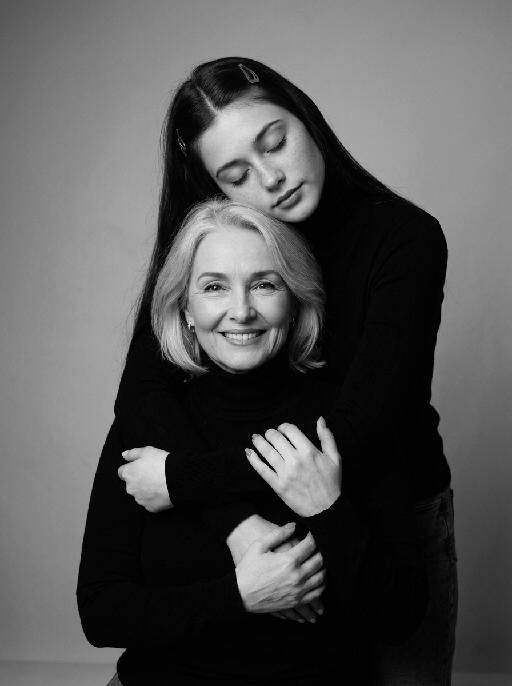
Fluff Stack

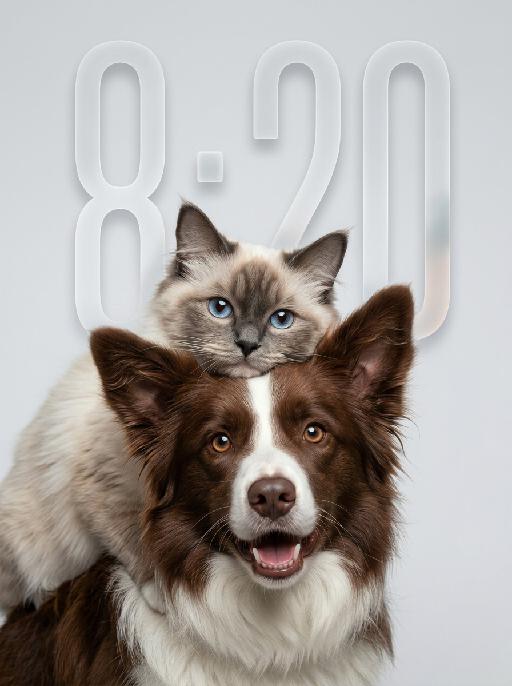
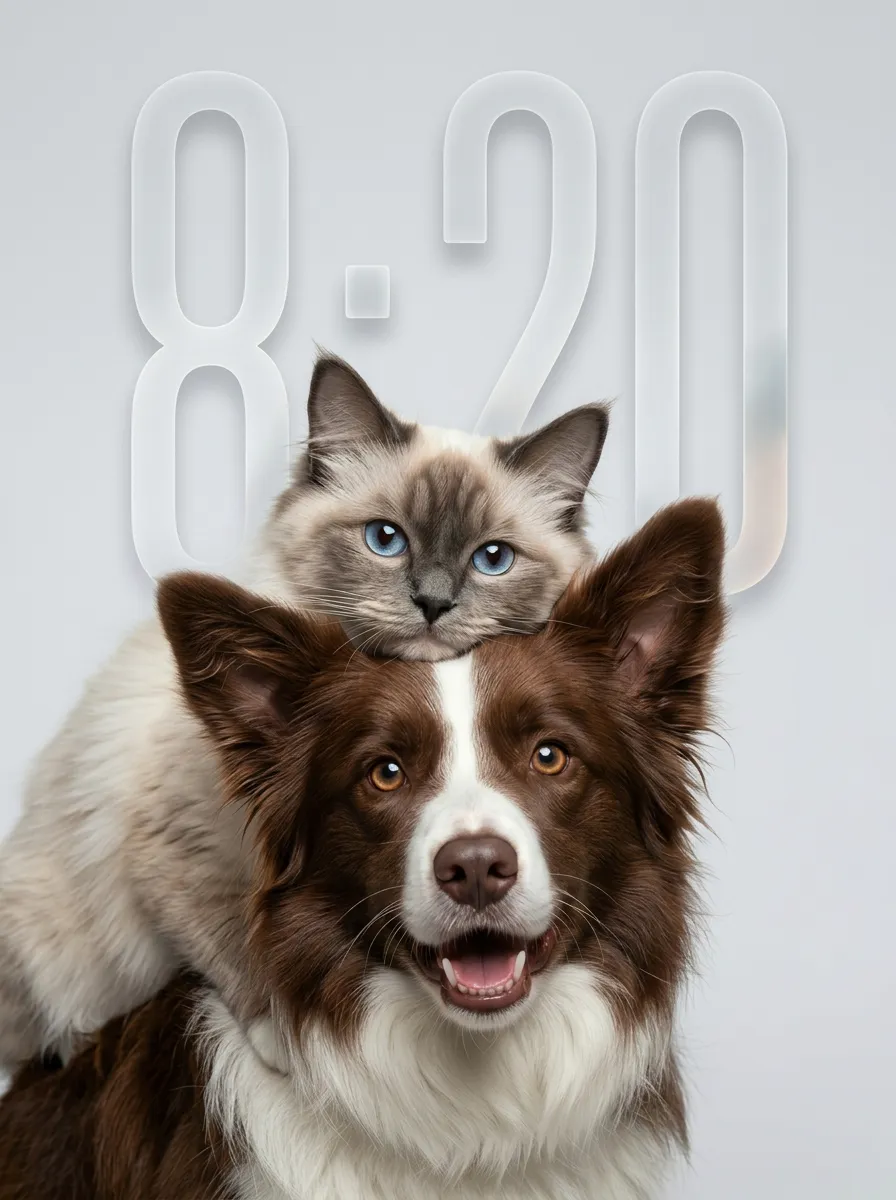
"Use the uploaded pet image as the only identity reference. Create a hyper-realistic studio portrait featuring the same two pets from the uploaded image. Strictly preserve both pets’ original identities, facial structures, fur colors, fur patterns, fur textures, eye colors, ear shapes, nose shapes, and overall recognizability. COMPOSITION: * vertical portrait composition * tight chest-up close-up framing * position the entire two-pet group noticeably lower in the frame * anchor both pets mainly in the lower-middle and lower two-thirds of the image * leave clean, balanced negative space above the upper pet’s head * keep the top of the upper pet’s ears clearly below the upper edge * do not place either pet too high in the frame * do not leave excessive empty space below the foreground pet * both pets remain large and prominent in the frame * one pet is positioned in the foreground, occupying most of the lower and central area * the other pet is positioned slightly above and behind, leaning gently over or resting closely against the foreground pet * the upper pet’s face appears around the upper-middle or slightly upper-left area, but remains clearly below the top edge * both faces must be fully visible and must not be cropped * the foreground pet faces the camera directly * the upper pet also faces generally toward the camera * intimate, affectionate, close companion feeling POSE AND EXPRESSION: * the foreground pet has a happy, friendly, lively expression, with an open-mouth smile only if natural for that pet * the upper pet has a calm, slightly curious, soft expression * the upper pet rests naturally against the foreground pet, creating a cozy and affectionate relationship dynamic * both animals appear comfortable, closely bonded, and emotionally warm FRAMING: * chest-up or tighter portrait crop * focus mainly on the faces and upper fur * no full body * keep both heads, ears, faces, and upper bodies fully inside the frame * no distracting empty space * both pets fill most of the lower and central image area BACKGROUND: * clean light gray or very pale neutral seamless studio background * minimal and uncluttered * no environment details * no props LIGHTING: * soft professional studio lighting * even illumination * soft natural shadows * bright natural catchlights in both pets’ eyes * premium commercial pet-photography look STYLE: * hyper-realistic pet photography * ultra-detailed fur * natural whiskers * crisp focus on both faces * soft elegant tonal range * polished editorial studio portrait * warm, gentle, premium feeling IMPORTANT CONSTRAINTS: * do not assume specific animal types or breeds beyond what appears in the uploaded image * do not place the pet group near the top edge * no cropped ears or heads * no excessive empty space below the pets * no text * no watermark * no logo * no cartoon * no illustration * no extra animals * keep both pets fully recognizable * preserve the affectionate close-up two-pet composition "

Use Template
arrow
Fluff Stack

More From VIVAGO AI

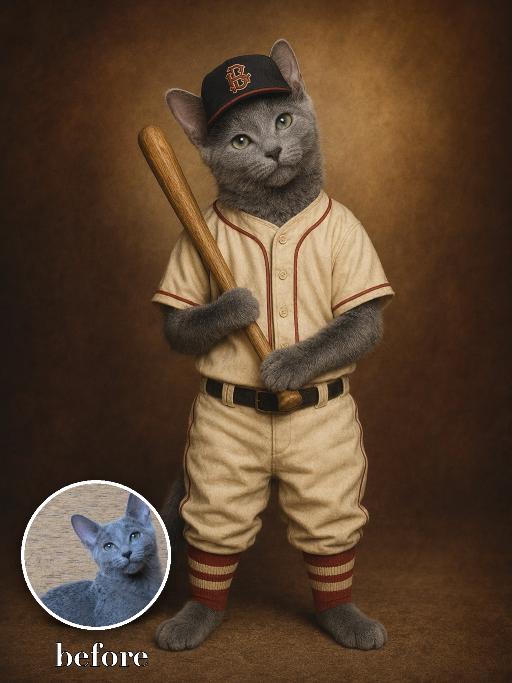
Vintage Baseball AI effects generated image

Vintage Baseball

Recreate a vintage baseball portrait: the uploaded pet stands holding a wooden baseball bat, wearing a cream baseball uniform and dark cap with simple decorative letters that are not readable. Warm brown vignette studio background, old sports-card lighting, centered full-body-to-knee portrait. The subject remains an animal throughout. No people or human hands. No real character names, celebrity names, brands, logos, watermarks or readable text. Accurately preserve the uploaded pet's species, breed, coat color and markings, ear shape, muzzle and face structure, eye color, body proportions and tail. Keep it instantly recognisable as the same animal; change only pose, scene, costume and art treatment. Match the provided gameplay reference very closely in composition, pose, colors, camera angle, props, and visual idea. Vertical 3:4, crisp detail, the pet is the unmistakable main subject.

Clown Villain Portrait AI effects generated image

Clown Villain Portrait

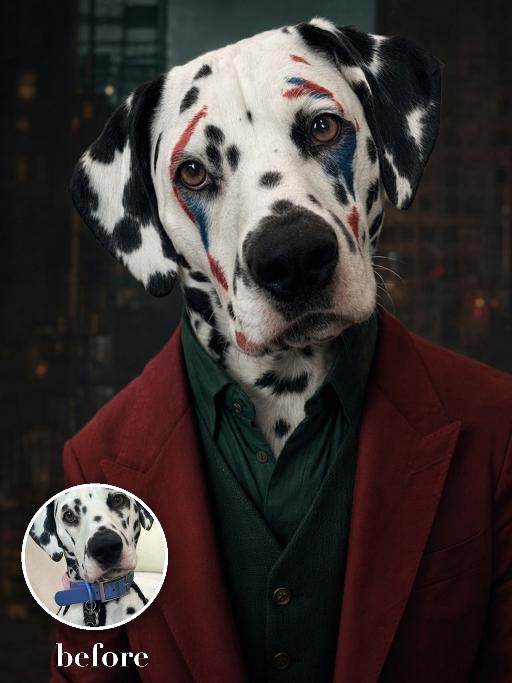
Create a theatrical stage-character pet portrait based on the reference. The uploaded pet wears a deep red suit jacket over a dark green vest and shirt, with abstract red and blue face-paint markings adapted around the animal face. Dark city-studio background, close chest-up framing, serious expressive gaze, cinematic realism. The subject remains an animal throughout. No people or human hands. No real character names, celebrity names, brands, logos, watermarks or readable text. Accurately preserve the uploaded pet's species, breed, coat color and markings, ear shape, muzzle and face structure, eye color, body proportions and tail. Keep it instantly recognisable as the same animal; change only pose, scene, costume and art treatment. Match the reference composition closely. Vertical 3:4, crisp detail, the pet is the unmistakable main subject.

Caramelo Stamp AI effects generated image

Caramelo Stamp

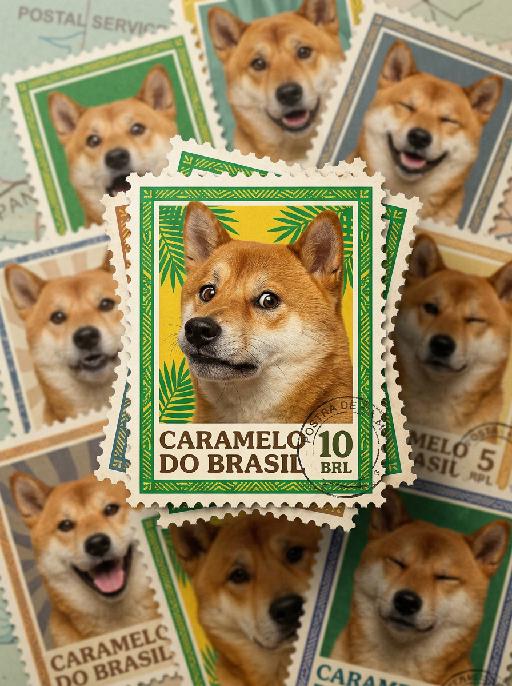
"Image-to-image, fully retain the original appearance, fur and caramel-colored texture of the dog, hyper-realistic printing texture that restores the paper, ink and cutting details of physical commemorative stamps. Multiple stamps are stacked in a staggered and tilted layout with rich layers and flexible design. The central C-position stamp is the visual focus with clear and sharp details. The surrounding stamps have different styles and color schemes, blurred and indistinct due to shallow depth of field, forming distinct primary and secondary layers. All stamps are equipped with standard serrated perforated borders, restoring the appearance of real stamps. The whole picture is dominated by Brazilian green and yellow, decorated with retro patterns such as palm leaves and folk lines. The caramel dog on the C-position stamp turns its side face towards the camera, with exaggerated, funny and dramatic facial expressions and vivid comical effect. The Portuguese text Caramelo do Brasil is printed on the stamp in retro postal font, arranged properly without covering the main subject. Made of matte vintage stamp paper with subtle fiber texture and slight natural aging traces, simulating the real state of collected stamps. The light is soft and even, highlighting the three-dimensional sense of stacked stamps. The overall atmosphere is joyful, interesting, realistic and natural."

Fluff Stack AI effects generated image

Fluff Stack

"Use the uploaded pet image as the only identity reference. Create a hyper-realistic studio portrait featuring the same two pets from the uploaded image. Strictly preserve both pets’ original identities, facial structures, fur colors, fur patterns, fur textures, eye colors, ear shapes, nose shapes, and overall recognizability. COMPOSITION: * vertical portrait composition * tight chest-up close-up framing * position the entire two-pet group noticeably lower in the frame * anchor both pets mainly in the lower-middle and lower two-thirds of the image * leave clean, balanced negative space above the upper pet’s head * keep the top of the upper pet’s ears clearly below the upper edge * do not place either pet too high in the frame * do not leave excessive empty space below the foreground pet * both pets remain large and prominent in the frame * one pet is positioned in the foreground, occupying most of the lower and central area * the other pet is positioned slightly above and behind, leaning gently over or resting closely against the foreground pet * the upper pet’s face appears around the upper-middle or slightly upper-left area, but remains clearly below the top edge * both faces must be fully visible and must not be cropped * the foreground pet faces the camera directly * the upper pet also faces generally toward the camera * intimate, affectionate, close companion feeling POSE AND EXPRESSION: * the foreground pet has a happy, friendly, lively expression, with an open-mouth smile only if natural for that pet * the upper pet has a calm, slightly curious, soft expression * the upper pet rests naturally against the foreground pet, creating a cozy and affectionate relationship dynamic * both animals appear comfortable, closely bonded, and emotionally warm FRAMING: * chest-up or tighter portrait crop * focus mainly on the faces and upper fur * no full body * keep both heads, ears, faces, and upper bodies fully inside the frame * no distracting empty space * both pets fill most of the lower and central image area BACKGROUND: * clean light gray or very pale neutral seamless studio background * minimal and uncluttered * no environment details * no props LIGHTING: * soft professional studio lighting * even illumination * soft natural shadows * bright natural catchlights in both pets’ eyes * premium commercial pet-photography look STYLE: * hyper-realistic pet photography * ultra-detailed fur * natural whiskers * crisp focus on both faces * soft elegant tonal range * polished editorial studio portrait * warm, gentle, premium feeling IMPORTANT CONSTRAINTS: * do not assume specific animal types or breeds beyond what appears in the uploaded image * do not place the pet group near the top edge * no cropped ears or heads * no excessive empty space below the pets * no text * no watermark * no logo * no cartoon * no illustration * no extra animals * keep both pets fully recognizable * preserve the affectionate close-up two-pet composition "
City Nap AI effects generated image

City Nap

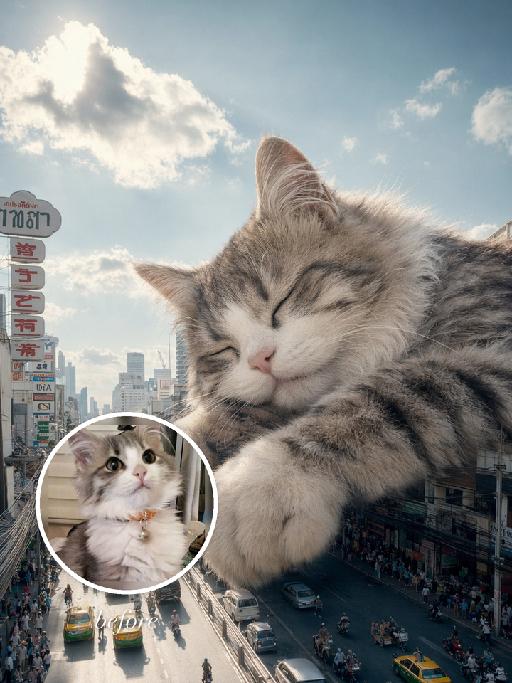
"Use the uploaded pet image as the exact identity reference. Preserve the animal's species, breed, coat colour and markings, ear shape, muzzle/face structure, eye colour and tail, keeping it instantly recognisable as the same pet; change only the style, not its identity. Create a vertical 3:4 image with this exact effect: dreamy surreal city photo-composite, the uploaded pet as a gigantic sleepy animal resting over a downtown street canyon between tall buildings. Eyes closed, paws relaxed, soft clouds and bright blue sky, tiny cars and pedestrians below for scale, cozy peaceful giant-pet mood, realistic fur and sunlight. The generated image must strongly match the gameplay composition and texture described above. Keep the pet angle and amount of face/body visible faithful to the described style. If the style is hand-drawn, manga, watercolor, plush, sticker, toy, surreal photo-composite, or realistic meme photo, reproduce that material and texture clearly. No logos, no watermark, no Doubao AI text."

Beach Road Cyclist AI effects generated image

Beach Road Cyclist

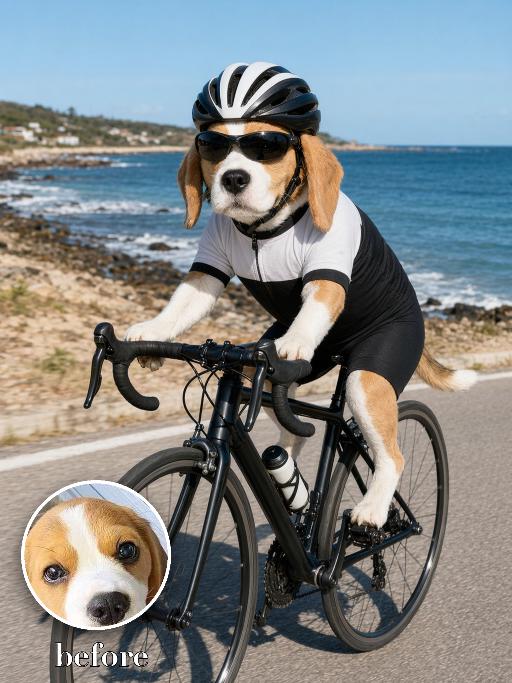
Recreate a beach road cycling scene: the uploaded pet rides a black road bike on a coastal path, wearing a black-and-white cycling kit, helmet and sport sunglasses. Ocean and rocky shore behind, bright daylight, full body and bicycle visible, realistic action photo. The subject remains an animal throughout. No people or human hands. No real character names, celebrity names, brands, logos, watermarks or readable text. Accurately preserve the uploaded pet's species, breed, coat color and markings, ear shape, muzzle and face structure, eye color, body proportions and tail. Keep it instantly recognisable as the same animal; change only pose, scene, costume and art treatment. Match the provided gameplay reference very closely in composition, pose, colors, camera angle, props, and visual idea. Vertical 3:4, crisp detail, the pet is the unmistakable main subject.

Pet Craque AI effects generated image

Pet Craque

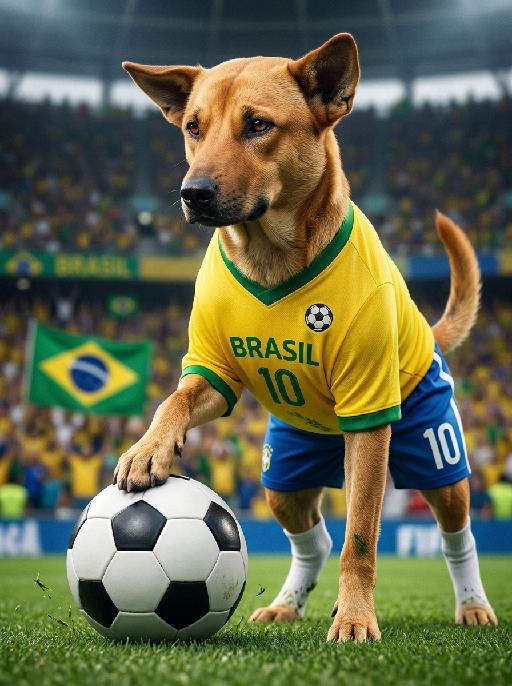
A hyper-realistic close-up photograph of the pet from the uploaded image, preserving its exact species, breed, fur texture, eye color, ear shape, and all facial features completely unchanged. The pet wears a complete football kit including a bright yellow jersey with green collar and green sleeve trim, the word "BRASIL" printed on the chest, a small embroidered football ball icon on the left chest, number "10", matching blue football shorts also featuring the number "10", and white socks. The jersey chest area must only show the word "BRASIL" and a simple football ball icon. No shield, no crest, no eagle, no federation emblem, no official sports logo of any kind on the jersey. The pet is standing over a soccer ball, with one front paw resting firmly on it in a classic "trap" pose. Its body is slightly coiled, eyes intense, and gaze shifted slightly to the side as if scanning the field for an open teammate or surveying the defense. The other front paw is planted on the ground, and the overall pose is one of confident, poised athletic control. The green turf is retained, with a few fresh blades of grass disturbed by the ball's trapping action, and subtle fresh grass stains are visible on the pet's planted paw and the underside of its jersey and shorts. The background is a packed, blurred Maracanã-style stadium with a large Brazil flag, maintaining a low-angle perspective and cinematic stadium lighting.

Furry Addict AI effects generated image

Furry Addict

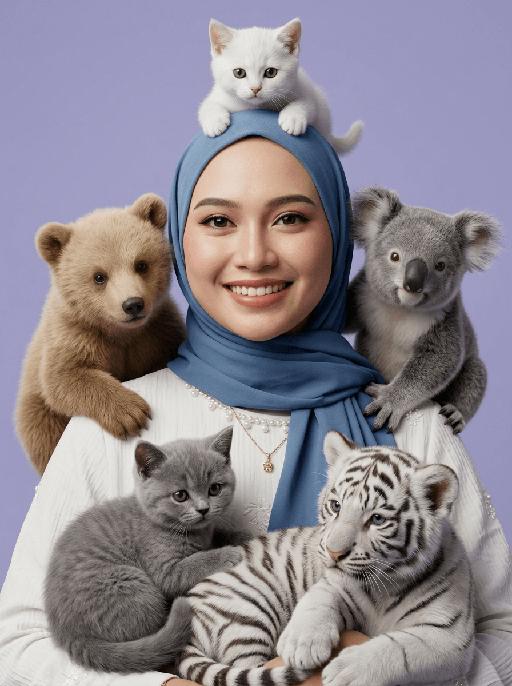
"[Strictly preserve the exact same subjects, same species, same faces, original appearance features, and the full style of clothing and costume details from the reference images unchanged;] ultra-realistic 3D cinematic studio portrait, extreme narrow head-and-shoulders close-up only, ultra tight framing, central character and surrounding animals fill most of the frame with no empty margins, no spare corners, genuine 3D spatial depth, layered occlusion relationship, completely avoid flat 2D collage, avoid cutout sticker patchwork effect, soft even studio lighting, soft box key light, gentle fill light, natural ambient occlusion shadow, fixed rigid animal placement: white shorthair kitten perched on top of head, light brown bear cub sitting on left shoulder, gray koala cub sitting on right shoulder, gray British Shorthair kitten curled on front left chest, white tiger cub nestled on front right chest, animals tightly surround the head and shoulders with clear front-back layering, realistic fluffy fur with three-dimensional volume, natural shadow occlusion between character and animals, hyper-detailed skin and fur texture, 8K ultra HD, sharp focus, cinematic render, lifelike realistic texture, background: smooth, clean, soft matte pastel light purple studio backdrop, seamless, slightly blurred, neutral tone, no distractions, keeps full focus on the subject and animals "

Beach Dance

"System Role: You are an expert AI Image Editing Assistant. Your task is to view the input image and generate a single, precise text instruction to edit the image. Logic Requirements: Analyze Identity: Identify the main subject. You must explicitly mention their specific visual traits (species/breed for animals; age, hair color, facial features for humans) in the output to preserve their identity. Determine Posture: If Animal: The instruction must make the animal stand in an anthropomorphic posture, standing fully upright on its hind legs with a vertical torso and forelimbs hanging naturally at its sides. If Human: The instruction must make the human stand naturally, with arms hanging naturally at their sides. Apply Scene & Costume: Wearing a yellow polka-dot bikini set, a cartoonish yellow short skirt, standing on the beach, with a pearl necklace around her neck, wearing a cute straw hat on her head with a small yellow flower on it, surrounded by some vacation elements such as beach chairs and coconuts. Style: Disney animation, hyper-realistic, cinematic quality."

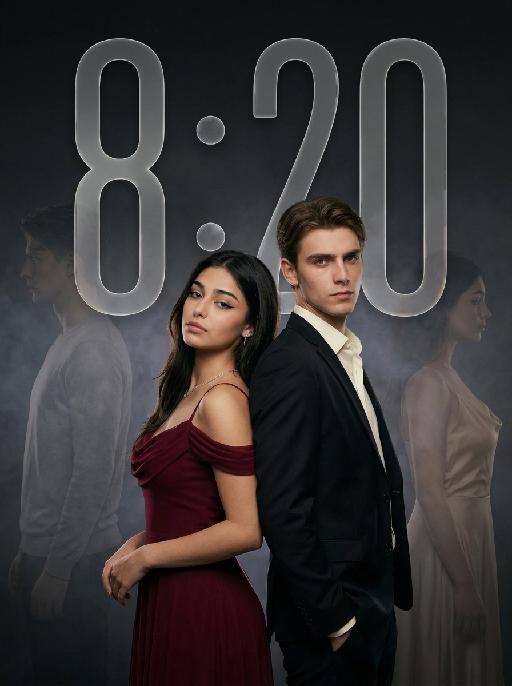
Ambiton Love AI effects generated image

Ambiton Love

" Use the uploaded image as the main reference for composition, pose, lighting, and style. Use the uploaded subject images as the only identity references. Create a photorealistic vertical 9:16 cinematic romance phone wallpaper designed for a smartphone lock screen. Strictly preserve both subjects’ exact faces, hairstyles, hair colors, body proportions, and overall recognizability. Place the central couple in the lower-middle area of the frame. Make the couple noticeably larger, using a tight waist-up composition so their faces and embrace become the main focus. The central couple should occupy approximately 70–75% of the image height while leaving the upper 20–25% as clean, dark negative space for wallpaper use. Do not add any text, clock, icons, or UI. Keep the central pose the same as the reference image: * woman on the left * man on the right * they stand closely back-to-back and embrace naturally * preserve the same body angles, head positions, and simple hand placement * both faces remain fully visible, sharp, and unobstructed CLOTHING — STRICTLY FIXED: The woman wears an elegant deep wine-red evening gown with: * a softly draped off-shoulder neckline * a fitted bodice * long, fluid fabric folds * refined satin or silk texture * subtle dark-red and burgundy highlights * one delicate thin silver necklace * small silver earrings The gown should feel romantic, luxurious, soft, and cinematic, not stiff or costume-like. The man wears: * a fitted black tailored evening suit * a crisp ivory-white dress shirt * an open shirt collar * no tie * clean, modern lapels * softly structured shoulders * visible tailoring, seams, and natural fabric folds The white shirt must remain clearly visible and create contrast between the man’s suit, the woman’s wine-red gown, and the dark background. The woman looks toward the camera with a calm, serious, slightly vulnerable expression. The man looks toward the camera with an intense, protective, emotionally restrained expression. BACKGROUND SILHOUETTES: Keep two extremely faint background silhouette echoes: * one very faint male silhouette near the far-left edge * one very faint female silhouette near the far-right edge Both silhouettes face inward toward the center, remain behind the central couple, and sit around shoulder-to-head height. The male silhouette wears a pale gray or muted beige top. The female silhouette wears a soft champagne or silver-gray outfit. Their clothing must be different from the central couple’s clothing. Make both silhouettes extremely soft, very low-opacity, lightly blurred, and deeply blended into the background. Use subtle slow-shutter smearing, soft haze, and gentle diffusion so they appear as barely visible emotional afterimages, not extra people. Do not let the silhouettes overlap the central faces. Use a minimal dark charcoal-gray studio background with soft smoky gradients, subtle cinematic light-and-shadow effects, gentle haze, and a restrained vignette. Use soft cinematic lighting. Keep the central couple bright, sharp, and dimensional. Add subtle contour light along the hair, shoulders, wine-red gown, black suit, and white shirt so the subjects remain clearly separated from each other and from the background. Style: photorealistic premium romance-drama key art, intimate, elegant, mature, mysterious, refined cinematic contrast, realistic skin and fabric texture, subtle film grain. No text, title, logo, watermark, border, frame lines, corner marks, UI, clock, icons, extra people, extra limbs, duplicated hands, blurred central faces, prominent silhouettes, cartoon, illustration, anime, or CGI."

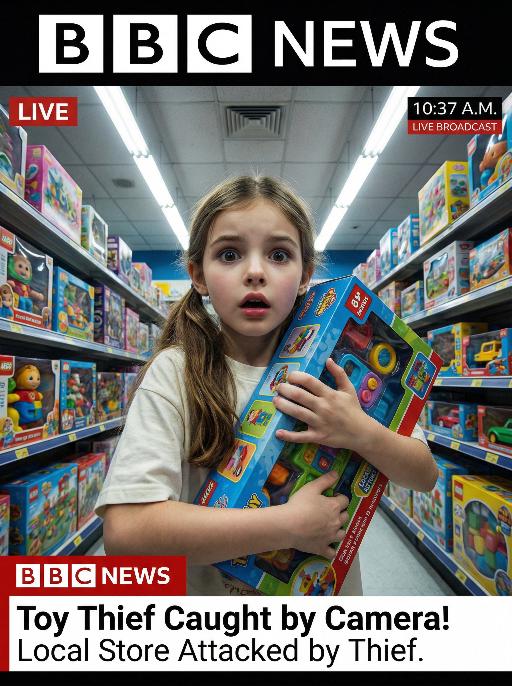
Toy Lost AI effects generated image

Toy Lost

This is a genuine screenshot of a live news report. The picture shows the uploaded image (with no changes in facial features, age, and gender), featuring a shocked expression on the face of the person, standing in the middle of the bright toy store aisle, holding a large toy box tightly. The main character occupies 80% of the overall picture. This shot is a close-up. The panoramic shot is slightly tilted upwards, looking down on the protagonist. The shelves on both sides are filled with colorful toy packages, and there are fluorescent lights on the ceiling. At the bottom of the picture, there is a news headline (in the style consistent with America news): Toy Thief Caught by Camera! Local Store Attacked by Thief. At the top of the picture, there is a large headline (in the style consistent with BBC news): LIVE NEWS. In the corner, there is a timestamp: 10:37 A.M. LIVE BROADCAST. It adopts a real news photography style, with rich details, a resolution of 8K, and has the aesthetic appeal similar to a movie-style surveillance camera, simulating a real-time news scene.

Load more

Next-Gen Multi-Model AI Video Architecture

Vivago AI isn't just one engine—it’s a unified hub for the world’s most advanced video AI. Whether you need cinematic realism or high-speed social content, we provide the right model for your creative vision.

Free Generate

Beauty and Dolphins

Vacation Time

Stellar Tear

Fish Tank Supervisor

Cinematic Quality & Precision Control

Enables 4K resolution with multi-lens motion control, generating delicate scene via text prompts for customized cinematography.​

TRY NOW

Dynamic AV Sync

Auto-generates original audio to avoid copyright issues. Build 3D immersive environments through layered sound design automatically.

TRY NOW

OpenAI Sora 2

​Advanced visual storytelling with unparalleled physics and consistency.

TRY NOW

Kling v2.6 Pro

Industry-leading cinematic image animation and motion control.

TRY NOW

Google Veo 3 & 3.1

Ultra-fast generation with enhanced realism for creative workflows.

TRY NOW

Vivago AI 2.0

Our proprietary model optimized for efficiency, speed, and cost-effective generation.

TRY NOW

Users' Voice

We listen carefully to the opinions of every user.
Free Generate
Contact Us
I tried the Lip Sync feature inside Vivago.ai’s AI Video Generator for my educational podcast, and the results were stunning! The avatar's lip movements perfectly matched my audio recording, creating a professional AI-generated video without complex editing. Compared with tools like OpenAI Sora 2 and Google Veo 3.1, Vivago Image-to-Video delivers fast, studio-quality results online. It saved me hours of post-production work.
ElenaM (Spain)
Vivago’s Image-to-Video AI transformed my marketing workflow. I uploaded a product image and described the launch scene in text, and it generated a 10-second cinematic AI video with background music and dynamic visuals. The output quality rivals Kling v2.6 Pro and Google Veo 3 Fast. It’s now my go-to AI video generator for social media ads and product campaigns.
KenjiT (Japan)
As a digital artist, I use Vivago.ai 2.0 daily for Image-to-Image and AI Image-to-Video creation. The e-book covers and animated visuals I generate for clients look cinematic and professional. Unlike many standalone AI tools, Vivago integrates multiple leading models into one platform, making it easier to create copyright-safe AI images and videos for publishing.
ChenL (China)
I tried the Lip Sync feature inside Vivago.ai’s AI Video Generator for my educational podcast, and the results were stunning! The avatar's lip movements perfectly matched my audio recording, creating a professional AI-generated video without complex editing. Compared with tools like OpenAI Sora 2 and Google Veo 3.1, Vivago Image-to-Video delivers fast, studio-quality results online. It saved me hours of post-production work.
ElenaM (Spain)
Vivago’s Image-to-Video AI transformed my marketing workflow. I uploaded a product image and described the launch scene in text, and it generated a 10-second cinematic AI video with background music and dynamic visuals. The output quality rivals Kling v2.6 Pro and Google Veo 3 Fast. It’s now my go-to AI video generator for social media ads and product campaigns.
KenjiT (Japan)
As a digital artist, I use Vivago.ai 2.0 daily for Image-to-Image and AI Image-to-Video creation. The e-book covers and animated visuals I generate for clients look cinematic and professional. Unlike many standalone AI tools, Vivago integrates multiple leading models into one platform, making it easier to create copyright-safe AI images and videos for publishing.
ChenL (China)
I absolutely love Vivago’s AI Image-to-Video Generator. As a travel blogger, static images often fail to capture real atmosphere, but Vivago helps me turn photos into vivid cinematic AI videos with motion effects. It feels comparable to OpenAI Sora 2 and Google Veo 3.1, but more accessible and faster for creators who need high-quality AI videos online.
LiamK (Australia)
I tried the Lip Sync feature inside Vivago.ai’s AI Video Generator for my educational podcast, and the results were stunning! The avatar's lip movements perfectly matched my audio recording, creating a professional AI-generated video without complex editing. Compared with tools like OpenAI Sora 2 and Google Veo 3.1, Vivago Image-to-Video delivers fast, studio-quality results online. It saved me hours of post-production work.
ElenaM (Spain)
Vivago’s Image-to-Video AI transformed my marketing workflow. I uploaded a product image and described the launch scene in text, and it generated a 10-second cinematic AI video with background music and dynamic visuals. The output quality rivals Kling v2.6 Pro and Google Veo 3 Fast. It’s now my go-to AI video generator for social media ads and product campaigns.
KenjiT (Japan)
As a digital artist, I use Vivago.ai 2.0 daily for Image-to-Image and AI Image-to-Video creation. The e-book covers and animated visuals I generate for clients look cinematic and professional. Unlike many standalone AI tools, Vivago integrates multiple leading models into one platform, making it easier to create copyright-safe AI images and videos for publishing.
ChenL (China)
I absolutely love Vivago’s AI Image-to-Video Generator. As a travel blogger, static images often fail to capture real atmosphere, but Vivago helps me turn photos into vivid cinematic AI videos with motion effects. It feels comparable to OpenAI Sora 2 and Google Veo 3.1, but more accessible and faster for creators who need high-quality AI videos online.
LiamK (Australia)
Using Vivago.ai’s Image-to-Video AI has greatly enhanced my classroom teaching. I transform textbook notes into historical AI videos with cinematic filters and dynamic animations. Compared with tools like Kling v2.6 Pro and Google Veo 3 Fast, Vivago offers faster generation and easier parameter control for educators who need reliable AI video creation.
RajivG (India)
I frequently create AI videos on Vivago and publish them on TikTok and YouTube Shorts. The AI video templates and trending content ideas help me produce viral-ready clips quickly. With Vivago’s integrated models—including advanced video engines similar to OpenAI Sora 2—I can generate anime-style and cinematic social media videos that drive high engagement.
MarieJ (Spain)
What attracts me most about Vivago.ai is not only the powerful AI Video Generator but also the active AIGC creator community. It combines AI Image-to-Video, Text-to-Video, and leading model integrations like Google Veo 3.1 into one creative platform.
TomW (India)
At first, I was hesitant about using AI video tools. But after trying Vivago Image-to-Video, I realized how easy it is to create professional AI-generated videos online. I just upload an image, add a short prompt, and adjust a few settings. The results are cinematic and copyright-safe, which is essential for commercial projects.
HectorC (Mexico)
Using Vivago.ai’s Image-to-Video AI has greatly enhanced my classroom teaching. I transform textbook notes into historical AI videos with cinematic filters and dynamic animations. Compared with tools like Kling v2.6 Pro and Google Veo 3 Fast, Vivago offers faster generation and easier parameter control for educators who need reliable AI video creation.
RajivG (India)
I frequently create AI videos on Vivago and publish them on TikTok and YouTube Shorts. The AI video templates and trending content ideas help me produce viral-ready clips quickly. With Vivago’s integrated models—including advanced video engines similar to OpenAI Sora 2—I can generate anime-style and cinematic social media videos that drive high engagement.
MarieJ (Spain)
What attracts me most about Vivago.ai is not only the powerful AI Video Generator but also the active AIGC creator community. It combines AI Image-to-Video, Text-to-Video, and leading model integrations like Google Veo 3.1 into one creative platform.
TomW (India)
At first, I was hesitant about using AI video tools. But after trying Vivago Image-to-Video, I realized how easy it is to create professional AI-generated videos online. I just upload an image, add a short prompt, and adjust a few settings. The results are cinematic and copyright-safe, which is essential for commercial projects.
HectorC (Mexico)