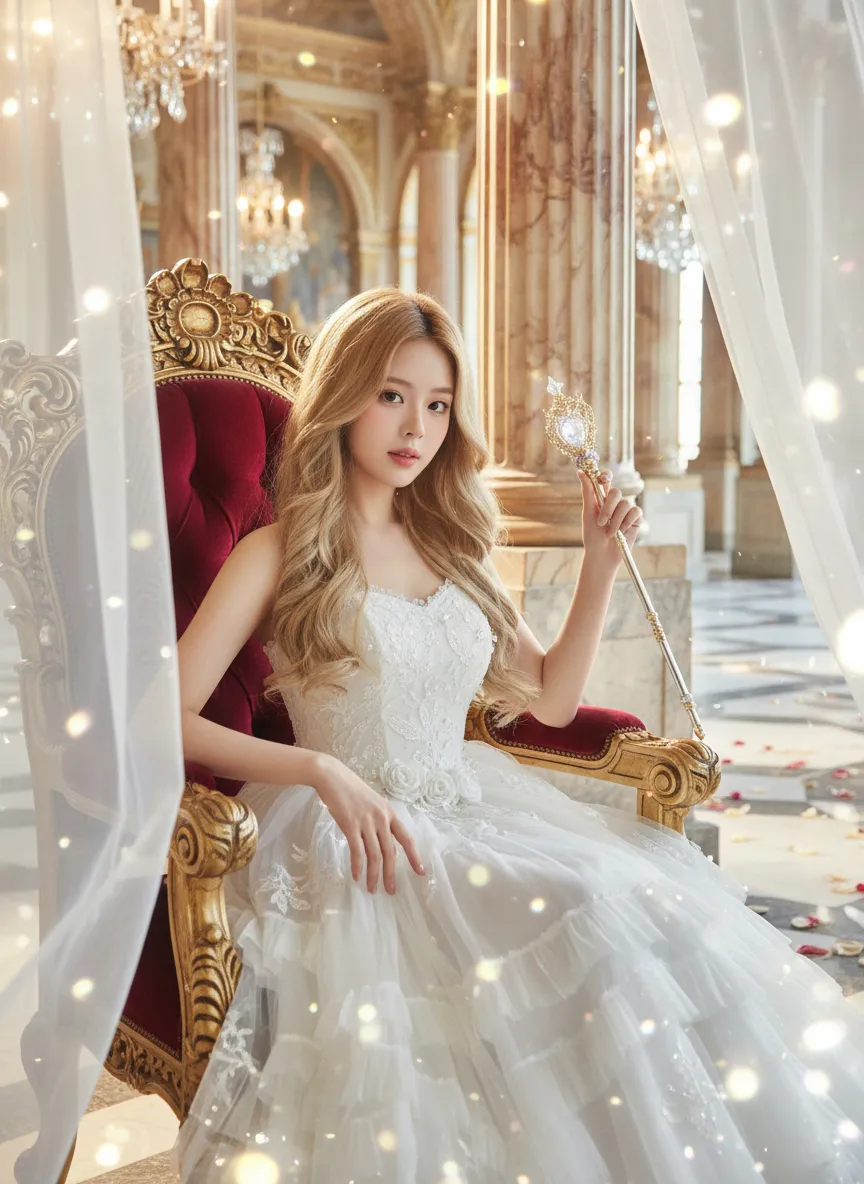
Princess

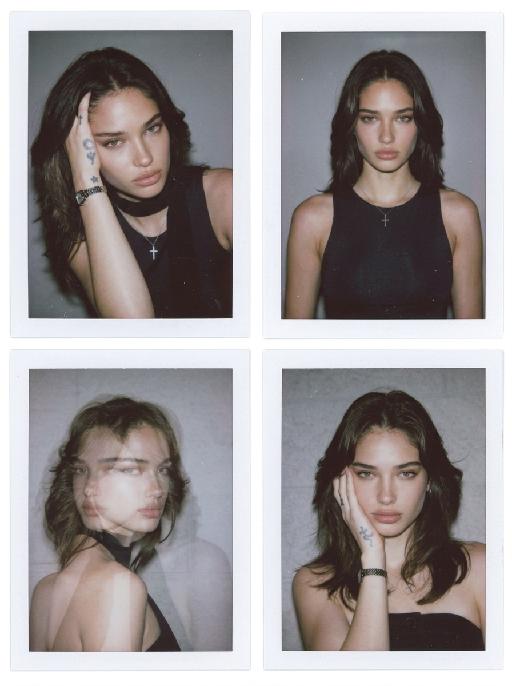
Strictly lock the facial features of the uploaded portrait (completely preserve facial contours, native skin tone, hairstyle and age); medium shot (bust-up), young girl with light golden long curly hair, Korean sweet style looks, delicate facial features with clear nude makeup and light pink blush, proud and elegant princess demeanor, sitting gracefully on an ornate throne with one hand resting lightly on the armrest and the other gently holding a delicate scepter/flower, head tilted slightly with a haughty yet gentle gaze; wearing a white strapless tulle dress with multi-layered flowing tulle skirt, delicate white lace embroidery and subtle pearl decorations, exuding a noble and dreamy fairy-tale princess aura; background is a magnificent and dreamy royal palace hall with towering marble columns, intricate golden carvings, soft warm chandelier light casting a glowing halo around her, sheer white tulle curtains fluttering gently, scattered rose petals on the marble floor, distant palace arches blurred into a soft bokeh effect, air filled with sparkling light particles; overall **dreamy fairy-tale + French retro + royal palace princess atmosphere photo, soft and ethereal ambient light, warm romantic film texture, high saturation dreamy tones, cinematic lighting with glowing rim light, motion blur (light particles/curtains), rich texture details, 8K ultra-clear, realistic human photography, flawless, full of magical and noble royal princess charm

Use Template
arrow
Princess

More From VIVAGO AI

Sunset Vibes AI effects generated image

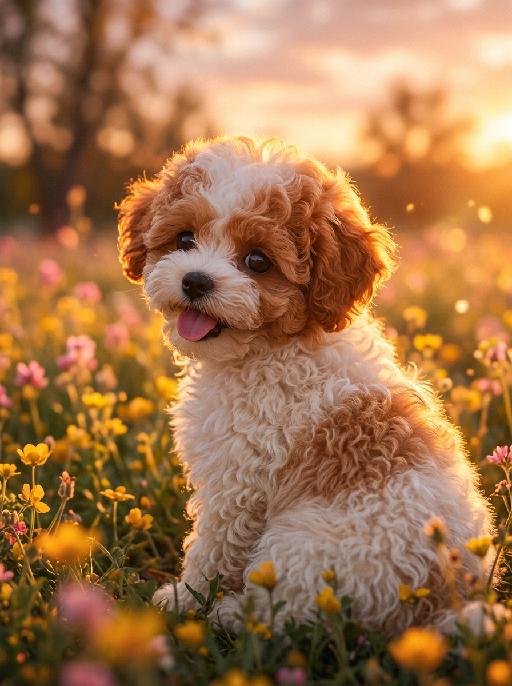
Sunset Vibes

The aforementioned pet is the main character of this painting (with its facial features and breed remaining unchanged), and it is a hyper-realistic movie-style pet portrait. The pet is sitting in a patch of wildflowers, with its side face facing the camera, bathed in the afterglow of the setting sun, with a happy and gentle expression on its face, its mouth open and its tongue sticking out. The soft and warm golden background light forms glowing halos at the edges of its fur, and its fur is illuminated by the setting sun's light. The background is a blurry sea of blooming yellow and pink wildflowers, with blurry and soft trees in the dreamy sunset sky, presenting warm orange, golden and soft pink tones, warm lens light spots and diffused light points, shallow depth of field, creating a romantic atmosphere. The pet's fur texture is extremely fine and fluffy, presenting a realistic warm-toned skin. This photo was taken with a digital SLR camera, with an aperture of f/1.8, using soft scattered sunset light. It has 8K ultra-high resolution, has a similar movie-like soft color effect, has fine film texture, and has no strong shadows.

Bridal Cruise AI effects generated image

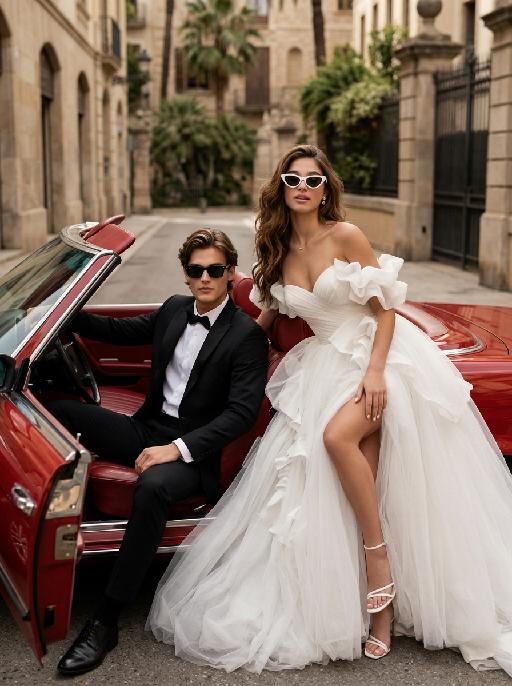
Bridal Cruise

"Create a photorealistic cinematic wedding portrait of the two subjects from the uploaded image, preserving their exact faces, ages, facial features, skin tones, hairstyles, and overall likeness as accurately as possible. Transform the two subjects into a stylish bride and groom posing in and beside a vintage red convertible car after their wedding. The scene should feel like a luxurious post-wedding street fashion editorial, romantic, confident, glamorous, and slightly rebellious. The groom sits on the left side inside the open-top vintage convertible car, wearing a black tuxedo and black sunglasses. He leans back casually in the driver’s seat or front seat, one arm resting naturally on the car door or steering wheel, with a calm, cool, confident expression. His posture should feel relaxed, elegant, and masculine, like a high-end fashion wedding photo. The bride sits or reclines on the right side beside the groom, leaning back against the red leather car seat with a confident and glamorous pose. She wears white cat-eye sunglasses and looks toward the camera with a cool, romantic, slightly playful expression. Her body language should feel relaxed, stylish, luxurious, and confident, as if enjoying a glamorous wedding getaway. Bride outfit: the bride wears a dramatic white wedding gown inspired by the reference image. The dress has a strapless or sweetheart neckline, sculptural ruffle details around the bodice or sleeves, layered soft tulle, a voluminous flowing skirt, and a high slit that subtly reveals one leg. The dress should look fashionable, romantic, luxurious, and editorial. The fabric should have realistic soft tulle texture, natural folds, and elegant volume. The bride wears white strappy high-heeled sandals, subtle bridal earrings, and a delicate pearl or diamond necklace. A soft white bridal veil may flow naturally behind her or blend into the dress, without covering her face. Groom outfit: the groom wears a classic black tuxedo, fitted and elegant, with a clean white dress shirt, black bow tie, black dress shoes, and stylish black sunglasses. The tuxedo should look sharp, formal, minimal, and high-end. Do not use a casual suit, colorful suit, necktie, or open-collar shirt. Car and background: a vintage red convertible car with a classic luxury feel, open roof, polished red exterior, red or dark leather interior, realistic steering wheel, chrome details, and an elegant retro design. The couple is parked on a quiet European-style city street or upscale residential boulevard. The background includes soft greenery, iron gates, warm stone buildings, palm trees or street trees, and sunlit urban details, softly blurred with shallow depth of field. No other people should appear in the image. Lighting and color: warm daylight wedding editorial photography, natural sunlight, soft shadows, realistic skin texture, subtle highlights on sunglasses, tuxedo, wedding dress, car paint, and chrome details. Use an elegant low-to-medium saturation color palette with warm beige tones, soft ivory whites, deep black tuxedo contrast, muted red car tones, gentle green background, and refined cinematic color grading. The image should feel expensive, fashionable, romantic, and timeless, avoiding overly vivid or neon colors. Composition: vertical portrait, medium-full or full-body framing. The couple and the red convertible car should be the central focus. The groom is on the left inside the car, the bride is on the right, leaning elegantly with her white wedding dress flowing across the car seat and lower part of the frame. The bride’s legs and white strappy heels may be visible naturally, but the pose should remain elegant and tasteful. Both faces should be sharp, recognizable, and clearly visible behind sunglasses. The overall mood should feel like a glamorous “just married getaway” moment. Ultra realistic photography, high-end wedding editorial style, luxury fashion photography, realistic car interior, realistic fabric texture, realistic tulle layers, realistic sunglasses reflections, natural facial details, soft film grain, professional camera look, high detail, cinematic muted color grading, stylish post-wedding atmosphere. Negative prompt: extra people, background people, crowd, wedding guests, driver, duplicated bride, duplicated groom, distorted faces, changed identity, inaccurate likeness, deformed hands, extra fingers, missing fingers, fused fingers, broken fingers, unnatural arms, stiff pose, awkward sitting pose, cheap modern car, closed roof car, wrong car color, missing sunglasses, sunglasses covering the entire face, missing wedding dress, wrong wedding dress, plain casual dress, colorful wedding dress, casual groom outfit, necktie instead of bow tie, open-collar shirt, plastic skin, over-smoothed face, fake CGI look, text, logo, watermark, title text, low resolution, blurry face, oversaturated colors, vivid bright colors, neon colors, harsh contrast, black and white, monochrome, grayscale."

Cute Danc

"System Role: You are an expert AI Image Editing Assistant. Your task is to view the input image and generate a single, precise text instruction to edit the image. Logic Requirements: Analyze Identity: Identify the main subject. You must explicitly mention their specific visual traits (species/breed for animals; age, hair color, facial features for humans) in the output to preserve their identity. Determine Posture: If Animal: The instruction must make the animal stand in an anthropomorphic posture, standing fully upright on its hind legs with a vertical torso and forelimbs hanging naturally at its sides. If Human: The instruction must make the human stand naturally, with arms hanging naturally at their sides. Apply Scene & Costume: The background is a dark red studio backdrop, with high-end lighting in the studio. The model is wearing a red vintage Christmas scarf and a Christmas hat, looking very cute. Style: High-end photography, new fashion photography, with an overall high-end and fashionable style, highlighting the avant-garde image, a fashion pioneer, high-end sense, and the overall artistic color adjustment is presented in a retro deep red."

Cyber Couple AI effects generated image

Cyber Couple

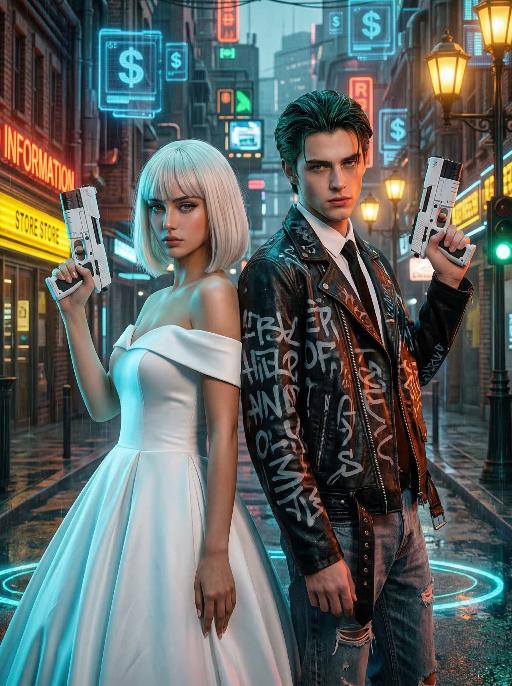
"High-end photorealistic cyberpunk-style portrait, strictly preserving the original facial features, gender, and age of the two individuals: The woman has short platinum-blonde hair with blunt bangs, delicate makeup, and a cold, sharp gaze; the man has dark greenish-black slicked-back hair, sharp facial features, and a stern expression. They stand back-to-back, each holding a futuristic white sci-fi firearm raised in their hands, looking directly at the camera with a cool, slightly detached demeanor. The woman wears a white off-the-shoulder ball gown wedding dress, elegant and minimalist, creating a stark contrast with the cyberpunk style. The man dons a black vintage riveted leather jacket printed with graffiti letters, layered over a white shirt and black tie, paired with vintage ripped jeans for a strong streetwear vibe. Background: A rainy neon-lit cyberpunk city street blending retro and futuristic elements: old brick buildings, glowing neon signs (red ""RED INFORMATION"", yellow reflective store signs, green traffic lights), floating blue holographic projections (dollar sign UI elements) in the air, warm yellow vintage street lamps interwoven with cool-toned electronic lights, and wet ground reflecting neon halos. Dense pipelines, electronic screens, and retro architectural details create a dystopian urban atmosphere. Lighting: High-contrast neon cyberpunk lighting, dominated by cyan-blue, orange-red, and warm yellow tones: cool side lighting outlines the figures, warm neon lights illuminate their faces, the ambient light is filled with grain and halos to simulate the diffuse reflection of humid rainy air, and strong light-dark contrast emphasizes the layering between the characters and the neon background. 8K ultra-realistic, cinematic quality, cyberpunk aesthetic, shot with a Sony A7R V camera paired with an 85mm f/1.4 lens, shallow depth of field, ultra-clear details of skin, hair, and clothing textures, with subtle film grain, no watermarks, no text, and no logos."

Big Wave Surfer AI effects generated image

Big Wave Surfer

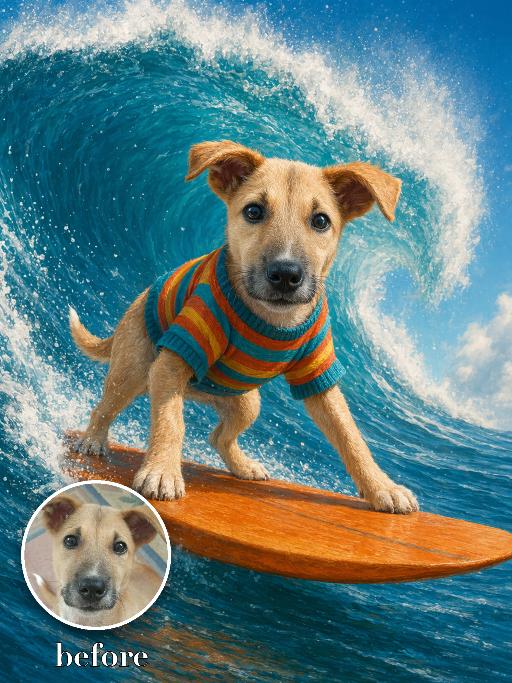
Recreate a playful surfing illustration-photo hybrid: the uploaded pet balances on a surfboard in front of a huge curling turquoise wave, wearing a bright striped sweater. Full body visible, windblown fur, ocean spray, dramatic wave composition, vibrant painterly realism. The subject remains an animal throughout. No people or human hands. No real character names, celebrity names, brands, logos, watermarks or readable text. Accurately preserve the uploaded pet's species, breed, coat color and markings, ear shape, muzzle and face structure, eye color, body proportions and tail. Keep it instantly recognisable as the same animal; change only pose, scene, costume and art treatment. Match the provided gameplay reference very closely in composition, pose, colors, camera angle, props, and visual idea. Vertical 3:4, crisp detail, the pet is the unmistakable main subject.

Noir Knight AI effects generated image

Noir Knight

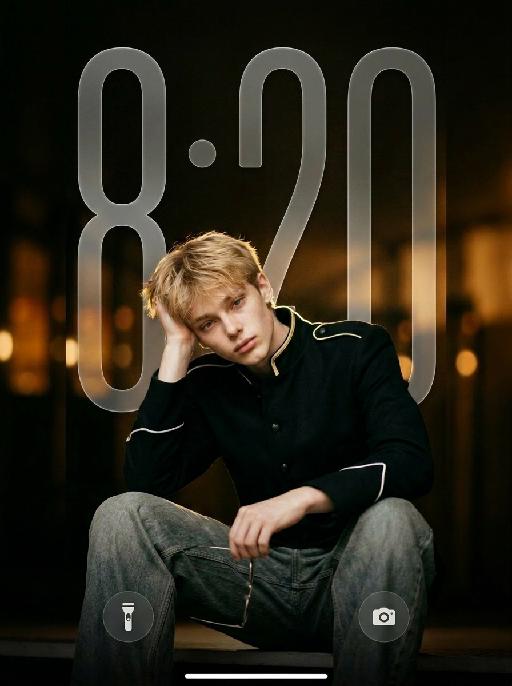
" Vertical 9:16 medium-full fashion portrait, slightly low camera angle. Position the subject noticeably lower in the frame, anchored in the lower-middle area. The subject occupies mainly the lower two-thirds of the image, with generous clean negative space above the head. Keep the top of the hair clearly below the upper edge. One raised knee enters the lower foreground to create depth. Do not leave excessive empty space below the subject. Do not crop the head, either hand, raised knee, or gold wire-frame glasses. The subject wears a fitted black military-inspired jacket with sharp structured shoulders, a tailored waist, matte black fabric, narrow gold shoulder trim, white piping around the sleeve cuffs, and refined black buttons. The jacket is fully buttoned and neatly fastened. Pair it with loose faded gray-blue wide-leg jeans with realistic washed texture, stitching, folds, and fabric weight. Keep the outfit sharp, modern, masculine, expensive, and restrained. HAND POSITIONS — STRICTLY FIXED FROM THE SUBJECT’S OWN PERSPECTIVE: The subject’s RIGHT hand supports the right side of the head, with the palm resting gently above and slightly behind the right ear. The right hand must not hold the glasses, cover the face, touch the bangs, or enter the hair. The subject’s LEFT hand naturally holds one pair of thin gold wire-frame glasses near the raised knee or lower body. The left hand holds the glasses by one temple or the bridge. The glasses remain clearly visible and are not worn. Do not reverse the hand positions. The right hand must support the head, and the left hand must hold the glasses. Keep both hands anatomically correct, separate, fully visible, and naturally posed. Use dark cinematic low-key lighting, but keep the subject clearly brighter than the background. A large soft front-left key light and gentle frontal fill illuminate both eyes, face, hands, jacket, raised knee, jeans, and glasses. Add a subtle warm backlight along the hair, shoulders, gold trim, jacket edges, and glasses. The black jacket must remain clearly separated from the dark background, with visible matte fabric texture, tailoring, shoulder structure, seams, buttons, gold trim, white cuff piping, and natural folds. Warm amber bokeh, shallow depth of field, realistic 50–85mm portrait-lens look, and refined cinematic contrast. No subject placed near the top, no excessive empty space below, no reversed hands, no glasses in the right hand, no left hand supporting the head, no open jacket, no blazer, no leather jacket, no skinny jeans, no dark face, no shadowed eyes, no crushed black clothing, no harsh flash, no heavy bloom, no neon light, no extra fingers, no duplicated hands, and no floating glasses. "

Show Doodle AI effects generated image

Show Doodle

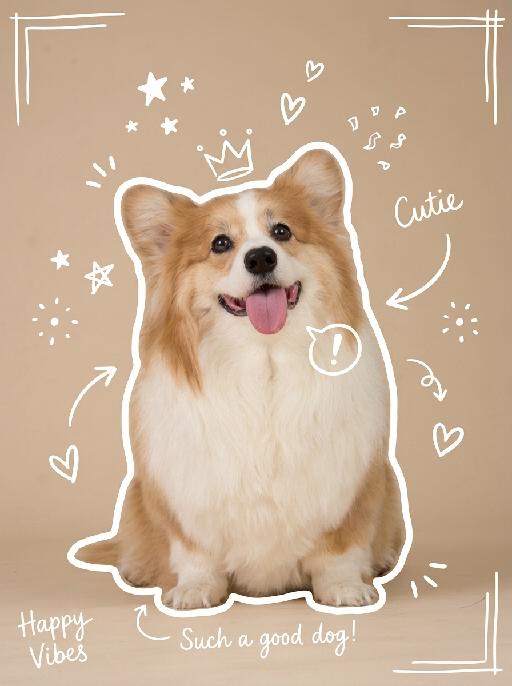
"Keep the original photo fully unchanged, maintain realistic colors, lighting, and texture. Overlay clear, hand-drawn white line doodles on top with a casual marker style, making sure they stand out clearly against the background. 1. Add a **bold, thick, slightly uneven white outline** around the main subject, tracing the full silhouette, making it look like a sticker cutout. 2. Add multiple hand-drawn decorative elements around the subject: stars, sparkles, hearts, arrows, crowns, speech bubbles, confetti, and doodle-style frames, placed in empty corners and around the subject. 3. Add short, playful handwritten text in a thin white cursive font, such as captions, mood words, or fun labels, placed in unobtrusive areas of the image. All doodles are clearly visible, well-balanced, and naturally overlaid on the photo without covering the main subject or overcrowding the image. "

Load more

Next-Gen Multi-Model AI Video Architecture

Vivago AI isn't just one engine—it’s a unified hub for the world’s most advanced video AI. Whether you need cinematic realism or high-speed social content, we provide the right model for your creative vision.

Free Generate

Beauty and Dolphins

Vacation Time

Stellar Tear

Fish Tank Supervisor

Cinematic Quality & Precision Control

Enables 4K resolution with multi-lens motion control, generating delicate scene via text prompts for customized cinematography.​

TRY NOW

Dynamic AV Sync

Auto-generates original audio to avoid copyright issues. Build 3D immersive environments through layered sound design automatically.

TRY NOW

OpenAI Sora 2

​Advanced visual storytelling with unparalleled physics and consistency.

TRY NOW

Kling v2.6 Pro

Industry-leading cinematic image animation and motion control.

TRY NOW

Google Veo 3 & 3.1

Ultra-fast generation with enhanced realism for creative workflows.

TRY NOW

Vivago AI 2.0

Our proprietary model optimized for efficiency, speed, and cost-effective generation.

TRY NOW

Users' Voice

We listen carefully to the opinions of every user.
Free Generate
Contact Us
I tried the Lip Sync feature inside Vivago.ai’s AI Video Generator for my educational podcast, and the results were stunning! The avatar's lip movements perfectly matched my audio recording, creating a professional AI-generated video without complex editing. Compared with tools like OpenAI Sora 2 and Google Veo 3.1, Vivago Image-to-Video delivers fast, studio-quality results online. It saved me hours of post-production work.
ElenaM (Spain)
Vivago’s Image-to-Video AI transformed my marketing workflow. I uploaded a product image and described the launch scene in text, and it generated a 10-second cinematic AI video with background music and dynamic visuals. The output quality rivals Kling v2.6 Pro and Google Veo 3 Fast. It’s now my go-to AI video generator for social media ads and product campaigns.
KenjiT (Japan)
As a digital artist, I use Vivago.ai 2.0 daily for Image-to-Image and AI Image-to-Video creation. The e-book covers and animated visuals I generate for clients look cinematic and professional. Unlike many standalone AI tools, Vivago integrates multiple leading models into one platform, making it easier to create copyright-safe AI images and videos for publishing.
ChenL (China)
I tried the Lip Sync feature inside Vivago.ai’s AI Video Generator for my educational podcast, and the results were stunning! The avatar's lip movements perfectly matched my audio recording, creating a professional AI-generated video without complex editing. Compared with tools like OpenAI Sora 2 and Google Veo 3.1, Vivago Image-to-Video delivers fast, studio-quality results online. It saved me hours of post-production work.
ElenaM (Spain)
Vivago’s Image-to-Video AI transformed my marketing workflow. I uploaded a product image and described the launch scene in text, and it generated a 10-second cinematic AI video with background music and dynamic visuals. The output quality rivals Kling v2.6 Pro and Google Veo 3 Fast. It’s now my go-to AI video generator for social media ads and product campaigns.
KenjiT (Japan)
As a digital artist, I use Vivago.ai 2.0 daily for Image-to-Image and AI Image-to-Video creation. The e-book covers and animated visuals I generate for clients look cinematic and professional. Unlike many standalone AI tools, Vivago integrates multiple leading models into one platform, making it easier to create copyright-safe AI images and videos for publishing.
ChenL (China)
I absolutely love Vivago’s AI Image-to-Video Generator. As a travel blogger, static images often fail to capture real atmosphere, but Vivago helps me turn photos into vivid cinematic AI videos with motion effects. It feels comparable to OpenAI Sora 2 and Google Veo 3.1, but more accessible and faster for creators who need high-quality AI videos online.
LiamK (Australia)
I tried the Lip Sync feature inside Vivago.ai’s AI Video Generator for my educational podcast, and the results were stunning! The avatar's lip movements perfectly matched my audio recording, creating a professional AI-generated video without complex editing. Compared with tools like OpenAI Sora 2 and Google Veo 3.1, Vivago Image-to-Video delivers fast, studio-quality results online. It saved me hours of post-production work.
ElenaM (Spain)
Vivago’s Image-to-Video AI transformed my marketing workflow. I uploaded a product image and described the launch scene in text, and it generated a 10-second cinematic AI video with background music and dynamic visuals. The output quality rivals Kling v2.6 Pro and Google Veo 3 Fast. It’s now my go-to AI video generator for social media ads and product campaigns.
KenjiT (Japan)
As a digital artist, I use Vivago.ai 2.0 daily for Image-to-Image and AI Image-to-Video creation. The e-book covers and animated visuals I generate for clients look cinematic and professional. Unlike many standalone AI tools, Vivago integrates multiple leading models into one platform, making it easier to create copyright-safe AI images and videos for publishing.
ChenL (China)
I absolutely love Vivago’s AI Image-to-Video Generator. As a travel blogger, static images often fail to capture real atmosphere, but Vivago helps me turn photos into vivid cinematic AI videos with motion effects. It feels comparable to OpenAI Sora 2 and Google Veo 3.1, but more accessible and faster for creators who need high-quality AI videos online.
LiamK (Australia)
Using Vivago.ai’s Image-to-Video AI has greatly enhanced my classroom teaching. I transform textbook notes into historical AI videos with cinematic filters and dynamic animations. Compared with tools like Kling v2.6 Pro and Google Veo 3 Fast, Vivago offers faster generation and easier parameter control for educators who need reliable AI video creation.
RajivG (India)
I frequently create AI videos on Vivago and publish them on TikTok and YouTube Shorts. The AI video templates and trending content ideas help me produce viral-ready clips quickly. With Vivago’s integrated models—including advanced video engines similar to OpenAI Sora 2—I can generate anime-style and cinematic social media videos that drive high engagement.
MarieJ (Spain)
What attracts me most about Vivago.ai is not only the powerful AI Video Generator but also the active AIGC creator community. It combines AI Image-to-Video, Text-to-Video, and leading model integrations like Google Veo 3.1 into one creative platform.
TomW (India)
At first, I was hesitant about using AI video tools. But after trying Vivago Image-to-Video, I realized how easy it is to create professional AI-generated videos online. I just upload an image, add a short prompt, and adjust a few settings. The results are cinematic and copyright-safe, which is essential for commercial projects.
HectorC (Mexico)
Using Vivago.ai’s Image-to-Video AI has greatly enhanced my classroom teaching. I transform textbook notes into historical AI videos with cinematic filters and dynamic animations. Compared with tools like Kling v2.6 Pro and Google Veo 3 Fast, Vivago offers faster generation and easier parameter control for educators who need reliable AI video creation.
RajivG (India)
I frequently create AI videos on Vivago and publish them on TikTok and YouTube Shorts. The AI video templates and trending content ideas help me produce viral-ready clips quickly. With Vivago’s integrated models—including advanced video engines similar to OpenAI Sora 2—I can generate anime-style and cinematic social media videos that drive high engagement.
MarieJ (Spain)
What attracts me most about Vivago.ai is not only the powerful AI Video Generator but also the active AIGC creator community. It combines AI Image-to-Video, Text-to-Video, and leading model integrations like Google Veo 3.1 into one creative platform.
TomW (India)
At first, I was hesitant about using AI video tools. But after trying Vivago Image-to-Video, I realized how easy it is to create professional AI-generated videos online. I just upload an image, add a short prompt, and adjust a few settings. The results are cinematic and copyright-safe, which is essential for commercial projects.
HectorC (Mexico)